It’s easy to look at Epic or Cerner and think, “How hard can it be?” Pretty hard, actually.
You’re dealing with legacy systems that talk in languages nobody speaks anymore. You’ve got interoperability standards that change just when you think you’ve got them figured out. And then there’s the human side. Doctors are tired. Nurses are overwhelmed. If your software adds even five seconds to their day, they’ll hate it. No matter how pretty it looks.
EMR/EHR software development brings those everyday problems together with bigger decisions about security, integrations, architecture, and cost. It’s easy to feel pulled in six directions before development even starts.
This guide will help you work through those decisions, choose a realistic starting scope, and understand what it takes to get your platform into users’ hands.
Key Takeaways:
- EMR vs. EHR matters: EMRs are for single practices; EHRs are for sharing data across networks. Know which one your market actually needs before you write a line of code.
- Custom isn’t always better: Off-the-shelf works for generalists. Build custom only if you’re solving a specific, painful workflow that big vendors ignore—like specialty care or unique billing logic.
- Integration is the bottleneck: Your system is useless if it can’t talk to labs and pharmacies. Plan for FHIR/HL7 headaches early, and don’t assume API access will be easy or cheap.
- Security is non-negotiable: HIPAA compliance isn’t a feature you add later. It’s your foundation. Encrypt everything, log every access, and sign BAAs with every vendor.
- Start small, think niche: Don’t try to beat Epic at their own game. Build a lean MVP for one specialty, master that workflow, and expand from there.
- AI is for efficiency, not replacement: Use AI to cut documentation time and automate admin tasks. Keep humans in the loop for clinical decisions to avoid liability and errors.
- Budget for the long haul: Development is just the start. Factor in ongoing costs for maintenance, security updates, support, and cloud hosting. It’s a marathon, not a sprint.
What Is EMR/EHR Software Development?
EHR vs. EMR: What’s the Difference?
Think of an EMR (Electronic Medical Record) as a digital version of the paper chart in a doctor’s office. It’s focused on that single practice. It tracks diagnoses, treatments, and meds for patients within that specific clinic. It’s great for internal efficiency, but it doesn’t travel well. If a patient goes to a specialist down the street, that data often stays put. You’d probably have to print it out or fax it. Yeah, faxing. It’s still a thing.
An EHR (Electronic Health Record) is bigger. It’s designed to share info across different healthcare organizations. It follows the patient. If they go to the ER, see a specialist, or visit a lab, that data can flow between systems. It’s about interoperability. It’s messier to build because you’re dealing with more standards and more security handshakes, but it’s where the industry is heading.
Here’s a quick breakdown so you don’t mix them up in your pitch deck:
| Feature | EMR (Electronic Medical Record) | EHR (Electronic Health Record) |
| Scope | Single practice or clinic | Multiple providers, hospitals, labs |
| Data Focus | Diagnosis & treatment within one org | Comprehensive health history across orgs |
| Interoperability | Low; mostly internal | High; designed for sharing |
| Patient Access | Limited, often portal-based | Broader, includes cross-provider data |
| Best For | Small private practices, specialty clinics | Hospital networks, integrated care systems |
Who Needs a Custom EHR or EMR System?
You might be wondering if you should just buy something off the shelf. Honestly, for most general practitioners, that’s the smart move. Why reinvent the wheel? But there are pockets of the market where off-the-shelf solutions feel like wearing shoes two sizes too small.
First, you’ve got specialty clinics. Think behavioral health, oncology, or fertility treatments. Generic EHRs try to be everything to everyone, so they end up being mediocre at specific workflows. A fertility clinic needs to track cycles, medications, and lab results in a very specific way. A standard form builder just won’t cut it. They need custom fields, custom logic, and a UI that matches their actual daily routine.
Then there are provider networks. These are groups of doctors who want to share data but aren’t ready for a massive hospital-grade EHR. They need something lightweight that still talks to other systems. Building a custom solution here lets them control the data flow without paying for enterprise bloat.
And let’s not forget healthcare software businesses. Maybe you’re not building a full EHR. Maybe you’re building a patient portal, a billing integration, or an AI-driven diagnostic module. In these cases, you’re not replacing the record system; you’re adding to it. You need to understand how EHRs work so your product plugs in seamlessly. It’s less about building the whole house and more about building a really nice addition.
In my experience, the founders who succeed here aren’t trying to beat Epic at its own game. They’re finding those narrow, painful niches where the big players are too slow to adapt. That’s where the opportunity lies.
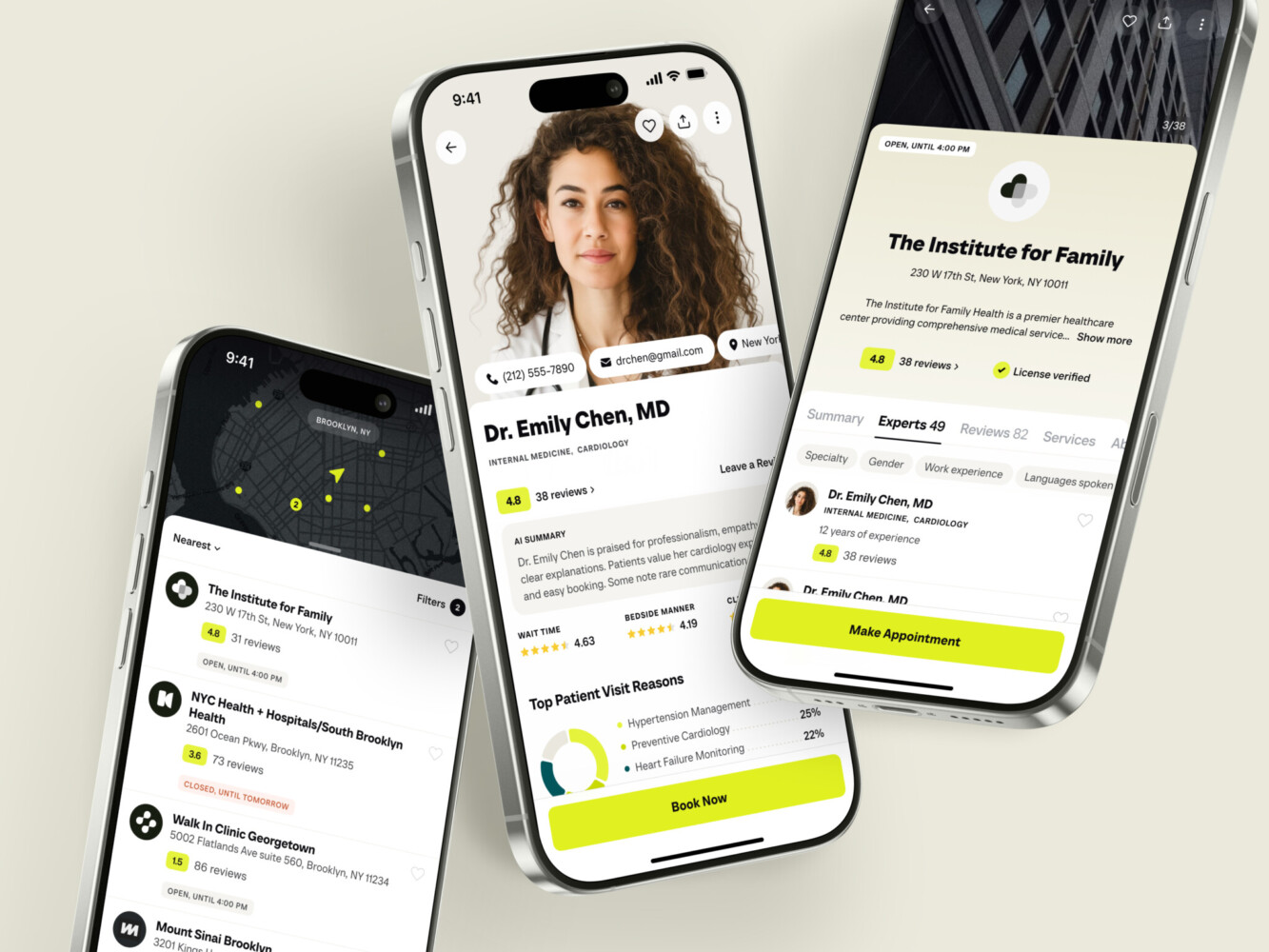
Healthcare app concept by Conceptzilla
Custom EHR Software Development vs. Off-the-Shelf Solutions
So, you’re standing at the crossroads. Do you buy, do you tweak, or do you build from scratch?
It’s the classic dilemma. And honestly, most people jump straight to “let’s build it” because they think their workflow is unique. But it’s usually not that unique. Sometimes, it is.
Let’s break down the options so you don’t burn cash on something you didn’t need.
The Off-the-Shelf Route
Buying an existing EHR is like buying a suit off the rack. It’s fast, it’s relatively cheap upfront, and it fits okay. Maybe the sleeves are a bit long, but you can live with it.
Pros:
- Speed: You can be up and running in weeks, not years.
- Compliance: The vendor has already done the heavy lifting on HIPAA, security, and certifications. That’s a huge relief.
- Support: Someone else is handling the bugs and server updates.
Cons:
- Workflow Fit: You adapt to the EMR/EHR software, not the other way around. If your doctors hate clicking through five screens to prescribe aspirin, too bad. That’s how this vendor designed it.
- Integration Access: Some vendors play nice with APIs; others guard their data like dragons. You might find yourself stuck if you want to plug in a cool new AI tool later.
- Ownership: You don’t own it. You’re renting. And prices can go up.
Extending an Existing Platform
In EMR and EHR software development, this is the middle ground. You take a solid base system—maybe something open-source or a flexible cloud platform—and you build custom modules on top of it. Think of it as tailoring that off-the-rack suit. You keep the structure but fix the fit.
Pros:
- Better Workflow Fit: You can customize specific parts that matter most to your users.
- Faster than Building from Scratch: You’re not starting with a blank page. The core logic is there.
- Easier Maintenance: You only maintain what you’ve changed. The core updates come from the vendor.
Cons:
- Dependency: You’re still tied to the underlying platform. If they change their API or go out of business, you’re in trouble.
- Complexity: Integrating custom code with a pre-built system can get messy. It’s like trying to graft a new branch onto an old tree. Sometimes it takes, sometimes it doesn’t.
Custom EHR Software Development
Now we’re talking about building the whole suit from scratch. This is custom EHR software development (or custom EMR software development, depending on your scope). You control every pixel, every database field, every workflow.
Pros:
- Perfect Workflow Fit: The software mirrors exactly how your clinicians work. No extra clicks, no confusing menus.
- Full Ownership: You own the code, the data, and the roadmap. No vendor lock-in.
- Integration Freedom: You can build APIs to talk to any other system you want. Lab systems, billing, patient apps—it’s all up to you.
Cons:
- Cost: It’s expensive. Not just upfront, but ongoing. You need a team of developers, QA testers, and DevOps engineers.
- Implementation Effort: This isn’t a weekend project. We’re talking months, maybe years, to get it right.
- Maintenance: You own the bugs too. Security patches, server updates, compliance checks—it’s all on you.
When to Build vs. When to Configure
Here’s a rule of thumb: start by asking if configuration or integration can solve the problem.
Do you really need a custom database schema, or do you just need a better UI layer on top of an existing system? Do you need to build a whole new billing engine, or can you just integrate with Stripe or a specialized healthcare billing API?
In my experience, most “custom” needs are actually just integration needs. You don’t need to rebuild the wheel; you just need a better axle.
But if your workflow is truly unique—like if you’re doing some novel form of telemedicine or specialized genetic tracking—then custom EHR software development might be the only way to go. Just know what you’re signing up for. It’s a marathon, not a sprint. And make sure you have the stamina (and the budget) to see it through.
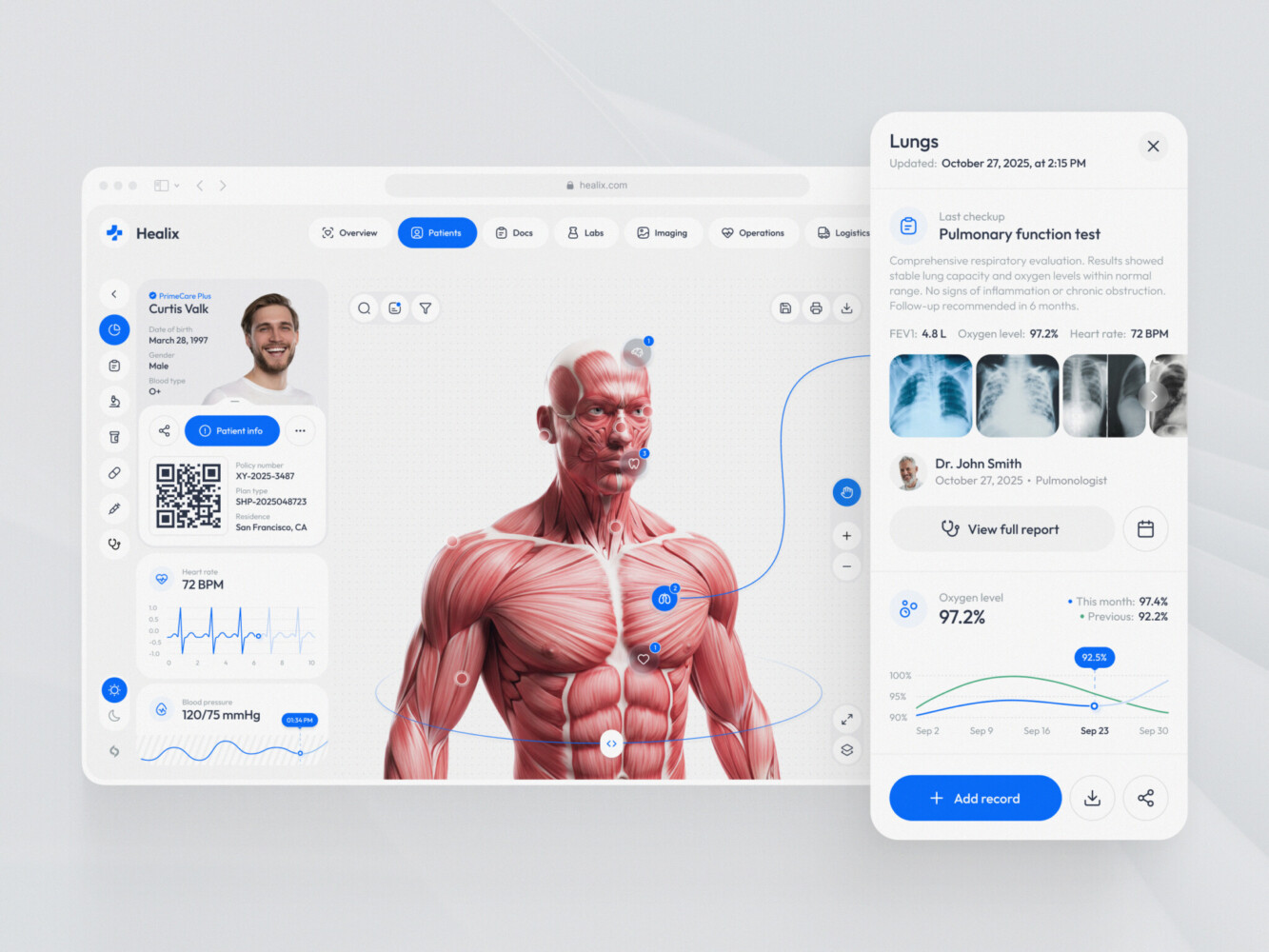
Healthcare operations and logistics platform design by Shakuro
Essential Features of an EHR/EMR System
If you’re sketching out your MVP, it’s tempting to focus on the flashy stuff—AI diagnostics, fancy dashboards. But if the basics don’t work, nobody will stick around long enough to see the cool features. Clinicians care about two things: speed and accuracy. Your feature set needs to serve those masters.
Patient Records and Clinical Documentation
This is the heart of the system. If you get this wrong, nothing else matters.
You need more than just a place to dump text. You need structure. Patient history, allergies, current medications—it all has to be easily accessible. A doctor shouldn’t have to scroll through ten pages of notes to find out if a patient is allergic to penicillin.
Encounter notes are where most users spend their time. Generic text boxes are okay, but specialty templates are better. A cardiologist needs different fields than a pediatrician. Give them the ability to customize these templates, or better yet, build specific ones for common specialties.
And don’t forget the longitudinal timeline. Being able to see a patient’s journey over time—visits, labs, changes in meds—in a single visual flow is a game-changer. It helps clinicians spot patterns they might miss in a static list. It’s like looking at a map instead of just a list of addresses.
Orders, Results, and Care Coordination
Your system needs to handle orders smoothly. Lab requests, imaging referrals, prescriptions. These shouldn’t feel like separate tasks; they should feel like part of the natural workflow. When a doctor orders a lab test, the system should automatically know which labs are in-network and send the request electronically. No faxing, no phone calls.
Then, when the results come back, they need to land in the right place, flagged for review. And if something is critical, it needs to pop up. Not buried in an inbox.
Prescribing integrations are huge too. Connecting to e-prescribing networks (like Surescripts in the US) is non-negotiable. It checks for drug interactions, insurance coverage and sends the script directly to the pharmacy. It saves time and prevents errors.
Follow-up tasks are the glue that holds it all together. If a lab result is abnormal, the system should prompt the care team to act. Did we call the patient? Did we schedule a follow-up? Keeping track of these loose ends is where many practices fall down in EMR\EHR software development.
Patient and Administrative Tools
Clinicians aren’t the only ones using the system. Patients and admin staff need love too.
Patient portals are expected now. People want to see their labs, message their doctors, and book appointments online. It reduces the phone burden on your front desk. Secure messaging is key here—regular email just won’t cut it for HIPAA compliance.
Scheduling needs to be robust. It’s not just about finding an open slot. It’s about handling recurring appointments, different provider availability, and resource booking (like rooms or equipment). If your scheduling module is clunky, your front desk will revolt.
Billing integrations are another pain point. Your EHR should talk to your practice management system or billing software seamlessly. Codes from the encounter notes should flow into the claim generation process. If admins have to re-enter data, you’re wasting money and inviting errors.
Reporting is often an afterthought, but it shouldn’t be. Practices need to know how they’re performing. Are they seeing enough patients? Are certain codes being used incorrectly? Simple dashboards can save hours of manual spreadsheet work.
Access Controls and Audit Trails
Not everyone should see everything. A receptionist needs to see scheduling info but probably shouldn’t see detailed psychiatric notes. A specialist might need access to recent labs but not the patient’s full social history. Granular permissions are a must. You need roles—clinician, nurse, admin, patient—and the ability to tweak what each role can see and do.
Audit trails are your safety net. Every time someone views, edits, or deletes a record, the system needs to log it. Who did it? When? What changed? If there’s ever a breach or a dispute, you need that paper trail. It protects your practice and your patients.
EHR/EMR Architecture, Integrations, and Technology Choices
Core System Components
During EHR and EMR software development, think of your EHR as a city. You need roads, buildings, power grids, and security gates.
The clinical interface is the storefront. It’s what the doctors see. It needs to be fast, responsive, and intuitive. If it lags, they’ll hate it. Behind that, you’ve got your backend services. This is the engine room. It handles the logic: saving records, calculating dosages, triggering alerts.
Patient data storage isn’t just a simple SQL database. You’re dealing with structured data (like lab values) and unstructured data (like doctor’s notes). You need a strategy for both. Maybe PostgreSQL for the structured stuff and something like Elasticsearch for searching through notes.
The integration layer is your city’s border control. It’s how you talk to the outside world—labs, pharmacies, other hospitals. If this is weak, your system becomes an island. And nobody wants an island in healthcare.
Identity management is crucial. Who is logging in? Are they who they say they are? You need robust authentication, probably using OAuth or OpenID Connect. And finally, monitoring. You need to know when things break before your users do. Logs, metrics, alerts.
Connecting to Healthcare Systems
This is the hard part.
Healthcare speaks many languages, and none of them are easy. HL7 v2 is the old guard. It’s messy, pipe-delimited, and everywhere. You’ll likely need to support it because older systems still use it. But the future is FHIR (Fast Healthcare Interoperability Resources). It’s RESTful, JSON-based, and much easier for modern developers to work with. If you’re starting fresh, bet on FHIR, but keep HL7 in your back pocket.
Terminology mapping is another beast. One system might call a heart attack “MI,” another “Myocardial Infarction,” and another uses a specific SNOMED CT code. Your system needs to translate these so data makes sense across platforms.
Patient matching is surprisingly tricky. Is “John Smith” at 123 Main St the same as “J. Smith” at 123 Main Street? Probably. But your software needs to be sure. Bad matching leads to duplicate records, which leads to medical errors.
And let’s talk about vendor access. Some big EHR vendors make it hard to connect. They charge fees, limit API calls, or require lengthy certification processes. It’s a barrier to entry, so factor that into your timeline.
Cloud-Based EMR Software Development
Should you go cloud, on-prem, or hybrid?
For most startups, cloud based EMR software development is the only sensible choice. Why? Because managing servers is a distraction. You want to focus on building features, not patching Linux kernels.
Cloud providers (AWS, Azure, GCP) offer built-in compliance tools, automatic backups, and high availability. If a server dies, another one takes over. That’s hard to replicate on-prem without a massive budget.
Tenant isolation is key if you’re building a multi-tenant SaaS. You need to ensure that Clinic A never sees Clinic B’s data. Database schemas, encryption keys, and network policies all play a role here.
On-premises is mostly dead for new projects unless you’re targeting huge hospital systems with strict data sovereignty laws. Hybrid is a compromise, but it adds complexity. Stick to the cloud unless you have a very good reason not to. It scales better, and the infrastructure costs are predictable. You pay for what you use.
Choosing a Maintainable Technology Stack
Don’t chase the shiny new framework.
Choose technologies your team already knows. If your devs are Python experts, don’t force them to learn Rust just because it’s trendy. Team expertise matters more than benchmark speeds in the early days.
Consider integration requirements. If you’re doing heavy FHIR work, a language with strong JSON libraries and HTTP clients will help. Node.js or Python are great here. Java is solid but verbose.
Performance matters, but don’t optimize prematurely. Most EHRs are I/O bound, not CPU bound. So choose a stack that handles database queries and API calls efficiently.
Support and community are vital in EMR/EHR software development. If you get stuck, can you find an answer on Stack Overflow? Is the library maintained? Using obscure tech means you’re on your own when things break.
Finally, operating costs. Some languages are more resource-intensive than others. Keep an eye on your cloud bill. A leaner stack can save you thousands as you scale.
In the end, the best stack is the one that lets you ship fast, stay secure, and sleep at night. Keep it boring. Boring is reliable.
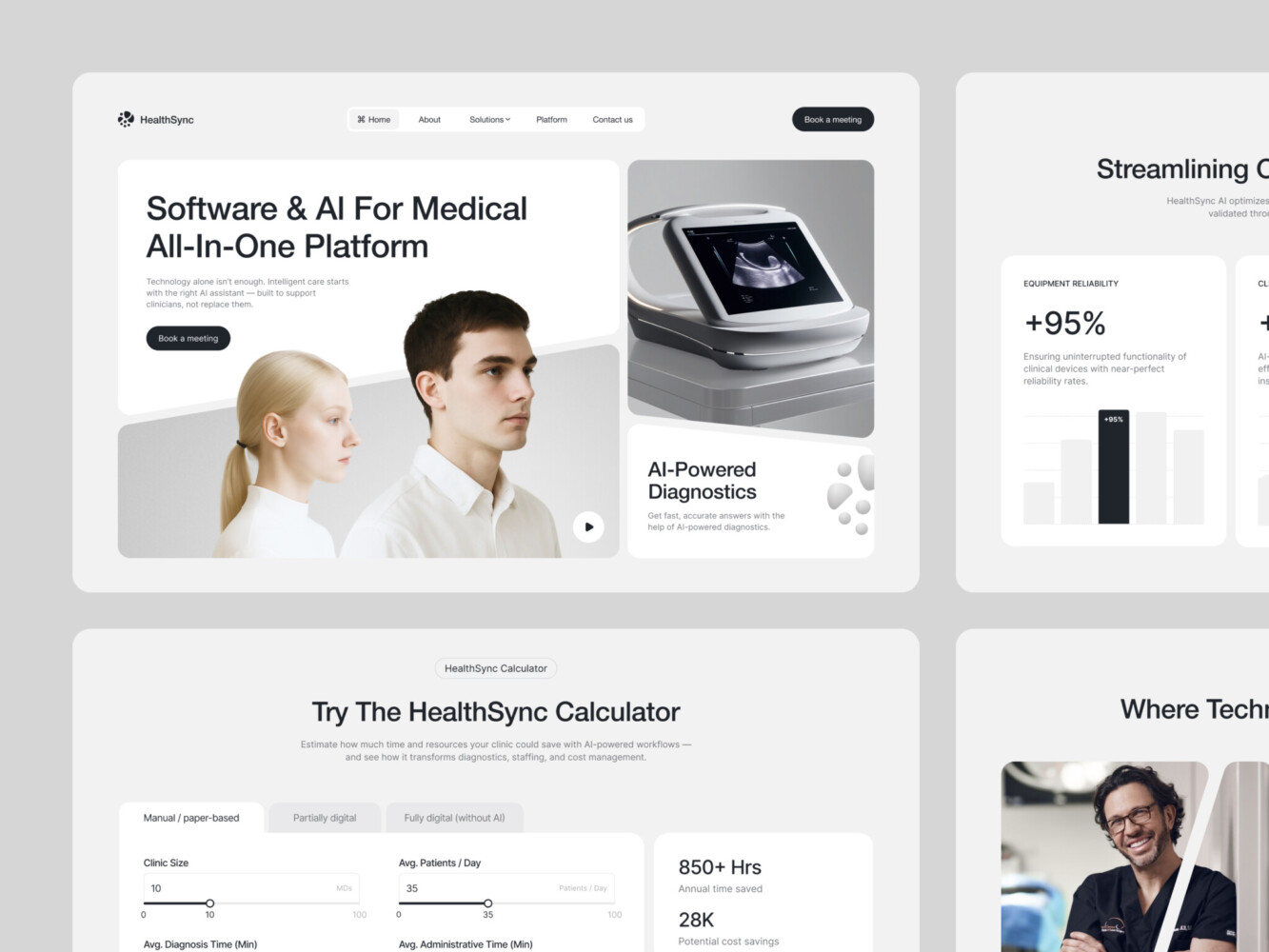
AI-Driven Medtech Website Design by Shakuro
Security, Privacy, and Certification Planning
Security in healthcare isn’t a feature you add at the end. It’s the foundation. If you mess this up, you’re not just losing customers; you’re facing fines that could shut you down.
But you can manage it. You just need to be proactive.
Risk Assessment and the HHS Guidance
In the US, the Department of Health and Human Services (HHS) has some pretty clear guidance. They don’t just say “be secure.” They want you to prove you’ve thought about it.
Start with a Security Risk Analysis (SRA). But this isn’t a one-time thing. It’s an ongoing process. You need to identify where your data lives, who can access it, and what could go wrong. Is your database exposed? Are your backups encrypted? What happens if a laptop gets stolen?
Document everything. If you ever get audited, the first thing they’ll ask for is your SRA. If you don’t have one, or if it’s outdated, you’re in trouble. It feels like paperwork, but it’s actually a roadmap for your engineering team.
Authentication and Access Controls
Passwords are dead. Well, not dead, but definitely not enough.
You need Multi-Factor Authentication (MFA). No exceptions. It’s a hassle for users, sure, but it’s non-negotiable for HIPAA compliance. Use something robust like OAuth 2.0 or OpenID Connect. Don’t roll your own auth system. It’s too risky. Let experts handle it.
Access controls need to be granular. Remember the “least privilege” principle. A nurse doesn’t need admin rights. A billing specialist doesn’t need to see clinical notes. Build roles into your system from day one. It’s much harder to retrofit later.
And don’t forget about session management. If a doctor walks away from their computer, the screen should lock. Automatically. After a short timeout. It’s a small detail, but it prevents a lot of accidental breaches.
Encryption and Audit Logging
In EHR and EMR software development, data needs to be encrypted everywhere. At rest and in transit.
For encryption at rest, use strong standards like AES-256. Make sure your database files, backups, and even old logs are encrypted. If someone steals your hard drive, they should see nothing but gibberish.
For encryption in transit, TLS 1.2 or higher is the standard. No HTTP. Ever.
Audit logging is your black box. Every time someone accesses a patient record, you need to log it. Who, when, what, and from where. These logs need to be immutable. You can’t let anyone delete them. They’re your proof that you’re monitoring access. And they’re crucial for investigating incidents.
Incident Response and Vendor Responsibilities
Things will go wrong. It’s not a matter of if, but when.
Have an incident response plan. Who do you call? How do you contain the breach? How do you notify affected patients? The HHS has strict timelines for notification. If you wait too long, the penalties get worse. Practice this plan. Run drills. It feels silly until you’re actually in a crisis.
If you’re using third-party vendors in EMR/EHR software development—like a cloud provider or a billing API—you’re still responsible for the data. You need Business Associate Agreements (BAAs) with every vendor who touches protected health information (PHI). Don’t skip this. It’s a legal requirement. Make sure they’re compliant too. Ask for their SOC 2 reports. Don’t just take their word for it.
Certification Planning: ONC and Beyond
Now, about certification.
The ONC Health IT Certification Program is voluntary. But here’s the catch: many customers, especially those participating in federal programs like Medicare Advantage, require certified technology. It’s a market expectation.
Certification isn’t just a badge. It’s a rigorous testing process. You have to prove your software meets specific standards for security, interoperability, and usability. It takes time and money.
Does everyone need it? No.
If you’re building a niche tool for a small private practice, maybe not. But if you want to sell to larger networks or hospitals, it’s almost mandatory. Check your target market. If they’re asking for “CEHRT” (Certified EHR Technology), you need to plan for it.
The process involves working with an ONC-Accredited Testing Lab. They’ll test your software against specific criteria. It’s not cheap, and it’s not fast. So factor it into your roadmap early. Don’t wait until you’re ready to launch to think about it.
Practical Decisions for Your Team
So, what does your dev team need to do right now?
- Map your data flows. Know exactly where PHI enters, stays, and leaves your system.
- Choose your encryption standards. Don’t leave this to chance.
- Implement MFA. Just do it.
- Build audit logs. Make them detailed and immutable.
- Draft your BAA template. Have it ready for vendors.
- Decide on certification. Talk to your sales team. Do your potential customers require it? If yes, start talking to testing labs now.
How to Build an EHR System: Step-by-Step Development Process
So, you’ve decided to take the plunge. You want to know how to build an EHR system without losing your mind or your shirt in the process.
It’s about understanding how healthcare actually works, which is often messy, chaotic, and surprisingly analog. Many teams skip steps here and pay for it later with massive rewrites.
Here’s a realistic roadmap. It’s not linear—things will overlap—but these are the pillars you need.
1. Discovery and Workflow Research
Stop guessing. Seriously. You might think you know how a doctor works, but unless you’ve shadowed one, you probably don’t. Go sit in a clinic. Watch them. Notice how they switch between screens, how they scribble notes on paper because the current software is too slow, how they yell across the hall to ask a nurse a question.
Interview clinicians and administrators. Ask them what makes them angry. What takes too long? Where do they make mistakes? Map out their existing processes. You’re looking for pain points, not just features. If you solve a real pain, you’ve got a customer. If you just add a digital version of a bad process, you’ve got a useless product.
2. Scope and Release Planning
Now, take all that research and trim it down. You can’t build everything at once.
Before diving into EHR software development, define your users. Are you building for solo practitioners or large networks? Define your core workflows. What is the absolute minimum needed to see a patient, document the visit, and get paid? That’s your MVP.
List your integrations. Do you need e-prescribing right away? Or can you wait until version 2? Set clear acceptance criteria. “The system should load patient charts in under two seconds.” Specifics matter. Vague goals lead to scope creep, and scope creep kills startups.
3. UX/UI Design
This is where most EHRs fail. They look like spreadsheets from 1995.
Don’t just design screens; design workflows. Prototype the chart review process. How does a doctor find allergies? How do they enter a diagnosis? Test these prototypes with real users. Watch them struggle. Listen to their complaints.
Focus on density vs. clarity. Doctors need a lot of info on one screen, but it can’t be cluttered. Use whitespace wisely. Make buttons easy to click. And make sure the font is readable. It sounds small, but eye strain is real.
4. Architecture and Data Planning
Time to lay the foundation.
Define your data model. How do patients relate to visits? How do visits relate to orders? This structure needs to be flexible because healthcare rules change. Plan your deployment. Are you going cloud-native? Think about security controls early. Encryption, access logs, backup strategies.
And don’t forget migration. If you’re replacing an old system, how will you get the data out? CSV exports? HL7 feeds? Plan this now. Migrating data is always harder than you think.
5. Development and Integrations
Start building. But don’t build in a vacuum.
Build your core modules first: patient registration, charting, scheduling. But here’s the key: test your external connections early. Don’t wait until the end to see if your FHIR API works with a lab system. Integrate as you go. It’s painful, but it saves you from nasty surprises later.
Keep your code clean. Use version control. Write tests. It’s boring advice, but when you’re dealing with medical data, bugs aren’t just annoyances; they’re liabilities.
6. Testing and Validation
Testing in healthcare is different. It’s not just about “does it crash?”
You need to test clinical workflows. Does the system prevent a doctor from prescribing a drug the patient is allergic to? Test permissions. Can a receptionist accidentally delete a clinical note? They shouldn’t be able to.
Check data integrity. If you update a patient’s name, does it update everywhere? Test accessibility. Can people with disabilities use your portal? At the same time, do load testing to check performance. What happens when 50 doctors log in at 9 AM?
7. Pilot and Rollout
Don’t launch to everyone at once. That’s a recipe for disaster.
Pick a pilot group. A friendly clinic or a small department. Plan your migration reconciliation. Make sure the data moved over correctly. Train your users. Not just a manual, but hands-on training. Be there with them.
Have a support team ready. Phones, chat, email. And have a rollback plan. If everything breaks, how do you go back to the old system? Hopefully, you won’t need it, but you must have it.
8. Ongoing Improvement
Launch day isn’t the end. It’s the beginning.
Monitor adoption. Are people using the features you built? Look at errors. Where are they getting stuck? Measure documentation time. If it takes longer to chart in your system than the old one, you have a problem.
Listen to support requests. They’re gold mines for feature ideas. Keep iterating. Healthcare changes, and your software needs to change with it.
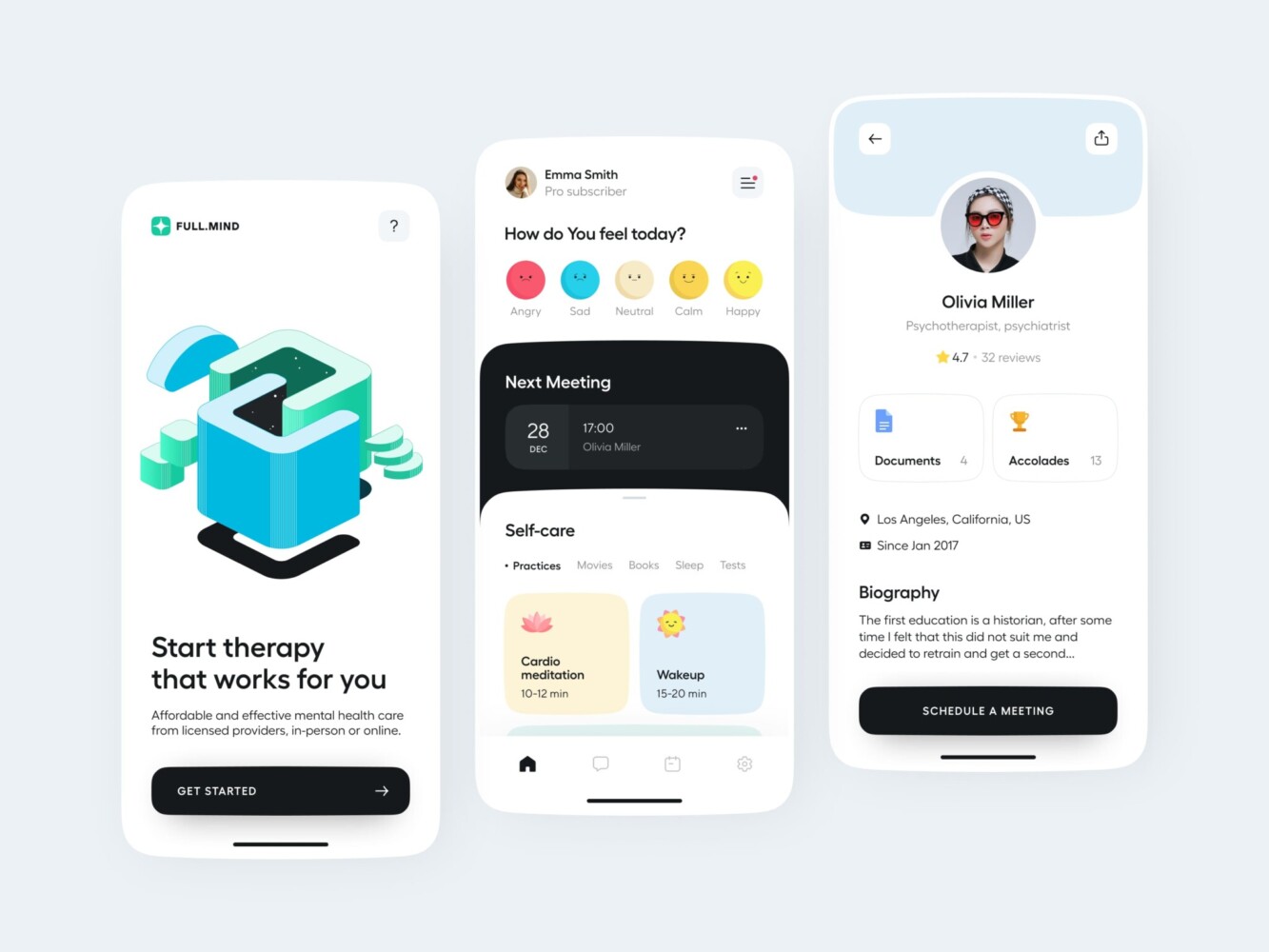
Healthcare app design concept by Shakuro
Where AI Fits into EHR Software Development
When we talk about AI EHR software development, we’re not talking about replacing doctors with robots. We’re talking about giving them their time back. Because let’s be honest, most clinicians spend more time typing than they do looking at patients. That’s a problem. And AI might just be the tool that fixes it.
Documentation and Information Retrieval
This is the low-hanging fruit. And honestly, it’s where you should start.
Drafting notes is tedious. Doctors hate it. Using large language models (LLMs) to listen to a patient encounter and generate a draft SOAP note? That’s a game-changer. It doesn’t have to be perfect. It just has to be 80% there. The doctor can review, tweak, and sign off. It turns an hour of typing into ten minutes of editing.
But it’s not just about writing. It’s about finding stuff.
Imagine a doctor asking, “Show me all patients with diabetes who haven’t had an A1C test in six months.” Instead of building complex filters, they just ask. AI-assisted search can parse natural language and pull the right records. It’s faster, more intuitive, and feels like magic when it works.
Document extraction is another big one. Patients bring in papers—lab results from outside labs, referral letters, old records. Scanning those and pulling out the relevant data into structured fields? That saves hours of manual entry. AI can read the PDF, find the glucose level, and put it in the right box. It’s not flawless, but it’s a huge head start.
Administrative Workflow Automation
Clinicians aren’t the only ones drowning in paperwork. Admin staff are too.
Think about incoming faxes or emails. They pile up. Someone has to read them, figure out who they’re for, and file them. AI can route these documents automatically. It reads the content, identifies the patient, and drops it into the right chart. It can even flag urgent items, like a critical lab result that needs immediate attention.
Organizing incoming information is another win. If a patient sends a message saying, “I’m having chest pain,” the system shouldn’t just drop it in a general inbox. It should prioritize it, maybe even alert a nurse. AI can triage these messages based on urgency and context.
As for the routine tasks, AI can handle the legwork. It prepares the task, humans just approve it. It’s like having a super-efficient assistant who never sleeps.
Evaluating AI Before Release
Here’s what you should remember before opting for AI EHR software development. Don’t just plug in an API and hope for the best.
Accuracy is critical. If an AI misreads a dosage or misses an allergy, people get hurt. You need rigorous testing. Not just on clean data, but on messy, real-world data. Handwritten notes, bad scans, weird abbreviations.
Clinician review is non-negotiable. AI should suggest, not decide. Especially for clinical content. The human must always be in the loop. Make sure your UI makes it easy to see what the AI generated vs. what the human wrote.
Traceability matters. If something goes wrong, you need to know why. Did the model hallucinate? Was the input data bad? Keep logs of AI interactions. It helps with debugging and liability.
Privacy is huge. Be careful where you send patient data. If you’re using a third-party LLM, make sure you have a BAA with them. Or better yet, run models locally or in a secure, compliant cloud environment. Don’t leak PHI to a public API.
Latency can kill usability. If a doctor has to wait ten seconds for a note to generate, they’ll stop using it. Optimize for speed. Sometimes a smaller, faster model is better than a huge, slow one.
And operating costs. LLMs aren’t cheap. Running thousands of requests a day adds up. Monitor your usage. Find ways to cache results or use cheaper models for simple tasks.
Finally, distinguish between administrative assistance and clinical decision support. Helping a doctor format a note is low-risk. Suggesting a diagnosis is high-risk. Start with the low-risk stuff. Build trust. Then, maybe, move into the heavier clinical stuff. But tread carefully. The regulatory bar is much higher there.
The best AI features just make the work flow smoother. They remove friction. That’s the goal.
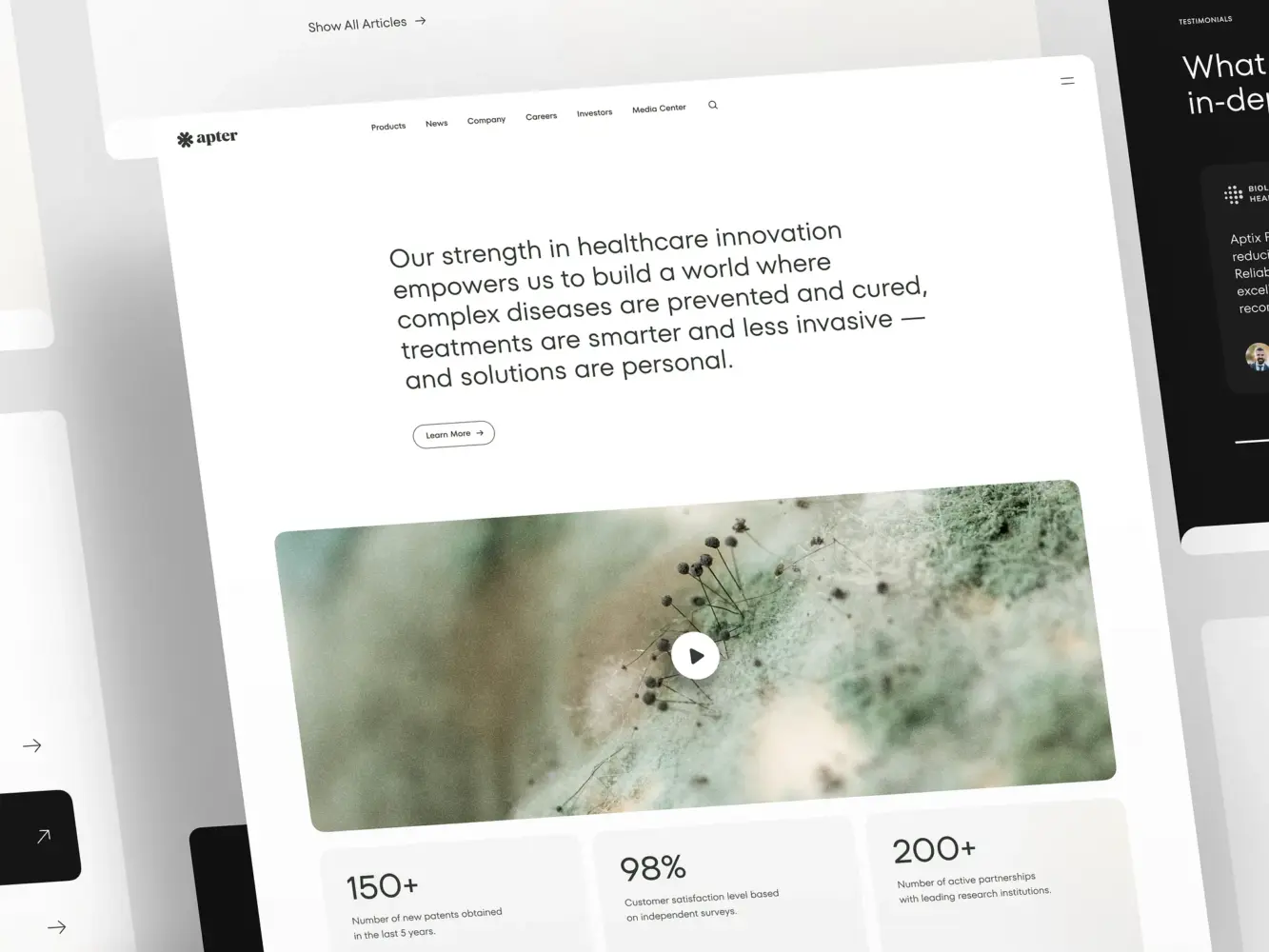
Landing Page Design for a Pharmacology and Medical Provider by Shakuro
How Much Does Custom EHR Development Cost?
It’s the question every founder asks, and it’s the one that makes most developers wince. Because the answer is always: “It depends.” But that’s not helpful, is it? So let’s try to be as specific as possible without promising you a fixed price on a handshake.
The custom EHR development cost isn’t just about coding hours. It’s about complexity, compliance, and the sheer weight of healthcare data. If you’re budgeting for this, you need to think in terms of ranges, not single numbers. And you need to be honest about what you’re actually building.
Estimate by Product Scope
Not all EHRs are created equal. A tool for a single specialty is vastly different from a hospital-wide platform.
- Specialty Module or Niche Tool
Think of this as a plugin or a lightweight app for a specific field, like mental health or physical therapy. You’re not rebuilding the whole chart; you’re adding specific templates, workflows, or billing logic.
- Estimated Range: $50,000 – $150,000.
- Why: Less data complexity, fewer integrations, smaller user base.
- Limited Initial Product (MVP)
This is a functional EHR for a small clinic. It handles patient records, basic charting, scheduling, and maybe one or two key integrations (like e-prescribing).
- Estimated Range: $150,000 – $400,000.
- Why: You’re building core infrastructure, security, and basic UI. It’s enough to launch, but not enough to scale to a hospital.
- Broader Clinical Platform
This is the big league. Multi-specialty support, complex interoperability (FHIR/HL7), advanced reporting, patient portals, and robust admin tools. This is for provider networks or larger groups.
- Estimated Range: $500,000 – $1.5 million+.
- Why: The complexity explodes. More roles, more permissions, more data flows, more testing.
Main Cost Drivers
Where does the money actually go? It’s not just developer salaries.
- Workflow Complexity: If your users have unique, non-standard processes, you’ll spend more time on custom logic. Standard workflows are cheaper.
- Integrations: Every external system you connect to—labs, pharmacies, billing—adds cost. Some APIs are easy; others require months of certification and custom mapping.
- Migration: Moving data from an old system is a nightmare. It’s manual, risky, and time-consuming. Budget for it separately.
- Security and Compliance: HIPAA isn’t free. You need encryption, audit logs, penetration testing, and legal reviews. This can add 15-20% to your dev budget.
- Testing: Healthcare testing is rigorous. You need clinical validation, not just QA. That means hiring people who understand medicine to test your software.
- Certification: If you need ONC certification, factor in testing lab fees and the engineering time to meet their criteria. It’s not cheap.
- Deployment: Cloud setup, CI/CD pipelines, and monitoring tools all cost money.
Costs After Launch
Many founders forget this part. Building it is only half the battle. Keeping it running is the other half.
- Hosting: Cloud costs scale with usage. As you add patients and data, your bill goes up.
- Support: You need a team to answer tickets, fix bugs, and help users. This is a recurring salary cost.
- Training: New clinics need onboarding. Create videos, manuals, and live sessions. It takes time.
- Monitoring: Tools to track performance, errors, and security threats. You can’t fly blind.
- Maintenance: Software rots. Libraries need updates, security patches need applying, and features need tweaking. Budget at least 15-20% of your initial dev cost per year for maintenance.
- External Services: SMS gateways, email services, AI API calls. These are usage-based and add up.
- AI Usage: If you’re using LLMs for notes, you’re paying per token. Monitor this closely. It can become a significant line item.
Cost Table: Custom EHR Development Estimates
Here’s a rough breakdown of custom EHR development cost to help you visualize where the budget goes. Note that these are estimates based on current market rates for US-based or near-shore teams. Offshore teams might be cheaper, but communication and quality risks increase.
| Component | Specialty Module | MVP (Small Clinic) | Full Platform |
| Discovery & Design | $10k – $20k | $30k – $50k | $80k – $150k |
| Core Development | $30k – $80k | $80k – $200k | $300k – $800k |
| Integrations | $5k – $15k | $20k – $50k | $100k – $300k |
| Security & Compliance | $5k – $10k | $20k – $40k | $50k – $100k |
| Testing & QA | $5k – $10k | $20k – $40k | $50k – $100k |
| Deployment & DevOps | $5k – $10k | $10k – $20k | $30k – $50k |
| Total Estimated Range | $60k – $145k | $180k – $400k | $610k – $1.5M+ |
Assumptions:
- Teams include PM, UX/UI, Backend, Frontend, and QA.
- Timeline: 3-6 months for Module, 6-9 months for MVP, 12-18 months for Platform.
- Does not include ongoing maintenance or marketing.
- Assumes a moderate level of customization. Highly unique workflows will push these numbers higher.

Common Development Challenges and How to Address Them
In EMR software development, it’s not always about code quality; sometimes it’s about human behavior or bureaucratic hurdles. Here is how you can navigate the most common headaches without losing your mind.
Legacy Data Migration
You can’t move everything. Old data is often dirty, unstructured, or in formats nobody understands anymore. Trying to migrate 100% of history is a money pit. Instead, be selective. Migrate only active patients and recent history—say, the last two or three years. Archive the rest in a read-only format. Use “reconciliation” periods where staff verify key data points after the move.
External API Limitations
Big vendors like Epic or Cerner hold the keys. Their APIs can be slow, expensive, or restricted. You might wait months for access. To handle this, build abstractions. Don’t hard-code against one vendor. Create a generic integration layer that can swap out providers. Start with FHIR where possible, but have HL7 v2 backups. And always have a manual fallback process, like faxing, so care doesn’t stop if the API breaks.
Clinician Adoption
Doctors are tired. If your UI adds even 30 seconds to their workflow, they will hate it. No amount of training fixes a bad UX. Shadow them early. Don’t guess. Watch them work. Reduce clicks. Use voice-to-text or AI drafting to lower the documentation burden. Make the “happy path” the easiest path. If it’s faster than their old way, they’ll stick with it.
Scope Growth
Every specialty wants something different. Cardiologists need EKGs; psychiatrists need mood trackers. Trying to please everyone leads to a bloated, unusable mess. Stay niche initially. Pick one specialty and master it. Use a modular architecture so you can add specialty-specific plugins later without breaking the core. Say “no” to features that don’t serve your primary user base.
Reliability and Downtime
Healthcare never sleeps. If your system goes down at 2 AM on a Saturday, it’s a crisis. High availability is expensive and complex. Design for failure. Use cloud auto-scaling. Have robust backup and disaster recovery plans. Test your rollback procedures regularly. And communicate clearly with users during outages. Transparency builds trust even when things break.
Long-term Maintenance
Tech stacks age. Regulations change. What works today might be non-compliant or obsolete in three years. Keep it boring. Use stable, well-supported technologies. Document everything. Allocate 20% of your budget to technical debt and updates. Don’t let “new features” eat up all your resources. A stable platform is more valuable than a flashy one.
The key takeaway? Don’t try to be perfect. Try to be resilient. Things will break. APIs will change. Users will complain. Your job isn’t to prevent every problem; it’s to have a plan for when they happen.
Choosing an EHR/EMR Development Partner
So, you’ve decided you can’t do this alone. Maybe you don’t have the in-house expertise, or maybe you just want to move faster. Finding a development partner is a big deal. It’s not like hiring a freelancer to fix your website. You’re handing over the keys to your business logic and, more importantly, your patients’ trust.
Here are the questions you need to ask an EHR and EMR software development company before signing anything. And pay attention to how they answer, not just what they say.
Do They Actually Understand Healthcare Workflows?
Ask them: “Walk me through a patient visit from check-in to billing. Where are the bottlenecks?”
If they start talking about generic CRUD apps, run. You need a partner who knows that a doctor’s workflow isn’t linear. It’s chaotic. They should understand terms like “prior authorization,” “CPT codes,” and “clinical decision support.” If they don’t know what HL7 is, keep looking.
What’s Their Integration Experience?
Healthcare is a web of connections. When you are looking for EHR software development services, ask them: “Have you built FHIR integrations before? How do you handle vendor certification delays?”
You want someone who has battled with Epic, Cerner, or LabCorp APIs and survived. They should have a strategy for when those APIs change or break. If they think integration is just “connecting two endpoints,” they’re underestimating the pain.
How Do They Approach Usability Testing?
This is huge. Ask: “How do you test with real clinicians? Not just stakeholders, but actual doctors and nurses.”
Designing for healthcare is different. It’s high-stress, high-volume. Your partner should be prototyping early and getting it in front of users who are tired and busy. If they only test with their own team, you’re going to have a rude awakening at launch.
For a great example of what patient-facing UX can look like when done right, take a look at Bless You. It’s not an EHR, but it’s a perfect case study in accessible, localized service journeys. The project overview shows how we focused on making the user experience smooth and empathetic, which is exactly the vibe you want for any patient-facing module in your platform. It’s about reducing anxiety, not just displaying data. That’s the kind of thinking you want in your corner.
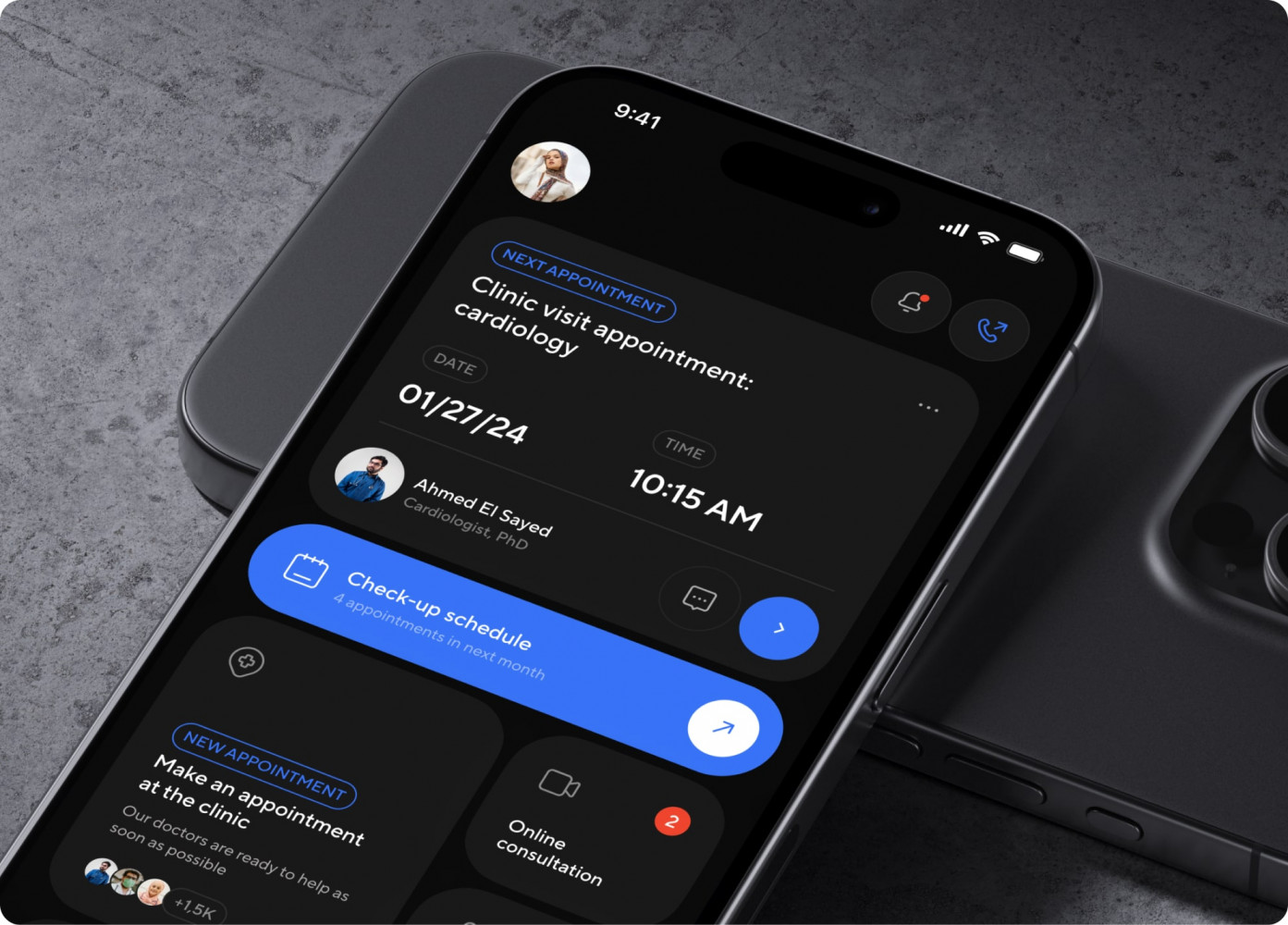
Bless You app by Shakuro
What Are Their Security Practices?
Don’t just ask if they’re HIPAA compliant. Ask: “Show me your security architecture. How do you handle encryption keys? What’s your incident response plan?”
They should be able to talk about BAAs, penetration testing, and audit logs without blinking. If they seem vague, that’s a red flag. Security isn’t a feature; it’s the baseline.
How Do They Plan for Migration?
Data migration is where projects go to die. Ask: “What’s your strategy for moving data from our old system? How do you handle reconciliation?”
They should have a phased approach. They should talk about mapping fields, cleaning dirty data, and having a rollback plan. If they say “it’s easy,” they’re lying.
What Happens After Launch?
Ask: “Who owns the code? What’s the handover process? How do you handle post-launch bugs?”
You don’t want to be held hostage by your developer. Make sure you own the IP. Clarify the support model. Is it a retainer? Hourly? Who do you call at 2 AM when the server crashes?
Finding the right partner is about trust. You need someone who will tell you when your idea is bad, not just someone who says yes to everything. Look for curiosity, experience, and a bit of grit.
Conclusion
Look, we’ve covered a lot. Architecture, security, AI, costs—it’s enough to make your head spin. But if you strip away all the noise, EMR/EHR software development really comes down to three big decisions. Get these right, and the rest becomes manageable. Get them wrong, and you’re in for a long, expensive ride.
First, which workflow are you actually improving? Don’t try to fix everything. Pick one pain point that makes clinicians groan. Is it the time spent on documentation? The hassle of finding old lab results? The chaos of scheduling? Focus there. If you can save a doctor ten minutes a day, you’ve won. Everything else is just noise until you solve that core problem.
Second, what must integrate? You’re not building an island. You need to talk to labs, pharmacies, and maybe even other EHRs. Decide early which connections are non-negotiable for your MVP. Is e-prescribing a must-have on day one? What about lab results? Map these out. Because every integration adds complexity, but lacking them makes your product useless. It’s a balancing act, but you have to pick your battles.
Third, what does your first release need to achieve? Define “done.” Is it seeing ten patients a day without crashing? Is it getting paid correctly for those visits? Your MVP doesn’t need to be pretty; it needs to be functional. It needs to prove that your solution is better than the status quo. If it doesn’t do that, no amount of AI or fancy UI will save it.
If you’re ready to turn these ideas into a concrete plan, let’s talk. We’ve been through the trenches and know where the pitfalls are. Discuss your EHR/EMR project scope, integrations, and development requirements with our team.
Frequently Asked Questions
What is the difference between EHR and EMR software development?
EMRs are digital charts for a single practice; they don’t travel well. EHRs are built to share data across different providers, labs, and hospitals. If you’re building for a network, you need an EHR. If it’s just for one clinic, an EMR might suffice.
How long does it take to build an EHR system?
It depends on the scope. A niche specialty module? Maybe 3–6 months. A functional MVP for a small clinic? 6–9 months. A full-blown platform for a hospital network? Expect 12–18 months or more. Don’t rush it; healthcare bugs are expensive.
Can a custom EMR integrate with existing hospital software?
Yes, but it’s not always easy. You’ll likely use FHIR APIs or HL7 standards. Some big vendors make it hard (and expensive) to connect, so check their API policies early. It’s doable, just plan for friction.
Does every EHR product need ONC certification?
No, it’s voluntary. But if you want to sell to larger health systems or providers participating in federal programs, they’ll probably require it. For small private practices or niche tools, you can often skip it initially.
What should an initial EHR release include?
Keep it lean. Patient registration, basic clinical charting, scheduling, and e-prescribing. Maybe one key integration, like labs. Forget the fancy AI or complex reporting for now. Just make sure the core workflow works without crashing.
Can AI features be added to an existing EHR?
Absolutely. In fact, it’s easier than building from scratch. You can add AI for drafting notes, summarizing charts, or triaging messages via APIs. Just make sure you have a BAA with your AI provider and keep a human in the loop for review.