Introduction
If you’re a CTO or an engineering lead, you know the pressure. You’re balancing feature requests, technical debt, and hiring woes. Adding “security audits” to that pile feels like adding weight to a plane that’s already struggling to take off. It’s frustrating. You want to build great things, not spend all day worrying about hackers in hoodies (who, by the way, mostly use automated scripts anyway).
But here’s the thing. Web application security is about trust. When your users hand over their data, they’re trusting you. And if that trust breaks, it’s really hard to fix.
So, what do you actually do? Do you need to hire a team of cybersecurity experts tomorrow? Probably not. But you do need a plan. You need to know where the weak spots are before someone else does.
This guide is for founders, product managers, CTOs, and teams who want a practical view of security without drowning in acronyms. We will look at what it means, where the usual risks hide, how testing works, which tools help, and when it makes sense to bring in outside help.
Key takeaways
- Web app security should be built in from the start, not added right before launch.
- The biggest risks often come from weak access control, bad input handling, outdated dependencies, misconfiguration, and poor authentication.
- HTTPS alone is not enough. Secure architecture, permissions, validation, monitoring, and maintenance all matter.
- Automated security tools are useful, but they do not replace manual review, especially for business logic and user-role issues.
- Outside security services make sense when the product is complex, regulated, investor-facing, or close to launch.
What Is Web Application Security?
At its simplest, it means protecting a web app from misuse, data leaks, unauthorized access, and attacks that target the app itself. Not just the server. Not just the network. The product.
That includes the way users log in, how permissions are checked, how data moves between the frontend and backend, how APIs respond, how files are uploaded, how passwords are stored, and how the system behaves when someone tries to do something weird on purpose.
And yes, people will try weird things. Sometimes maliciously. Sometimes by accident. It may not be dramatic, but it can expose a validation problem that can turn messy later. Small things like that are easy to miss when the team is rushing toward release.
Security is also not the same as “we use HTTPS, so we are fine.” HTTPS matters, of course, but it is only one piece. A secure product needs sensible architecture, clean access rules, safe coding habits, ongoing maintenance, and real testing before and after launch.
Task management dashboard by Shakuro
Why Security Matters for Modern Web Products
Most web products now handle something sensitive. It might be money, medical data, private messages, learning records, customer lists, analytics, contracts, or just a password that people reuse elsewhere, even though they really should not.
When web application security is weak, the damage goes beyond the technical side. Users lose trust. Support teams get buried. Sales conversations become awkward. Compliance checks take longer. In some industries, the legal side can be painfully expensive.
This is especially true for fintech, healthcare, SaaS, e-learning, marketplaces, and social platforms. Those products usually have different user roles, private data, integrations, payments, and internal admin tools. A bug in a marketing website is annoying. A bug in a permissions system can become a real business problem.
There is also a product-quality angle here. Secure products often feel more reliable because the team has thought through edge cases. What happens if an invited user opens an expired link? What can a suspended account still access? Can a manager export data from another team by changing an ID in the URL? These questions are not glamorous, but they save headaches.
Common Web Application Security Vulnerabilities
The usual weak spots appear in places where the app trusts input too much, checks permissions too loosely, or depends on outdated code. That sounds obvious, but in real projects it can be sneaky.
Injection Attacks
Injection happens when user input is treated as a command instead of plain data. SQL injection is the classic example. A form field, search box, or URL parameter sends something unexpected to the database, and the system handles it badly.
Modern frameworks help a lot here, but they do not make the problem disappear. Raw queries, rushed admin tools, legacy modules, and quick fixes can still open the door. In my experience, the risky spots are often the “temporary” internal features that somehow live for three years.
Cross-Site Scripting and Unsafe Output
Cross-site scripting, or XSS, happens when an attacker gets a page to run malicious JavaScript. Comment fields, profile bios, rich text editors, and message systems are common places to watch.
The fix is partly technical and partly about discipline. Validate input. Escape output. Be careful with HTML rendering. Do not assume that because a feature is “only for logged-in users,” it is safe.
Broken Authentication and Sessions
Authentication issues can be boring to talk about and awful to fix after launch. Weak password rules, missing multi-factor authentication, session tokens that last too long, password reset links that can be reused, and poor account recovery flows all create risk.
The tricky part in web application security assessment is balancing safety with usability. Nobody wants a login flow that feels like airport security every morning. But the opposite is worse. A smooth login is nice; a secure one is necessary.
Access Control Mistakes
Access control is where many real-world bugs live. A user should only see the records, files, projects, invoices, or admin actions they are allowed to see. Sounds simple? But it is not.
Imagine a SaaS dashboard where changing /company/123/report to /company/124/report shows another company’s data. That is the kind of bug that makes everyone very quiet in a meeting. Role-based access control, server-side checks, and careful testing of every user role really help here.
Vulnerable Dependencies and Misconfiguration
Most teams build on libraries, packages, frameworks, cloud services, analytics tools, and plugins. That is normal. The problem starts when nobody owns updates or configuration.
An outdated package, exposed storage bucket, verbose error page, loose CORS setting, or forgotten staging server can cause trouble. Not because the team is careless, necessarily. Usually it is because the product grew, people got busy, and maintenance became “we’ll do it next sprint.”
ERP dashboard by Shakuro
Web Application Security Best Practices
The point of good security habits is not to make every product feel like a bank vault. The point is to reduce avoidable risk while keeping the product usable and maintainable.
Start with Secure Architecture
Security is much easier when the app is designed with clear boundaries. Separate public and private areas. Keep admin functionality behind strong access controls. Limit what each service can do. Avoid putting sensitive logic in the frontend where users can tamper with it.
If you are building a new product, this is the good moment to ask boring but useful questions. What data is sensitive? Who can access it? Which integrations can write data back into the system? What happens if a token leaks? You agree, those are not flashy questions, but they matter.
Use Strong Authentication and Authorization
Authentication answers “Who are you?” Authorization answers “What are you allowed to do?” A lot of teams mix these up in everyday conversation, but the distinction matters.
Use secure password storage, MFA where appropriate, short-lived tokens, proper session invalidation, and server-side permission checks. For B2B apps, role-based access control is often a must. For products with teams or organizations, test account boundaries like your business depends on it, because it kind of does.
Validate Input and Handle Output Carefully
In web application security, every input should be treated with suspicion. Forms, query strings, uploaded files, API requests, webhooks, and even data coming from trusted third-party systems need validation.
That does not mean every field needs a dramatic security ceremony. It means the app should know what it expects and reject what does not belong. A price should be a number. An email should be an email. A file upload should have size, type, and storage rules. Pretty basic, but it really helps.
Protect Data in Transit and at Rest
Use HTTPS. Encrypt sensitive data where needed. Do not store secrets in the repository. Keep API keys out of frontend code. Limit database access. Make backups, but protect those backups too.
One small thing that often gets overlooked: logs. Teams sometimes log too much during debugging, including tokens, emails, request bodies, or payment-related details. Logs are useful. They are also data. Treat them with respect.
Keep Dependencies and Infrastructure Updated
Dependency scanning, patching, and infrastructure review are not exciting work. Still, they are part of keeping the app healthy. A product can be well-designed and still become risky if its packages are old and nobody checks alerts.
Set a regular routine. Weekly, monthly, whatever fits the team. The important thing is that updates do not become a once-a-year panic session.
Add Monitoring and Incident Response
Security does not end at launch. Watch for unusual login patterns, repeated failed requests, strange API activity, error spikes, and suspicious admin actions.
Also, have a basic incident plan. Who investigates? Who talks to users if needed? Who rotates keys? Where are backups? It feels a little uncomfortable to plan for bad days, but future-you will be grateful.

Owari dashboard by Shakuro
Web Application Security Testing Before Release
This kind of testing is how you find weak spots before users, bots, or attackers find them for you. It should happen before launch, before major releases, and after big architecture or dependency changes.
A good testing process usually combines automated checks with manual review. Automated testing is great for known patterns: vulnerable dependencies, missing headers, common injection points, and obvious misconfigurations. Manual testing is better for business logic, permissions, strange workflows, and “what if I do this?” scenarios.
Static and Dynamic Testing
Static application security testing reviews code without running the app. It can catch unsafe patterns, hardcoded secrets, risky dependencies, and coding mistakes.
Dynamic testing checks the running app. It looks at how the product behaves from the outside: forms, endpoints, sessions, redirects, headers, and responses. Both are useful. Neither is magic.
API and Access-control Testing
Modern web apps often depend heavily on APIs. That means testing should cover endpoints, tokens, rate limits, object-level permissions, and error handling.
Access-control testing deserves extra attention. Create users with different roles. Try switching IDs. Try accessing old links. Try actions after downgrading permissions. It is a little annoying, but you get used to it over time, and it catches real problems.
Regression Checks
Security bugs can return. A permission check gets moved. A validation rule disappears during refactoring. A new feature reuses an old endpoint in a new way.
That is why regression tests matter. Once you fix a security issue, add a test or checklist item so it does not quietly come back six months later.
Sales Analytics Dashboard by Shakuro
Security Testing Tools and When to Use Them
Web application security testing tools can save a lot of time, especially when they are part of the normal development process. They can scan dependencies, inspect code, check running apps, test APIs, and flag common vulnerabilities.
But tools need context. A scanner may tell you that a header is missing, which is useful. It may not understand that a sales manager can export another team’s customer list because of a business-rule bug. That is where human review comes in.
Use tools for repeatable checks. Use people for judgment.
Common categories include:
- Dependency scanners for packages and known CVEs
- Static code analysis for risky patterns
- Dynamic scanners for running web apps
- API security testing tools
- Secret detection tools
- Container and infrastructure scanners
- Monitoring and alerting platforms
The best setup is not necessarily the biggest or most expensive one. For a small product, a few well-configured checks in CI/CD can be enough to start. For an enterprise platform, you may need deeper scanning, manual penetration testing, compliance reporting, and continuous monitoring.
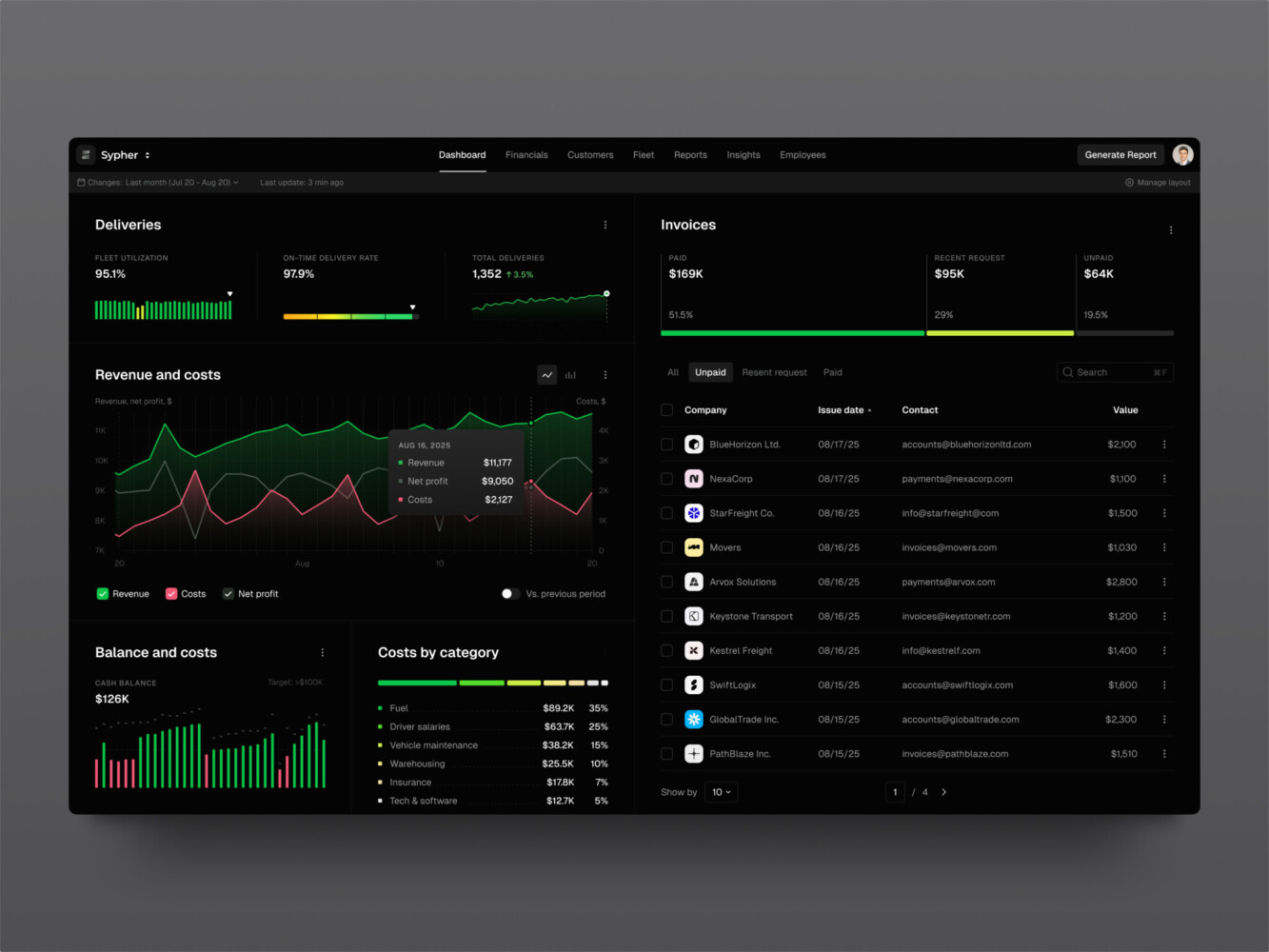
SaaS analytics platform by Shakuro
What Happens During a Security Assessment?
A web application security assessment is a structured review of the product’s security posture. It is more focused than a casual code review and broader than just running a scanner.
The process usually starts with scope. What app, environment, user roles, APIs, integrations, and data types are included? Are testers allowed to use admin accounts? Is production off-limits? These details matter, because vague scope creates vague results.
Then comes discovery and threat modeling. The team looks at how the app is built, where data moves, which users exist, and which parts of the system are most sensitive. After that, automated scans and manual testing begin.
The useful output is not just a list of scary findings. A good report explains the risk, shows how to reproduce the issue, gives practical remediation advice, and helps the team prioritize. Ideally, there is retesting after fixes. Otherwise, everyone is just hoping the patch worked.
When to Use Security Services
Web application security services make sense when the stakes are high, the team lacks internal security expertise, or an independent review would help the business move faster with less anxiety.
That might be before launching a fintech product, preparing for an enterprise client review, cleaning up a legacy platform, checking a product after rapid MVP development, or validating fixes after a previous incident. It can also be useful when investors, partners, or compliance requirements ask uncomfortable questions.
Outside specialists bring distance. They do not have the same assumptions as the product team, which is valuable. When you build a feature, you naturally think about how it should work. A security reviewer asks how it can be bent, bypassed, overloaded, or misunderstood.
For development teams, services like QA, code audit, maintenance, and secure web development can also support security over time. Shakuro’s services page, for example, mentions custom web development for secure products, QA to identify vulnerabilities and bottlenecks, and code audit to improve reliability, security, and performance.

Security in the Web App Development Process
Security works best when it is built into the process. Not bolted on at the end when everyone is tired and the launch date is already on the calendar.
During discovery, map the sensitive data and risky workflows. When creating UX and UI design, think about secure user flows: account recovery, invitations, permissions, warnings, confirmations, and admin actions. When it comes to architecture planning, define boundaries, data storage, authentication, logging, and third-party integrations.
During web app development, use secure coding standards, code review, dependency checks, and permission testing. Then, in QA, test normal behavior and strange behavior. During deployment, check environment variables, secrets, headers, cloud permissions, and monitoring.
And after launch? Keep going. Products change. Users change. Dependencies change. Security is not a milestone; it is maintenance with a sharper edge.
Our Experience in Web Application Security
Some portfolio examples are useful here because security is not only about firewalls and scanners. It is also about designing complex products where people, roles, content, and data interact safely.
Symbolik Social is a financial community platform for market professionals. A product like that naturally raises questions around trust, user identity, discussions, market-related data, and private collaboration. Financial platforms need careful thinking around permissions and reliability, even when the visible product is mostly a social experience.
CGMA is an e-learning web platform. It involves user accounts, content access, payments or subscriptions, learning flows, and integrations. In this kind of product, security has to stay almost invisible. Students and creators just want the platform to work, but behind the scenes the system still needs access control, stable architecture, and safe account handling.
Apart from following web application security best practices, we also adhere to international security standards and official regulations, like GDPR, KYC, or HIPAA. Depends on the industry.

Symbolik case by Shakuro
Final Thoughts
Strong web app security is about building something people can trust. The practical recipe is fairly clear: thoughtful architecture, careful development, regular testing, useful tools, and a willingness to look at the product from an attacker’s point of view once in a while.
If you are building a new web app, start early. If you already have a live product, start with the riskiest areas: authentication, access control, sensitive data, dependencies, and admin tools. You do not have to fix everything in one heroic sprint. Small, steady improvements are usually the best option.
And one more point. Web application security is not only a technical concern. It affects product decisions, design choices, support workflows, sales trust, and long-term maintenance. The earlier the whole team understands that, the calmer things get.
If you need help planning, building, testing, or reviewing a secure web product, Shakuro can support the process through web development, QA, code audit, and product design work.
FAQ
What is Web Application Security?
It is the set of practices used to protect a web app from attacks, unauthorized access, data leaks, and misuse. It covers code, architecture, authentication, permissions, APIs, infrastructure, monitoring, and maintenance.
How Often Should a Web App be Tested for Security?
At minimum, test before launch and before major releases. It is also smart to test after large architecture changes, dependency updates, payment-flow changes, new integrations, or any incident that suggests something may be wrong.
Are Automated Security Tools Enough?
No, not by themselves. Web application security testing tools are great for repeatable checks and known vulnerability patterns. Manual review is still needed for business logic, user roles, permissions, and unusual workflows.
What are the Most Common Web App Security Risks?
Common risks include injection, broken access control, weak authentication, cross-site scripting, vulnerable dependencies, sensitive data exposure, insecure file uploads, and misconfigured cloud services.
When Should a Company Order a Security Assessment?
A security assessment is useful before a public launch, before enterprise sales reviews, after major product changes, before compliance checks, or when the team needs an independent look at risk.
Related reading