“Patients book a visit, talk to a doctor, and get help.” As a product idea, it sounds straightforward. Then you start mapping the details. What does the doctor need to see before the call? What happens if the connection drops halfway through? And how much of this can your team realistically build before the budget gets uncomfortable?
If you’re a founder or product owner, you’re probably trying to answer those questions while keeping a launch date in sight. You need something useful enough to test with real patients and clinicians. But every conversation seems to add another requirement, another integration, another thing someone says is essential. That growing backlog can be a little unnerving.
This guide breaks down telemedicine platform development through those practical decisions. We’ll look at the features worth building first, architecture and integrations, security considerations, and what drives the cost. The aim is to help you turn a promising idea into a scope your team can actually work with.
What Does Telemedicine Platform Development Involve?
Telemedicine isn’t the same as telehealth. There’s a difference. Telehealth is this huge umbrella term covering everything from remote patient monitoring devices to educational webinars for nurses. Telemedicine is specifically the clinical part. It’s the actual doctor-patient interaction happening over a screen. If you’re building a platform, you’re likely focused on that clinical core, even if you plan to expand later.
So, what does telemedicine app development actually look like? It’s not just a video button. It’s three distinct worlds colliding.
First, you’ve got the patient. They want it simple. Log in, describe the issue, see the doctor, get a prescription or advice, log out. If it takes more than three clicks to start a visit, you’ve probably lost them.
Then there’s the clinician. Their workflow is totally different. They need quick access to medical history, easy note-taking tools that don’t slow them down, and a seamless way to prescribe meds or order labs.
Hovering over both is the administrator. They’re dealing with scheduling, billing codes, user management, and compliance reports. If your platform doesn’t make the admin’s life easier, you’re going to have a nightmare on your hands when you try to scale.
Common Platform Models
During telemedicine software development, you can’t build for everyone at once. Most successful platforms pick a lane, at least initially.
- Scheduled consultations: This is the classic model. Think of it like Zocdoc but virtual. Patients book slots days in advance. It’s predictable, easier to staff, and great for chronic care management.
- On-demand visits: The “Uber for doctors” approach. Patient has a rash at 10 PM? They jump on a call now. High pressure on availability, but huge convenience factor.
- Specialty care: Mental health, dermatology, cardiology. These require specific tools—like high-res image uploads for skin issues or secure messaging threads for therapy. Generic platforms often fail here because they lack nuance.
- Asynchronous consultations: Also known as store-and-forward. Patient sends photos and info; doctor reviews and replies within 24 hours. No live video needed. It’s cheaper, scalable, and surprisingly effective for certain conditions.
Custom Development vs. an Existing Platform
This is the big question, isn’t it? Do you build it yourself or buy a white-label solution?
If you go with an existing platform, you’re looking at speed. You can launch in weeks, not months. But you’re stuck with their workflows. Want to change how the booking calendar looks? Too bad. Need a specific integration with a local lab system? Good luck getting it prioritized. You’re renting, not owning.
Custom telehealth software development, on the other hand, gives you total control. You design the workflow exactly how your doctors want it. You own the data. You can integrate with anything. But—and it’s a big but—you’re responsible for everything. Security patches, server costs, bug fixes, compliance updates. It’s slower to launch and costs more upfront.
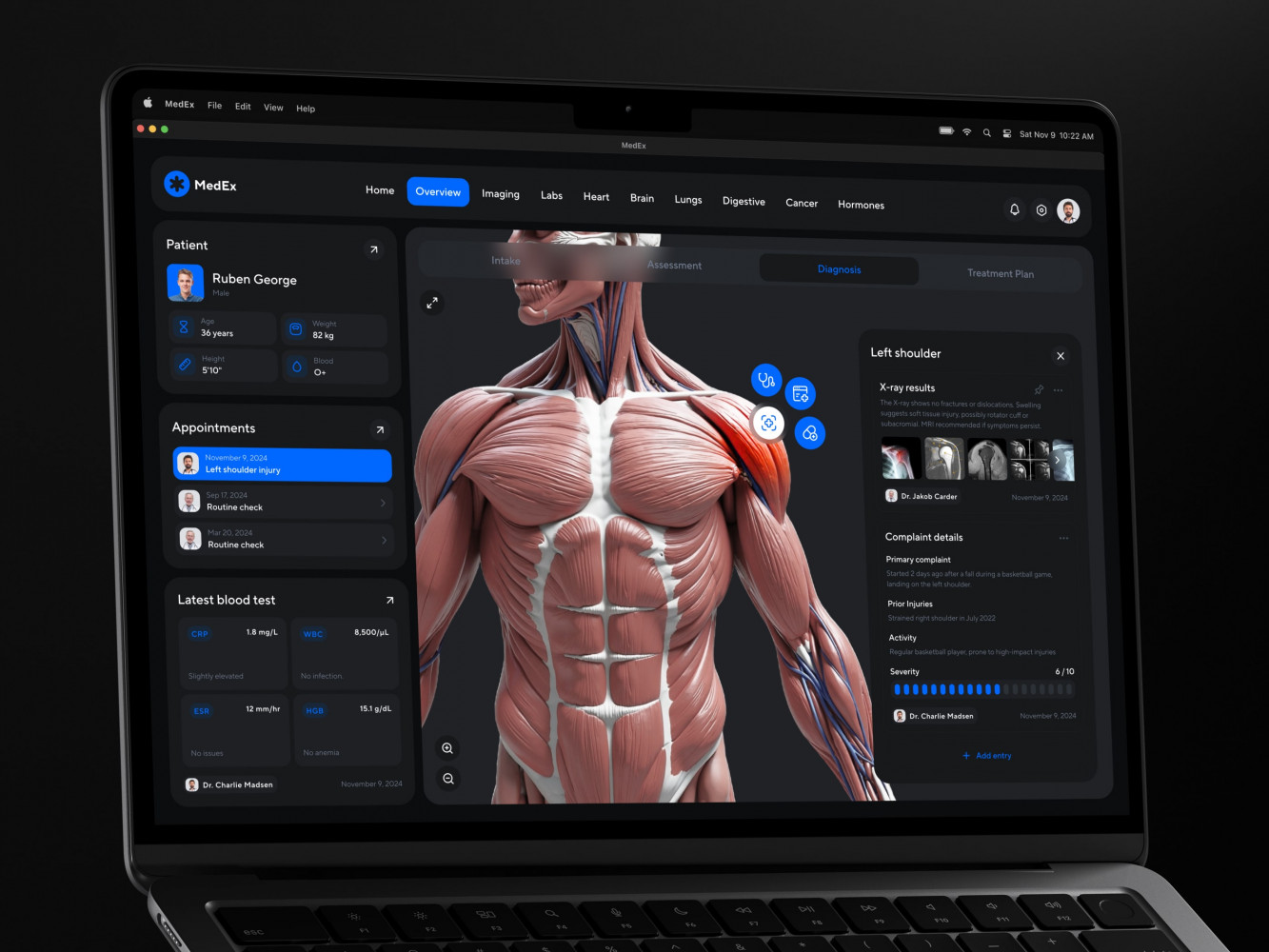
Medical Management Software Dashboard by Shakuro
Essential Features for a Telemedicine Platform
When you’re deep in telemedicine app development, it’s tempting to throw every bell and whistle into the first version. You end up with a bloated mess that nobody knows how to use, and you’ve burned half your budget on features patients don’t even notice.
Start with the basics. The stuff that actually lets a consultation happen. Everything else is noise until you get that core loop right.
Patient Features
For the patient, friction is the enemy. If they can’t figure out how to join the call, they’re gone.
- Registration & Intake: Keep it short. Ask for what you absolutely need: name, DOB, basic medical history. Long forms kill conversion rates.
- Appointment Booking: Needs to be visual and simple. Show available slots clearly. No back-and-forth emails.
- Consent: Digital signatures for HIPAA/GDPR consent. It has to be legally binding but not scary.
- Consultation Access: One-click entry to the video room. Test audio/video beforehand if possible.
- Payments: Secure, integrated payment processing. Co-pays or full fees, handled before or after the visit depending on your model.
- Follow-up: Automated summaries, prescription links, or next-step instructions sent via email or SMS.
Clinician Features
Doctors are busy. Like, really busy. Your platform needs to save them time, not add steps.
- Availability Management: Easy calendar syncing. They should be able to block off time for lunch or emergencies without calling support.
- Patient Information: A clean dashboard showing the patient’s intake form, past visits, and allergies before the call starts.
- Consultation Workspace: Video window, chat, and screen sharing all in one view. No switching tabs.
- Notes & Care Instructions: Quick templates for common diagnoses. Ability to e-prescribe directly from the interface.
Administrative Features
This is where the business runs. If this part is clunky, your operational costs will skyrocket.
- Provider Onboarding: Verify licenses and credentials efficiently. Automate what you can.
- Permissions: Role-based access. Nurses see different data than billing staff. Security is key here.
- Scheduling Oversight: Admins need to see the whole board. Cancelations, no-shows, rescheduling.
- Billing Support: Integration with insurance clearinghouses or straightforward invoice generation for self-pay.
- Reporting: Basic metrics. How many visits? Revenue? Provider utilization. You need to know if you’re making money.
MVP vs. Later Additions
Here’s the trap of telemedicine platform development: thinking you need AI-driven symptom checkers or remote heart rate monitoring on day one. You don’t.
MVP (Must-Have): Video calls, scheduling, basic EHR (Electronic Health Record) notes, payments, and secure messaging. That’s it. That’s your foundation.
Later Additions (Nice-to-Have):
- Remote Patient Monitoring (RPM): Integrating with wearables. Great for chronic care, but complex to build and regulate.
- Advanced Analytics: Predictive churn models, detailed clinical outcome tracking. Useful, but only when you have enough data to make it meaningful.
- AI-Assisted Documentation: Auto-transcribing visits and drafting notes. It’s cool but expensive and requires heavy testing for accuracy. You don’t want an AI hallucinating a drug allergy.
Architecture, Integrations, and Technology Choices
Architecture is where things get real. You can have the prettiest UI in the world, but if your backend collapses when ten doctors join a call at once, you’re done. In custom telemedicine app development, you’re not just building an app; you’re building a digital hospital wing. And hospitals need solid foundations.
Core Platform Components
Think of your platform as a five-legged stool. If one leg breaks, the whole thing tips over.
- Patient App: The front door. Needs to be lightweight, fast, and forgiving of bad internet connections.
- Clinician Portal: Usually web-based because doctors prefer larger screens for reviewing records. It needs to be dense with information but not cluttered.
- Admin Panel: The control tower. Where you manage users, view logs, and handle disputes.
- Backend: The brain. Handles logic, authentication, and routing. It needs to be scalable because healthcare demand is unpredictable.
- Database & Communication Services: The memory and the voice. You need a secure database for health records (PHI) and a robust WebRTC service for video/audio. Don’t try to build your own video stack unless you have millions to burn. Use established providers like Twilio or Agora.
Integrations to Plan Early
Here’s a hard truth: your platform doesn’t exist in a vacuum. It has to talk to other systems. If you wait until the end to think about integrations, you’ll be rewriting half your code.
- EHR/EMR: Electronic Health Records. Most clinics already use Epic, Cerner, or Athenahealth. Your platform needs to push/pull data from these systems. HL7 and FHIR standards are your friends here.
- Video Service: As mentioned, don’t build this yourself. Integrate a compliant video API.
- Messaging: Secure, HIPAA-compliant chat. Standard SMS won’t cut it for clinical advice.
- Payments: Stripe or specialized healthcare payment gateways that handle insurance co-pays.
- Prescribing: Integration with e-prescribing networks like Surescripts. This is crucial if you want doctors to actually use your platform for more than just advice.
Web, Native Mobile, or Cross-Platform?
If you dive into secure telehealth platform development, you will have to choose between platforms. This question keeps founders up at night. Let’s break it down.
A web-based solution is best for clinicians. They usually work on laptops or desktops. Easier to update, no app store approval needed. But limited access to device features like cameras or push notifications.
Native mobile (iOS/Android) solutions are best for patients. Smooth performance, better camera access, push notifications for appointment reminders. But expensive. You’re building and maintaining two separate codebases.
Cross-Platform (Flutter/React Native) is the middle ground. One codebase for both iOS and Android. Faster development, cheaper maintenance. Performance is nearly native now for most use cases. For a startup, this is often the smartest bet for the patient app.
In my experience, go hybrid. Web portal for doctors and admins, cross-platform mobile app for patients. It balances cost, speed, and user experience.
Interoperability, Concurrency, and Recovery
Healthcare is messy. Systems fail. Internet drops.
- Interoperability: Use standard APIs (FHIR) so your platform can play nice with others. Don’t create a walled garden.
- Concurrent Consultations: Your architecture must handle spikes. If a flu outbreak hits, traffic might triple overnight. Use cloud auto-scaling (AWS/Azure) to handle load.
- Monitoring & Backups: You need real-time monitoring for uptime. And backups? Daily encrypted backups are non-negotiable. Test your recovery process regularly. Because when data is lost in healthcare, it’s not just an inconvenience; it’s a liability.
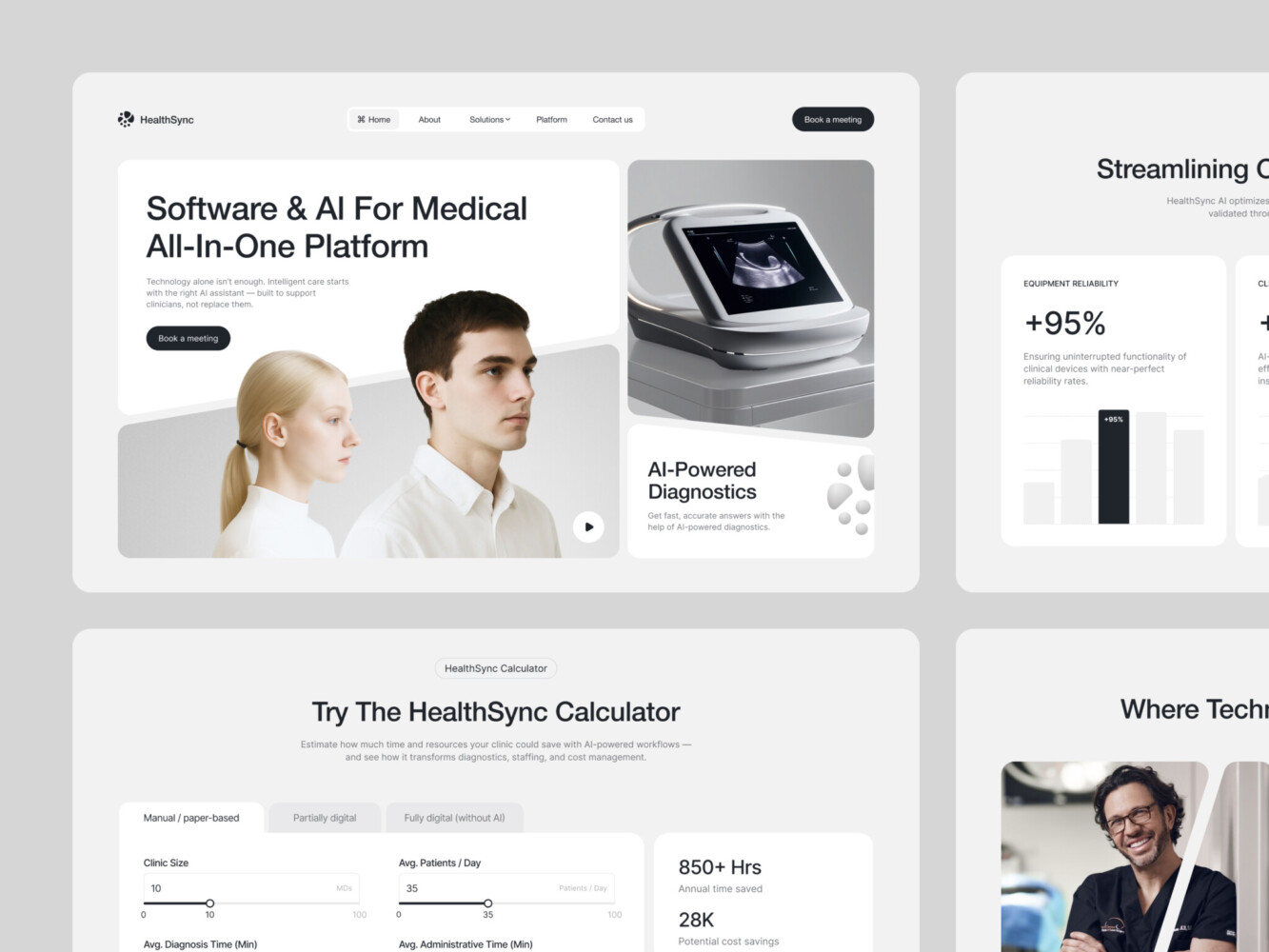
AI-Driven Medtech Website Design by Shakuro
Simple Architecture Diagram
Here’s how the data flows during a typical visit:
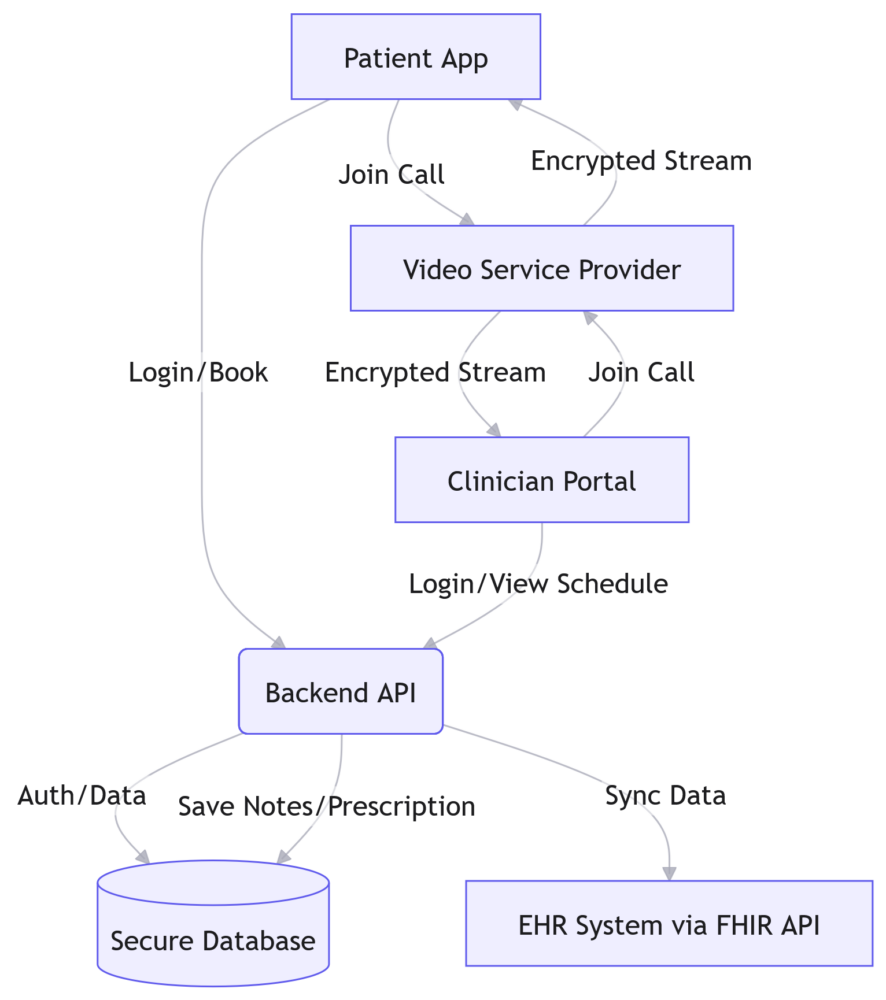
See? The video stream doesn’t even touch your backend directly—it goes through the provider. Your backend just handles the metadata: who called whom, when, and what was the outcome. Keep the heavy lifting off your servers. It’s cleaner, safer, and scales better.
Security and Compliance Planning
In healthcare, security is the foundation. If you get this wrong, you don’t just lose customers; you lose your license to operate. Maybe even face fines that could bankrupt your startup. So, let’s not cut corners here.
Secure telehealth platform development starts with understanding where the data goes. It’s not just about storing it; it’s about how it moves.
Data Flows and Encryption
Every piece of patient information—name, diagnosis, video recording—is Protected Health Information (PHI). It needs to be encrypted everywhere. At rest (in your database) and in transit (when it’s moving from the patient’s phone to your server). Use TLS 1.2 or higher for transmission. For storage, AES-256 is the standard. Don’t try to invent your own encryption method.
Access Permissions and Audit Trails
Not everyone should see everything. Your admin shouldn’t be able to read clinical notes unless there’s a specific, logged reason. Use Role-Based Access Control. Doctors see their patients; billing staff sees invoices; admins see system logs.
And speaking of logs, you need an audit trail. Every time someone accesses a record, it gets logged. Who, when, and what they did. If there’s a breach, you need to know exactly what happened. It’s not just good practice; it’s often required by law.
Retention and Incident Response
How long do you keep records? It varies by jurisdiction, but usually, it’s several years. Have a clear policy. And when you opt for telemedicine platform development services, have a plan for when things go wrong. Because they will. An incident response plan isn’t optional. Who do you call? How do you notify patients? How do you stop the bleed? Practice this plan before you need it.
Vendor Selection and Business Associate Agreements (BAAs)
Here’s where many startups trip up. You’re using AWS for hosting? Twilio for video? Stripe for payments? These are your “business associates” under HIPAA. You can’t just use their free tier. You need a signed Business Associate Agreement (BAA) with each of them. This contract legally binds them to protect PHI just as strictly as you are.
The HHS telehealth technology guidance is pretty clear on this: if a vendor handles PHI, they need a BAA. No exceptions. Check their compliance docs early. If they won’t sign a BAA, walk away. It’s not worth the risk.
Jurisdiction-Specific Requirements
HIPAA is US-centric. If you’re operating elsewhere, or even across state lines in the US, things get tricky.
- Consent: Some states require explicit written consent for telemedicine. Others allow verbal. Know the rules for where your patient is, not just where you are.
- Licensure: Doctors generally need to be licensed in the state where the patient is located. Your platform needs to verify this. You can’t have a New York doctor treating a patient in California unless they’re licensed in both.
- Prescribing: Controlled substances have strict federal and state rules. Many platforms avoid prescribing altogether initially because of this complexity. If you do offer it, ensure your e-prescribing integration follows DEA guidelines.
This isn’t legal advice, obviously. But it’s a heads-up: don’t assume one rule fits all. Consult with a healthcare attorney who knows telemedicine. It’s cheaper than a lawsuit.
How to Build a Telemedicine Platform, Step by Step
So, you’re ready to actually build this thing. Where do you start? If you jump straight into coding, you’re probably going to waste a lot of money. Founders get excited about the tech and forget about the humans using it.
Here’s a realistic roadmap for how to build a telemedicine platform without losing your mind.
1. Define the Care Model and Business Requirements
Before you write a single line of code, you need to know exactly what you’re solving. Are you doing urgent care? Mental health? Chronic disease management? Each has different needs.
Deliverable: A clear product requirements document (PRD). It should outline your target audience, revenue model, and core value proposition. Don’t be vague. “Helping people” isn’t a business model.
2. Map Patient and Clinician Journeys
Grab a whiteboard. Draw out every single step a patient takes, from feeling sick to getting better. Then do the same for the doctor. Where are the friction points? Is the booking process too long? Does the doctor have to click five times to see the patient’s history?
Deliverable: User journey maps and wireframes. These aren’t pretty designs yet; they’re rough sketches of the flow. You want to spot the bottlenecks early.
3. Validate Prototypes with Representative Users
Take those wireframes and turn them into a clickable prototype. Show it to real doctors and real patients. Not your tech-savvy friend. Find someone who struggles with technology. Watch them try to book an appointment. If they get stuck, your design is broken.
Deliverable: Usability testing report. A list of what confused people and what worked. This saves you from building features nobody wants.
4. Plan Architecture, Security, and Integrations
Now you can talk tech. Decide on your stack. Choose your video provider. Sign those BAAs we talked about. Map out how your system will talk to EHRs. This is the blueprint phase.
Deliverable: Technical architecture diagram and security compliance plan. You need to know exactly where data lives and how it’s protected before you build it.
5. Develop the MVP
Time to code. But remember: MVP means Minimum Viable Product. Build only the core features. Video calls, scheduling, basic notes. Ignore the AI chatbots for now. Keep the scope tight.
Deliverable: A functional, albeit basic, version of your platform. It shouldn’t be pretty, but it should work.
6. Test Complete Consultation Workflows
This is where most teams fail. They test individual features, but not the whole experience. You need to simulate a real visit.
- Test for weak connections: What happens when the patient’s Wi-Fi drops? Does the call reconnect automatically?
- Test for failed payments: If a credit card declines, does the system handle it gracefully or crash?
- Test for interrupted calls: If a doctor gets pulled away, can they resume the note later?
- Accessibility: Can someone with poor vision use your app? Is it screen-reader friendly?
Deliverable: QA test results and bug fix logs. You want zero critical bugs before you let real patients in.
7. Pilot, Launch, and Improve
Don’t launch to the whole world at once. Pick a small group. Maybe one clinic or a specific geographic area. Watch how they use it. Gather feedback. Fix things. Then, and only then, scale up.
Deliverable: Launch report and iteration backlog. You’ll learn more in the first week of a pilot than in six months of planning. Use that data to make your next version better.
Building a platform is a marathon, not a sprint. Take it step by step. Listen to your users. And don’t be afraid to pivot if something isn’t working.
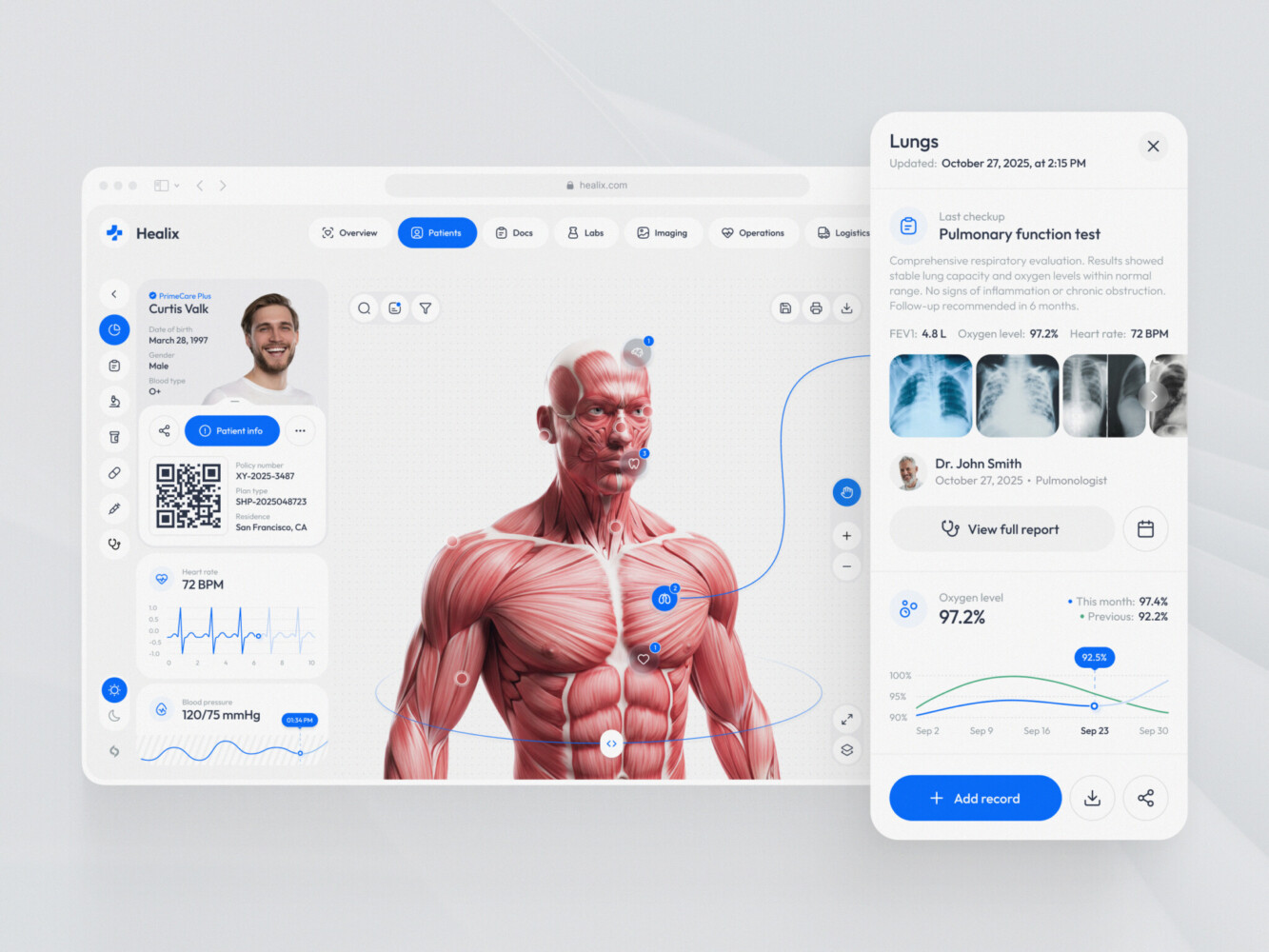
Healthcare operations and logistics platform design by Shakuro
Telemedicine App Development Cost and Timeline
The telemedicine app development cost isn’t a single number. It’s a range, and it depends heavily on what you’re actually building.
So, where does the money go?
What Drives the Budget?
It’s not just the hours your developers spend coding. Several factors inflate the bill:
- Features: A simple video call is cheap. Adding AI-driven triage, remote patient monitoring, or multi-language support adds weeks of work.
- Platforms: Building for iOS, Android, and Web separately costs three times as much as a cross-platform approach.
- Integrations: This is the big one. Connecting to Epic or Cerner isn’t plug-and-play. It requires specialized knowledge and often involves fees from the EHR vendor themselves.
- Security Work: Compliance isn’t free. You need penetration testing, security audits, and possibly a dedicated compliance officer.
- Team Composition: A team of senior engineers in North America costs significantly more than a mixed team with some offshore talent. But for healthcare, you often need that senior experience to avoid costly mistakes.
MVP vs. a More Extensive Platform
Don’t try to build the “everything” platform on day one while doing telemedicine platform development. It’s a recipe for running out of cash.
MVP Scope:
- Patient registration and basic profile.
- Simple scheduling.
- Secure video calls (using a third-party API).
- Basic text chat.
- Simple admin dashboard.
- Timeline: 3–4 months.
- Cost Estimate: $60,000 – $120,000.
Extensive Platform Scope:
- All MVP features.
- Complex EHR/EMR integrations (bi-directional sync).
- E-prescribing and lab ordering.
- Remote patient monitoring (wearable integration).
- Multi-specialty workflows (e.g., different forms for dermatology vs. psychiatry).
- Advanced analytics and reporting.
- Timeline: 6–9+ months.
- Cost Estimate: $150,000 – $300,000+.
Recurring Operating Costs
Building the app is just the entry fee. Keeping it running is where the long-term budget lives.
- Hosting: AWS or Azure costs scale with usage. Expect $500-$2,000/month initially, growing with your user base.
- Communication Services: Video APIs like Twilio or Agora charge per minute. If you have 1,000 hours of calls a month, that adds up fast.
- Maintenance: Software breaks. OS updates happen. You need a retainer for your dev team to keep things secure and functional. Usually 15–20% of the initial development cost per year.
- Support: You’ll need customer support staff to handle login issues, booking problems, and technical glitches.
Scope-based estimation table
| Feature Set | Estimated Timeline | Estimated Cost (USD) | Key Assumptions |
| Basic MVP | 3–4 Months | $60k – $120k | Cross-platform mobile app, web portal, basic video API, no EHR integration. |
| Mid-Level Platform | 5–7 Months | $120k – $200k | Native apps, custom video features, basic EHR integration (one provider), e-prescribing. |
| Enterprise Platform | 8+ Months | $250k+ | Multi-platform, complex multi-EHR integrations, RPM, AI features, high-security customization. |
What Can Delay Delivery?
It’s almost always something outside the code.
- EHR Vendor Approval: Getting access to test environments for major EHRs can take months. They move slowly.
- Compliance Audits: If you fail a security audit, you have to stop and fix everything before you can launch.
- Scope Creep: Adding “just one more feature” during development is the fastest way to blow your timeline. Stick to the MVP.
- Third-Party API Changes: If your video provider updates their SDK and breaks your app, you’re stuck fixing it while your launch date ticks closer.
Plan for these delays. Add a 20% buffer to your timeline. It’s better to launch late and stable than early and broken.
Common Development Challenges and How to Address Them
Telemedicine platform development is tough. It’s not like building a to-do list app. There are real people with real health issues on the other end of that screen. And things go wrong.
Here are the most common headaches teams face and how you can avoid them.
Difficult Patient Onboarding
You’d think signing up for a doctor’s appointment would be simple. But if your intake form asks for twenty fields before letting someone book a slot, you’re going to lose half your users. Elderly patients, or those who aren’t tech-savvy, will just give up.
How to address it: Test your booking flow with actual humans early. Not your team. Find someone’s grandparent. Watch them try to sign up. If they hesitate for more than three seconds, simplify it. Break long forms into smaller steps. Let them book first, then fill in the details later if needed.
Extra Clinician Administration
Doctors hate admin work. They went to med school to treat patients, not to fight with software. If your platform adds five extra clicks to their day, they’ll resent it. And if they resent it, they won’t use it.
How to address it: Spend time with care teams. Sit in a clinic. Watch how they work. Validate your workflows with them before you code. Ask them: “What’s the most annoying part of your current system?” Then fix that. Make note-taking fast. Use templates. Automate the boring stuff.
Unreliable Consultations
Video calls drop. Wi-Fi fails. Phones run out of battery. It happens. If your platform just crashes when the connection dips, you’re leaving patients stranded and doctors frustrated.
How to address it: Plan for failure. Build reconnection logic that works seamlessly. If the video drops, can they switch to audio-only? Can they continue via chat? Give users a fallback option so the consultation doesn’t just end abruptly. It’s about resilience, not just perfection.
Complex Integrations
Remember those EHR integrations we talked about? They’re a nightmare. Vendor documentation is often outdated. Test environments are hard to get. And every hospital system is slightly different.
How to address it: Don’t wait until month three to look into this. Investigate vendor access during the discovery phase. Talk to their developer support. Understand the dependencies. If you’re relying on a third-party API that takes six weeks to approve your access, you need to know that now, not later.
Growing Operating Costs
It’s easy to ignore costs when you’re focused on launching. But video minutes, SMS notifications, and cloud hosting add up. If you’re not careful, your unit economics can turn negative quickly.
How to address it: Monitor usage from day one. Set up alerts for your cloud spending. Track the cost per consultation. If you’re using a video provider that charges per minute, keep an eye on call durations. Optimize where you can. Maybe you don’t need HD video for a quick follow-up. Small tweaks can save you thousands as you scale.
These challenges aren’t deal-breakers. They’re just part of the job. The key is to anticipate them. Don’t be surprised when they happen.
Choosing a Telemedicine Platform Development Company
Choosing the right partner is probably the most critical decision you’ll make. It’s terrifying. There are thousands of agencies out there claiming they can build “the next big thing in healthtech.” But building a shopping app and building a HIPAA-compliant telemedicine platform are two very different beasts.
So, how do you separate the wheat from the chaff?
Look for Healthcare Workflow Experience
Don’t just ask if they’ve built a video chat feature. Ask them about workflows. Do they understand the difference between a triage nurse’s role and a specialist’s? Have they dealt with insurance verification logic? If they look at you blankly when you mention CPT codes or FHIR standards, run. You need a team that speaks the language of healthcare, not just JavaScript.
Integration Capability
As we discussed, your platform won’t live in isolation. You need a partner who has actually integrated with major EHRs like Epic or Athenahealth. Ask them: “What was the hardest integration you’ve ever done?” Their answer will tell you everything. If they say it was easy, they’re lying, or they haven’t done real healthcare work. It’s never easy.
Security Practices and Testing
Security shouldn’t be an afterthought. Ask about their development lifecycle. Do they perform regular penetration testing? Do they have a dedicated security officer? How do they handle data encryption? And don’t forget testing. Do they test for weak connections? For accessibility? For failed payments? You need a partner who tests for the messy reality of the real world, not just the happy path.
Post-Launch Support
Launching is just the beginning. Who fixes the bug when your server crashes at 2 AM on a Sunday? Who updates the app when iOS releases a new version? Make sure your partner offers reliable post-launch support. You don’t want to be stranded.
Ask for Evidence of Actual Delivery
Portfolios can be polished. Case studies can be vague. When looking for a telemedicine platform development company, dig deeper. Ask for specific examples.
Here is an example for you. Bless You is a healthcare platform created by doctors in Saudi Arabia for the country’s residents and tourists. A patient trying to book a doctor’s appointment has enough on their mind already. Figuring out an unfamiliar interface shouldn’t add to it. That concern shaped our work on Bless You.
The project covered UX/UI design and branding, starting with research into the local healthcare market and user needs. The team mapped user profiles, developed wireframes, and tested prototypes, with accessibility included in the brief.
One particularly useful detail: Bless You was designed in Arabic first. Right-to-left reading influenced navigation, button placement, and how information appeared on screen. Font choices needed to support readability, too. The team later created an English version to support the company’s plans for a wider audience.
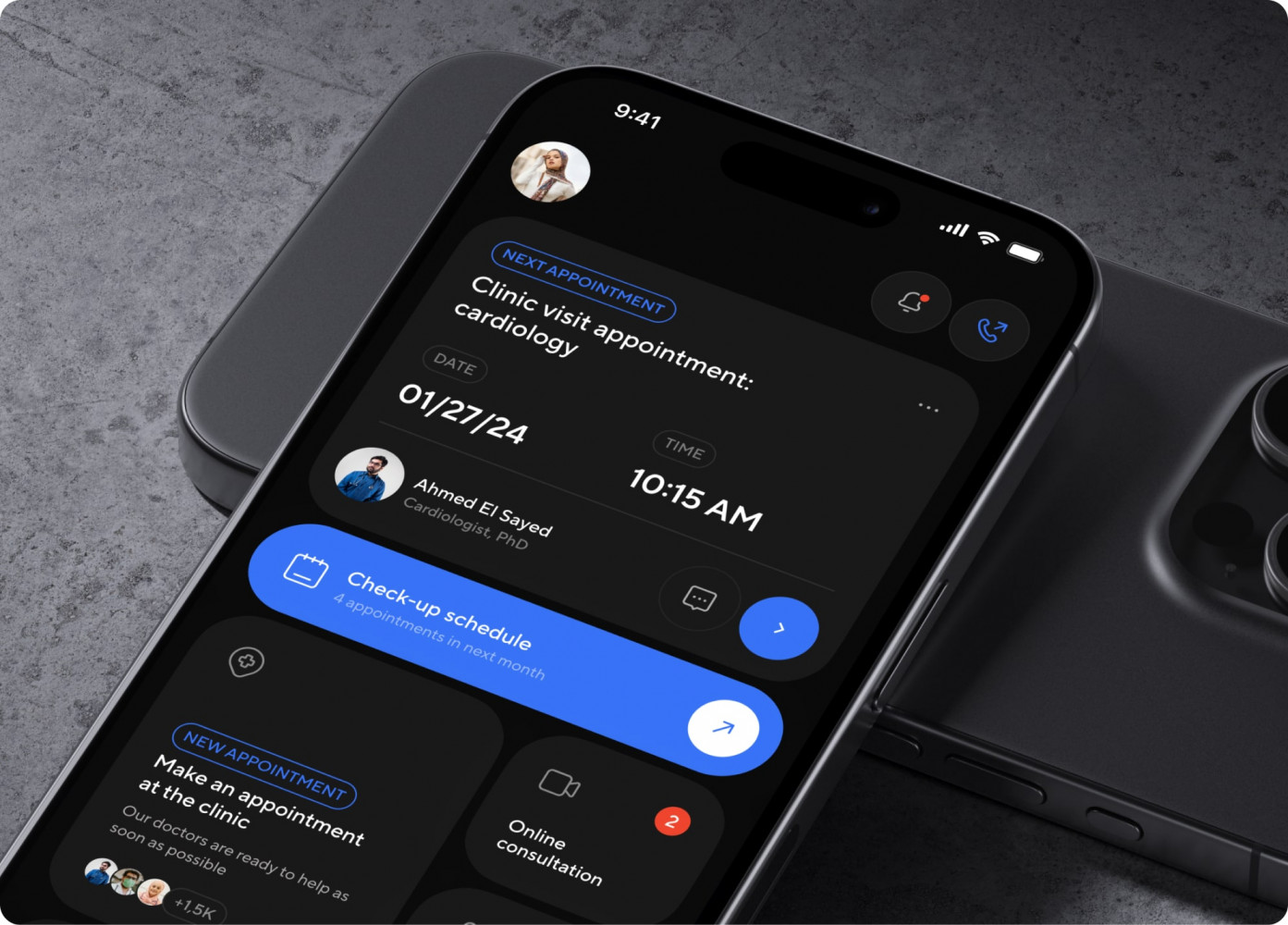
Bless You app by Shakuro
It’s not just a pretty UI; it’s a functional system that handles the nitty-gritty of patient care.
When you talk to potential partners, ask for engineering details on similar projects. How did they handle the video latency? What was their approach to data migration? Get into the weeds.
Final Thoughts
Look, telemedicine platform development is a marathon. It’s complex, it’s regulated, and it’s deeply human. But if you get it right, it’s incredibly rewarding. You’re not just shipping code; you’re improving access to care. That’s a big deal.
If you take anything away from this, let it be these three things:
- Validate the care workflow. Don’t guess what doctors and patients need. Watch them. Talk to them. Build what solves their actual problems, not what you think is cool.
- Define a focused MVP. Resist the urge to build everything. Start small. Get the core consultation loop working perfectly. Then expand. Speed matters, but stability matters more.
- Investigate security and integration needs early. Don’t leave HIPAA compliance or EHR integrations for the end. They will dictate your architecture. Know the rules of the road before you start driving.
It’s a lot to handle. But you don’t have to do it alone.
Discuss your telemedicine platform’s scope, integrations, and launch priorities. Let’s figure out the best way to bring your vision to life, safely and efficiently.
FAQ
What features should a telemedicine MVP include?
Keep it lean. You need secure video calls, simple appointment booking, basic patient intake forms, digital consent, and a way for doctors to take notes. That’s it. Skip the AI and remote monitoring for now.
How much does telemedicine platform development cost?
It varies, but expect 60k–120k for a solid MVP. If you need complex EHR integrations or native apps for everything, it can easily jump to $150k+.
How long does development take?
About 3–4 months for an MVP. If you’re building a more extensive platform with heavy integrations, plan for 6–9 months. And add a buffer for compliance audits.
Can a telemedicine platform integrate with an existing EHR?
Yes, but it’s not plug-and-play. You’ll need to use standards like FHIR or HL7. It takes time and often requires approval from the EHR vendor, so start this conversation early.
Should you build a custom platform or use an existing solution?
If you have a unique workflow or want to own your data and IP, go custom. If you just need a standard video call tool and want to launch next week, buy a white-label solution. Custom gives you flexibility; off-the-shelf gives you speed.