Why AI Chatbots Are Suddenly Everywhere
AI chatbots used to feel like those awkward support widgets that made you type the same question three times before giving up and asking for a human. We have all been there, and yes, it was a little annoying.
Now the picture is different. A good AI chatbot can help customers find products, answer support questions, summarize documents, qualify leads, help employees search internal knowledge, or even generate first drafts of reports. Not perfectly. Not magically. But well enough that businesses are taking them seriously.
That is why AI chatbot development is no longer just a “nice feature” for many products. It is becoming part of the actual product experience. The tricky part is that building a chatbot that looks smart in a demo is one thing. Building one that behaves well with real users, messy data, edge cases, and business rules is another story.
So, let’s walk through it in a practical way.
What is AI Chatbot Development?
It is the process of designing, building, connecting, testing, and improving a conversational system that can understand user requests and respond in a useful way.
That sounds simple. But in reality it is not.
A chatbot may use a large language model, natural language processing, retrieval-augmented generation, business logic, APIs, analytics, and a carefully designed chat interface. Sometimes it also needs speech recognition, user permissions, payments, admin tools, human handoff, and moderation. Suddenly, that “small chatbot” becomes a real software product.
There are a few common types:
- Rule-based bots follow predefined scripts. They are predictable, but limited.
- NLP chatbots understand intent and can route users to the right answer or workflow.
- LLM-based assistants can generate natural responses, summarize content, and handle open-ended questions.
- Agentic chatbots can interact with tools, databases, calendars, CRMs, and other systems. This is where things get interesting, and sometimes a bit scary if the guardrails are weak.
AI products are not only about models. They also include UX, infrastructure, training, integration, launch, and optimization.
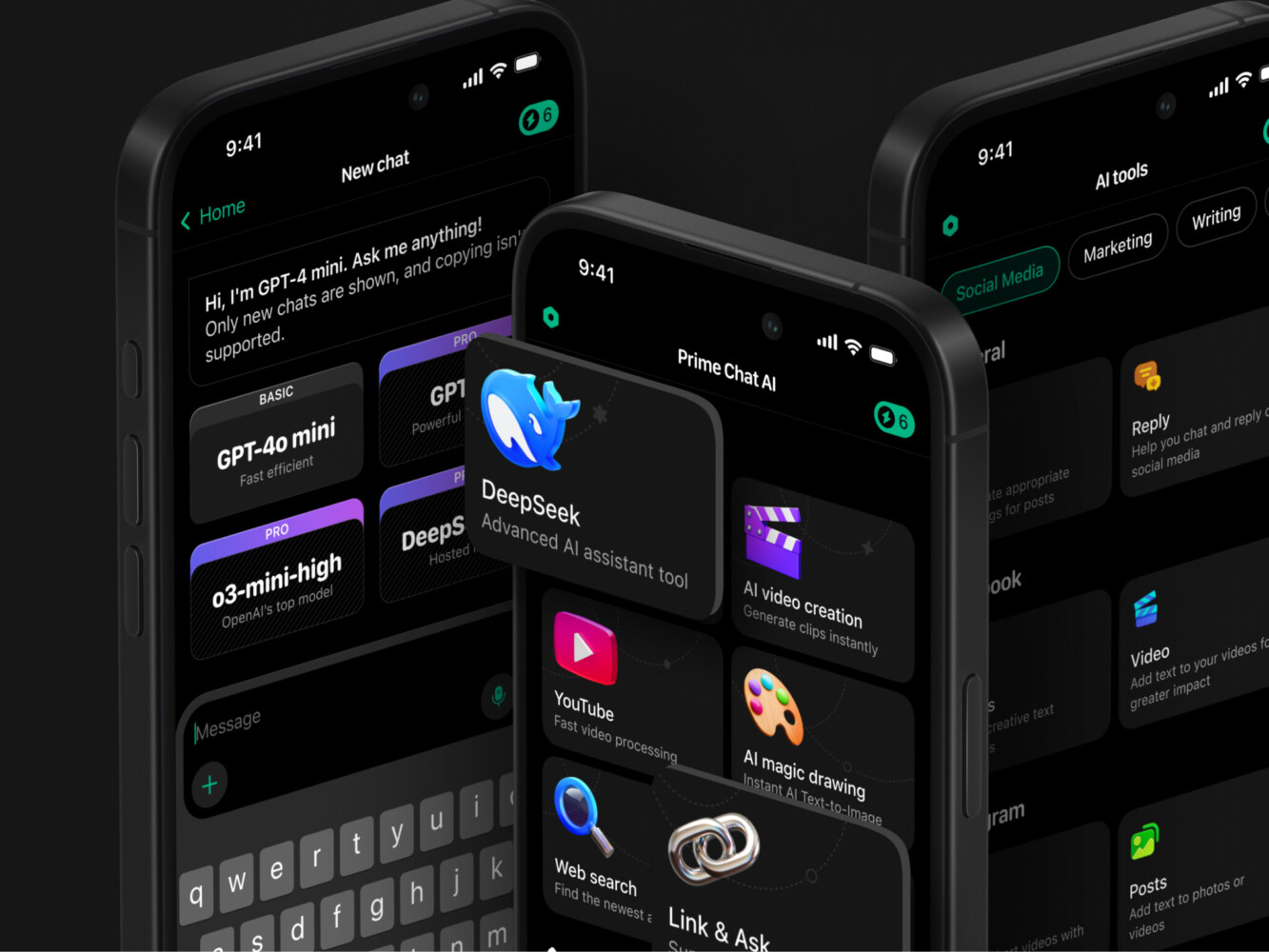
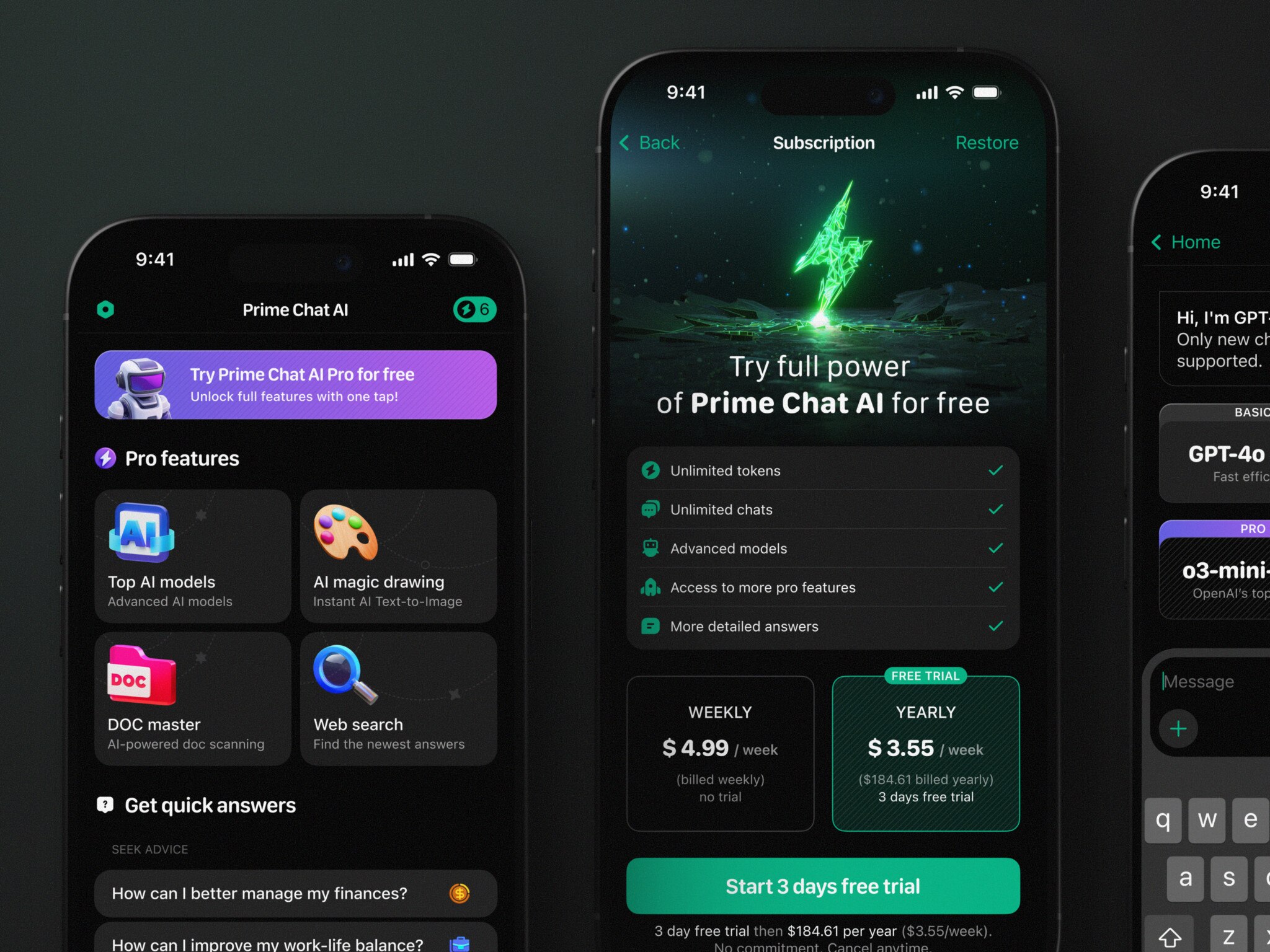
Prime Chat AI Mobile Assistant by Shakuro
Common AI Chatbot Development Solutions for Business
Different companies need different solutions. A retail store, a fintech platform, and an internal enterprise knowledge base do not have the same problems. Obvious, sure, but it is surprising how often teams start with the tool before defining the job.
For customer support, chatbots can answer repetitive questions, check order status, explain policies, and collect context before a human agent steps in.
When it comes to sales, they can qualify leads, recommend plans, book calls, or help users compare options.
An AI chatbot development service for ecommerce might focus on product search, size guidance, return questions, delivery updates, upsells, and abandoned cart recovery. If you think about it, ecommerce chat is not just support. It is part salesperson, part assistant, part store guide.
For internal teams, chatbots can search documents, summarize meeting notes, explain company policies, or help new employees find the right process without bothering five people in Slack. Many companies connect such a bot to their HR software, so answers about leave or benefits come from real employee records.
As for SaaS products, AI assistants can guide users through features, explain data, generate reports, or reduce friction in onboarding.
The good ones feel almost boring in the best way. They help, they do not show off.
Enterprise AI Chatbot Development: What Changes at Scale
Enterprise projects add more layers. More people. More systems. More risk.
With enterprise AI chatbot development, the chatbot usually needs single sign-on, role-based access, audit logs, security policies, compliance checks, data retention rules, and clear escalation paths. It may also need to connect with CRMs, ERPs, helpdesks, analytics platforms, internal databases, and knowledge management tools.
And one more thing: enterprise users are often less forgiving than consumer users. If the bot gives a vague answer about a marketing slogan, fine. If it gives the wrong answer about a legal policy, healthcare process, or financial document, that is a real problem.
The boring questions are usually the important ones here. Who can access which data? What happens when the bot is unsure? Where are conversations stored? Who reviews failed answers? How do we measure whether it is actually useful?
Not glamorous questions. Very necessary ones.
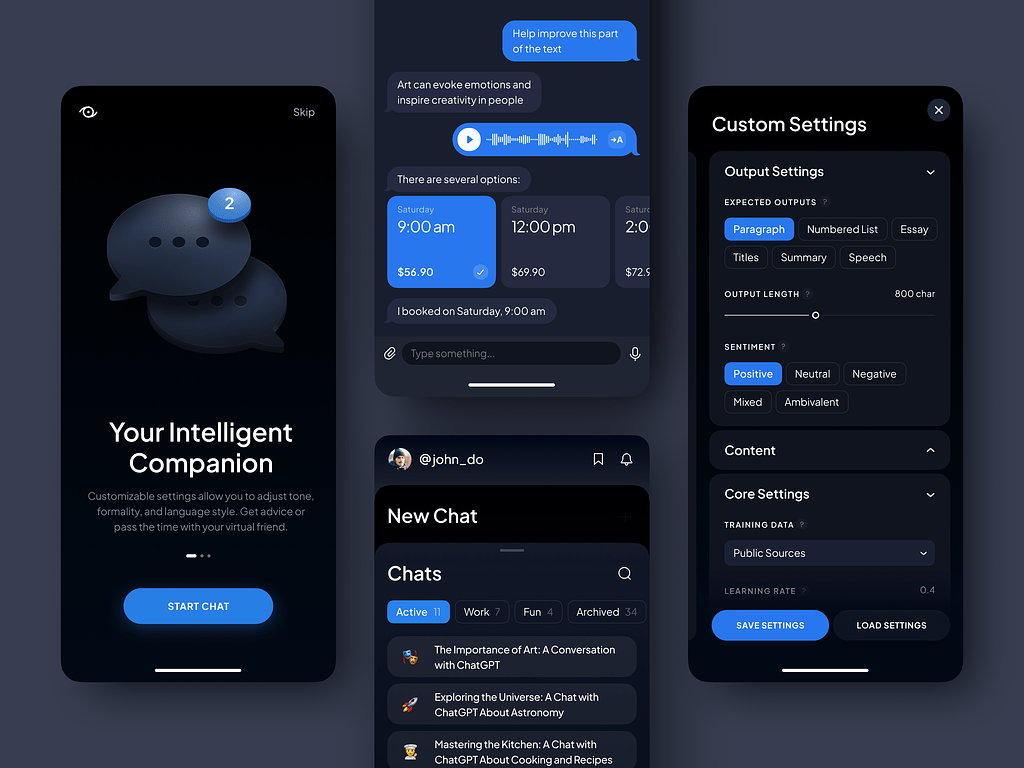
The AI Prompt Assistant by Conceptzilla
Core Features of a Business-Ready AI Chatbot
A serious chatbot needs more than a text box and a friendly greeting.
The essentials for AI chatbot development usually include:
- Natural conversation flow. Users should not have to learn special commands.
- Knowledge base search. The bot needs reliable information, not just fluent guesses.
- Retrieval-augmented generation. RAG helps the chatbot answer from approved sources instead of making things up.
- User history and context. A good assistant remembers enough to be useful, while still respecting privacy.
- Human handoff. Sometimes the best answer is “let me connect you to a person.”
- Admin tools. Teams need to update content, review conversations, and check performance.
- Analytics. You need to see what people ask, where they drop off, and which answers fail.
- Security and permissions. Not every user should see every answer.
- Multilingual support. This can be a huge plus for global products, but it needs proper testing.
- Fallback logic. The chatbot should know when it does not know. Honestly, that alone makes many bots better.
AI Chatbot Architecture: the Main Components
The architecture depends on the product, but most chatbot systems include a few familiar parts.
There is the frontend chat interface, where the user types or speaks. This may live inside a website, mobile app, dashboard, marketplace, or internal tool.
Then there is the backend API, which handles authentication, business logic, message routing, rate limits, and integrations.
The AI layer may include an LLM provider, a custom model, prompt logic, embeddings, a vector database, and a retrieval pipeline. If the bot uses internal documents, the system needs ingestion, cleaning, indexing, and access control. In AI chatbot development, you also need integrations: CRM, helpdesk, ecommerce platform, payment system, calendar, database, warehouse, or whatever the workflow needs.
Finally, there is monitoring. This part is easy to forget when opting for chatbot development, but it matters. You need to know when the chatbot slows down, breaks, gives weak answers, or starts costing more than expected.
AI Chatbot Development Tools and Technologies
There are many tools, and picking between them can feel like standing in front of a supermarket shelf with 20 types of olive oil. The labels all sound convincing.
If you need language models, teams usually use OpenAI, Anthropic, Meta models, or other providers depending on privacy, cost, latency, and accuracy needs.
For machine learning and custom models, TensorFlow and PyTorch are common choices. When it comes to speech features, Whisper and similar tools can help with transcription and voice interaction.
By the way, we used Whisper when integrating voice recognition in Proko. The e-learning platform can recognize tutors by voice and add subtitles into the knowledge base.
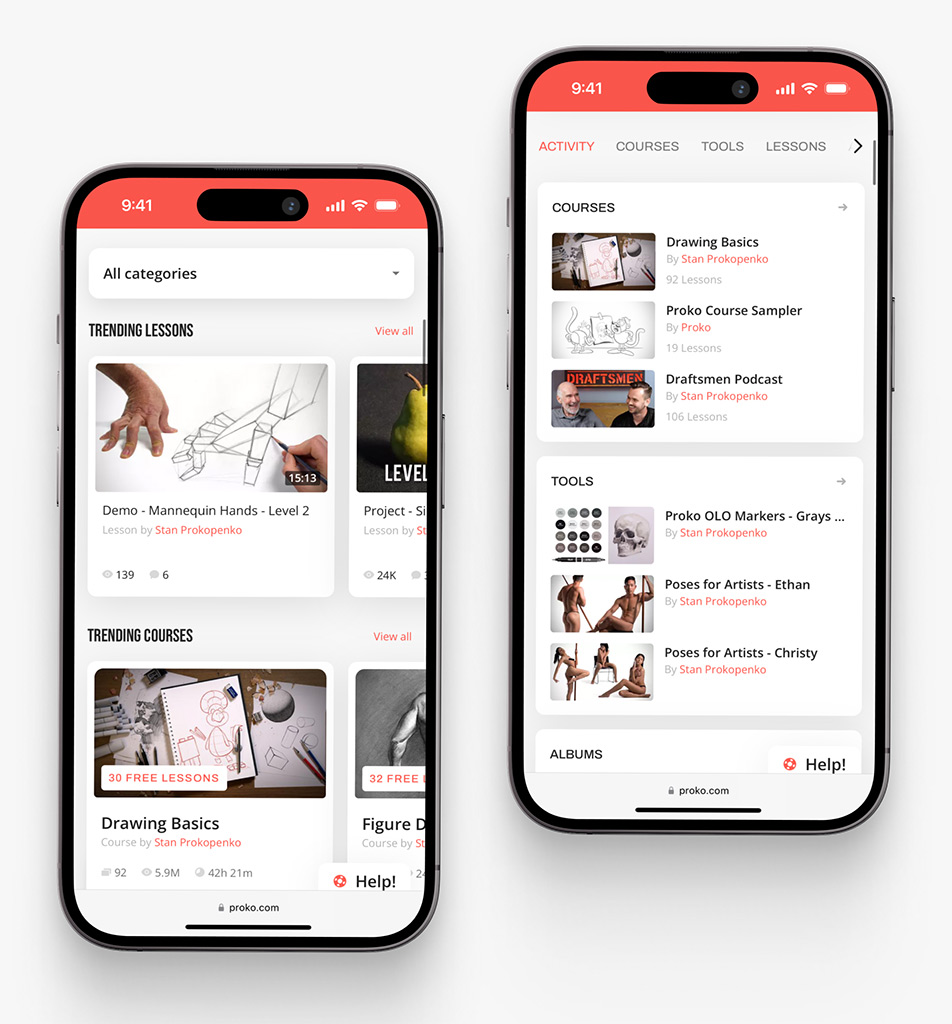
Proko app on mobile by Shakuro
As for the frontend interfaces, React, Angular, Swift, Kotlin, Flutter, or native mobile stacks can be used depending on the platform. For backend development, Python, FastAPI, Node.js, .NET, and similar technologies are common.
If there is the need for knowledge retrieval, teams often use vector databases and embedding models.
The best option is not always the trendiest one. Sometimes a simpler setup is better because the business case is still being tested. And one more point: the chat UI matters more than people expect. If the interface feels clumsy, users will blame the AI, even if the model is doing fine.
The AI Chatbot Development Process
A reliable chatbot development process usually starts before anyone writes code.
Step 1. Discovery and Business Goals
First, define the job. What should the chatbot do? Reduce support load? Improve product discovery? Help employees search data? Increase conversions? Speed up onboarding?
This is also where you decide what the chatbot should not do. That boundary is healthy.
Step 2. Use Case Prioritization
Start with the highest-value workflows. A chatbot that handles five important tasks well is better than one that claims to do everything and falls apart under normal questions.
Step 3. Conversation UX and Interface Design
With the help of an AI chatbot development company, map flows, user intents, fallback states, handoff points, and UI behavior. This is where product design really helps. Chatbots are not only technical systems. They are conversations, and conversations have tone, timing, and friction.
Step 4. Architecture and Data Planning
Here you need to decide how the bot will access knowledge, what systems it will connect to, how permissions will work, and what model setup makes sense.
Step 5. Prototype or Proof of Concept
You build a prototype that helps you test whether the idea works with real data. With all the little rough edges. This is a wise and cost-effective approach because you test things before diving into real development.
Step 6. Model, RAG, and Integration Development
This is where you create the core system with all the prompts, retrieval, backend logic, APIs, data pipelines, and UI.
Step 7. Testing and Validation
Testing should include normal, weird, angry, short, and multilingual questions and questions the bot should refuse to answer. People are creative, so your solution should be ready for them.
Step 8. Deployment and Optimization
After launch, the work continues. The team monitors usage, reviews failed answers, improves data, tunes prompts, and adds features based on actual behavior.
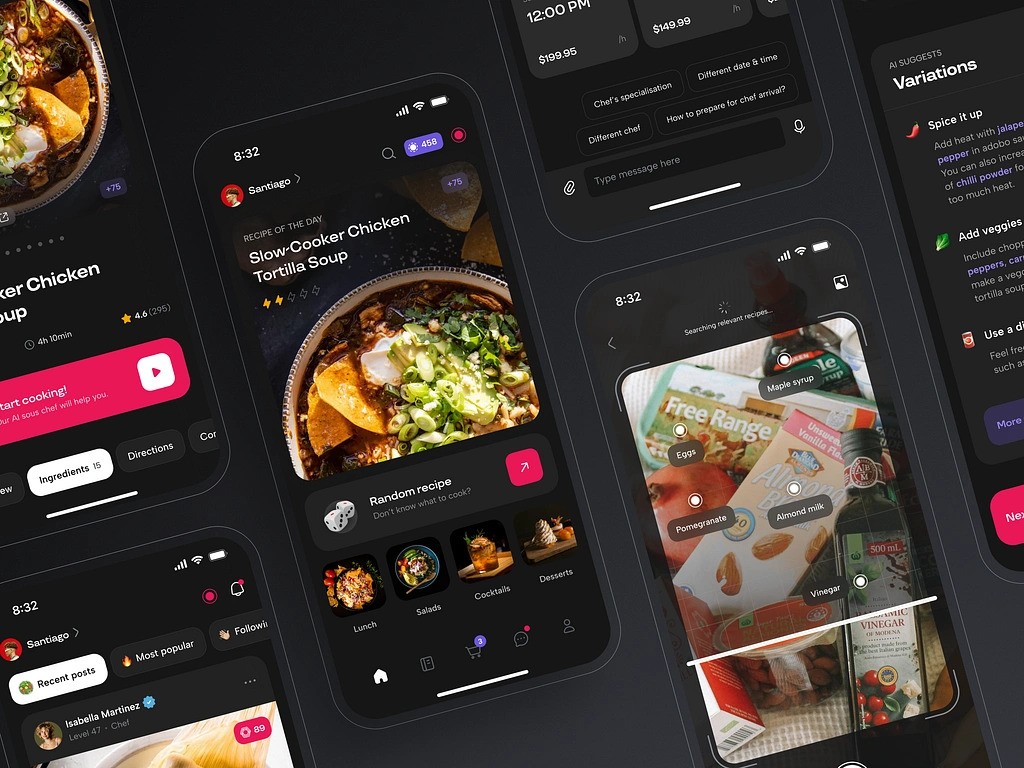
AI Chef Mobile App by Shakuro
AI Chatbot Development Cost: What Affects the Budget?
The honest answer is: it depends. Not a thrilling answer, I know, but it is true.
AI chatbot development cost depends on scope, integrations, design complexity, data quality, compliance needs, platform choice, and post-launch support.
A simple MVP chatbot might include a focused use case, basic chat UI, limited knowledge base, and one or two integrations. This can be a good way to test demand.
A mid-level business chatbot includes analytics, admin tools, CRM or helpdesk connections, custom conversation flows, and stronger UX.
An enterprise chatbot can involve SSO, audit logs, compliance reviews, multiple data sources, permission systems, monitoring, human-in-the-loop workflows, and dedicated support.
The hidden cost of chatbot development is often data preparation. If the knowledge base is outdated, scattered, duplicated, or full of contradictions, the chatbot will inherit that mess. Many teams spend more time cleaning the source material than building the first version of the bot. It is not glamorous work, but it pays off.
| Chatbot type | Best for | Typical features | Approximate cost |
| Basic AI chatbot MVP | Testing one focused idea | Simple chat UI, limited knowledge base, basic prompt setup, one channel, light analytics | $10,000-$25,000 |
| Business chatbot | Customer support, sales, ecommerce, SaaS onboarding | Custom UI, RAG, admin panel, analytics, CRM/helpdesk integration, human handoff | $25,000-$70,000 |
| Advanced AI assistant | Products with deeper workflows | Multiple integrations, user accounts, conversation history, multilingual support, workflow automation, better testing | $70,000-$150,000 |
| Enterprise AI chatbot | Large companies, regulated teams, internal knowledge systems | SSO, role-based access, audit logs, compliance, private data access, monitoring, SLA support, custom infrastructure | $150,000-$300,000+ |
Why Work With an AI Chatbot Development Company?
Some teams can build a first chatbot using no-code or low-code tools. For a narrow internal experiment, that can be perfectly fine.
But when the chatbot becomes part of the customer experience, sales process, ecommerce flow, or enterprise system, working with an AI chatbot development company starts to make sense.
A good team helps with product strategy, UX, architecture, integrations, security, testing, and long-term maintenance. They can also tell you when a chatbot is not the right answer, which is a useful kind of honesty.
Professional AI chatbot development services are especially helpful when you need custom workflows, sensitive data handling, third-party integrations, mobile app support, or a polished interface that users will actually enjoy using.
And yes, “enjoy” may sound ambitious for a chatbot. But if the bot saves someone ten minutes and does not make them sigh, that is already a win.
Our Experience in Creating AI Chatbots
Prime Chat AI was designed around speed, simplicity, and multilingual access. It does not treat AI as a mysterious black box. The interface is the product. The chat, onboarding, tool categories, language settings, and premium flow all have to feel natural, or people simply will not come back. Prime Chat AI helps users get instant results in content-making, education, automation, etc. No steep learning curve.
Symbolik Social fits from another angle. It is not an AI chatbot case, but it shows experience with complex product architecture, real-time analytics, secure user systems, financial users, and dense information flows. Those skills matter when a chatbot lives inside a larger platform rather than as a tiny add-on.
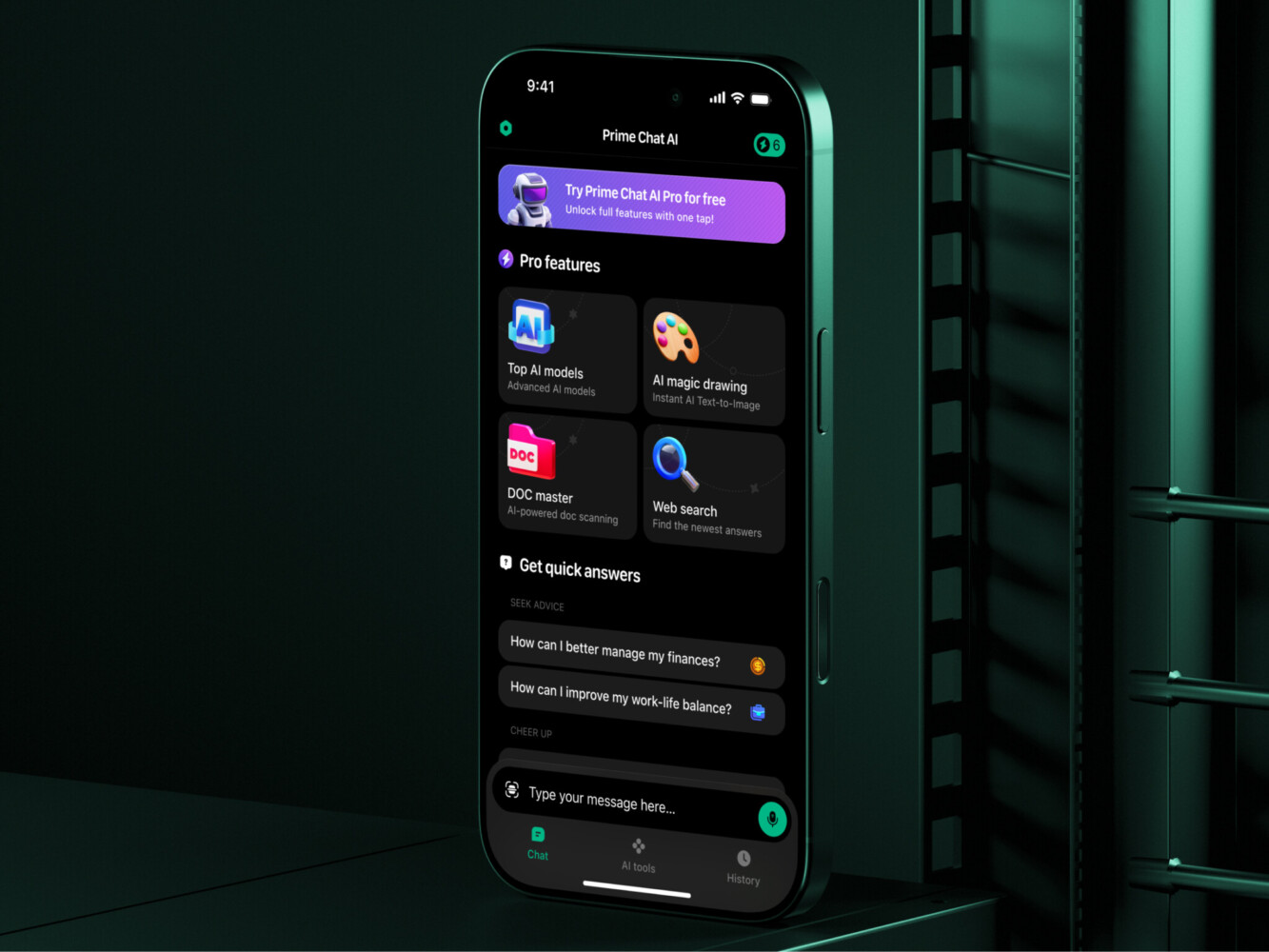
Prime Chat AI Mobile Assistant by Shakuro
Final Thoughts
AI chatbots work best when they are built around a real workflow, not around the excitement of AI itself.
When you go for chatbot development, start with the problem. Check the data. Design the conversation carefully. Build a small version, test it with real users, and improve it over time. Sounds less dramatic than “launching an AI revolution,” but frankly, it is how good products usually happen.
If your team is considering AI chatbot development, the best next step is not choosing a model right away. It is writing down the top five questions or tasks your users struggle with. That little list often tells you more than a long strategy deck.
Ready to create an AI chatbot but need an experienced team? Reach out to us and let’s build your future product together.
FAQ
How Long Does AI Chatbot Development Take?
A simple chatbot MVP can take a few weeks. A more advanced product with integrations, custom UX, RAG, analytics, and testing may take several months. Enterprise systems can take longer because approvals, security, and data access slow things down a bit.
How Much Does AI Chatbot Development Cost?
The cost depends on scope. A small MVP is much cheaper than a full enterprise assistant with SSO, admin tools, compliance, multiple integrations, and monitoring. Data preparation, custom design, and post-launch support also affect the budget.
What are the Best AI Chatbot Development Tools?
There is no single best stack. Common tools include LLM providers, Python or .NET backends, React or native mobile frontends, vector databases, RAG frameworks, analytics tools, and monitoring systems. The right choice depends on your data, users, security needs, and budget.
Can a Chatbot be Added to an Existing Product?
Yes. In many cases, adding a chatbot to an existing product is smarter than building a separate tool. The key is integration. The bot should understand the product context, user permissions, available data, and important workflows.
What Makes Enterprise AI Chatbot Development Different?
Enterprise chatbot projects need stronger security, permissions, compliance, audit trails, monitoring, human escalation, and integrations with internal systems. The stakes are higher, so the chatbot needs to be useful, controlled, and easy to review.
Related reading
- AI for Software Development: Benefits, Challenges, and Tools to Know
- AI SaaS Development: How to Build Smarter SaaS Products With AI
- AI Automation Software Development: What to Build, What to Automate, and Where to Start
- AI Recommendation System Development: How to Build Smart, Scalable Recommendation Engines