If you’re a founder or product owner, the tricky part is that multi-tenant SaaS architecture sounds like a backend detail, but it quietly affects almost everything: your costs, security, performance, support load, and even what deals your sales team can close later. Choose too simple a setup, and you may hit painful limits once bigger customers arrive. Over-engineer it too early, and you burn time and budget before the product has proved itself. Neither feels great.
In my experience, the best conversations about SaaS architecture usually start with very plain questions. Who are your tenants? How different are their needs? What happens if one customer grows 10x faster than the others? Can your team explain where each tenant’s data lives without opening five diagrams and a very old Slack thread? That last one sounds small, but honestly, it tells you a lot.
This article breaks down what multi-tenant architecture in SaaS really means, how the main patterns work, where the risks hide, and which best practices can save you from expensive rewrites later.
What Is Multi-Tenant Architecture in SaaS?
In the SaaS world, it’s basically just sharing.
Imagine you’re running a gym. In a single-tenant setup, every member gets their own private room with their own treadmill, their own locker, their own shower. It’s luxurious, sure. But man, the overhead. You’re paying for electricity, water, and maintenance for hundreds of separate rooms. Most of those treadmills are sitting idle half the day. It’s wasteful. And expensive.
Multi-tenancy is different. It’s like a normal gym. Everyone shares the same floor space, the same equipment, the same showers. The infrastructure is shared. But here’s the key part—and this is where people get tripped up—your stuff is still yours. When you log in, you don’t see John’s workout plan or Sarah’s membership details. You see yours. The data is logically separated, even if it’s physically sitting on the same servers.
In my experience, trying to explain this to non-tech founders is always a bit of a hurdle. They worry about security. “Wait, so my data is next to my competitor’s data?” Yeah, essentially. But it’s not like they can just peek over the fence. The isolation happens at the software level. It’s robust, assuming you’ve built it right.
Why do we even bother with this approach? Well, cost, mostly. It’s cheaper to maintain one big application instance than fifty small ones. Updates are easier too. If you need to push a bug fix or a new feature, you do it once. Everyone gets it. In a single-tenant world, you’re deploying that update fifty times. Fifty chances for something to go wrong.
But building multi tenant SaaS architecture is not all sunshine and rainbows. There are trade-offs. Performance can be tricky. If one tenant decides to run a massive report at 2 PM on a Tuesday, it might slow things down for everyone else. It’s like that one person at the gym who hogs the squat rack for an hour. You have to build in safeguards, quotas, limits. You have to be smart about resource allocation.
Customization is another headache. Some clients want everything their own way. Specific branding, unique workflows, custom fields. In a multi-tenant system, you can’t just go rewriting the core code for one customer. You have to build flexibility into the platform from day one. It’s harder upfront. Much harder. But it pays off later when you’re scaling.
So, is it the best option for everyone? Probably not. If you’re selling high-security, highly customized enterprise software to three huge banks, maybe single-tenant makes more sense. They’ll pay for the isolation. They’ll pay for the dedicated resources. But for most SaaS startups? Multi-tenancy is the way to go. It’s efficient. It’s scalable.
SaaS marketing dashboard by Conceptzilla
How Multi-Tenant SaaS Architecture Works
Okay, so how does this whole thing actually work? Let’s peel back the layers a bit. Like, what happens from the moment a user clicks “Login” to when they see their dashboard?
First off, there’s the frontend. This is what your users see. It’s usually pretty standard stuff—React, Vue, whatever framework you’re into. But here’s the thing: the frontend doesn’t really know or care about multi-tenancy. Not directly, anyway. It just sends requests. It’s kind of dumb in that sense, which is good. Keeps it simple.
Then those requests hit the API layer. This is where things start getting interesting. The API is the gatekeeper. But before it can let anyone in, it needs to know who is asking and which company they belong to. That’s tenant identification.
How do we figure that out? Usually, it’s in the URL. Like `acme.myapp.com` or `myapp.com/acme`. Sometimes it’s in the header of the request. Doesn’t matter much, as long as it’s consistent. You grab that tenant ID early. Because once you have it, you never let go. It becomes this context. Think of tenant context as the thread that ties everything together. Without it, you’re just guessing. And guessing with user data is a terrible idea.
Once you know the tenant, you need to check if the user is who they say they are. That’s authentication. Standard OAuth, JWT tokens, the usual suspects. But the token usually contains the tenant ID too. So you’re double-checking. Good practice, honestly. Better safe than sorry.
Next up is authorization. Just because you’re logged in doesn’t mean you can see everything. Maybe you’re an admin, maybe you’re just a viewer. The system checks your role against the permissions for that specific tenant. See how the tenant context is already doing heavy lifting? It’s filtering the rules based on who you are and where you belong.
Now, the request moves to the shared application services. This is the core logic. Calculating metrics, processing orders, generating reports. The code here is generic. It doesn’t have hard-coded references to “Acme Corp” or “Beta Inc.” It just processes data. But it relies entirely on that tenant context passed down from the API layer. If the context is missing or wrong, the service shouldn’t even run.
Then we get to the database layer. This is where the rubber meets the road. There are a few ways to handle this. You can have separate databases for each tenant (expensive, hard to manage), separate schemas in one database (better), or just one big table with a `tenant_id` column on every single row. That last one is super common for startups. It’s cheap. It’s easy to query. But you must remember to include that `tenant_id` in every single query. Forget it once? Now John from Acme can see Sarah’s data from Beta. Nightmare fuel. This is why that tenant context thread is so vital. It automatically injects that filter so developers don’t have to think about it every time.
Don’t forget about billing. When working on multi-tenant SaaS architectures, we need to track usage. How many API calls did Acme make? How much storage is Beta using? The monitoring systems tap into that same tenant context to log everything. Every action, every error, every login. It’s all tagged. This makes analytics way easier later. You can see exactly how each tenant is using the platform. Are they stuck on a certain feature? Are they hitting limits? You know, because the logs aren’t just a giant mess of mixed-up data. They’re organized by tenant.
Finally, there are the admin controls. Superusers need a way to manage all these tenants. Reset passwords, upgrade plans, kick off bad actors. This interface sits above everything else. It has its own set of permissions, obviously. You don’t want a regular tenant admin seeing the global settings.
The tenant context flows through every layer, keeping data separate, permissions tight, and logs clean. It’s the invisible glue holding the whole messy structure together.
Multi-Tenant SaaS Architecture Diagram
Alright, let’s try to visualize this. Diagrams can be dry, I know. But sometimes you just need to see the boxes and arrows to make it click. Here’s a rough sketch of how the flow usually looks in a decent multi-tenant setup.
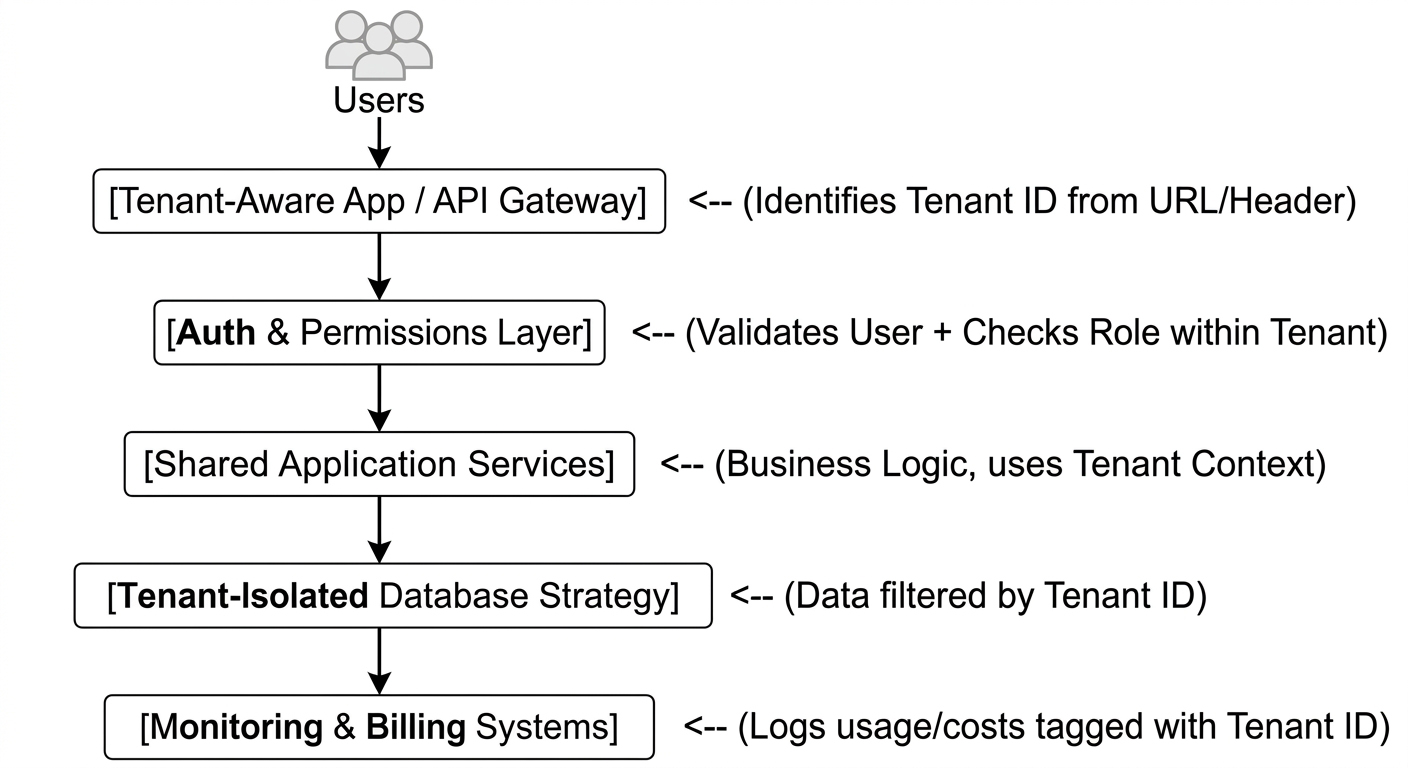
So, here’s the thing that trips people up when they look at the multi-tenant SaaS architecture diagram: how does the request stay tied to the correct tenant as it jumps through all these hoops? It’s all about that tenant context I mentioned earlier.
Think of it like a luggage tag at an airport. When a user sends a request, the API layer slaps a digital “tag” on it with the tenant ID. From that point on, every single component—the auth check, the business logic, the database query—looks at that tag. It doesn’t guess. It doesn’t assume. It reads the tag.
If the tag says “Tenant A,” the database only looks for rows marked “Tenant A.” The billing system only counts resources for “Tenant A.” The logs only record actions for “Tenant A.” If that tag gets lost or swapped somewhere in the middle? Well, that’s when things go sideways. Data leaks happen. Bills get messed up.
That’s why good frameworks pass this context automatically. You shouldn’t have to manually attach it to every function call. It should just be there, available to any part of the system that needs it. It’s the invisible thread keeping everything organized. Without it, you’re just hoping for the best. And in software, hope is not a strategy.
Common Multi-Tenant SaaS Architecture Patterns
So, you’ve decided to go multi-tenant. Great choice. But now you’re staring at a whiteboard, marker in hand, wondering how to actually store the data. There isn’t one “right” way, but there are definitely ways that will make your life easier or harder down the road. Let’s break down the big four patterns.
Shared Database, Shared Schema
This is the bread and butter for most early-stage SaaS startups. And for good reason. It’s cheap. Like, really cheap. You have one database. One set of tables. Every single row in every table has a `tenant_id` column. That’s it.
Usually, this is the best way to start. Why? Because you move fast. You don’t have to worry about provisioning new databases or managing complex migration scripts for dozens of separate schemas. You just add a column and keep coding. It’s efficient. Resource usage is optimized because you’re pooling everything together.
But—and this is a big but—you have to be disciplined. Really disciplined. Every single query must include that `tenant_id`. If you forget it once, you’re showing User A’s data to User B. That’s a fireable offense in most companies. It requires strict enforcement, usually through middleware or ORM hooks that automatically inject the filter. If you’re sloppy here, you’re asking for trouble.
Shared Database, Separate Schemas
Okay, so maybe the shared schema feels a bit too risky for you. Or maybe your customers are asking for a bit more isolation. Among multi-tenant SaaS architecture patterns, there is a separate schemas pattern. You still have one physical database server, but each tenant gets their own logical namespace. Their tables live in `schema_acme`, `schema_beta`, and so on.
It’s a middle ground. You get better data separation. It’s harder to accidentally leak data because the tables are physically separated within the database engine. Backups and restores for individual tenants become easier too. Want to restore just Acme’s data from last Tuesday? No problem. In the shared schema model, that’s a nightmare.
But it’s not free lunch. Operational complexity goes up. Now you’re managing hundreds of schemas. Migrations? You have to run them against every schema. If you have 500 tenants, that’s 500 migration jobs. It can slow things down. And if one tenant goes crazy with queries, they can still impact the performance of the whole database server, even if their data is isolated. It’s better, sure, but it’s more work.
Separate Databases Per Tenant
Now we’re talking enterprise stuff. This is where each tenant gets their own dedicated database instance. Maybe even on their own server. Total isolation.
Why would you do this? Compliance. Some industries—healthcare, finance, government—they demand it. They want to know their data isn’t sitting next to anyone else’s. Not even logically. Physically. It also makes custom SLAs easier. If Big Corp wants guaranteed IOPS and low latency, you can give them their own beefy database without worrying about Small Startup slowing it down.
But man, is it expensive. You’re paying for idle resources. Most of those databases will be mostly empty. You’re managing connections, backups, updates, and monitoring for potentially thousands of separate instances. It’s an operational headache. You need serious tooling to automate this. Don’t even think about doing this manually unless you enjoy suffering. It’s powerful, but it costs a fortune in both money and engineering time.
Hybrid Tenancy Model
Here’s the secret sauce for mature platforms. You don’t have to pick just one. Why not use all of them?
Think about it. Your free tier users? Throw them in the shared database, shared schema. It’s cost-effective. They’re not paying much, so you need to keep costs low. Your mid-tier customers? Maybe move them to separate schemas. They’re paying more, they want a bit more peace of mind. And your top-tier enterprise clients? Give them their own databases. They’re paying a premium for isolation and performance.
This multi-tenant SaaS architecture pattern lets you optimize costs where it matters and provide premium features where customers are willing to pay for them. It’s flexible. But it’s also complex. Your application needs to be smart enough to know which pattern applies to which tenant. The routing logic gets tricky. “Oh, you’re Tenant A? Go to Database Cluster 1, Schema X. You’re Tenant B? Go to Dedicated Instance 4.”
Which one should you pick? Honestly? Start with shared schema. It’s the easiest to build and the cheapest to run. You can always migrate later if you need to. Trying to start with separate databases and then moving back to shared? That’s a pain nobody wants to deal with. Keep it simple until simplicity stops working.
Real-time data dashboard by Shakuro
Key Components of a Scalable Multi-Tenant SaaS Platform
If you want a SaaS platform that actually scales and keeps customers happy, you need more than just a sturdy engine. You need the whole car. The seats, the GPS, the air conditioning.
This is where many technical founders stumble. They build a great multi-tenant backend but forget the “business” components that make it usable. Let’s talk about the key pieces that turn a codebase into a product people actually want to pay for.
Tenant onboarding is your first impression. It needs to be smooth. Like, buttery smooth. When a new company signs up, your system should automatically provision their space, set up their default settings, and maybe even invite their team members. Automation here is non-negotiable. It sets the tone for the whole relationship.
You can’t just have “users.” You need admins, editors, viewers, maybe even custom roles. Why? Because in a B2B context, not everyone should see everything. The intern shouldn’t be able to delete the billing info. The CFO doesn’t need to see the raw code logs. RBAC is how you enforce trust. It’s also a huge selling point for enterprise deals. They love knowing they can control who sees what.
Speaking of money, subscription management is critical for multi-tenant SaaS architecture. You’re running a business, right? You need to handle upgrades, downgrades, cancellations, and trials. And it has to be seamless. If I upgrade from Basic to Pro, I expect those features to unlock instantly. No manual approval. Just click, pay, done. This ties directly into usage tracking. How do you know when to charge someone? Are they paying per user? Per API call? Per gigabyte of storage? You need a robust system that tracks this in real-time. If your billing is wrong, you lose trust.
Let’s be honest, nobody likes surprise bills. That’s where admin dashboards come in. Both for you and for your customers. Your customers need a place to see their usage, manage their team, and update their credit cards. If they have to email you to change their password or add a seat, you’re creating friction. Friction kills retention. Give them the tools to self-serve. It makes their life easier and yours too.
Now, no software lives in a vacuum. Integrations are huge. Your users already use Slack, Salesforce, HubSpot, QuickBooks. If your platform doesn’t play nice with theirs, it’s an island. And islands are lonely. Building a flexible integration framework—webhooks, APIs, pre-built connectors—is what makes your stickiness increase. It’s harder to leave if your data is flowing everywhere else.
Don’t underestimate notifications. People are busy. They forget things. Send them alerts when their trial is ending, when their usage is hitting a limit, or when a report is ready. But keep it relevant. Nobody wants spam. It’s about timely, useful information. It keeps them engaged without being annoying.
One thing that often gets overlooked until it’s too late: audit logs. In B2B, especially with bigger clients, they need to know who did what and when. “Who deleted that record?” “Who changed the pricing?” Audit logs answer these questions. It’s not just for security; it’s for accountability. It shows professionalism. It says, “We take your data seriously.”
Finally, think about the whole customer lifecycle flow. From sign-up to activation, to expansion, to renewal (or churn). Each stage needs support. Onboarding emails, check-in calls, success metrics. Your platform should help you track this. Are they logging in? Are they using the key features? If not, why? This data helps you intervene before they leave. Retention isn’t an accident; it’s engineered.
Multi-Tenant SaaS Architecture Best Practices
Alright, let’s get into the nitty-gritty. Best practices. The stuff you wish someone had told you before you wrote the first line of code. Learning these lessons the hard way is expensive.
- Enforce tenant isolation at every layer.
Don’t just rely on the database. Sure, that `tenant_id` column is your best friend, but what if a developer forgets it in a complex join? What if there’s a bug in the API gateway? You need defense in depth. Check it in the frontend routing. Check it in the API middleware. Check it in the service layer. Check it in the database query builder. Make it impossible to access data without explicitly stating which tenant it belongs to.
- Use strong authentication and role-based access control.
Passwords are dead. Long live MFA. Seriously, if you’re handling business data, you need multi-factor authentication. People expect it. Build RBAC from day one. Define your roles clearly. Admin, Editor, Viewer. Maybe even custom roles if you’re fancy. But keep the logic simple. Complex permission matrices are a nightmare to debug. “Why can’t Sarah see this button?” Spend hours figuring out it’s because of some obscure rule you wrote six months ago. Keep it clean.
- Design the database model before scaling features.
This is where so many teams mess up. They start adding features—custom fields, tags, workflows—without thinking about how it affects the multi-tenant structure. If you’re using a shared schema, adding a JSON blob for “custom data” might seem easy. But then you try to query it, or index it, or report on it. Boom. Performance cliff. Think about your data model early. How will tenants customize their experience? Will you use EAV (Entity-Attribute-Value)? JSON columns? Separate tables? Decide now, because changing it later involves migrating terabytes of data while keeping the site up.
- Add audit logs and monitoring from the start.
I mentioned this before, but it bears repeating. Do it now. Not when you have your first enterprise client asking for compliance reports. Not when something breaks and you have no idea why. Log everything. Who logged in? What did they change? When did the API slow down? Tag it all with the tenant ID. It’s your black box. When things go wrong, you’ll thank yourself. It’s also great for debugging weird user behavior. “Oh, they clicked that button 50 times in a minute. No wonder the server crashed.”
- Plan for noisy-neighbor problems.
You know the type. One tenant decides to run a massive data export at peak hours. Or they have a buggy script hitting your API 10,000 times a second. Suddenly, everyone else’s dashboard is loading slowly. This is the “noisy neighbor” effect. You need safeguards. Rate limiting. Throttling. Resource quotas. Maybe even separate processing queues for heavy jobs. Don’t let one bad actor take down your whole platform. It’s unfair to the others, and it makes you look incompetent.
- Keep billing, limits, and usage metering tied to tenant accounts.
Money matters. If you’re charging per user, per API call, or per storage unit, you need to track it accurately. And it needs to be real-time. Don’t wait until the end of the month to calculate usage. Do it as it happens. Show it to the customer in their dashboard. Transparency builds trust. If they see they’re hitting 90% of their limit, they can upgrade. If they’re surprised by a huge bill, they’ll churn. Link the technical limits directly to their subscription tier.
- Test cross-tenant data access risks.
Write tests specifically designed to break isolation. Try to access Tenant A’s data while logged in as Tenant B. Try to inject a different tenant ID into the API header. Try to guess URLs. Be malicious. Hire a security firm to do it if you can. Finding these holes yourself is cheap. Finding them after a data breach is career-ending. Automate these tests. Run them every time you deploy. Make sure your isolation holds up under pressure.
- Build migration paths for larger enterprise tenants.
You might start everyone on the shared schema. But what happens when a huge company signs up? They want their own database. They want dedicated servers. Can you move them without downtime? Can you migrate their data seamlessly? If you haven’t planned for this, you’re stuck. You either say no to big deals, or you spend months building a custom hack. Build the tools to migrate tenants between different isolation levels early. It’s complex, yes. But it unlocks revenue. It shows you’re ready for growth.
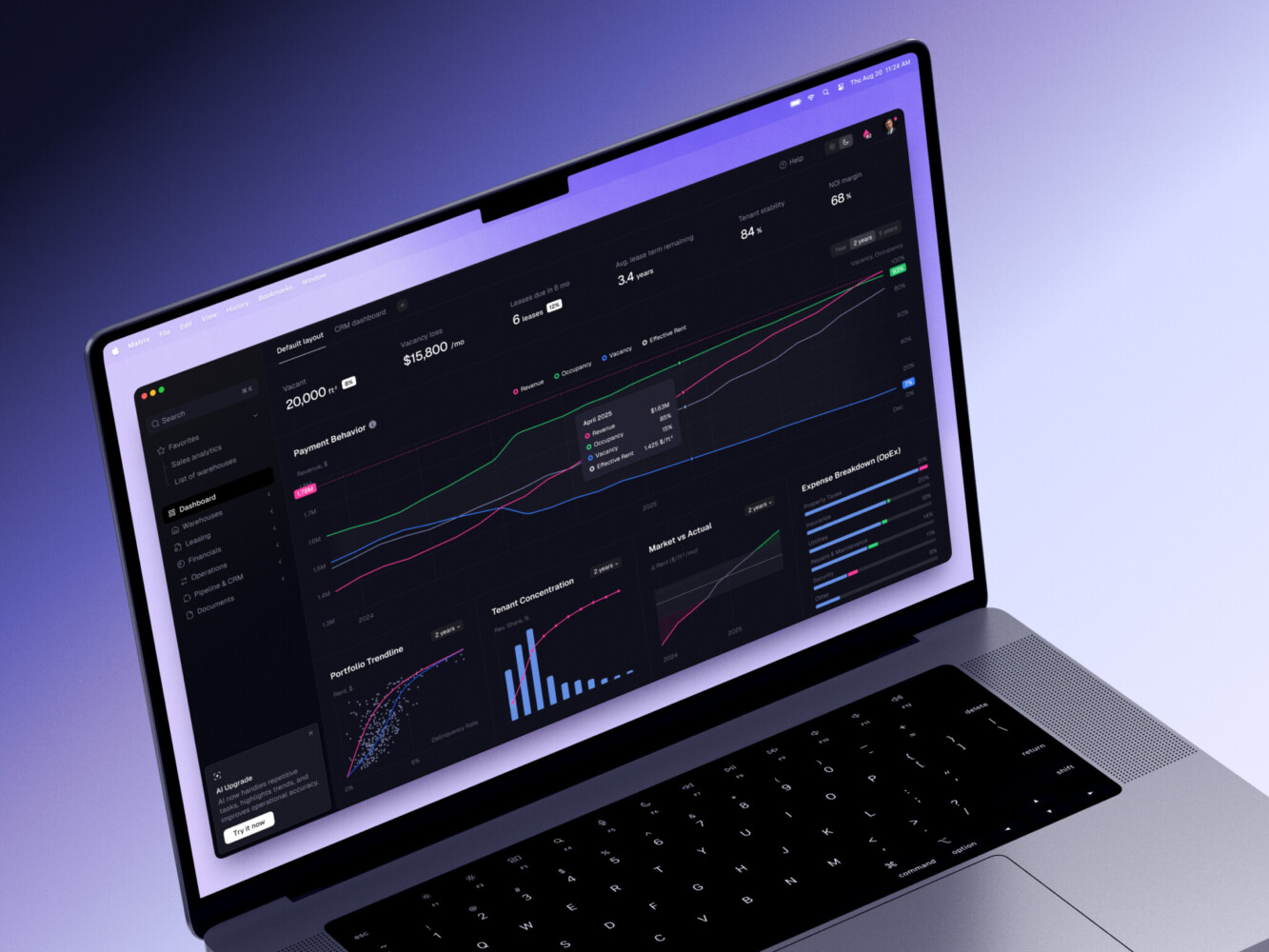
ERP dashboard by Shakuro
Security and Data Isolation in Multi-Tenant SaaS
It’s not the most exciting part of building a multi-tenant SaaS architecture. You’d rather be designing cool features or tweaking the UI. But in a multi-tenant world, security is the foundation. If it cracks, everything falls down. And unlike a single-tenant app where a mistake might affect one user, here, a mistake can affect everyone.
So, what are we actually worried about?
First, accidental data leakage. The classic “oops.” A developer writes a query to fetch user profiles but forgets the `WHERE tenant_id = ?` clause. Suddenly, User A from Company X sees the private contacts of User B from Company Y. It happens more often than you’d think. Especially when teams are moving fast and cutting corners. It’s not always malicious; sometimes it’s just fatigue. But the result is the same: trust is shattered.
Next, there are weak permission checks. You have RBAC, sure. But is it enforced everywhere? What if someone figures out they can change a URL parameter from `/profile/123` to `/profile/456` and see someone else’s data? That’s an insecure direct object reference. Or what if the frontend hides a button, but the API endpoint behind it doesn’t check if the user actually has permission to use it? Hackers don’t care about your UI. They go straight for the API.
Speaking of which, insecure APIs are a goldmine for attackers. If your API doesn’t strictly validate who is calling it and which tenant they belong to, it’s an open door. Token hijacking, missing rate limits, overly verbose error messages that reveal internal structure—it all adds up. You need to treat every API call as potentially hostile. Assume nothing. Verify everything.
Remember the “noisy neighbor”? Well, there’s also the “malicious neighbor.” If one tenant manages to exploit a vulnerability in the shared application code, they might be able to escape their sandbox. Maybe they find a way to read environment variables or access memory that isn’t theirs. In a shared database or shared server environment, this isolation boundary is critical. If it’s weak, you’re basically hosting everyone’s data in a glass house.
Finally, poor logging. If you don’t know what happened, you can’t fix it. And you certainly can’t prove to a regulator that you’re compliant. If your logs don’t clearly tag actions with tenant IDs and user IDs, you’re flying blind. When something goes wrong, you need a trail. Without it, you’re just guessing. And guessing doesn’t hold up in court.
So, how do we fix this? Or at least, make it much harder for things to go wrong?
Encryption is your first line of defense. Encrypt data at rest. Encrypt it in transit. TLS everywhere. No exceptions. And consider encrypting sensitive fields within the database itself. Even if someone gets into your database, they shouldn’t be able to read credit card numbers or personal IDs without the keys. Keep those keys separate. Very separate.
Tenant-aware queries are non-negotiable. Don’t rely on developers remembering to add filters. Use frameworks or ORMs that automatically inject the tenant context into every query. Make it the default behavior. If you have to manually write `WHERE tenant_id = …`, you’re asking for mistakes. Automate the safety.
Access policies need to be strict. Follow the principle of least privilege. Users should only have access to what they absolutely need. Admins should be rare. Service accounts should have limited scopes. And review these permissions regularly. People change roles. Projects end. Old access rights linger like ghosts. Clean them up.
Secure defaults are key. When a new tenant signs up, their settings should be locked down by default. Open up features as needed, not the other way around. Don’t start with “everything is public” and try to close it later. Start with “everything is private” and open only what’s necessary. It’s safer. It’s easier.
And finally, compliance needs. GDPR, HIPAA, SOC 2, etc. These aren’t just acronyms to throw on a marketing page. They’re frameworks for doing things right. They force you to think about data residency, consent, and deletion. If you’re targeting enterprise or public sector clients, you’ll need these certifications. They’re expensive and time-consuming to get, so start thinking about them early. Build your processes with compliance in mind. It’s much cheaper to build it right the first time than to retrofit it later.
It sounds intense, I know. And it is. But here’s the thing: security builds trust. And in B2B SaaS, trust is the currency. If customers believe their data is safe with you, they’ll stay. They’ll recommend you. They’ll pay more. If they don’t? Well, you won’t have to worry about scaling because you won’t have any customers left.
Scaling Multi-Tenant SaaS Architecture
Scaling. It’s the word that keeps founders awake at 3 AM. You’ve got your multi-tenant architecture working, you’ve got your first hundred customers, and then traffic spikes. Or maybe it’s a slow creep. Either way, the system starts to groan.
Let’s start with the tech side. Horizontal scaling is your best friend. Don’t try to make one giant server do everything. That’s a single point of failure waiting to happen. Instead, add more instances. Spread the load. If one goes down, the others pick up the slack. And with cloud providers, it’s relatively easy to automate. Auto-scaling groups are magic. They watch your CPU usage and spin up new machines when things get hot. Just make sure your application is stateless. If you’re storing session data in memory on the server, you’re going to have a bad time. Move that to Redis or a database. Keep the servers dumb.
Then there’s caching. Oh, caching. It can save your life, or it can drive you crazy with stale data. Use it wisely. Cache the stuff that doesn’t change often. User profiles? Maybe. Real-time stock prices? Definitely not. Use a layered approach. Browser cache, CDN, application cache, database cache. Each layer reduces the load on the one below it. But remember: cache invalidation is one of the two hard things in computer science. The other is naming things. And off-by-one errors. Anyway, keep your cache TTLs short if the data changes frequently. Better to hit the database occasionally than to show users wrong information.
Queueing is another lifesaver. Not everything needs to happen right now. Sending an email? Generating a PDF report? Processing a video? Throw it in a queue. Let a background worker handle it. This keeps your API responsive. Users hate waiting for a spinner. If they click “Save,” they want instant feedback. The heavy lifting can happen later. Use tools like RabbitMQ, Kafka, or even simple Redis lists. Just make sure you have retry logic. Jobs fail. Networks blip. Don’t lose data because a server restarted.
Now, the database. This is usually the bottleneck. Database partitioning (or sharding) is the next step when a single database instance can’t handle the load. Split your data across multiple servers. You can shard by tenant ID. All of Acme’s data on Server 1, Beta’s on Server 2. It spreads the I/O. But it makes queries harder. You can’t just join tables across shards easily. And rebalancing data when a tenant grows too big? That’s a nightmare. Plan this carefully. Maybe start with read replicas first. Offload the reporting queries to a separate copy of the database. It’s easier than sharding and solves 80% of performance issues.
But how do you know what’s slow? Observability. You need eyes everywhere. Metrics, logs, traces. Know your p95 and p99 latencies. Average latency is a lie. It hides the outliers. The outliers are where the pain is. Use tools like Prometheus, Grafana, Datadog, whatever fits your budget. Set up alerts. But don’t alert on everything. Alert fatigue is real. Only wake someone up if it’s truly critical. Otherwise, you’ll have a tired, grumpy team that ignores the alarms.
And speaking of limits, set performance budgets. Decide early: “Our API must respond in under 200ms.” If a new feature pushes it to 300ms, you fix it before merging. Don’t let technical debt accumulate silently. Make performance a requirement, not an afterthought. It’s cultural. If the team values speed, they’ll build faster systems.
Background jobs tie into this. As mentioned, offload the heavy stuff. But monitor those queues too. If your queue length is growing, your workers aren’t keeping up. Scale them up. Automate it. Don’t wait for a customer to complain that their report hasn’t arrived yet.
Finally, tenant-level throttling. This is crucial for fairness. Remember the noisy neighbor? Throttling prevents one tenant from hogging all the resources. Set limits based on their plan. Free tier gets 100 requests per minute. Pro gets 1,000. Enterprise gets unlimited (within reason). Enforce this at the API gateway level. It’s clean. It’s fair. And it protects your infrastructure from accidental or malicious abuse.
But here’s the operational part. Scaling requires communication. Your support team needs to know when you’re deploying changes. Your sales team needs to know what limits apply to which plans. Your engineers need to know who to call when the database locks up. Document everything. Run game days. Simulate failures. See how your system reacts. Fix the gaps.
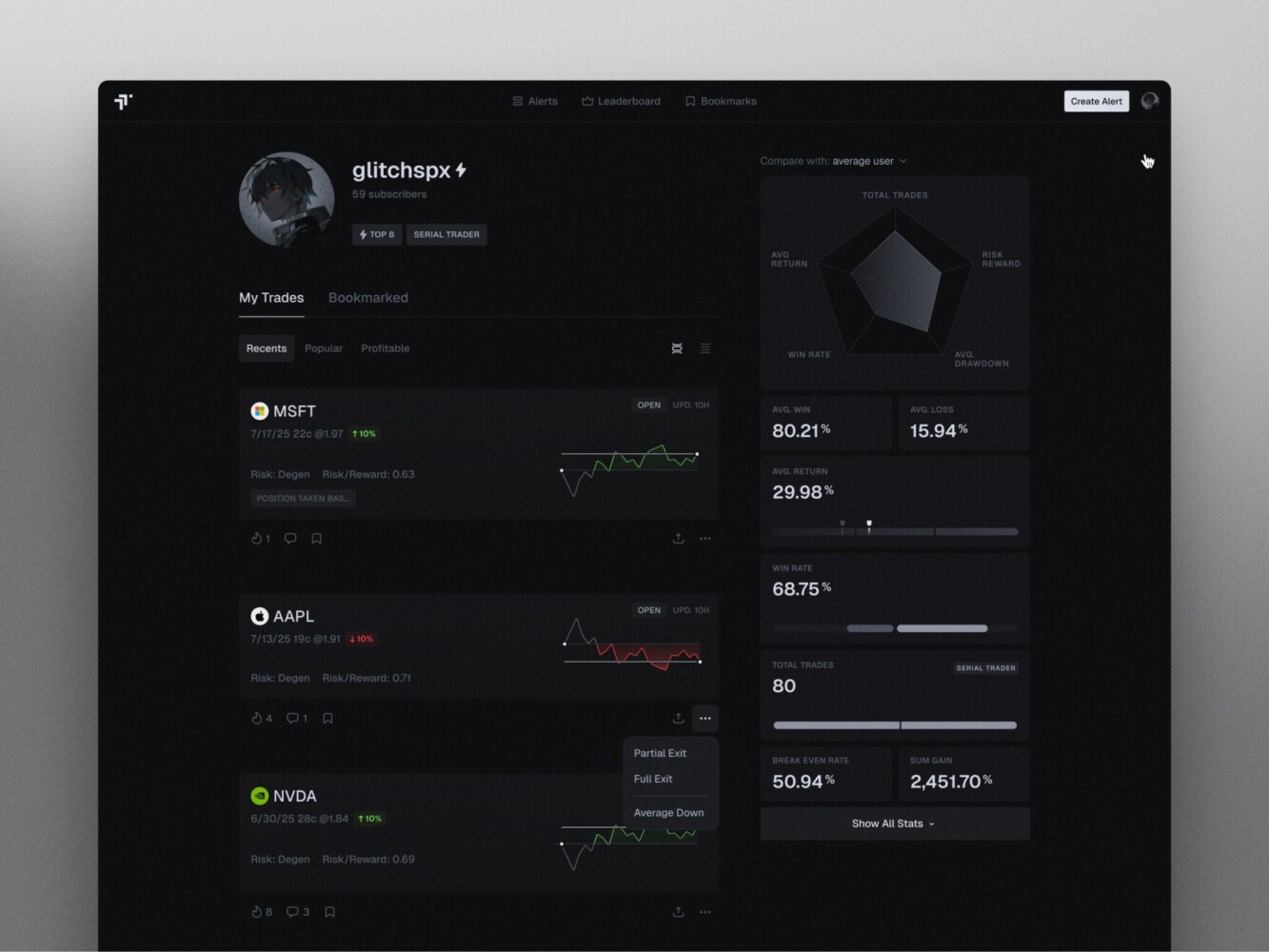
TraderTale: Social Platform for Traders by Shakuro
Challenges of Multi-Tenant SaaS Architecture
Multi-tenancy isn’t all sunshine and automated scaling. It’s messy. It’s complicated. And if you’re not careful, it can become a tangled web of technical debt that strangles your product.
Data Isolation Complexity
It is the constant background noise. You think you’ve got it handled with that `tenant_id` column, but then you have a complex report that joins five tables, or a legacy script that bypasses the ORM, or a new developer who doesn’t quite understand the context propagation. One slip-up, and you’ve got a data leak. The mental load of constantly verifying isolation is exhausting. It’s like walking a tightrope while juggling. You can’t look down.
Custom Tenant Requirements
This is where the “multi” in multi-tenancy starts to feel like a lie. Everyone wants their own thing. “Can we add a custom field here?” “Can we change the workflow there?” “We need this specific integration.” If you say yes to everyone, your codebase becomes a patchwork quilt of special cases. It’s unmaintainable. It’s brittle. But saying no loses deals. It’s a tough balance. You have to build flexibility into the core, which is hard. Really hard.
Migrations
Remember when I mentioned moving tenants between isolation levels? Yeah. Doing that while the system is live is terrifying. You’re moving gigabytes of data. You’re changing schemas. You’re risking downtime. And if something goes wrong? You have to roll back. But how do you roll back a partial migration? It’s stressful.
Performance Spikes
They are unpredictable. One tenant decides to run a year-end audit. Another launches a marketing campaign. Suddenly, your CPU usage skyrockets. Your database connections max out. Other tenants start complaining about slowness. You didn’t do anything wrong. They didn’t do anything wrong. It’s just the nature of sharing. You need robust auto-scaling and throttling, but even then, there’s lag. There’s friction.
Compliance
It adds another layer of complexity. GDPR says you must delete user data upon request. But what if that data is backed up? What if it’s in logs? What if it’s cached? You have to track data lineage across your entire stack. And different tenants might have different compliance needs. One needs HIPAA, another needs SOC 2, another needs nothing. Your architecture has to support all of them simultaneously. It’s like building a house that meets the building codes of three different countries at once.
Backups
They seem simple, right? Just dump the database. But in a multi-tenant world, you often need granular backups. A tenant wants to restore their data from last Tuesday because they accidentally deleted a project. Can you do that quickly? Can you do it without affecting other tenants? If you’re using a shared schema, restoring a single tenant is incredibly difficult. You have to extract their data, merge it back in, and hope you don’t overwrite newer data from other users. It’s risky. Operational overhead goes through the roof.
Testing
It is also harder. You can’t just test one user flow. You have to test cross-tenant scenarios. Can User A see User B’s data? What happens when two tenants update the same global configuration at the same time? How does the system behave under load with mixed tenant activities? Your test suite grows exponentially. You need automated tests that simulate multiple tenants interacting concurrently. It’s slow. It’s complex. But skipping it is dangerous.
Customer-Specific Configurations
Branding, domains, email templates, and feature flags. Managing these for hundreds of tenants is a logistical challenge. Where do you store these settings? In the database? In config files? In a separate service? If you’re not careful, you end up with a “configuration sprawl” that makes debugging impossible. “Why does Acme’s logo look weird?” Oh, because someone updated the global template but forgot to check if Acme had a custom override. These little bugs are hard to find and annoying to fix.
How to Choose the Right Multi-Tenant SaaS Architecture Pattern
So, you’re standing at the crossroads. Shared schema? Separate databases? Hybrid? It feels like picking a life partner, doesn’t it? You want to make the right choice, but you’re afraid of committing to something that’ll haunt you later.
- What stage is your product in?
If you’re pre-seed or just launching, keep it simple. Shared database, shared schema. Why? Because you need to move fast. You need to validate your idea. You don’t have the engineering resources to manage complex infrastructure. You don’t have the customers to justify the cost of isolation. Start cheap. Start simple. If you fail, you fail cheaply. If you succeed, you can migrate later.
- Who are your customers?
Are you selling to small businesses? Freelancers? Startups? They probably don’t care about data isolation. They care about price and features. Stick with shared schema. It’s cost-effective for them and for you.
But if you’re targeting mid-market or enterprise clients? They’re different. They have legal teams. They have security audits. They ask questions like “Where is my data physically stored?” For them, separate schemas or even separate databases might be necessary.
- What are the compliance requirements?
This is a hard constraint. If you’re in healthcare (HIPAA), finance (PCI-DSS), or dealing with European user data (GDPR), you might not have a choice. Some regulations require strict isolation. Some require data residency (keeping data within specific geographic borders). If your biggest potential client says, “We need our own database in Germany,” you either build it or lose the deal. Check the rules early.
- What’s your budget?
Separate databases are expensive. You’re paying for idle capacity. You’re paying for more complex monitoring and backup tools. If you’re bootstrapping, you probably can’t afford it. If you’re VC-backed, maybe you can. But remember, every dollar spent on infrastructure is a dollar not spent on marketing or product development. Balance it. Use shared resources for the majority of your users to subsidize the expensive isolation for the few who need it.
- What’s your expected traffic?
Low traffic? Shared everything. High traffic? You might need to shard. But here’s the trick: don’t shard prematurely. Wait until you actually hit the limits. Most apps never do. But if you expect massive spikes—like a Black Friday sale for e-commerce clients—you need to plan for elasticity. Shared schemas can handle scale if you optimize your queries and use caching. But if one tenant is going to generate 50% of your total load, maybe they deserve their own sandbox.
- How much customization do they need?
If every customer wants a unique workflow, unique fields, and unique branding, a shared schema gets messy fast. You end up with giant JSON blobs or complex EAV tables. It slows down queries. It makes reporting a nightmare. In this case, separate schemas can help. Each schema can have slight variations without affecting others. Or, consider a hybrid model. Keep the core data shared, but allow custom extensions in a separate, tenant-specific storage. It’s complex, but it offers flexibility.
So, how do you decide when working with multi-tenant SaaS architectures?
- Start with shared schema. Always. Unless you have a regulatory gun to your head. It’s the fastest path to market.
- Move to separate schemas when you have mid-sized customers who want better isolation and easier backups but aren’t paying for dedicated hardware.
- Move to separate databases only for your top-tier enterprise clients who demand it and pay for it.
- Use a hybrid model as you mature. Mix and match based on tenant tier.
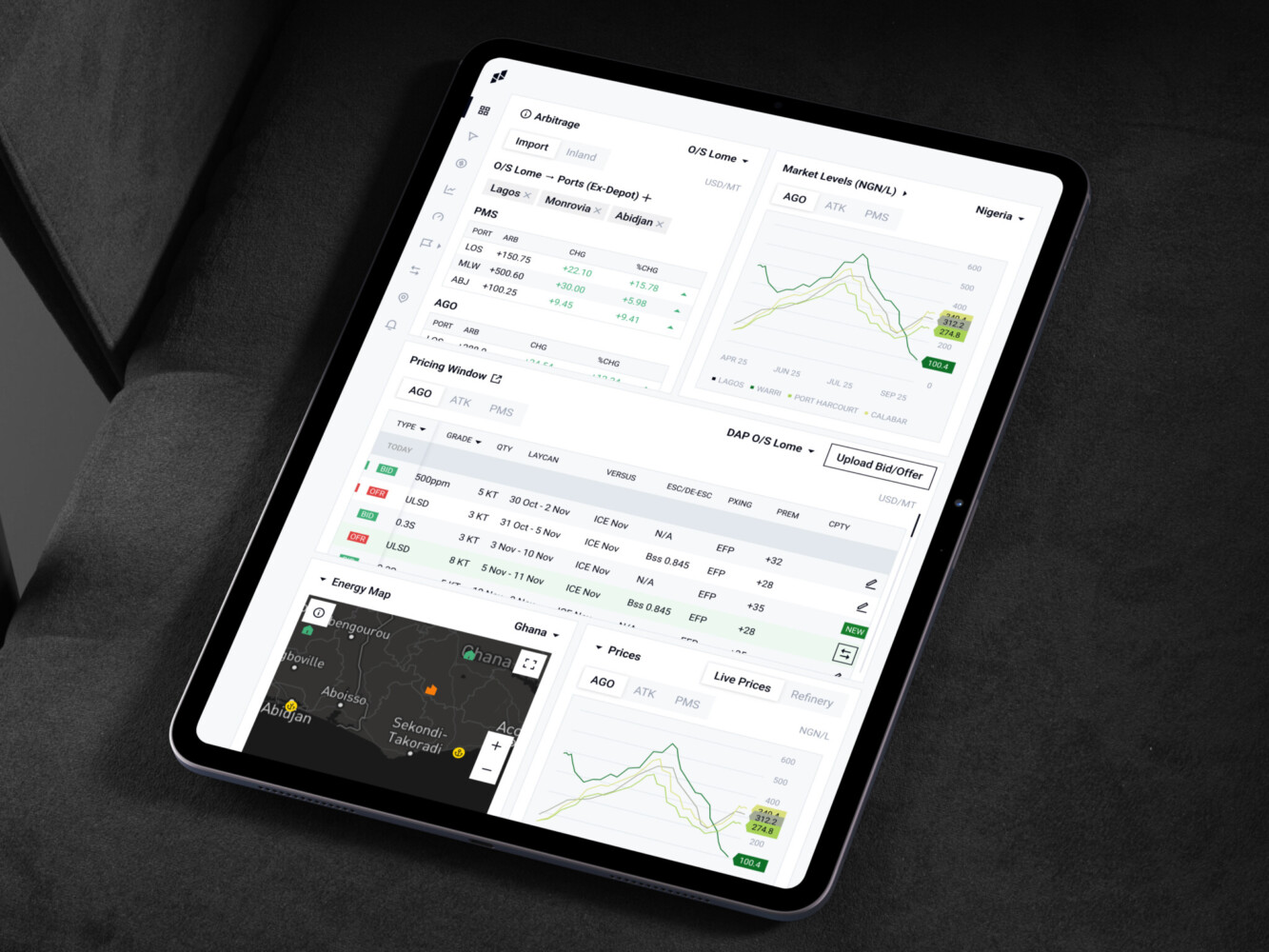
Owari platform by Shakuro
How Shakuro Can Help Build Multi-Tenant SaaS Products
Look, building a multi-tenant SaaS platform is hard. We’ve talked about the architecture, the security nightmares, and the scaling headaches. It’s a lot to juggle.
That’s where we come in.
At Shakuro, we’ve been building multi tenant SaaS architectures for a while. We understand that your SaaS isn’t just a collection of features—it’s an ecosystem. And it needs to be solid.
SaaS Development Services
We specialize in taking ideas from napkin sketches to fully functional platforms. Whether you’re starting from scratch or refactoring a legacy mess, we know the pitfalls. We’ve seen them all. We help you avoid the costly mistakes that kill startups early on.
Web Development & Architecture
This is our bread and butter. We design architectures that scale. We don’t just throw servers at problems; we think about efficiency. Shared schemas, separate databases, hybrid models—we help you pick the right pattern for your stage and your budget. We build clean, maintainable code that doesn’t turn into spaghetti six months down the line.
Integrations
Your users live in other apps. Slack, Salesforce, HubSpot, Stripe. If your SaaS doesn’t talk to theirs, it’s an island. We build robust integrations that keep data flowing smoothly. No more manual exports. No more copy-pasting. Just seamless connectivity.
Dashboards
Data is useless if you can’t see it. We build intuitive, glanceable dashboards for both admins and end-users. Real-time analytics, usage tracking, billing management—all presented in a way that makes sense.
Post-Launch Support
Launching is just the beginning. Things break. Features need tweaking. Traffic spikes. We stick around. Our support teams monitor performance, fix bugs, and help you iterate. We’re partners, not just vendors. We care about your long-term success because our reputation depends on it.
Building a SaaS is a marathon. You don’t have to run it alone. Let us handle the heavy lifting so you can focus on what you do best: growing your business.
Need help planning a scalable SaaS platform? Talk to Shakuro.
Final Thoughts
If you take one thing away from all this, let it be this: good multi tenant SaaS architecture isn’t just about saving money on servers. It’s not just about cramming a thousand customers into one database and hoping for the best.
It’s a balancing act.
You’re trying to juggle scalability with security. You want to keep costs low, but you can’t skimp on isolation. You need to move fast to ship features, but you have to be rigid enough to prevent data leaks. And you need to build something flexible enough to handle whatever weird customization request your biggest client throws at you next Tuesday.
Don’t rush it. Don’t cut corners on the basics. Think about the long game. Because in SaaS, the companies that win aren’t always the ones with the flashiest features. They’re the ones with the most reliable, secure, and scalable foundations.
Ready to build a SaaS platform? Contact us and let’s create your future product together.
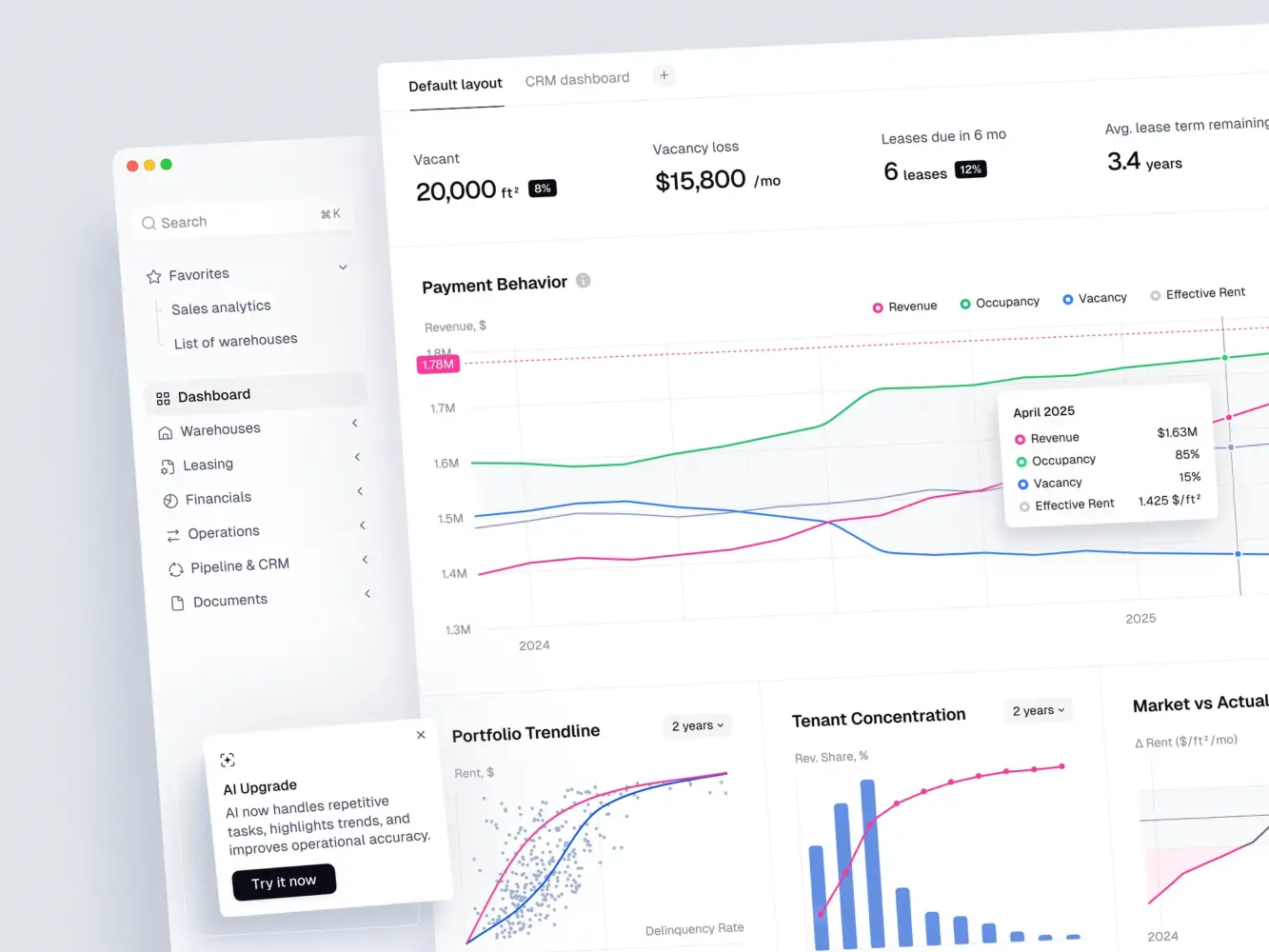
ERP Dashboard Design for Warehouse Portfolio Management by Shakuro
FAQ
Is multi-tenant architecture safe for sensitive data?
Yes, if you build it right. Strict tenant isolation, encryption, and rigorous access controls keep data separate. It’s standard practice for even the most compliance-heavy industries like healthcare and finance.
2. Can I switch from a shared schema to separate databases later?
You can, but it’s painful. It involves complex data migration and potential downtime. It’s much better to design your system with this possibility in mind from day one, rather than trying to retrofit it later.
3. How do I prevent one customer from slowing down the whole platform?
Use throttling and rate limiting. Set resource quotas based on subscription tiers. If a tenant hits their limit, their requests get queued or delayed, protecting the performance for everyone else.
4. Which pattern should I start with as a startup?
Shared database, shared schema. It’s the cheapest and fastest to build. You can always move to more isolated models (like separate schemas or databases) as you grow and land bigger enterprise clients.
5. Does multi-tenancy make customization harder?
It does. You can’t just change the code for one client. You have to build flexibility into the core product—think feature flags, custom fields, and configurable workflows. It takes more upfront effort but pays off in maintainability.
Related reading
- Educational SaaS Platform Development: How to Build Scalable EdTech Products
- Frontend Architecture: Patterns, Diagrams, and Micro Frontend Choices for Modern Products
- B2B SaaS Platform Development: Features, Architecture, Process, and Cost
- SaaS MVP Development: How to Build, Launch, and Scale a Product Users Actually Need