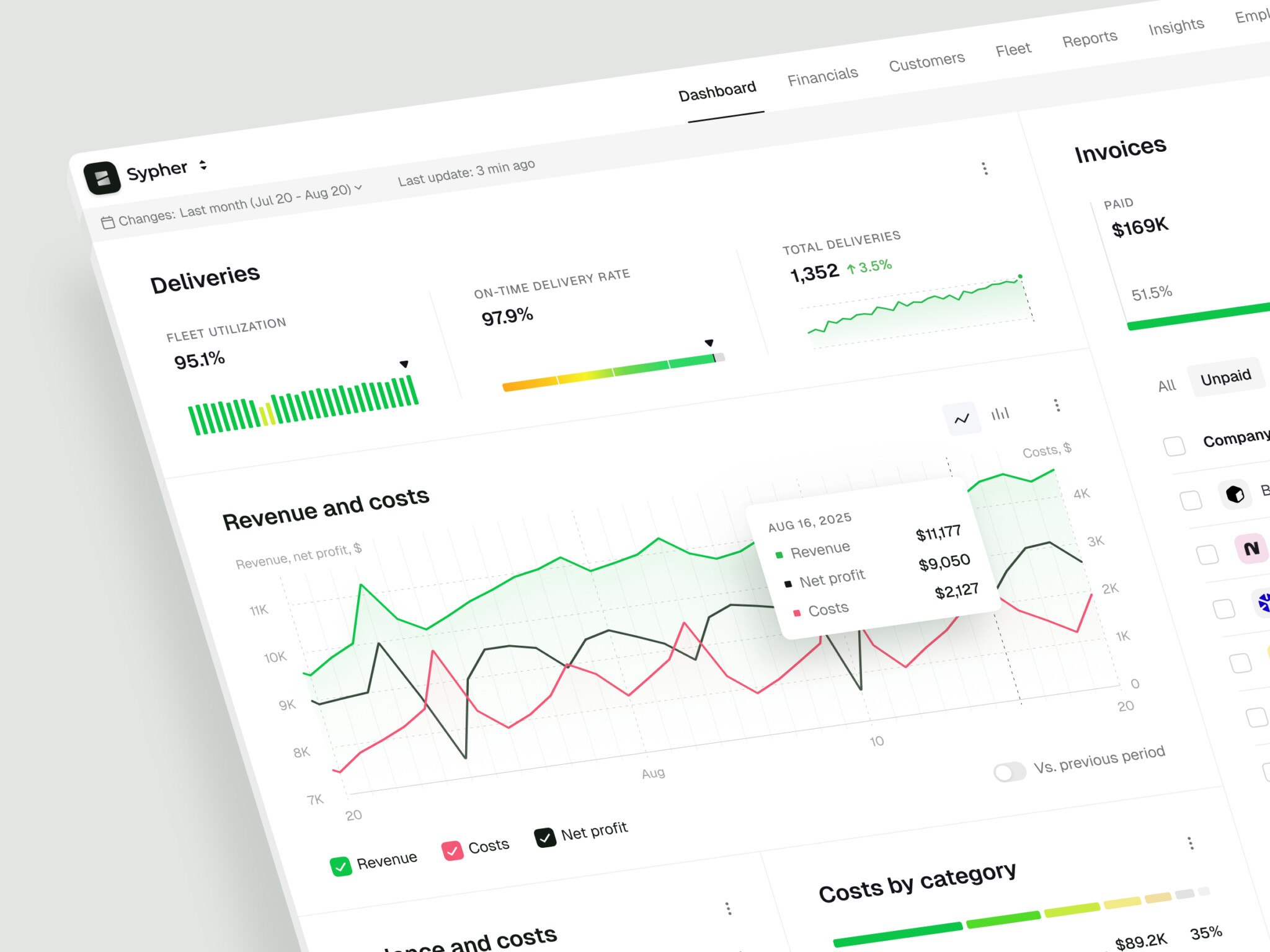
B2B SaaS platform development is building cloud software that companies use in their daily work: company accounts and workspaces, roles and permissions, billing, admin panels, dashboards, integrations, and security controls with audit logs. As a rough guide, an MVP web app costs around $30,000 to $70,000 and can often be built in 8 to 16 weeks with a focused scope. A custom web application costs $60,000 to $150,000+, and complex SaaS platforms or enterprise systems $120,000 to $250,000+.
The price depends less on the number of screens than on user roles, custom workflow logic, data complexity, integrations, and compliance. A small product with messy data rules can cost more than a larger one with simple logic. Business buyers also judge the product by permissions, reliability, and how it connects to their tools, so architecture and design decisions made early, whether by an internal team, a SaaS product development company, or B2B web designers, shape the rest.
Below, we cover core features, architecture, the development process, cost, common challenges, tech stack, case studies, and in-house vs outsourced development.
What Is B2B SaaS Platform Development?
It is the process of designing, building, launching, and improving cloud-based software for business users. The product is usually sold through subscriptions, licenses, usage-based pricing, or a mix of those models.
The “B2B” part changes a lot. You are not building for one person casually trying an app after dinner. You are building for teams, departments, managers, admins, finance people, support staff, analysts, and sometimes people who did not choose the tool but still have to use it. That last group is important. They can be brutally honest, even when they say nothing and just keep using spreadsheets.
Compared with a regular web app, a B2B SaaS platform usually needs:
- Company accounts and workspaces
- User roles and permissions
- Billing, subscription plans, and account states
- Admin panels and internal tools
- Dashboards, reporting, and analytics
- Integrations with other business systems
- Security controls, audit logs, and compliance-friendly data handling
- Monitoring, support workflows, and long-term maintenance
That is why SaaS application development often starts with product strategy, not code. You need to know who the platform serves, what job it does, which workflows are core, and which features are just decorative noise for version one.
In my experience, the most useful early question is not “What can we build?” You can build almost anything if you have enough time and budget. The better question is, what must work so well that users trust it with their real work?
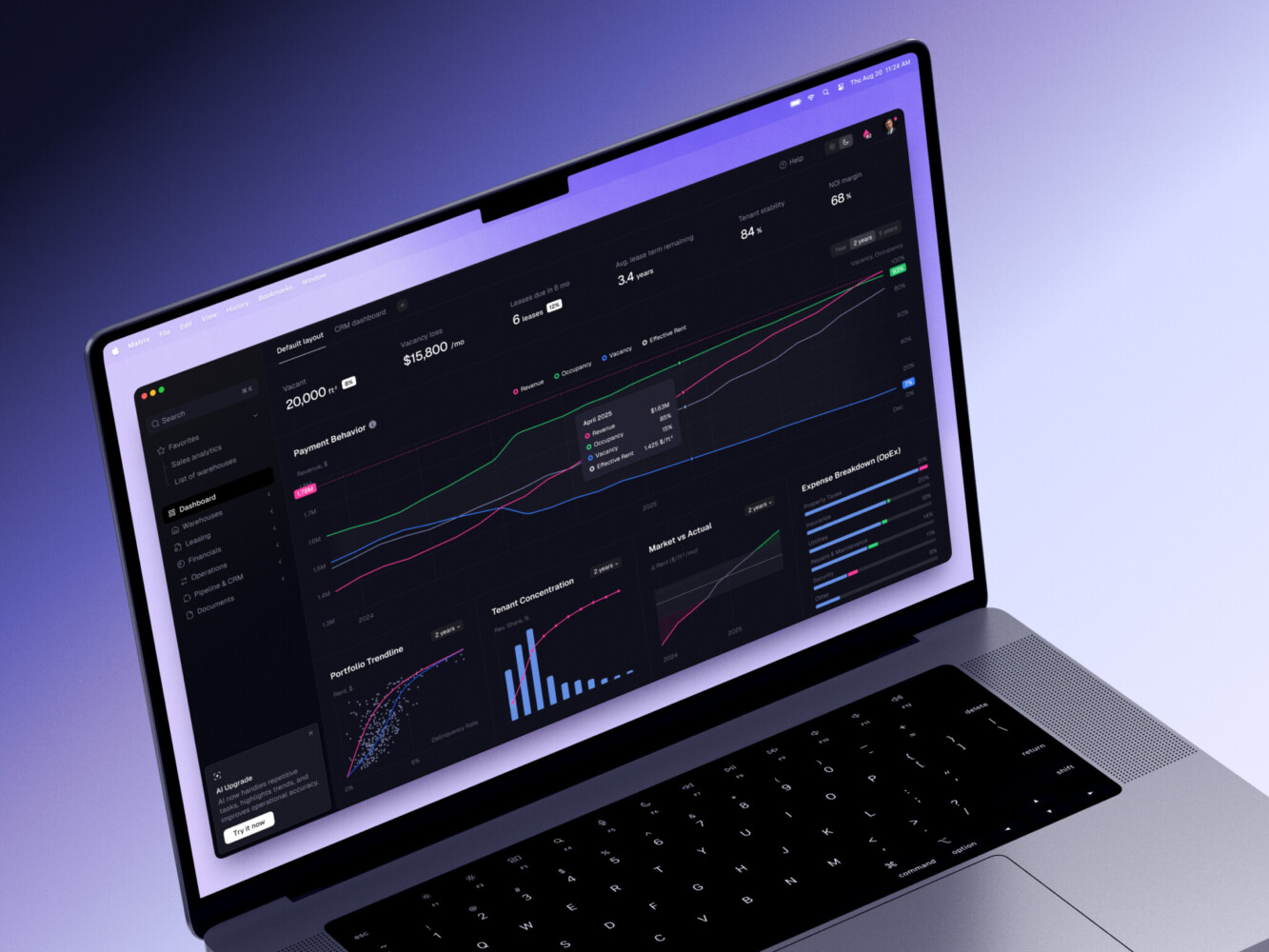
ERP dashboard by Shakuro
Why B2B SaaS Needs a Different Development Approach
B2B SaaS buyers are careful. They may not always look careful in sales calls, but they are. They need to know whether your product fits their process, whether their team can adopt it, whether data stays safe, and whether the product will still be around after they build habits around it.
This affects development in a few practical ways.
First, the product has more stakeholders. A sales manager may care about pipeline visibility. An operations lead may want clean exports. A finance team may ask about invoices and plan limits. An HR team evaluating HR software will ask about employee data privacy and access roles. An admin wants control. A regular user just wants to finish a task without reading a 19-page help center article. You have to balance all of that.
Second, the product has to fit existing systems. B2B users already have CRMs, ERPs, payment tools, email platforms, data warehouses, calendars, spreadsheets, and internal reporting. They do not want a beautiful little island. They want something that connects.
Third, security expectations are higher. Even a small B2B product can handle customer lists, financial data, contracts, private project notes, medical records, or operational data. That changes how you think about authentication, access control, encryption, logging, backups, and permissions.
And one more point: B2B SaaS products grow in layers. You start with an MVP, then add team management, integrations, analytics, billing logic, enterprise features, white-label settings, or AI support. If the foundation is messy, each layer becomes harder to add. It is a little annoying, but you get used to thinking ahead.
Core Features of a B2B SaaS Platform
In SaaS web development, feature lists can get out of hand fast, so let us keep this grounded. A strong SaaS product does not need every feature on day one. It needs the right core system.
Account and Workspace Management
Most B2B SaaS products need a structure for companies, teams, departments, or client accounts. One user may belong to several workspaces. One company may have several teams. Admins may need to invite people, remove people, change roles, and manage billing.
This sounds basic. It is not always basic in practice. If you design account logic too casually, you may later discover that your “user” model cannot handle consultants, agencies, subsidiaries, partners, or external guests. That is a fun database conversation, in the same way a flat tire is a fun road trip moment.
Role-Based Permissions and Admin Controls
Permissions decide who can view, edit, approve, export, delete, invite, pay, and manage settings. In the early stages of SaaS platform development, teams often say, “We only need admin and user.” Sometimes that is true. Often it is only true for the first three customers.
For version one, keep roles simple. But do not hardcode permissions everywhere. A flexible permission model saves pain later, especially when enterprise customers start asking for viewers, billing owners, analysts, team leads, and external reviewers.
Subscription Management and Billing
Subscriptions look simple from the outside. A user pays, the product works. Nice.
Behind the curtain, billing touches plans, limits, trials, invoices, upgrades, downgrades, failed payments, coupons, taxes, account states, and access rules. Tools like Stripe, Paddle, or Chargebee can handle a lot of the payment complexity, but your product still needs clear logic around what each plan allows.
For early B2B SaaS, a manual sales-led billing flow can be enough. Actually, it can be smart. You stay closer to customers, learn what they value, and avoid building a full self-service billing system before pricing is stable.
Dashboards, Reporting, and Analytics
B2B users love dashboards when dashboards answer real questions. They dislike dashboards that look impressive but do not help them decide anything.
Good dashboards show status, progress, trends, exceptions, and next actions. A customer success manager may need risk signals. A logistics team may need live updates. A finance team may need revenue reports. A platform admin may need usage and system health.
This is where SaaS product development becomes more than feature delivery. You have to understand the user’s workday. What do they check first? What do they ignore? What number makes them nervous? What report do they send every Friday because someone senior still asks for it?
Workflow Automation and Notifications
Automation is useful when it removes repetitive work. It becomes annoying when it sends ten alerts about things nobody cares about.
Start with workflows that clearly save time: approvals, reminders, assignment rules, status changes, document generation, scheduled reports, failed payment notices, onboarding prompts, or integration syncs. Then give users control. Nobody wants a product that behaves like an overexcited assistant.
API and Third-Party Integrations
Integrations can make or break a B2B SaaS platform. A product that connects to Salesforce, HubSpot, Slack, QuickBooks, Google Workspace, Stripe, Snowflake, or an industry-specific system may become part of the customer’s routine much faster.
But integrations are also a common source of delays. APIs change. Rate limits appear. Data formats are weird. Error states multiply. The best option is to start with the integrations that support the core workflow, then add more when customer demand is clear.
Security, Audit Logs, and Compliance Features
Security is not a feature you sprinkle on at the end. It is part of the product design.
At minimum, during custom SaaS development, think about authentication, password policies, multi-factor authentication, encryption, session handling, secure APIs, tenant data separation, backups, role-based access, and audit logs. For regulated industries, you may also need GDPR, HIPAA, PCI, SOC 2, or other compliance-oriented practices.
Customer Onboarding and Support Tools
B2B SaaS onboarding is where many products quietly lose people. The product may be good, but users do not reach value quickly enough.
Useful onboarding might include guided setup, sample data, templates, checklists, contextual tips, or short help flows. Internal support tools matter too. Your team needs to see account status, failed imports, error logs, subscription state, and user activity. Otherwise, every support ticket becomes detective work.
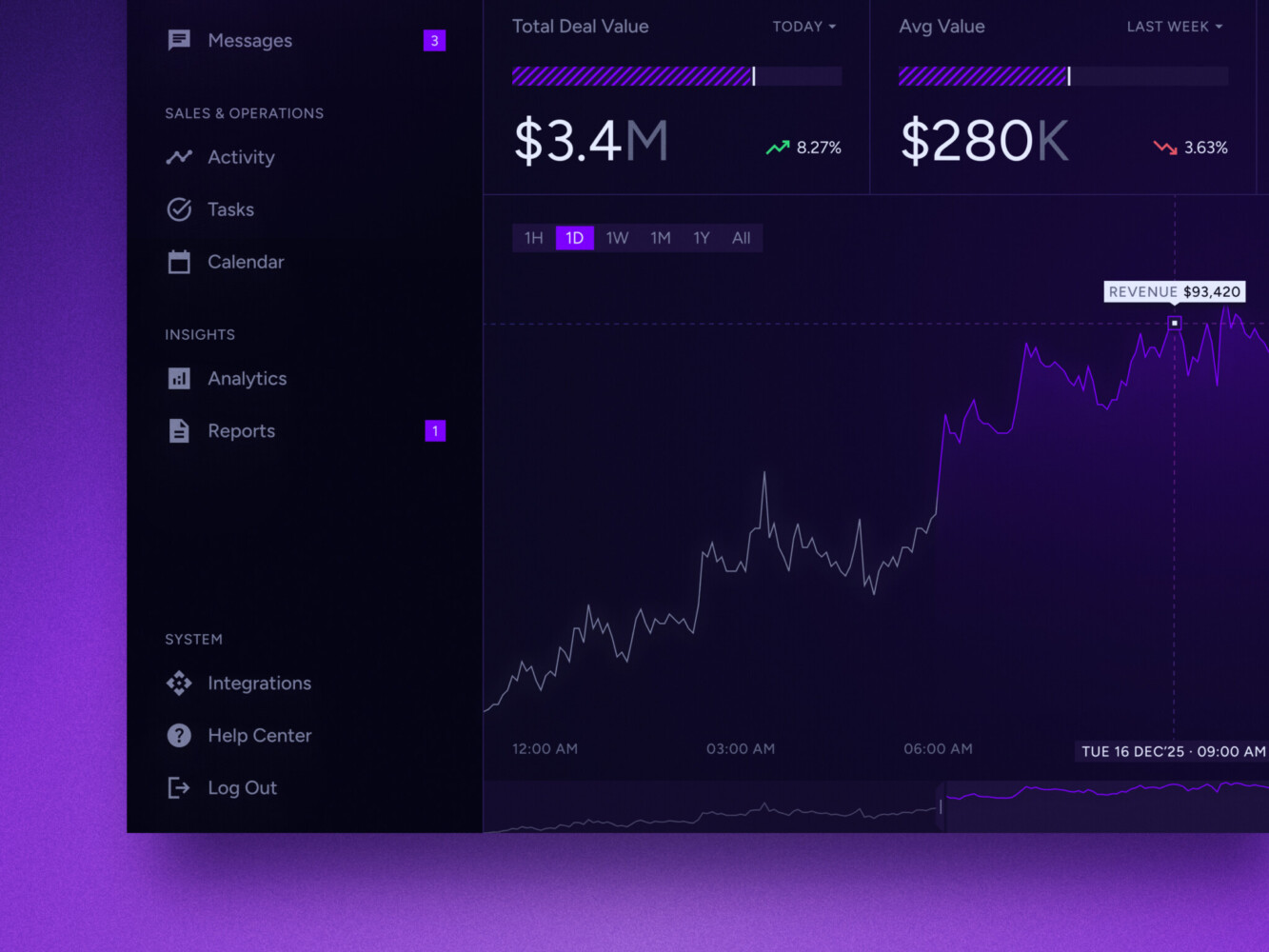
Real-time data dashboard by Shakuro
B2B SaaS Platform Architecture
Architecture is one of those words that can sound heavier than it needs to. In plain English, it is how the system is arranged so the product can work now and still make sense later.
A typical B2B SaaS platform includes:
- Frontend application
- Backend and API layer
- Database and storage
- Authentication and authorization
- Tenant management
- Billing system
- Integration layer
- Analytics and reporting services
- Admin panel
- Monitoring and logging
- Deployment pipeline
The frontend is what users touch. For SaaS dashboards and admin-heavy interfaces, teams often use React, Next.js, TypeScript, Angular, or similar tools.
The backend handles business logic, permissions, data, integrations, billing events, notifications, and API responses. Depending on the product, you might choose Python, .NET, Node.js, Ruby on Rails, Java, or another stack.
Tenant management deserves special attention. In B2B SaaS, multiple customer organizations use the same product, so you need to decide how their data is separated. Some products use shared databases with tenant IDs. Some need separate schemas. Some enterprise systems require stronger isolation. This choice affects cost, security, reporting, backups, and future scaling.
The integration layer is another serious piece. It should handle authentication with external services, retries, error handling, rate limits, data mapping, and sync logs. Without that, integrations become fragile. And fragile integrations create support tickets at the worst possible times, because of course they do.
For infrastructure, many teams use cloud hosting, containers, CI/CD, monitoring, and error tracking. Shakuro’s web development page mentions Kubernetes, Terraform, Prometheus, Grafana, GitLab CI/CD, and GitHub Actions. You do not need all of these on day one, but you do need a deployment and monitoring setup that does not depend on one tired developer remembering a manual step.
SaaS Development Process: From Idea to Launch
A good SaaS development process is not mysterious. It is just easy to skip parts of it when everyone is excited.
1. Discovery and Product Strategy
Start with the boring, valuable questions. Who uses the product? What problem do they have? What do they use now? Why would they switch? What must happen in the first session for the product to feel useful?
This is also where you define the ICP, buyer roles, user roles, pricing assumptions, MVP scope, and technical risks. In B2B SaaS, discovery should include actual workflow mapping. Not a dreamy user journey on a slide. The real version: who gets the spreadsheet, who approves the report, who changes the status, who gets blamed when data is wrong.
2. UX and UI Design
Design is not decoration here. It is product logic made visible.
For a B2B platform, UX work usually includes information architecture, role-based flows, dashboards, tables, filters, forms, onboarding, admin tools, empty states, error states, and mobile or tablet behavior if users need it. Good UI design helps people scan, decide, and move. It should not make them feel like they are touring a museum.
3. Architecture Planning
Before development starts, the team should choose the tenancy model, data structure, backend approach, frontend stack, integration plan, billing setup, security model, deployment process, and monitoring basics.
Not everything has to be final. Plans change. But teams should know which decisions are easy to adjust later and which ones are expensive to undo.
4. MVP Development
SaaS MVP development works best when the first version proves one clear product promise. Build the core workflow, the minimum account structure, essential permissions, basic admin tools, and the must-have integrations.
Often teams try to make the MVP feel enterprise-ready before they have proof that the workflow is right. They add settings, dashboards, import options, and beautiful edge cases. Then beta users mostly ask, “Can it do this one basic thing faster?” Painful, but useful.
5. Integrations and Automation
Integrations should support the product’s main job. If your platform helps sales teams, CRM integration may matter early. If it manages financial workflows, accounting or payment tools may come first. If it handles education, video, chat, and payment tools may be essential.
Automation should also stay close to real user pain. Scheduled reports, status updates, reminders, approval routes, and import checks are not flashy, but they can make the product feel reliable.
6. QA, Security Testing, and Performance Checks
Testing for B2B SaaS means more than checking whether buttons work. You need to test permissions, billing states, workspace boundaries, import/export behavior, integration failures, mobile layouts, slow connections, edge cases, and security-sensitive flows.
Load testing matters in SaaS web application development too. A dashboard that works with 200 rows may struggle with 200,000. Tables, filters, charts, and search can become surprisingly heavy.
7. Deployment, monitoring, and iteration
Launch is not the finish line. Honestly, it is more like the first honest conversation with the market.
After release, monitor errors, usage, activation, retention, support tickets, slow pages, billing failures, and feature adoption. Keep the roadmap close to evidence. Users will tell you what matters, sometimes directly and sometimes by ignoring the thing you thought was brilliant.
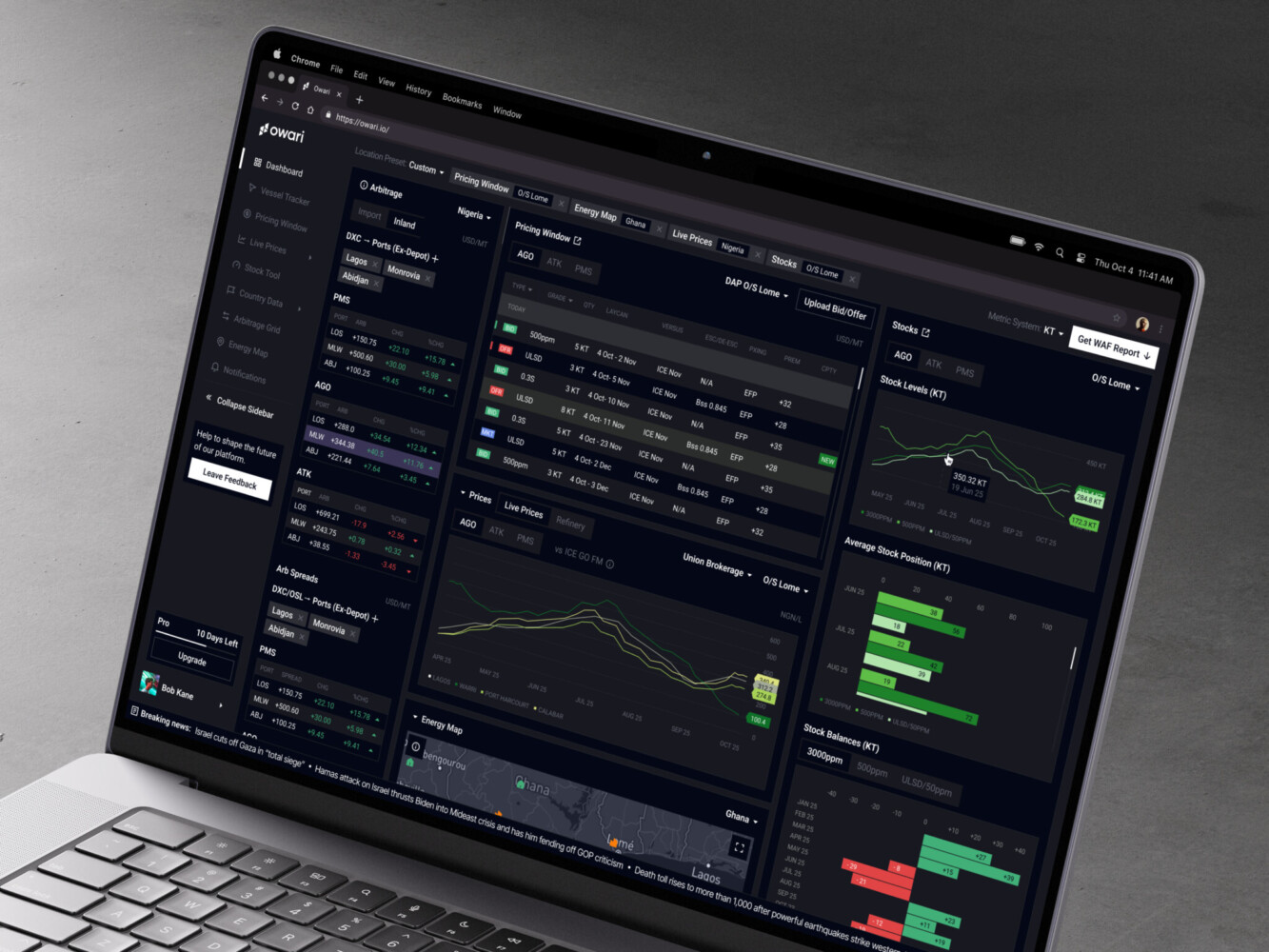
Owari dashboard by Shakuro

How Much Does B2B SaaS Platform Development Cost?
SaaS development costs depend on scope, team, design depth, integrations, security requirements, and how much uncertainty is still hiding in the product idea.
As a rough guide, MVP web apps can cost around $30,000 to $70,000, custom web applications around $60,000 to $150,000+, and more complex SaaS platforms, marketplaces, or enterprise systems around $120,000 to $250,000+. Ongoing support can also be planned monthly, depending on scope.
Those ranges make sense as a starting point, but the real estimate comes from details.
An MVP B2B SaaS platform may include:
- Core workflow
- User accounts and roles
- Basic admin panel
- Simple dashboard
- One or two integrations
- Basic billing or manual sales process
- Security basics
- Initial deployment and monitoring
A mid-level product may add more roles, more integrations, advanced dashboards, automated workflows, billing plans, activity logs, stronger onboarding, and a more polished design system.
An enterprise-grade platform may include custom permissions, data isolation, advanced audit logs, complex reporting, SSO, compliance support, high-availability infrastructure, custom integrations, migration tools, and deeper support workflows.
The biggest cost drivers are usually:
- Number of user roles and permission rules
- Amount of custom workflow logic
- Data complexity
- Third-party integrations
- Reporting and dashboard depth
- Security and compliance requirements
- Migration from old systems
- Design complexity
- AI or automation features
- Long-term maintenance needs
By the way, the cheapest version is not always the one with the fewest features. Sometimes a small product with messy data rules costs more than a larger product with simple logic. Data has a way of humbling everyone.

Common B2B SaaS Development Challenges
Some problems appear again and again. Not because teams are careless. Usually because the product looks simpler from the outside than it really is.
Overbuilding the MVP
This is the classic one for B2B SaaS MVP development. The team wants to impress early users, so version one grows into version three wearing a fake mustache.
The fix is to define the product’s first proof point. What must users do for the product to be worth keeping? Build around that. Put the rest on the roadmap, even if it hurts a bit.
Weak Permission Design
Permissions look small until they spread everywhere. If role logic is inconsistent, users see the wrong data, admins lose control, and developers start adding patches in random places.
Start simple, but design the model with care. A clean permission structure is one of those invisible things users only notice when it breaks.
Messy Integrations
Integrations fail in boring, irritating ways: expired tokens, duplicate records, missing fields, API limits, partial syncs, timezone problems, weird webhook behavior. You agree, that sounds fun, doesn’t it?
During SaaS platform development, plan for failure states. Show users what happened. Keep logs. Build retry logic. Give support teams enough information to help without asking developers to dig through production logs every time.
Dashboard Overload
Dashboards often become dumping grounds for charts. If nobody can explain what action a chart supports, it probably does not belong in the first version.
Good dashboards answer practical questions: what changed, what needs attention, what is working, what is risky, what should I do next?
Security Added Too Late
Security should be part of discovery, architecture, development, QA, and support. It is not a final checklist item.
At the very least, think about authentication, MFA, encryption, tenant boundaries, secure APIs, audit logs, backups, access reviews, and dependency updates. For healthcare, fintech, education, or enterprise tools, go deeper.
No Plan for Maintenance
SaaS is never really done. APIs change, browsers change, customer needs change, pricing changes, regulations change, and someone eventually asks for an export in a format last seen in an office in 2007.
Plan maintenance as part of the product, not as an unpleasant afterthought.
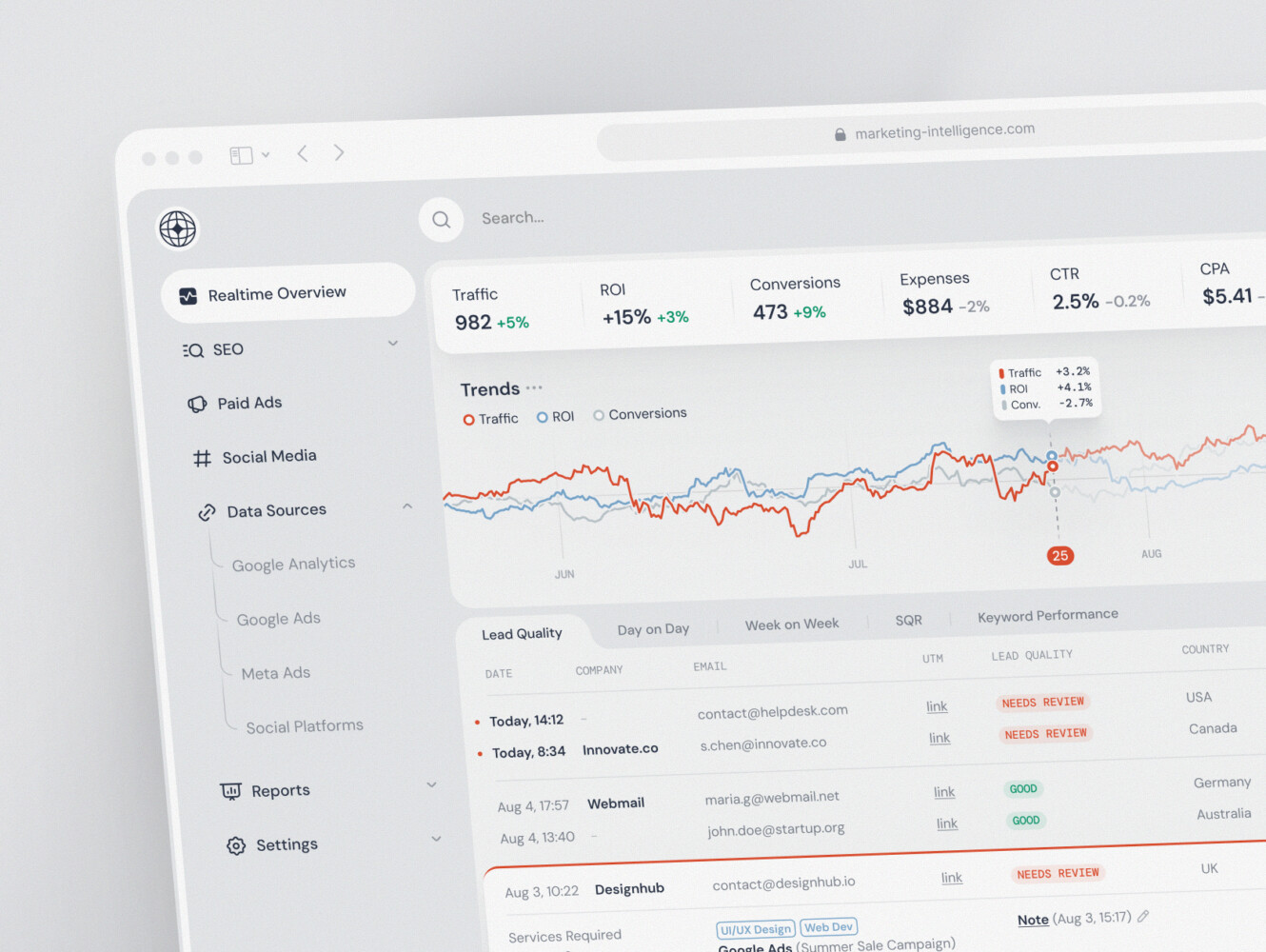
SaaS marketing dashboard by Conceptzilla
Tech Stack for B2B SaaS Development
There is no single best tech stack. Anyone who says otherwise is probably selling you their favorite hammer.
For the frontend, React and Next.js are common choices for SaaS products because they work well for dashboards, admin panels, responsive web apps, and product interfaces with lots of state. TypeScript helps when the codebase grows and more developers join. Angular, Vue, Svelte, or other tools can also work if the team knows them well.
For backend development, Python, .NET, Node.js, Ruby on Rails, Java, and Go can all make sense. Python is useful for data-heavy products, automation, AI features, and fast backend work. .NET often fits enterprise environments. Node.js can be efficient for API-heavy products. Rails can be great when you need to move quickly on a business application.
For databases, PostgreSQL is a strong default for many SaaS products. MySQL is still practical in many cases. MongoDB can fit document-heavy products. Analytics-heavy systems may later need ClickHouse, BigQuery, Snowflake, Elasticsearch, Redis, or other specialized tools.
The better question is not “What stack is trendy?” It is:
- Can the team build with it quickly?
- Can we hire for it?
- Does it fit the product’s data and workflow logic?
- Can it handle expected scale?
- Will it be painful to maintain?
- Does it support the security and compliance needs?
For most custom SaaS development projects, boring technology choices are often the better ones. Boring means documented, hireable, tested in production, and easier to explain to the next developer who joins the team six months later.
Case Study Examples: Complex SaaS and Web Platforms
The easiest way to understand SaaS work is to look at real platform problems. A few Shakuro projects fit this topic nicely.
Owari: a SaaS trading platform for oil and gas data
Owari is a digital trading platform for West African oil and gas markets. The product helps traders, brokers, and analysts work with complex market data, spot opportunities, and manage risk.
This case is a good match for SaaS platform work because it includes exactly the kind of details that make B2B products difficult: data-heavy dashboards, complex tables, real-time algorithms, data visualization APIs, and different user needs. The mission was not just to make the interface look better. It was to make complicated trading data easier to read, navigate, and act on.
CGMA: rebuilding a virtual classroom platform
CGMA is a virtual classroom platform for creative education. The project involved rethinking navigation, improving the learning experience, migrating years of content and user data, and rebuilding the platform on a new Ruby on Rails foundation.
The useful lesson here is that platform development often means working with what already exists. Old data, old workflows, old habits. In CGMA’s case, integrations with Discord, Zoom, PayPal, video management, and automation became part of the product experience. That is very common in B2B and education SaaS: the platform is only as good as the workflows around it.
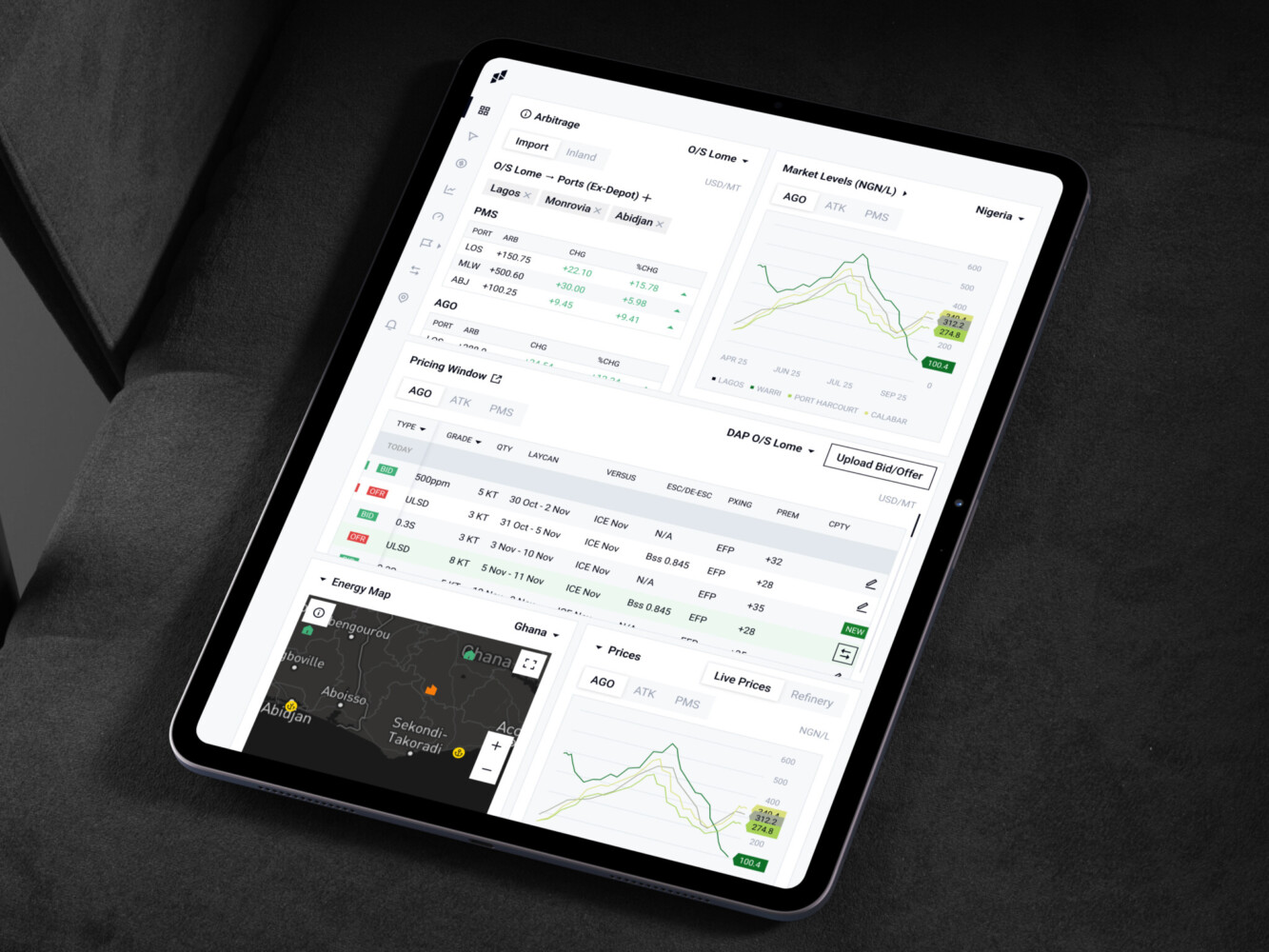
Owari platform by Shakuro
Should You Build In-House or Work With a SaaS Development Company?
When it comes to SaaS platform development, there is no universally correct answer. Annoying, I know. But it depends on the team, budget, timeline, and risk.
An in-house team can be the best option when the product is already validated, the roadmap is long, and the company needs deep product ownership. Internal teams build product memory. They know why certain choices were made, which customer asked for what, and where the strange edge cases live.
An outside SaaS development company can really help when you need to move from idea to MVP, improve UX, plan architecture, build faster, add missing technical skills, or reduce delivery risk. It can also help when the internal team is busy keeping the current product alive and cannot take on a new platform build.
A hybrid model is often the most practical: an outside team handles discovery, design, architecture, and core development, while the internal team stays involved and gradually takes over more ownership. That way, you get speed without losing context.
The important thing is to avoid the “throw it over the wall” approach. SaaS products need close collaboration. Founders, product owners, designers, developers, QA, and business stakeholders should stay in the conversation. Not every day, not in endless meetings, but enough to keep decisions honest.
Final Thoughts
B2B SaaS development is not just about writing code for a subscription product. It is about understanding a business workflow deeply enough to make software people trust with real work.
The best platforms usually have a few things in common. They focus on a specific problem. They make roles and permissions clear. They connect with the tools customers already use. They treat security as part of the foundation. They measure what users actually do. And they leave room to grow without pretending they can predict everything on day one.
If you are planning a SaaS platform, start smaller than your ambition but bigger than a toy. Build the first version around the workflow that matters most. Give users enough value to come back. Then listen carefully, because the market has a way of speaking in clicks, support tickets, cancellations, and very short emails.
And if you want a team to help shape the product, design the experience, and build the technical foundation, tell Shakuro about your project. A good first conversation can save a surprising amount of rework later.
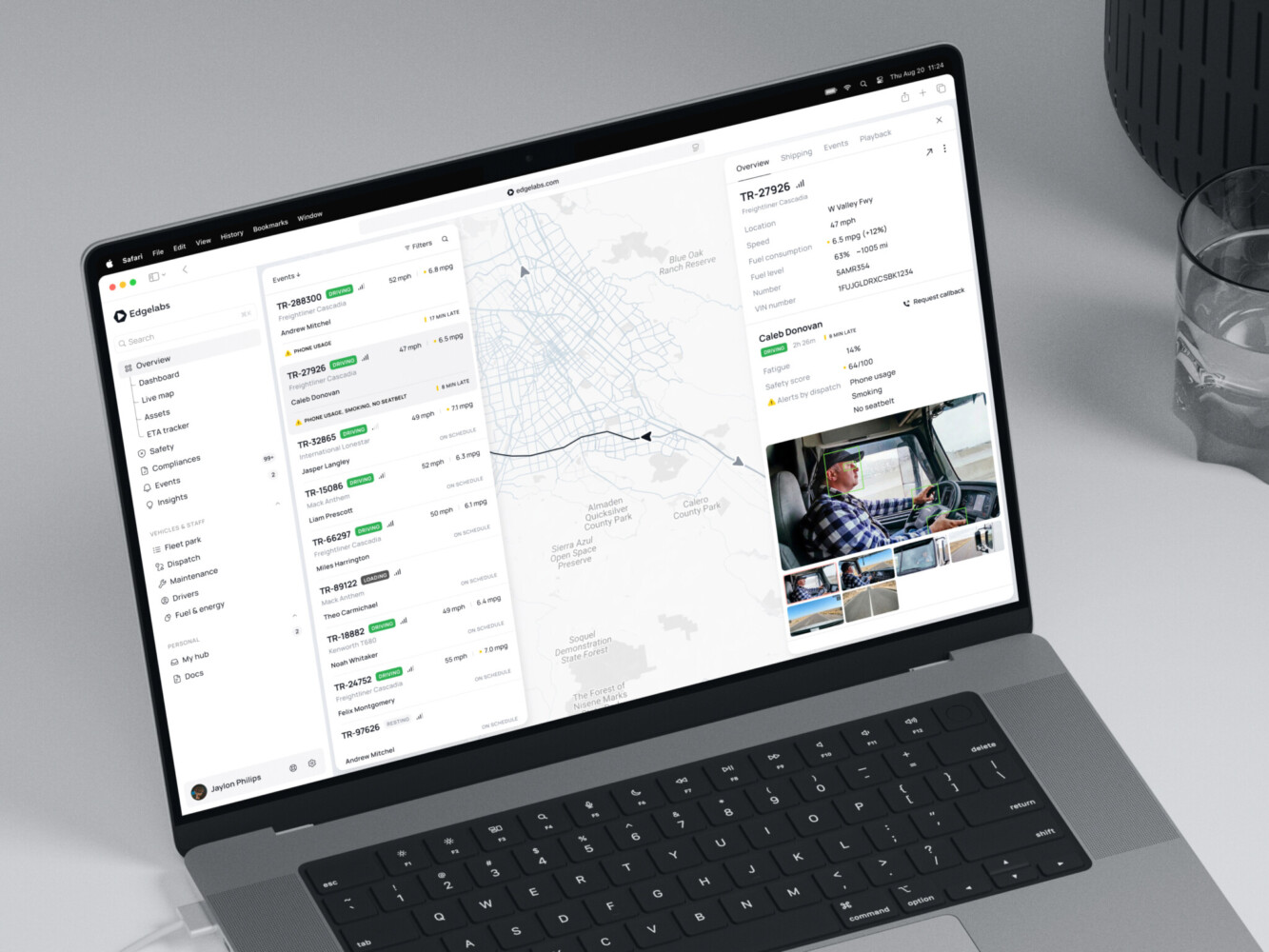
Telematics Dashboard by Shakuro
FAQ
What is B2B SaaS platform development?
B2B SaaS platform development is the process of designing, building, launching, and improving cloud-based software for business users, usually sold by subscription, license, or usage. Compared with a regular web app, it needs company accounts, roles and permissions, billing and account states, admin panels, dashboards, integrations with business systems, security controls with audit logs, and long-term support.
How long does it take to build a B2B SaaS platform?
A B2B SaaS MVP can often be built in 8 to 16 weeks if the scope is focused. A more complex SaaS platform may take 3 to 6 months or longer, especially with advanced integrations, custom dashboards, complex permissions, migration from old systems, or compliance requirements. Discovery and architecture planning at the start usually save more time than they take.
How much does B2B SaaS platform development cost?
As a rough guide, an MVP web app costs around $30,000 to $70,000, a custom web application $60,000 to $150,000+, and complex SaaS platforms, marketplaces, or enterprise systems $120,000 to $250,000+. The biggest cost drivers are user roles and permission rules, custom workflow logic, data complexity, integrations, reporting depth, security and compliance, migration, and AI or automation features.
What features should a B2B SaaS MVP include?
A B2B SaaS MVP should include the core workflow, account setup, basic roles, simple admin tools, essential dashboard views, one or two key integrations, and enough security to protect user data. Billing can start as a basic or manual sales process. Advanced analytics, SSO, complex reporting, and other enterprise features can come later if they are not needed for validation.
What tech stack is best for B2B SaaS development?
It depends on the product and the team. React, Next.js, and TypeScript are common frontend choices for dashboards and admin panels. Python, .NET, Node.js, Ruby on Rails, Java, or Go can work for the backend, and PostgreSQL is a strong database default. Choose technology your team can build with quickly, hire for, secure, and maintain as the product scales.
Should you build a B2B SaaS platform in-house or with a development company?
An in-house team fits a validated product with a long roadmap that needs deep product ownership. An outside SaaS development company helps you get from idea to MVP faster, improve UX, plan architecture, or add missing skills while your team maintains the current product. A hybrid model is often the most practical: the partner builds the core, and your team gradually takes over.
Related reading