HR software development is building tools for hiring, onboarding, leave tracking, payroll, performance reviews, and employee records that follow your own workflows instead of a vendor’s. In the development phase, a basic module such as leave tracking takes about 6 weeks, and a full HR platform takes 4–6 months. Custom HR work is usually priced as a monthly retainer, for example $8k–15k a month for a team of 3–5 people.
Many teams start with spreadsheets and then try off-the-shelf HR software: polished dashboards, per-seat pricing, and features built for 500-person companies. Their actual needs, such as syncing contractor contracts with project milestones or automating equity reminders, are often missing. No-code platforms, better APIs, and practical AI now make a custom tool realistic for smaller companies too.
The sections below cover core HR software development services and modules, automation and emerging technologies, the development process, tech stack, security and compliance, case studies, pricing models, and timeframes.
For those who prefer to listen rather than read, this article is also available as a podcast on Spotify.
Introduction to HR Software Development
What is HR Software Development?
It’s building tools that help people with hiring, managing, and keeping humans happy at work.
Instead of forcing your team to squeeze into someone else’s idea of how HR should work, you design a solution that matches your actual workflow. That’s what a custom approach does—it bends to you, not the other way around. Maybe you need to automate onboarding for gig workers who join every sprint or sync performance check-ins with your product roadmap reviews.
And no, you don’t need a dev degree to get started. These days, it can mean anything from tweaking a no-code platform like Bubble or Retool to stitching together APIs with Make or Zapier, all the way up to writing code if you’ve got the team. The main point is flexibility.
Why Businesses Need Digital HR transformation
Nobody wakes up excited to fix payroll errors or chase down signed contracts. While you’re busy doing that, your engineers are waiting on access rights, new hires are ghosted after day one, and retention starts slipping because feedback loops are stuck in email hell.
That’s why digital transformation is a must-have. Remote teams, hybrid setups, faster hiring cycles—the old ways don’t scale. Investors notice such things, too. Plus, employees expect better. They use slick apps in their personal lives, so why should work feel like going back to dial-up?
So yeah, this software removes friction so your team can focus on what matters, like culture, growth, and inspiration. For growth in particular, some companies connect an AI-powered learning platform that recommends training based on each employee’s role and skills. But it doesn’t replace humans with bots, though a few well-placed automations help.
Key Benefits of Implementing a Custom HR Solution
Off-the-shelf tools come with bells, whistles, and about 80% of features you’ll never touch. A custom solution allows you to keep what fits.
First big win: it actually works with how your company operates. No more forcing agile teams into rigid annual review cycles. Want to tie bonuses to OKR completion? Easy. Need contractors flagged differently in reporting? Done.
Second big win is integration. Your HR tool can talk to Slack, the payroll provider, the project management app, and the LMS without breaking a sweat. As for the cost, there’s upfront effort, but long-term, you stop paying per seat for stuff you don’t use.
In terms of ownership, there are benefits, too. When something breaks or needs changing, you’re not stuck waiting for vendor support or begging for a feature vote in their user forum. You tweak it fast.
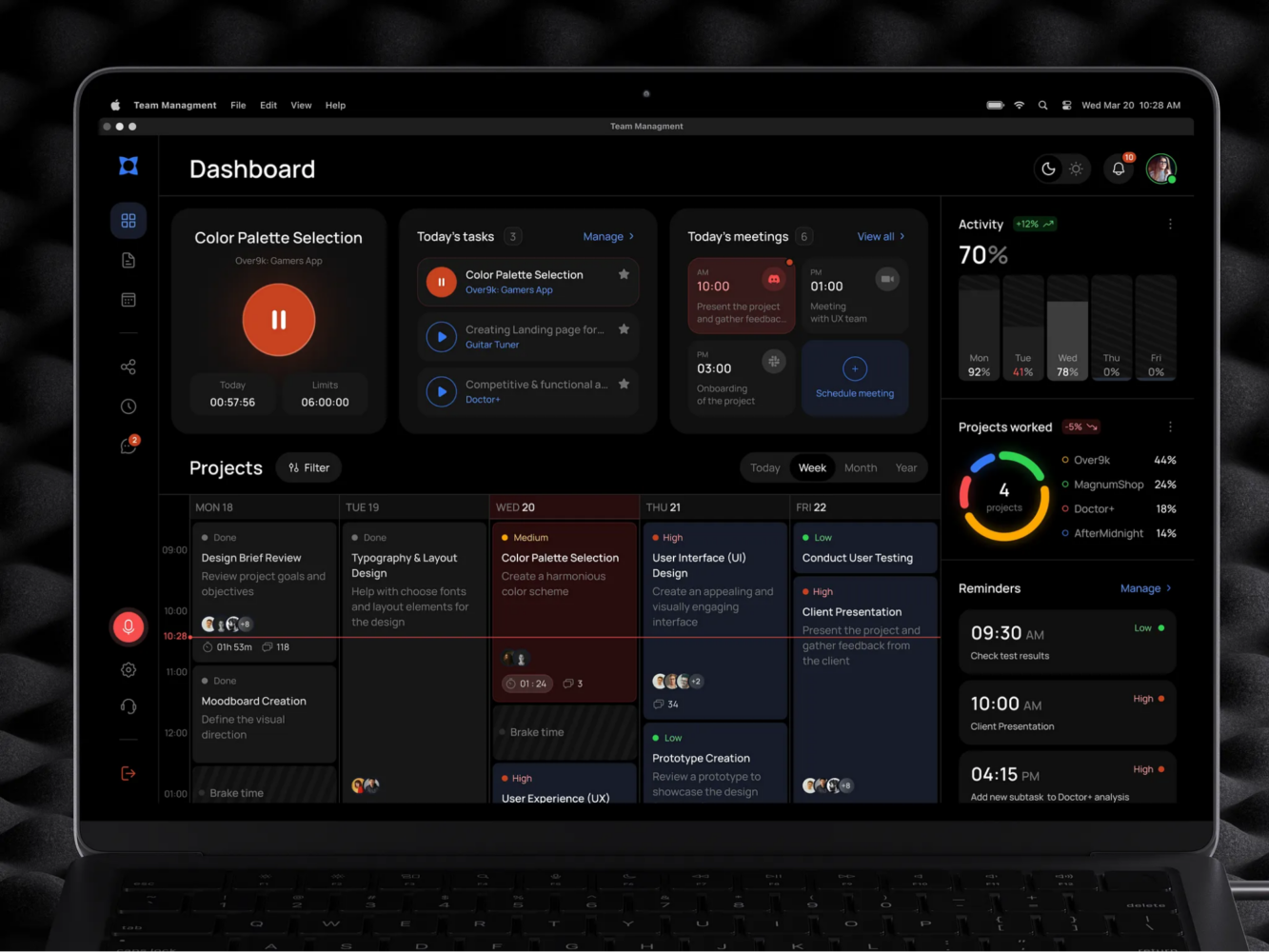
Team Management Dashboard UI Animation by Shakuro
Core HR Software Development Services
Custom HR Platform Development
To build your own HR platform from the ground up, you don’t need to be building the next Workday. In fact, most startups don’t want that. What they actually need is something lean, focused, and built around their real workflows.
I’ve seen teams waste months trying to twist generic tools into shape, only to end up with a Rube Goldberg machine of automations. A custom platform skips all that. You decide what goes in: maybe it’s applicant tracking tied to your tech stack or dynamic org charts that update when someone changes roles. Whatever makes sense for your team. And you can start small, MVP-style. Like, fix onboarding first, build that piece, test it, then layer in payroll or performance later.
And yeah, custom HR software development doesn’t always mean coding everything. Sometimes it’s using a flexible backend like Supabase or Firebase and wrapping a clean interface around it. Fast, scalable, and way easier to tweak down the line.
HR Mobile App Development
People aren’t sitting at desks anymore: they travel, do daily routines, switch devices, etc. So, if your HR tools only work on a desktop browser, that’s a bottleneck waiting to happen.
You can opt for a mobile app instead of some clunky PWA that crashes when you rotate the screen. A proper application that lets people approve leave, clock training hours, or even submit feedback while waiting for coffee.
For example, as a logistics startup whose managers are mostly on the road, you can build a simple iOS/Android app. Add view team status, approve time-off, and access policies offline. This will help managers avoid missing approvals.
Plus, push notifications help, without being creepy, of course. “Your review is due in 2 days” works better than an email buried under spam.
HR Product Design & Discovery
Startups often skip the discovery phase, assuming they know what users want. But in the end, it turns out managers need one button to say, “Yes, hire them.”
Therefore, you shouldn’t skip this phase and talk to real people. HR folks, employees, hiring managers. Ask stupid questions and watch how they struggle with current tools. Maybe they’re printing PDFs just to sign them?
A solid discovery phase helps you map pain points, prioritize features, and avoid building stuff nobody uses. Sketching flows on whiteboards, testing prototypes with actual users, and learning fast.
Third-Party System Integration
Enterprise HR software solutions have to talk with lots of other systems: payroll (ADP or Deel), Slack for comms, Google Workspace, maybe BambooHR or Greenhouse. If your new system doesn’t connect to these, it’s not a solution.
Integrations are where things get real. Done right, they make data flow smoothly. For a new hire, auto-creating an email, Slack account, and calendar invite for onboarding are all triggered from one entry. The same for performance reviews—sync results to Lattice or 15Five without manual copy-paste.
APIs are your friends here. Most modern platforms now expose decent ones. Tools like Make or Zapier are lifesavers for lightweight connections. But sometimes you need direct syncs, especially for sensitive stuff like payroll or compliance logs.
HR Software Customization
This one gets mixed up with “custom development,” but it’s different. Customization is more like tuning an existing system to fit better without rebuilding the engine.
For instance, you’re using a solid mid-tier HRIS but hate how approvals work or the reporting dashboard shows nonsense metrics. Instead of replacing the whole thing, you customize workflows, fields, and UI bits. It’s cheaper, faster, and often enough to solve the real problem.
Customization shines when you’ve got a decent base but need flexibility. Just don’t stretch it too far because sometimes patching too much onto a rigid system eventually stops making sense.
HR Software Support and Maintenance
Support and maintenance do matter. You see, servers go down, APIs change, people leave, roles shift, and permissions get messy. If there’s no one watching the stove, things burn.
Support services monitor logs, fix bugs before users complain, and, of course, update dependencies so you don’t get hacked via some forgotten library. Also handling small feature tweaks, like when Legal says, “Actually, we need a checkbox for GDPR reaffirmation.”
You don’t need a big team. It can be a fractional engineer, a retainer with a dev shop, or even a smart no-code admin who knows the system inside out. Just don’t ignore it because nothing kills trust faster than a broken self-service portal during open enrollment.
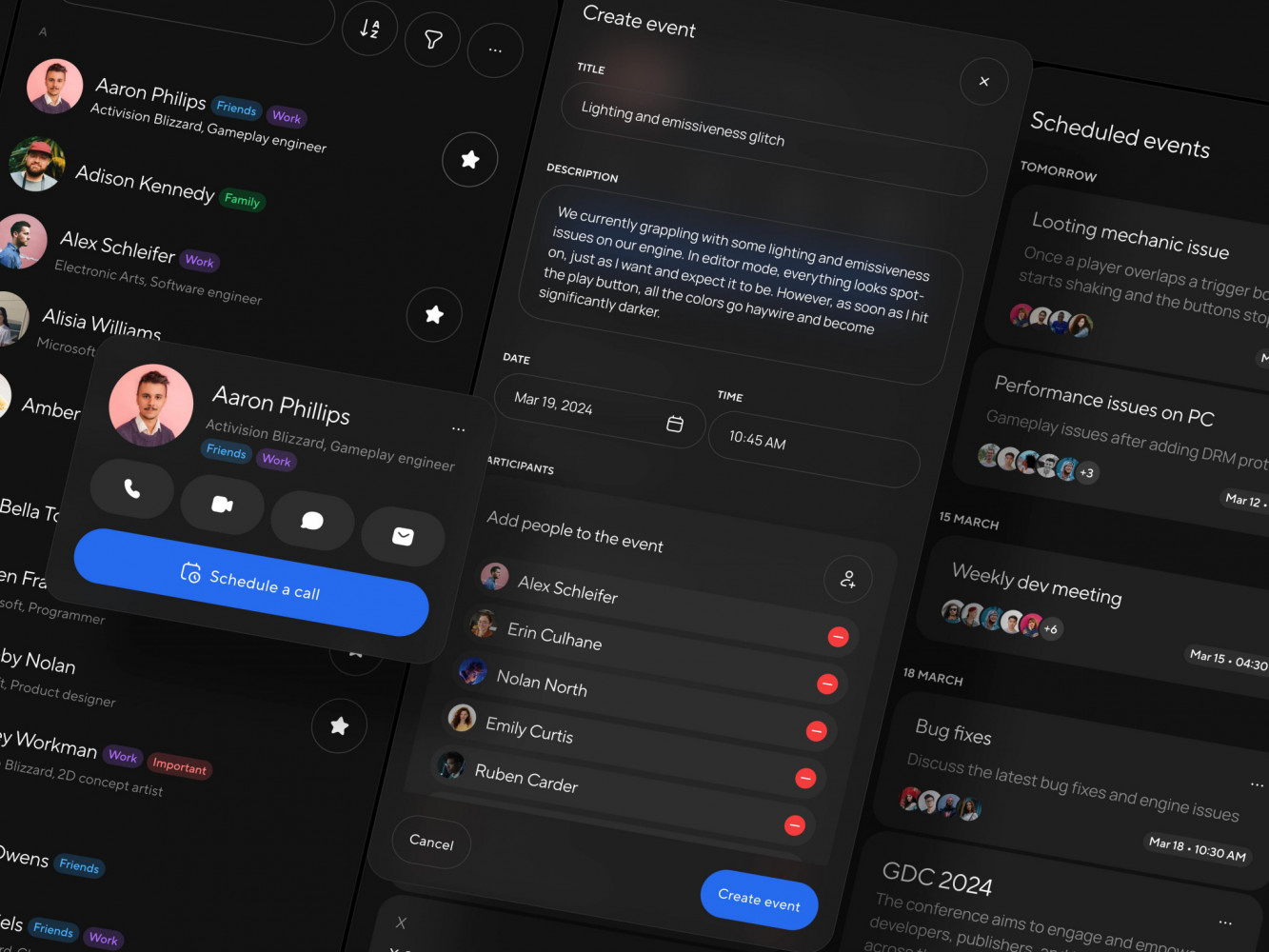
Contact Manager App Design Concept by Conceptzilla
Comprehensive HR Software Modules
Recruitment and Talent Acquisition
Everyone’s competing for the same small pool of talent, response rates are iffy, and your best candidate might ghost you because the process took three weeks and they got an offer from someone who moved faster.
A solid recruitment module is about speed, signal, and smart filtering. For example, an automated screening based on actual role needs, one-click outreach templates synced with Gmail or Outlook, and real-time collaboration between hiring managers and HR. No endless email threads.
And yeah, sourcing matters too. If your HR automation software can pull from GitHub, LinkedIn, or even AngelList profiles, it’s even better. But keep it human, though. Automation should help, not replace, good judgment.
Onboarding and Employee Orientation
You’ve made the hire. Now, how do they know how to log in? Where to find the handbook? Too many startups drop the ball here. They spend months recruiting someone, then hand them a PDF and say “figure it out.” Not exactly inspiring, is it?
A proper onboarding module treats Day One like a product launch. Welcome message waiting in Slack. Tasks are broken into clear steps: sign contract, pick equipment, and schedule intro calls. Progress bar is included, because checking boxes feels good.
Don’t forget compliance. Auto-schedule mandatory trainings, track document signatures, and remind people about tax forms. When training is a big part of the job, completion data can feed into learner analytics that show which programs actually build skills. Again, all without nagging emails. When done right, onboarding gets people productive faster and sets the tone: We care. You belong.
Training and Career Development
I’ve seen startups scale fast, but their learning culture often stays stuck in launch mode. Engineers grow, roles evolve, but no one thinks about upskilling until someone quits.
A training module shouldn’t feel like corporate e-learning hell. You know the kind: 45-minute videos with quiz questions that make you want to scream. During HR software development, you can make it lightweight with microlearning, short videos, internal wikis, or even skill checklists. Tie it to growth paths: “Want to lead projects? Here are three courses + two mentorship sessions.”
Career development is also crucial. Let employees explore internal moves, express interest in new roles, or request stretch assignments. Start showing “career pathways” during reviews: simple flowcharts like “Senior Dev → Tech Lead → Engineering Manager.” This will give people clarity and reduce turnover.
Performance Management
“Performance reviews.” Just saying, it makes some folks tense up.
But it doesn’t have to be annual trauma. A modern performance module shifts from “judgment day” to continuous feedback. Regular check-ins, OKR tracking, peer recognition are all baked into the flow.
Like, every Friday, your team gets a nudge: “How’d it go this week? Any blockers?” Managers see trends, and when review time comes, it’s just a summary. Moreover, Agile teams might prefer quarterly pulses, and sales might want monthly goal resets. Your tool should adapt, not force-feed.
Compensation and Payroll
This module has zero room for error. Get it wrong once, and trust tanks.
A solid HR automation software links comp data directly to roles, levels, and market benchmarks. Want to adjust salaries mid-year? Run scenarios before deciding. Need equity refreshes tracked? Automate reminders.
Integration with your payroll provider, such as Deel, ADP, or whatever you use, should be tight. Sync contractor vs. employee status correctly, so the tax people will thank you. Also, a good idea is to give managers controlled visibility: “Here’s your team’s salary band,” without exposing individual numbers unless allowed.
Time and Attendance Tracking
Actually, time tracking isn’t just for hourly workers. Even salaried teams need clarity, especially remote ones across time zones. A clean module logs work hours, vacation, sick days, and even flexible schedules.
You can balance things with auto-calculation. Send alerts when someone’s nearing burnout and flag anomalies. Maybe someone forgot to clock out, or a manager approved double shifts by mistake.
For example, a simple check-in via mobile app for a field team when arriving at the site. This reduces buddy-punching and gives ops leads real-time visibility. For office/hybrid setups, it shows room availability, desk bookings, and lunch headcounts, stopping daily friction.
Employee Self-Service Portal
The “don’t bother HR” zone. Employees update addresses, request time off, download payslips, and view benefits without emailing back and forth. It has some benefits, such as reducing load and giving people control over their info.
If you are global, multilingual support is a must. When collaborating with HR software development services, make the portal mobile-friendly and let people customize notifications. Some want every alert, while others just need summaries.
Here is an example of a self-service option. Add a portal where new parents can request parental leave, upload docs, and see approval status in real time. No chasing forms. This way, you will show them they are not a burden.
Corporate Communication and Collaboration
A dedicated communication module inside your HR system keeps important stuff together. Announcements pinned to employee profiles. Policy updates with read receipts. Departmental channels linked to org structure.
It is great for async comms as well: CEO updates recorded weekly, Q&A forums or pulse surveys embedded in the feed. If you can reduce meeting overload by 20% because people actually read the memo, it’s worth it.
Employee Engagement and Satisfaction
Retention starts long before someone resigns. It starts in quiet moments: “Do I matter?” “Am I growing?” “Does anyone notice?” An engagement module in your HR automation software helps you catch those signals early.
Simple tools work best: regular pulse surveys (“On a scale of 1–5, how supported do you feel?”), eNPS tracking, and anonymous feedback boxes. But don’t over-engineer it. You can take advantage of small gestures like stay interviews, recognition walls, and milestone celebrations. They allow you to build culture through the tiny interactions the system makes possible.
Core HR and Employee Records Management
The core. Everything lives here: personal details, job history, contracts, emergency contacts, visas, certifications. It is centralized and secure.
For this part, role-based access is key. HR sees everything, while managers see only their team. And employees edit only their own data with approval flows for sensitive changes. As for the retention policies, automate them: archive inactive records after X years and flag expiring documents (like passports or licenses) ahead of time.
HR Analytics and Reporting
You can feel what’s happening in your team, but can you prove it? Analytics turns gut into insight. Turnover trends by department, time-to-fill by role, engagement scores vs. retention, training completion by level—these are crucial numbers.
However, analytical dashboards should answer real questions:
- “Are we losing junior devs faster than seniors?”
- “Which managers have the highest retention?”
- “Is our diversity improving year-over-year?”
Avoid vanity metrics. Instead, in custom HR software development, focus on what moves the needle. When it comes to reports, they should be easy to share regardless of the role, be it leadership, investors, or auditors. Clean visuals, exportable data, scheduled updates.
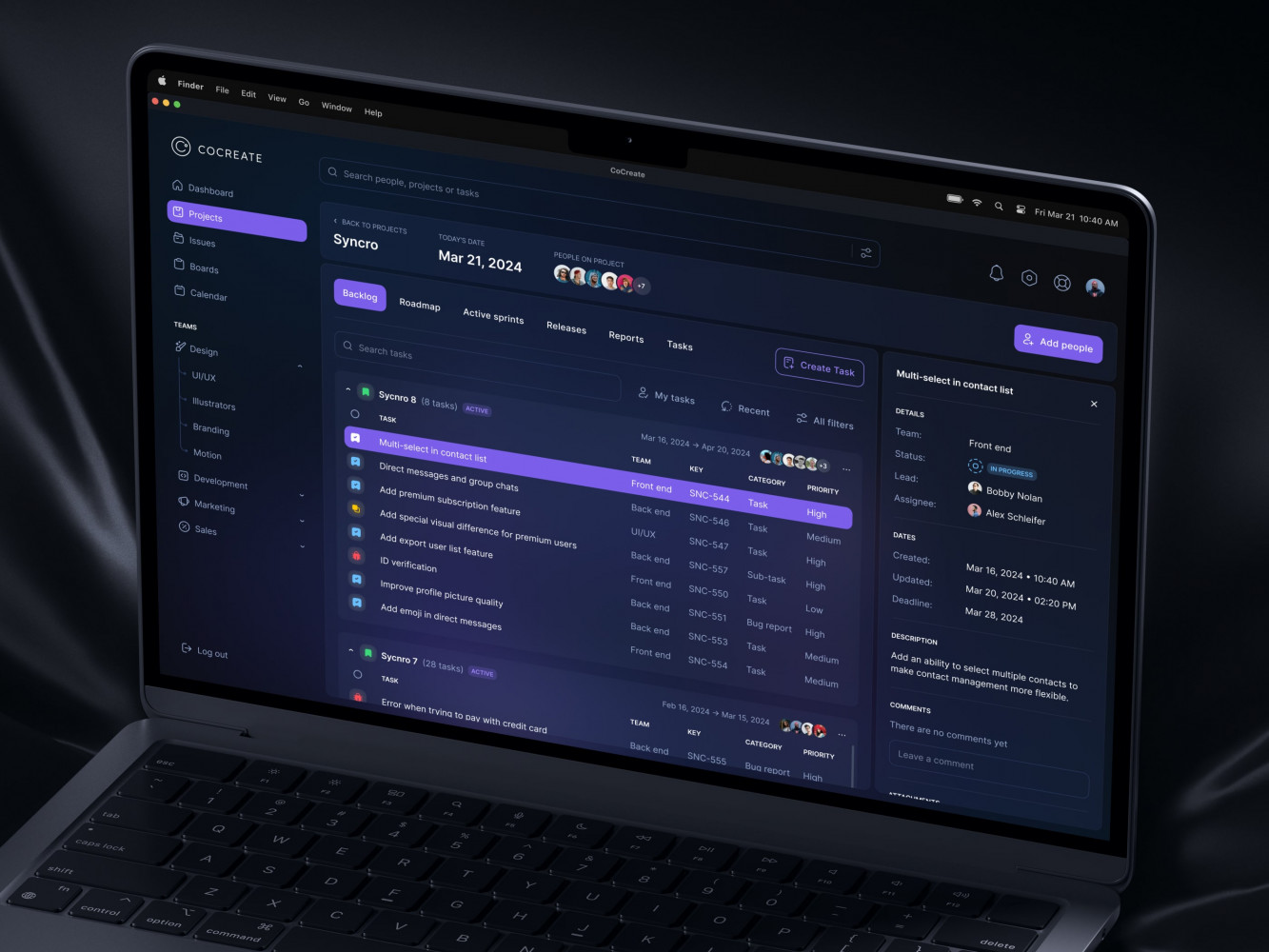
UI Design for a Task Management Tool by Shakuro
Intelligent Automation & Emerging Technologies
AI-Powered Recruitment and Screening
You can’t just replace recruiters with robots. But AI can cut the noise so humans focus on what they’re actually good at: judging culture fit, asking insightful questions, and selling the role.
Let AI handle the grunt work. For example, resume parsing. Not just pulling names and emails, but understanding skills from messy formats. It can also drive outreach personalization. Instead of spammy “Hi {First_Name}” stuff, you send smart suggestions based on GitHub activity or blog posts. “I saw your talk on microservices, and…” feels way better than cold-email bingo.
Just don’t go overboard for the sake of HR software compliance. Bias is still a risk if you’re not careful. You have to train models on diverse data, audit decisions, and always keep a human in the loop. Because yeah, AI helps, but it doesn’t get people.
Chatbots for Employee Support
Ever had someone ask HR the same question five times a day? “How many PTO days do I have?” “Can I change my tax form?” “What’s our policy on remote work?” That gets old fast.
Smart, conversational bots baked into Slack or Teams can ease that burden of answering routine questions. They learn from past tickets, pull live data, and actually resolve issues. What’s more, you can use them for onboarding, too. New hires can just ping the bot rather than distracting HR. So, team members have an opportunity to focus on their activities, like coaching managers or shaping culture.
Robotic Process Automation (RPA) for HR Operations
RPA is basically a digital duct tape for repetitive tasks. For example, every month, someone manually exports employee data from the HRIS, logs into payroll, uploads the file, checks for errors, fixes mismatches, then confirms. Rinse, repeat. Super boring and easy to mess up.
RPA bots do that stuff reliably. They click, copy, paste, and validate just like a person, but faster and without coffee breaks. Especially for legacy systems that don’t have APIs. The only downside is bots break when UIs change. So you need to monitor them.
Predictive Analytics for Workforce Planning
Predictive analytics looks at patterns, such as engagement scores, promotion history, workload trends, communication frequency, etc., and flags retention risks before they become resignations.
Same goes for hiring. Instead of reacting to open roles, you forecast needs based on roadmap velocity or sales growth. “We’re launching in APAC next quarter, so better start sourcing local talent now.” In custom HR software development, you have to be careful, though. If your data’s spotty (missing reviews, inconsistent tagging), predictions will be shaky. Clean data first, then predict.
Agentic AI-Enabled HR Tools
We’re past basic automation. Now we’re seeing agentic AI systems that act: set goals, plan steps, execute, and learn.
As an example, AI can notice a team’s burnout risk is rising and proactively suggest adjusting deadlines, recommend resourcing help, and draft a message to the manager. Alternatively, it can see a high-potential employee hasn’t had growth talks in months. To change the situation, the system schedules a reminder and preps talking points.
Still early days, though. These tools need guardrails like ethics, transparency, oversight, etc. You don’t want an AI ghostwriting a termination note without approval.
Our Expertise in HR Software Development
Industry-Specific HR Solutions
HR in a hospital isn’t the same as HR in a gaming startup. One’s juggling shift schedules, certifications, and compliance like HIPAA. The other is managing remote devs, hackathons, and equity refreshes. Generic tools try to be everything. Custom solutions speak your language.
We have been building custom HR solutions for 19 years, so our team knows the real workflow, not the textbook version. Healthcare, edtech, fintech—we know the specifics and have deep domain understanding. The software gets tailored to your business needs and the demands of the target audience, be it your employees or other users.
Enterprise-Grade Security and Compliance
HR data is sensitive. We’re talking salaries, IDs, health info, performance issues—stuff you really don’t want leaked. To deal with this issue, startups often go one of two ways. Either they over-engineer it early (“Let’s encrypt everything five times!”), or they ignore it until the investor asks, “Are you GDPR-ready?” then panic.
Our approach in enterprise HR software solutions is to build security in from day one and scale it with growth. The basics are role-based access (so interns can’t see exec comp), audit logs (who changed what and when), data encryption at rest and in transit. We leverage well-known cloud providers with solid compliance certs (AWS, GCP, Azure), they do half the heavy lifting.
Compliance also varies wildly. EU means GDPR. US healthcare = HIPAA. California uses CCPA. Global payroll demands SOX, SOC 2, ISO 27001, etc. The alphabet soup never ends. We learn all the intricacies of this “alphabet” for you and bake the security into your architecture. Not to mention regular tests and comprehensive documentation.
User-Centric Design and Accessibility
You can have the most powerful HR system in the world, and if no one uses it, it’s just expensive tech debt.
Our design approach is focused on removing friction points. We create logical flows that are easy to navigate for users with any skill level or even disabilities. Especially if your team speaks multiple languages. Every essential piece of information is one click away, labels are easy to grasp, and no endless tables or numbers you have to squint at. And we test with real people, not just HR pros.
Scalable Architecture and Cloud Infrastructure
You launched your HR automation software when you had 40 people. Smooth sailing. Six months later, after a funding round, you hit 180. And the system started lagging with forms timing out and reports taking minutes to load. It turns out, a tiny database with no caching is cute only for a prototype.
For scalability, we implement cloud infrastructure with services like AWS, Firebase, or Supabase. They auto-scale based on demand. You pay for what you use. No need to buy servers upfront.
As for architecture, we usually break things into microservices. Onboarding here, payroll there, so one slow module doesn’t crash the whole thing. For heavy tasks, like generating year-end reports, we apply async jobs for heavy tasks and cache smartly. So you get a fast, scalable, and responsive system that can easily handle large amounts of data.
Integration with ERP, CRM, and Payroll Systems
Your HR tool doesn’t live alone. It’s part of a messy ecosystem. Sales hits target → commissions need updating in payroll. Project ends → contractor status should expire. Budget approved → hiring freeze lifts. If these systems don’t talk, you get chaos.
Our HR software development approach is based on solid integrations. ERP links (like SAP or NetSuite) keep headcount aligned with budgets. CRM data (say, Salesforce) can trigger sales incentive reviews. Payroll syncs ensure bonuses land on time—no awkward “Where’s my check?” Slack threads.
We use REST, GraphQL, and webhooks to create live connections, not batch exports. The team sets up alerts and tests monthly.
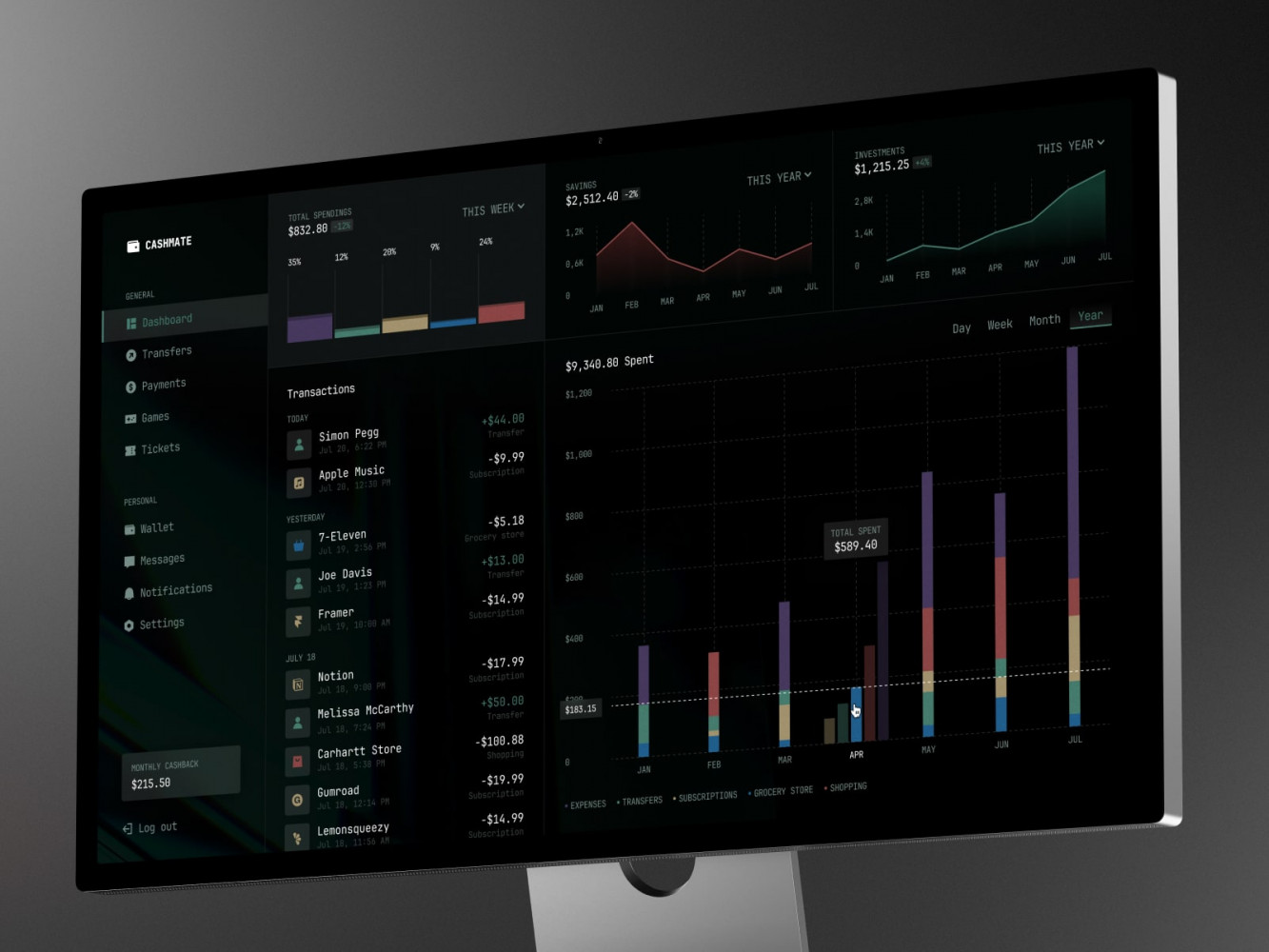
Finance Management Web Dashboard by Conceptzilla
HR Software Development Process
Step 1: Business Analysis and Requirements Gathering
First things first: what are we actually solving? You need to know the exact answer before starting the development. During this phase, you sit down with HR, managers, and employees and listen to them. Ask questions and watch how they work or struggle.
You’re looking for patterns:
- What takes too long?
- Where do mistakes happen?
- What tools are duct-taped together?
Then map it out. Create user stories (“As a hiring manager, I want to approve offers in one click”), workflows, must-have vs. nice-to-have features. And don’t forget non-functional stuff: speed, security, and uptime.
Step 2: UX/UI Design and Prototyping
Still no jumping straight into pixel-perfect designs. Take your ideas from step 1 and sketch layouts with wireframes. Turn them into low-fidelity prototypes that you can click through on Figma or Balsamiq.
Why? Because you want feedback before code exists. This move will save you money and time, since fixing stuff later will cost more. So show prototypes to actual users and watch them try to request PTO or view their payslip.
The main feature of UX/UI design for enterprise HR software solutions is clarity. Can someone find what they need in three clicks or less? Is the language plain, not corporate-speak? Does it work on a phone at 8 PM when someone’s checking their leave balance? In this case, you need to think about accessibility. Color contrast, screen reader tags, keyboard navigation, etc.
Step 3: Development and Integration
Now we code, finally. But how you build matters, too. Agile still works best with short sprints, weekly check-ins, and showing progress early.
For starters, you need to pick the right stack. Need speed? Maybe React + Node.js + PostgreSQL. Want low-code flexibility? Try Bubble or Retool with API connectors. Going full custom? Fine, but document as you go.
Modular architecture is a good way to build pieces separately (onboarding, payroll, performance), so you can test and deploy them independently. Less risk, easier fixes.
As for integrations, do them early, not last. Connect to your payroll provider, Slack, Google Workspace during development. Nothing is worse than finishing everything only to find the API rate limits break your workflow. Of course, involve HR during builds. Let them see live previews. “Is this approval flow what you meant?” Prevents nasty surprises.
Step 4: Quality Assurance and Compliance Testing
QA isn’t just “click around and hope.” It should be systematic:
- Functional testing (does the leave counter update correctly?)
- Edge cases (what if someone requests negative days?)
- Performance (how slow is it with 1,000 users online?)
- Security scans (any open vulnerabilities?)
Test GDPR rights as well. Can someone really delete their data and stay compliant? Does the system anonymize records properly? Are audit logs tamper-proof?
Automate what you can with tools like Cypress or Selenium. But with manual testing, preferably from non-tech folks. They’ll find bugs devs never see. And yes, test HR automation software on old devices.
Step 5: Deployment and Employee Training
In terms of deployment, phased rollout is smarter. Start with one department, for example, engineering. Fix issues, gather feedback, then expand. If something breaks, flip it off with no drama.
During training, communication is crucial. You can’t just drop a link in Slack and say, “Use this now.” Instead, send a short video walkthrough or host a live Q&A. Then monitor closely the first week. Watch login rates, error logs, and support tickets.
Step 6: Continuous Support and Evolution
People grow. New laws pop up. Your tool should evolve too. Set up ongoing support: someone to fix bugs, answer questions, tweak workflows. Could be internal, could be outsourced. Just don’t abandon it.
Also, collect feedback constantly with in-app surveys, suggestion boxes, and regular check-ins with power users. This feedback should be implemented as planned, for example, quarterly releases. Even small ones, like adding a new report or fixing a slow load, keep the system alive and trusted.
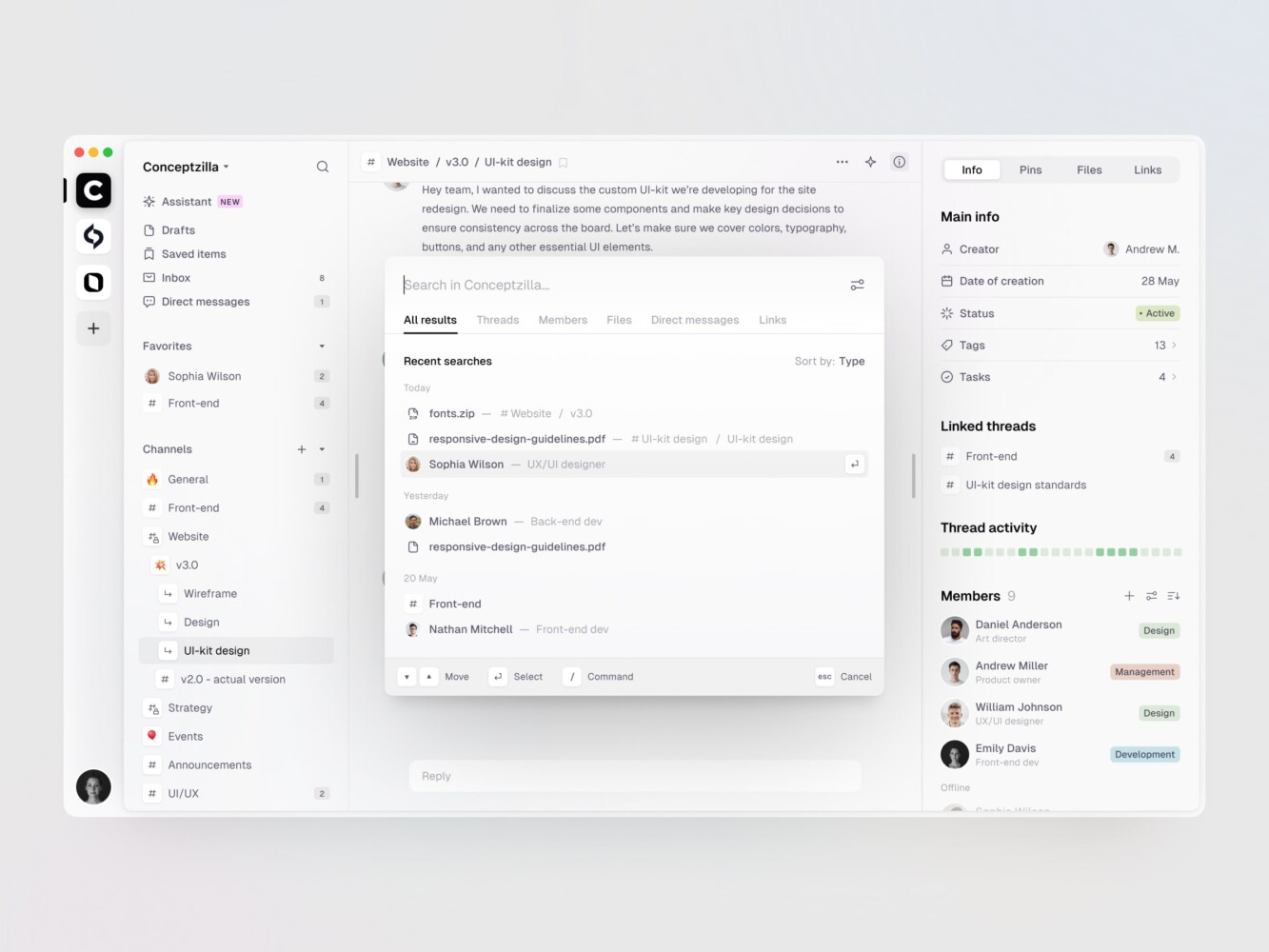
Team Communication Management Platform by Conceptzilla

Technology Stack for HR Software
Frontend Technologies
These days, you’ve got solid options.
React is still the go-to for most teams because it’s fast and flexible, with a huge ecosystem. Vue.js is lighter, so it’s less intimidating if your team isn’t super experienced in custom HR software development. You will ship the product faster as a result. Svelte is kinda niche but cool. No virtual DOM, compiles at build time, which means snappy performance even on older devices.
For design systems, opt for Material UI, Tailwind, or a custom theme, just make it consistent. A loading spinner that spins forever kills trust. Optimize assets, lazy-load where you can, and test on slow networks.
Backend Frameworks
Node.js is everywhere. JavaScript on both ends makes life easier for small teams. But if you need something beefier, Python’s Django or Flask are solid. Especially good for AI/ML stuff, if you’re building predictive attrition models, for instance.
Ruby on Rails still holds up for rapid development and MVPs. Not flashy, but gets the job done. We often implement it in our web projects. And Go is also a great choice when performance really matters. Like handling thousands of payroll calculations fast. It’s lean, concurrent, and doesn’t mess around.
Pick based on your team’s strength. No point choosing Elixir if no one knows it.
Mobile Development
For HR mobile app development, you’ve got choices: native and cross-platform.
Native means creating apps only for iOS or Android with Swift and Kotlin accordingly. It gives the best performance and full access to device features like the camera, GPS, notifications, etc. Opt for this approach if you need deep integration, for example, scanning ID cards or geofenced check-ins. But double the work, double the cost.
For cross-platform, you build one codebase that runs on both iOS and Android. The result looks native, feels native, and saves you months of dev time. The only hiccup is some native modules need bridging. Annoying, but fixable.
Popular tech stacks are React Native and Flutter. The latter is gaining fans. Smooth UI, fast rendering. We often use it for our cross-platform development services. Flutter is impressive but has a smaller community. If you’re betting long-term, weigh that.
There are also Progressive Web Apps (PWAs). They are not quite native, but better than basic mobile sites. PWAs can work offline and send push alerts, so it’s a good stopgap if the budget’s tight.
Cloud Platforms
As I mentioned, the cloud is essential for scalability, security, and sleep-at-night peace of mind in enterprise HR software solutions. To build one, you need something like:
AWS is the big dog. EC2, S3, Lambda—you name it. Their solutions are solid, mature, and integrated with everything. One client runs their entire HR stack on AWS with auto-scaling and handles spikes during open enrollment like a champ.
Google Cloud Platform (GCP) feels cleaner somehow. AI/ML tools are great if you’re doing resume parsing or sentiment analysis on feedback. And Firebase is perfect for startups needing quick backend wins (auth, real-time DB).
If you’re already in Microsoft land—Teams integrations, Active Directory sync, etc.—Azure is strong. Also, don’t sleep on Vercel or Netlify for frontend hosting. They are blazing fast, with automatic deploys from Git. Many companies use them for admin panels and employee portals.
Database and DevOps Tools
These are kind of the foundation. Get it wrong, and everything creaks.
Databases:
- PostgreSQL is one of our defaults. It is reliable, supports JSON, and scales well. PostgreSQL handles employee records, org charts, complex queries—no sweat.
- MongoDB is another one of the favorites. We apply it for flexible schemas. For example, when a client kept changing onboarding fields. No migrations every other week.
- Supabase is basically PostgreSQL + realtime + auth baked in. Killer for startups wanting a backend fast.
- Redis is for caching. The database speeds up things like leave balance lookups or active session checks.
Now, DevOps is where magic happens. Using Git for version control is non-negotiable. GitHub and GitLab are both solid. We leverage GitHub Actions for CI/CD pipelines to automate tests and deploy on merge.
Docker wraps your app in a neat little box. It runs the same everywhere, so it is a lifesaver when “it works on my machine” stops being an excuse. Kubernetes might be an overkill for small teams. But if you’re scaling fast and need orchestration, it pays off. For monitoring, use Sentry for errors, Datadog or New Relic for performance.
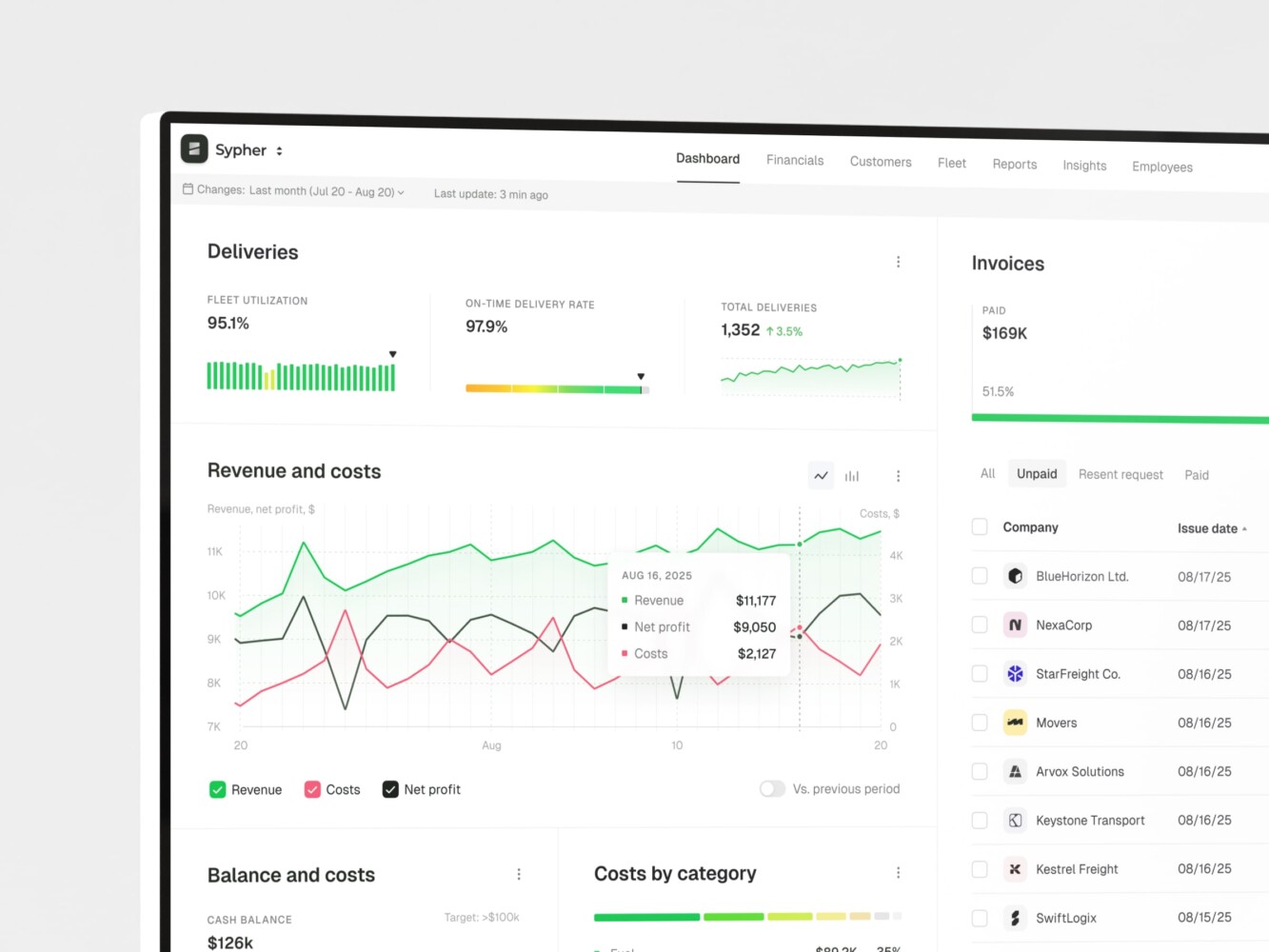
Enterprise Resource Planning by Conceptzilla
Security & Compliance Standards
GDPR and CCPA
You’ve probably heard the names when exploring HR software compliance, maybe even panicked a little during a funding round when your lawyer asked, “Are we compliant?” These are signals that people care about their data, and if you don’t respect that, you’ll lose trust fast.
GDPR (General Data Protection Regulation) is EU-wide. It says employees and ex-employees have rights: to see their data, correct it, or even ask for deletion. Sounds simple, but in practice can be tricky because data lives in more places than you think. That’s why you have to audit all touchpoints and automate erasure where possible, keeping logs of what was deleted and when.
CCPA (California Consumer Privacy Act) has a similar vibe, but for California residents, including employees, since 2023. It lets them know what data you collect and who it’s shared with and opt out of selling it (even if you’re not actually “selling” it). Technically, sharing with vendors can count.
In any case, don’t treat this as “someone else’s problem.” Bake privacy into your HR automation software from day one: consent banners, data access portals, and clear policies.
ISO/IEC 27001
ISO/IEC 27001 is becoming a quiet badge of trust, especially for B2B startups scaling past the seed stage.
It’s an international standard for Information Security Management Systems. Basically, it means you’ve documented how you protect data (policies, risk assessments, incident response plans) and you audit it regularly. Not mandatory for most startups, until it is.
The process isn’t quick. You map assets, identify risks, and implement controls (like access reviews or breach reporting), then get audited by a third party. It might take months, but the payoff is credibility.
Even if you don’t go for full certification, adopting parts of the framework helps. For example: regular security training, device encryption policies, or vendor risk checks. Small habits, big impact.
Single Sign-On (SSO) and Role-Based Access
Passwords suck: people reuse them, write them down, or pick “Password123.” And digital HR transformation is a prime target. One weak login could expose salaries, IDs, personal info, etc.
That’s why Single Sign-On (SSO) is critical. With SSO (usually via SAML or OAuth), users log in once through Google, Microsoft Entra, or Okta and gain secure access to all approved apps. No extra passwords. Even better: when someone leaves the company, you deactivate their identity provider account, and poof—they’re out of HR, Slack, payroll, everything. No chasing individual app permissions.
Then there’s Role-Based Access Control (RBAC). This is about giving people just enough access. Managers see their team’s data, while HR sees a bit more. Employees only see themselves. Finance gets compensation reports but not performance notes.
When implementing these, define roles early and review them quarterly. Use least-privilege principles because the easiest breaches often come from within.
Data Encryption and Secure Storage
Someone steals your database backup. Or a rogue employee copies a CSV of employee records. What now? If the data’s unencrypted, the game is over.
Two flavors matter:
- In transit: Use TLS (HTTPS, basically). Every connection between user and server should be encrypted. Standard in 2025, but still worth checking, especially if you’ve got legacy integrations.
- At rest: Encrypt stored data. Most cloud providers (AWS, GCP, Azure) do this by default with AES-256 but confirm it’s enabled.
Consider field-level encryption for super-sensitive stuff, like bank details, SSNs, or health info. That way, even if someone accesses the database, they can’t read the raw values. What’s more, secure storage practices. Don’t keep backups on personal drives, and rotate encryption keys with alerts for suspicious downloads.
Featured Projects and Case Studies
Enterprise HR Management System
Cocreate is a management platform that strives to simplify teams’ workflow and task assignment. They needed a convenient system with clear layouts, glanceable dashboards, and smooth scalability.
Challenge
Large amounts of data, accessibility, different types of tasks and sprints, compatibility.
Solution
Together with Cocreate, we built comprehensive enterprise HR software solutions that prioritize clarity, usability, and team alignment. It supports popular methodologies such as Agile. Also, little touches like color accents and micro-interactions speed up the workflow, because HRs instantly see the status. Since the platform has lots of data, our design reduces the cognitive and visual load.
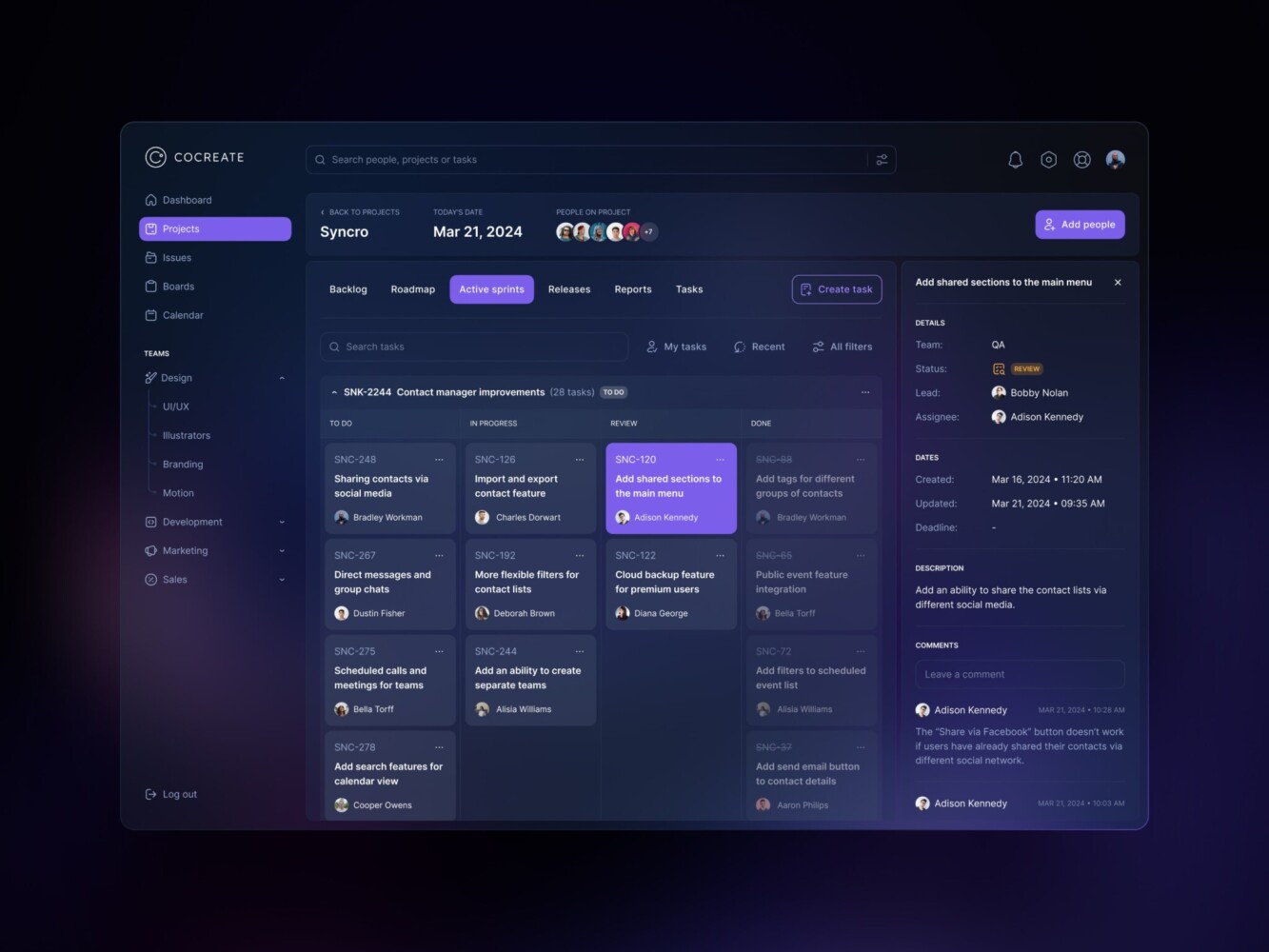
Management Dashboard by Shakuro
Corporate Learning and Development Portal
Visual.Craft is an online education website focused on learning courses for internal teams and industry professionals. Their goal was to build an all-in-one web portal with video courses, and that’s how they ended up collaborating with Shakuro.
Challenge
Low-level engagement for learners, lots of video and downloadable materials, slow communication, scalability.
Solution
To increase engagement, we added a community hub with discussions and chats. All distractions were removed from the UI, turning videos into a focus point. We established a simple workflow: find videos, watch them, download additional resources, and discuss results with tutors and other learners.
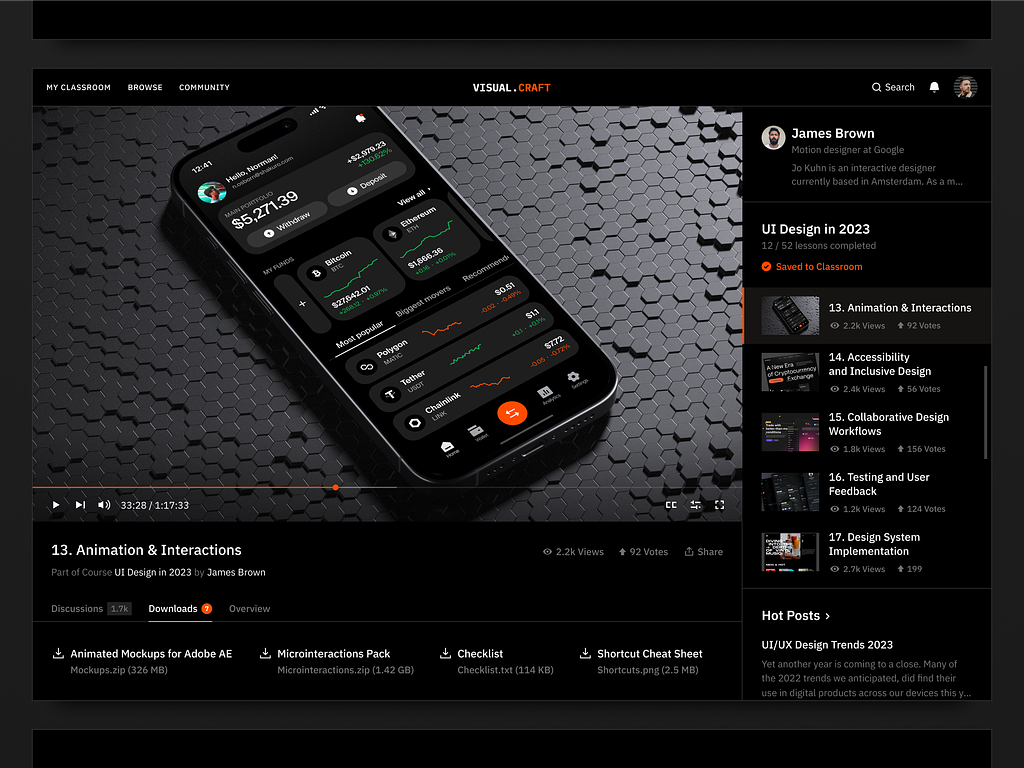
Online Education Website Design by Shakuro
Performance Review and Analytics Dashboard
For one of our clients, who needed a versatile HR solution, we also created an interactive sales analytics dashboard.
Challenge
Representing data clearly from multiple channels, complex dashboards, smart filters, algorithms, and widgets.
Solution
We designed an intuitive layout with separated sections for each report. It was easy to check monthly and yearly sales performance, compare it with others, and adapt the strategy. Numerous filters allowed managers to fine-tune the dashboards to the current needs. We also paid attention to accessibility and visual load, adding color accents and white space.
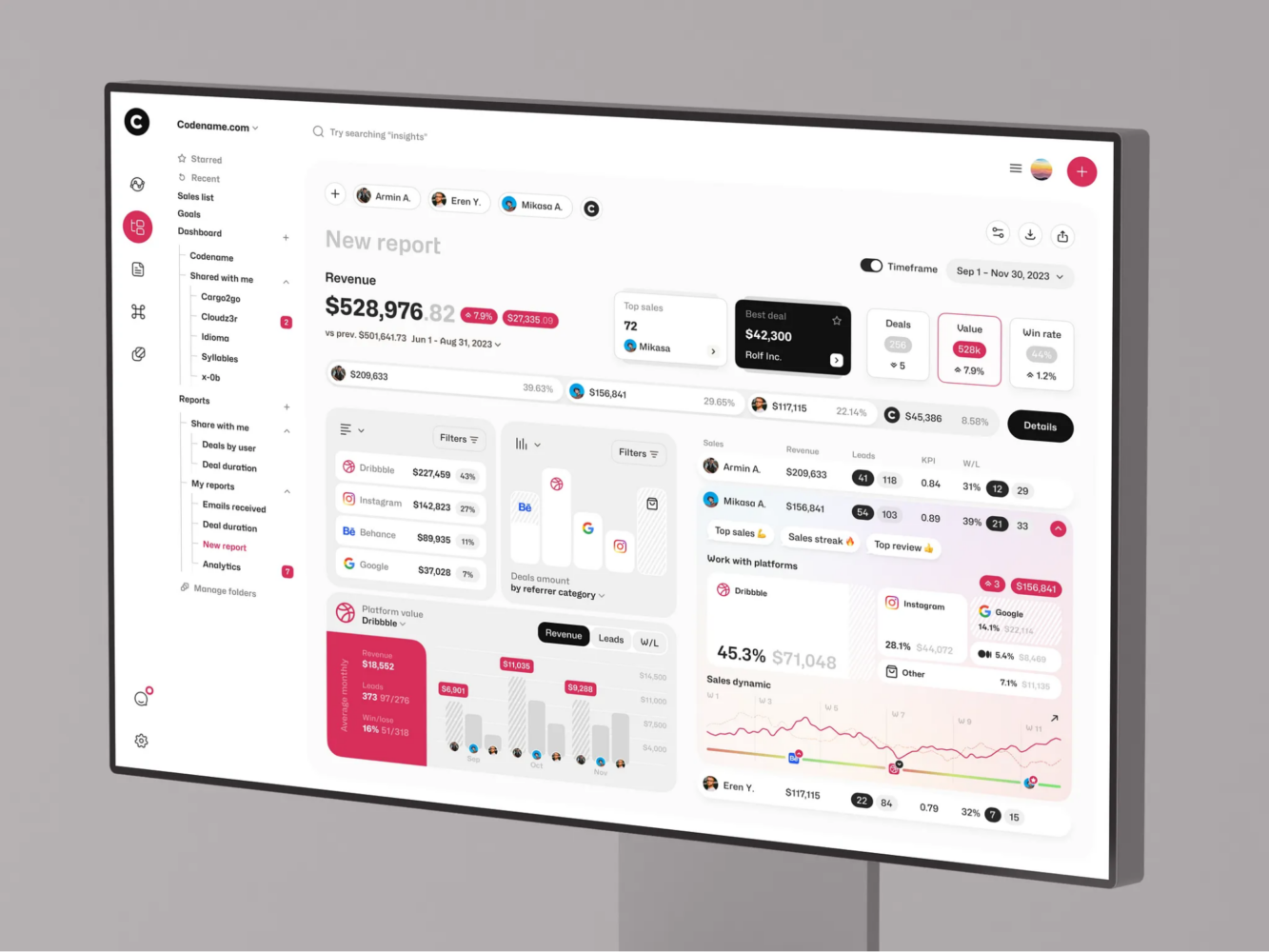
Sales Tracking SRM Dashboard UI/UX Design by Shakuro
Client Testimonials
They were attentive, adaptive, and responsive, ensuring that all our requirements were met with a high degree of precision. (c) Smace
Their dedication to customer satisfaction has not only earned our trust but also solidified Shakuro as an indispensable partner in our journey towards excellence. (c) Boutique Travel Agency
They were very communicative and responsive. They anticipated my questions and, more often than not, answered them before I asked, especially when it came to deliverables and the timing of delivery. (c) Collectibles Grading & Authentication Company
Their capacity to distill complicated information into accessible formats truly sets them apart. (c) Hyphen Global AG
You could truly tell that Shakuro cared just as much as our company about the final delivery. (c) Pebble
What impressed us the most was their ability to find creative, functional, effective, and unique solutions. (c) Mirko Romanelli
Thanks to the robust platform developed by Shakuro, we have grown the business three times and now have 20 instructors offering courses. (c) Proko
Why Choose Us as Your HR Software Development Partner
Proven Experience in HR and Enterprise Solutions
We’ve spent years knee-deep in it, living through the messy parts: payroll go-live disasters, last-minute compliance changes, etc. For 19 years, our team has worked with scaling startups, mid-sized firms replacing legacy software, and enterprise teams needing custom modules. So we get how HR actually works in the trenches.
And we speak both languages: tech and people ops. So when HR says, “We need faster approvals,” we ask, “Who’s stuck? Where does it bottleneck?” Then fix the real problem.
End-to-End Development Capabilities
Agencies often hand you off at every stage. Analyst → designer → dev team → QA vendor. Feels like passing a baton in the dark.
We don’t do that. From day one to launch and beyond, it’s the same team. You work directly with the people building your system—no layers, no miscommunication.
- Need discovery? We do it.
- Design mockups? In-house.
- Frontend, backend, mobile, DevOps? All covered.
- Support? 24/7, with backup plans.
We strive to be a true business partner who is flexible, involved, and aligned with your pace.
Agile Methodology and Transparent Processes
While providing HR software development services, we run lean sprints. The team sets a certain timeframe, and you see what’s done. Your team clicks through new features and says “yes,” “no,” or “let’s tweak this.”
During our meetings, there is no jargon. We use Notion, Jira, or whatever you prefer to track the progress clearly. Check tasks, comment, and discuss, like in a true collaboration. If something slips, we tell you early. Not “Oh, it’ll be ready soon,” but real talk: “This API is slower than expected, pushing by three days. Here’s our fix.”
Scalable, Future-Ready Architecture
You need a system that won’t hold you back when things change. Our developers design differently, following the APIs-first approach with modular architecture and a cloud-native setup.
We also future-proof quietly:
- Use cloud services that auto-scale.
- Store data in flexible formats.
- Build integrations as swappable modules.
Focus on ROI and Measurable Results
You’re not seeking HR software development services for fun. You want results: less admin time, fewer errors, faster hiring, happier teams, etc. That’s why, apart from delivering features, we track impact.
After launching, we measure:
- Time to process onboarding dropped.
- HR ticket volume.
- Employee satisfaction with HR services.
That’s ROI you can show investors, leadership, or your own gut. We’re not into vanity metrics. No “We shipped 12 features!” unless they actually helped. Instead, we ask:
- What pain did this solve?
- How much time/money did it save?
- Can we measure adoption?
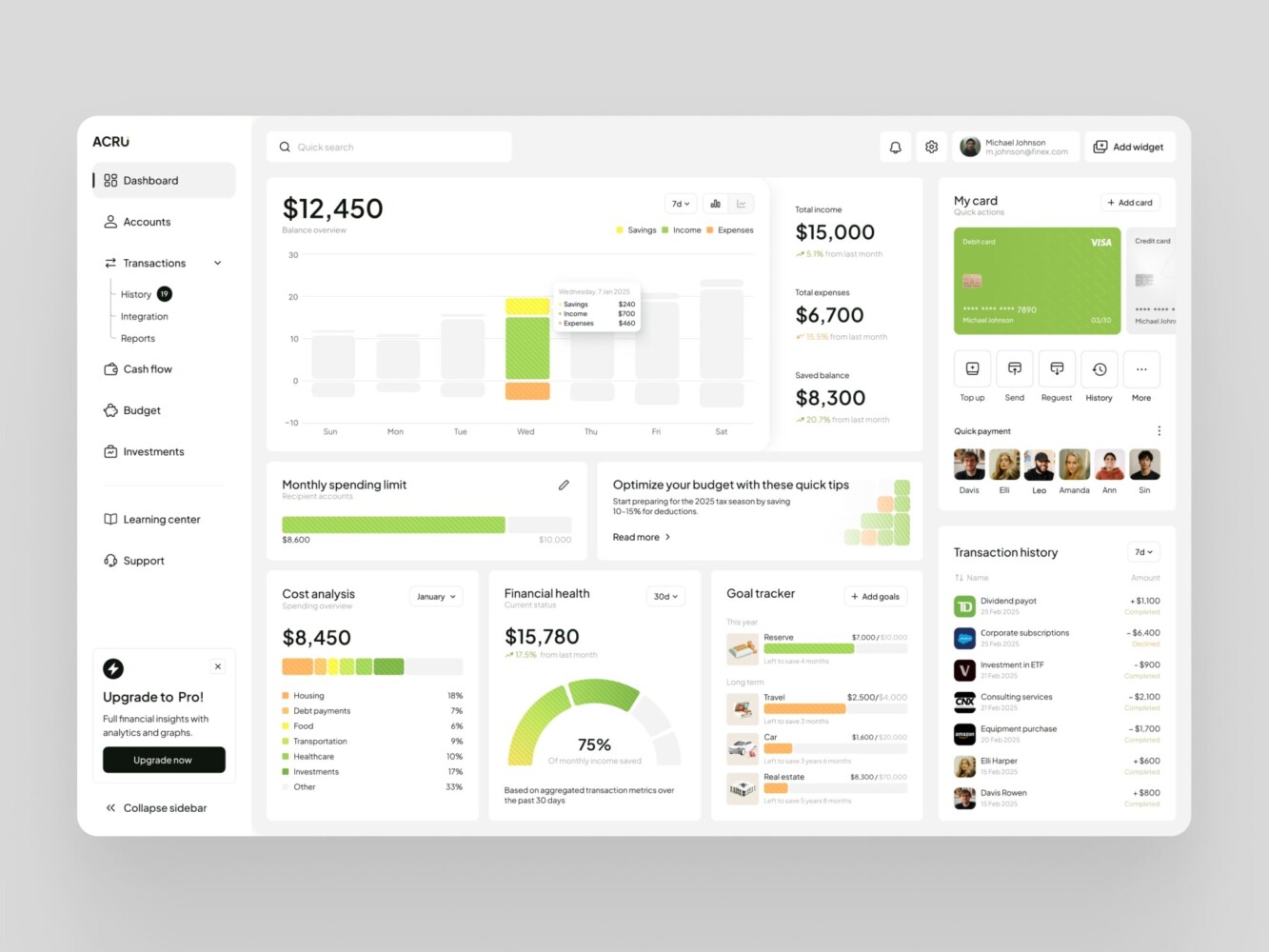
Dashboard Design for Personal Finance Management by Shakuro
Pricing Models for HR Software Development
Fixed-Price Projects
Fixed-price is the “classic” model. You define the scope upfront, and the agency gives you a set price. What you see is what you pay. Great for well-defined projects where requirements aren’t shifting every week.
But if you try to add something later, that’s a change request with extra cost. Moreover, if your initial scope was fuzzy, there is a risk of delays or tension. So fixed-price works best when you know what you want, not when you’re still figuring it out.
Time & Material Model
This one’s more flexible. You pay for actual time spent—hours logged by devs, designers, QA—plus any tools or cloud costs. Just like hiring a contractor: you know the hourly rate, but the final bill depends on how long things take.
Early on, stuff changes quickly. One week you’re focused on leave management; the next week, payroll sync becomes urgent. T&M lets you pivot without rewriting contracts.
The downside is obvious: it’s harder to predict total cost. At Shakuro, we counter that with transparency and offer weekly reports, live dashboards, clear estimates, etc. If you value adaptability over rigid budgets, this model fits like old jeans.
Dedicated Development Team
This is the “rent-a-team” setup. You get a dedicated group working on your project full time, like an extension of your own staff. It’s common with companies building long-term HR platforms or planning multiple releases.
HR software cost is usually a monthly retainer based on team size. For example, $8k–$15k/month for 3–5 people.
The model’s biggest perk is consistency. Same devs throughout, deep knowledge, faster decisions. Great if you’re moving fast and need bandwidth, like prepping for global expansion or a major compliance shift. But you have to commit. You’re in it for the medium-to-long haul.
Custom Pricing Based on Requirements
Sometimes, cookie-cutter models don’t fit, and you need custom pricing.
We sit down, map your real needs (features, pain points, timelines, risk factors) and build a plan that matches. Maybe it’s a hybrid: a fixed price for core modules, T&M for ongoing tweaks, or a phased rollout with separate budgets per stage. Custom pricing is about aligning cost with your reality and budget.
So if you’re somewhere between “I need something simple” and “We’re building the future of HR ops,” this is where we figure it out together.
HR software development pricing models at a glance:
| Pricing model | How you pay | Works best when |
| Fixed-price | Set price for a scope defined upfront; later additions are change requests with extra cost | Requirements are well-defined and not shifting |
| Time & Material | Actual hours logged by devs, designers, QA, plus tools or cloud costs | Requirements change quickly; adaptability matters more than a rigid budget |
| Dedicated development team | Monthly retainer based on team size, e.g. $8k–$15k/month for 3–5 people | Long-term HR platforms or multiple releases |
| Custom pricing | Hybrid: fixed price for core modules, T&M for ongoing tweaks, or separate budgets per stage | Standard models don’t fit your needs |

Estimated Timeframes
Discovery and Planning
You map pain points, figuring out what actually needs fixing. The process typically takes from 2 to 4 weeks, depending on scope.
For instance, a simple self-service portal takes about two weeks. Something bigger, which includes workshops, user stories, tech assessments, even competitor lookups, is closer to four. So yeah, this isn’t filler time. It’s foundation-laying. And the clearer you are now, the fewer surprises later.
Design and Development
Design starts first with wireframes, UI mockups, and prototypes you can click through. The goal is to make sure it feels right before writing a single line of code. Usually takes 2–3 weeks for core flows.
Then dev kicks in. You start seeing real progress like login screens, forms, dashboards, and so on.
Timeline depends on complexity:
- Basic module (e.g., leave tracking): ~6 weeks
- Mid-range (onboarding + employee records): 8–10 weeks
- Full HR platform: 4–6 months
To speed things up, use parallel tracks when possible: frontend and backend at the same time, mobile version after web MVP. And yes, look through and test your builds early. No “wait until it’s perfect.” First version might be ugly, but it works.
Testing and Launch
Yeah, about testing. You’d think it is just clicking around and saying “looks good.” Nope. Real QA takes 2 to 4 weeks, depending on size.
Test everything:
- Functional stuff (“Does PTO balance update correctly?”)
- Edge cases (“What if someone requests negative days?”)
- Performance (How fast does it load with 500 users?)
- Security (Are roles properly restricted?)
- Browser/device compatibility (yes, even that old iPad in the office)
Automated tests help, but humans still catch weird user flows. Like when a manager approved a leave request, however, the system didn’t notify the employee. Once clean, you prep launch:
- Data migration (from spreadsheets or old tools)
- Final training videos or docs
- Phased rollout plan (start with one team, then expand)
HR software development timeline by phase, based on the estimates above:
| Phase | Typical timeframe |
| Discovery and planning | 2 to 4 weeks (about two weeks for a simple self-service portal) |
| Design of core flows | 2–3 weeks |
| Development: basic module (e.g., leave tracking) | ~6 weeks |
| Development: onboarding + employee records | 8–10 weeks |
| Development: full HR platform | 4–6 months |
| QA and testing | 2 to 4 weeks |
Maintenance and Scaling
Everything changes with time, and so should your solution. Ongoing maintenance isn’t optional.
We usually recommend:
- Monthly check-ins with bug fixes, small tweaks
- Quarterly updates like new features, UX polish
- Annual audit for security, compliance, performance tune-up
Scaling should be baked in from the start. Need to add performance reviews next year? Plug it in. Expanding to Europe? Adjust data flows and privacy settings.
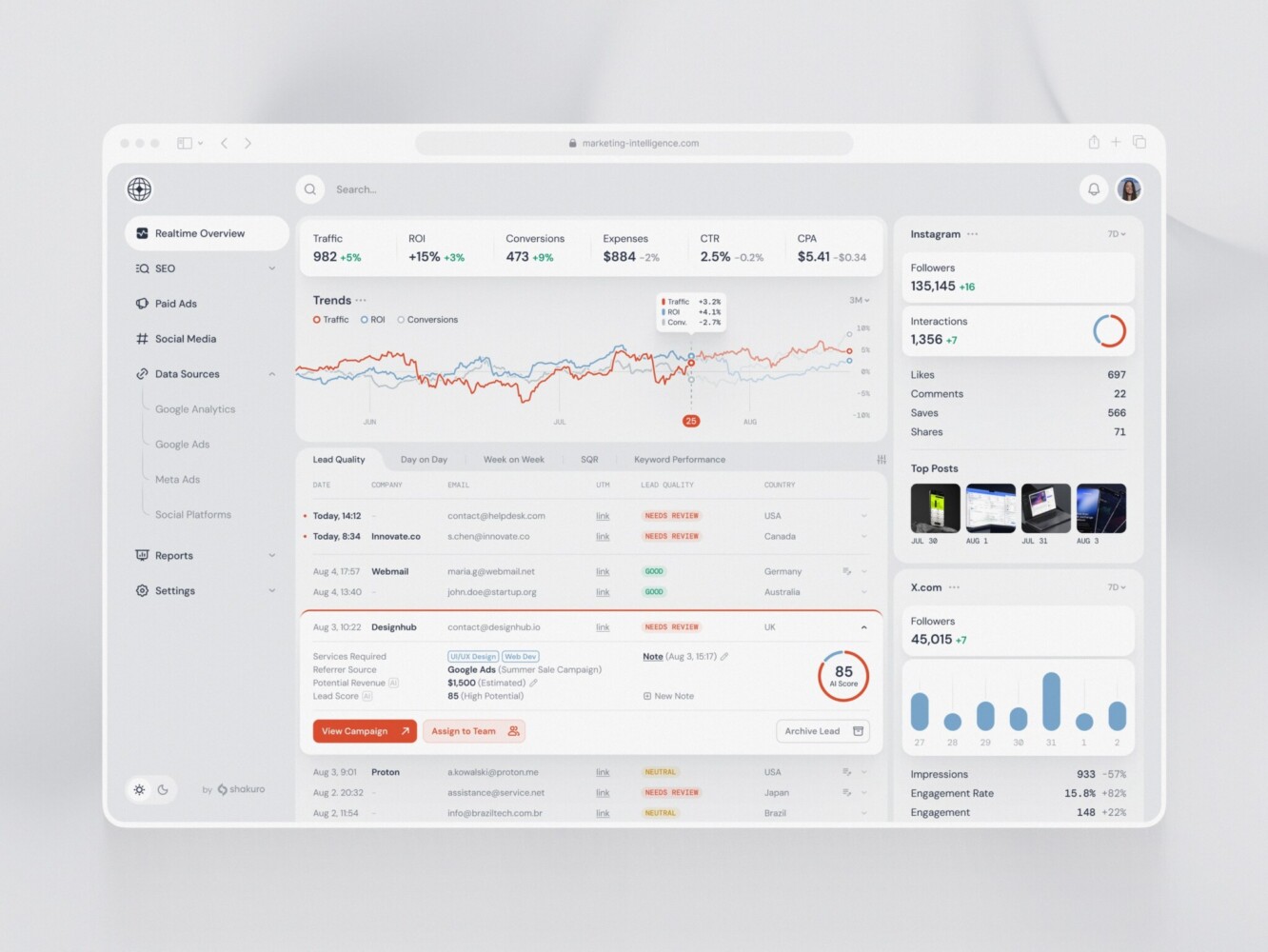
SaaS Marketing Dashboard by Conceptzilla
Related Digital HR Transformation Services
Employee Portal Development
A good employee portal is clean, fast, and puts everything in one place: payslips, leave requests, training modules, company news, and other things. Apart from access, you deliver experience. Mobile-friendly design, dark mode (because 2 AM logins happen), multilingual support for global teams—that’s just a short list.
One cool tweak to add is personalized dashboards. New hires see onboarding tasks. Managers get team alerts. Execs view headcount reports. Same system, different views. The best part is you don’t need to build it from scratch. You can layer it on existing HR tools or use platforms like SharePoint, WordPress, or custom frontends with API backends.
Digital Workplace Implementation
“Digital workplace” is the whole ecosystem of tools, workflows, culture woven together so remote or hybrid teams don’t feel fragmented. It’s about building a rhythm that works, no matter where people are.
First thing first, you need to map how people collaborate, where friction lives, then stitch tools together.
Key moves:
- Centralized document hubs
- Clear communication rules)
- Async-first mindset
Don’t forget to bake in wellbeing: digital detox reminders, flexible hours tracking, and virtual coffee pairings.
Enterprise Collaboration Tools
One of the main goals for enterprise HR software solutions is to make teamwork intentional.
You can streamline the mess by:
- Consolidating channels
- Integrating task management)
- Adding smart search across tools
Security also matters. Consumer apps often lack audit trails or compliance controls. So swap in enterprise-grade versions: Slack Enterprise Grid, Microsoft Teams with data loss prevention, or self-hosted options like Mattermost.
Still, no point in rolling out a slick new tool if no one uses it. So bake in training, champions, and even fun nudges, because collaboration shouldn’t feel like herding cats.
Business Process Automation
BPA takes those repetitive, soul-sucking tasks, like approvals, onboarding steps, report generation, and makes them run themselves.
Example: one client had managers manually copying project roles into HR records. Every. Single. Time. We sped it up with HR automation software, so when a person was assigned in Asana, a webhook triggered an update in the HR system.
Common wins we see:
- Auto-create user accounts on hire (Slack, email, payroll)
- Trigger offboarding flows when exit date hits
- Send birthday e-cards + $25 gift card (small, but people notice)
- Sync performance review deadlines with calendar
As for the tools, you can try using Zapier or Make for lightweight stuff and custom scripts or RPA bots for heavier lifting.
FAQ
How much does HR software development cost?
Cost is estimated from your scope rather than a ballpark: the work is split into discovery and design, core modules, integrations, mobile access, advanced features and ongoing support. With a dedicated team, HR software development is usually billed as a monthly retainer based on team size, for example $8k-$15k/month for 3-5 people. Fixed-price suits a well-defined scope, while time and material fits requirements that still shift week to week.
How long does HR software development take?
A full HR platform takes 4-6 months of development, while a basic module such as leave tracking needs about 6 weeks, and onboarding plus employee records takes 8-10 weeks. Discovery comes first and typically takes 2 to 4 weeks; QA before launch takes another 2 to 4 weeks. Building frontend and backend in parallel and shipping mobile after the web MVP shortens the schedule.
Should I build custom HR software or customize an existing HRIS?
Customize when you already run a solid mid-tier HRIS and the problems are approval flows, fields or a reporting dashboard: tuning workflows and UI is cheaper and faster than a rebuild. Custom HR software development makes sense when your processes do not fit generic tools, for example contractors that must be flagged differently in reporting or bonuses tied to OKR completion. Patching too much onto a rigid system eventually stops making sense.
Can HR software development start with an MVP?
Yes, starting small is the usual route for startups. Pick the biggest pain point, often onboarding, build and test that piece, then add payroll or performance modules later. A discovery phase with HR staff, managers and employees shows what should go first. Modular architecture lets each module be tested and deployed independently, and a flexible backend such as Supabase or Firebase keeps early versions easy to change.
Which compliance standards apply to HR software development?
The set is defined by where your employees are and what data you process. GDPR covers employee data in the EU, CCPA covers California residents including employees, and HIPAA matters in US healthcare. Global payroll can bring SOX, SOC 2 and ISO 27001 requirements. In the product this means role-based access, audit logs, encryption in transit and at rest, and automated data erasure with logs of what was deleted.
What maintenance does custom HR software need after launch?
Plan for regular maintenance from the start: monthly check-ins for bug fixes and small tweaks, quarterly updates with new features and UX polish, and an annual audit of security, compliance and performance. Support also covers log monitoring, dependency updates and API changes in connected tools. You do not need a big team for this; a fractional engineer, a retainer with a dev shop or a skilled no-code admin can handle it.
Get Started with Custom HR Software Development
Discuss Your HR Challenges
You’re here because something’s not working. Whatever it is, we want to hear it. Say it how you feel it:
- “Our HR person is drowning in admin.”
- “I can’t get a simple headcount report without waiting three days.”
- “We lost a candidate because our offer process took two weeks.”
We’ll sit down, ask questions, and talk to your team. Just a conversation to understand what’s broken, what matters most, and where you want to go.
Estimate Project Costs
Okay, now you’re thinking, “Great, but what’s this gonna cost me?” Fair question. We don’t give ballpark guesses like “$50k–$150k.” Instead, we build a realistic estimate based on your scope. After we map your needs, we break it down to phases: discovery & design, core modules, integrations, mobile access, pro-level features, and ongoing support.
Then we offer suitable options:
- MVP first: Start with must-haves, launch fast
- Full platform: All core modules, integrations, mobile
- Phased rollout: Pay as you go, focus on one pain point at a time
If the budget’s tight, our managers help you prioritize. Build the thing that saves you 80% of the pain for 30% of the cost.
Plan Your Digital HR Transformation
Together, we plan the journey:
- What launches first?
- Who’s involved?
- How do we train people without overwhelming them?
- When do we scale to the whole company?
We help set milestones that represent real, trackable goals. For instance, cut onboarding time from 10 days to 3. And we stay flexible. If something isn’t working, we tweak it fast. Our team becomes the co-pilot, a partner in making your HR work for people.
Related reading