Vertical SaaS development is building software for one industry: its terminology, workflows, data models, compliance rules, and the niche tools it already uses. An MVP that solves one core workflow for one user type usually costs $50,000–$150,000, a market-ready product with more workflows, roles, and integrations $150,000–$400,000, and an enterprise platform with heavy compliance such as HIPAA or SOC 2 $500,000 to $1 million+.
The main risk is turning into a collection of custom builds. Industry experts call every workflow essential, early customers ask for their own versions, and each one-off request tends to become custom code. Strong teams start with one narrow, expensive problem, design for configuration through settings and feature flags, and get tenant isolation, permissions, and integrations right from day one. Check exactly that when you choose a SaaS web development team or compare offers for SaaS app development.
Below, we cover how vertical SaaS differs from horizontal software, core features, architecture, the build process, security and compliance, cost, common challenges, a portfolio example, and choosing a partner.
Key takeaways:
- Go deep, not wide. Vertical SaaS wins by solving specific, expensive problems for a niche audience rather than offering generic features for everyone.
- Domain expertise is your moat. Success depends on encoding real industry knowledge—terminology, workflows, and compliance—into the product, not just slapping on an industry label.
- Start with one painful workflow. Your MVP should solve a single, critical problem exceptionally well. Avoid feature creep and let user demand pull you into adjacent areas.
- Build for configuration, not customization. Design your architecture to handle tenant-specific needs through settings and flags. Custom code for individual clients kills scalability.
- Compliance and integrations are non-negotiable. In vertical markets, security standards (like HIPAA or SOC 2) and seamless connections to legacy tools are often deal-breakers, not nice-to-haves.
What Is Vertical SaaS?
Vertical SaaS vs Horizontal SaaS
Think of horizontal SaaS like a Swiss Army knife. It’s got a blade, a screwdriver, maybe some scissors. Useful for almost anyone, anytime. For example, Slack, Salesforce, Zoom—they’re everywhere because they solve universal problems. Communication, customer management, video calls, etc. You don’t need to be a dentist or a developer to get value from them.
Vertical SaaS is different. It’s more like a specialized surgical tool. Or a high-end espresso machine. It does one thing, but it does it incredibly well for a very specific group of people. Instead of trying to be everything to everyone, it goes deep.
The difference isn’t just in the features. It’s in the mindset. Horizontal tools ask, “How can we help businesses communicate?” Vertical tools ask, “How can we help dental practices manage patient recall schedules while staying HIPAA compliant?” See the shift? One is broad and shallow. The other is narrow and deep. And that depth is where the magic happens. You stop competing on price and start competing on expertise.
Common Vertical SaaS Examples
You see this popping up everywhere now. Take healthcare. There are platforms built solely for mental health therapists, handling scheduling, notes, and insurance billing in a way that generic CRMs simply can’t touch.
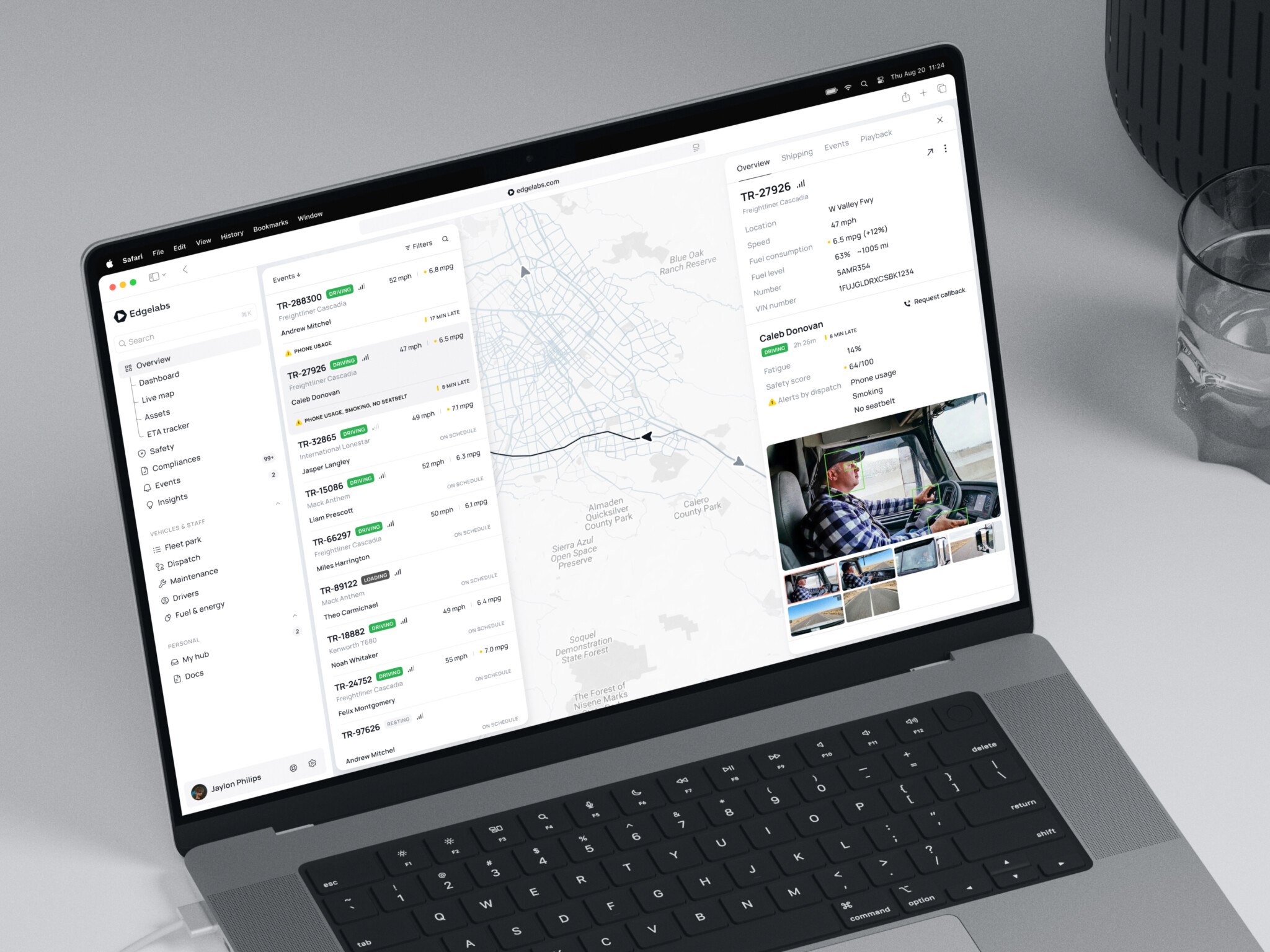
Logistics is another big one. Trucking companies have wildly specific needs around fuel taxes, driver logs, and load matching. A generic project management tool won’t cut it. Same with construction. Think about subcontractors needing to track change orders and lien waivers. That’s not something you find in Trello.
Legal services have their own ecosystem, too. Case management software that understands court dates and billable hours in six-minute increments. Even fintech has gone vertical, with accounting software built specifically for e-commerce sellers or freelance creatives.
And energy? Grid management tools for renewable providers. The list goes on. If an industry has paperwork, regulations, and unique workflows, there’s probably a vertical SaaS playing in that space.
What Makes a Product Truly Vertical
It’s not enough to just slap an industry name on your landing page. That doesn’t work. Users smell it a mile away.
A true vertical SaaS platform speaks the language. It uses the right terminology. If you’re building for hospitals, you better know what CPT codes are. If it’s for restaurants, you need to understand front-of-house vs. back-of-house dynamics. This isn’t just cosmetic. It builds trust.
As for the workflows, generic tools force you to adapt your process to their logic. Vertical tools adapt to yours. They mirror the actual steps people take in their day-to-day jobs. No workarounds needed.
Data models matter too. A real estate platform needs to think in terms of properties, leases, and tenants. A logistics platform thinks in loads, routes, and drivers. The underlying structure reflects the industry’s reality.
And let’s not forget compliance and integrations. Healthcare has HIPAA. Finance has SOC 2 and GDPR. Construction has lien laws. A vertical SaaS bakes these requirements into the core product, so users don’t have to jump through hoops. Plus, it integrates with the other niche tools already in use. QuickBooks for accountants, Epic for hospitals, Procore for builders. If you’re not playing nice with the existing stack, you’re adding friction, not solving it.
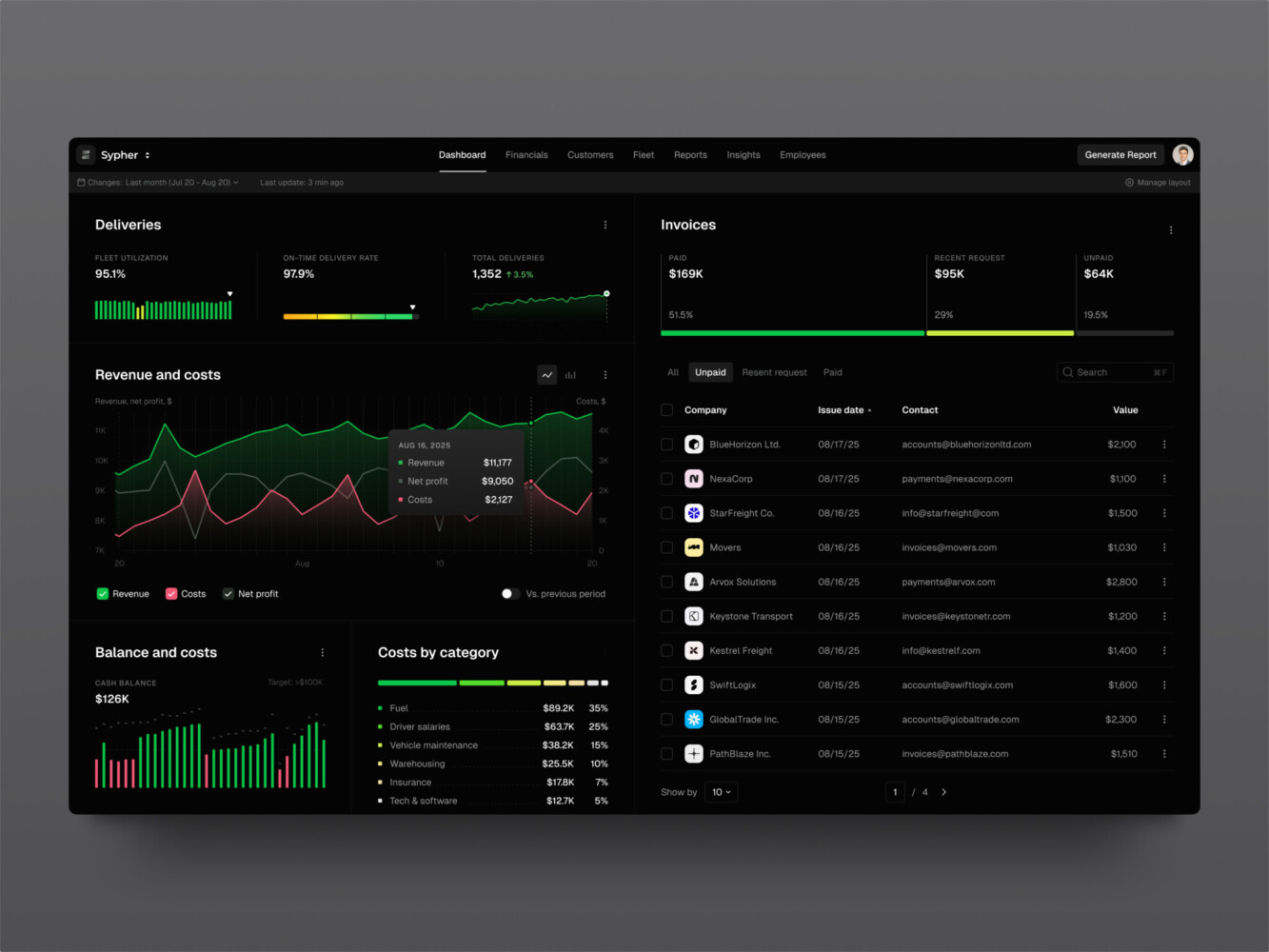
SaaS analytics platform by Shakuro
Why Businesses Invest in Vertical SaaS Development
Going vertical feels risky. You’re voluntarily shrinking your potential audience, right? That’s scary when you’ve got investors asking about TAM. But a smaller, well-defined market often leads to faster product-market fit. You’re not guessing what “businesses” want. You know exactly what plumbers or vet clinics need because you’re talking to them constantly. The feedback loop is tighter. Less noise, more signal.
And that specificity unlocks workflow automation that actually sticks. Generic tools automate tasks. Vertical tools automate processes. Think about it. A horizontal tool might help you send emails faster. A vertical tool for property managers automates the entire lease renewal cycle, including compliance checks and payment reminders. It’s baked in. Users don’t have to configure anything. They just use it. That saves real time, not just hypothetical efficiency gains.
This depth also creates higher switching costs. Not in a predatory way, but in a “this tool is woven into how we operate” way. When your vertical SaaS solutions understand industry-specific data models and integrate with niche third parties, leaving becomes painful. Competitors can’t just undercut you on price. They’d have to rebuild years of domain knowledge. That defensibility is worth its weight in gold.
As for analytics, generic dashboards show vanity metrics. Vertical analytics answer business-critical questions. A restaurant platform doesn’t just show sales; it shows table turn times during peak hours. A logistics tool doesn’t just track shipments; it predicts detention risks at specific ports. It’s operational intelligence. Founders love this because it turns their product from a cost center into a strategic asset.
Expansion gets easier too. Once you own a core workflow, adjacent opportunities reveal themselves naturally. Started with scheduling for therapists? Add telehealth. Built invoicing for contractors? Layer on lien management. You’re not chasing random features. You’re following the user’s journey. Growth feels organic, not forced.
Ultimately, the goal is to become the system of record. The single source of truth for an industry’s critical data. That’s where network effects kick in. Vendors want to integrate with you. Regulators reference your standards. Customers rely on you for benchmarking. It’s a powerful position.
But yeah, the trade-offs are real. Your ceiling is lower. Domain expertise takes time and money to acquire. Mistakes are costlier because users expect perfection in their niche. Onboarding can be heavier. If you pick the wrong vertical, that hurts. Still, for teams willing to go deep, the rewards often outweigh the constraints.
Core Features of a Vertical SaaS Platform
Industry-Specific Workflows and Data Models
This is the backbone. If you get this wrong, nothing else matters. In vertical SaaS, your data model needs to mirror the real world of your industry. For a construction platform, that means understanding the hierarchy of projects, sub-projects, and punch lists. For healthcare, it’s patients, encounters, and care plans.
The workflows should feel inevitable. Like, “of course it works this way.” If a user has to click five times to do something they do fifty times a day, you’ve failed. The software should anticipate their next move. It’s about reducing cognitive load, not just adding buttons.
Multi-Tenancy and Tenant Configuration
You’re building one codebase, but every customer feels like they have their own instance. That’s the promise of multi-tenancy. However, vertical customers often have weird, specific needs. One law firm might need a different case numbering system than another. A hotel chain might have unique room categories.
Your architecture needs to handle this flexibility without becoming a spaghetti mess. Think feature flags, configurable fields, and modular components. You want to say “yes” to customization without saying “yes” to custom code for every client. But make it too rigid, and you lose deals. Too flexible, and your engineering team cries. Find the sweet spot where configuration covers 80% of the requests.
Roles, Permissions, and Audit Trails
In many industries, who sees what isn’t just a preference—it’s a legal requirement. Healthcare has HIPAA. Finance has strict access controls. Even in less regulated spaces, hierarchy matters. A junior associate shouldn’t see the same financial data as a partner.
Your permission system for vertical SaaS needs to be granular. Not just “admin” and “user,” but role-based access that reflects actual job functions. And don’t forget audit trails. When something goes wrong—and it will—you need to know who did what, when, and from where. It’s not just for security; it’s for trust. Users feel safer knowing there’s a paper trail. It shows you take their data seriously.
Subscription Billing, Plans, and Feature Entitlements
Money matters. But vertical SaaS billing can get tricky. Are you charging per user? Per location? Per transaction? Sometimes it’s a mix. Your billing engine needs to handle these complexities without breaking a sweat.
Feature entitlements are key here. You want to upsell naturally. Maybe the basic plan handles scheduling, but the pro plan adds advanced analytics. The transition should be seamless. No awkward “contact sales” walls if you can help it. Let users see the value before they pay. And make sure your system can handle upgrades, downgrades, and prorations automatically. Nothing kills momentum like a manual invoice for a simple plan change.
Dashboards, Reports, and Operational Analytics
Data is useless if it’s not actionable. Generic dashboards show charts. Vertical dashboards show insights. A restaurant owner doesn’t care about “total sessions.” They care about food cost percentage and labor hours vs. sales.
In vertical SaaS development, build reports that answer the questions your users are already asking their managers. Make them exportable, sure, but also make them visual and easy to digest at a glance. Operational analytics should help them run their business better, not just report on how it went last month. Real-time data is a huge plus here. If you can help them spot a problem before it becomes a crisis, you’re indispensable.
APIs and Industry-Specific Integrations
No software lives in isolation. Your vertical SaaS needs to play nice with the other tools your customers already use. This is about having the right integrations.
If you’re in ecommerce, you need Shopify and WooCommerce. In healthcare, it’s EHRs like Epic or Cerner. In accounting, it’s QuickBooks or Xero. Pre-built integrations are a massive selling point. They reduce onboarding friction and make your product stickier. Don’t make your users build their own connectors. Do the heavy lifting for them. It shows you understand their ecosystem.
Onboarding, Support, Notifications, and Customer Lifecycle Tools
Vertical SaaS often has a steeper learning curve because it’s more specialized. Your onboarding needs to reflect that. It’s not just a tooltip tour. It’s guided setup, maybe even concierge onboarding for larger clients. Help them get to value fast.
Support should be knowledgeable. Generic support scripts won’t cut it when a user asks about a niche regulatory issue. Your team needs to speak the language. Notifications should be timely and relevant, not spammy. And think about the whole lifecycle. How do you keep them engaged after month three? How do you identify at-risk customers before they churn? Build tools that help you manage these relationships, not just react to them. It’s about partnership, not just transactions.
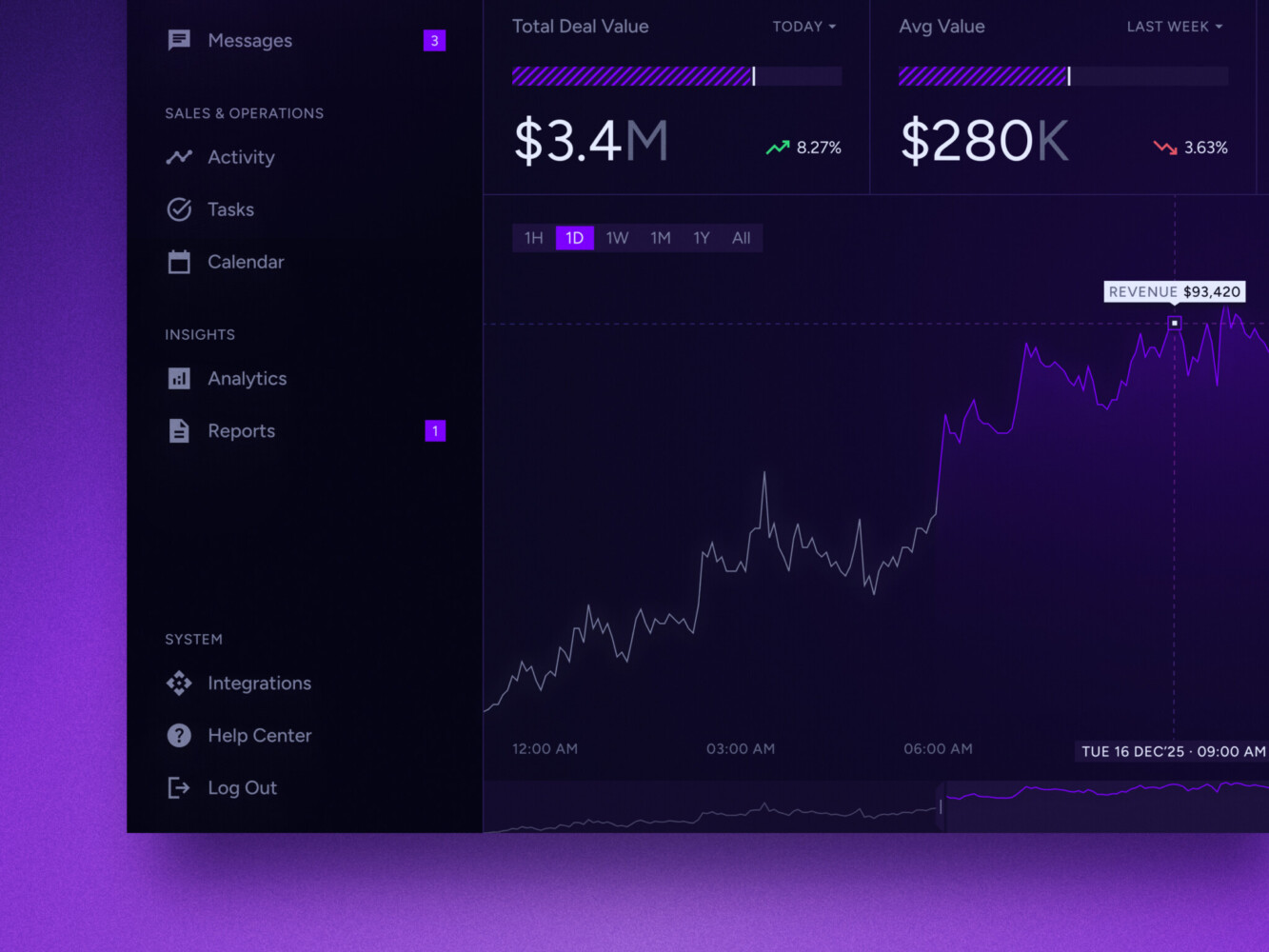
Real-time data dashboard by Shakuro
Vertical SaaS Architecture and Technology Stack
Building reliable architecture doesn’t mean picking the coolest tech. It’s about making choices that let you sleep at night while your users hammer on the system. With vertical SaaS development, the stakes are a bit higher because you’re dealing with sensitive industry data and complex workflows. So, how do you structure it?
First up, multi-tenancy. This is where most founders get stuck. You have three main paths here. The shared-database model is the cheapest and easiest to start with. Everyone lives at the same tables, separated by a tenant ID. It’s great for cost efficiency, but if one noisy neighbor hogs resources, everyone suffers. Plus, customization is a nightmare.
In the separate-schema approach, each tenant gets their own set of tables within the same database instance. It offers better isolation and makes backups or migrations for specific clients easier. It’s a middle ground—more secure than shared, but not as expensive as going full silo.
Finally, the database-per-tenant model. This is the gold standard for isolation. If a hospital needs their data physically separated for compliance reasons, this is your go-to. But man, it’s costly. Managing hundreds of databases is no joke. You need serious automation. The tradeoff is clear: more isolation and customization potential, but much higher operational overhead. Pick based on your customers’ paranoia levels and your budget.
On the backend, keep it modular. Monoliths are fine for day one, but vertical SaaS grows weirdly. One client wants a new reporting module; another needs a custom integration. Microservices, or at least well-defined modules, help you scale these features without breaking the core. APIs are the glue here. They let you connect to those niche industry tools we talked about earlier. Make them robust and well-documented. Your future self will thank you.
For the frontend, speed and clarity matter. Dashboards need to load fast and present complex data simply. React and Next.js are popular choices right now because they handle dynamic content well and offer good SEO if you have public-facing pages. But honestly, the framework matters less than the UX. If a user can’t find their invoice in two clicks, the tech stack doesn’t matter.
Database-wise, relational databases like PostgreSQL or MySQL are still the workhorses. Vertical data is structured. Patients have records. Properties have addresses. Transactions have dates. You need that integrity. NoSQL has its place, sure, but don’t force it where it doesn’t fit.
Infrastructure for vertical SaaS solutions should be cloud-native. AWS, Azure, GCP—pick one and stick to it. Use Kubernetes for orchestration if you’re going the microservices route. It adds complexity, but it handles scaling beautifully. Terraform is a lifesaver for infrastructure as code. You want to be able to spin up new environments or recover from disasters with a script, not a panic attack.
Speaking of disasters, monitoring and backups are non-negotiable. Prometheus and Grafana give you visibility into what’s happening under the hood. You need to know if latency spikes before your users tweet about it. And backups? Test them. Regularly. A backup you haven’t restored is just a hope, not a strategy. Disaster recovery plans should be simple enough to execute when you’re half-asleep at 3 AM.
At Shakuro, we’ve seen how these pieces fit together in real projects. We often lean on React/Next.js for the frontend because it’s flexible and fast. For the backend, Python or .NET depending on the client’s existing ecosystem or performance needs. PostgreSQL is our default for data integrity. Kubernetes and Terraform handle the heavy lifting of deployment and scaling. And for keeping an eye on things, Prometheus and Grafana are our go-tos for monitoring.
But don’t copy this stack blindly. If you’re building a high-frequency trading platform, maybe you need Go. If it’s a media-heavy hospitality app, maybe Node.js fits better. Technology selection is product-dependent. Solve the problem first, then pick the tools that help you solve it best. Don’t let the tech drive the product.
How to Build a Vertical SaaS Platform
Research the Industry and Validate the Problem
You can’t fake this part. So many teams build what they think an industry needs, only to launch to crickets. Go talk to people. Not just one or two, but enough to see patterns. Sit with them. Watch them work. Notice where they sigh, where they switch to Excel, where they make phone calls because the software doesn’t do it.
Map out their current tool stack. It’s probably a mess of legacy systems, spreadsheets, and email chains. Find the gaps. And don’t ignore regulations. In vertical SaaS, compliance isn’t a feature; it’s table stakes. Understand the buying process too. Who signs the check? Who uses the tool? They’re often different people with different priorities. Validate that the pain is real, urgent, and expensive. If it’s just “nice to have,” you’ll struggle to get paid.
Define the Ideal Customer Profile and Narrow the MVP
Once you know the problem, resist the urge to solve all of it. Pick one customer type. The “ideal” one. The one who feels the pain most acutely and has the budget to fix it. Then, pick one workflow. Just one. Maybe it’s scheduling. Maybe it’s invoicing. Whatever it is, make it flawless.
Your MVP shouldn’t be a stripped-down version of a big product. It should be a complete solution to a small problem. Define a measurable outcome. “Save 5 hours a week on admin.” “Reduce no-shows by 20%.” Something concrete. This focus keeps your team aligned and prevents feature creep. It’s tempting to add “just one more thing,” but don’t. Stay narrow. Depth beats breadth every time in the early days.
Design Role-Specific User Journeys
Industry-specific SaaS solutions aren’t used by just one person. Think about the ecosystem. There’s the operator doing the daily grunt work. The manager looking at reports. The admin setting up permissions. Sometimes there are external partners, like vendors or clients, who need limited access.
Each of these roles has a different journey. The operator wants speed and simplicity. The manager wants insights and control. The admin wants security and flexibility. Design for each of them. Don’t force the manager to use the same interface as the operator. Their goals are different. Map out these journeys early. It helps you spot friction points before you write a single line of code. And remember, good UI/UX design here is about making it intuitive for people who might not be tech-savvy.
Plan Architecture, Permissions, and Integrations
Now that you know who’s using it and what they’re doing, you can plan the backbone. As we discussed earlier, choose your multi-tenancy model based on your customers’ needs. If you’re dealing with sensitive data, lean towards isolation.
Permissions need to be baked in from day one. It’s hard to retrofit granular access controls later. Think about who needs to see what. Identify critical integrations for your MVP. You don’t need to connect to everything, but you must connect to the things your users can’t live without. If your vertical relies on QuickBooks, build that integration first. It reduces friction and makes your product feel like part of their existing world, not an intruder.
Build and Test the SaaS MVP
This is where MVP web development really shines. You’re not building a monument; you’re building a probe. Use tools that let you move fast. React or Next.js for the frontend allows for quick iterations on the UI. Python or .NET for the backend gives you stability and scalability.
Keep the code clean, but don’t over-engineer. You’re testing assumptions, not trying to win a beauty contest for architecture. Test rigorously, though. Not just for bugs, but for usability. Does the workflow feel natural? Are the terms correct? Get feedback early and often. The goal is to learn, not to be perfect. A polished product that solves the wrong problem is useless. A rough product that solves the right problem is valuable.
Pilot with Domain Experts and Early Customers
Before you go wide, go deep. Find a few friendly customers. Ideally, people you’ve interviewed during the research phase. Offer them a deal in exchange for brutal honesty. Let them use the product in the wild. Watch them struggle. Listen to their complaints.
Domain experts are gold here. They’ll spot nuances you missed. Maybe a certain report format is non-negotiable. Maybe a specific field label is confusing because it means something else in their industry. These pilots aren’t just about finding bugs; they’re about refining your understanding of the market. Be humble. Be ready to pivot if needed. This stage is messy, but it’s where you turn a good idea into a viable product.
Launch, Measure Retention, and Expand into Adjacent Workflows
In vertical software development, launch isn’t the end. It’s the beginning of the real work. Focus on retention, not just acquisition. Are people coming back? Are they using the core feature you built? If yes, great. If no, find out why. Churn is your best teacher.
Once you’ve nailed the initial workflow, look for adjacent opportunities. What happens before this step? What happens after? Expand naturally. If you built scheduling, maybe add payment collection. If you built invoicing, maybe add expense tracking. Let your users pull you into new features. Don’t push. This organic growth builds a robust, sticky product. And keep iterating on the UI/UX. As you add features, ensure the experience remains cohesive. Don’t let it become a patchwork quilt. Keep it tight, keep it focused, and keep solving real problems.
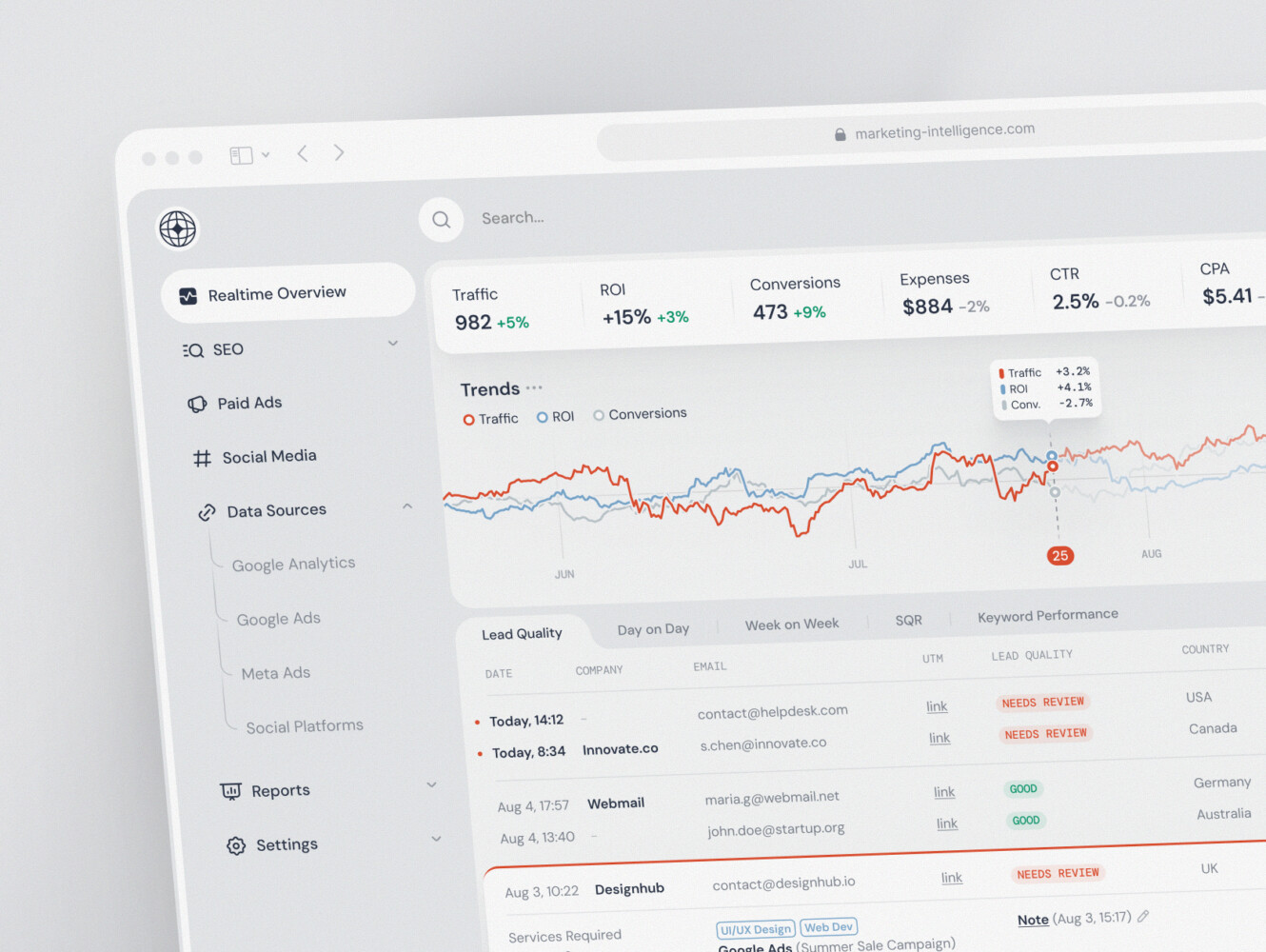
SaaS marketing dashboard by Conceptzilla

Security, Compliance, and Data Governance
In vertical SaaS, you’re often holding the keys to some pretty sensitive stuff. Patient records, financial data, legal case files. You can’t treat this like a hobby project. Your customers aren’t just buying software; they’re buying peace of mind. If they don’t trust you with their data, they won’t use your product.
Tenant isolation is step one. We talked about database models earlier, but this goes deeper. It’s about ensuring that Customer A never, ever sees Customer B’s data. Not by accident, not through a bug, not because of a clever hack. Whether you’re using shared schemas or separate databases, the logical separation must be ironclad. Test it relentlessly. Try to break it yourself before someone else does.
Encryption is non-negotiable. Data at rest, data in transit. Use strong standards. Don’t try to invent your own crypto; you’ll get it wrong. Just use the battle-tested libraries. And while you’re at it, enforce Multi-Factor Authentication (MFA). I know, users hate it. But they hate data breaches more. Make it easy to set up, maybe even mandatory for admin roles. It’s a small friction point that prevents massive headaches.
Role-based access control (RBAC) ties into this. Not everyone needs the keys to the kingdom. A receptionist doesn’t need to see payroll data. A junior developer doesn’t need production database access. Keep permissions tight. Default to “no access” and grant only what’s necessary. And log everything. Audit logs are your black box. When something weird happens, you need to know who did what, when, and from where. It’s not just for security teams; it’s for accountability.
APIs are another vector. They’re powerful, but they’re also exposed. Secure them properly. Use API keys, rate limiting, and strict validation. Don’t let anyone poke around your backend without proper credentials. And think about your backups. Are they encrypted? Are they tested? Can you actually restore from them? A backup you haven’t restored is just a file taking up space. Have a clear incident response plan too. Know who to call, what to say, and how to fix it before the crisis hits. Panic is not a strategy.
Vendor risk is often overlooked in custom SaaS development. You’re likely using third-party services—cloud providers, analytics tools, payment gateways. They have access to your ecosystem. Vet them. Make sure they’re as serious about security as you are. Your chain is only as strong as its weakest link.
Now, compliance. This is where it gets specific. HIPAA for healthcare in the US. GDPR for anyone dealing with EU citizens’ data. PCI DSS if you’re handling credit cards. SOC 2 for general trust and security assurance. These aren’t just checkboxes; they’re frameworks for how you operate. The requirements depend entirely on your industry, your geography, and the data you touch. Don’t guess. Get legal advice. Hire a compliance officer if you need to. It’s expensive, sure, but less expensive than a lawsuit or a fine.
In my experience, founders often view compliance as a hurdle. I see it as a competitive advantage. If you can say, “We’re HIPAA compliant,” you instantly unlock a market that generic SaaS players can’t touch. It’s a moat. Build it right, document it well, and let it work for you.
How Much Does Vertical SaaS Development Cost?
Look, I’m not going to give you a single number because that would be a lie. It’s like asking, “How much does a house cost?” Well, is it a shed in the backyard or a mansion on the hill? The range is massive. But we can break it down into realistic buckets so you aren’t flying blind.
First, let’s talk about the MVP. This is your “prove it works” phase. You’re building one core workflow for one user type. No fancy bells and whistles. Just the bare bones needed to solve that specific pain point. This usually lands between $50,000 and $150,000. It depends heavily on who you hire. A lean team of freelancers might do it for less, but a reputable agency will charge more for the reliability. The goal here isn’t perfection; it’s validation. Don’t overspend on things users might not even want.
Then there’s the market-ready product. This is where you start looking like a real business. You’ve added a few more workflows, maybe a second user role (like a manager view), and some basic reporting. You’ve polished the UI/UX so it doesn’t look like a science project. Integrations with key tools are in place. This stage often runs from $150,000 to $400,000. You’re investing in stickiness now. You want users to stay, so you’re making the experience smoother and more valuable.
Finally, the enterprise scenario. This is the big leagues. Multiple complex workflows, granular permissions, advanced analytics, mobile apps, and heavy compliance requirements like HIPAA or SOC 2. You’re likely dealing with custom integrations for large clients and robust support systems. Here, we’re talking $500,000 to $1 million+, and it doesn’t stop there. Enterprise sales cycles are long, and the expectations are sky-high. You’re not just selling software; you’re selling a partnership.
So, what drives these costs up or down? It’s rarely just the number of screens.
- Workflow complexity: If you’re modeling something like insurance claims adjudication or construction lien management, the logic gets dense fast. Every edge case adds development time.
- User roles: More roles mean more permission sets, more views, and more testing. A platform for just doctors is simpler than one for doctors, nurses, admins, and billing specialists.
- Integrations: Connecting to one API is manageable. Connecting to five legacy systems with poor documentation? That’s a budget killer. And don’t forget data migration. If your customers are moving from spreadsheets or old software, you need tools to help them bring their data over. That’s often underestimated.
- Compliance: Encryption, audit logs, specific hosting requirements—it all takes time to implement and verify.
- Mobile access: Do you need a native app, or will a responsive web view suffice? Native apps double your frontend effort.
- Reporting and customization: Basic charts are easy. Customizable dashboards where users can drag-and-drop metrics? That’s complex engineering.
Start small. Validate the core value. Then invest in the features that drive retention. Don’t build the enterprise version on day one. You’ll burn cash and likely build the wrong things. Let the market pull you into complexity, don’t push it.
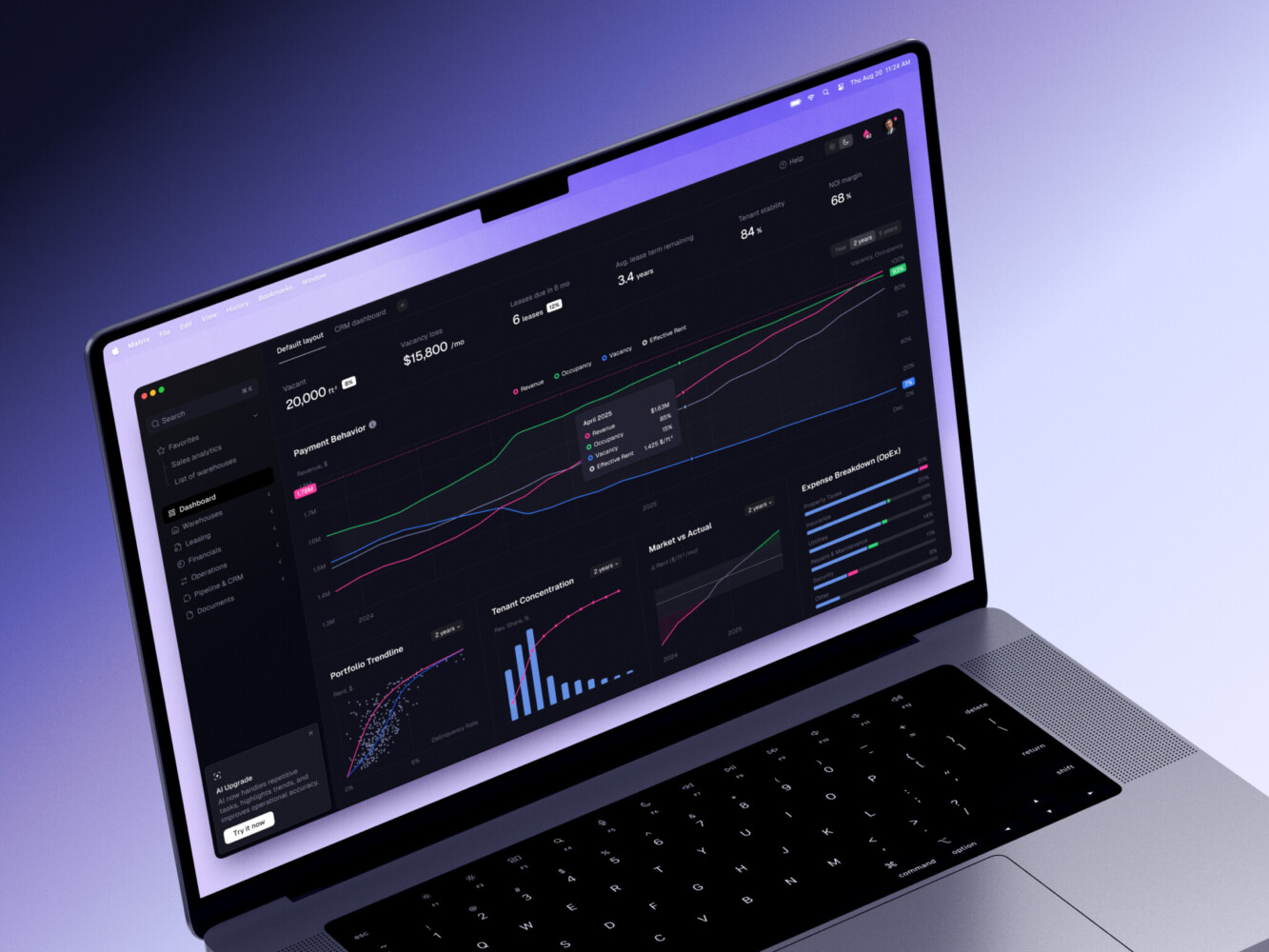
ERP dashboard by Shakuro
Common Vertical SaaS Development Challenges
Building vertical SaaS isn’t a walk in the park. It’s more like hiking up a mountain with a backpack full of rocks. You’ll hit walls.
First, insufficient domain expertise. This is the silent killer. You think you understand the industry because you read a few articles or talked to two customers. But you don’t. You miss the nuance.
The unwritten rules. The way people actually talk to each other. Many founders build entire features based on a misunderstanding of a single term. It’s embarrassing and expensive. You need to embed yourself in the industry. Hang out where your users hang out. Listen more than you talk.
Then there’s excessive early customization. A big potential customer says, “We’ll sign if you add this one little thing.” It sounds harmless. But that “little thing” often breaks your architecture or sets a precedent. Suddenly, you’re doing custom SaaS development for one client instead of a scalable product for many. Learn to say no, or at least, “not yet.” Push back. Explain your roadmap. If they’re truly ideal customers, they’ll wait. If not, maybe they weren’t ideal anyway.
Fragmented legacy integrations are a headache. Your customers aren’t starting from zero. They have old systems. Terrible APIs. Spreadsheets from 1998. Connecting to these things is slow, painful, and brittle. You’ll spend weeks just figuring out how to get data out of a legacy ERP. Budget for this. Don’t assume every integration will be clean and modern. It won’t be.
Weak tenant isolation is a technical debt bomb. In the rush to launch, teams sometimes cut corners on multi-tenancy. They share too much. Then, when a user accidentally sees another company’s data, panic ensues. Fixing this later is incredibly hard. Get it right from day one. Even if it costs more upfront. It’s cheaper than losing trust.
Complicated onboarding is another trap. Vertical SaaS is complex. If you throw users into a blank dashboard with no guidance, they’ll quit. You need hand-holding. Templates. Pre-filled data. Maybe even concierge setup for the first few clients. Don’t expect them to figure it out. Make it easy for them to succeed quickly.
Regulatory changes keep you on your toes. Laws change. Compliance requirements shift. What was okay last year might be illegal today. You need a process for staying updated. Maybe hire a legal consultant. Join industry associations. Don’t let compliance catch you off guard. It’s an ongoing cost, not a one-time fee.
Scaling support is tricky. As you grow, generic support scripts fail. Your team needs deep industry knowledge. Hiring and training these people takes time. You can’t just throw bodies at the problem. You need systems. Knowledge bases. Community forums. But eventually, you’ll need humans who speak the language. Plan for this hiring curve.
Finally, confusing customer requests with reusable product requirements. A customer asks for a feature. It sounds great. But is it just for them? Or do ten other customers need it too? If it’s just one, it’s a customization. If it’s many, it’s a product requirement. Learn to spot the difference. Build for the many, not the few. It’s hard to say no to a paying customer, but saying yes to everything dilutes your product. Stay focused.
Vertical SaaS Examples from Our Portfolio
Owari is a platform we built for West African oil and gas trading. Now, if you think that industry is simple, you haven’t spent much time around refineries or trading floors. It’s complex, fast-paced, and heavily regulated. Generic tools just don’t cut it here. You need something that speaks the language of barrels, grades, and logistics in real-time.
Instead of trying to be a generic CRM for energy companies, Owari focuses specifically on the trading workflow. The heart of the platform is its handling of real-time industry data. Traders need to see price fluctuations, inventory levels, and shipment statuses instantly. We didn’t just slap a chart on a page; we built specialized dashboards that prioritize the metrics that actually move the needle for these users.
One of the trickier parts was managing user groups. In oil and gas, not everyone sees everything. A trader needs different data than a logistics coordinator or a compliance officer. We implemented granular role-based access that reflects the actual hierarchy and security needs of the industry. It’s not just “admin” and “user.” It’s nuanced. This ensures that sensitive trading data stays secure while still being accessible to those who need it to do their jobs.
Analytics in Owari aren’t an afterthought. They’re central. The platform provides insights into trading performance, risk exposure, and operational efficiency. But again, it’s vertical-specific. It doesn’t just show “sales.” It shows margins per grade, turnaround times for specific ports, and compliance risks. This turns data into actionable intelligence.
From a technical standpoint, scalability was key. The design system we built allows for consistent UI components across the platform, which speeds up development and ensures a cohesive user experience. But underneath, the architecture is designed to handle high volumes of data without slowing down. It’s built to grow with the business, not hold it back.
Owari shows what happens when you stop building for “everyone” and start building for someone. It’s not just software; it’s a tool that understands the intricacies of West African oil trading. And that specificity is what makes it valuable.
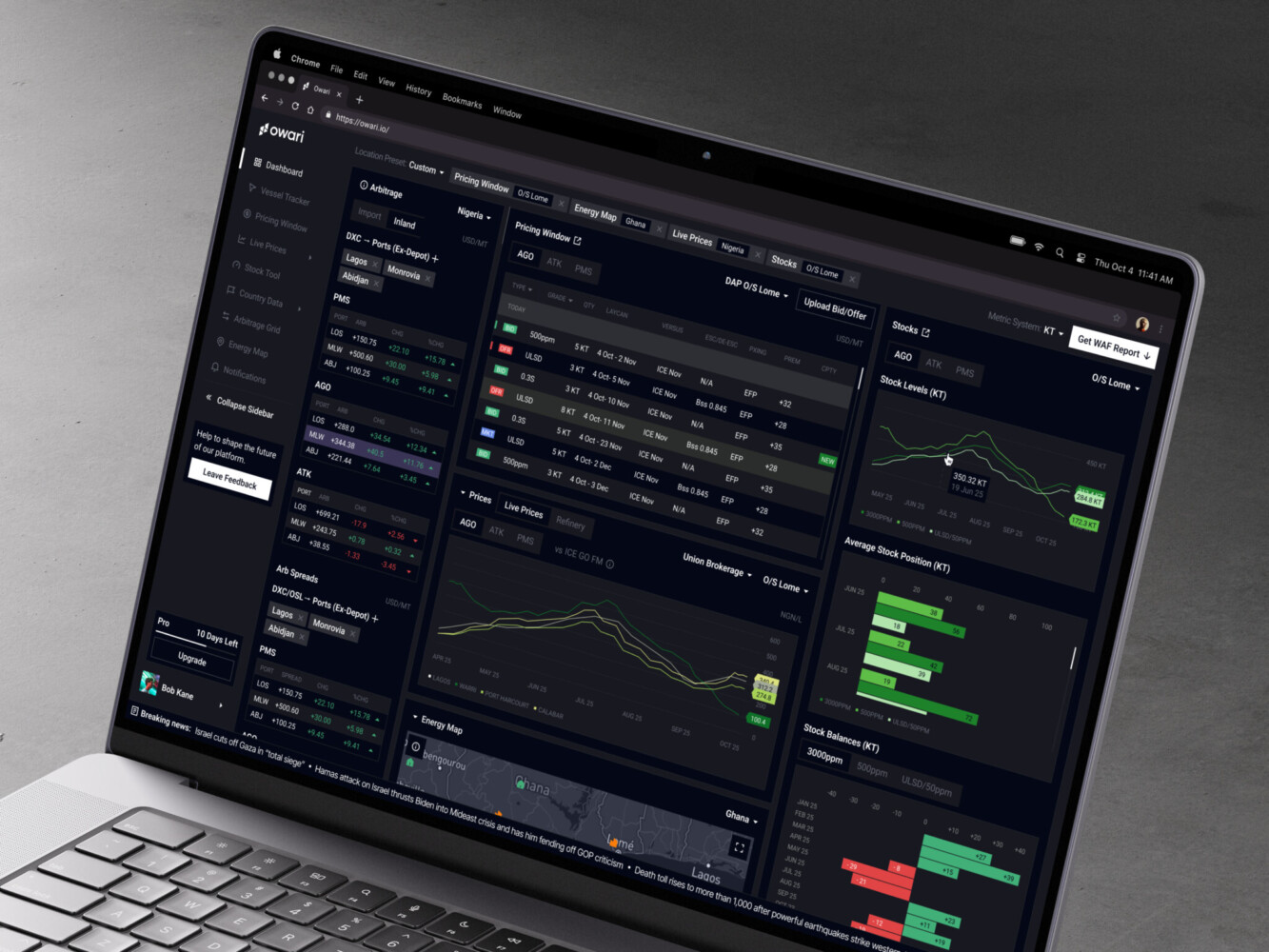
Owari dashboard by Shakuro
Choosing a Vertical SaaS Development Partner
Picking the right partner is tricky. It’s not just about who writes the cleanest code. You need someone who gets it. The industry, the users, the pain points. If they look at your idea and just see “another dashboard,” run. You need a team that asks hard questions during domain discovery. They should challenge your assumptions. Help you refine the product strategy before a single line of code is written. This upfront work saves so much money later.
UX maturity matters too. Vertical SaaS can be dense. A good partner knows how to simplify complexity without dumbing it down. They design for the actual human using the tool, not just for the spec sheet. And architecture? It needs to scale. Don’t let them build a house of cards. You want something solid, secure, and ready for growth. Security practices should be baked in, not bolted on. Ask them about their approach to data isolation and compliance. If they shrug, that’s a red flag.
Integration experience is huge. Your vertical SaaS doesn’t live in a vacuum. Your partner should have a track record of connecting with niche industry tools. QA isn’t just checking for bugs; it’s ensuring the workflow feels right. When it comes to post-launch, you’re not done. You need support that evolves with your product. Look for a partner who sticks around, helps you measure success, and iterates based on real user data.
Final Thoughts
If I had to boil vertical software development all down to three things, here’s what I’d stick on a sticky note above my desk.
First, start narrow. Really narrow. Don’t try to boil the ocean. Pick one painful workflow and solve it better than anyone else. It’s tempting to want to be everything to everyone from day one, but that’s how you end up being nothing to no one. Depth beats breadth.
Second, encode genuine domain knowledge. Not just slapping an industry label on your landing page. It’s about understanding the lingo, the regulations, the unwritten rules. Your software should feel like it was built by someone who’s actually done the job. That trust is hard to earn and easy to lose. Don’t fake it.
Third, design for repeatable configuration, not one-off customization. This is the scalability trap. If every client needs custom code, you’re not building a product; you’re building a consultancy. Build a flexible system that can adapt to different needs through settings and flags, not rewrites. It’s harder upfront, but it saves your sanity later.
If you’re thinking about building something specific, something that really digs into an industry’s problems, it helps to talk it through early. We’ve seen what works and what doesn’t in SaaS web development. Sometimes a quick chat can save you months of going down the wrong path. Feel free to reach out if you want to explore your idea with us.
Frequently Asked Questions
What is vertical SaaS development?
Vertical SaaS development is building software tailored to one industry’s workflows, regulations, and terminology, for example dental practices, trucking companies, or property managers. Instead of generic features for everyone, the product encodes real domain knowledge: industry data models, compliance requirements such as HIPAA, and integrations with the tools the industry already uses, like QuickBooks, Epic, or Procore.
How does vertical SaaS differ from horizontal SaaS?
Horizontal tools like Slack or Salesforce solve universal problems for almost any business. Vertical SaaS goes deep into one industry and adapts to its processes instead of forcing users to adapt to generic logic. It trades wide appeal for specialized value, higher pricing power, and stickier customers who can’t easily switch, but the market ceiling is lower and domain expertise takes time to build.
How long does it take to build a vertical SaaS platform?
A vertical SaaS MVP usually takes 3–6 months. A market-ready product takes more like 6–12 months, and enterprise-grade platforms with compliance and complex integrations can stretch to 18+ months. Domain complexity affects the timeline most: dense workflow logic, many user roles, legacy integrations with poor documentation, and data migration from spreadsheets or old software all add time.
Which features should a vertical SaaS MVP include?
One core workflow done exceptionally well for one ideal customer type, plus basic role permissions, the integrations users can’t live without, and simple reporting. Skip fancy dashboards and mobile apps at first. Define a measurable outcome, such as hours saved on admin per week, and prove the product solves a real pain point better than spreadsheets or legacy tools.
How much does vertical SaaS development cost?
A vertical SaaS MVP typically costs $50,000–$150,000. A market-ready version with more workflows, a second user role, basic reporting, and key integrations costs $150,000–$400,000. Enterprise builds with multiple complex workflows, granular permissions, mobile apps, and heavy compliance run $500,000 to $1 million+. Workflow complexity, user roles, integrations, compliance, and custom reporting drive the price.
How can a vertical SaaS company scale beyond one niche?
Expand into adjacent workflows first: if you built scheduling for therapists, add telehealth or billing; if you built invoicing for contractors, add lien management. Let user demand pull you into new features. Enter new verticals only after you dominate the first niche, reuse shared infrastructure and domain expertise, and adapt deeply to each new industry’s needs.
How do I choose a vertical SaaS development partner?
Choose a team that asks hard questions during domain discovery and challenges your assumptions before writing code. Check UX maturity for dense, data-heavy interfaces, architecture that scales, and security built in from the start: ask how they handle tenant isolation and compliance. Look for experience integrating niche industry tools, QA that tests real workflows, and support after launch.
Related reading