Growth is the problem every SaaS founder hopes to have. Then it arrives, and somehow the product that worked perfectly well for 200 customers starts behaving very differently at 2,000. Pages slow down. Support tickets pile up. Enterprise prospects ask about permissions and security. Your cloud bill develops a personality of its own.
The awkward part is that SaaS scaling rarely breaks in one obvious place. Revenue may be climbing while retention quietly slips. Engineering ships more slowly because every new feature touches three old workarounds. Customer success spends half the week handling tasks that were supposed to be automated months ago. Meanwhile, the team is busy, but nobody is quite sure whether all that effort is moving the business forward.
Scaling a SaaS business is difficult. It isn’t simply a technical project or a growth campaign. Product decisions affect support. Pricing affects infrastructure usage. Poor onboarding shows up later as churn. A rushed enterprise feature can create years of maintenance work. Everything starts leaning on everything else, and small shortcuts suddenly feel much heavier.
This article looks at the situation as a whole system: product, technology, revenue, customer experience, and internal operations. We’ll cover the signs that a company is actually ready to scale, the metrics worth watching, the common traps, and a practical way to decide what needs attention next.
Key Takeaways:
- Scaling is efficiency, not just size. True SaaS scalability means increasing output and revenue without a proportional rise in costs or chaos. If growth breaks your margins or your team, it’s not sustainable.
- Retention validates growth. Don’t pour money into acquisition until your bucket is sealed. Healthy unit economics and strong retention are the real green lights for scaling, not just vanity metrics.
- Balance four key dimensions. You can’t scale tech alone. Product experience, infrastructure reliability, revenue health, and internal operations must evolve together, or the weakest link will snap.
- Let demand drive architecture. Avoid overengineering for hypothetical futures. Modernize and refactor based on proven constraints and actual user pain points, not trends.
- Operations matter as much as code. Automation, clear ownership, and documented processes are force multipliers. Technical capacity means nothing if your team is bottlenecked by manual work or confusion. Growing headcount adds its own manual work, which is why scaling companies often move hiring, onboarding, and reviews into proper HR platforms.
- Focus on one constraint at a time. Scaling is a sequence of decisions, not a one-time project. Identify your biggest bottleneck, fix it, validate the results, then move to the next.
What Is SaaS Scaling?
SaaS scaling is the process of increasing the number of customers, transactions, and product capabilities a business can support without creating an equally large increase in costs or operational effort. In practical terms, SaaS scalability means serving 10 times more users without needing 10 times more employees, infrastructure, or support hours.
That distinction matters because growth and scaling are not quite the same thing.
A SaaS company can grow by hiring more developers, adding support agents, spending more on acquisition, and buying additional cloud capacity. Revenue goes up, but expenses rise at roughly the same pace. The company is bigger, certainly, though it may not be more efficient or profitable.
Effective scaling changes that relationship. AI-driven automation replaces repetitive work. The product becomes easier to use without manual guidance. Infrastructure handles heavier loads without constant intervention. Existing customers generate more value through expansion and retention. Put simply, the business increases its output faster than its costs.
This is why SaaS scaling cannot be treated as an engineering project alone. Technology is part of it, of course, but technical capacity will not fix weak retention, confusing pricing, or an onboarding process that requires three calls and a custom spreadsheet. Sustainable scale depends on four connected dimensions.
Product and User Experience
As the customer base grows, small usability problems become expensive. A confusing setup step that affects 5% of 100 customers may be manageable. At 10,000 customers, it can produce hundreds of support requests and plenty of quiet frustration.
A scalable product helps people reach value with less assistance. That usually means clearer onboarding, predictable navigation, consistent interfaces, sensible permissions, and features that work for different customer segments without turning the product into a collection of one-off exceptions.
When scaling a SaaS business, you have to be selective. Adding every requested feature may feel customer-friendly, but eventually the interface becomes harder to understand, and the development team spends more time maintaining edge cases than improving the core experience.
Technology and Reliability
The technical side of scaling is about keeping the product fast, available, and secure as usage becomes heavier and less predictable.
Databases need to handle larger workloads. Background jobs must not block important user actions. APIs and third-party integrations need monitoring. Permissions and tenant isolation become more serious as larger customers bring more users and sensitive data into the system.
This does not mean building an enterprise-grade architecture while the product still has twenty customers. That can waste months. The better approach is to understand where the current system may struggle, monitor it properly, and improve each part before it becomes an emergency. A little foresight really helps here.
Revenue and Unit Economics
More customers do not automatically create a healthier company. If acquisition is expensive, churn is high, or every new account requires hours of custom work, rapid growth can actually make the underlying problems worse.
Scalable revenue comes from repeatable acquisition, strong retention, sensible pricing, and expansion opportunities that do not depend entirely on the sales team. Metrics such as customer acquisition cost, payback period, gross margin, lifetime value, and net revenue retention show whether growth is becoming more efficient or simply more costly.
Pricing also plays a bigger role than people sometimes expect. Plans, usage limits, add-ons, and enterprise features should reflect both customer value and the real cost of serving each account.
Team and Operations
Internal processes often hold up reasonably well until, suddenly, they don’t. Decisions stay in someone’s head. Deployments rely on one experienced engineer. Support agents use different workarounds for the same issue. It feels slightly messy but harmless, right up until the company doubles in size.
Operational scale requires clearer ownership, useful documentation, repeatable release processes, automated routine tasks, and reliable ways to share information between product, engineering, sales, and customer success.
The goal is not to bury a growing company in process. Nobody needs five approval meetings for a button change. It is to remove unnecessary dependence on individual people so the team can move faster without losing control.
These four dimensions affect one another constantly. Better onboarding reduces support work. Stronger architecture makes enterprise sales easier. Clear pricing protects margins. Better internal processes help the product team ship improvements sooner. That interconnectedness is what makes SaaS scaling complicated, but it is also where the biggest gains tend to appear.
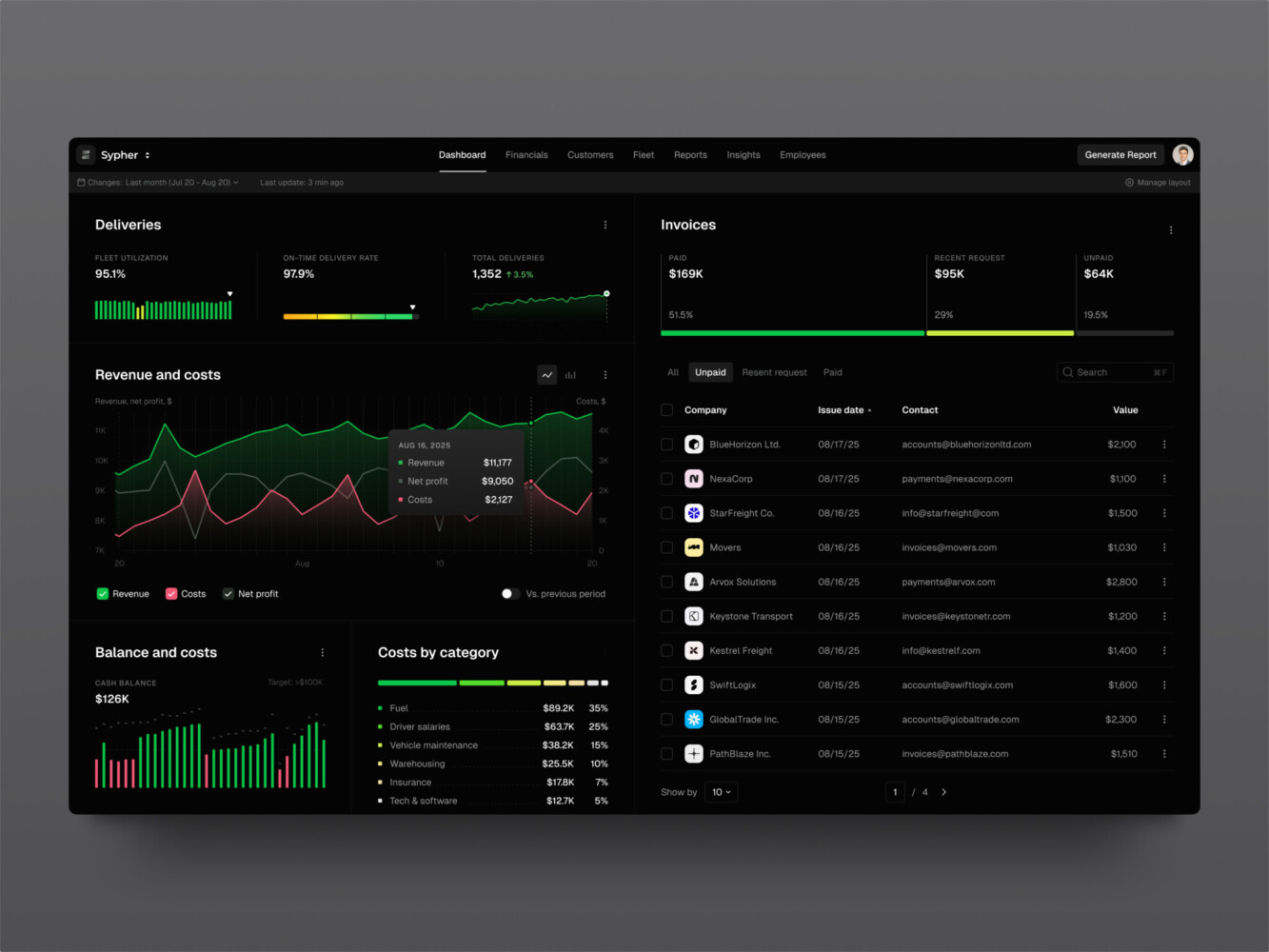
SaaS analytics platform by Shakuro
When Is a SaaS Business Ready to Scale?
There is no single moment when a SaaS company becomes officially “ready.” No dashboard turns green and announces that it is time to hire twenty people and double the marketing budget. Usually, readiness shows up as a pattern: customers understand the product, stay long enough to create meaningful revenue, and can get value without the team rebuilding the experience around every account.
Product-Market Fit and Repeatable Demand
Product-market fit is discussed so often that it can sound a little abstract. In practice, it means the product solves a recognizable problem for a specific group of customers, and those customers behave as if the solution matters. They activate, return, use the important features, and keep paying.
Consistency matters more than one exciting month. A large contract or a successful campaign can make the numbers look impressive for a while, but sustainable demand appears across several customer cohorts. New users reach value at a similar rate. Retention is reasonably stable. Customers renew without being chased through a heroic sequence of calls, discounts, and favors.
A clear ideal customer profile is another strong signal. You should know which customers get the most value, which problems bring them to the product, how they evaluate alternatives, and what tends to make them leave. “Any company with a website” is not an ideal customer profile. It is a very large address book.
For scaling SaaS and digital operations, acquisition should also be becoming repeatable. That does not mean every channel has to be perfectly predictable. Few are. But you should know where qualified customers tend to come from and which messages convert their interest into action. If each deal arrives through a founder’s personal network and takes a completely different path, demand exists, but the acquisition system may not be ready to scale.
Finally, customers need to reach meaningful value without extensive manual assistance. Some human support is normal, especially for complex B2B products. The issue appears when every account requires custom configuration, founder-led training, or engineering involvement before it can use the basic product. Multiply that process by ten, and the problem becomes obvious pretty quickly.
Metrics to Review Before Scaling
No individual metric can confirm that a SaaS business is ready to scale. The useful picture comes from looking at growth, retention, efficiency, product use, and reliability together.
MRR and ARR growth show whether recurring revenue is moving in the right direction. Look for a consistent trend rather than one-off jumps caused by annual contracts, promotions, or a few unusually large customers.
Net revenue retention measures what happens to revenue from existing customers after expansions, downgrades, and cancellations. Strong NRR suggests that customers continue to find value and may spend more over time. A weak result can reveal that acquisition is compensating for a leaky customer base.
Logo churn and revenue churn tell slightly different stories. Logo churn tracks how many customers leave, while revenue churn reflects how much recurring income disappears. Losing five small accounts is not the same as losing one enterprise customer, even if the logo count looks similar.
CAC payback period shows how long it takes to recover the cost of acquiring a customer. A growing company can run into serious cash pressure when acquisition spending rises faster than those costs are recovered.
The LTV-to-CAC ratio compares expected customer value with acquisition cost. It is useful, but only when the assumptions behind lifetime value are realistic. A beautiful ratio based on two months of retention data is, well, mostly decorative.
Activation and feature adoption reveal whether customers are actually reaching the product’s core value. Track the actions that correlate with retention rather than easy numbers such as total logins. A customer signing in five times because the setup is confusing is technically active but probably not happy.
Support volume per customer helps expose operational strain. Total ticket volume will naturally rise as the customer base grows. What matters is whether tickets per account are stable or falling. If they keep increasing, the product or onboarding process may be creating avoidable work.
Gross margin shows how efficiently the company delivers its service after direct costs such as hosting, customer support, and third-party tools. Revenue growth feels less encouraging when every additional customer carries unexpectedly high delivery costs.
Uptime, latency, and error rates show whether the product can support its current usage reliably. Review averages as well as peak conditions. A system may look healthy for most of the week and then struggle every Monday morning when customers run reports at the same time.
The right benchmarks depend on the market, pricing model, contract length, and company stage. Instead of chasing a universal “good” number, you should look for stable trends and understand what causes them.
Warning Signs That Scaling a SaaS Company Is Premature
The most common warning is high churn hidden by aggressive acquisition. You keep adding customers, so top-line growth looks healthy, but too many existing accounts leave before acquisition costs are recovered. Increasing marketing spend at that point is a bit like pouring more water into a bucket with a hole in it.
Another concern is when every enterprise deal requires custom development. A certain amount of configuration is normal, but repeated one-off features can split the product into several unofficial versions. Sales closes the contract, then product and engineering inherit years of maintenance.
Founder-dependent onboarding is a similar bottleneck. Founders are often excellent at explaining the product because they know every detail and can adapt the story in real time. That does not make the process repeatable. If customers struggle as soon as someone else leads onboarding, the knowledge still needs to be turned into clearer product flows, documentation, and team processes.
Technical reliability offers another fairly blunt signal. If traffic spikes regularly cause slowdowns, failed jobs, or integration errors, adding more users will amplify the problem. The platform does not need to be perfect, but the team should understand its limits and have monitoring, ownership, and a credible improvement plan.
Finally, watch how cloud and support costs behave as revenue rises. When those costs grow faster than recurring income, the business may be expanding without gaining efficiency. That does not always mean scaling should stop completely. It does mean the economics and operational model need attention before the company presses harder on growth.
Being ready to implement a SaaS scaling strategy is not about eliminating every weakness. That day never really arrives. You need to know where the weaknesses are, confirming that customers genuinely value the product, and have enough control over the system to grow without turning each new account into a new emergency.

Sales Analytics Dashboard by Shakuro
How to Scale a SaaS Business in 7 Steps
1. Identify the Current Scaling Constraint
Start with an honest audit of the whole customer and product journey. Look at how prospects discover the company, what persuades them to sign up, how quickly they reach value, where they abandon the product, and what happens when they need help. Then examine product performance, infrastructure, development speed, and the reliability of releases.
The purpose is not to produce a hundred-page audit. It is to identify the issue causing the most risk or drag.
Perhaps acquisition is healthy, but new customers disappear during onboarding. Maybe retention is strong, yet every account requires hours of manual configuration. In another company, sales may be closing larger contracts while engineering spends most of its time fixing performance problems. These businesses have different constraints, even if their revenue numbers look similar.
Establish baseline metrics before making a large investment. Depending on the problem, that could include activation rate, time to value, churn, support requests per account, deployment frequency, cloud cost per customer, API latency, or conversion by acquisition channel.
2. Strengthen the Product Foundation
As a SaaS product grows, small inconsistencies begin to multiply. Similar actions work differently across pages. Important settings move around. Permissions behave one way in the dashboard and another way in the mobile app. None of these issues seems catastrophic by itself, but together they make the product harder to learn, support, and extend.
Begin with the workflows customers use most. Remove unnecessary steps, unclear choices, and repeated data entry. Watch how people complete real tasks rather than relying only on what they say in feedback calls. Users often adapt to awkward product behavior so thoroughly that they stop mentioning it.
Reusable components and a scalable design system make the next stage much easier. Shared patterns for forms, tables, navigation, alerts, empty states, and permissions help designers and developers add functionality without reinventing the interface each time. The result is not merely visual consistency. Releases become faster, testing becomes simpler, and customers do not have to relearn the product whenever a feature appears.
Accessibility and responsive behavior should be part of that foundation. They are much harder to retrofit after hundreds of screens have accumulated. Consistent role and permission logic matters too, particularly when customers start inviting larger teams with more complicated responsibilities.
Feature flags and modular functionality can support several subscription plans without creating separate versions of the product. A shared core is usually easier to maintain than customer-specific branches. Otherwise, every update becomes a small negotiation with the past.
3. Prepare the Architecture for Growth
Technical SaaS scaling is partly about capacity, but it is also about isolation, predictability, and control.
In a multi-tenant product, many customers share parts of the same application while their data and activity remain separate. Tenant isolation prevents one organization from accessing or affecting another organization’s information. Role-based access control, commonly called RBAC, defines what individual users can view or change within their own accounts.
As usage grows, several other mechanisms become important. Caching reduces repeated work by storing frequently requested information. Background jobs move slow tasks, such as report generation or bulk imports, away from the main user flow. Stable APIs allow internal services and external tools to exchange data without fragile workarounds. Database optimization keeps queries from becoming slower as records accumulate.
These are useful SaaS scalability strategies, but they do not all need to be introduced at once. Premature complexity creates its own problems. A startup with a modest, predictable workload probably does not need the same architecture as a global enterprise platform. Extra services mean extra monitoring, deployment work, debugging, and cost.
The architecture should evolve gradually. Measure where delays and failures occur, understand the likely growth pattern, and improve the parts approaching their limits. Leave room for future change, certainly, but do not build an imaginary company’s system at the expense of the real one.
4. Scale Onboarding and the Customer Lifecycle
Founder-led onboarding often works wonderfully at the beginning. Founders know the product inside out, can explain unusual features, and tend to notice when a customer looks confused. The trouble is that this experience depends on a person who is already needed in too many places.
Turn that knowledge into a repeatable product flow. Different users may need different starting points, so tailor onboarding around their role, company type, or goal. An administrator configuring permissions has a different job from a team member completing their first task.
Templates can remove the intimidating blank-page moment. Contextual guidance can explain a feature when it becomes relevant, rather than presenting everything in one long product tour. Lifecycle emails and in-product messages can bring people back to unfinished setup tasks or introduce useful capabilities after they understand the basics.
When scaling a SaaS business, track time to value and activation, but do not stop there. Monitor continuing engagement, adoption of important features, account expansion, and early churn signals. A customer who completed onboarding six months ago may still be drifting away today.
Customer-success teams need a usable account health view. It should bring together product activity, subscription changes, support history, and relevant business signals. A dashboard with forty colorful metrics may look impressive, but a smaller set that helps the team decide who needs attention is usually more valuable.
5. Make Pricing and Billing Scalable
Pricing should reflect what customers value and what it costs to serve them. If a plan encourages heavy infrastructure use while producing little revenue, growth will gradually make the economics worse. If pricing is too complicated, sales and support will spend their time explaining it.
Plan for the less glamorous billing situations early. Customers will upgrade halfway through a cycle, downgrade before renewal, exceed usage limits, switch payment methods, request credits, and experience failed payments.
Someone has to define how all of this behaves. Leaving the details until later usually produces manual adjustments, inconsistent customer experiences, and financial reports that nobody completely trusts.
Entitlements deserve particular attention. The billing system may know which plan a customer purchased, but the product must translate that purchase into access to the correct features, limits, storage, and user roles. Keep that logic centralized where possible. Scattered plan checks hidden throughout the codebase become painful to update.
6. Automate Operations and Integrations
Manual work is not always bad. Early-stage teams often need it to learn how customers behave before automating the process. The problem begins when a temporary workaround quietly becomes a permanent operating model.
Look for recurring tasks in account provisioning, billing, reporting, notifications, support routing, and user management. Automate processes that are frequent, predictable, and costly when performed incorrectly. Keep a manual review step where judgment or financial risk makes full automation unsafe.
As a part of the SaaS scaling strategy, integrations also need to become dependable. Customers expect SaaS products to work with payment providers, CRMs, analytics platforms, identity systems, communication tools, and whatever else sits in their daily workflow. Treat those connections as maintained product capabilities, not one-time development tasks. APIs change, credentials expire, webhooks fail, and rate limits appear at inconvenient moments.
Observability helps you see what is happening across background jobs, APIs, tenant activity, and third-party services. Logs should contain enough context to trace a problem without exposing sensitive customer data. Alerts should identify conditions that require action, rather than filling a channel with noise until everybody learns to ignore it.
And one more point: keep manual exceptions visible. If an employee corrects a subscription, recreates a report, or repairs an integration by hand, record it. Hidden work makes a process appear healthier and cheaper than it really is.
7. Build a Team that Can Support Scale
A product can have sound architecture and still struggle because ownership is unclear. The product assumes engineering is monitoring an integration. Engineering assumes customer success will report failures. Customer success assumes the account manager already contacted the customer. You can probably guess how that ends.
Clarify responsibility across product, engineering, design, customer success, marketing, and sales. This does not require a complicated responsibility matrix for every minor decision. People simply need to know who owns the outcome, who contributes, and who responds when something goes wrong.
Documentation should cover decisions and repeatable processes, not every conversation the company has ever held. Improve release practices, automated testing, quality checks, and incident response as the cost of failure increases. A lightweight process that people actually follow is more useful than a perfect one sitting untouched in a shared folder.
Hire around demonstrated constraints. If onboarding has become the bottleneck, another acquisition specialist may not solve it. If release quality is slowing the roadmap, you may need QA or platform expertise before it needs another feature team. Projected organizational charts can wait.
Some capabilities should remain internal because they are central to the company’s advantage or require deep customer knowledge. Others may be built faster with an experienced product partner, particularly during architecture modernization, a major redesign, or a temporary need for specialized engineering. The choice is less about outsourcing versus hiring and more about preserving ownership while getting the right expertise at the right moment.
Scaling a SaaS business is a continuing process, not a seven-item project that stays completed forever. Once one constraint is removed, another usually becomes visible. That is normal. The useful habit is to keep measuring, choose the next bottleneck deliberately, and expand without letting complexity grow faster than customer value.

Team Management SaaS Platform by Conceptzilla
How Much Does SaaS Scaling Cost?
If you’re looking for rough numbers to wrap your head around, here’s a breakdown. Keep in mind, these are estimates for a mid-sized SaaS moving from early traction to serious scale.
- Product redesign and feature development: This can run anywhere from $50k to $200k+. You’re not just tweaking buttons; you’re rethinking workflows so they don’t break under pressure.
- Architecture and performance improvements: Expect to spend $30k–$100k. Maybe more if you’re migrating from a monolith to microservices. It’s expensive, but necessary if you want to stay online.
- Cloud services and observability: Your AWS or Azure bill will jump. Initially, maybe $5k–$10k a month, but as you scale, it could easily hit $20k–$50k+. Observability tools (like Datadog or New Relic) add another few thousand. It hurts, but blind flying is worse.
- Security and compliance: If you’re going after enterprise clients, you’ll need SOC 2 or ISO 27001. That’s a hefty $50k–$150k upfront, plus annual maintenance. It’s a barrier to entry, sure, but also a trust signal.
- Integrations and data migration: Moving data or building key integrations? Budget $20k–$80k. Bad migrations cause churn. Good ones unlock new markets.
- Support and customer-success operations: Hiring support staff and setting up systems like Zendesk or Intercom. Roughly $10k–$30k initially, plus ongoing salaries. You can’t scale if you’re ignoring your users.
- Hiring or extending the development team: This is the big one. Adding senior engineers or DevOps specialists? Think $150k–$250k per hire annually. Or, if you go with an agency/contractors, maybe $10k–$20k a month per team.
How Do You Decide What to Pay For First?
You can’t do it all at once. So how do you choose? Look at four things:
- Customer Impact: Will this fix a major pain point? If users are complaining about slowness, fix that first.
- Technical Risk: Is your system about to crash? High risk means high priority.
- Revenue Potential: Will this help close bigger deals? Security compliance often falls here.
- Cost of Delay: What happens if you wait? If waiting means losing a key client, do it now.
Watch Your Unit Economics
As you scale a SaaS company, keep an eye on two specific metrics: unit economics and cloud cost per tenant.
If your cloud cost per tenant is going up as you add more users, something’s wrong. It should ideally go down or stay flat. That’s efficiency. And if your unit economics (LTV:CAC ratio) are shrinking, you’re scaling inefficiency.
Common SaaS Scaling Challenges
Scaling Acquisition Before Solving Retention
Increasing acquisition can hide a retention problem for months. New subscriptions keep total revenue moving upward, even while older customers quietly cancel or reduce their plans.
The danger is that you spend more to replace customers you have already lost. Sales and marketing work harder, customer acquisition costs rise, and the business appears healthy from a distance. Underneath, very little revenue has time to compound.
Before increasing acquisition spend, examine activation, cohort retention, churn reasons, product adoption, and time to value. A smaller number of customers who stay and expand usually provides a stronger foundation than rapid sign-ups followed by equally rapid cancellations.
Overengineering Before Demand is Proven
Technical teams naturally want to build systems that will last. The intention is good. Still, it is easy to design for millions of users, several geographic regions, and enterprise requirements before the company knows whether customers truly need the product.
Premature complexity slows releases and creates more infrastructure to operate. Each additional service, queue, database, and deployment pipeline needs monitoring, security, documentation, and someone who understands it when things go wrong.
Build enough flexibility to avoid obvious dead ends, but let real usage guide major architectural decisions. A straightforward system with good boundaries is often easier to evolve than an elaborate one based on imaginary demand.
Technical Debt That Slows Every Release
One of the most common SaaS scaling challenges. Technical debt is not simply old or imperfect code. It becomes a scaling problem when routine changes take longer than they should, releases break unrelated features, or only one person understands a critical part of the system.
Some debt is a reasonable trade-off when a team needs to test an idea quickly. The trouble begins when temporary shortcuts become permanent foundations without anyone revisiting them.
Track where the team loses time. Repeated bugs, fragile tests, confusing dependencies, slow deployments, and fear around changing certain modules are useful signals. Debt should be prioritized according to business impact rather than cleaned up for aesthetic reasons. The question is not, “Is this code elegant?” It is, “Is this stopping us from serving customers or making safe changes?”
Weak Tenant Isolation or Permissions
Multi-tenant SaaS products must keep each customer’s data and activity separate. Weak isolation can expose information, distort usage reporting, or allow one tenant’s workload to affect everyone else.
Permissions cause similar trouble. Simple roles may work when accounts contain three or four users, but larger customers often need administrators, managers, contributors, viewers, and custom access rules. If authorization checks are scattered throughout the codebase, behavior becomes inconsistent and security reviews become painful.
Tenant context and permission enforcement should follow requests through every application layer. Audit logs, automated authorization tests, and centralized policies help catch errors before customers do. This work is not especially glamorous, but neither is explaining an access-control incident to an enterprise buyer.
Uncontrolled Infrastructure and Support Costs
More customers will naturally increase cloud and support expenses. The important question is whether those costs rise faster than revenue.
Infrastructure spend can grow because of inefficient queries, excessive log retention, overprovisioned services, data transfer, AI usage, or one unusually demanding customer. Support costs may rise because onboarding is confusing, a feature regularly fails, or teams are resolving the same issue manually for every account.
Track cloud cost and support effort by customer segment, plan, and workload where possible. Averages can hide the fact that a few accounts consume most of the resources. When cost-to-serve varies significantly, the company may need technical optimization, better usage limits, different pricing, or all three.
Fragile Third-Party Integrations
Integrations often begin as a small convenience and gradually become essential to the customer’s workflow. Then an API changes, a token expires, or a webhook silently fails on a Friday evening. Suddenly, data has been missing for two days.
Reliable integrations need retry policies, rate-limit handling, credential monitoring, version management, logs, and a way to reconcile missed data. They also need clear ownership. Someone should know which integrations matter most, how failures are detected, and what customers experience when an external service is unavailable.
Keep integration logic separated from core business rules where practical. Otherwise, one provider’s unexpected change can spread instability through the rest of the product.
Inconsistent UX as Features Accumulate
New features are often designed under different deadlines by different people. Over time, similar controls behave differently, labels become inconsistent, and customers have to learn several ways to complete nearly identical tasks.
As a SaaS scaling challenge, this creates more than cosmetic clutter. Confusing interfaces slow onboarding, increase support demand, make accessibility harder to maintain, and cause users to miss valuable functionality.
A shared design system helps, but components alone are not enough. Teams also need consistent interaction patterns, content rules, information architecture, and product principles. Regular UX reviews can catch fragmentation before a large, expensive redesign becomes unavoidable.
Enterprise Customization That Fragments The Core Product
A large enterprise contract can justify additional development. Fair enough. Problems appear when every important customer receives its own workflow, data model, and branch of the product.
Custom work may help close revenue in the short term, but it also increases testing, support, and maintenance. Updates become harder because the team must check how each variation behaves. Eventually, the company is running several related products while pretending it still has one.
Before accepting a request, ask whether it reflects a broader market need. Configurable fields, feature flags, modular workflows, and plan-based entitlements can support variation without duplicating the core. Truly customer-specific work should be priced to reflect its long-term cost, not only the effort required to build the first version.
Missing Observability and Unclear Incident Ownership
A system cannot be managed well if nobody can see what it is doing. Teams need useful information about application errors, background jobs, databases, APIs, integrations, tenant activity, and infrastructure health.
More data is not automatically better. A thousand alerts that nobody reads provide less protection than ten signals tied to clear actions.
Incident ownership matters just as much. Who investigates a failed billing job? Who contacts affected customers? Who decides whether a release should be rolled back? If those questions are answered for the first time during an outage, recovery will take longer and communication will become messy.
Define practical response procedures, escalation paths, and service owners before incidents become frequent. Review what happened afterward without turning the exercise into a search for someone to blame.
Hiring Faster Than the Organization Can Coordinate
Hiring feels like an obvious response to growing demand. Yet adding people to unclear processes can create more meetings, duplicated work, and slower decisions.
New employees need context, access, documentation, and someone with enough time to help them become productive. If ownership is vague and priorities change every few days, a larger team may amplify confusion rather than increase capacity.
Hire against a demonstrated constraint. If engineering cannot release safely, the answer might be better testing or platform work rather than another feature developer. If customer success is overwhelmed by repetitive setup tasks, improving onboarding may create more capacity than adding several support roles.
Headcount should follow a clearer operating model: defined responsibilities, sensible team boundaries, documented decisions, and a product roadmap people can actually understand.
None of these challenges exists in isolation. Weak UX raises support costs. Excessive customization creates technical debt. Missing observability makes infrastructure problems harder to diagnose. Rapid hiring can hide unclear ownership for a while, but not forever.
Good SaaS scalability comes from noticing those connections and improving the system as a whole. The goal is not to remove every imperfection before growing. It is to make sure growth does not multiply unresolved problems faster than the team can handle them.
SaaS Scaling Examples from Shakuro
Let’s look at a real-world example. It helps to see how this plays out in the wild, right?
Take CGMA. They had a platform that had outgrown its own foundation. It worked fine when they were smaller, but as they added users and features, things started creaking. The tech stack was aging, and keeping up with demand was becoming a struggle.
We stepped in to help rebuild it. And honestly, it wasn’t just a “refresh.” It was a full-on legacy modernization.
First off, they had to tackle data migration. Moving years of data without losing anything or causing downtime is no small feat. It’s stressful, to say the least. But we pulled it off, ensuring everything landed safely in the new system.
Then came the structure. Our team built role-based portals, so different users—whether they were accountants or executives—saw exactly what they needed. No clutter, no confusion. Just relevant info.
We also focused heavily on integrations and automation. By connecting with other tools CGMA used, we cut down on manual work. Less manual entry means fewer errors and happier users. It’s a simple concept, but it makes a huge difference in day-to-day usability.
But here’s the key part: we didn’t just build for today. The team designed a retention-focused UX. The interface was cleaner, faster, and easier to navigate. Why? Because if users enjoy the product, they stick around. Churn drops. It’s that simple.
Shakuro provided continued product support, helping CGMA manage the new system as it grew. This approach addressed their immediate scalability issues but also made future expansion much easier. Instead of hitting another wall in two years, they had a foundation that could grow with them.

CGMA platform by Shakuro
A Practical SaaS Scaling Checklist
- Confirm product-market fit. Are people actually loving your product? If retention is shaky, scaling will just amplify the problems. Make sure you’re solving a real pain point before you pour fuel on the fire.
- Establish metric baselines. You can’t improve what you don’t measure. Know your current churn, CAC, LTV, and server costs. Write them down. These numbers are your compass. Without them, you’re just guessing.
- Identify the main constraint. What’s slowing you down right now? Is it slow onboarding? Server crashes? Support bottlenecks? Pick the one biggest thing. Don’t try to fix everything at once. Focus on the bottleneck.
- Review architecture and security risks. Take a hard look at your tech stack. Is it ready for 10x the users? Are there obvious security holes? Fixing these now is way cheaper than fixing them after a breach or a major outage.
- Improve activation and retention. Get new users to that “aha!” moment faster. And keep them happy. A leaky bucket doesn’t hold water, no matter how much you pour in. Small tweaks here can have huge impacts on growth.
- Standardize pricing and entitlements. As you grow, custom deals become a nightmare. Try to keep your pricing tiers clear and consistent. It makes sales easier and reduces confusion for your finance team.
- Automate repetitive operations. If your team is doing the same manual task over and over, automate it. Whether it’s billing, onboarding emails, or data backups. Free up your people to do work that actually needs a human touch.
- Add monitoring and cost visibility. You need to know when things break before your customers tell you. And you need to see where your cloud money is going. Surprises are bad in SaaS.
- Document ownership and incident procedures. Who does what when things go wrong? If it’s all in someone’s head, you’re vulnerable. Write it down. Create simple playbooks. It saves so much stress during crises.
- Scale one validated constraint at a time. Once you’ve fixed the biggest bottleneck, move to the next one. Don’t jump ahead. Validate that your fix worked, then tackle the next challenge. It’s a marathon, not a sprint.
Final Thoughts
Scaling is not a switch that a SaaS company flips after reaching a certain number of customers. It is a sequence of product and business decisions, each shaped by what the company has learned so far. Sometimes the next step is improving onboarding. Sometimes it is fixing an expensive infrastructure bottleneck or finally replacing a manual process everyone has quietly accepted.
Start with retention and unit economics. New customer growth feels encouraging, but it means much less when users leave before acquisition costs are recovered. Strong retention, healthy margins, and evidence that customers continue receiving value provide a better reason to invest in expansion.
Architecture should evolve with demonstrated demand. Plan for change, certainly, but avoid building a complicated system for traffic and enterprise requirements that may never arrive. The best technical decision is usually the one that supports the product’s current needs while leaving a sensible path forward.
And do not underestimate operations. Technical capacity alone will not make growth manageable if onboarding depends on founders, incident ownership is unclear, or support teams repeat the same manual task for every account. Automation, documentation, and clear responsibility give people room to focus on work that actually needs their judgment.
Ultimately, scaling a SaaS business means finding the constraint that matters now, improving it, and then measuring what changes. Another constraint will appear later. That is not failure. It is simply how a growing product evolves.
Find the constraint holding your SaaS product back and build a focused scaling roadmap with Shakuro.
FAQ
What does scaling mean in SaaS?
It’s about growing your revenue and user base without your costs spiraling out of control. Think efficiency, not just size. If doubling users means doubling expenses, you’re just getting bigger, not scaling.
How do you know when a SaaS business is ready to scale?
When your retention is solid and customers are sticking around. If you’re losing them as fast as you get them, hold off. You want a leaky bucket fixed before you turn on the hose.
What metrics should a SaaS company track before scaling?
Keep an eye on churn, LTV (lifetime value), CAC (customer acquisition cost), and MRR growth. Also, watch your cloud cost per tenant. If these numbers look healthy, you’re in a good spot.
How can a SaaS product scale without increasing costs proportionally?
Automation is key. Automate onboarding, billing, and support where possible. Also, optimize your code and infrastructure so it handles more load efficiently. Multi-tenancy helps too.
What are the most common SaaS scaling challenges?
Technical debt slowing down releases, shaky unit economics, and hiring faster than your processes can handle. Inconsistent UX as you pile on features. It gets messy fast.
When should a SaaS company change its architecture?
When your current setup is actively blocking growth or causing frequent outages. Don’t rewrite everything just because it’s trendy. Wait until the pain is real, then fix it.
Related reading