
Sports team management software is a platform where coaches plan practices, players confirm availability, parents check schedules, and admins manage rosters, fees, and announcements. A basic MVP with rosters, schedules, availability, and an admin panel costs $25,000–50,000 and takes 2–3 months. A complex SaaS product with web and mobile apps, subscriptions, and advanced analytics starts at $250,000 and takes 9–18 months.
Without it, a club runs on one chat for parents, another for coaches, a spreadsheet for payments, and a calendar nobody updates. The software gives everyone one place to check first. The hard work sits in the rules behind the screens: scheduling conflicts, recurring events, refunds, and user roles.
Here we look at who uses these platforms, core features, architecture and tech stack, how to build the software step by step, cost, common challenges, and what we learned in our own sports software development projects.
What Is Sports Team Management Software?
It’s a digital hub to help teams run the day-to-day: scheduling, rosters, communications, payments, attendance, documents, and sometimes performance data. Depending on the product, it can be a simple app for a single team or a larger web platform for a club with dozens of teams and thousands of members.
There are a few related categories, and people often mix them up.
Team, Club, and League Software Are Not the Same Thing
This distinction is easy to skip, but it matters.
Apps for sports team management are usually lightweight. It helps one coach or manager coordinate people. The product should feel fast, friendly, and mobile-first.
Club software has more structure. A club may have multiple teams, age groups, coaches, membership tiers, facilities, documents, and financial reporting. Permissions matter more. So does onboarding, because different people use the system in very different ways.
League software adds another layer of complexity. You may need divisions, rankings, standings, playoffs, brackets, referees, venue assignments, conflict detection, public schedules, and post-game results. A league system also has more public-facing pages, because athletes and parents often check schedules without logging in.
This is why copying a team app and calling it a league platform usually does not work. It may look fine in a demo. Then the first real tournament arrives, and suddenly edge cases start tapping you on the shoulder.
So before building anything, the first question is not “Which features should we add?” It is: who is this platform really for?

Golf club website by Conceptzilla
Who Uses Sports Team Management Platforms?
The obvious answer is coaches, but they are only one part of the picture.
Coaches need quick tools. They do not want to spend half an hour building a schedule after training. They need to mark attendance, update a lineup, send an announcement, or check player availability while standing next to a field with a phone in one hand and a bag of cones in the other.
Team managers and administrators care about order. They handle paperwork, fees, travel details, documents, and parent questions. In my experience, this is where many sports products either become loved or quietly abandoned. If admin work still feels heavy, people drift back to spreadsheets. Not because spreadsheets are better. They are just familiar.
Parents and players need clarity. Where is the game? What time should we arrive? Is the jersey white or blue today? Has the fee been paid? Small questions, but when they repeat every week, they become a lot.
Club owners and league organizers look at the bigger picture: retention, revenue, registrations, staff workload, and season planning. They want to know whether the platform can support growth without becoming a pile of manual work under a shiny login screen.

Core Features of a Sports Team Management App
The feature list can get long, so it helps to start with real-life workflows. What happens before practice? Before a tournament? At the end of a season?
Scheduling and Calendars
Scheduling is usually the first feature people ask for. Practices, games, tournaments, travel days, meetings, and volunteer slots should live in one clear calendar.
A decent calendar is not enough, though. Users expect reminders, recurring events, location details, last-minute changes, and calendar sync with Google Calendar, Apple Calendar, or Outlook. Weather-related cancellations are also worth thinking about. Many teams lose more time to rescheduling than to actual planning, which is a little absurd but very real.
Rosters and Player Profiles
Rosters should cover basic player details, guardian contacts, medical notes, jersey numbers, eligibility, waivers, and documents. For youth teams, privacy matters a lot. You do not want every user seeing every child’s personal information.
For clubs and leagues, profiles may also include age groups, rankings, divisions, teams, historical participation, and payment status. This is where a simple list of names turns into a proper data model.
Attendance and Availability
Attendance tracking sounds boring until you need it. Then it becomes the difference between planning a useful practice and realizing too late that half the team is missing.
Players or parents should be able to mark availability quickly. Coaches should see a clean view of who is in, who is out, and who has not answered. No drama, no digging.
Communication
A sports team management software lives or dies by clarity. Announcements need to stand out from casual messages. Urgent updates should not disappear under a dozen “thanks!” replies.
Good communication tools often include announcements, group chats, direct messages, push notifications, email fallbacks, and read receipts. But be careful. Too many channels create the same chaos the app was meant to fix.
Payments and Billing
Fees, dues, uniforms, tournament costs, travel payments, and subscription plans are part of sports operations. A platform can support one-time payments, recurring billing, invoices, refunds, discounts, and financial reports.
This is also where trust becomes important. Users need to understand what they are paying for, whether payment went through, and who can see the transaction details.
Dashboards and Reports
In sports club management software, dashboards help admins and coaches understand what is going on. Attendance trends, unpaid fees, active registrations, team capacity, upcoming games, and engagement metrics can all be useful.
Still, dashboards should not look like aircraft control panels. Most users need simple answers: what needs attention today, this week, and this season?

Greensward website by Shakuro
Architecture of a Sports Management Platform
Behind the friendly interface, the architecture needs to support a lot of moving parts.
A common setup includes a web admin panel, mobile apps or responsive mobile views, a backend API, a relational database, notification services, payment processing, analytics, and third-party integrations.
The data model is the heart of the product. You need entities for users, roles, teams, clubs, leagues, seasons, events, venues, payments, etc. If that foundation is poorly designed, every new feature becomes harder than it should be.
Role-based access control is especially important in sports club management software development. A parent, player, coach, club admin, league director, and referee should not all see the same screens. They also should not have the same permissions. Sounds obvious, but this is one of those things that gets messy when teams rush the MVP.
Scheduling is another big piece. It may need recurring events, exceptions, time zones, venue conflicts, capacity limits, and calendar exports. If the product supports tournaments, bracket generation and result handling may deserve their own service logic.
Payments should be separated cleanly from the rest of the system. Use a trusted provider like Stripe or a regional equivalent, keep sensitive payment data out of your own database, and design good reporting around transactions, refunds, and failed payments.
And one more point: notifications need careful design. Push, email, SMS, and in-app alerts are useful, but too many reminders make people mute the app. Once that happens, you have lost a key communication channel.
Tech Stack for a Sports Team Management App
There is no single best stack, though some choices are easier to live with.
For a web platform, React or Next.js is a common frontend choice. It gives enough flexibility for dashboards, calendars, admin panels, and public pages. For mobile, teams may choose native iOS and Android, React Native, or Flutter depending on budget, timeline, and performance needs.
On the backend, Node.js, Python, Ruby, or .NET can all work. The less glamorous answer is that team experience matters more than the logo on the framework website. A well-built backend in a familiar stack beats a trendy stack nobody can maintain.
PostgreSQL is a strong default database for this kind of product because the relationships are important: users belong to teams, teams belong to clubs, clubs participate in leagues, events connect to venues, payments connect to members, and so on.
You may also need Redis for queues or caching, cloud storage for documents and media, Firebase or APNs for push notifications, Stripe for payments, SendGrid or Postmark for email, and analytics tools for product behavior.
If the platform becomes data-heavy, dashboards deserve special care.
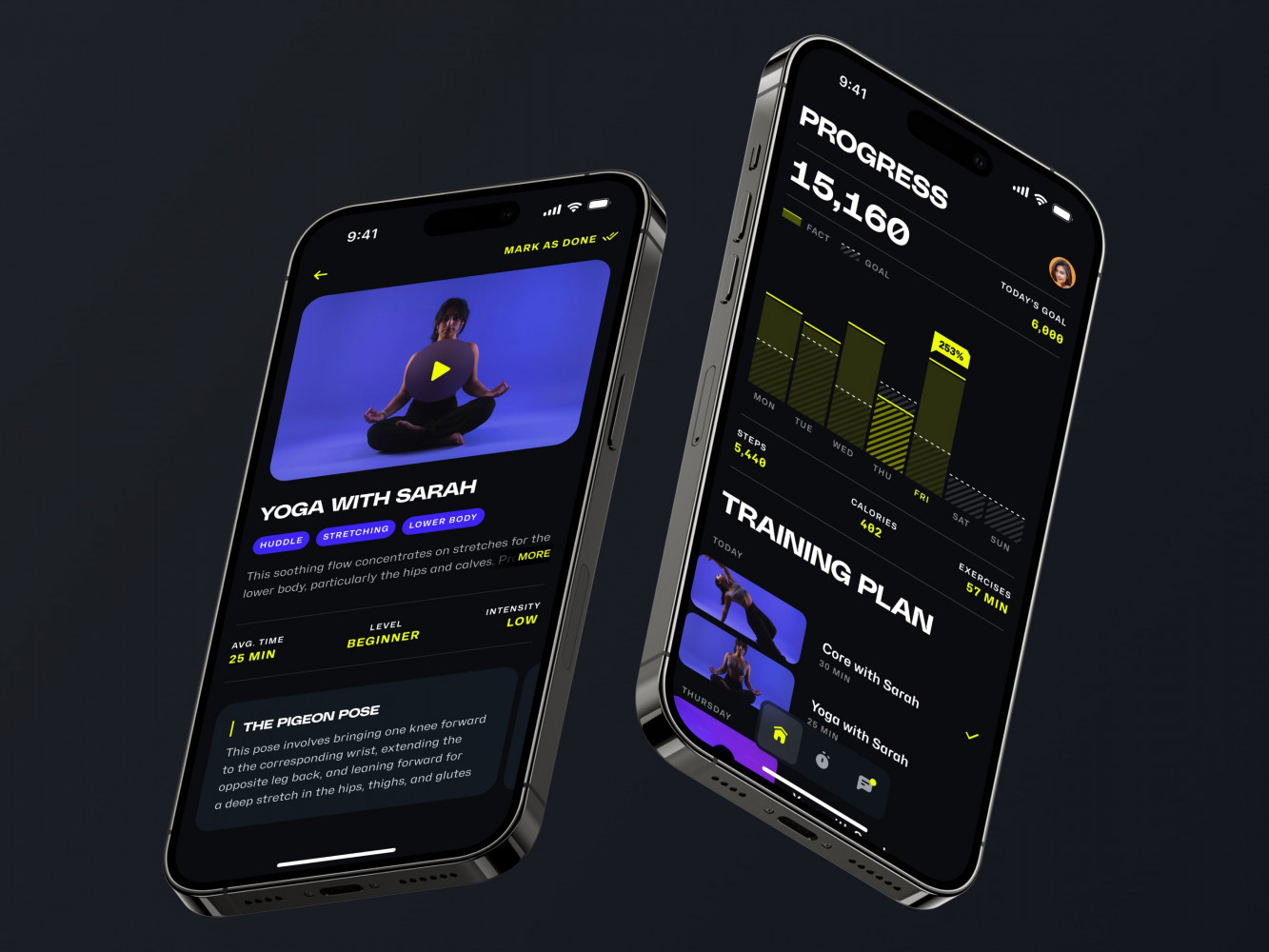
Mobile App for an Adaptive Fitness Guide by Shakuro
How to Build Sports Team Management Software
Step 1. Discovery
The development process should start with discovery, not screens. It is tempting to jump straight into a calendar mockup, because calendars feel concrete. But if you do not understand the users and their daily routines, the app can become pretty and impractical.
Start by interviewing coaches, club admins, parents, and league organizers. Ask what they do every week. Ask what they hate. Ask where information gets lost. The answers are rarely fancy. “Nobody knows who paid.” “Parents miss schedule changes.” “We cannot track attendance.” Plain problems, but they shape the product.
Step 2. Architecture
Next, define the MVP. For a team app, the first version might include rosters, schedules, availability, announcements, and basic payments. For a club system, you may need memberships, multi-team management, staff roles, and reporting. For sports league management software, registration and scheduling logic may become the core.
Step 3. UI/UX Design
This is not just making screens look nice. It is deciding what users see first, how fast they can complete common tasks, and how much information is too much. Sports users are often on the move. They do not sit calmly at a desk with a giant monitor and a cup of coffee. Well, sometimes they do. But a lot of important actions happen from a phone, in a parking lot, five minutes before practice.
Step 4. Development and Testing
Development should follow the highest-risk workflows first. Scheduling, permissions, payments, and notifications are good candidates. They are harder to fix later if the foundation is weak.
After that, test with real users. Not only polished stakeholder demos. Give the product to a coach with a busy weekend schedule and watch what happens. You agree, that sounds much more useful, doesn’t it?
How Much Does Sports Team Management Software Cost?
The cost depends on scope, team size, platforms, and integrations. A small MVP can be fairly contained. Full sports league management software with payments, tournament scheduling, role permissions, public pages, analytics, and mobile apps is a larger investment.
As a rough planning frame:
An MVP for one team or a small club may include authentication, profiles, rosters, schedules, availability, announcements, and basic admin tools. This is the “prove the workflow” stage.
A mid-level product may add payments, subscriptions, documents, richer notifications, dashboard views, multi-team support, and third-party integrations.
A complex platform may include mobile apps, advanced scheduling, brackets, rankings, referee tools, multi-club administration, data analytics, custom reports, and a scalable permission system.
For a rough benchmark, according to Clutch, many custom software projects fall in the $10,000-$49,999 range, with the average project much higher once scope grows. Other current pricing guides put SaaS platforms and multi-role web apps anywhere from about $40,000 to $300,000+, depending on complexity, team location, and integrations.
| Product Type | Rough Cost Range | Timeline | What’s Usually Included |
| Basic MVP | $25,000-$50,000 | 2-3 months | Login, team roster, schedule, availability, basic admin panel |
| Team Management App | $50,000-$90,000 | 3-5 months | Mobile-friendly UI, calendar sync, push notifications, announcements, attendance |
| Sports Club Platform | $80,000-$160,000 | 4-8 months | Multi-team management, memberships, payments, roles, documents, dashboards |
| League Management Platform | $120,000-$250,000 | 6-12 months | Registrations, divisions, fixtures, standings, venues, referees, public pages |
| Complex SaaS Product | $250,000+ | 9-18 months | Web and mobile apps, advanced analytics, subscriptions, integrations, custom scheduling logic |
The big cost drivers are usually not the obvious screens. They are the rules behind those screens. Scheduling conflicts, refunds, user roles, recurring events, custom season logic, and data migration can take real time. It is a little annoying, but you get used to it over time: simple-looking features often hide the hardest work.

Common Development Challenges
One challenge is flexibility. Different sports have different structures. A soccer academy, a baseball league, a martial arts tournament organization, and a community volleyball club may all need “scheduling,” but they do not mean exactly the same thing.
Another challenge is communication. When using sports club membership management software, people want fewer messages, but they also want to know everything important. That is a delicate balance. The product should help users understand what matters without turning every update into an alarm bell.
Permissions can also get complicated. Youth sports involve parents, guardians, coaches, volunteers, club staff, and sometimes medical or compliance documents. You need a clean privacy model from the beginning.
Then there is scale. A tool that works for one team may break when a club adds 40 teams. A club system may struggle when a league adds tournaments, public schedules, and result pages. This is why architecture should leave room to grow, even if the first release is small.
Finally, onboarding matters more than many teams expect. If coaches and parents do not understand the app in the first week, they may never fully adopt it. Sports communities are busy. They will not patiently admire your feature set just because it is clever.
Our Experience in Building Sports Team Management Software
AJP is a global jiu-jitsu tournament organization with thousands of registered athletes and events across more than 40 countries.
That scale changed the whole product problem. It was no longer designing a small app where a coach posts practice updates. We were working with athlete profiles, rankings, event registration, brackets, schedules, results, categories, and mobile access. In other words, the same logic behind serious sports team management software began to appear, only at a bigger and more competitive level.
Our work on AJP included a redesigned athlete profile, new navigation, an interactive event map, a reworked event registration experience, a new mobile experience, and a refreshed brand visual language.
For instance, the athlete profile. In many sports products, the profile is treated like a basic account page. Name, photo, age, maybe team. That’s it. But for AJP, the athlete profile needed to carry real competitive meaning. It had to show stats, achievements, divisions, and performance-related information in a way that worked for different types of athletes: professionals, beginners, hobbyists, and kids.
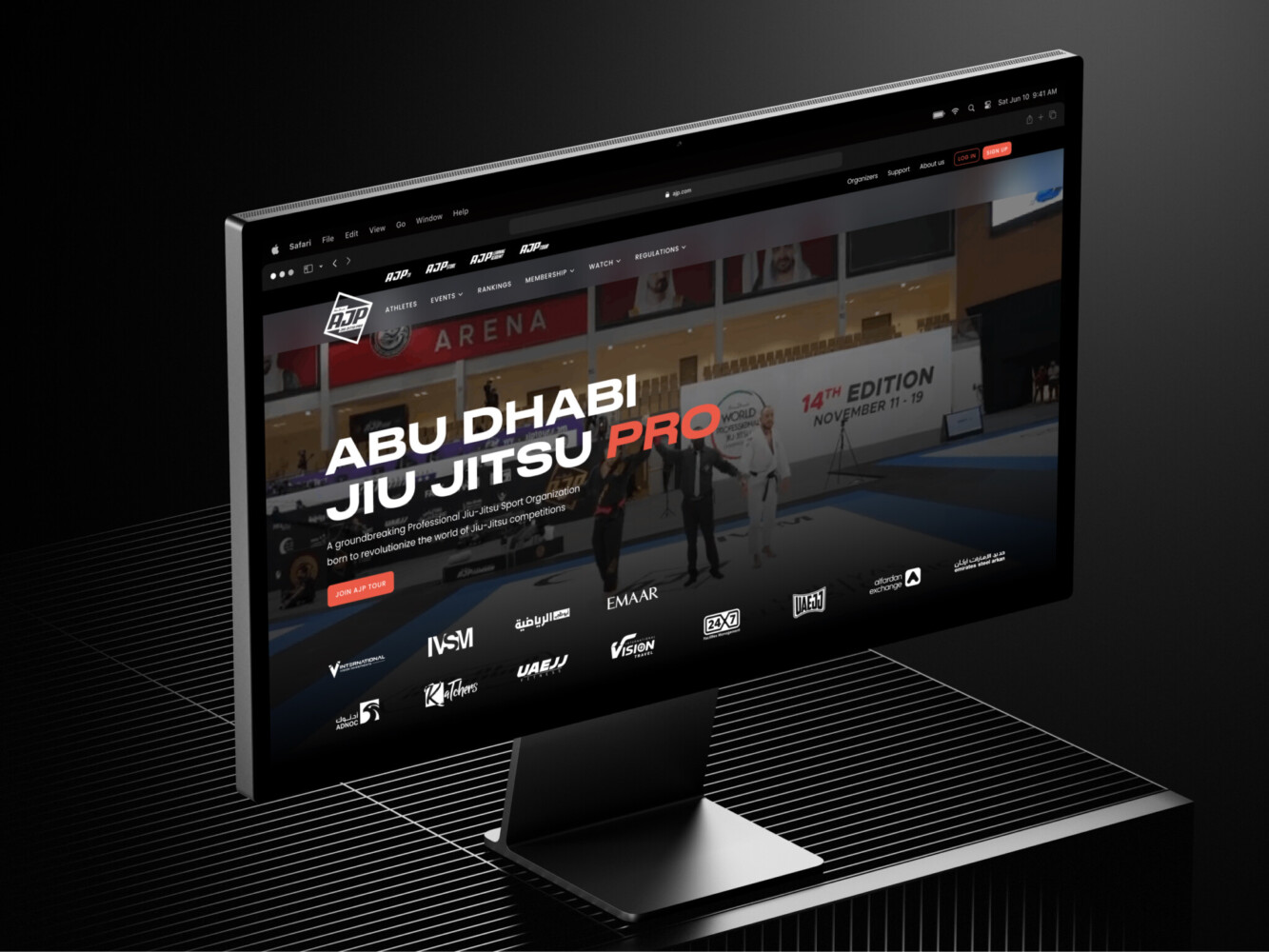
AJP website by Shakuro
The case proves a simple point: when sports software grows, it needs more than features. It needs structure. It needs clear user flows. It needs profiles, rankings, events, registration, mobile access, and content to work together without overwhelming people.
Why Work With a Sports Team Management Software Development Company?
You can build a small internal tool with a freelancer or a no-code stack. Sometimes that is the right move. No need to overcomplicate things.
But if the goal is a product people will use daily, pay for, and trust with real operational data, a development team helps. You need product discovery, UX, architecture, frontend, backend, QA, security, integrations, and ongoing iteration. These parts affect each other.
For example, a payment feature is not just “add Stripe.” It touches user roles, invoices, notifications, refunds, admin reports, failed payment states, and sometimes tax rules. A scheduling feature is not just “add a calendar.” It touches availability, venues, reminders, recurring events, public pages, and mobile UX.
A skilled team for sports club management software development will ask slightly uncomfortable questions early. What happens when a parent has two kids in different teams? Can one coach manage several squads? Can an athlete move between divisions? Who can edit a result after a game? Small questions, yes, but they prevent bigger headaches later.
Final Thoughts
Good sports software should feel like a calm assistant, not another job for the coach.
The best products reduce repetitive work, make communication clearer, and help clubs or leagues grow without turning every season into admin chaos. They also respect how sports actually happen: on phones, between practices, during rushed evenings, and around people who are trying to keep things moving.
If you are planning a sports management product, start with the daily reality of your users. Watch how they schedule, collect money, answer questions, and handle last-minute changes. Then build around that.
The technology matters, of course. Architecture matters. Integrations matter. But the heart of the product is simple: help people spend less time chasing information and more time playing, coaching, organizing, and enjoying the sport.
Planning a sports team management app? Tell us about your idea, and we’ll help you shape the first version.
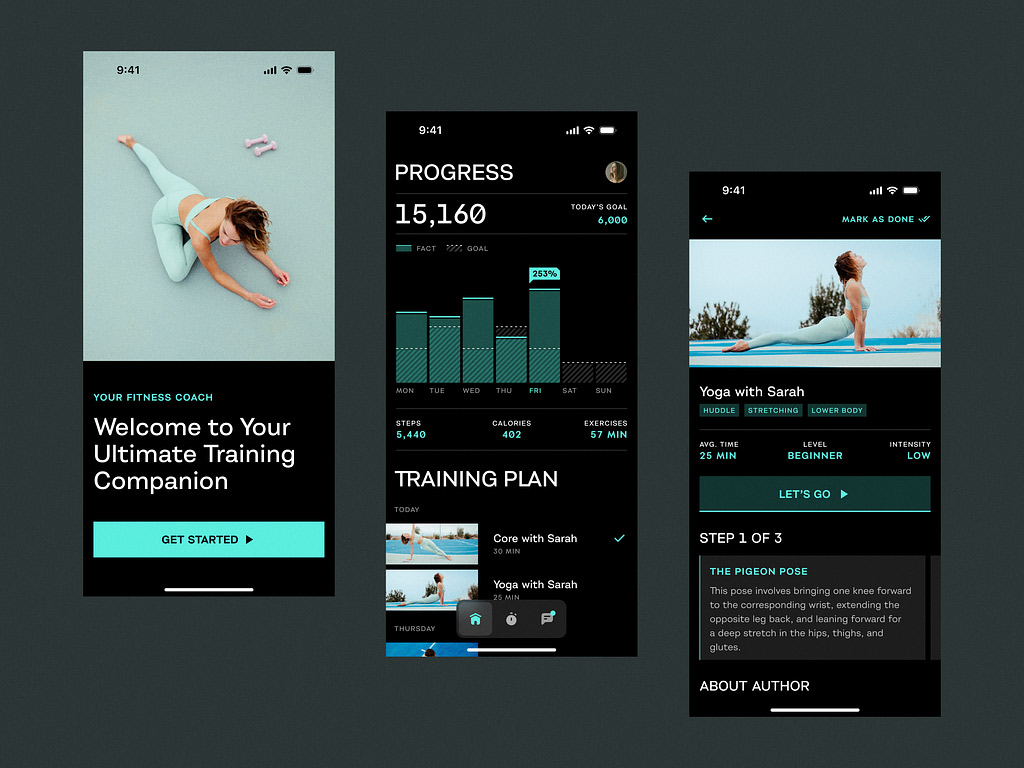
Sport App by Shakuro
FAQ
What is sports team management software used for?
Sports team management software keeps schedules, rosters, attendance, communication, payments, documents and daily team operations in one place. Coaches plan practices and check availability, parents see where and when to arrive, and admins collect fees and publish updates without digging through message threads. Larger platforms also support clubs, leagues, tournaments, standings and reporting.
What features should a sports team management app include?
A first version of a sports team management app typically includes authentication, profiles, rosters, schedules, availability tracking, announcements and basic admin tools. Later releases add payments and subscriptions, documents, richer push and email notifications, calendar sync with Google Calendar, Apple Calendar or Outlook, dashboards, multi-team support and third-party integrations. Start from real weekly workflows rather than a long feature list.
Is sports club management software different from team software?
Yes. Team software is usually lightweight, mobile-first and focused on how one coach or manager coordinates people. Club software supports multiple teams and age groups, coaches, membership tiers, facilities, documents and financial reporting, so permissions and onboarding matter much more. Because different people use a club system in very different ways, role-based access has to be designed into the data model from the start.
What makes league management software more complex?
League management software has to handle divisions, rankings, standings, playoffs, brackets, referees, venue assignments, conflict detection, public schedules and post-game results. It also needs more public pages, because athletes and parents check schedules without logging in. Copying a team app rarely works: it may look fine in a demo, but the first real tournament exposes edge cases in scheduling and results.
How long does it take to build sports team management software?
A basic MVP takes 2-3 months, a team management app 3-5 months and a sports club platform 4-8 months. A league management platform needs 6-12 months, while a complex SaaS platform with web and mobile apps, advanced analytics, subscriptions and custom scheduling logic takes 9-18 months. Scope and the number of edge cases the product must handle decide the timeline.
How much does sports team management software cost?
As a rough planning frame, a basic MVP costs $25,000-$50,000, a team management app $50,000-$90,000 and a sports club platform $80,000-$160,000. A league management platform runs $120,000-$250,000, and a complex SaaS product starts at $250,000+. The main cost drivers are the rules behind the screens: scheduling conflicts, refunds, user roles, recurring events, custom season logic and data migration.
Should I build custom sports team management software or use an existing tool?
For a small internal tool, a freelancer or a no-code stack can be the right move. Custom development makes sense when the goal is a product people will use daily, pay for and trust with real operational data, or when your club or league has its own structure, scheduling rules and permission model. Different sports mean different things by scheduling, which generic tools often miss.
How do I choose a development partner for sports team management software?
Pick a team that covers product discovery, UX, architecture, frontend, backend, QA, security and integrations, because these parts affect each other. A good partner asks uncomfortable questions early: what happens when a parent has children on different teams, whether one coach can manage several squads, and who can edit a result after a game. Check that they build the riskiest workflows first.
Related reading