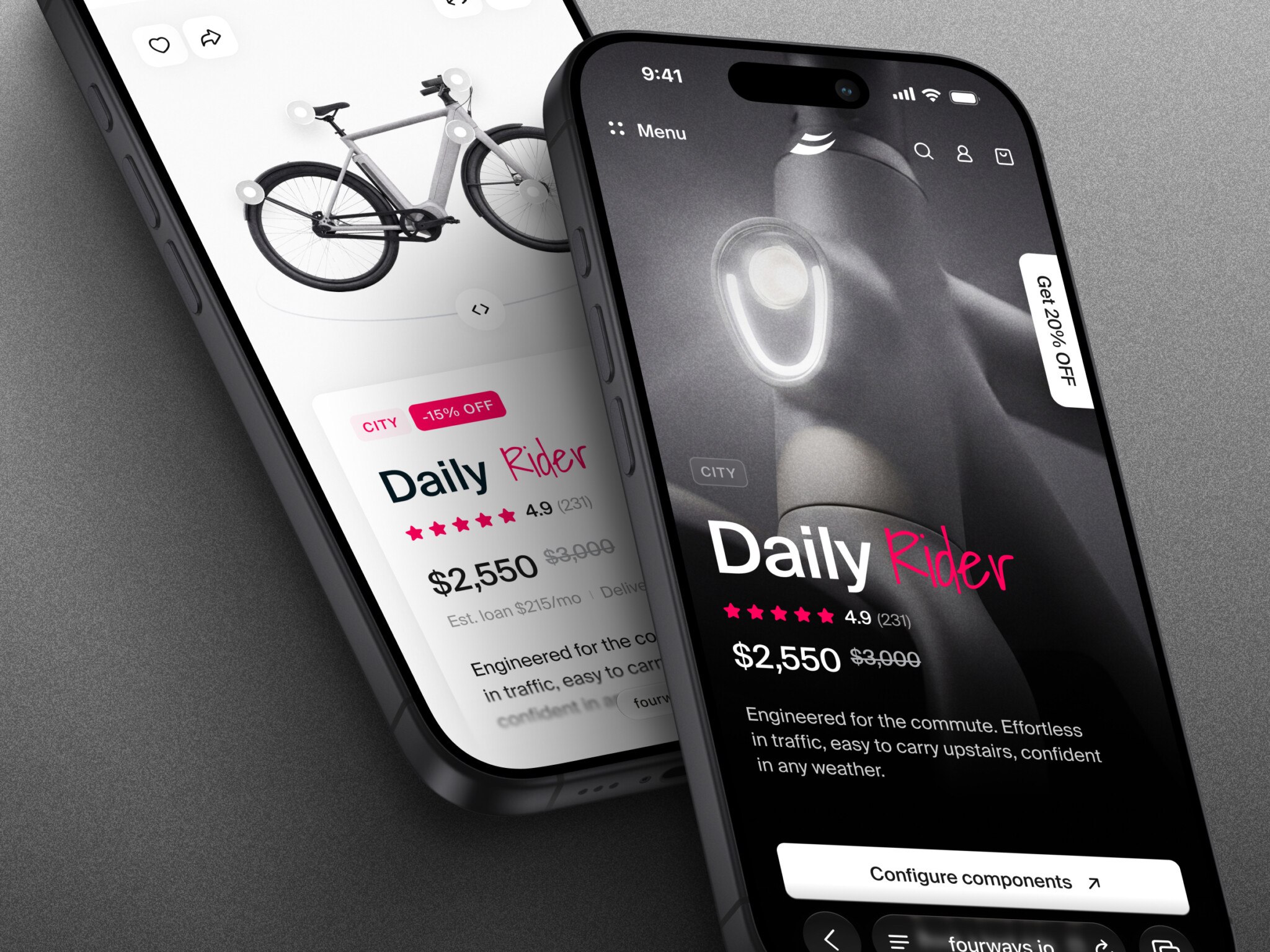
Design is the process of planning and arranging elements to serve a purpose. In simple words, it means deciding what something should do, how people will use or understand it, and how its parts should work together. The word can describe a plan, the work of creating it, or the finished result: a chair, a poster, a website, or an app. Appearance matters, but design is not only decoration.
In digital products, UI/UX design connects what people need to do with the structure, interactions, and visual details that help them do it.
Humans speak through languages and things speak through design. It seems today that nobody claims to speak a foreign language they haven’t studied but everybody thinks they know design.
Below, we explain what design means in art and everyday life, the purpose of design, and why it matters. Then we look at the elements of user interface design: color, typography, icons, animation, and UX writing.
The many-sided nature of design
In simple and brief words, a design is a plan to make something.
“Design is a plan for arranging elements in such a way as best to accomplish a particular purpose.”
― Charles Eames, American designer, architect, and filmmaker
The design meaning depends on the context and can also refer to a variety of other things. Design is the creation of an experience. It’s also the process of the said creation and how well it’s organized. On top of that, design is the result, i.e. the things we see, hear, and feel.
These meanings overlap rather than contradict each other. A design can be the plan, the process, and the resulting arrangement. The useful question is what purpose that arrangement serves.
What is design in art?
In art, design means how visual elements are organized into a composition. The J. Paul Getty Museum explains the principles of design as the ways artists use the elements of art. Balance distributes visual weight; emphasis draws attention to a focal area; movement guides the eye; and rhythm, proportion, variety, and unity shape how the parts relate.
For example, in a poster, a large headline can establish emphasis while repeated shapes create rhythm. In an app, visual emphasis can help a person find the next action. The contexts differ, but both involve choices about how to arrange elements, not simply how to decorate them.
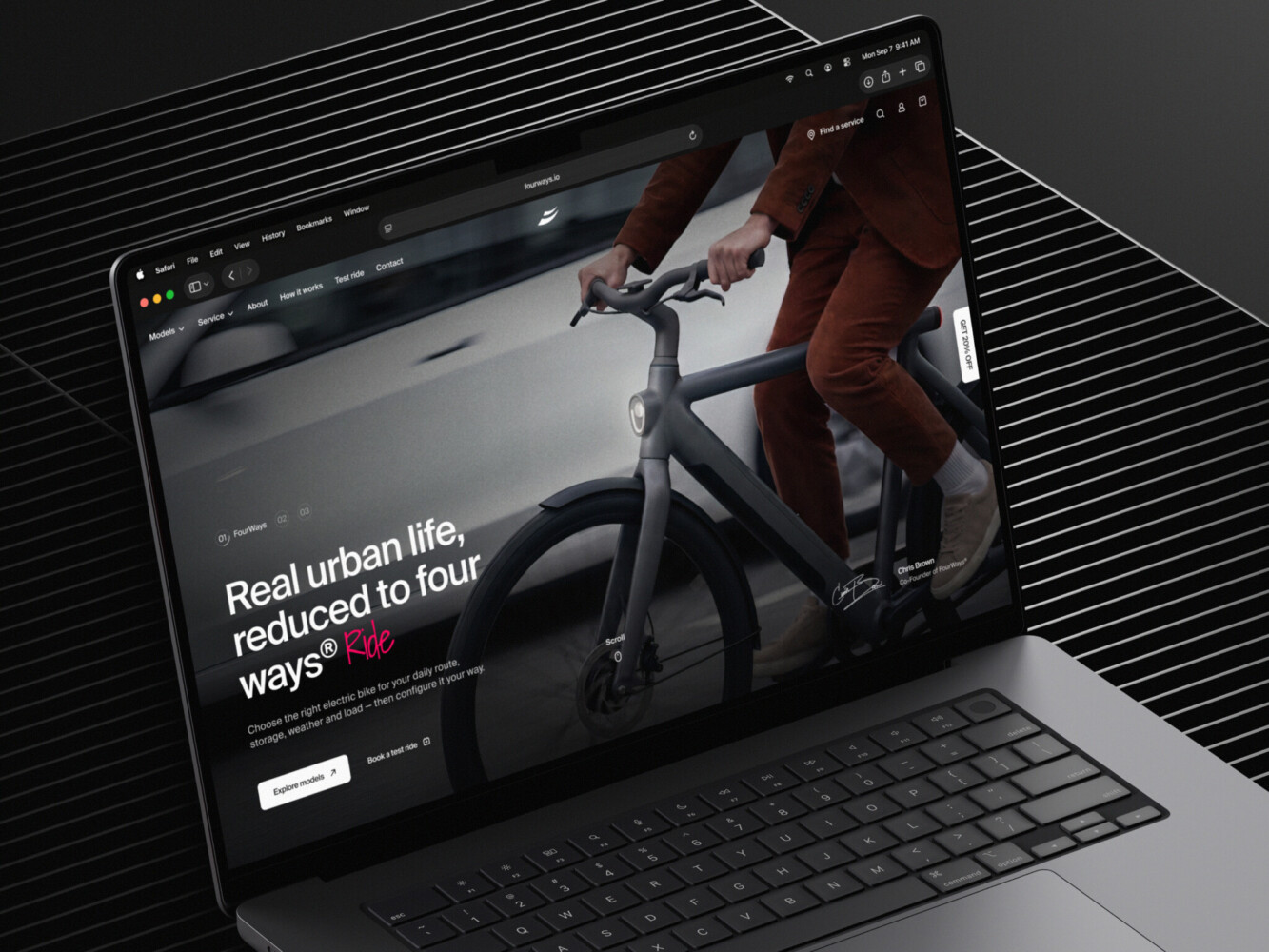
Urban E-Bike E-commerce Store by Shakuro
The purpose of design
The purpose of design is to make an arrangement work for the people and situation it is intended for. For a digital service, that starts with understanding the task rather than choosing a visual style. The Government Design Principles recommend starting with user needs, designing with data, and testing and improving the service after launch.
A practical starting point is to identify the user, the task they need to complete, the constraints they face, and how you will check whether the proposed solution helps. A prototype gives the team something to test before treating an assumption as a finished answer.
Your design doesn’t have to be original
It’s a common misconception that novelties and hype in design will sell a product. The only reason conventional and textbook design patterns exist is because they are tested, proven, and they work. According to Jakob’s Law of Internet User Experience, users spend most of their time on other sites, so it makes perfect sense to design for patterns for which users are accustomed.
A new approach should be a hypothesis to test, not a promise that novelty will improve the experience. Compare it with a familiar alternative using tasks that matter to the intended users.
The great design solution you are looking for is out there.
The real challenge is to find it.
An unfamiliar navigation pattern asks people to learn something before they can complete their task. We often gravitate to familiar things. That does not rule out new patterns, but it gives the team a specific question to test: can people find and use the feature without explanation?
Designers are not like their users
Everybody has biases and it’s okay. Cognitive biases reduce the load and help us stay sane. That being said, it’s important to know whether your bias is damaging your design work.
Designers and owners know their product inside out. Their bias is called the Curse of Knowledge. It’s when you find it extremely difficult to think about problems from the perspective of lesser-informed people. On top of that, your goals are entirely different from those of the people you are building for.
People want to get things done, not listen about how cool you are.
What makes us different? If you are reading this, you are top of the food chain when it comes to computers. Most people are not and they don’t care. They don’t know what it takes to build a digital product just like we don’t know what it takes for our computers to work off the power line. Everybody knows something no one else does.
Company size is not a substitute for user research. Rather than assuming the team already understands the audience, involve people who will use the product and observe how they approach the task.
That is why it’s vital for design agencies to keep it humble and always research their users, study their goals and pains. The more we know about our users, the less biased we are. Eventually, people will have their own habits and biases about our product. But we have got to convert them first.
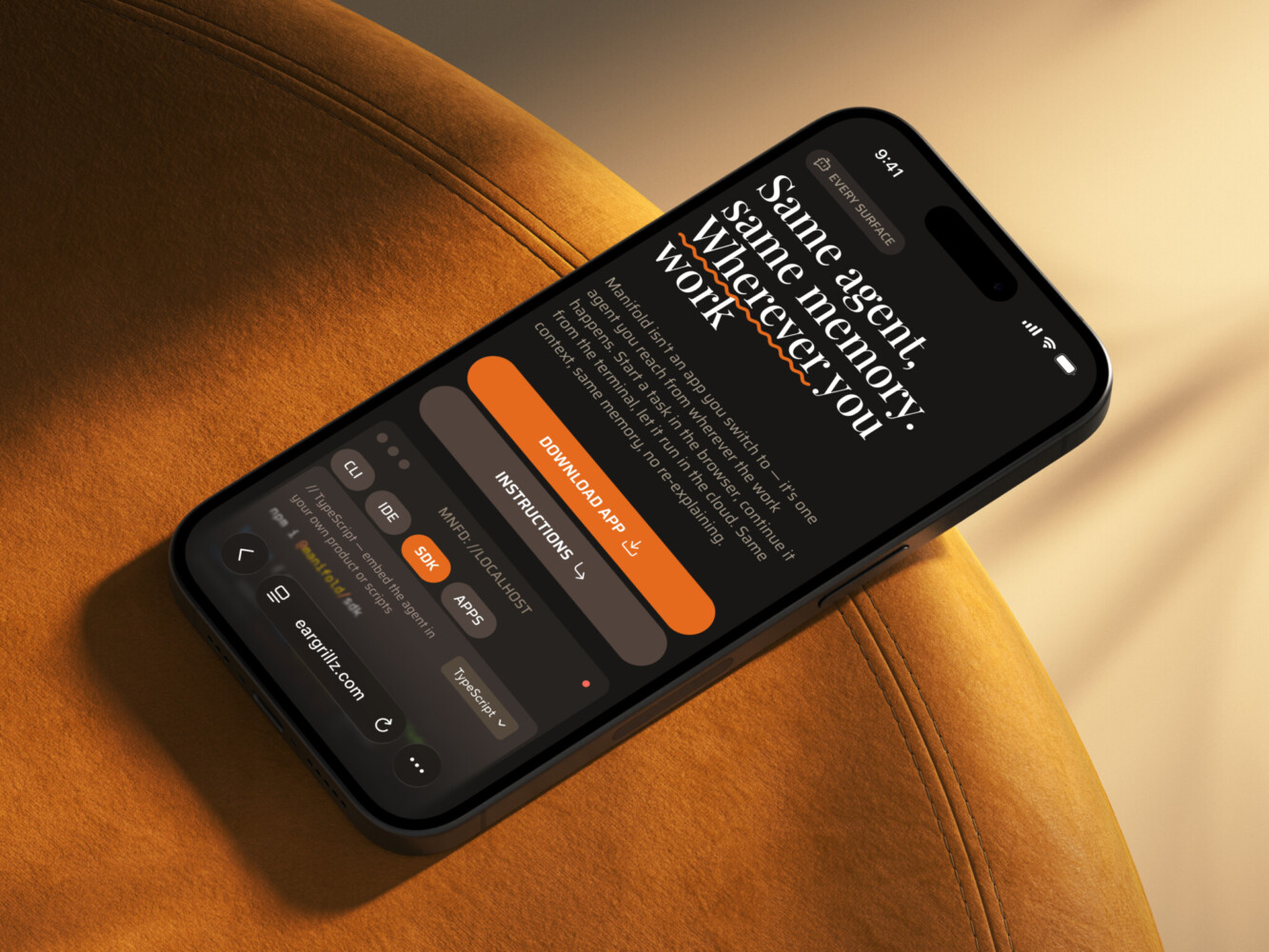
AI Agent Design for WLS by Shakuro
UX design is more than just about usability
Usability is about making a product for people to accomplish their goals. UX design is a lot more robust than just that. It brings delight and meaning to ordinary things. Good UX design matters because it makes every step enjoyable, even the negative ones. If there is no network connection, the website should not die. If a page doesn’t exist, the 404 should not be a bummer. That’s a UX design job. It goes further beyond the familiar definition of user experience.
Here are some important UX design principles:
- Make the task understandable. Show what the user can do next and explain the result of an action.
- Plan for problems. Write useful error messages and provide a way to recover instead of relying on a friendly illustration alone.
- Include different users. Check readability, keyboard use, and other accessibility needs rather than treating the average user as the only user.
- Give the product an appropriate voice. Visuals and language can express its character, but should not get in the way of the task.
Design is not a stage of the project
What is design for deep tech circles? There is an idea that it is a time in the project when they draw sketches of the interfaces. It is not. Design starts when the owner first puts together the image of the product and ends when the project is done which is never done.
The choice of a business model can’t rely on the goals of the owners. There might be a natural talent and an insane gut feeling but it would be foolish to rest on them.
Knowledge of how the product could fit into people’s lives is UX. Knowledge of how to implement it is UI.
UX does not result in UI. It penetrates production, testing, analytics, support, and updates that follow the creation of just interfaces. Those who realize that a designer is more than just a pencil, end up with a consistent and reliable product as opposed to a patchwork of narrow tasks.
The balance of research, interaction design, visual work, and testing depends on the product and the project. There is no fixed share of a designer’s time that applies to every team.
Eye candy design works
It might appear that design, especially the digital one, takes itself too seriously. Indeed, there are usability geeks who don’t believe in the impact of design. They exemplify it by the unattractive likes of Reddit and Craigslist.
Design is no place for extremities. When there’s looks not backed by proper functionality, it’s empty. When it’s just handy and useful, there’s no emotion tied to it and it is also bad. To find the balance between usability and aesthetics, we need to know how attention works and what makes something perceived as beautiful.
To reach more people, your expertise has to spread thin and let emotions onboard users. The visual design drives emotion.
This is how web design works. The vibe of a website decides whether a person will stay and discover the features. Design is engineering in the sense that we know how to engineer delight. Through visual design, we bring meaning to ordinary things and help people find value.
An illustration is a shell for something that it represents on a deeper level. When we designed a professional platform for architects, we created an animation of elements that mimics the behavior of a construction site.
It might look subtle and may not seem worth the struggle at the early stages of design like wireframing and prototyping. But it’s important for a designer to keep in mind the image of the finished product. More so, the way you visually present your digital product says a lot about the brand in general.
No matter how good the service, if it doesn’t care for itself, neither will the people.
Visual polish can create an expectation of quality, but it is not evidence that the product works well. Evaluate appearance alongside whether people understand the information, complete their tasks, and recover from errors.
“Usability is not everything. If usability engineers designed a nightclub, it would be clean, quiet, brightly lit, with lots of places to sit down, plenty of bartenders, menus written in 18-point sans-serif, and easy-to-find bathrooms. But nobody would be there. They would all be down the street at Coyote Ugly pouring beer on each other.”
– Joel Spolsky
This is the impact of design. How the product looks while working is a game-changer.
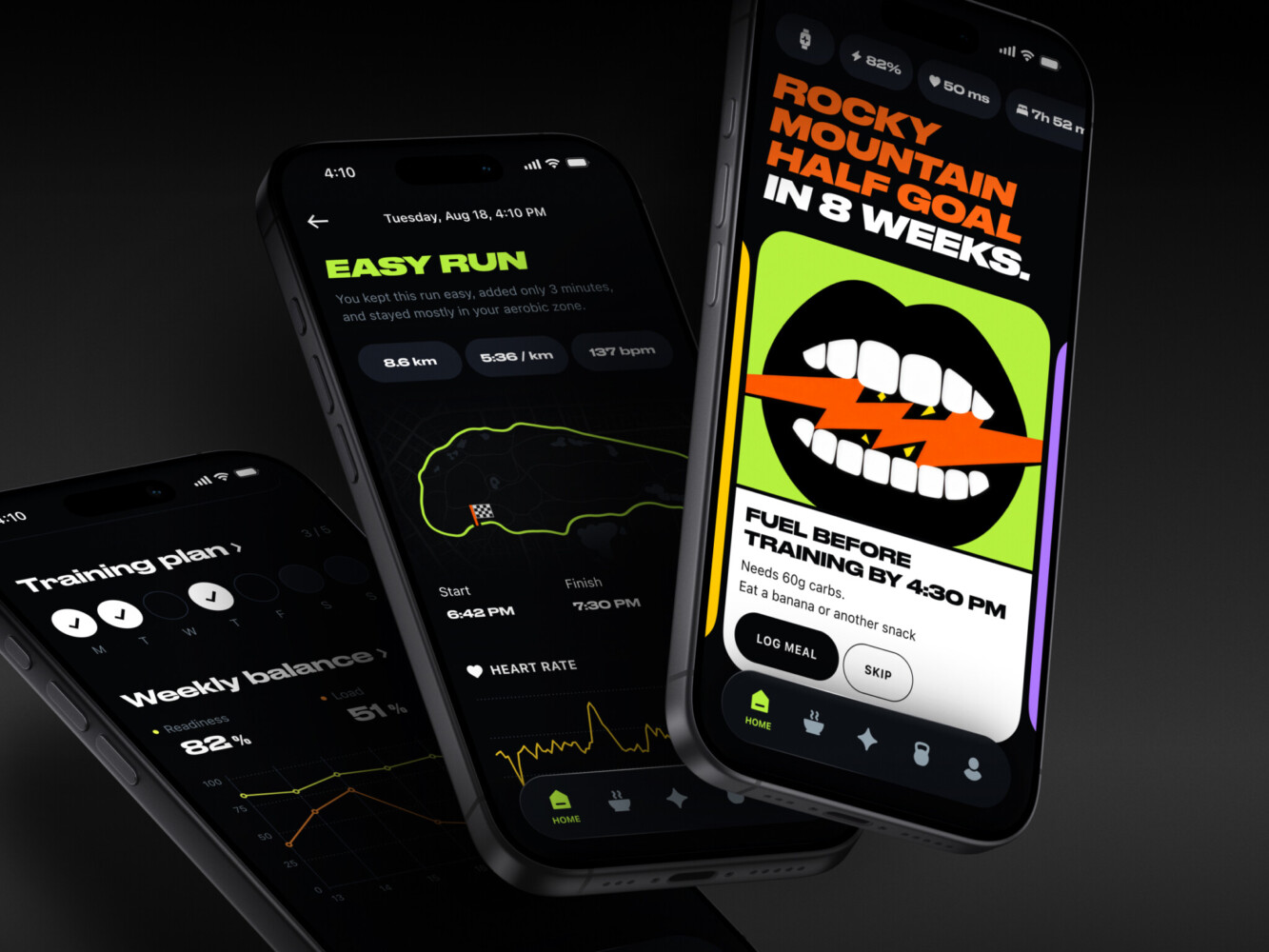
AI Athlete Performance & Recovery Mobile App by Shakuro
Simple vs minimal in design
If you make a rating of comments on Dribbble, the ones that feature the words ‘clean’ and ‘simple’ will be well ahead of the rest. Simplicity has long become one of the staples in design. Because of that, there appeared a bunch of false beliefs that use the term ‘simplicity’ with regard to things that end up being far from simple. So what design is simple and what is minimal?
It’s important to know the distinction between the two UX design principles:
-
Simplicity is a reduced complexity
-
Minimalism is a reduced quantity
The practice of reducing and decluttering is a discipline of its own. But fewer elements do not automatically mean less effort for the user. For the visual side, see our discussion of minimalism in the 2025 design trends. Treat it as a dated style overview, not proof that removing controls improves usability.
Replacing a text label with an icon can reduce visual clutter while making the action harder to identify. Check whether the intended users recognize the symbol in context; when needed, keep a visible label.
Minimal interface design is not purpose-driven. It’s a style. Simplicity comes from our understanding of the experience no matter how many elements of design UI has.
The design has to be visible first so that it won’t do harm. The notorious hamburger menu has taken a beating but made its way into the designers’ minds and earned respect. What this shows is you can’t force minimalism and count on simplicity.
A tool can have many controls and still support a clear task flow. Removing a necessary option may make the screen look quieter while making the work harder.
The Government Design Principles distinguish looking simple from being simple to use. This is a better test than counting how many controls remain on the screen.
For example, hiding a necessary setting behind an unlabeled icon reduces the visible interface, but it also gives the user another thing to discover. Before removing or hiding a control, check whether people still know where to go and what the result will be.
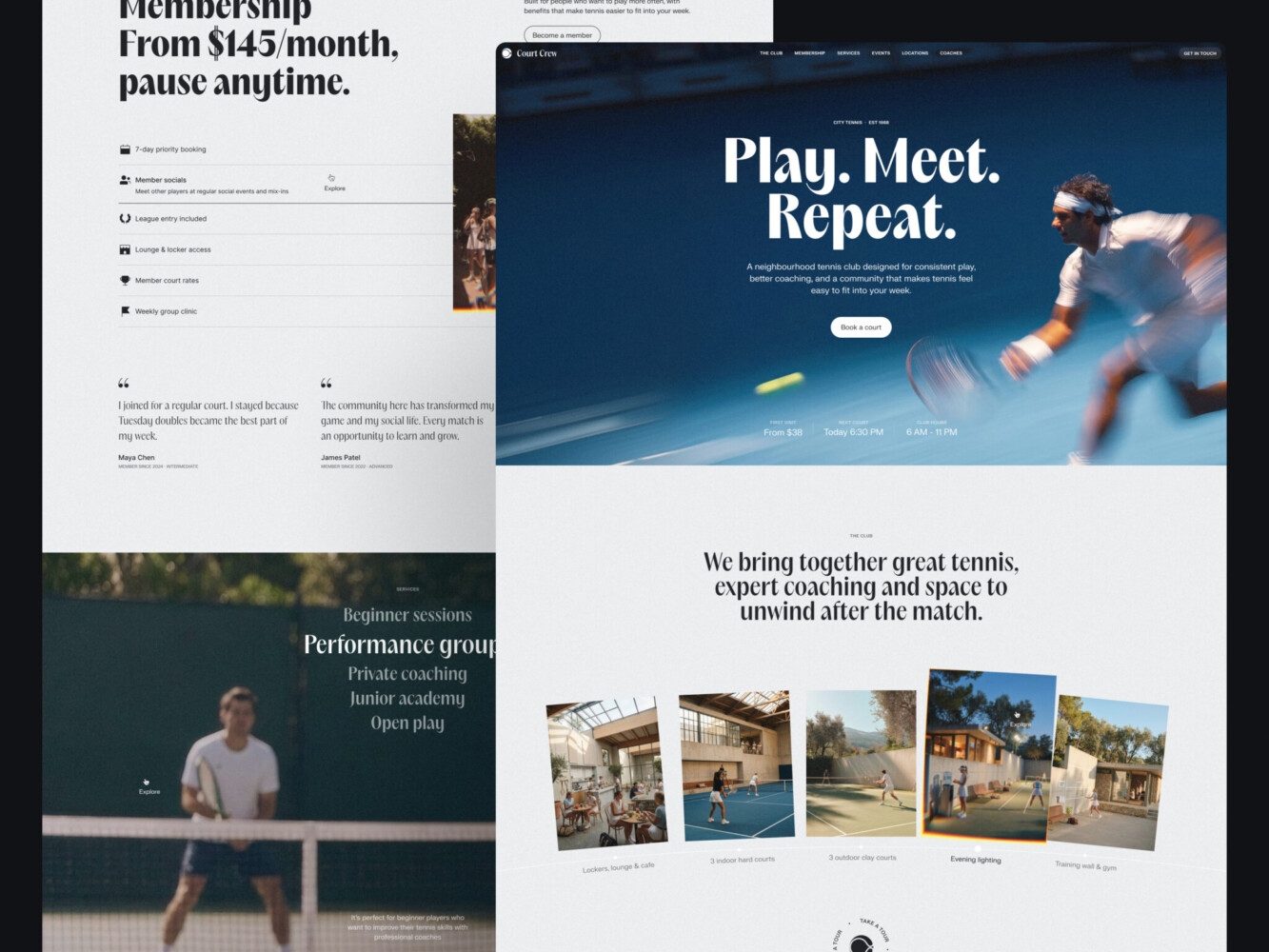
Urban Tennis Club Landing Page by Shakuro
User interface design
A user interface is a touchpoint between a product and its user. User interface design concerns how people see and operate that interface. For each screen, consider the following practical questions, rather than treating them as a complete design-thinking method:
- Condition or where the UI exists.
- Content or what the UI looks like.
- Context or who operates the UI.
Understanding each of these three gives a designer the most important tools to build a visual solution for any type of product.
To become visual, elements have to be designed. Those which are visible by nature, need design even more.
The UI has several fundamental elements of design that all have to be addressed with high-level awareness.
Color in design
What most people and, sadly, many designers know about color does not do it enough justice. Color is the first thing we’d notice but the last we’d understand. Colors can’t be explained and described unless seen. They can’t be changed but can be learned and used. This is how nature communicates with you, and that is why color is so important in design. Ben Hersh wrote a great guide to color in design, you might want to check it out to better understand the question.
“Colors are powerful symbols by which you live or die; they’re worth paying attention to.”
– Ben Hersh
Psychology separates color studies into a standalone discipline. Marketers know the basics of color theory in design and use it to stimulate people’s sense of security, alert, and so on. Designers use color to speak instead of words. Yet, colors don’t exist outside our consciousness.
For digital work, distinguish a color model from a color space. RGB describes colors with red, green, and blue components, but the range of colors depends on the space and the device. W3C’s CSS Color specification describes spaces including sRGB and Display P3 and explains that physical devices cannot reproduce every color people can see. Red, green, and blue are not a guarantee that a screen can show any color.
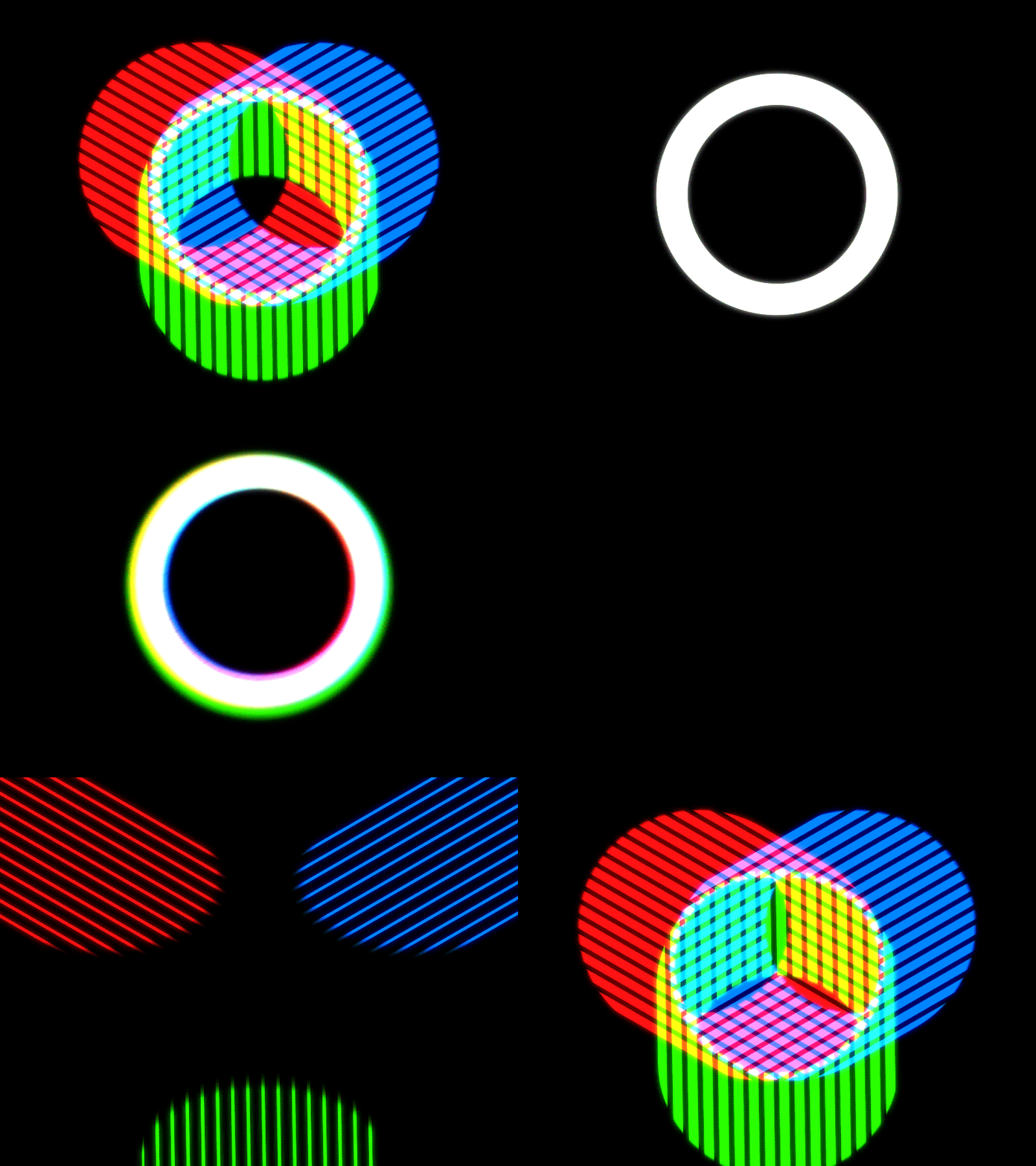
Prism by Jack Sabbath
Color also has to work as information. For text, check the foreground and background together rather than selecting colors in isolation. WCAG 2.2 Success Criterion 1.4.3 (Level AA) requires a contrast ratio of at least 4.5:1 for ordinary text and 3:1 for large text, with specified exceptions such as logotypes, incidental text, and inactive controls.
These ratios address readability, not whether a palette is attractive or appropriate for a brand. Check both: a visual direction can fit the product while still needing stronger text contrast.
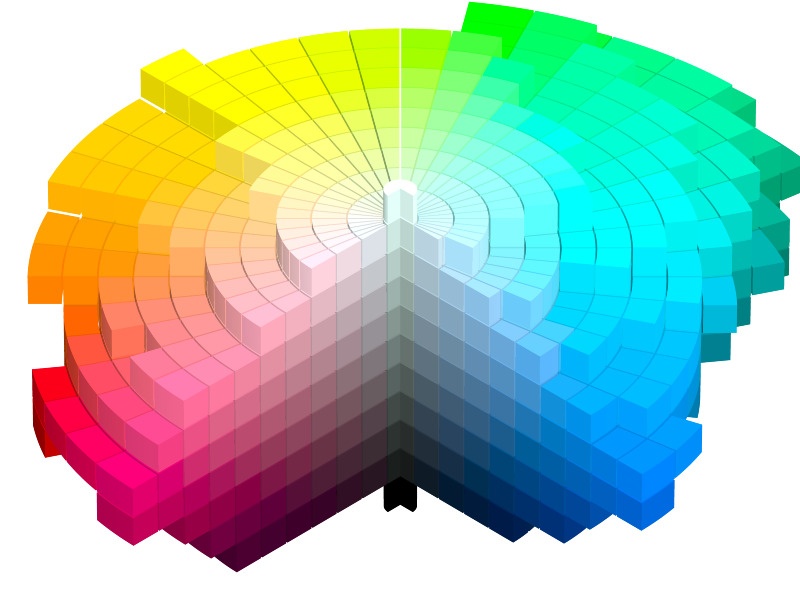
For a designer, to know color means to be able to mathematically select the colors and have the choice backed up by data. At the same time, we as designers have to be keenly aware of how colors are perceived in different cultures and how that perception changes over time.
Colors are the products of physics and mathematics but also intuitive and elusive enough to never let us rest.
Typography in design
Another thing that pops up every time there’s a talk about digital product content is typography. Technically, being just a shell for the meaning, it sometimes can be as significant as the meaning itself. Because if it doesn’t represent that meaning in good fashion, it will go unnoticed.
Text is the strongest medium of information. It might not be so much in terms of emotive response but definitely is in terms of being informative. Text is delivered by means of fonts, or typefaces, in general – typography.
Certain things only exist in one representation – text.
Typography is a design patrimony. Like any other design-specific method, typography is purpose-driven but also aesthetic. As a functional element, typography in the UI is used to guide people, invoke an action, and help them through the entire experience. That’s about the headings, titles, text in menus, buttons, CTAs, and so on.
When it comes to typography as an aesthetic element in web design, we implacably steer towards branding. Words express individuality which is the core of identity. Designers can boost that individuality through the usage of typefaces to reflect the unique character of a brand.
Typography as part of branding helps the product stand out.
Icons in design
Because nobody has time. We have lists everywhere. Lists are how we make sense of the abundance around us. We list foods, apps, TV channels, even friends of Facebook. This helps us structure the information and memorize it better. No wonder lists have made their way into web design where everything can be categorized. That’s how features, services, advantages, and payment plans started being aligned in lists.
Turned out, lists are good for structuring but do no good in the visual aspect.
For a list to become an attention anchor, it has to have a visual element to it. Compare the classic heading-text combo and an icon-heading-text combo:
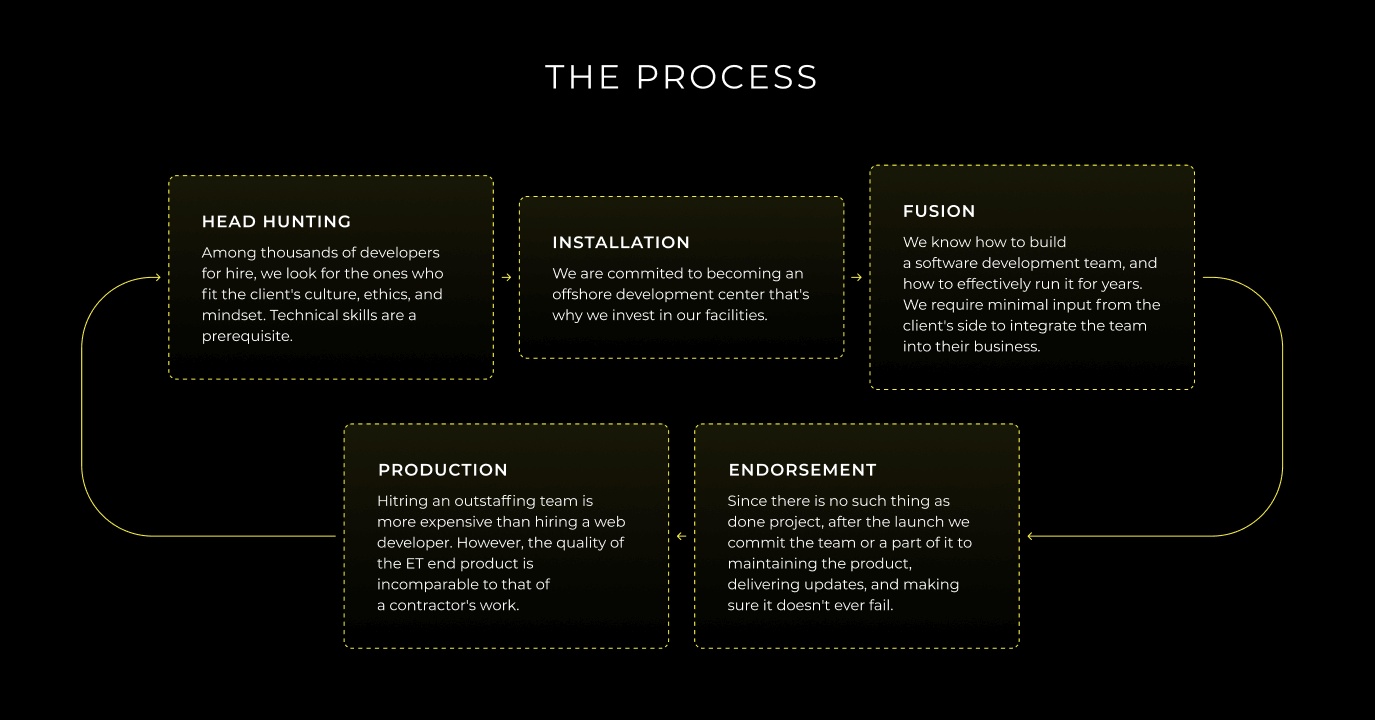

Designers give icons a chance to give a quick snapshot of what the point is about. In this case, icons are Metaphoric Substances. This is the least icons can do. In fact, you can encode a lot of information in them in the context where the estate is a factor.

MaRc – Diner List Component by Paarth Desai
Game designers took it even further and created systems of logically-connected icons representing different in-game assets. This is called Visual Synonymity.

Rank System by 60.o
There is a fine line between icons that convey a design meaning covering all bases in case the textual meaning is missed and pure decorative-functioning icons. We make sure icons work in the first place, which means they motivate a user to do what we expect from them.
Do not assume that an icon, or an emoji, has the same meaning for everyone. Test important symbols with the intended audience and use clear labels when the action would otherwise be ambiguous.
Animation in design
Every physical object moves. They might be still technically, but in relation to the environment, they all move. As the Sun goes over a stone in the woods, the game of light and shadows enlivens the dead stone.
Our eyes and brain are designed to capture movement because it bears a lot of information. It’d be a shame to leave it unaccounted for.
Motion is the first thing we see in the product along with color, images, and typography. These four are the main contributors to the brand’s/product’s personality. It’s important for a product to have a stance on how it’s elements move and what stands behind that movement. But first, why animation is important in UX design:
- Illustrative. It can demonstrate the functionality or help understand it better.
- Amusing. Value can be expressed in many ways. Positivity is one of them.
- Familiar. We expect certain reactions from certain actions. Animation familiarizes.
- Engaging. We tend to follow patterns and animation is a great source of those.
The reason to animate the interface depends on the goal of that specific interaction. Let’s take engaging a user and directing their attention. Since movement is something we instantly see, it makes sense to use animation for things like banner ads and spams. Ads aren’t expected to sell the product, as much as they hunt for views. A view is a sell and they will get it from you by using cheap tricks. Banner ads animation is definitely a cheap trick that works.
What are the principles of design in animation?
- For attention
The principle itself is innocent though. More so, if we use animation to direct users in a way that helps them, the same banner ad principles might contribute to a good UX. For example, a file sending gone wrong does not have to be a pop-up with an error code or a “whoops” type message. We can attract attention to this by using a meaningful motion graphic.

Mail Warning Icon Animation by Ömer Korkmaz
This animation won’t get you confused about the success of your sending and will make sure you address the issue whatever that is. At the same time, it won’t be too intimidating because the animation is done in a friendly way.
- For feedback
Animation magnifies the satisfaction you get from successfully performing a task. The more complex the task, the more rewarding it should be. Motion is how we convey the mood and the attitude of a product to the user’s actions.
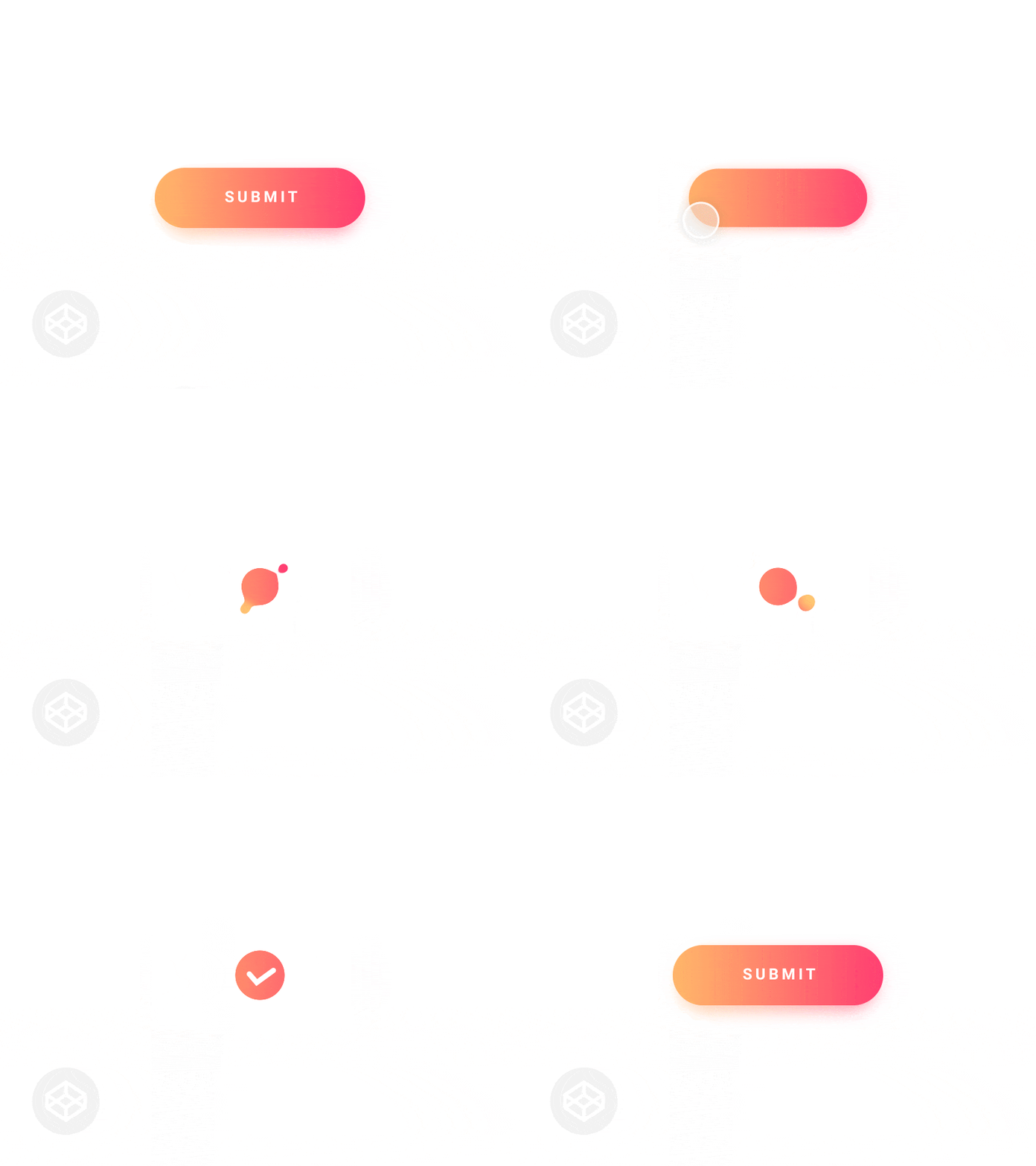
Submit Button by Claudio Scotto
A loading animation can show that a request is in progress, but it should not imply that the action succeeded before the system confirms it. Keep a clear completion state and an understandable error state.
- For progress
Most web processes have designated patterns that people recognize and expect. At the same time, with a variety of devices and screen media, it’s extremely challenging to maintain the same behavior with a lesser estate. This means we have to divide certain processes into comprehensible bits while mapping the entire progress.
The older Pixel setup animation below is an illustration of explaining a transfer process visually, not a claim about the interface on current Pixel phones.

For a process that takes time, explain what is happening and what the person can do next. Do not rely on motion alone to communicate the status.
Motion is a design choice, not a requirement for every interaction. WCAG 2.2 Success Criterion 2.3.3 (Level AAA) says motion animation triggered by interaction can be disabled unless it is essential to the functionality or information. W3C describes supporting the user’s reduced-motion preference as one way to address this. Keep necessary feedback understandable when optional motion is disabled.
UX writing
UX writing is a process of creating copy for user interfaces. Some of you might be surprised to see writing listed among the fundamental aspects of interface design. However, writing is the most important accomplishment in human history. We are surrounded by products that are just the recreation of someone’s ideas. Sometimes those ideas are centuries old. Ideas travel by words.
For an interface, writing has a concrete job: help the person understand what is happening, choose an action, and recover when something goes wrong.
We pass knowledge and multiply it. This is called collective thinking and it has writing in its core.
Words are how we think and define the world around us. Words are human experience coded in something massive and yet extremely fluid – the language. The design relies on such elements and shares a long and dramatic history with writing.
Style guides help a team make consistent choices about terminology and tone. The Microsoft Writing Style Guide, for example, covers communication for apps, websites, and other technology content and describes its voice as warm and relaxed, crisp and clear, and ready to lend a hand. A writing guide is not a set of design-thinking steps; it is a resource for choosing words that suit the reader and the task.
Design values individuality equally to usefulness. Tech culture took away individuality in writing only leaving it to the creative sphere. However, if the design speaks to the emotive perception, writing has to follow.
This is how UX writing was born. At some point, designers started using a specific vernacular to name the UI elements. Good or bad, they were authentic bits of text, specific for the product. We call it microcopy and it works like a regular copy with a tweak. The tweak is that even though the text is clear and simple, you can’t reuse it for another product. It won’t feel right, like something is missing. That something is context. Microcopy says things differently and exudes topicality.
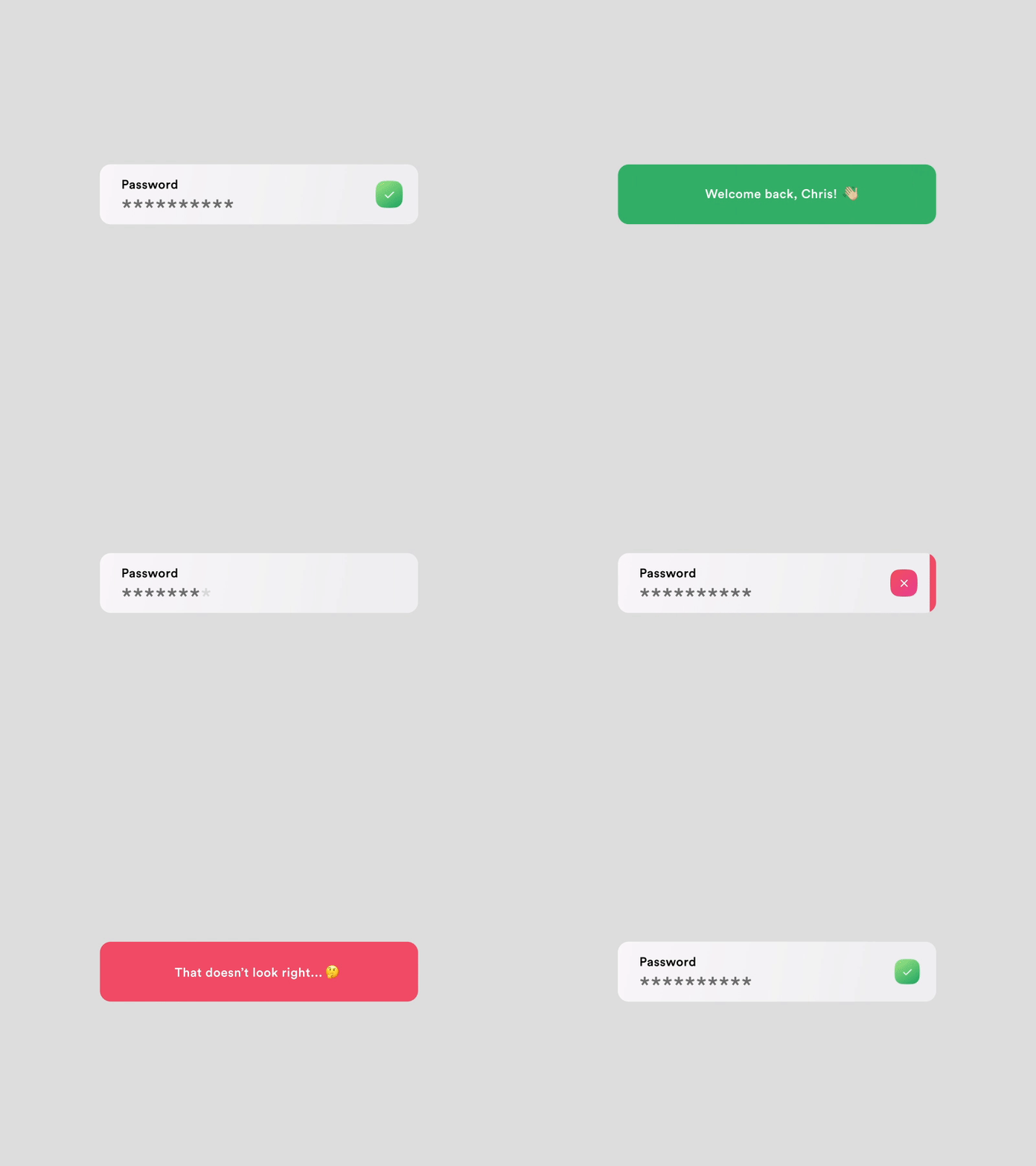
Password Input + Microcopy by Mauricio Bucardo
All of a sudden the unification everybody was going for gave way to individuality through one of the best ways to pass information – words. Because words matter.
Some designers went astray and became… UX writers. And they started approaching writing with all their knowledge and skills of visual influence. The UX writing principles quickly found their form in a pyramid.
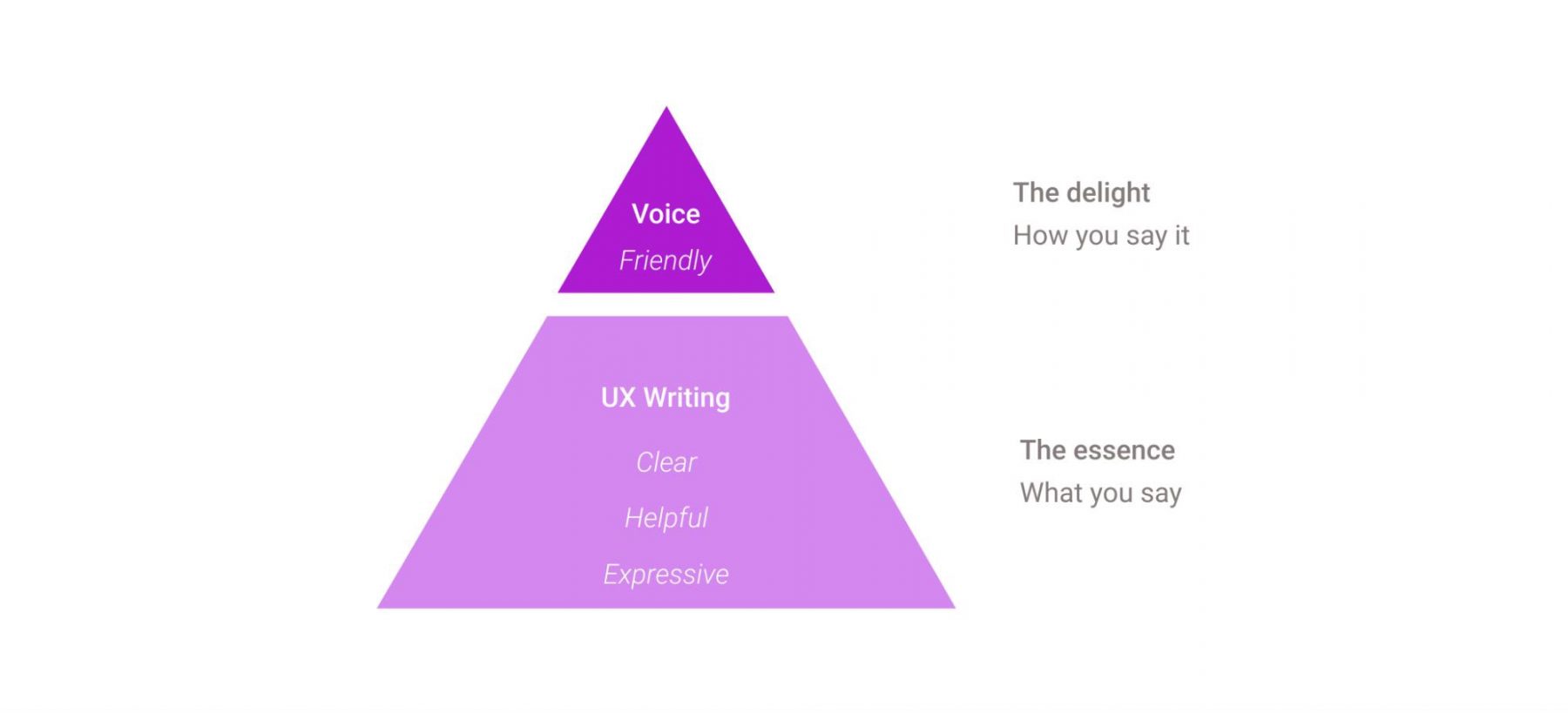
There are two layers. UX writing does not have to be personal. The essence of the product can be fulfilled by the UX writing principles alone. If it is clear, it’s helpful and if it helps, it becomes significant. The top layer is what UX writing is amplified by – the socially pleasing brand voice.
On paper, it’s quite simple but how do you put it to practice with real words and real problems?
Why we need design
Design is important because it shapes how people understand an object, an image, or a service and what they can do with it. In art, balance and emphasis help organize a composition. In everyday products, design concerns the relationship between an intended purpose and how the object is used. In websites and apps, it includes the information, controls, and feedback a person needs to complete a task.
- Understanding: make important information easier to identify and read.
- Action: show a clear path to the task and explain what happens next.
- Access: consider people with different abilities and ways of using the product.
- Expression: give a composition or product a recognizable character without obscuring its purpose.
For a business, these are questions to investigate rather than guaranteed commercial results. Can people understand the offer, find what they need, and use the product? The Government Design Principles recommend prototyping, testing with users, and iterating in response to evidence. A visual redesign alone does not establish that a product is easier to use.
Good design brings purpose, appearance, and use into the same conversation. The right balance depends on the people, the task, and the context, not on a single fashionable style.
* * *
What is design? Every professional and author, every team, and every company has its own design definition and understanding of what it does and what it’s all about. Each of them addresses the question of the meaning of design very differently.
But it seems that it all comes down to the simple fact that the meaning of design however it may vary depending on different projects, fields, and theories is not about beautification as such, but more of solving the specific tasks and making the lives of users better, clearer, more enjoyable.
If you are applying these principles to a website or app, explore our UI/UX design services, which cover research, prototypes, interfaces, and design systems. Have a product or an existing flow you want to improve? Tell us about your project so we can discuss its users, goals, and scope.
FAQ
What does design mean?
Design means a plan to make something. Charles Eames described it as a plan for arranging elements in such a way as best to accomplish a particular purpose. Depending on the context, the word also refers to the creation of an experience, the process of that creation and how well it is organized, and the result itself: the things we see, hear, and feel.
Is design art or science?
Design uses creative judgment alongside research and testing. A composition involves choices about appearance and expression; a digital product also needs to work for its intended users and context. Neither visual appeal nor data alone defines the whole discipline.
What is the purpose of design?
The purpose of design is to arrange something so that it serves an intended use or communicates an idea. For a digital product, start with the user’s task, consider the constraints, and test whether the proposed solution helps. Novelty or decoration alone is not proof that it works.
Is design just one stage of a project?
No. For a digital product, design can continue through research, prototyping, implementation, testing, and improvements after launch. The balance of activities varies by project; there is no fixed percentage of time every designer spends drawing interfaces.
What is the difference between simple and minimal design?
Simplicity is about reducing difficulty; minimalism is about using fewer elements. An interface with fewer controls can still be harder to use if necessary actions are hidden or icons are unclear. Evaluate whether users can complete their tasks, not just how little is on the screen.
Why is design important?
Design helps people understand information, use objects and services, and experience a composition or product. In art, it organizes visual elements; in websites and apps, it helps shape readable content, clear actions, and useful feedback. Its value should be checked in context rather than assumed from appearance.
What does design mean in art?
It means the organization of visual elements into a composition. Balance, emphasis, movement, proportion, rhythm, variety, and unity describe relationships between the parts of the work. A large headline can create emphasis; repeated shapes can create rhythm.
Related reading
- Fiction And Fact In Product Design
- User-Centric Mobile App Design: Building Apps That Users Love
- Web Design vs Web Development, or Both? Here’s How to Decide
Updated in November 2026 with an explanation of design in art and references to official guidance on user needs, color, contrast, motion, and writing.