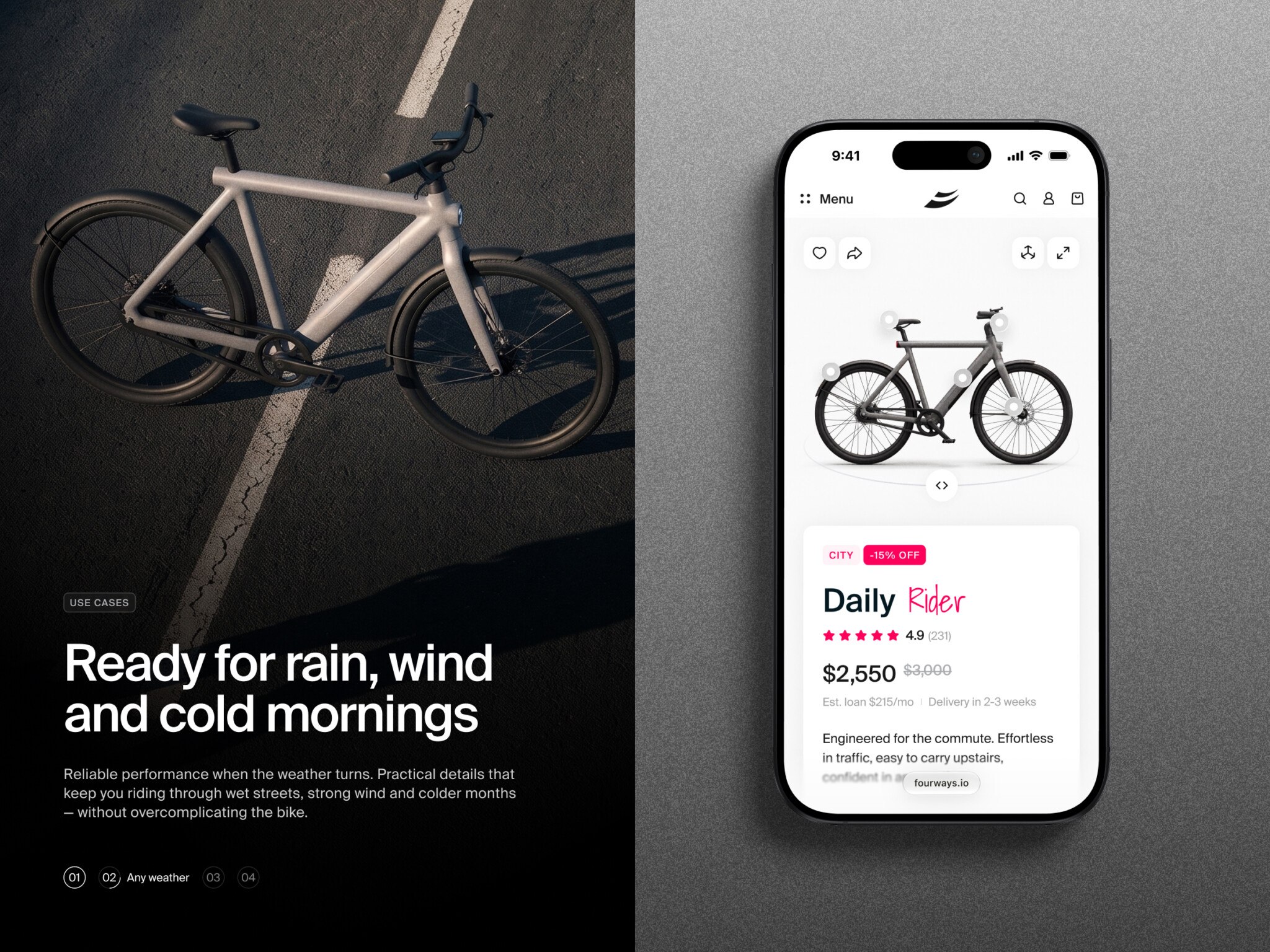
A SaaS marketplace platform is essentially the digital infrastructure that connects buyers and sellers, handling everything from listings to payments without you owning the inventory. It’s about using software to facilitate trades of goods, services, or B2B assets. The key is balancing trust and ease—making sure sellers get paid reliably while buyers feel safe spending their money.
Key Takeaways:
- Validate before you code. Don’t build a complex platform for a niche that doesn’t exist. Test your buyer-seller match manually first.
- Start simple. Use hosted SaaS or a tight MVP scope to launch fast. You can always add custom features once you have traction.
- Trust is your product. Features like vendor verification, clear dispute policies, and secure payments are more important than fancy design.
- Know your costs. It’s not just development. Budget for ongoing maintenance, hosting, payment processing fees, and customer support.
- Focus on the right metrics. Ignore vanity stats. Watch seller activation, time-to-first-sale, and repeat purchases to gauge real health.
- Pick the right partner. Look for a team that understands marketplace dynamics (like split payments and two-sided workflows), not just generic web development.
Say someone books a plumber through your marketplace and pays upfront. The plumber cancels, the customer wants a refund, and the payout has already gone through. Who sorts it out? And can they do it without digging through three different dashboards?
It’s a small example, but it brings up the kinds of decisions that make SaaS marketplace platform development tricky. Which jobs can your team handle by hand at launch? Will a hosted platform cover the way your sellers actually work? And how much of the budget should you set aside for running the marketplace once it’s live?
If your first release is starting to feel bigger than you’d planned, that’s a good place to pause. This guide walks through what it takes to get your first buyers and sellers through a transaction, where ready-made software can save you time, and what tends to push development costs up. You’ll have a clearer idea of what to build first and what can wait until you’ve seen how people use it.
What Is a SaaS Marketplace Platform?
SaaS marketplace platform acts as the engine for trading anything—physical goods, local services, digital assets, or even B2B industrial parts—where the marketplace itself is delivered as a software service.
Think of it like this: The operator (that’s you, or your company) provides the digital infrastructure. It’s the virtual mall, the payment processor, the trust badge, and the matchmaking algorithm all rolled into one. You don’t own the inventory. You don’t perform the services. You facilitate the connection.
There are three key players in this dance:
- The Buyers: They come with a need. Maybe they need a graphic designer, a used laptop, or bulk raw materials. They want ease, security, and variety.
- The Sellers: They have the supply. They want access to customers without spending a fortune on marketing or building their own e-commerce site from scratch.
- The Operator: That’s the glue. You set the rules, take a cut (usually), and ensure the platform doesn’t descend into chaos. Your job is to make the transaction so smooth that both sides forget you’re even there.
Now, why does the “SaaS” part matter? Because it means the platform is scalable, updated regularly, and accessible via the cloud. You’re leveraging a model that grows with you.
This model shows up in different flavors:
- Product Marketplaces: Think Etsy or Amazon. Physical items changing hands. The challenge here is logistics and returns.
- Service Marketplaces: Like Upwork or TaskRabbit. Here, you’re selling time and expertise. The tricky part? Defining quality. How do you measure a “good” consultation versus a “bad” one?
- B2B Marketplaces: These are quieter but often more lucrative. Imagine a platform connecting manufacturers with suppliers. The transactions are larger, the relationships longer-term, and the need for trust is massive.
Founders often get stuck trying to build for all three at once. Instead, pick a lane. A SaaS marketplace platform works best when it’s tailored to the specific friction points of its niche. Trying to be everything to everyone usually results in being nothing to anyone.

Urban E-Bike E-commerce Store by Shakuro
Choosing a Marketplace SaaS Platform: Ready-Made or Custom?
1. Hosted Marketplace Software (The “Rent” Option)
These are platforms like Sharetribe, Arcadier, or Mirakl. You sign up, pick a template, and start adding users. It’s fast. You could have a basic version live in weeks.
The good: Low upfront cost, no server maintenance, and they handle security updates.
The bad: You’re stuck in their walled garden. Want a specific feature? Too bad, unless it’s on their roadmap. Customizing the look and feel is often limited. And if you want to leave? Good luck exporting your data cleanly.
2. Custom Development (The “Build” Option)
This is hiring a dev team to build your marketplace SaaS platform from the ground up using tools like React, Node.js, or Python.
The good: Total control. Every button, every algorithm, every user flow is exactly how you want it. You own the code and the data.
The bad: It’s expensive and slow. You’re looking at months, maybe years, before launch. Plus, you’re now responsible for bug fixes, security patches, and server costs. It’s a full-time job.
3. The Hybrid Approach (The “Best of Both Worlds?” Option)
This is where things get interesting. You start with a hosted solution to validate your idea, then gradually replace parts of it with custom code as you grow. Or, you use a headless commerce engine that gives you more flexibility than a standard SaaS but less headache than full custom.
The good: You get speed early on and flexibility later.
The bad: It can get messy. Integrating custom code with a rigid SaaS backend often leads to technical debt. You need a smart CTO to manage this transition.
So, which one fits you?
| Feature | Hosted SaaS | Custom Build | Hybrid Approach |
| Launch Speed | Very Fast (Weeks) | Slow (Months/Years) | Medium (Starts fast, slows down) |
| Customization | Low to Medium | Unlimited | High (but complex) |
| Integrations | Limited to pre-built apps | Any API you can code | Flexible, but requires effort |
| Data Portability | Often difficult | You own it all | Depends on the setup |
| Upfront Cost | Low | Very High | Medium |
| Ongoing Costs | Monthly subscription | Dev team + servers | Subscription + dev maintenance |
| Best For | Validating ideas, niche markets | Unique models, large budgets | Scaling startups, tech-savvy teams |
In my experience, most founders overestimate their need for custom features in the beginning. You don’t need a unique algorithm to match buyers and sellers if you only have ten users. Start simple. Use a marketplace SaaS platform to get traction. Once you’re making money and know exactly what’s missing, then consider building custom.
Essential Features of an Online SaaS Marketplace Platform
Buyer Experience
For the buyer, it’s all about friction reduction. If they can’t find what they want or pay for it easily, they’re gone.
- Registration: Keep it simple. Social login is your friend here. Nobody wants to fill out a ten-field form just to browse.
- Search and filtering: This is huge. If I’m looking for “vintage leather jackets” in “size M,” I shouldn’t have to scroll through 500 unrelated items. Good filters save time and build trust.
- Listings: Clear photos, honest descriptions, and transparent pricing. No hidden fees until the very end.
- Checkout or booking: Whether it’s a one-click buy or a calendar booking for a service, this step needs to be bulletproof. Security badges help, too.
- Messaging: Buyers often have questions before committing. A built-in chat keeps them on your platform instead of emailing the seller directly (which cuts you out of the loop).
- Reviews: Social proof is everything. A marketplace without reviews is like a restaurant with no menu—you just don’t know what you’re getting.
Seller Workspace
Sellers are your partners. If their life is hard, they’ll leave. Make their dashboard intuitive.
- Onboarding: Make it easy for sellers to verify their identity and set up their profiles. If it takes three weeks to get approved, you’ll lose them.
- Listing management: They need to upload products or services quickly. Bulk uploads are a lifesaver for power sellers.
- Orders: A clear view of what’s been sold, what’s pending, and what’s shipped.
- Availability: For service marketplaces, a calendar sync is non-negotiable. Nothing kills the vibe faster than double-booking.
- Payouts: Sellers want their money. Fast, transparent payouts build loyalty. Show them exactly when they’ll get paid.
- Performance dashboards: Give them data. How many views did their listing get? What’s their conversion rate? Help them sell more.
Operator Controls
This is your command center. You’re not just watching; you’re steering.
- Vendor approval: You decide who gets to sell. Manual approval adds trust; automated speeds things up. Pick your poison based on your niche.
- Commissions: Set your take rate. Is it a flat fee? A percentage? Make sure the system calculates it automatically.
- Moderation: You need tools to flag inappropriate content or suspicious activity. You can’t moderate everything manually forever.
- Disputes: Things go wrong. Items break, services disappoint. You need a clear process to mediate and issue refunds if necessary.
- Reporting: Know your numbers. GMV (Gross Merchandise Value), active users, churn rate. If you don’t track it, you can’t improve it.
- Roles and permissions: Not everyone on your team needs access to financial data. Set clear roles to keep things secure.
Subscription Management
If your online SaaS marketplace platform relies on recurring revenue from sellers (like a monthly fee to list items), this is critical.
- Plans: Tiered options work well. Basic, Pro, Enterprise. Give them reasons to upgrade.
- Billing: Automated invoicing. No one likes chasing payments.
- Upgrades/Cancellations: Make it easy for users to change plans. Friction here leads to chargebacks.
- Access rules: If they stop paying, their listings should go dark or lose visibility. Automate this.
MVP vs. Later Features
Here’s the reality check. For your Minimum Viable Product (MVP), you only need:
- Basic registration and profiles.
- Simple search and listings.
- Secure checkout/payouts.
- Basic messaging.
- Admin panel for approvals and disputes.
Everything else? AI-driven recommendations, advanced analytics, multi-language support, mobile apps—those can wait. Validate first. Build the core. Once people are actually using it and paying, then you add the bells and whistles.

Ecommerce website by Shakuro
Architecture and Technology Decisions That Shape the Product
The Core Components
Think of your marketplace SaaS platform as a restaurant.
- Frontend: This is the dining room. It’s what users see and touch. It needs to be fast, pretty, and intuitive. React or Vue.js are popular choices here because they’re responsive.
- Backend: The kitchen. This is where the logic happens. Order processing, user authentication, matching algorithms. Node.js, Python, or Ruby on Rails often do the heavy lifting.
- Database: The pantry. Where all your data lives. You need something reliable. PostgreSQL is a solid default for most marketplaces because it handles complex relationships (like buyers, sellers, and orders) well.
- Search: If your pantry is messy, you can’t find anything. Standard database search is okay for small lists, but once you have thousands of items, you need something like Elasticsearch or Algolia. They make filtering instant.
- Payments: Don’t build this yourself. Use Stripe Connect or PayPal Marketplace. They handle the compliance, fraud detection, and split payments between you and the seller. It’s worth every penny.
- Notifications: Email, SMS, push notifications. Users need to know when they’ve made a sale or received a message. Tools like SendGrid or Twilio integrate easily.
- Integrations: Your platform won’t exist in a vacuum. You’ll need to talk to CRM systems, accounting software, or shipping providers. APIs are your bridge.
Multi-Tenant vs. Single Marketplace
In a standard marketplace, you have one platform. All sellers and buyers interact in the same space. Think of Amazon or eBay. Everyone shares the same database, just with different permissions.
In a multi-tenant SaaS product, you’re selling the software to other businesses who then run their own marketplaces. Imagine you build a platform that allows local communities to create their own “Farmers Market” apps. Each community is a “tenant.” They have their own branding, their own users, and their own data.
Why does this matter? Data isolation. In a multi-tenant setup, you must ensure that Tenant A never sees Tenant B’s data. It’s a higher security bar. You also need more complex permission structures. One admin might manage multiple tenants, while another only manages one.
Scaling and Safety
- Data Isolation: As mentioned, if you’re multi-tenant, keep data separate. Use tenant IDs in every database query. Double-check them.
- Permissions: Not everyone should see everything. Sellers shouldn’t see other sellers’ revenue. Buyers shouldn’t see admin logs. Role-based access control (RBAC) is your best friend.
- Backups: Things break. Servers fail. Humans make mistakes. Automate your backups. Test them.
- Monitoring: You need to know when things go wrong before your users do. Tools like Datadog or New Relic can alert you if your server CPU spikes or if error rates climb.
- Scaling: Start simple. Cloud providers like AWS or Azure let you scale up as you grow. But design your architecture to be modular. If your search function slows down, you should be able to upgrade just that part without taking down the whole site.
Choosing Your Stack
How do you pick the right tools? It’s about three things:
- Workflow Complexity: If you’re building a simple product marketplace, a monolithic architecture (all code in one place) is fine. If you’re building a complex B2B platform with custom workflows for each client, you might need microservices.
- Team Expertise: Don’t choose GoLang if your team only knows JavaScript. Stick to what they know. Learning a new language while building a startup is a recipe for burnout.
- Maintenance Needs: Some technologies require constant tweaking. Others are “set and forget.” Consider your long-term capacity. Do you want to spend your time fixing servers or talking to customers?
How to Build a Marketplace Platform: From Discovery to Launch
If you’re figuring out how to build a marketplace platform, you need to resist the urge to code immediately. It’s tempting. But let’s walk through the steps that actually save you from building something nobody wants.
Validate the Niche and Transaction Model
Before you write a single line of code, talk to humans. Who is your first buyer? Who is your first seller? And crucially, why would they trust you to connect them?
Many founders spend months building a complex matching algorithm for a niche that only had fifty potential users in the entire country. Don’t do that. Test demand manually. Can you match ten buyers with ten sellers using just email and spreadsheets? If you can’t make it work manually, software won’t fix it. Identify the friction. Is it price? Trust? Availability? Solve that first.
Define Monetization and MVP Scope
How do you make money? This dictates your tech requirements.
- Commissions: You take a cut of each transaction. This requires robust payment splitting (like Stripe Connect).
- Subscriptions: Sellers pay a monthly fee to list. This needs a billing engine.
- Listing Fees: Pay-to-play. Simple, but can discourage new sellers.
Pick one for your MVP. Maybe two if they’re tightly linked. Don’t try to do all three at launch. Your MVP scope should be the smallest possible version that allows a complete transaction. If a feature doesn’t directly help a buyer buy or a seller sell, cut it. Be ruthless.
Design the Core User Journeys
When creating a marketplace SaaS platform, grab a whiteboard or a tool like Figma. Map out the steps.
- Onboarding: How does a seller sign up? What info do you really need right now? (Hint: Less is more).
- Discovery: How does a buyer find what they need?
- Transaction: The moment of truth. Clicking “Buy” or “Book.”
- Seller Operations: What happens after the sale? Do they need to ship? Schedule a call?
Prototype these flows. Click through them yourself. If it takes more than three clicks to do something basic, simplify it. Every extra click drops your conversion rate by about 10%. It adds up.
Develop and Integrate
Now you build. Focus on the core workflows. Connect your payment gateway early. Don’t wait until the end to figure out how splits work. Integrate your notification system so users get emails when things happen. Silence is deadly in a marketplace.
If you’re using a hybrid approach, this is where you might start customizing your hosted solution. Keep your code clean. Document your APIs. You’ll thank yourself later when you need to add a new feature.
Test the Complete Transaction Lifecycle
Testing isn’t just checking if buttons work. It’s about breaking things.
- What happens if a payment fails mid-checkout?
- Can a seller see another seller’s data? (They shouldn’t).
- How do you handle a refund? Does the commission get returned automatically?
- What if a user tries to bypass the platform and pay cash?
Test the exceptions. The “happy path” is easy. The messy real world is where your platform lives or dies. I always recommend having a few friends try to break your system. They’ll find bugs you missed because you were too close to the project.
Launch a Focused Pilot
Launch to a handful of people. Recruit ten sellers you know. Get twenty buyers to try it out. Watch them use it. Sit behind them if you can. See where they hesitate. See where they get confused.
This pilot phase is for learning, not earning. You’re refining the product based on real feedback. Maybe your search filters are confusing. Maybe your payout terms are unclear. Fix these things now, while the stakes are low.
Knowing how to build a marketplace platform is really about knowing when to stop building and start listening. The software is just a tool. The value is in the connections you facilitate. Keep it simple, keep it human, and don’t be afraid to pivot if the data tells you to.

E-Commerce Mobile App by Shakuro
SaaS Marketplace Platform Cost: What Should You Budget For?
Buy vs. Build: The Initial Split
If you go with hosted software (like Sharetribe), you’re looking at a monthly subscription, maybe $100-$500 to start, plus some setup fees if you want custom branding. It’s predictable.
If you build custom, you’re paying for human time. Developers, designers, project managers. This is where costs vary wildly. A simple MVP might cost $30k. A complex enterprise solution? Easily $200k+.
Breaking Down the Budget
Regardless of the path, here’s where the money goes:
- Discovery: Don’t skip this. Paying a consultant or product owner to map out your requirements saves you from expensive changes later. ($2k–$10k)
- UX/UI Design: Users judge your platform by its looks. Good design builds trust. Bad design screams “scam.” ($5k–$20k)
- Engineering: The bulk of the cost. Frontend, backend, database setup. ($20k–$150k+)
- Integrations: Connecting payments, email, analytics. Each API connection takes time. ($2k–$10k per major integration)
- QA (Quality Assurance): Testing for bugs. If you skip this, your users will find the bugs for you, and they won’t be happy about it. ($3k–$15k)
- Deployment: Setting up servers, domains, and security certificates. ($1k–$5k)
- Support: Who answers emails when things break? You need a plan. ($1k–$5k/month initially)
What Drives the Cost Up?
- Transaction Rules: Simple flat fees are cheap. Complex splits (e.g., 10% to platform, 5% to seller A, 5% to seller B) require more coding.
- Vendor Workflows: If sellers need to upload documents, get verified, and manage complex calendars, that’s more work than just uploading a photo.
- Tenancy Requirements: Multi-tenant SaaS (where each client has their own isolated space) is significantly harder to build than a single marketplace.
- Customization: The more you deviate from standard patterns, the more it costs.
- Integrations: Every external tool you connect adds complexity.
Estimated Costs by Stage
| Scope | Assumptions | Estimated Cost (Custom) | Timeframe |
| Focused MVP | Single tenant, basic listings, simple checkout, manual approvals. | $30,000 – $60,000 | 2–4 Months |
| Growing Platform | Automated onboarding, advanced search, seller dashboards, multiple payment methods. | $80,000 – $150,000 | 4–8 Months |
| Enterprise Product | Multi-tenant, custom workflows, advanced analytics, high-security compliance, mobile apps. | $200,000+ | 9+ Months |
Note: Hosted SaaS solutions will be much lower upfront but may have higher long-term transaction fees.
Recurring Expenses: The “Keep the Lights On” Costs
Building is a one-time hit. Running is forever.
- Hosting: AWS, Azure, or Heroku. Starts small ($50/month) but scales with traffic.
- Subscriptions: Tools for email (SendGrid), monitoring (Datadog), and customer support (Intercom).
- Payment Processing: Stripe or PayPal usually take 2.9% + $0.30 per transaction. This comes out of every sale.
- Maintenance: Servers need updates. Security patches are critical. Budget 15–20% of your initial dev cost annually for maintenance.
- Customer Support: As you grow, you’ll need humans to handle disputes and questions.
People often underestimate the recurring costs. They think, “I built it, now I’m done.” But a marketplace is a living thing. It needs feeding. Budget for at least six months of operating expenses before you expect to break even.
Understanding the SaaS marketplace platform cost isn’t just about saving money; it’s about allocating it wisely. Spend on what creates value for your users. Skimp on the rest.
Common Development and Growth Challenges
The Chicken-and-Egg Problem
Buyers won’t come if there are no sellers. Sellers won’t join if there are no buyers.
The trick is to fake it till you make it—or at least, start small. Don’t try to launch globally. Pick a tiny niche. Maybe it’s “graphic designers in Austin” or “vintage camera lenses in London.” Recruit sellers manually. Call them. Email them. Offer to help them set up their profiles. Then, go find the buyers in that same small circle.
Concierge onboarding works wonders early on. Do things that don’t scale. If you have to manually match the first 50 transactions, do it. It builds relationships and gives you insight into what’s actually broken in your flow.
Trust Is Everything
Why would someone buy from a stranger on your platform? They wouldn’t, unless you give them a reason to.
- Verification: Don’t just let anyone sign up as a seller. Check their ID. Verify their business license if it’s B2B. A blue checkmark isn’t just vanity; it’s safety.
- Clear Policies: What happens if an item arrives broken? What if a service isn’t delivered? Write this down clearly. Ambiguity kills trust.
- Dispute Handling: You need a fair process. Sometimes you’ll have to side against a seller to keep a buyer happy. It hurts, but it’s necessary. Show users that you’re watching out for them.
Keep It Simple
It’s tempting to add more fields to the signup form. “Just one more question!” No. Stop.
Every extra step in onboarding drops your conversion rate. Every extra click in the checkout increases abandonment.
Ask for the bare minimum. Get them in. Let them complete their profile later. Friction is the enemy of growth.
The “Custom Feature” Trap
As your marketplace SaaS platform grows, big clients or power users will ask for specific features. “Can you add a custom field for my industry?” “Can you change the payout schedule for me?”
Say no. Or at least, “not yet.”
If you build custom features for every loud user, your product becomes a Frankenstein monster. It’s hard to maintain, hard to update, and buggy. Stick to your roadmap. If a request comes up repeatedly from different users, then consider it. But don’t let one client dictate your architecture.
Scaling Operations and Infrastructure
When you have ten users, you can handle support via email. When you have ten thousand, you need a system.
- Infrastructure: Your servers need to handle spikes. Use cloud auto-scaling. Don’t wait for the crash to upgrade.
- Operations: You’ll need tools for moderation. You can’t read every message manually forever. Use AI filters for spam and abuse.
- Support: Hire help. Or use bots for simple questions. But keep a human in the loop for complex issues.
Growing a marketplace is messy. It’s not a straight line. There will be days when nothing works and days when you can’t keep up with demand. Embrace the chaos. Just keep your focus on the core value: connecting people.

E-Commerce Website Design by Shakuro
What to Measure After Launch
In SaaS marketplace platform development, this is where the real work begins. You’re no longer building in the dark; you’re flying with instruments. But if you look at too many dials, you’ll crash.
Focus on the metrics that actually tell you if your marketplace is healthy.
The Vital Signs
- Seller Activation: It’s not enough for sellers to sign up. Do they list items? Do they verify their accounts? If 100 people sign up but only 5 list a product, your onboarding is broken. Fix it.
- Time to First Transaction: How long does it take a new seller to make their first sale? If it takes three months, they’ll quit. You need to speed this up. Maybe by featuring new sellers or offering launch discounts to buyers.
- Search-to-Purchase Conversion: This tells you if your supply matches demand. If people are searching for “blue widgets” and finding nothing, you have a supply gap. If they find them but don’t buy, you have a pricing or trust issue.
- Repeat Purchases: A one-time buyer is okay. A repeat buyer is a business. Track how many users come back within 30, 60, or 90 days. High retention means you’re solving a real problem.
- Transaction Volume (GMV): Gross Merchandise Value. The total value of all sales. This is your north star for growth.
Money Matters: Revenue vs. Take Rate
Be careful not to mix up your revenue streams.
- Marketplace Revenue: This is your cut. If you take 10% of a $100 sale, you made $10. Your take rate is that percentage. Keep an eye on this. If it’s too high, sellers leave. Too low, you can’t sustain operations.
- Subscription Revenue: If you charge sellers a monthly fee, track this separately. It’s more predictable but harder to grow quickly.
- Churn: Who is leaving? Are sellers cancelling their subscriptions? Are buyers stopping purchases? Churn tells you if your product is sticky. If churn is high, no amount of marketing will save you.
Listen to the Noise
Data is great, but sometimes the best insights come from complaints.
- Support Requests: Categorize them. Are 40% of tickets about password resets? Fix your login flow. Are they all about payout delays? Talk to your payment provider. Support tickets are a free roadmap for improvements.
- Failed Transactions: Why did payments fail? Was it a technical glitch? Fraud protection being too aggressive? Each failed transaction is money left on the table. Investigate every single one.
In my experience, the best founders don’t just look at dashboards. They talk to users. They read support emails. They combine the hard numbers with the human stories.
Don’t get obsessed with perfection. Get obsessed with progress. If your metrics are moving in the right direction, even slowly, you’re winning. If they’re flatlining, it’s time to pivot. Simple as that.
Choosing a Development Partner
Choosing a development partner for SaaS marketplace platform development is a bit like picking a co-founder. You’re going to be spending a lot of time together, dealing with stress, and making tough decisions. If you pick the wrong one, it’s not just a bad invoice; it’s a stalled dream.
Many founders hire the cheapest agency or the most famous one, only to end up with a product that doesn’t fit their business model. Don’t make that mistake. Here’s what you actually need to look for.
What to Assess
- Marketplace Workflow Experience: Have they built a two-sided platform before? It’s different from a standard e-commerce site. Do they understand split payments? Vendor onboarding? Dispute resolution? If they look at you blankly when you mention “escrow,” run.
- SaaS Architecture: Can they build something that scales? Ask them about multi-tenancy, data isolation, and API design. You don’t want a system that collapses when you hit 1,000 users.
- UX Research: Do they just code what you tell them, or do they challenge you? A good partner will ask, “Why does the seller need this field?” or “Have you tested this checkout flow?” They should care about usability, not just functionality.
- Estimation: Be wary of anyone who gives you a fixed price immediately without asking detailed questions. Marketplace development is complex. A realistic partner will give you a range and explain the variables.
- Post-Launch Support: Launch day is just the beginning. Who fixes the bugs? Who handles server updates? Make sure they have a clear support plan, not just a “good luck” handshake.
Cubebrush: Building a Marketplace for Digital Artists
When we worked with Cubebrush, the idea was simple to explain. Give artists a place to open their own stores and sell digital assets that other creators can use in games, films, or personal projects. The design challenge was making room for each seller’s work while keeping the shopping experience familiar as buyers moved from one store to the next.
We worked with Cubebrush from planning and prototyping through design, web development, and support. During the build, the team used a shared UI toolkit so developers could work on different parts of the platform at the same time and keep the interface consistent.
If you’re scoping a marketplace MVP, sketch out two flows side by side. What does a seller need to open a store and publish their first listing? What does a buyer need to find that listing and decide whether it fits their project? For digital assets, that might mean showing the file format and usage rights up front. A detail that takes a seller a few seconds to add can save a buyer from guessing.
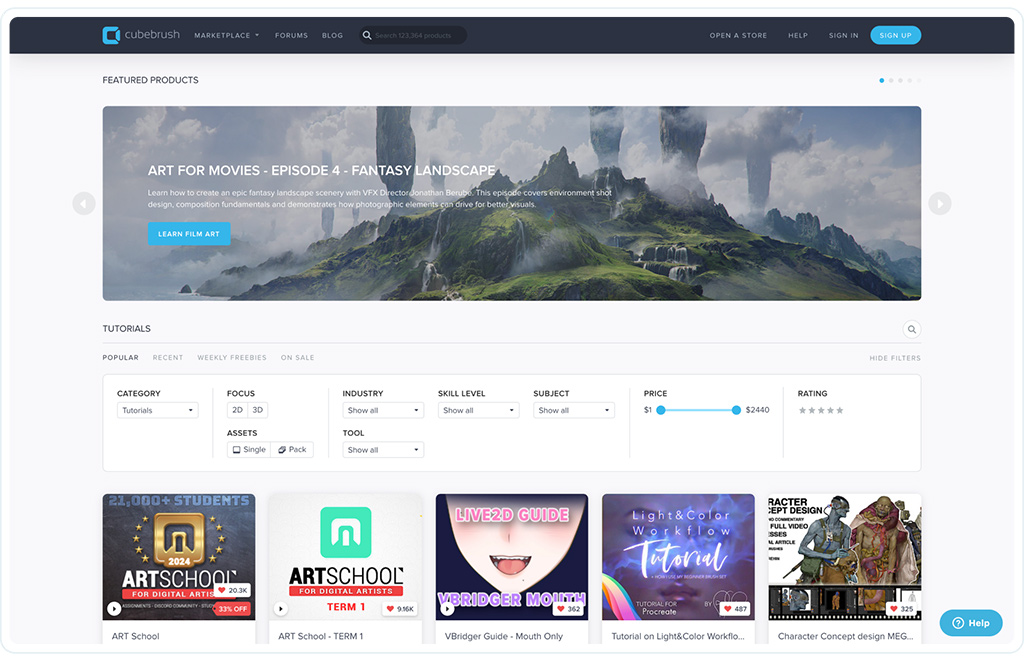
Cubebrush platform by Shakuro
Before You Ask for a Quote
Here’s my advice: Don’t just email an agency and say, “How much to build a marketplace?” You’ll get a generic number that’s either too high or dangerously low.
Instead, start a conversation. Discuss your marketplace model. Are you B2B or B2C? What are your essential workflows? How does a seller get paid? What’s your MVP scope?
When you have those answers, you’re not just a lead; you’re a partner. And that’s when you’ll get a proposal that actually makes sense.
FAQ
How long does SaaS marketplace platform development take?
For a focused MVP, expect 2 to 4 months. If you’re going for a complex, custom enterprise solution, it’s easily 6 to 9 months or more. Don’t rush the basics.
Can you launch a marketplace using ready-made SaaS software?
Absolutely. Tools like Sharetribe or Arcadier let you launch in weeks. It’s a smart way to test demand without burning cash. Just know you’ll hit customization limits later.
Does every marketplace need multi-tenant architecture?
No. Most single-brand marketplaces (like Etsy or Uber) are single-tenant. You only need multi-tenancy if you’re selling the platform itself to other businesses who want their own branded marketplaces. Keep it simple unless you have a specific reason not to.
How much does an MVP cost to build and maintain?
Building a custom MVP usually runs $30k–$60k. Maintenance? Budget about 15–20% of that initial cost annually for updates, hosting, and minor fixes. Hosted SaaS is cheaper upfront but has ongoing subscription fees.
Can you migrate from hosted marketplace software to a custom platform?
Yes, but it’s painful. Data export is often messy, and you’ll likely lose some historical context or user settings. It’s doable, but plan for a “re-launch” phase where you manually verify key users. It’s better to start with the end in mind.