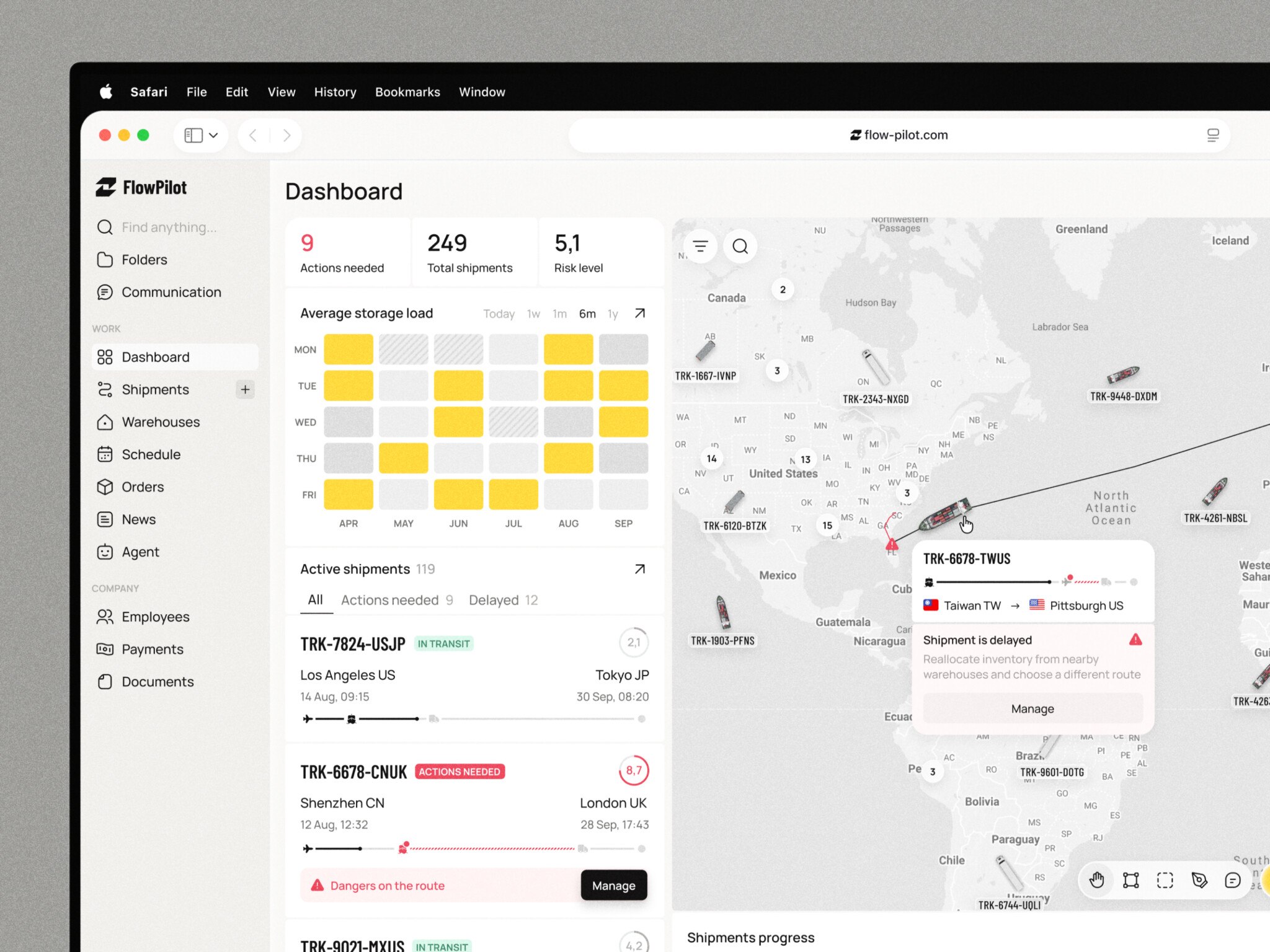
The first version of your marketplace idea probably sounds straightforward: bring buyers and suppliers together, make ordering easier, and take a fee. You can already picture the product pages. Maybe you’ve even started sketching them.
Then someone asks, “What if each buyer gets a different price?” Another needs approval from their finance team before placing an order. Your first supplier wants to upload a spreadsheet with 12,000 products, half of them missing descriptions. Suddenly, that tidy feature list needs another look.
This is where B2B marketplace development gets tricky. You’re figuring out which purchasing habits your product needs to support, which ones it can improve, and how much you can afford to build before anyone places a real order. Meanwhile, you need suppliers willing to join and buyers who have a reason to change how they work. No pressure, right?
I’d start with one question: what would make a buyer come back for their second order? It helps bring an ambitious idea down to something you can actually plan.
In this article, we’ll work through the decisions behind that plan: essential features, ready-made versus custom software, integrations, costs, and choosing a development partner. The aim is to help you define a first release you can explain to your team, budget for, and put in front of customers.
Key Takeaways:
- Start with the “Why,” not the code. Validate that suppliers actually want to join and that buyers have a real pain point before you build anything. A marketplace without supply is just an empty website.
- B2B is not B2C. Forget impulse buys. You’re dealing with negotiated pricing, approval workflows, net-30 terms, and complex team permissions. Your product needs to reflect that reality.
- Choose your tech stack wisely. Ready-made software is great for speed and validation, but custom development is necessary if you have unique business logic or deep legacy integrations. Don’t paint yourself into a corner.
- Integrations are the hidden cost. Connecting to ERPs, CRMs, and accounting systems is where most projects get stuck. Budget time and money for this from day one.
- Mobile isn’t always mandatory. Most B2B buying happens on desktops. Only build native apps if you have specific use cases like warehouse scanning or field purchasing that truly benefit from mobile hardware.
- Plan for the long haul. The initial build is just the entry fee. Factor in ongoing costs for maintenance, security, hosting, and support. A marketplace is a living ecosystem, not a one-off project.
What Is a B2B Marketplace Platform?
How a Marketplace Connects Buyers, Suppliers, and Operators
A B2B marketplace platform isn’t just a website with a shopping cart. It’s an ecosystem. Think of it as a digital town square where three distinct groups meet, each with their own agenda.
First, you’ve got the buyers. These aren’t impulse shoppers buying socks. They’re procurement managers, business owners, or department heads. Their job is to find reliable goods or services at the best possible terms. They want transparency, speed, and trust.
Then there are the suppliers (or sellers). They bring the inventory or expertise. Unlike a regular e-commerce store where one company sells its own stuff, here you have multiple independent vendors competing—or sometimes collaborating—on the same platform. They handle their own stock, pricing (mostly), and fulfillment.
And finally, the operator. That’s you. Or your startup. You don’t own the products. You own the infrastructure. Your responsibility is to keep the lights on, ensure payments flow correctly, verify that sellers aren’t selling counterfeit goods, and make sure the user experience doesn’t suck. You’re the referee, the landlord, and the tech support all rolled into one.
This is the key difference between a marketplace and a standard online store. In a single-vendor store, you control everything from warehouse to doorstep. In a b2b ecommerce marketplace, you’re facilitating transactions between others. It’s less about logistics, more about trust and connection.
How Business Purchasing Shapes the Product
Business buying isn’t like buying a book on Amazon. It’s complicated.
For starters, price tags are rarely fixed. Negotiated pricing is huge. A buyer might want a discount if they order 500 units instead of 50. There are minimum order quantities (MOQs). You can’t just buy one widget; you need to buy a pallet. And don’t get me started on approvals. Often, the person browsing isn’t the person paying. They need to add items to a cart, send it to their boss for approval, and only then does the purchase go through.
Repeat buying is another beast. Businesses don’t shop around every time they need printer paper. They want reordering to be effortless. Payment terms matter too. Net-30 or Net-60 days are standard. You can’t just demand credit card payment upfront and expect big companies to bite.
Because of this complexity, marketplaces tend to fall into specific categories. You’ve got vertical marketplaces, which focus on one industry (like construction materials). These go deep on specific features. There are horizontal marketplaces, which sell across industries (like office supplies). They’re broader but shallower. And increasingly, we see private marketplaces, where a large enterprise creates a curated network of pre-approved suppliers just for their own use.
So how do you make money in this chaos? Well, there are a few ways. The classic model is commission—you take a cut of every transaction. Simple, aligns incentives, but can be hard to scale if margins are thin. Subscription models are gaining traction too. Sellers pay a monthly fee to be listed, regardless of sales. It gives you predictable revenue. Or you can charge listing fees, though that’s becoming less common because it creates friction for new sellers.
Most successful B2B marketplace platforms mix these. Maybe a small subscription for basic access, plus a lower commission on sales. It’s about finding what works for your specific audience.
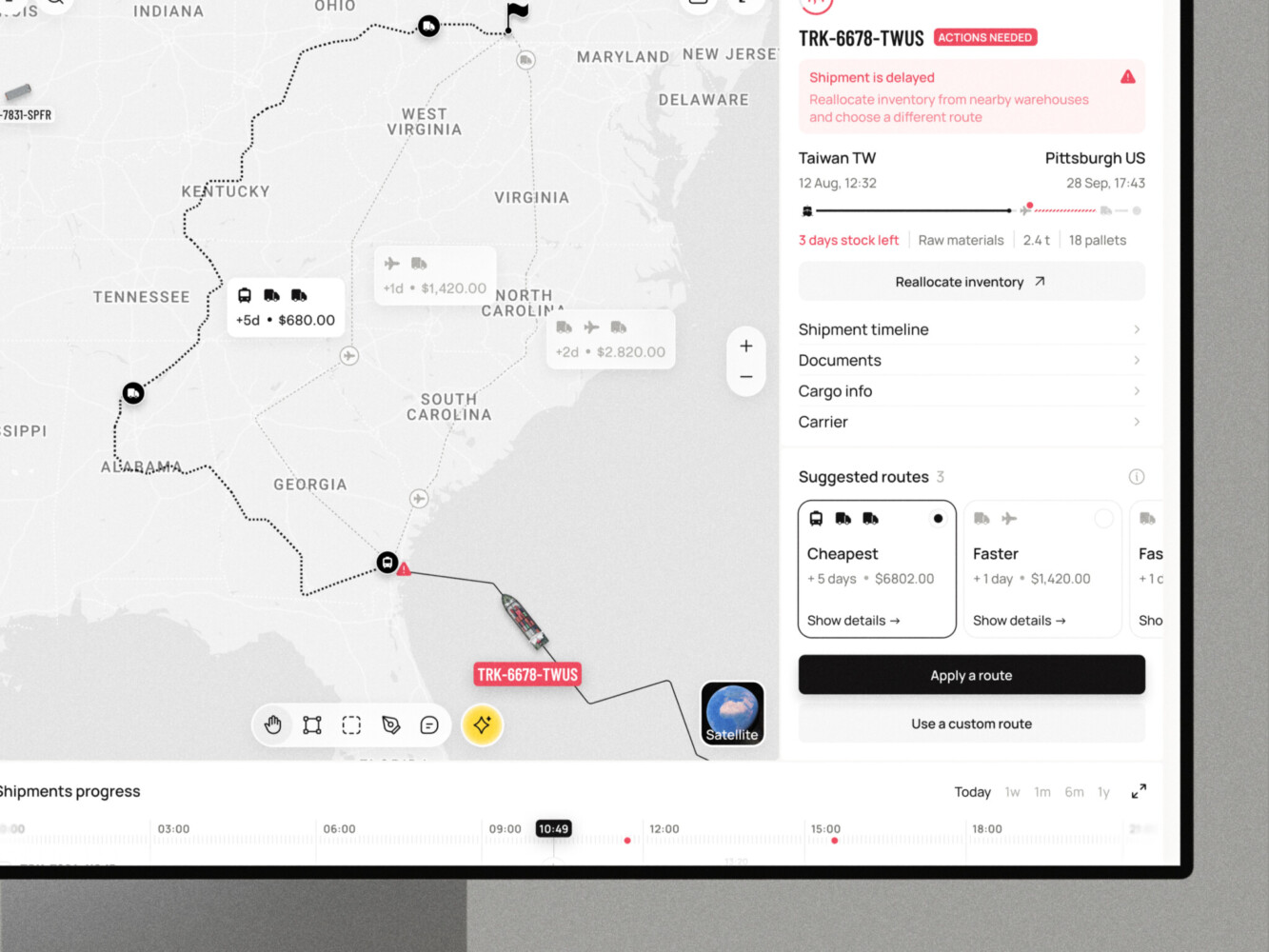
Logistics Dashboard Design for Supply Chain Platform by Shakuro
Choosing B2B Marketplace Software: Ready-Made or Custom?
When Existing Software Fits
Look, I’m all for building things from scratch. There’s a certain pride in it. But let’s be real for a second. If you’re trying to validate an idea or just need to get something live before your runway disappears, custom development is probably not your best friend right now.
This is where ready-made B2B marketplace software shines. Think of platforms like Sharetribe, Mirakl, or even specialized Shopify Plus setups with multi-vendor apps. The biggest win? Speed. You can literally have a functional site up in weeks, not months. You’re trading flexibility for velocity.
These solutions come with standard workflows baked in. You don’t have to reinvent the wheel. And the cost structure is predictable. It’s usually a monthly subscription fee. No huge upfront shock to your bank account.
But—and there’s always a but—you’re stuck with their rules. Customization limits are real. Want a specific approval workflow that involves three different managers and a custom tax calculation based on zip code? Good luck. You might find yourself fighting the platform rather than using it. Also, integrations can be tricky. If you need to talk to some obscure legacy ERP system from the 90s, the pre-built connectors might not cut it. You’ll likely need middleware or custom scripts anyway, which starts to erode that “easy” advantage.
When Custom Development Makes Sense
So, when do you bite the bullet and build B2B marketplace software yourself? Usually, it’s because your business logic is weird. And in B2B, weird is normal.
If your value proposition relies on proprietary procurement workflows—like dynamic pricing that changes based on real-time inventory levels across five different warehouses or complex tiered discounts that only apply if the buyer has completed a specific certification—off-the-shelf software will struggle. You’ll spend more time hacking the platform than actually selling.
Account-specific pricing is another big one. In B2B, Customer A sees $10, Customer B sees $8.50, and Customer C gets a quote after negotiation. Most ready-made tools handle this poorly or require expensive enterprise tiers.
If your suppliers or buyers are deeply entrenched in old-school systems (SAP, Oracle, or even just complex Excel sheets), you need deep, robust integrations. Custom development gives you control over the roadmap. You decide what gets built next. You own the code. You’re not waiting for a vendor to release a feature six months from now that might not even do what you want.
| Feature | Ready-Made Software | Custom Development |
| Initial Cost | Low to Medium (Setup fees) | High (Development hours) |
| Recurring Cost | Monthly/Annual Subscription | Maintenance, Hosting, DevOps |
| Ownership | Vendor owns the platform | You own the IP and code |
| Flexibility | Limited to platform capabilities | Unlimited (within budget) |
| Integrations | Pre-built connectors, limited API depth | Fully custom, deep integration possible |
| Migration Effort | Low initially, high if you outgrow it | N/A (You start where you want) |
Honestly, most founders start with ready-made to test the waters. If it sticks, they either stick with it or gradually migrate to custom as they scale. It’s not an either/or forever; it’s often a “right now vs. later” decision.
Architecture and Technology Stack for a B2B Marketplace
Buyer, Supplier, and Admin Applications
When you’re deep in B2B marketplace development, it’s easy to forget that you’re actually building three different products at once. Well, not entirely separate, but close enough.
You’ve got the buyer interface. This needs to be slick, fast, and intuitive. Think Amazon-like ease but with B2B complexity underneath. Next—the supplier portal. This is where vendors manage their inventory, update prices, and process orders. It needs to be robust because if it’s clunky, your suppliers will hate you and make mistakes. And finally, the admin panel. This is your command center. You need to see everything, moderate disputes, manage users, and tweak settings.
The trick? They all share the same backend. The database doesn’t care if a request comes from a buyer or a seller; it just knows data needs to move. But the workflows are wildly different. A buyer wants to check out quickly. A supplier wants to bulk-upload 500 SKUs via CSV. An admin wants to ban a fraudulent user. Keeping these experiences distinct while sharing the core logic is the real architectural challenge.
Catalog, Pricing, Orders, Payments, and Integrations
Let’s pop the hood. What’s actually running this thing?
At the heart, you’ve got your database. Probably PostgreSQL if you’re smart—it handles relational data well, which you need for complex order structures. Then there’s the search index. Elasticsearch or Algolia. Why? Because when a procurement officer searches for “industrial grade bolts,” they expect results in milliseconds, not seconds. Standard database queries just won’t cut it for fuzzy matching and filtering.
File storage is another piece. You’ll need somewhere to dump product images, PDF specs, and invoices. AWS S3 or similar object storage is the go-to here.
But the real heavy lifting happens in the background jobs. When an order is placed, a chain reaction starts. Inventory needs updating, emails need sending, and invoices need generating. You can’t do this synchronously, or your site will crawl. You need a queue system like RabbitMQ or Redis to handle these tasks asynchronously.
Now, the scary part: integrations. In B2B, your marketplace doesn’t live in a vacuum. It needs to talk to ERPs (for inventory), CRMs (for customer data), PIMs (Product Information Management systems for rich product data), accounting software (for syncing invoices), and logistics providers (for shipping labels).
This is where APIs become your lifeline. You’re constantly exchanging data. Sometimes in real-time, sometimes in nightly batches. If your ERP says you have 10 units left, but your marketplace shows 12, you’ve got a problem. Keeping this data consistent across systems is arguably the hardest part of the whole build.
Security and Scalability Decisions
Security is existential. In B2B, you’re dealing with sensitive company data. Organization-level data isolation is critical. Buyer A should never, ever see Buyer B’s pricing or order history. Row-level security in your database and strict permission checks in your code are non-negotiable.
Audit logs are another must-have. Who changed that price? Who approved that order? You need a trail. As for backups, automate them. Test restoring them too. You can lose weeks of data because of the assumption backups were working.
Scalability is about planning for peaks. B2B isn’t always steady. End-of-quarter rushes can spike traffic. You need monitoring tools (like Datadog or New Relic) to spot bottlenecks before they crash your site.
So, monolith or microservices? Here’s my take. If you’re a small team (under 10 devs), start with a modular monolith. It’s easier to deploy, easier to debug, and less operational overhead. Microservices sound cool, but they introduce massive complexity in communication and deployment. Only split into microservices when you have specific scaling needs or team structures that demand it. Don’t do it just because it’s trendy.
For stack choices, it depends. Need rapid prototyping? Maybe Ruby on Rails or Node.js. Need heavy computation or real-time features? Python or Go might be better. There’s no “best” stack, only the best fit for your team’s skills and your product’s requirements.
ERP dashboard by Shakuro
Essential Features of a B2B Ecommerce Marketplace
Buyer Tools
Let’s be honest: buying for a business is nothing like buying for yourself. When I’m buying a laptop for personal use, I just click “buy.” But in a B2B e-commerce marketplace, the person clicking the button often isn’t the one paying for it. Or even the one choosing it.
So, what do buyers actually need? For starters, company accounts. You can’t just have individual logins; you need hierarchical structures. Team roles are huge here. A junior purchaser might be able to browse and add items to a cart, but they definitely shouldn’t be able to approve a $10,000 order. That’s where approval workflows come in. It’s a bit of a pain to set up, but essential for trust.
The search needs to be smart. Supplier search, product comparison—these aren’t nice-to-haves. If I can’t easily compare three different vendors for the same industrial pump, I’m leaving. Bulk ordering is another big one. No one wants to click “add to cart” 500 times. Give them a spreadsheet upload or a quick-qty box.
And let’s not forget quote requests. In B2B, prices are often fluid. Being able to ask for a custom quote on a large order is standard. Reorder lists are simple but powerful. Businesses buy the same things over and over. Make it easy for them to hit “repeat last month’s order” and you’ll win their loyalty.
Supplier Tools
On the other side of the fence, your suppliers are just trying to survive. They don’t want to spend all day managing your platform. They want to sell.
Onboarding needs to be smooth. If it takes three weeks and five phone calls to get listed, you’ve lost them. Catalog imports are critical. Most suppliers already have their product data somewhere—usually in a messy Excel file or an old ERP. Let them upload it. Don’t make them type everything manually.
Quantity-based pricing is a must. They need to set rules like “1-10 units: $10 each, 11-50 units: $8 each.” Inventory updates need to be seamless, ideally via API, so they don’t oversell. And when a buyer sends a quote request, the supplier needs a simple interface to respond, negotiate, and convert that into an order.
Reporting is also key. They want to know what’s selling, who’s buying, and how much they’re making. If a dashboard in your B2B marketplace software is confusing, they’ll ignore it.
Operator Tools
Then there’s you. The operator. You’re the glue holding this together.
Supplier verification is your first line of defense. You can’t have just anyone selling on your platform. You need tools to check business licenses, tax IDs, and maybe even run background checks. Commissions need to be automated. You don’t want to be calculating splits in Excel at the end of every month.
Transaction oversight is vital. You need to see money flowing in and out. Dispute handling is where things get real. When a shipment arrives damaged, who pays? You need a system to mediate. Catalog moderation keeps the marketplace clean. You don’t want fake products or spammy listings. And analytics? You need to know your health metrics. GMV, take rate, active users. Without data, you’re flying blind.
Launch Essentials vs. Later Additions
Launch: Basic search, simple checkout, manual supplier onboarding, basic admin panel, email notifications.
Later: Advanced approval workflows, AI-driven recommendations, complex ERP integrations, mobile apps, dynamic pricing engines.
Example Workflow: The Quote Dance
Here’s how it usually goes in a mature B2B ecommerce marketplace:
- Request a Quote: A buyer adds 500 units of a specialized component to their cart but sees “Request Quote” instead of a price. They submit it.
- Negotiate: The supplier gets a notification. They review the volume and offer a 15% discount. The buyer counters with 18%. They agree on 16%.
- Approve: The buyer’s manager gets an email. They log in, review the final price, and click “Approve.”
- Order: The system converts the quote into a formal purchase order. Payment terms (Net-30) are applied.
- Track Delivery: The supplier ships the goods. The buyer gets a tracking link. They can see exactly where their pallet is.
- Reorder: Three months later, the buyer logs in, finds the previous order, and clicks “Reorder.” Done in two clicks.
How to Build a B2B Marketplace: Step by Step
1. Validate the Niche and Recruit Initial Suppliers
Before you write a single line of code, talk to people. So many founders build beautiful platforms for problems that don’t exist. You need to find a specific purchasing pain point. Is it that buyers can’t find reliable suppliers for sustainable textiles? Or that small manufacturers struggle to reach international distributors?
Interview both sides. Ask buyers what frustrates them about their current process. Ask suppliers why they lose deals. You’re looking for a “hair-on-fire” problem. Once you’ve identified it, pick a launch category. Don’t try to be everything to everyone. Start narrow. And here’s the kicker: you need a reason for both sides to show up. Why should a supplier list on your new, empty platform? Maybe you offer them access to a buyer network they can’t reach otherwise. Maybe you handle the tedious paperwork. Find that hook.
2. Define the Business Model and MVP
Now, get concrete. How do you make money? Commission? Subscription? A mix? Decide on your transaction rules. Who handles shipping? Who handles returns? What happens if goods are damaged? These aren’t just legal questions; they shape your product.
Define your MVP (Minimum Viable Product). This is hard because everyone wants more features. But remember: an MVP isn’t a bad product; it’s the smallest version of your product that delivers value. Set clear boundaries. Maybe you start with manual invoicing instead of automated payments. Maybe you handle supplier onboarding via email instead of a self-service portal. That’s fine. The goal is to learn, not to impress investors with feature bloat.
3. Prototype the purchasing journey
Don’t jump straight into B2B marketplace development. Build a prototype. Use Figma or even clickable PDFs. Walk through the core journey: browsing the catalog, comparing quotes, managing team permissions, and getting approvals.
Test this with real users. Watch them struggle. It’s painful but necessary. You’ll quickly see where your logic breaks down. Does the approval flow make sense to a procurement manager? Is the quote comparison clear? If you’re not a design expert, this is where professional help pays off. Good UI/UX design services can save you months of rework later by spotting usability issues before they’re coded in stone.
4. Build the Core Product and Integrations
Okay, now you build. Focus on the three main workflows: buyer, supplier, operator. Keep it tight. Document everything, especially data ownership. Who owns the customer data? The supplier or you? How does inventory sync? If a supplier sells an item on their own website, does it disappear from your marketplace instantly?
Integrations are the tricky part. Start with the most critical ones. Maybe just an ERP sync for inventory. Don’t try to connect to every possible system at once. Build robust APIs so you can add more later. And please, keep your code clean. Technical debt accumulates fast in marketplaces because of all the edge cases.
5. Test Realistic Transactions
Testing isn’t just checking if buttons work. You need to test the messy stuff. What happens if a supplier only has 50 units left but the buyer orders 100? Partial fulfillment needs to work smoothly. What if a price changes between quote and order? How do you handle duplicate events from your integration (yes, they happen)?
Test failed payments. Test refunds. Test what happens when a user tries to access another company’s data. Security testing is non-negotiable. Simulate real-world chaos. If your system breaks under normal stress, it will definitely break under real pressure.
6. Launch a Controlled Pilot and Improve
Don’t launch to the world. Launch to a small, controlled group. Maybe 10 suppliers and 50 buyers. Track everything. Supplier activation rate—how many actually list products? Quote response time—is it fast enough? First-order conversion—are browsers becoming buyers?
Look at repeat purchases. That’s your true north star. If people come back, you’re onto something. Also, monitor your support workload. If you’re spending all day answering basic questions, your UX needs work.
And remember: distinguish transaction value (GMV) from platform revenue. Just because people are buying a lot doesn’t mean you’re making money yet. Focus on unit economics early.
SaaS analytics platform by Shakuro
When Does B2B Marketplace App Development Make Sense?
The Reality of User Tasks
Most B2B transactions happen on desktops. Procurement managers sit at desks with dual monitors, comparing spreadsheets and negotiating complex contracts. They aren’t doing that on a 6-inch screen. So, if your primary use case is browsing a massive catalog or managing team approvals, a responsive website is usually enough. It works everywhere, costs less, and doesn’t require an app store approval process.
But then there are the edge cases. The ones where mobile shines.
Take warehouse scanning. Imagine a supplier receiving goods. They need to scan barcodes to update inventory instantly. Doing this via a web browser can be clunky—camera permissions are tricky, and the interface isn’t optimized for quick, repetitive actions. A native app can access the camera hardware directly and work offline if the Wi-Fi in the back of the warehouse is spotty.
Or consider field purchasing. Think of a construction foreman on a site. They run out of cement. They don’t have a laptop. They pull out their phone, open an app, and reorder the same stuff they got last week. Speed is everything here. A Progressive Web App (PWA) could handle this, but a native app feels snappier and can send push notifications if the delivery is delayed.
Delivery updates are another big one. Drivers and logistics coordinators need real-time info. Push notifications are far more reliable on native apps. The same goes for repeat ordering. If a buyer orders the same 50 items every month, a mobile app with biometric login (FaceID or fingerprint) makes that a two-second task. On a web browser, they’re still typing passwords.
How Mobile Scope Changes Everything
Choosing to go mobile isn’t just a design choice; it’s a technical and financial commitment.
- APIs: Your backend needs to be robust. Mobile apps can’t handle heavy lifting. They need lightweight, fast APIs. If your current API returns a huge JSON blob with unnecessary data, your app will be slow and eat up user data plans. You’ll likely need to build specific endpoints just for mobile.
- Authentication: Security is tighter on mobile. You’re dealing with device tokens, biometric data, and session management that persists differently than in a browser. If you get this wrong, you’re asking for trouble.
- Testing: With a web app, you test on Chrome, Firefox, and Safari. With native apps, you’re testing on iOS 15, 16, 17, various Android versions, different screen sizes, and notches. It’s a multiplier effect on your QA budget.
- Maintenance: Web apps update instantly. You push code, and everyone has the new version. Native apps? You have to wait for Apple and Google to approve your update. Then you hope users actually download it. You’ll often end up supporting multiple versions of your app simultaneously, which means your backend has to be backward compatible. It’s a headache.
- Budget: Simply put, native development is expensive. You’re essentially building two products (iOS and Android) unless you use a cross-platform framework like Flutter or React Native. Even then, it’s more complex than a responsive website.
So, when does B2B marketplace app development make sense? When the mobile experience provides a distinct competitive advantage. If your users are moving around, scanning things, or need instant alerts, go for it. If they’re mostly sitting at desks, save your money and perfect the web experience first. Don’t build an app just because you think you should. Build it because it solves a problem that a website can’t.
B2B Marketplace Development Cost and Timeline
MVP, Growth-Stage, and Enterprise Scope
To make sense of this, we usually break it down into three buckets. It’s not perfect, but it helps set expectations.
| Scope | Key Features | Team Composition | Estimated Duration | Budget Range (USD) |
| MVP | Basic catalog, simple checkout, manual supplier onboarding, admin panel, email notifications. | 1 PM, 1 Designer, 2 Devs, 1 QA | 3–4 months | $40k – $80k |
| Growth-Stage | Advanced search, quote workflows, basic ERP integration, automated commissions, supplier portal, analytics. | 1 PM, 1 Designer, 3-4 Devs, 1 QA, 1 DevOps | 6–9 months | $100k – $250k |
| Enterprise | Complex approvals, multi-warehouse sync, custom pricing engines, mobile apps, high-security compliance, multiple integrations. | Full team (PM, Designers, 5+ Devs, QA, DevOps, Security) | 12+ months | $300k+ |
Note: These numbers are rough estimates based on typical market rates for professional b2b marketplace development services. Your specific needs could push these up or down. Always have your delivery team validate these ranges before you sign anything.
What Changes the Estimate?
So, why does one project cost $50k and another $500k? It’s usually not the “look and feel.” It’s the logic underneath.
- Pricing Rules: If every product has one price, it’s easy. If prices change based on customer tier, volume, contract date, and region? That’s complex logic that takes time to build and test.
- Integrations: This is the biggest variable. Connecting to one modern API might take a week. Connecting to a legacy SAP system from 2005 with poor documentation? That could take months. Every integration adds risk and time.
- Catalog Migration: Do your suppliers have clean data? Or are you expecting your dev team to clean up 10,000 messy Excel files? Data migration is often underestimated. It’s boring, but it’s critical.
- Payment Flows: Simple credit card processing is standard. But if you need split payments, escrow, net-30 terms, or multi-currency support, the complexity spikes. You’re dealing with financial regulations here, so there’s no room for error.
- Mobile Apps: As we discussed earlier, adding native iOS and Android apps basically doubles your frontend development effort. It’s a significant jump in cost.
- Localization: If you’re launching in just one country, it’s straightforward. If you need multi-language support, local tax rules, and regional payment methods, you’re building a much larger system.
- Security Requirements: Do you need SOC 2 compliance? GDPR strictness? Higher security means more audits, more code reviews, and more specialized infrastructure. It costs more, but for B2B, it’s often non-negotiable.
- Initial vs. Ongoing Costs: Don’t forget the running costs. The initial build is just the entry fee. You need to know expenses for hosting, licenses, support, and ongoing development. Software rots. You need to update libraries, fix bugs, and add small features. Budget for at least 15-20% of the initial build cost per year for maintenance.
When you look at an estimate, ask what’s not included. Are they assuming clean data? Are they including testing time? Are they accounting for project management? Transparency is key. A good partner won’t just give you a number; they’ll show you the assumptions behind it. Because honestly, surprises are fun for birthdays, not for software budgets.
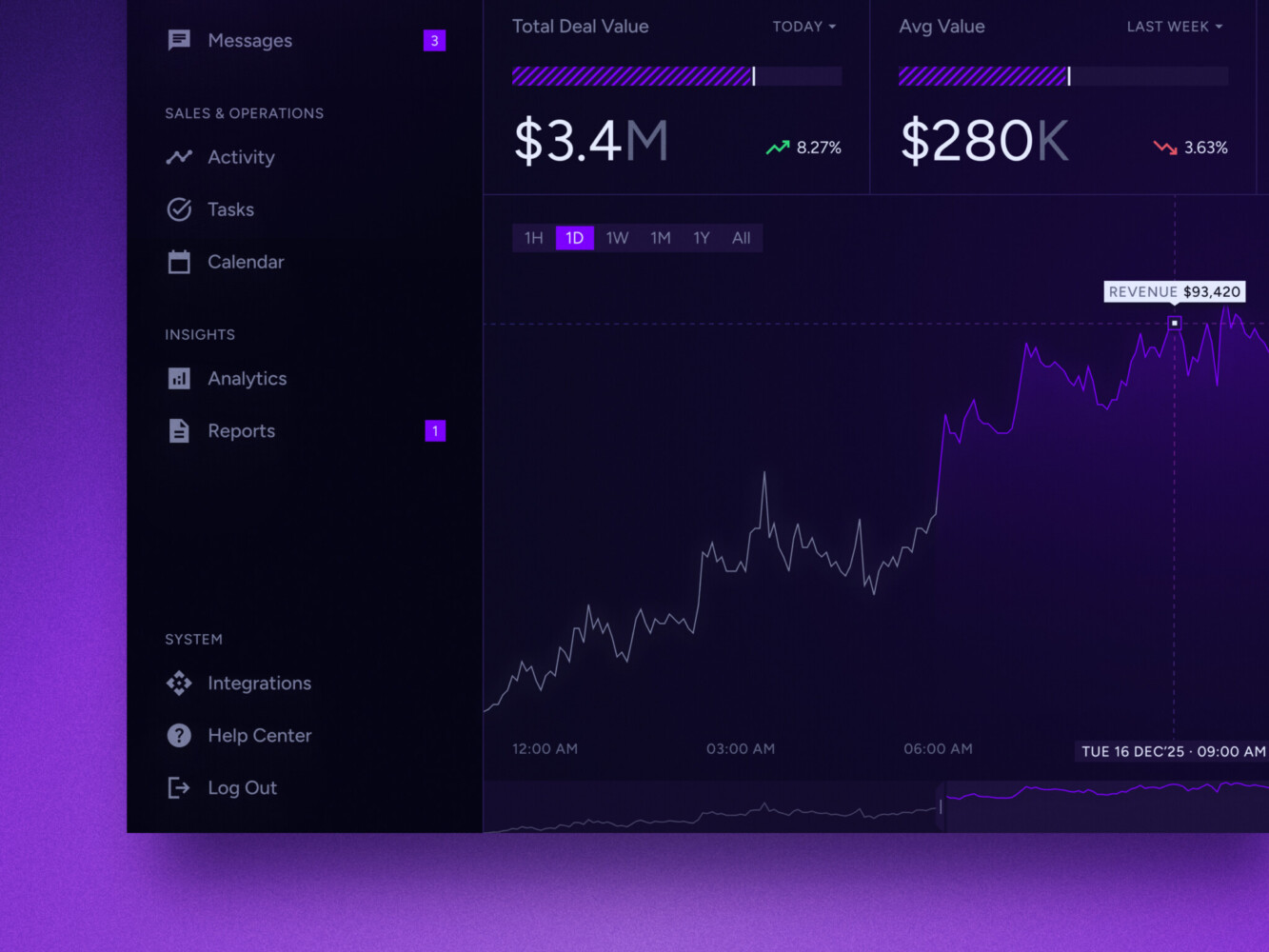
Real-time data dashboard by Shakuro
Common Challenges—and How to Address Them
Building the tech is actually the easy part. The hard part? Getting people to use it and keeping it from falling apart when they do. Many promising B2B marketplace platform ideas stall because founders underestimated these operational headaches.
Here are the most common walls you’ll hit and how to climb over them.
1. The Chicken-and-Egg Problem
You need buyers to attract suppliers, but suppliers won’t join without buyers. It’s the classic standoff.
- The Fix: Don’t try to boil the ocean. Pick one tiny niche. Recruit 5-10 “anchor” suppliers manually—maybe even offer them free listings or white-glove onboarding. Then, go find the buyers who already know and trust those specific suppliers. Fake the density until it’s real.
- Metric to Watch: Supplier-to-Buyer Ratio. Aim for a healthy balance where every buyer has at least 3-5 viable options.
2. Inconsistent Catalog Data
One supplier calls it “Cement, Grey, 50kg.” Another calls it “Grey Cement 50kg Bag.” Your search bar will hate you.
- The Fix: Enforce strict data standards from day one. Use a PIM (Product Information Management) structure with mandatory fields. Don’t let suppliers just upload a PDF and call it a day. Provide templates. Make it easier for them to do it right than wrong.
- Metric to Watch: Catalog Completeness Score. Track what percentage of listings have all required attributes filled out.
3. Stale Inventory
Nothing kills trust faster than ordering something only to be told three days later, “Oops, we sold that yesterday.”
- The Fix: Real-time API syncs are the gold standard, but they’re hard. Start with frequent batch updates (every hour) if you can’t get real-time. And always show “Last Updated” timestamps so buyers know how fresh the info is.
- Metric to Watch: Cancellation Rate due to Stockouts. Keep this below 2%.
4. Slow Quote Responses
Time is money. If a supplier takes three days to reply to a quote request, the buyer has already moved on.
- The Fix: Gamify it. Show suppliers their average response time. Send push notifications or SMS alerts for new requests. Maybe even prioritize suppliers who respond quickly in the search results.
- Metric to Watch: Average Time to First Response. Aim for under 4 hours during business days.
5. Complex Permissions
A junior buyer shouldn’t be able to approve a $50k order. But setting up roles is a pain.
- The Fix: Start with simple roles: Admin, Approver, Buyer. Don’t try to build a custom permission matrix for every company initially. Use industry-standard hierarchies as your default.
- Metric to Watch: Support Tickets related to Access. If people are constantly asking for permission changes, your model is too rigid or too confusing.
6. Off-Platform Transactions
Suppliers and buyers meet on your site, exchange emails, and then deal directly to avoid your commission. It’s inevitable, but you can fight it.
- The Fix: Make staying on the platform worth it. Offer escrow protection, easy reordering, or consolidated invoicing. If they leave, they lose those benefits. Also, monitor communication for keywords like “email me directly” and flag it.
- Metric to Watch: Repeat Purchase Rate on Platform. If this drops while GMV stays high, you’re leaking revenue.
7. Integration Failures
Your marketplace says “In Stock,” but the supplier’s ERP says “Sold Out.” Data syncs break. It’s not a matter of if, but when.
- The Fix: Build robust error handling. Don’t just let the sync fail silently. Have a dashboard that shows sync status. Alert your team immediately when a connection drops. Assume everything will break and plan for it.
- Metric to Watch: Integration Error Rate. Track how often data fails to sync and how quickly it’s resolved.

Our Experience in Marketplace Development
So, why does any of this matter? Well, theory is great, but seeing it in action helps. Let’s look at two projects from our portfolio that touch on these exact challenges. They aren’t both B2B marketplaces in the strictest sense, but the lessons transfer perfectly.
Cubebrush: Mastering Marketplace Structure
Remember how we talked about the importance of seller storefronts and product discovery? Cubebrush is a prime example. It’s a digital art marketplace, so the “suppliers” are artists who care deeply about how their work is presented.
In this project, we didn’t just build a grid of thumbnails. We focused on giving sellers tools to create rich, customizable storefronts. Why? Because in a crowded marketplace, branding is your differentiator. We also heavily invested in the discovery engine. If an artist uploads a stunning piece of concept art, it needs to be found by the right game studio or publisher.
Even if you’re selling industrial valves, your suppliers want control over their presentation. And your buyers need powerful, intuitive search to cut through the noise. Cubebrush showed us that a marketplace lives or dies by how well it connects specific supply with specific demand.
Owari: Taming Complex Business Data
On the other side of the spectrum, we have Owari. This wasn’t a marketplace, but it dealt with something every B2B platform struggles with: complex, professional-grade data.
Owari required robust dashboards that could handle heavy lifting. We’re talking about visualizing intricate business metrics, managing user permissions, and ensuring that data was not just displayed, but actionable. In B2B, your admin panel and supplier dashboards can’t be afterthoughts. They need to be as polished as the buyer-facing site.
The lesson? Don’t underestimate the backend experience. If your suppliers can’t easily understand their sales data or manage their inventory because the dashboard is clunky, they’ll churn. Owari demonstrated that handling complex data structures requires a clean, user-centered design approach. It’s about making the complicated feel simple.
Both cases highlight a core truth: whether you’re dealing with digital art or enterprise software, the principles of clear structure, powerful discovery, and usable data remain the same.
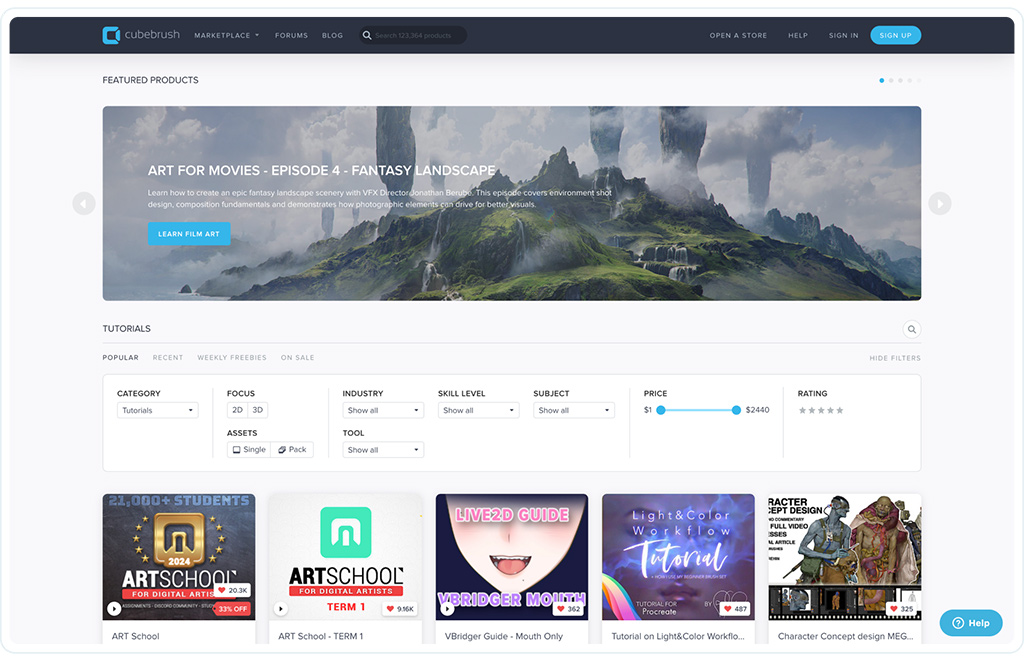
Cubebrush platform by Shakuro
How to Choose a B2B Marketplace Development Company
Choosing the right partner is arguably harder than building the product itself. You’re not just hiring coders; you’re inviting someone into your business logic. And let’s be honest, not every agency gets B2B. Many are used to simple e-commerce or marketing sites. They’ll nod along when you talk about net-30 terms or complex approval hierarchies, but they might not truly grasp the weight of it.
So, how do you separate the pros from the pretenders? Here’s what to look for when evaluating a B2B marketplace development company.
What to Examine
- Relevant Workflow Experience Don’t just ask if they’ve built a marketplace. Ask if they’ve handled your kind of complexity. Have they dealt with multi-tier pricing? Custom approval flows? Legacy ERP integrations? If their portfolio is full of simple B2C shops, they might struggle with the rigid structures of B2B.
- Discovery Deliverables A good partner won’t start coding immediately. They should insist on a discovery phase. This is a structured process. You should receive tangible artifacts: user journey maps, technical architecture diagrams, and a detailed product roadmap. If they skip this, run.
- Integration Planning Ask them specifically about APIs. How do they handle data synchronization? What happens when an external system goes down? Look for evidence of robust error handling and fallback mechanisms in their past work.
- Security Practices In B2B, data leaks are fatal. Ask about their security protocols. Do they perform regular penetration testing? How do they handle role-based access control (RBAC)? You want to hear specific standards, not just “we take security seriously.”
- Testing and QA Manual testing isn’t enough. Ask about their automated testing suite. Do they have end-to-end tests for critical workflows like checkout and quote generation? How do they simulate high-load scenarios?
- Code Ownership and Handover This is huge. Who owns the code at the end? It should be you. Ensure there’s a clear handover process, including documentation, access credentials, and deployment scripts. You don’t want to be held hostage by your developer.
- Support and Maintenance Software isn’t “done” when it launches. Ask about their post-launch support. Do they offer retainer packages for ongoing maintenance? How do they handle bug fixes vs. new features?
Concrete Questions to Ask
- “Can you show me a case study where you handled complex B2B pricing rules?”
- “What does your discovery phase actually deliver? Can I see a sample report?”
- “How do you ensure data consistency between our marketplace and our legacy ERP?”
- “What is your process for handling security vulnerabilities?”
- “Will I have full access to the source code and repositories from day one?”
What Each Stage Should Deliver
- Discovery: A clear scope, technical specification, and risk assessment. No vague promises.
- Design: Interactive prototypes that stakeholders can click through. Not just static images.
- Development: Regular, demo-able builds. You should see progress every two weeks, not every two months.
- QA: Detailed test reports showing what passed, what failed, and how bugs were resolved.
- Maintenance: Proactive monitoring and monthly health checks. They should find problems before you do.
If you’re looking for a team that understands these nuances, check out Shakuro’s development services. We’ve navigated these waters before, from complex data dashboards to intricate marketplace structures.
Final Thoughts
Look, we’ve covered a lot of ground. From the nitty-gritty of API syncs to the psychology of why suppliers join your platform. It’s easy to get lost in the technical weeds, but if you step back, the path forward is actually pretty clear.
If you’re serious about B2B marketplace development, focus on these three things first. Everything else is just noise.
- Validate supplier participation. Before you spend a dime on custom code, make sure sellers actually want to be there. Talk to them. Understand their pain points. If you can’t get ten suppliers to commit to listing their products, you don’t have a marketplace; you have a website. Solve their problems first, and the buyers will follow.
- Simplify the purchasing journey. B2B buying is already complicated. Don’t make it harder. Every extra click, every confusing permission setting, every slow-loading page is a reason for a buyer to go back to their old ways. Strip away the friction. Make reordering effortless. Make approvals transparent. If it feels like work, you’ve failed.
- Budget for integrations and operations. This is where most founders get burned. They budget for the “pretty” part—the frontend—and leave nothing for the “ugly” part—the data syncs, the legacy system connections, and the ongoing maintenance. Integrations are expensive. Operations are time-consuming. Plan for them from day one, or they’ll plan your bankruptcy for you.
Tell us about your marketplace idea. We’ll help you define the first release and the work behind it.
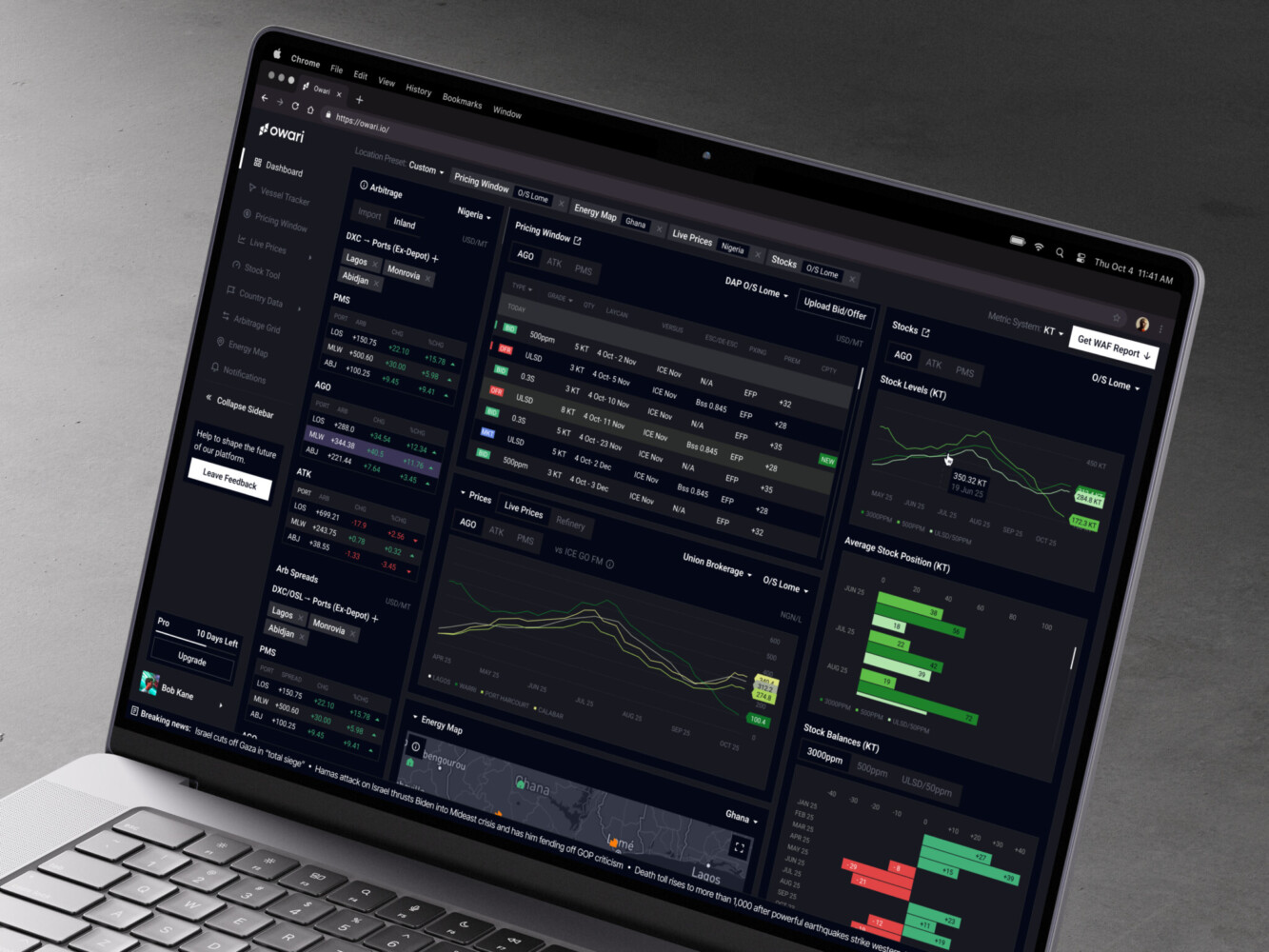
Owari dashboard by Shakuro
FAQ
How much does B2B marketplace development cost?
It varies wildly, but here’s the reality. A basic MVP usually lands between $40k and $80k. If you need complex integrations, custom pricing engines, or mobile apps, you’re looking at $100k to $250k or more for a growth-stage product. Enterprise-level platforms with high-security requirements can easily exceed $300k. Remember, the initial build is just the start. You’ll also need to budget for ongoing maintenance, hosting, and third-party licenses.
How long does it take to build a B2B marketplace?
Speed depends on scope. A focused MVP typically takes 3–4 months. This gets you core features like catalog browsing, basic checkout, and supplier onboarding. A more robust, growth-stage platform with integrations and advanced workflows usually takes 6–9 months. Enterprise projects with complex compliance and legacy system connections often run 12 months or longer. Don’t rush the discovery phase; saving time there usually costs you double in development.
Should you choose ready-made B2B marketplace software or custom development?
If you need to validate an idea quickly or have standard workflows, go with ready-made software. It’s faster and cheaper upfront. But if your business relies on unique procurement logic, complex account-specific pricing, or deep legacy integrations, custom development is the way to go. Ready-made tools often hit a ceiling when you try to bend them to specific B2B needs. Custom gives you control, but it demands a bigger budget and longer timeline.
What should a B2B marketplace MVP include?
Keep it lean. Your MVP needs:
- Company accounts with basic team roles.
- A searchable catalog with clear product data.
- Simple checkout or quote request functionality.
- A supplier portal for managing listings and orders.
- An admin panel for moderation and user management. Skip the fancy AI recommendations or complex approval hierarchies for now. Focus on proving that buyers and sellers can transact smoothly.
Does a B2B marketplace need a mobile app?
Not necessarily. Most B2B purchasing happens on desktops where users have multiple screens for research and approvals. However, a mobile app makes sense if your users are in the field (like construction foremen), need to scan barcodes in warehouses, or require instant push notifications for delivery updates. For many platforms, a responsive website is enough to start. Add native apps later when you have clear evidence that mobile-specific tasks are driving value.