The idea sounds straightforward: bring buyers and sellers together, make it easy to trade, and take a commission. You can probably picture the storefront already. Then someone asks what happens when a customer buys from three sellers and wants to return just one item.
Right. There’s more to this than a shopping cart.
If you’re planning a marketplace, you’re probably juggling a few uncomfortable questions. Will sellers join before you have customers? Should you use existing software or build something custom? And how much can you spend before you know whether the idea will work? It’s frustrating because these decisions affect each other. Cutting a feature might save money now, then leave your team managing orders in a spreadsheet every afternoon.
Multi-vendor marketplace development means working through these details while keeping the first release manageable. You don’t need every feature you can imagine. You do need a clear idea of what makes the first transaction worth completing.
This guide walks through the features, development options, costs, and tradeoffs so you can decide what to build first, what can wait, and where your budget will do the most good.
Key Takeaways:
- Start small, not perfect. Don’t try to build Amazon on day one. Focus on a specific niche and validate your idea with a lean MVP before investing in complex custom code.
- Platform choice matters. Ready-made software is great for speed and testing, but if you have unique workflows or need total control, custom development is worth the extra time and cost.
- Trust is your currency. Features like secure split payments, clear dispute resolution, and verified seller profiles aren’t just “nice-to-haves”—they’re essential for keeping buyers and sellers around.
- Solve the chicken-and-egg problem manually. Recruit your first few sellers personally and help them succeed. A curated, high-quality supply side is better than a thousand empty listings.
- Watch the right metrics. Ignore vanity numbers like total signups. Focus on seller activation, repeat purchases, and dispute rates to see if your marketplace is actually healthy.
What Is a Multi-Vendor Marketplace?
In simple terms, it’s an online platform where multiple independent sellers list and sell their products or services to customers. Think of it like a digital shopping mall. You don’t own the inventory; you just provide the space, the rules, and the payment processing. Amazon, eBay, Etsy—they’re all classic examples.
How’s that different from a regular online store? Well, in a single-seller store, one company owns everything. They buy the stock, set the prices, handle shipping, and keep all the profit. In a marketplace, you’re the middleman. You connect buyers with third-party vendors. The vendors handle their own stock and often their own shipping. You take a cut—usually a commission—for facilitating the trade.
You’ve got three main players:
- The Buyers: They want variety, competitive prices, and trust.
- The Sellers (Vendors): They want access to your audience, easy tools to manage listings, and timely payouts.
- The Administrator (You): In marketplace app development, you’re the referee. You manage the platform, enforce rules, handle disputes, and keep the money flowing correctly.
Not all marketplaces look the same. You’ve got your B2C giants like Amazon selling directly to consumers. Then there’s B2B, like Alibaba, where businesses buy from other businesses in bulk. Some focus on physical products (hello, eBay), while others are all about services (think Upwork or Fiverr). Each type has its own quirks, but the core idea remains: connect supply with demand, and take a slice of the pie.
Multi-Vendor Marketplace Examples and What to Learn From Them
Take Etsy and Amazon. They’re both massive, but they play very different games.
Etsy is all about niche, handmade, or vintage goods. Their seller onboarding is relatively low-friction because they’re targeting artisans, not huge warehouses. But their product discovery is heavily curated. They rely on specific tags, categories, and a “handpicked” feel. Trust is built through reviews, sure, but also through the story of the maker. You’re buying from Sarah, who makes candles in Vermont, not just an SKU. Their monetization is straightforward: listing fees plus transaction commissions.
Amazon, on the other hand, is a beast. Seller onboarding can be rigorous, especially if you want to use Fulfillment by Amazon (FBA). Product discovery is driven by an aggressive algorithm that prioritizes speed, price, and availability. Trust? It’s almost entirely transactional. You trust Amazon’s return policy more than the individual seller. Monetization is complex—referral fees, FBA storage costs, and advertising spend. It’s a pay-to-play environment.
So, what can an early-stage founder learn here?
Don’t try to be Amazon on day one. You don’t have the logistics network or the trust capital. Instead, look at Etsy’s approach to community. Focus on a specific niche. Make your onboarding simple and human. Help your sellers tell their stories. That builds initial trust without needing a billion-dollar guarantee system.
Patterns like advanced algorithmic search or complex tiered commission structures require operational maturity. Wait until you have volume before you over-engineer the backend. Start with manual curation if you have to. It’s slower, but it teaches you what your users actually want.
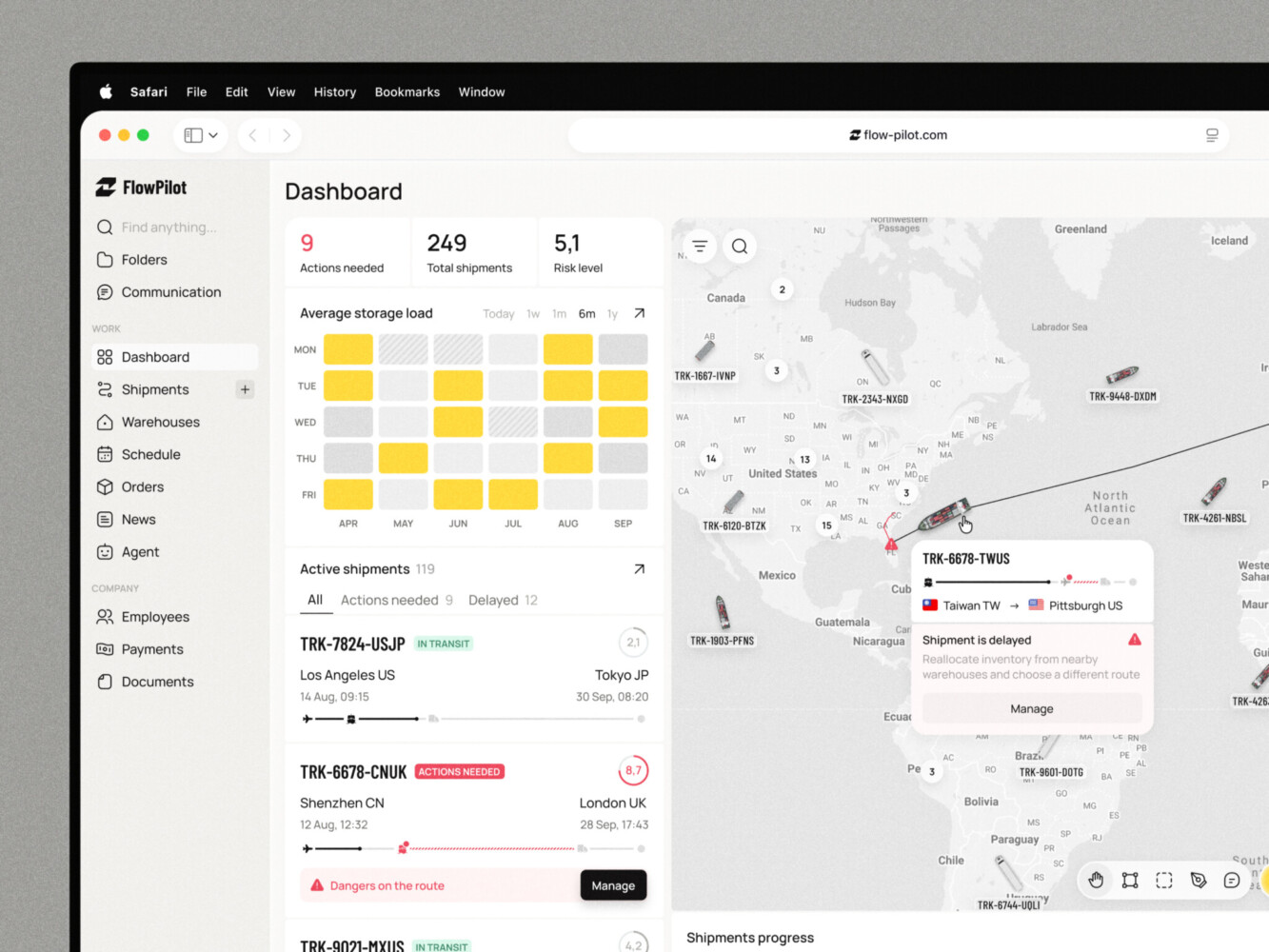
Logistics Dashboard Design for Supply Chain Platform by Shakuro
Choosing Your Multi-Vendor Marketplace Platform
Ready-Made Marketplace Software
This is the “plug-and-play” route. Tools like Sharetribe or Arcadier fall into this bucket. The biggest draw? Speed. You can literally have a live site in a week or two. It’s great for testing if people actually want what you’re selling.
They come with built-in integrations for payments and basic vendor dashboards, which saves a ton of headache. But there’s a catch. Customization is limited. If you need a weirdly specific commission structure or a unique onboarding flow, you might hit a wall. And don’t forget the recurring costs. You’re paying monthly fees, sometimes per transaction, which can eat into margins as you scale. It’s a trade-off: less control for more speed.
Ecommerce Platforms With Marketplace Extensions
If you’re focused on physical products, you might look at Shopify or WooCommerce with marketplace plugins (like Dokan or Webkul). This works well if you already know these ecosystems. It feels familiar.
But be careful. You’re essentially stacking extensions on top of a single-seller engine. It can get clunky. Performance might dip if you have too many vendors uploading high-res images. Plus, you’re dependent on third-party developers to keep those plugins updated. If the plugin breaks after an update, your marketplace breaks. It’s a bit of a house of cards, honestly.
Custom Marketplace Development
Custom marketplace development means building from scratch or using a headless framework. Why would you do this? Well, maybe your business model is unique. Maybe you need deep integrations with legacy ERP systems, or you’re dealing with complex service bookings that off-the-shelf tools just can’t handle.
It gives you total ownership. No monthly license fees for the core platform. But it’s expensive and slow. You’re looking at months of development, not weeks. And you’re responsible for maintenance. If something breaks, it’s on you (or your dev team) to fix it.
Cubebrush offers a practical example of this approach. The client wanted a marketplace where creators could open their own stores and showcase digital art resources. Shakuro worked across the full project lifecycle, from planning and prototyping to interface design, web development, and ongoing support. The project illustrates the work involved in turning a marketplace concept into a product built around a specific community.
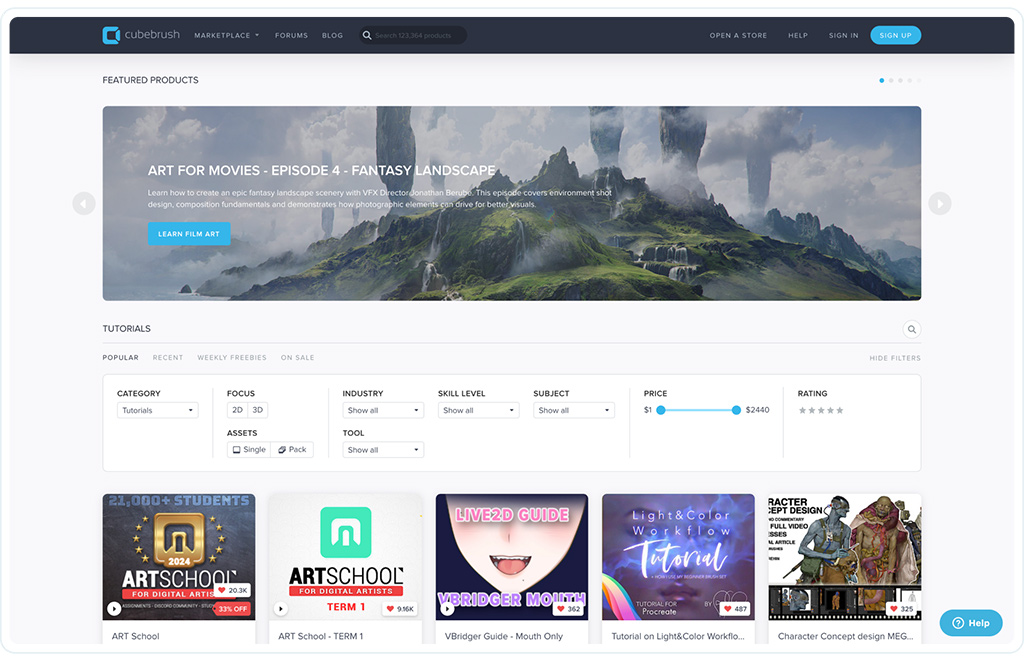
Cubebrush platform by Shakuro
Here’s a quick breakdown to help you decide:
| Feature | Ready-made Software | Ecommerce + Extensions | Custom Development |
| Flexibility | Low | Medium | High |
| Launch Effort | Low | Medium | High |
| Maintenance | Handled by provider | Mixed (you + plugin devs) | Full responsibility |
| Long-term Control | Limited | Moderate | Total |
Most founders start with ready-made multi-vendor marketplace software to validate the idea. Once you’re making real money and hitting limitations, then you consider moving to custom. Don’t build a Ferrari when you’re just learning to drive.
Essential Features for Buyers, Sellers, and Administrators
Buyer Experience
For the buyer, it’s all about trust and ease. They need to find what they’re looking for without hunting for hours. So, robust search and filters are non-negotiable. If I can’t filter by size or location, I’m gone.
Product details need to be clear—high-quality images, accurate descriptions, and shipping info. Checkout should be frictionless. One-click if possible. And once they’ve bought? They want visibility. Order tracking and clear communication are key.
Reviews are huge for social proof. And let’s be real, things go wrong. A simple way to request a dispute or return is essential for building confidence. Without it, buyers feel exposed.
Seller Experience
Sellers are your partners. If their life is hard, they’ll leave. Start with a smooth registration and verification process. Don’t make them jump through ten hoops just to list an item.
Once they’re in, they need a clean dashboard. Storefront setup should be intuitive. Catalog management needs to be easy—bulk uploads are a lifesaver for anyone with more than five products. Inventory sync is critical too; nothing kills trust faster than selling something that’s out of stock.
They also need to see their money. Clear visibility into orders and upcoming payouts keeps them happy. If they have to email you to ask “when do I get paid?”, you’ve already failed.
Marketplace Administration
In ecommerce marketplace development, this is your control center. You need to approve sellers (at least initially) to keep quality high. Managing commissions should be automated if possible, but you need the ability to adjust them.
Moderation is a big one. You’ll need tools to flag inappropriate content or fraudulent listings. Handling refunds and disputes manually at first is fine, but you need a system to track them. As for reporting, you need to know what’s selling, who your top vendors are, and where your bottlenecks are.
What’s essential for launch vs. later?
- Launch Essentials: Basic search, secure checkout, seller registration, manual commission tracking, simple reviews, and a way to handle refunds.
- Wait for Validation: Advanced AI search, automated tax calculations for multiple countries, complex tiered loyalty programs, or native mobile apps.
Keep it lean. You can always add the shiny stuff later.

E-Commerce Website Design by Shakuro
Marketplace Architecture and Technology Decisions
Let’s get into the weeds for a second. Ecommerce marketplace development isn’t just about slapping a frontend on a database. It’s about how all the moving parts talk to each other without screaming.
At its core, you’ve got a few key components:
- The Storefront: What buyers see.
- The Seller Portal: Where vendors manage their stuff.
- Admin Tools: Your command center.
- The Catalog: The heart of it all—products, variants, images.
- Orders & Search: The logic that connects people to products.
- Payments: The lifeblood.
Now, here’s where it gets tricky. In a single-seller store, one cart equals one order. In a marketplace? Not so much. A buyer might add a shirt from Vendor A and a hat from Vendor B. That’s one cart, but it splits into two separate orders behind the scenes. Each vendor needs to see only their part. They need to ship it, track it, and get paid for it independently.
And then there’s the money. You’re taking a commission. So when that $100 order comes in, maybe $90 goes to the vendor and $10 stays with you. But what if the buyer returns the shirt? You have to reverse that split. Refunds and payout reconciliation can become a nightmare if you don’t plan for it early. You’re basically acting as a mini-bank.
Data separation is huge too. Vendor A should never see Vendor B’s sales data. Permissions need to be tight. And as you grow, performance matters. If your search slows down because you have 10,000 products, you’re losing sales.
So, how do you choose a tech stack?
It depends on your team. If you have a small team of JavaScript developers, a MERN or MEAN stack (MongoDB, Express, React/Angular, Node) might make sense. It’s flexible and popular. If you’re dealing with heavy data relationships, maybe PostgreSQL is better.
Don’t just pick the “coolest” new framework. Pick what your team knows, or what you can easily hire for. In multi-vendor marketplace development, stability beats novelty every time. You want a stack that can handle the complexity of split orders and multi-party payments without collapsing under its own weight.
How to Create a Multi-Vendor Marketplace Website
Validate the Niche and Business Model
This is the boring part that saves you later. Who are your first 10 buyers? Who are your first 5 sellers? Be specific. “Everyone” is not a niche.
Define your value proposition. Why would a seller list with you instead of Amazon? Maybe it’s lower fees or a more targeted audience. And how do you make money? Commission? Subscription? Listing fees? Pick one and stick to it for now. If you can’t explain how you’ll make $100 in the first month, you’re not ready to build.
Define the MVP
MVP stands for Minimum Viable Product, but I like to think of it as the “Minimum Valuable Product.” What is the smallest complete journey a buyer and seller can take?
It’s not every feature under the sun. It’s: Seller signs up -> Lists item -> Buyer finds it -> Buys it -> Seller ships it -> Buyer gets it. That’s it. No advanced analytics, no AI recommendations, no mobile app yet. Just the core loop. If that doesn’t work, nothing else matters.
Design and Test the Main Workflows
Don’t guess. Prototype. Use tools like Figma or even just paper sketches. Walk through the buyer checkout. Is it confusing? Walk through seller onboarding. Is it too long?
Test these with real people. Watch them try to use your prototype. You’ll see where they get stuck. It’s humbling, but it’s way cheaper than fixing code later. Pay special attention to the admin tasks too. How will you approve a new seller? How will you handle a refund request? If your own workflow is messy, your platform will be too.
Build, Integrate, and Test
Now you code. But remember, integration is where things break. Payment gateways need to handle split payments. Inventory needs to sync so you don’t sell the same item twice.
Think about failure. What happens if a payment fails mid-checkout? What if a seller tries to access another seller’s data? Test these edge cases. They’re not “nice-to-haves”; they’re security and trust essentials. A broken payment flow kills conversion. A data leak kills your business.
Launch With a Focused Seller Group
Don’t open the floodgates. Start with a small, curated group of sellers. Maybe 5 or 10. Help them get their catalogs ready. Make sure their products look good.
Be there for support. Answer their questions instantly. Collect feedback constantly. These early sellers are your partners. If they’re happy, they’ll tell others. If they’re frustrated, they’ll leave, and you’ll have an empty marketplace.

E-Commerce Admin Dashboard Design Concept by Shakuro
When Should You Invest in Multi-Vendor Marketplace Development?
So, when do you actually need an app? Honestly, most founders jump into marketplace app development way too early.
Let’s break it down. You’ve got three main options: a responsive website, a Progressive Web App (PWA), or native mobile apps (iOS and Android).
A responsive website is your baseline. It works on any device, no download required. It’s the easiest to maintain because you’re only updating one codebase. For many marketplaces, especially in the early stages, this is enough. If people aren’t coming back every day, do they really need an icon on their home screen? Probably not.
Then there’s PWAs. They’re like websites that pretend to be apps. You can “install” them, they work offline sometimes, and they’re much cheaper to build than native apps. It’s a solid middle ground if you want some app-like feel without the massive cost.
Native apps are the heavy hitters. Why go native? Two words: notifications and habits. If your marketplace relies on repeat usage—like food delivery or ride-sharing—you need those push notifications. “Your driver is here!” or “Your favorite seller just posted new items!” That kind of immediacy keeps people engaged. Also, if you need device features like the camera for scanning products or GPS for local services, native is smoother.
But here’s the catch: mobile scope affects everything. Building a native app means building two apps (iOS and Android). That doubles your development time and cost. And maintenance is a never-ending cycle of updates for new OS versions. If you’re a small team, this can drain your resources fast.
For sellers, it’s even trickier. Do they need a separate seller app? Maybe. If they’re managing inventory on the go, yes. But if they’re mostly uploading products from a desktop, a mobile-optimized web portal might suffice.
My advice? Start with a rock-solid responsive site. Maybe add a PWA if you want to test the waters. Only invest in full native marketplace app development once you have proven that users are returning frequently and asking for a better mobile experience. Don’t build an app just because it feels “serious.” Build it because it solves a specific engagement problem.
How Much Does Multi-Vendor Marketplace Development Cost?
The Breakdown
- Discovery: This is the “what are we actually building?” phase. You’re mapping out user stories and technical requirements. It’s cheap compared to coding, but vital.
- UX/UI Design: Don’t skimp here. A confusing interface kills trust. You need designs for buyers, sellers, and admins.
- Engineering: The biggest chunk. Frontend, backend, database architecture. This is where the logic lives.
- Integrations: Payment gateways, shipping APIs, email services. Each one adds time.
- Testing: QA isn’t optional. You need to catch bugs before your users do.
- Launch: Server setup, domain, initial marketing tech.
What Drives the Cost Up?
It’s usually the complex stuff. Custom workflows—like if you need a unique bidding system or a specific approval chain—take time. Payment complexity is huge. Split payments across multiple vendors with different commission rates? That’s not a simple plugin; that’s custom logic.
As we mentioned, going native doubles your engineering effort. Migration is another beast. If you’re moving from an old system, cleaning up that data is painful and expensive.
Ongoing Costs
Don’t forget the “rent.” Hosting, maintenance (updates, security patches), third-party service fees (like Stripe or SendGrid), and human support. You’ll need someone to moderate listings and answer vendor questions. That’s a salary, not a one-time fee.
Here’s a rough look at what drives the price:
| Cost Driver | Impact on Budget | Why? |
| Custom Workflows | High | Requires unique backend logic. |
| Split Payments | High | Complex financial reconciliation. |
| Native Mobile Apps | Very High | Two separate codebases (iOS/Android). |
| Data Migration | Medium/High | Cleaning and mapping old data is slow. |
| Advanced Search | Medium | Requires specialized tools (e.g., Elasticsearch). |
Note: Prices vary wildly based on location and team size. A freelance dev in Eastern Europe might charge $30/hour, while a US agency charges $150+. A basic MVP might start around $20k–$40k, while a complex custom build can easily hit $100k+.

Common Marketplace Development Challenges
Building multi-vendor marketplace software is actually the easy part. The hard part? Keeping the whole thing from falling apart once people start using it.
Here are the headaches you’ll likely face and how to deal with them before they become disasters.
The Chicken-and-Egg Problem
You need sellers to get buyers, but sellers won’t join without buyers. It’s the classic marketplace dilemma.
Mitigation: Don’t try to boil the ocean. Pick a tiny niche. Maybe it’s just “vintage leather jackets in Portland.” Recruit 10 sellers manually. Call them. Help them upload their first products. Then, focus all your marketing energy on finding buyers for just those items. Fake it ‘til you make it, but ethically. Curate the supply side first.
Catalog Chaos
Sellers are busy. They’ll upload blurry photos, write terrible descriptions, and forget to update inventory. Suddenly, your marketplace looks like a garage sale from 2005.
Mitigation: Set strict guidelines upfront. Use templates for product listings. If possible, add an approval step where you or a moderator check new listings before they go live. It’s manual work at first, but it keeps quality high. And for inventory? Require regular syncs or use tools that connect directly to their existing stock systems.
Fraud and Disputes
Someone will try to scam the system. A seller might ship a brick instead of a phone. A buyer might claim they never got their item. It happens.
Mitigation: Hold the money. Use an escrow-style system where you don’t release funds to the seller until the buyer confirms receipt. Have a clear, written dispute resolution process. And verify your sellers. Ask for ID or business licenses. It adds friction, but it builds trust.
Scaling Pains
Your search bar works fine with 100 products. With 10,000? It might crawl. Checkout might time out during a flash sale.
Mitigation: Plan for scale early. Use dedicated search services like Elasticsearch or Algolia instead of basic database queries. Load test your checkout flow before you launch any big marketing campaigns. And automate what you can. If you’re manually approving every single refund, you’ll burn out. Set rules for automatic approvals under a certain amount.
If you anticipate these issues, you’re already ahead of most founders who just cross their fingers and hope for the best.
Planning Your Marketplace Launch and Next Steps
Before you go off and hire a dev team for ecommerce marketplace development, take a breath. Make sure you’ve actually answered the hard questions. Who is this for? How will you make money? And most importantly, why would anyone use your platform instead of the ten others already out there?
Don’t just guess. Get some evidence. Talk to potential sellers. Ask buyers what frustrates them about current options. If you can’t get five people to say “I’d use that,” you’re not ready to build.
Once you’re ready, think in phases. Don’t try to launch the “perfect” marketplace. Launch the smallest thing that works. Get it in front of real users. Watch what they do. Do they get stuck on checkout? Do sellers hate the upload process? Use that feedback to guide your next steps.
And keep an eye on the right numbers. Not just “total signups.” Look at:
- Seller Activation: How many sellers actually list their first product?
- Purchase Conversion: How many visitors actually buy something?
- Repeat Purchases: Are people coming back?
- Cancellations & Disputes: Where is the friction causing people to quit?
These metrics tell you the truth. Everything else is just noise.
If you’re sitting there thinking, “Okay, but how do I actually start?” or if you’re unsure about your MVP scope, let’s talk. We can figure out the best way to move forward without wasting your budget on things you don’t need yet.
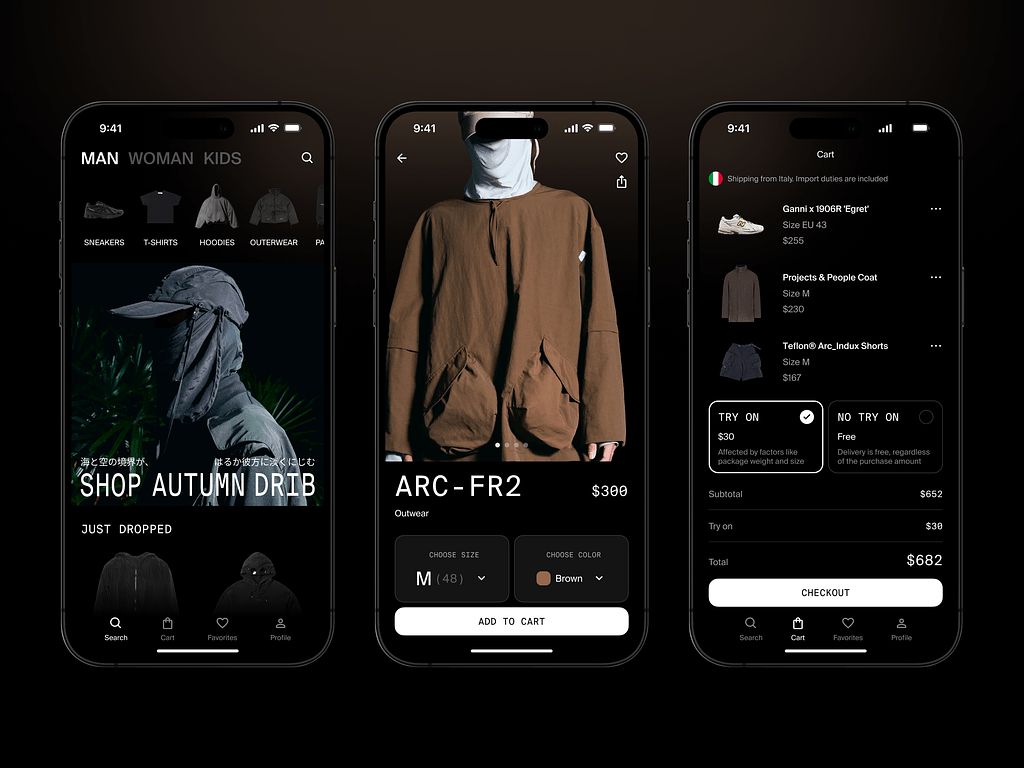
E-Commerce Mobile App by Shakuro
FAQ
What is the difference between a marketplace and an ecommerce website?
An ecommerce site (like Nike.com) sells its own inventory. A marketplace (like eBay) connects independent sellers with buyers. You don’t own the stock; you just facilitate the trade and take a cut.
Can I launch a multi-vendor marketplace using an existing platform?
Yes. Tools like Sharetribe or plugins for Shopify/WooCommerce let you launch quickly. It’s great for testing, but you’ll hit customization limits later.
How long does marketplace development take?
A basic MVP using ready-made software? A few weeks. Custom development? Think 3 to 6 months minimum. It depends heavily on how complex your payment splits and vendor workflows are.
How do marketplace commissions and seller payouts work?
The buyer pays the full amount. The platform holds it, takes its commission (say, 10%), and then transfers the rest to the seller. This usually happens after the order is delivered to prevent fraud.
Which features should a marketplace MVP include?
Keep it lean: user registration, product listings, search, a secure checkout with split payments, basic order tracking, and a way for sellers to manage their inventory. Skip the fancy AI stuff for now.