
AI-powered learning platform development is building an EdTech product that adapts to each learner: personalized learning paths, an AI tutor that answers questions, automated content generation, and predictive analytics that flag who is likely to fall behind. It also covers the data, models, and integrations that keep those features reliable.
Learners have already browsed edtech marketplace platforms where thousands of lessons compete for attention without adapting to anyone. Companies now want a product that reacts to the learner instead of pushing everyone through the same path. That takes more than a few smart features on top of an existing system. The team has to decide early where AI is useful, what data it needs, and how recommendations should behave, which is where experience in AI product development matters.
The sections below cover types of AI learning systems, key features, the development process, what drives cost, common challenges, and the role of learning management systems, since many AI education products are built on them or in response to their limits.
For those who prefer to listen rather than read, this article is also available as a podcast on Spotify.
What Is an AI-Powered Learning Platform?
An AI-powered learning platform is an online education product that does not treat every learner the same way.
In a обычный system, the experience is mostly fixed. A person logs in, opens the course, goes through the lessons in order, completes tasks, and gets tracked along the way. The platform works like a container for content.
An AI-powered platform adds another layer. It looks at what is happening inside the product—how fast a learner moves, where they get stuck, which tasks they repeat, which topics they skip—and uses that information to adjust part of the experience.
This changes content delivery first. Instead of showing the same lesson sequence to everyone, the platform can recommend extra materials, bring back a topic the learner did not fully understand, or move faster when the basics are already clear. The content is still planned by people, but the system helps decide what should appear at the right moment.
The same goes for learning paths. In many eLearning products, the path is fixed from the start. Here, it can be more flexible. One learner may need more practice before moving on. Another may be ready for a harder module sooner. The platform does not replace the logic of the course, but it can make that logic less rigid.
AI can also help with engagement, though usually in simple ways, not magical ones. It can surface the next useful lesson, send a reminder at a better moment, adjust task difficulty, or give feedback based on recent performance. Done well, this makes the platform feel more responsive and less repetitive.
So, in practical terms, an AI-powered learning platform is a learning product that uses learner data and machine learning to make education more personal. Not in a marketing sense, but in a product sense: better content delivery, more flexible learning paths, and a system that reacts to what the learner is actually doing.
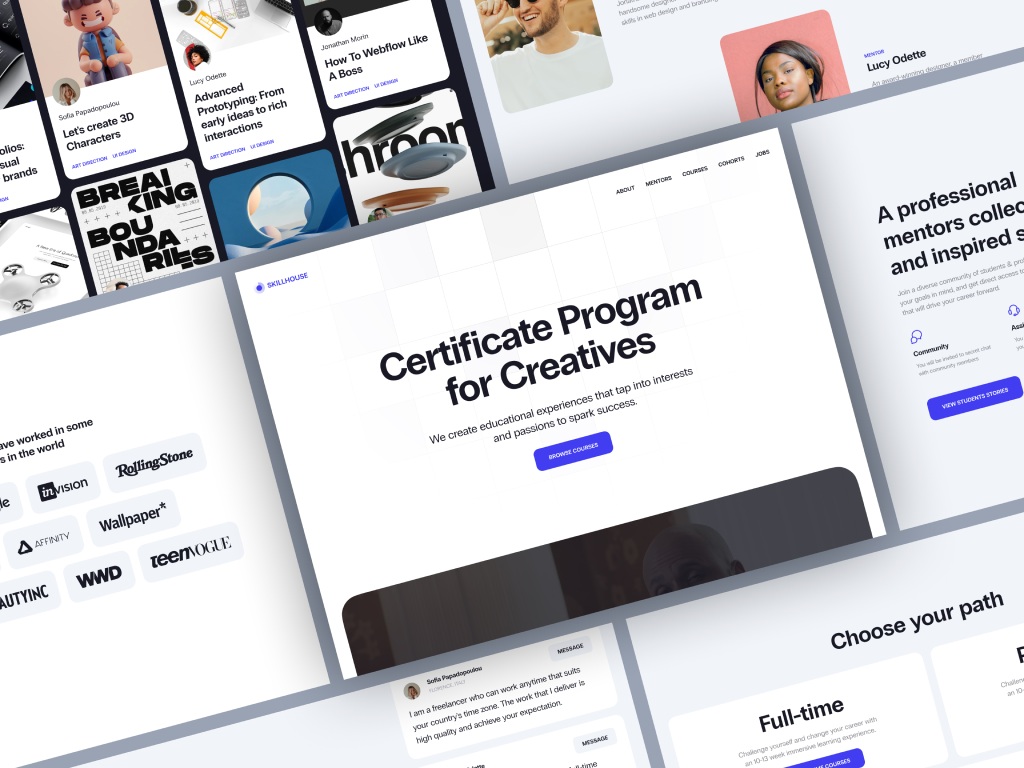
Skillhouse Elearning Platform by Shakuro
Types of AI learning systems
AI shows up in learning platforms in a few different ways. It is not always some big all-in-one system. Sometimes it changes the order of learning. Sometimes it acts more like support. Sometimes it helps sort through a large content library. Sometimes it is used on the admin side to speed up evaluation.
Adaptive learning platforms
Adaptive platforms change the learning flow based on how a person is doing.
Say a learner keeps failing the same type of task. The platform can stop pushing them forward and give them more practice, a simpler explanation, or a step back to an earlier topic. If another learner is moving through the material easily, the system does not have to hold them in place just because that was the original order.
So the course is still structured, but the platform is not completely blind to what is happening.
AI tutoring systems
AI tutoring systems help during the learning process itself.
That can be as simple as answering a question, explaining why an answer is wrong, or giving a hint before the learner gives up. In some products, this feels close to having built-in support inside the course instead of leaving the user alone with the material.
This can be especially useful in personalized employee training systems, where companies want training to stay consistent, but employees still need help at different moments and at different speeds.
Recommendation engines
Recommendation engines suggest what to study next.
This matters most in platforms with a lot of content. Once the library grows, choice becomes a problem of its own. People open the platform, see too many options, and leave without doing much. Recommendations help reduce that friction. The system can suggest the next lesson, another course, extra practice, or related material based on what the learner has already done.
It is a fairly simple idea, but in education it can make the product much easier to use.
Automated assessment systems
Automated assessment systems help evaluate learner performance.
Sometimes that means checking tests automatically. Sometimes it means spotting patterns that are harder to see manually, like where users tend to make the same mistake or which part of a course keeps slowing people down. It does not always replace human review, but it can remove a lot of repetitive work.
This becomes more useful when assessment is connected to learning analytics systems, because then the platform shows more than just scores. It starts showing where the actual problems are.
Core components
The structure behind these products is usually less exotic than it sounds.
- Data pipelines collect and move learner activity, results, content usage, and other signals across the system.
- Machine learning models use that data to power recommendations, predictions, adaptive flows, or automated checks.
- Content delivery systems handle the lessons, quizzes, videos, assignments, and feedback that users actually interact with.
- Analytics dashboards give instructors, admins, and product teams a way to see progress, usage patterns, and trouble spots inside the platform.
- APIs and integrations connect the platform to other systems, whether that means HR tools, content services, internal software, reporting tools, or payment infrastructure.
This part usually sounds dry on paper, but in real projects it matters a lot. AI features get most of the attention, yet the platform only works properly when these basic parts are solid too.
Key Features of AI-Powered Learning Platforms
Personalized Learning Paths
This is usually the first feature teams think about, and for good reason.
In most learning products, the path is fixed from the start. A user joins the course, opens the first lesson, and moves through the material in the order someone planned earlier. That structure is clear, but it does not leave much room for differences in pace or level.
AI helps loosen that structure a bit.
If the platform sees that a learner is doing well, it can suggest harder material or let them move ahead sooner. If it sees repeated mistakes or weak results, it can bring in another explanation, extra practice, or a return to an earlier topic. So the system is not just handing out content in a preset order. It is paying attention to how the person is actually moving through it.
Dynamic content recommendations grow out of that same logic. The platform can suggest the next lesson, exercise, or resource based on progress instead of showing the same thing to everyone. That becomes especially useful when the product has a large library and learners need clearer direction, not just more options.
Over time, this turns into a more adaptive learning journey. The course still has a structure, but it does not have to feel equally rigid for every user. That matters in scalable SaaS learning platforms, where one product may serve very different learners at the same time.
AI Tutoring and Assistance
Another common feature is built-in help.
Sometimes it is a chat-based tutor inside the lesson. Sometimes it is a simpler assistant that answers questions, explains a concept in other words, or points out why an answer is wrong. The format can vary, but the purpose is straightforward: help the learner at the moment they get stuck.
That matters more than it may seem. A lot of people leave a course not because the topic is too hard, but because the platform gives them no support at the wrong moment. Even a short explanation can be enough to keep them moving.
Real-time assistance is the useful part here. The learner does not have to leave the course, search for another source, and then try to find their way back. They can ask for help inside the product and keep going.
Some platforms also use voice and NLP-based interfaces. This can make sense in language learning, training simulations, or other cases where speaking feels more natural than typing. But in practice, the main question is not whether the interface looks modern. It is whether the response is actually clear and relevant.
So, taken together, AI tutoring and assistance are less about “smart features” and more about making the platform easier to learn with.
Predictive Analytics
Predictive analytics helps the platform see when something is starting to go wrong.
Usually, learners do not disappear all at once. First they start skipping sessions, delaying tasks, spending less time in the course, or getting stuck in the same place again and again. These signs are easy to miss when there are many users. AI helps spot them earlier.
That gives the system a chance to react before the learner fully drops off. It can bring back an important topic, suggest an easier next step, send a reminder, or show an instructor which users may need attention.
This is useful not only for learners, but for the team behind the product. Instead of only seeing final numbers, they can see where engagement starts to weaken and which parts of the course keep causing problems. That is why this kind of feature works better when it is connected to broader data analytics systems.
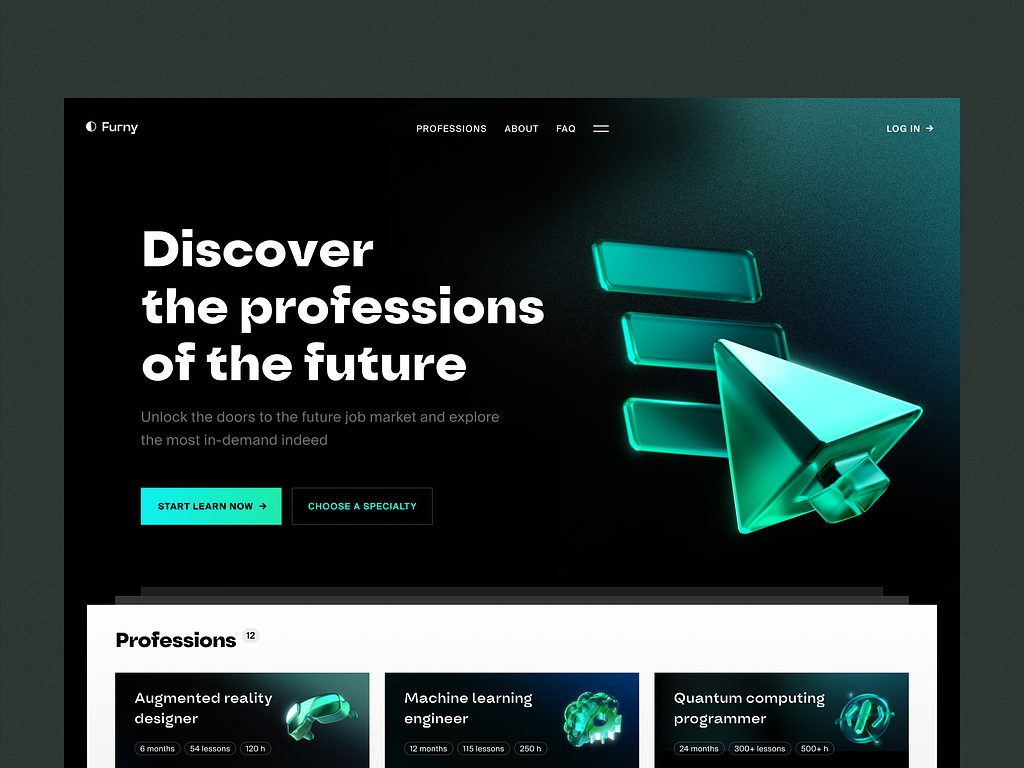
E-learning Platform Website by Conceptzilla
Automated Content Generation
AI can also help with content work.
In practice, this usually means generating quizzes, short summaries, practice tasks, or draft materials based on lessons that already exist in the platform. For teams with a lot of content, this can take some pressure off routine work.
But this is not the kind of thing that should go live without review. A generated quiz may sound fine and still include weak wording or a misleading answer. A summary may be clear on the surface and still miss the main point.
So the benefit here is mostly operational. The platform can help prepare the first draft faster, while the team still checks quality before learners see it.
Multi-Platform Learning Experience
Learning rarely happens on one device only.
A person may start on a laptop, continue from a phone later in the day, and return to the same course from a tablet the next morning. If the platform handles that badly, even good content starts feeling inconvenient.
That is why web and mobile access matter so much. The learner should be able to switch devices without losing progress, saved materials, completed tasks, or their place in the course. People already expect that to work.
For the product team, this means the platform has to stay consistent across screens. The mobile version cannot feel like a cut-down copy that only does half the job. Lessons should open properly, progress should sync correctly, and the whole experience should still feel like one product.
When mobile learning is an important part of the product, native mobile development can make a real difference, especially in performance, stability, and day-to-day usability.
AI Learning Platform Development Process
1. Use Case Definition and Data Strategy
This is the stage where the team decides what AI is there for.
Not in a broad sense, but in a very practical one. Should it recommend the next lesson? Help learners inside the course? Adjust the path based on progress? Show which users are starting to fall behind? Until that is clear, the rest stays blurry.
Usually, it is better to start with one or two specific tasks instead of trying to make the whole platform “intelligent” at once. A narrower scope is easier to build, easier to test, and easier to explain inside the product.
Then comes the data side. If the system is supposed to personalize content or make recommendations, it needs something to rely on. That can be quiz results, completed lessons, repeated mistakes, time spent on tasks, skipped modules, or search activity.
Sometimes teams already have enough data to begin. Sometimes they realize the product first needs better tracking.
2. UX/UI Design for AI Platforms
Once the team knows what AI should do, they have to decide how it should appear on the platform.
This is where many things either start making sense or start feeling annoying.
A recommendation may be useful, but still look random if it shows up with no context. A tutor may help in theory, but interrupt at the wrong moment. An admin dashboard may show important signals, but still be hard to use if everything competes for attention.
So the design task here is simple in principle: make the platform easy to understand.
If the system suggests the next lesson, that suggestion should feel natural. If it points to a weak area, the user should immediately understand why it matters. If it gives instructors extra visibility into learner progress, the interface should help them act on that information quickly.
In products like this, clarity matters more than effect. The interface does not need to look futuristic. It needs to feel calm, readable, and predictable.
3. Choosing the Technology Stack
The stack usually comes from the product itself.
If the platform has a heavy AI part, Python is often the obvious backend choice. Teams use it for model logic, data processing, and API work around intelligent features. Node.js also appears in these products, mostly when there is a lot of real-time interaction or a large number of front-end requests.
For machine learning, TensorFlow and PyTorch are both common. They are used to train and improve models for things like personalization and recommendations. Usually, the choice depends less on theory and more on what the team is already comfortable building with.
The data side matters just as much. Learning platforms produce a steady stream of events: lesson views, quiz results, skipped topics, repeated mistakes, time in session. Kafka is often used to move that data through the system. Spark is a common option when the platform needs to process larger volumes of it.
On the front end, React is a practical choice for platforms with a lot of moving parts. Admin panels, learner dashboards, recommendation blocks, progress tracking, interactive lessons—all of that needs an interface that stays manageable as the product grows.
For infrastructure, Docker is commonly used to package services, and Kubernetes is often brought in when the system gets bigger and harder to manage manually.
In some cases, teams also build AI-related APIs with FastAPI, especially when they need a straightforward backend layer between models and the product itself. And if AI is a real part of the platform, not just a side feature, it usually helps to approach it as a larger product task rather than a small add-on, with the right AI development services behind it.
4. Machine Learning Model Development
Once the team knows what the AI part is supposed to do, they can move to the models.
Usually, this starts with one specific task. In a learning platform, that may be personalization or recommendations.
For personalization, the model learns from learner behavior inside the product. Recommendation systems are built around a similar idea. The model tries to understand what lesson, exercise, or course is most relevant at that point. This becomes especially important when the platform has a lot of content. Without that kind of guidance, learners often end up with too many options and no clear next step.
This part usually takes more work than it seems from the outside. Training a model is only one piece of it. The team also has to check whether the output is actually useful in the product. A recommendation may look correct in testing and still feel unhelpful for a real learner. So adaptive learning platform development usually means training, checking, adjusting, and repeating that cycle until the feature starts making sense in practice.
5. Integration with Learning Systems
At some point, the AI part has to stop living as a separate idea and become part of the product people already use.
In practice, that usually means integrating it into an LMS or another learning platform. Recommendations have to appear inside the course flow. Tutor responses have to connect to actual lesson content. Predictive signals have to reach instructors or admins in a way that fits their normal work.
This is where many teams run into fairly ordinary problems. The AI feature may work on its own, but the platform around it was not built to support that kind of logic. Data may be stored in different places. Content may be hard to access in a structured way. Existing workflows may be too rigid.
That is why integration matters as much as the model itself. The AI layer has to work inside the product, not next to it. In many cases, it ends up being closely tied to course delivery systems, because that is where lessons, assignments, progress, and user actions already come together.
6. Testing and Model Validation
This part is less exciting, but it is where weak ideas usually show themselves.
First, the team has to check whether the model is accurate enough for the task. If the platform recommends the wrong lesson too often, flags the wrong users, or gives poor answers inside a tutoring flow, the feature quickly loses value.
But technical accuracy is only one part of it.
The team also has to test how the feature feels in the product. A recommendation may be correct and still appear at the wrong moment. A tutoring tool may give a decent answer and still feel slow or distracting. A predictive feature may surface useful signals and still confuse the people who are supposed to use them.
So testing usually happens on two levels at once: does the AI work properly, and does it make sense in the actual learning experience.
7. Deployment and Continuous Learning
Once the feature is tested, it can go live. But that is not really the end of the work.
Models do not stay useful forever just because they were good at launch. Learner behavior changes, content libraries grow, new user groups come in, and the platform itself keeps evolving. Over time, the AI part needs updates too.
That is why deployment is usually followed by continuous learning. Sometimes that means retraining models. Sometimes it means adjusting the rules around them. Sometimes it means realizing that a feature works differently in real use than it did in testing.
This is also where ongoing product maintenance matters. AI features are not something you launch once and forget. They need regular attention, monitoring, and technical support, which is why long-term support services often become part of the product plan.
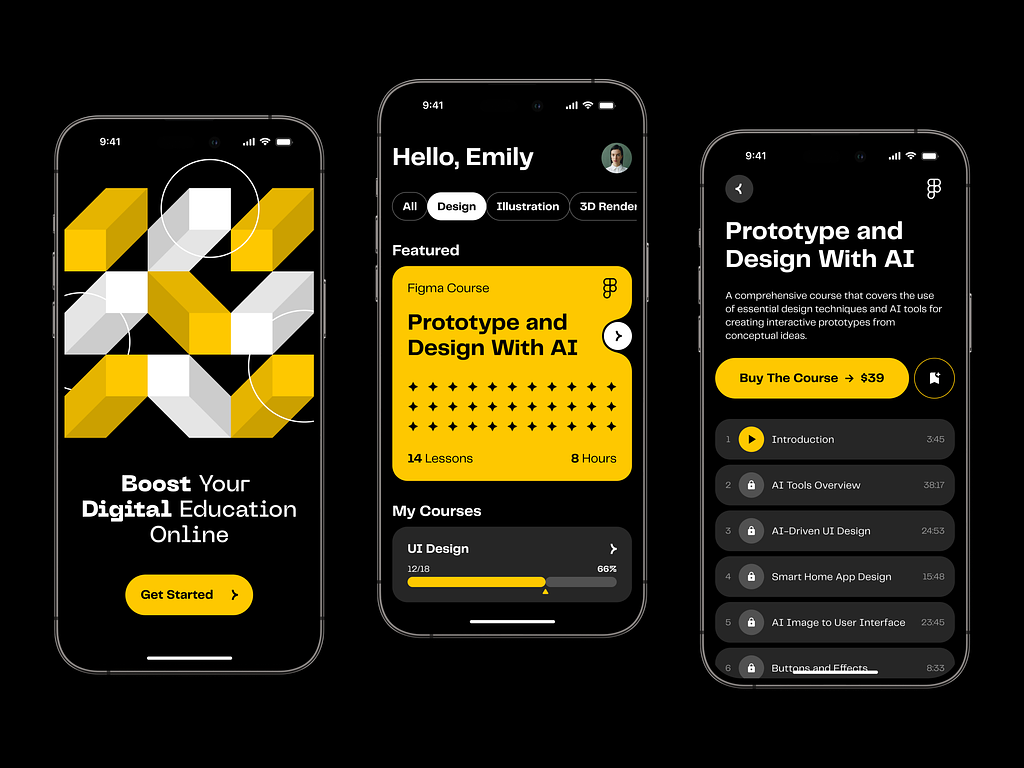
Online Course Educational Mobile App by Shakuro

Cost of AI Learning Platform Development
The cost of AI elearning platform development depends less on the idea itself and more on how much intelligence the product is expected to deliver from day one.
| Cost factor | What it means in practice | Effect on budget |
| AI model complexity | A simple recommendation engine or quiz generator is much easier to build than deep personalization, AI tutoring, or predictive analytics. More advanced models need more training, tuning, testing, and maintenance. | Higher model complexity usually means higher cost. |
| Data volume and quality | If learner data is already structured and usable, development moves faster. If data is fragmented, incomplete, or not collected yet, the team first has to fix tracking, storage, and preparation. | Poor or missing data increases cost early in the project. |
| Real-time processing | Some platforms can process data with delays. Others need to react while the learner is actively studying, for example with live recommendations or AI assistance. | Real-time features usually make the architecture more expensive. |
| Integrations | AI features often need to work with LMS platforms, content libraries, analytics tools, HR systems, CRMs, payment tools, or internal admin software. | Integrations often add more cost than expected. |
| Interface scope | A single web interface is one level of effort. Separate interfaces for learners, instructors, and admins across web and mobile add much more design and front-end work. | More user roles and more platforms increase cost. |
| Product scope | A narrow MVP with one AI feature is much cheaper than a large education system with many connected AI workflows. | The broader the scope, the higher the budget. |
| Scale and reliability requirements | Enterprise products need stronger security, larger user capacity, more stable infrastructure, and continuous model improvement. | Reliability and scale push the cost up significantly. |

Common Challenges in AI Learning Platform Development
AI can make a learning product more useful, but it also adds a new set of problems. Most of them are not especially glamorous. They are the kind of issues that quietly shape whether the platform works well or turns into an expensive experiment.
Data quality and availability is usually the first one. AI features need something real to work with: quiz results, lesson completion, user behavior, search activity, drop-off points, repeated mistakes. If that data is incomplete, inconsistent, or poorly structured, the output will be weak too. Sometimes teams discover that the main problem is not model choice at all. It is the fact that the platform has not been collecting the right signals in the first place.
Model accuracy is another obvious challenge, but it matters in a very practical way. A recommendation engine is only useful if it points learners in the right direction often enough. A tutoring feature has to explain things clearly, not just produce confident text. Predictive models have to catch real risk patterns without flagging half the user base for no reason. In education, “mostly works” is often not good enough, because weak output starts damaging the learning experience very quickly.
User trust in AI systems is just as important. Learners and instructors do not need to understand the full technical side, but they do need to feel that the platform behaves in a reasonable way. If recommendations seem random, if explanations sound vague, or if the system makes decisions with no clear logic, people stop trusting it. Once that happens, even a technically solid feature can lose value.
Scalability of AI infrastructure becomes a real issue as the product grows. A feature may work well with a limited number of users and still break under heavier load. Real-time recommendations, tutoring, analytics, and personalization all put pressure on the backend, data pipelines, and model-serving layer. This becomes even more noticeable in content delivery systems, where AI has to work inside the learning flow without slowing the platform down.
So the hard part is usually not adding AI itself. The hard part is making sure the data is usable, the output is reliable, the product feels trustworthy, and the infrastructure can handle all of that at scale.
Our Experience in AI and EdTech Development
The hard part of an AI tutoring platform development is usually not the course player. It is everything underneath: user logic, analytics, recommendations, admin workflows, large volumes of behavioral data, and a system that still has to feel simple on the front end. That kind of work is very close to the products Shakuro has been building for years. We work with AI systems, SaaS products, analytics-heavy platforms, and infrastructure that has to stay stable as the product grows.
Not every relevant case comes from education itself. Sometimes the strongest proof is a product where the whole business depends on data, roles, workflows, and a platform that has to keep all of it moving without turning into chaos. One example is WYSPR, a bespoke crowd-promotion service built around social data collection and campaign management. The product included two connected parts: an iOS app for creatives and a web platform for the agency team. On one side, users managed tasks and campaign participation. On the other, managers worked with project flows, payments, contracts, and a large amount of statistical data coming from the app.
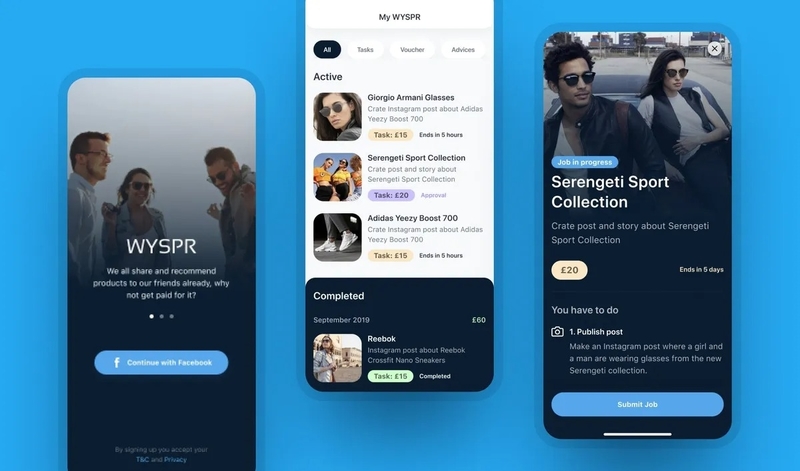
WYSPR, a Crowd-Promotion Service by Shakuro
What made this case relevant was not the industry label, but the product structure. WYSPR relied on analytics from the start. The team needed a platform that could collect performance data, surface the right metrics, and support everyday decisions inside the system. We helped shape that structure early, including the logic of the platform itself and the metrics that mattered most. The web part was built with Ruby on Rails and React, while the mobile app was developed in Swift. In practice, it was a connected, data-driven product with multiple user roles, a strong operational layer, and enough complexity to require careful architecture from the beginning.
That experience carries over well into AI and EdTech work. Learning products may use different data and different workflows, but the product challenges are often similar: how to organize complex logic, how to make insights usable, how to support different user types, and how to build something that can grow without becoming fragile. That is also why our experience with SaaS platforms matters here. Many AI learning products are really SaaS systems underneath, with content operations, analytics, dashboards, integrations, and long-term scaling needs all built into the same product. Shakuro’s background in data-driven and scalable software makes that kind of work familiar territory.
Why Work with an AI Learning Platform Development Company
The real challenge in producing AI learning products is making the AI part useful inside the product. It has to work with the learning logic, the content structure, the user data, and the actual behavior of learners. That is why companies usually benefit from working with AI learning platform developers that already understand AI and machine learning in product development, not just in theory.
Architecture matters just as much. A small prototype can work with almost anything. A real product is different. It has to handle content delivery, user activity, dashboards, integrations, and AI features at the same time, and it still has to stay fast and stable as the platform grows. That is where experience with scalable architecture starts to matter.
There is also the data side. AI features only become useful when the product collects the right signals and uses them in a sensible way. If the data is weak, the output will be weak too. AI learning platform developers with experience in data-driven product development can help define what should be tracked, how the system should use that data, and which AI features are worth building first.
So the value is not only in model development itself. It is in building a product where AI has a clear job, the platform can support it properly, and the system still makes sense for the people using it. That is usually the difference between a feature that sounds good in planning and one that actually works in a live product. For companies moving in this direction, strong AI development services can make the process much more grounded from the start.
FAQ
How much does AI-powered learning platform development cost?
The budget depends mostly on how much intelligence the product must deliver from day one. A simple recommendation engine or quiz generator is far cheaper than deep personalization, AI tutoring or predictive analytics. Cost also rises with fragmented or missing learner data, real-time features, integrations with LMS, HR or payment tools, separate interfaces for learners, instructors and admins, and enterprise security and scale requirements.
Which AI features should an AI learning platform launch with?
Start with a narrow set of specific tasks rather than trying to make the whole platform intelligent at once. Good first candidates are next-lesson recommendations, a tutor that helps learners when they get stuck, adaptive practice after repeated mistakes, or early warnings about learners who are falling behind. A narrower scope is easier to build, test and explain, and a narrow MVP with one AI feature costs much less.
What data does an AI-powered learning platform need?
Personalization and recommendations rely on learner activity: quiz results, completed lessons, repeated mistakes, time spent on tasks, skipped modules and search activity. Some teams already have enough of this to begin; others first need better tracking. If the data is incomplete or inconsistent, the output will be weak regardless of the model, so fixing collection, storage and preparation often comes before any machine learning work.
Can AI features be added to an existing LMS instead of building an AI learning platform from scratch?
Yes, many projects integrate the AI layer into an existing LMS or learning platform. Recommendations then appear inside the course flow, tutor answers link to real lesson content, and predictive signals reach instructors in their normal workflow. The usual obstacles are data stored in different places, content that is hard to access in a structured way and rigid existing workflows, so integration needs as much attention as the model.
What maintenance does an AI-powered learning platform need after launch?
Plan for continuous model work after release. Learner behavior changes, content libraries grow and new user groups arrive, so models need retraining, the rules around them need adjusting, and some features turn out to work differently in real use than in testing. Monitoring and technical support should be part of the product plan, along with checks that the infrastructure copes as real-time recommendations and tutoring add load.
How do I choose a development partner for AI-powered learning platform development?
Look for a team that has applied machine learning in real products and can decide which AI features are worth building first. Ask how they would define what learner data to track, how they validate both technical accuracy and fit within the learning experience, and how they design architecture that keeps content delivery, dashboards and AI features fast as the platform grows.
Final Thoughts
Building an AI-powered learning platform usually means putting several things in the right order.
First comes the data. Then the models that work with that data. Then the platform itself—the product people actually use. After that comes scaling: more learners, more content, more roles, more complexity.
The platforms that work well are usually not the ones with the longest feature list. They are the ones that get the basics right. Personalization has to feel useful, not random. AI output has to be accurate enough to trust. And the system has to stay stable as the product grows.
That is what makes this kind of development challenging. AI is only one part of the job. The rest is product logic, architecture, content flow, and long-term scalability.
If you are planning to build an AI-powered learning platform, Shakuro can help shape the product, define the right technical approach, and develop a system that is not only intelligent on paper, but solid in real use.
Related reading