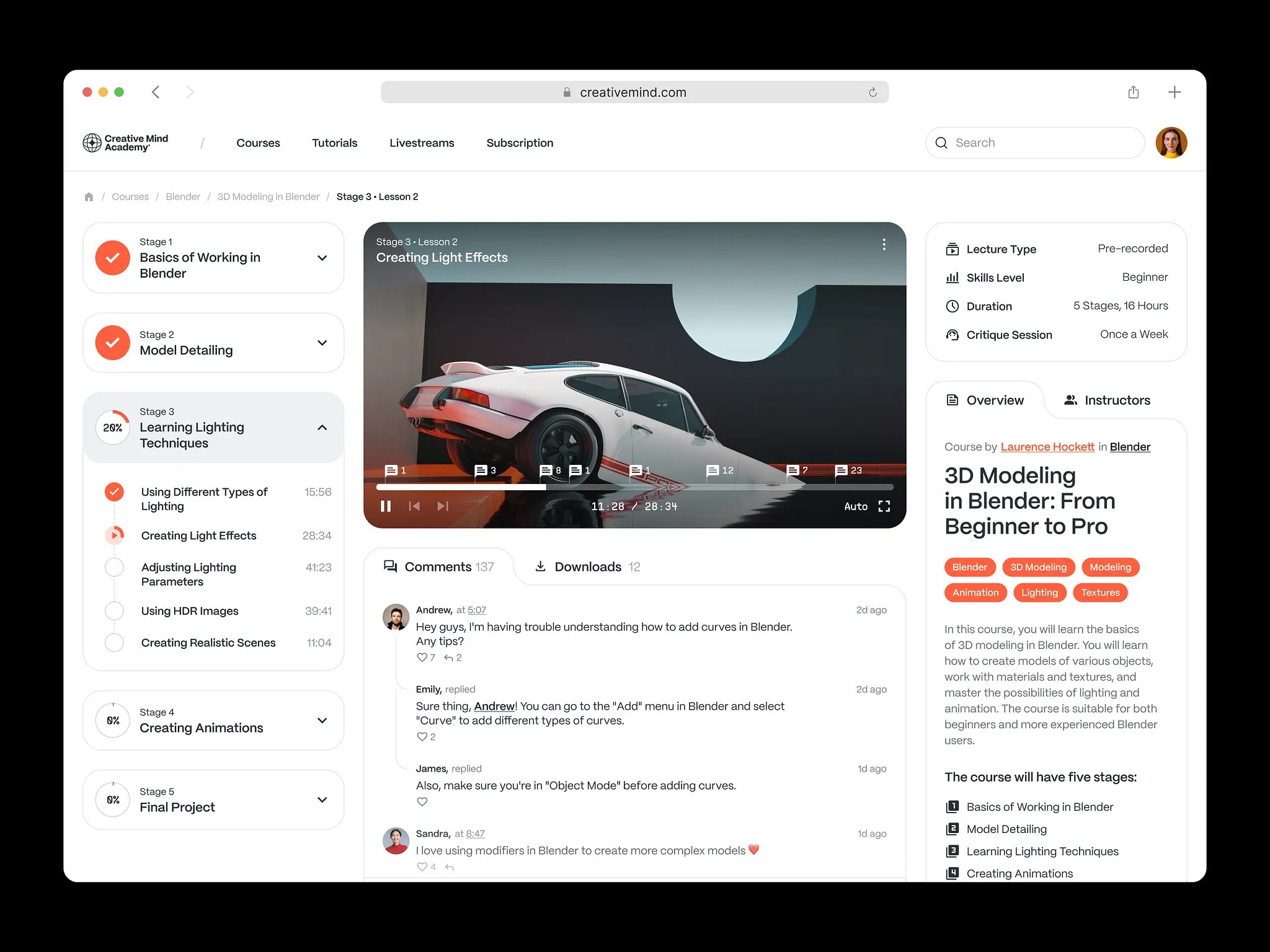
Corporate training platform development is building an internal learning system around how a company actually works: onboarding flows by department, learning paths for different roles, assessments and certifications, progress reports for managers, and integrations with HR and other business systems.
Static documents, scattered videos, and generic LMS courses stop working when teams grow, spread across locations, and change processes often. Public edtech marketplaces such as Udemy Business sell ready-made courses that rarely match internal processes. A custom platform lets the company keep its workflows instead of bending them to a tool. Where training is tied to HR, compliance, or performance tracking, it behaves like internal business software, and the same product thinking applies as in SaaS development.
This guide covers types of corporate training platforms, key features, the development process, what drives cost, and the technical issues that appear as the platform grows. For background on the wider category, see how learning management systems are designed.
For those who prefer to listen rather than read, this article is also available as a podcast on Spotify.
What Is a Corporate Training Platform?
A corporate training platform is basically a company’s internal space for teaching people how things are done.
It can include onboarding materials, internal courses, instructions, policy explanations, tests, progress tracking, and all the other things employees usually receive in pieces—from documents, calls, chats, and random links. The difference is that here it is organized as a system, not a pile of materials.
Companies use these platforms first of all for onboarding. When a new person joins, they need to understand the company’s structure, tools, workflows, and basic expectations. If that process exists only in someone’s head, onboarding turns messy very quickly. A platform makes it more predictable and gives new hires a clearer starting point.
The second common use is upskilling. Teams change, products change, and people are often expected to pick up new skills while already doing their regular work. A training platform helps companies introduce new knowledge in a more manageable way, whether that means short internal courses, role-based learning paths, or practical materials for specific teams.
Compliance training is another big reason these systems exist. In some industries, it is not enough to tell employees what the rules are. The company also needs a record showing that training was completed, policies were reviewed, and certifications were renewed on time. A digital platform makes that easier to manage.
Then there is internal knowledge sharing, which is usually the most chaotic part. A lot of useful information in companies lives in scattered docs, outdated files, chat history, or with a few experienced employees who keep answering the same questions. A corporate training platform helps move that knowledge into one place where other people can actually find and use it.
So in practice, this kind of platform is not just about courses. It is a tool for employee development, smoother onboarding, and basic knowledge management inside the company.
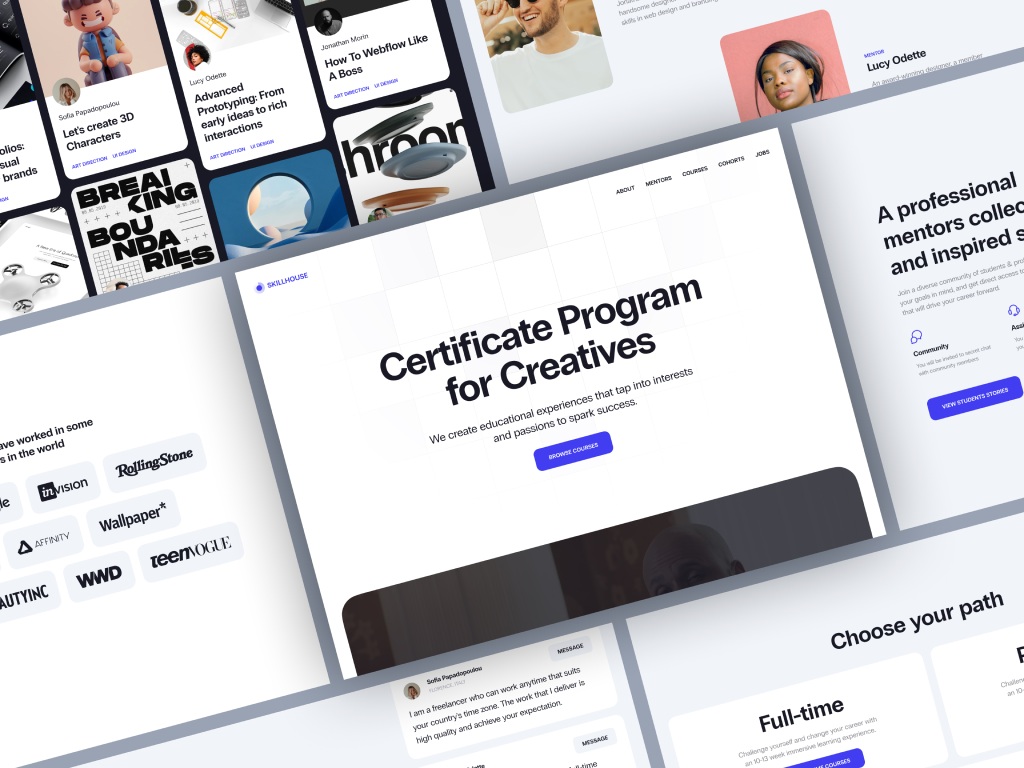
Skillhouse Elearning Platform by Shakuro
Types of Corporate Training Platforms
Corporate training platforms can look very different depending on who they are built for.
The most familiar type is the internal training platform. This is the version companies use for their own employees. It usually covers onboarding, role-specific training, internal courses, skill development, and company knowledge that people need in day-to-day work. In other words, it helps employees learn how to work inside that particular business, not just study general material.
Compliance training systems are more specific. Their job is to handle mandatory training and keep a record of it. This can include security policies, workplace rules, industry regulations, or anything else employees are required to complete. Here the content matters, of course, but so do deadlines, confirmations, renewals, and reporting. The company needs to know not just what was assigned, but who finished it and when.
Then there are extended enterprise training platforms. These are not limited to in-house teams. Companies use them to train partners, clients, vendors, contractors, or other external users. That changes the structure quite a bit, because the platform has to support different user groups, different access levels, and sometimes separate spaces for separate organizations. In that sense, these products can start to resemble multi-tenant training platforms, where one system serves several audiences at once without mixing everything together.
Core Components of a Corporate Training Platform
No matter which type of platform a company builds, a few parts show up almost every time.
- One of them is the content management system. Someone has to upload training materials, edit lessons, update information, and keep the structure in order. If content cannot be managed easily, the platform becomes outdated faster than anyone expects.
- User roles and permissions are another basic piece. Employees, managers, trainers, HR teams, and admins do not need the same access. One person takes courses, another assigns them, another checks reports, and another manages the whole system. The platform has to reflect that.
- Training workflows matter too. This is the logic behind how learning moves from one step to another. Who gets assigned what, what has to be completed first, whether approval is needed, when reminders are sent, how certification works—all of that sits inside the workflow layer.
- Analytics dashboards help companies see whether the platform is actually being used. They show completion rates, overdue training, assessment results, engagement, and other patterns that are hard to track manually. Without this part, training often turns into guesswork.
- And finally, integrations with HR systems are usually hard to avoid. Employee status, department changes, job roles, and other basic data often live somewhere else already. If the training platform is cut off from that information, people end up updating the same things in two places, which is where the mess usually starts.
Key Features of Corporate Training Platforms
The usefulness of a corporate training platform usually depends on fairly practical things. Can it help new people get started without chaos? Can it give different employees different training instead of sending everyone through the same material? Can it reduce manual work for managers and HR? Those are the questions that shape the feature set.
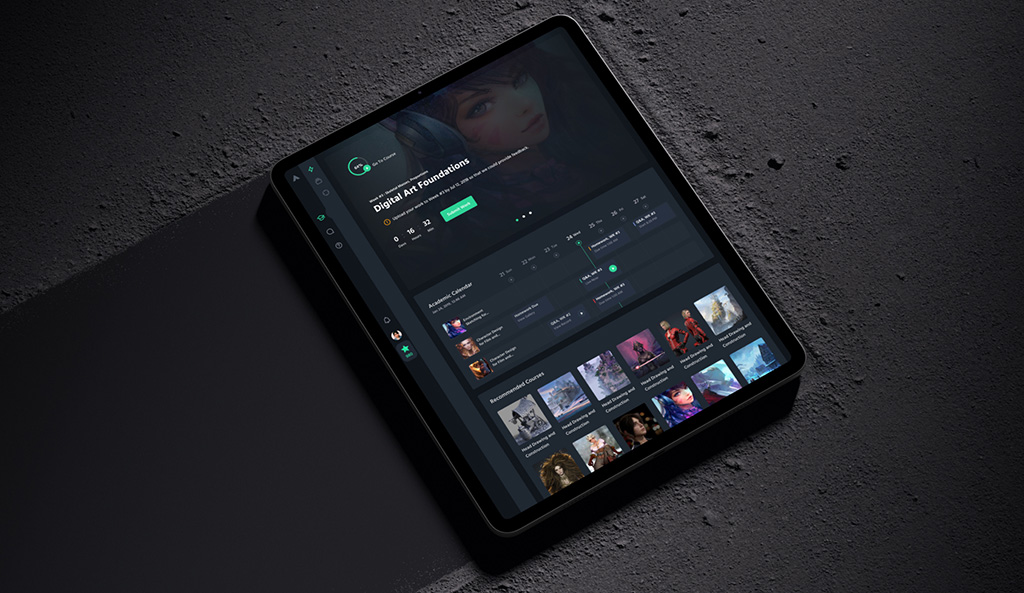
CGMA platform by Shakuro
Employee Onboarding Systems
Onboarding is one of the clearest examples.
In many companies, the first weeks still depend too much on manual explanations. One manager sends a few documents, another forgets half the steps, somebody shares an old recording, and the new employee has to piece everything together. A structured video learning platform fixes part of this by putting recorded sessions in order and tracking who watched them. A platform helps remove that randomness.
It can turn onboarding into a sequence with a clear order: what a person needs to read first, which materials are required, what depends on role, and what has to be completed by a certain point. Some steps can be assigned automatically, which saves time and makes the process more even across teams.
Role-based training paths are especially useful here. A developer, recruiter, and operations specialist do not need the same introduction. They may all need company-wide basics, but after that the content usually splits. A proper system should handle that without forcing admins to rebuild the process every time a new person joins.
Learning Path Personalization
The same principle matters after onboarding too.
Most companies do not need one training program for everyone. They need different tracks for different jobs, levels, and goals. Otherwise the platform becomes a warehouse of content that people scroll through once and ignore later.
Learning path personalization helps make the training more relevant. Employees can get programs based on their role, department, seniority, or development goals. A new team lead may need one set of materials, a support specialist another, and a sales manager something else entirely.
Sometimes this is fairly simple logic: assign different courses to different groups and arrange them in the right order. Sometimes it goes further, especially in products that use AI-driven learning personalization to adjust recommendations, suggest next steps, or surface content based on progress and behavior.
Either way, the point is the same. Training works better when it feels tied to a person’s actual job, not to an abstract company-wide curriculum.
Progress Tracking and Reporting
Training is much harder to manage when nobody can clearly see what is going on.
That is why progress tracking is one of the most useful parts of a corporate training platform. It shows who started a course, who finished it, where people dropped off, how they performed in assessments, and which training items are overdue. Without that visibility, companies end up relying on manual follow-ups and rough assumptions.
Reporting matters for the same reason. HR teams usually need a general view of employee progress, while managers often want something more specific: how their team is doing, which courses are incomplete, and whether required training has actually been passed. A platform should make those answers easy to get instead of forcing someone to collect them by hand.
In more advanced products, this grows into learning analytics dashboards that help companies look not just at completion rates, but at broader patterns in usage, engagement, and training outcomes.
Assessments and Certification
Most training platforms also need a way to check whether employees actually understood the material.
That usually means quizzes, short tests, exams, practical checks, or other forms of assessment built into the learning flow. In some cases, assessment is there simply to reinforce knowledge. In others, it is required before an employee can move to the next stage, get access to certain responsibilities, or complete mandatory training.
Certification becomes important when the company needs a formal record of completion. That is common in compliance-heavy environments, where it is not enough to assign a course—the business also needs proof that the employee finished it.
This is also where compliance tracking becomes part of the platform logic. Expiration dates, renewals, mandatory reassignment, and completion history all need to be visible and easy to manage.
Integration with Business Systems
A training platform almost never works well as a standalone tool.
Employee data usually comes from somewhere else. Team structure may already live in an HR system. Customer-facing training can depend on CRM data. Access rights, internal workflows, and notifications may be tied to other company tools. If the platform sits apart from all of that, people end up doing the same work twice and the data gets out of sync.
That is why integration is usually a core feature, not an extra one. A corporate training platform may need to connect with HR systems, CRM platforms, communication tools, internal admin panels, or identity and access services. These connections help automate user management, course assignment, reporting, and status updates.
From a product perspective, this is one of the reasons companies often treat training software as part of their broader internal infrastructure rather than a separate content portal. It has to work inside the existing environment, which is why the implementation often overlaps with broader web development services.
Corporate Training Platform Development Process
Building a corporate training platform usually starts long before the first screen is designed or the first line of code is written. The difficult part is not putting courses into a system. The difficult part is deciding how training should actually work inside the company, who will use the platform, and what other systems it needs to fit into.
1. Business Requirements and Use Case Definition
First, the company needs to understand what the platform is supposed to solve. In one case, the main goal is faster onboarding. In another, it is compliance control. Sometimes the focus is employee development across departments. Sometimes it is all of these at once, which usually means priorities need to be sorted out early.
Then come the actual use cases. Who will use the platform? Employees, managers, HR, compliance specialists, trainers, admins? What should each group be able to do? Who assigns training, who approves it, who sees reports, who updates content? These questions sound basic, but they shape the whole product later.
Workflows matter just as much. A company has to define how training is assigned, what is mandatory, what depends on role, what happens after completion, and how reminders, approvals, or recertification should work. If this logic stays vague, the platform will feel confusing no matter how polished the interface is.
2. UX/UI Design for Enterprise Platforms
Enterprise products do not get easier just because they are internal.
A corporate training platform still has to be clear, readable, and easy to use for different groups of people. Employees need simple dashboards that show what is assigned, what is complete, and what needs attention. Administrators need a very different view: course management, user management, workflows, reporting, permissions. Trying to force both into the same interface usually creates friction.
That is why UX/UI work matters more than many teams expect. A training platform can have solid functionality and still fail if employees do not understand where to start or if admins need too many steps for routine tasks. Good design here is less about visual decoration and more about structure, navigation, and reducing unnecessary effort.
Engagement matters too, although not in an overhyped way. Most employees are not opening the platform because they are excited to learn. They are opening it because they need to complete something. So the design has to help them move through the process with as little resistance as possible. In products built with modern frontend architecture, this often overlaps with the kind of interface work common in React development, where speed, component consistency, and maintainability all affect the final experience.
3. Choosing the Technology Stack
The tech stack depends on the size of the platform, expected traffic, integration needs, and the company’s internal preferences. There is no single “correct” setup, but there are common choices.
On the backend, teams often use Node.js, Python with FastAPI, or Java. Node.js works well for products that need fast iteration and a JavaScript-based stack across the project. Python and FastAPI are often chosen when the team wants a lightweight, efficient backend with clean API development. Java still makes sense in larger enterprise environments where stability, strict architecture, and long-term maintainability are major priorities.
On the frontend, React and Vue are both common. React is widely used for complex enterprise interfaces with reusable components and dynamic dashboards. Vue can also be a strong fit, especially for teams that want a simpler employee training software development experience. In either case, the frontend has to support several user areas, role-based logic, and a lot of state changes, so this part usually falls into broader frontend development, not just page layout.
For databases, PostgreSQL is a common choice when the platform needs structured relational data: users, courses, assignments, completions, permissions, reports. MongoDB may be useful in cases where the content model is more flexible or where document-based storage makes sense for parts of the system.
Infrastructure choices usually depend on scale. Docker is widely used to package services and keep environments consistent. Kubernetes becomes relevant when the platform grows and the team needs stronger orchestration, deployment control, and service scaling.
None of these tools matter on their own, of course. The point is to choose a stack that fits the actual platform logic, not to collect popular technologies and hope they work well together.
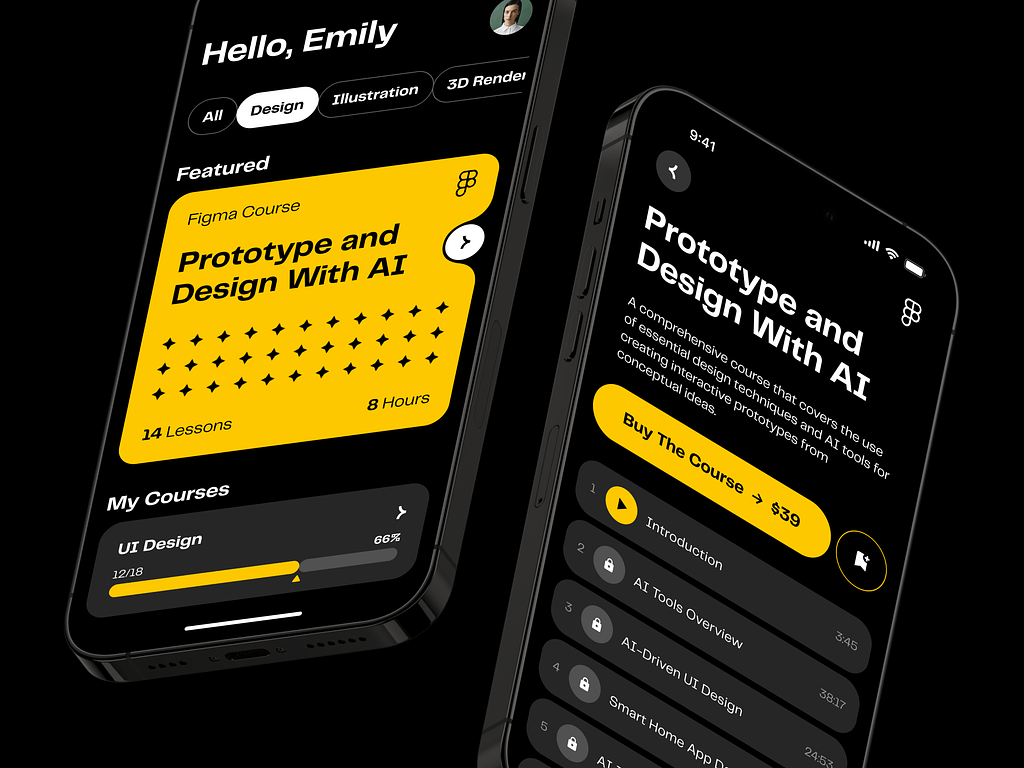
AI E-learning Mobile App by Shakuro
4. Platform Architecture
At this stage, the platform stops being a set of features and starts becoming a real system.
The architecture has to leave room for growth. A company may begin with onboarding and a few internal courses, then later add compliance training, certifications, external users, or separate spaces for different teams. If the platform is built too narrowly, every new request turns into a painful rebuild.
Access logic matters from the start. Employees, managers, HR, content editors, and admins all need different permissions. Some people only take courses. Others assign them, edit them, review progress, or manage users. If role-based access is not thought through early, the platform becomes messy very quickly.
Some companies also need multi-tenant capabilities. That usually happens when one platform is used across several branches, business units, partner groups, or client-facing environments. In that case, the system has to keep users, content, and reporting separate without splitting into several disconnected products. This is where corporate platforms start to look a lot like SaaS-based training platforms, even if they were originally planned for internal use.
5. Integrations and Automation
A training platform does not live on its own for very long.
It usually has to connect with systems the company already uses. HR software may provide employee data. Identity tools may control access. Internal systems may define roles, departments, or status changes. In some cases, CRM data also matters, especially when the platform is used for partner or customer education.
These integrations are what make automation possible. A new employee joins the company, and the platform assigns onboarding automatically. Someone moves to a new role, and the required training changes with it. A certification is about to expire, and the system sends a reminder without anyone chasing it manually.
That is usually the real value of integration: less routine work, fewer missed steps, and a training process that moves on its own instead of depending on spreadsheets and follow-ups. In broader product terms, this often brings the platform closer to the kind of content delivery systems companies use when learning has to be tied to everyday operations.
6. Testing and Deployment
Testing here is not just about checking separate features.
The more important part is testing how the platform works in real use. Can a new employee get assigned a training path without errors? Can a manager see the right reports? Do assessments behave properly? Are permissions working as expected? Does the system still feel clear when different user roles are moving through it at the same time?
Performance matters too. A platform may work well with a small test group and then slow down once several departments start using it at once. Reporting, uploads, notifications, dashboards, and user activity all add load, so this has to be tested before launch, not after complaints begin.
Deployment also depends on the company environment. Some businesses are fine with a standard cloud setup. Others have stricter internal rules around security, hosting, and access. So release is not just the moment when corporate learning platform development ends. It is the moment when the platform has to fit into a real enterprise setup and keep working there.
7. Maintenance and Scaling
The launch version is rarely the final version.
Once people start using the platform every day, new issues show up. Some workflows turn out to be awkward. Some reports are missing. Some permissions need adjustment. Training content changes, departments change, and the platform has to change with them.
That is why maintenance is not optional. Without it, even a solid product starts falling behind the company it was built for. Updates, fixes, small improvements, interface cleanup, and infrastructure work all become part of normal life after release.
Scaling creates another set of problems. A platform that works well for one office or one department may behave very differently across a large organization. More users mean more data, more complexity in access rules, more reporting demands, and more pressure on the system overall.
So in practice, corporate training platform development does not really end at deployment. The long-term part—support, iteration, and scaling—is what determines whether the platform stays useful. That is also why reliable support services matter long after the first version goes live.

Cost of Corporate Training Platform Development
The price depends on what kind of platform the company actually needs.
A small internal training product and a full enterprise learning system may sound similar on paper, but in corporate learning platform development they are very different projects. One may be enough for onboarding, course access, and basic progress tracking. The other may need certifications, detailed reporting, role logic, integrations, and support for large teams across the business.
The number of users affects cost, but not only because of system load. A larger user base usually means more departments, more training scenarios, more permission levels, and more admin work built into the product. A platform for 200 employees is usually much simpler than one used across several offices or business units.
Feature depth also changes the budget quickly. Basic training functionality is relatively straightforward. The complexity starts growing when the company wants custom learning paths, assessments, certification flows, reminders, approvals, manager dashboards, and reporting that reflects internal structure rather than generic course stats.
Integrations are another big part of the estimate. In real companies, training platforms rarely work as standalone tools. They often need to pull employee data from HR systems, sync roles and departments, connect with internal tools, or work with CRM data in partner training cases. That is where training management system development often gets heavier than expected, because the issue is not just connecting systems, but making the business logic between them work correctly.
Compliance requirements can make the project noticeably more expensive too. If the company needs mandatory training records, expiration tracking, recertification, audit history, or stricter security rules, the platform has to do more than deliver content. It has to store evidence, control deadlines, and hold up under review.

E-learning Education Web Platform by Conceptzilla
Usually, the difference becomes clear when you compare two typical scenarios.
An MVP training platform is the simpler version, built to solve the main problem first: for example, onboarding new employees, assigning courses, and giving HR a basic view of completion. It is often the sensible starting point when the company wants to launch faster and expand later.
An enterprise learning system is on a different scale. It usually includes more roles, more workflows, deeper integrations, stronger reporting, and architecture built for a large organization. At that point, the platform is much closer to internal enterprise software than to a simple training portal.
So there is no honest universal number here. The cost depends on scope, internal complexity, and how deeply the platform has to fit into the business. A solid corporate training software company will normally define the first release carefully, cut away anything nonessential, and estimate the build in phases. That is usually the more realistic approach for enterprise training software too, especially when the product is expected to grow over time.

Common Challenges in Corporate Training Platform Development
Most problems begin after the platform is already built.
The first one is employee engagement. Companies upload courses, assign training, launch the system—and then find that people rush through it, postpone it, or stop opening it unless someone pushes them. Usually the issue is not that employees hate learning. The issue is that the platform gives them content that feels too abstract, too long, or not very useful for their actual work.
The second problem is old internal systems. A new training platform rarely appears in an empty environment. Most companies already have HR software, user directories, reporting tools, and internal databases that were built years ago. Connecting all of that can get messy fast. Data may be incomplete, structure may differ from one system to another, and some important logic may live in manual processes rather than in software at all.
Then comes scale. A platform may work perfectly well for one team and start falling apart once the whole company begins using it. Different departments want different workflows. Permissions become more confusing. Reporting becomes heavier. Content grows in all directions. Without a clear structure, the product slowly turns into a storage room no one enjoys using.
Compliance creates a different kind of pressure. In some companies, training is not just there to help people learn. It is there because the business needs proof. Who completed the course, when they did it, whether certification expired, whether retraining was assigned on time—all of that has to be tracked properly. If this part is weak, the company has a process problem, not just a product problem.
There is also the question of access. Employees do not always take training from a laptop in a quiet office. Sometimes they open it from a phone between tasks, from home, or on the move. That is why mobile-first training solutions are becoming more important. If the platform works well only on desktop, part of the audience will always have a harder time getting through it.
That is usually what makes these projects more difficult than they look at the start. The platform has to work not in perfect conditions, but in a real company—with old systems, uneven processes, limited attention, and growing complexity.
Our Experience in SaaS and Enterprise Platform Development
Corporate training platforms usually look simple from the outside. In reality, they are not. They often combine several user roles, large amounts of content, admin workflows, reporting, integrations, and access logic that has to stay manageable as the product grows.
Shakuro has worked on products of that kind across the SaaS industry, including platforms where scalability, usability, and day-to-day business logic matter just as much as the interface.
A good example is CG Master Academy. The team came to us when their existing platform had become hard to develop further. The old Drupal setup no longer fit the product’s growth, and the academy needed something more flexible, easier to manage, and better suited to long-term training management system development.

Virtual Classroom Platform by Shakuro
There was also a product problem behind the technical one. After finishing a course, students had little reason to come back. So the task was not just to update the system, but to make the learning experience more useful and more engaging for students, instructors, and the internal team.
The platform was rebuilt around three separate portals based on user role: student, instructor, and admin. On the design side, we reworked navigation, clarified the structure, and built a design system to make the interface more consistent and easier to scale. On the development side, the project moved to a new foundation, which gave the platform more room for growth.
A large part of the work was tied to integrations and platform logic. The team handled data migration from the old system, integrated Discord for communication, added Zoom for live sessions, improved video management, and connected tools such as PayPal, Freshdesk, Salesforce, and ActiveCampaign. We also added automation for certificates, receipts, notifications, and other routine actions.
The result was a much stronger learning product with a better classroom experience, more convenient administration, and a platform structure that could support thousands of students and many parallel courses. That kind of work is directly relevant to corporate training platforms too, especially when the product needs to support complex workflows, multiple user groups, and long-term scaling.
Why Work with a Corporate Training Platform Development Company
A corporate training platform sounds simple until the requirements start piling up.
At first, the company wants a place for onboarding and internal courses. Then it turns out HR needs reporting. Managers need to see team progress. Some training has to be mandatory. Some courses need deadlines, reminders, certificates, or approval steps. Then the platform has to connect with HR software, internal tools, and user access systems. At that point, this is no longer just a training portal.
That is why companies often bring in a team that has done this kind of work before.
The first reason is architecture. If the system is built only for the first release, it usually becomes awkward later. New roles appear, more departments join, workflows get more complicated, and the product starts bending under its own weight. A good development team plans for that earlier.
The second reason is scale. A platform may start small and grow into something much larger. What begins as onboarding software can later include compliance training, internal certifications, partner education, or separate learning areas for different groups. It is easier to grow a system that was built with that in mind.
Custom development is another obvious advantage. Ready-made tools work until they do not. Companies often need features that reflect their own structure: specific access rules, custom dashboards, internal approval logic, reporting for different roles, or workflows tied to the way the business already runs.
Integration matters too. In a real company, training does not sit on its own. It usually depends on data from HR systems, internal databases, identity tools, and other business software. That part is often where projects get messy, especially if the company has older systems in place.
So the value of working with a corporate training platform development company is pretty practical. You get a system built around the way the business actually works, not around the limits of a generic template. Corporate training software company with experience in the wider SaaS field is usually better prepared for that, because they have already dealt with the same core problems: growth, integrations, product structure, and long-term support.
FAQ
What drives the cost of employee training platform development?
Cost depends on scope, internal complexity and how deeply the platform has to fit into the business, so there is no honest universal number. A platform for 200 employees is usually much simpler than one used across several offices. Custom learning paths, certification flows, manager dashboards, HR integrations and compliance records such as expiration tracking and audit history all push the estimate up.
What should an MVP of an employee training platform include?
An MVP should solve the main problem first, for example onboarding new employees, assigning courses and giving HR a basic view of completion. It lets the company launch faster and expand later. An enterprise learning system is a different scale, with more roles and workflows, deeper integrations, stronger reporting and an architecture built for a large organization, so it is usually estimated and built in phases.
When does custom corporate training platform development make more sense than an off-the-shelf LMS?
Custom development makes sense when training has to follow the company’s own structure: role-based paths, onboarding tied to departments, approvals, certifications, manager reporting and integrations with tools employees already use. Off-the-shelf LMS products are built for broad use cases, and public course marketplaces rarely match internal processes. Once stretching a generic tool costs more effort than it saves, building around the business is the more practical route.
Which integrations does an employee training platform usually need?
Most employee training platforms connect to HR software for employee data, identity and access services for sign-in and permissions, and internal systems that define roles and departments. Partner or customer training may also need CRM data. These connections enable automation: new hires get onboarding assigned automatically, role changes update required training, and expiring certifications trigger reminders without manual follow-up.
How does an employee training platform handle compliance training?
A compliance-ready employee training platform keeps records showing who completed each course, when they did it, whether certification expired and whether retraining was assigned on time. It tracks expiration dates, renewals, mandatory reassignment and completion history, and stores audit history under stricter security rules. The platform has to hold up under review, which makes compliance one of the factors that noticeably raises project cost.
How do I choose a development partner for an employee training platform?
Choose a team that plans architecture beyond the first release, since new roles, departments, compliance training and external users tend to appear later. Ask how they handle role-based access, multi-tenant separation and integrations with older HR systems where data is incomplete. Look for experience with SaaS or enterprise platforms and a clear plan for maintenance and scaling after launch.
Final Thoughts
The process itself is not unusual. A company starts with an idea, then works out the architecture, moves into development, and only after that gets to deployment. The sequence is simple. What matters is whether the platform stays useful once people begin using it every day.
That usually depends on a few basic things.
First, people have to engage with it. If training feels like dead weight, the platform will be ignored no matter how much was invested in it.
Second, the system has to scale нормально as the company grows. New teams, new roles, new content, new reporting needs—these things tend to appear quickly.
Third, the platform has to be easy to use. Employees should understand where to start, what they need to do, and how to move through the system without confusion. Admins should be able to manage content, users, and workflows without fighting the interface.
That is why many companies end up building custom platforms instead of trying to stretch a generic tool beyond its limits. When training is tied closely to internal processes, it usually makes more sense to build around the business itself.
If you need a custom corporate training platform, Shakuro can help design and develop a system that fits your workflows, users, and long-term product goals.
Related reading