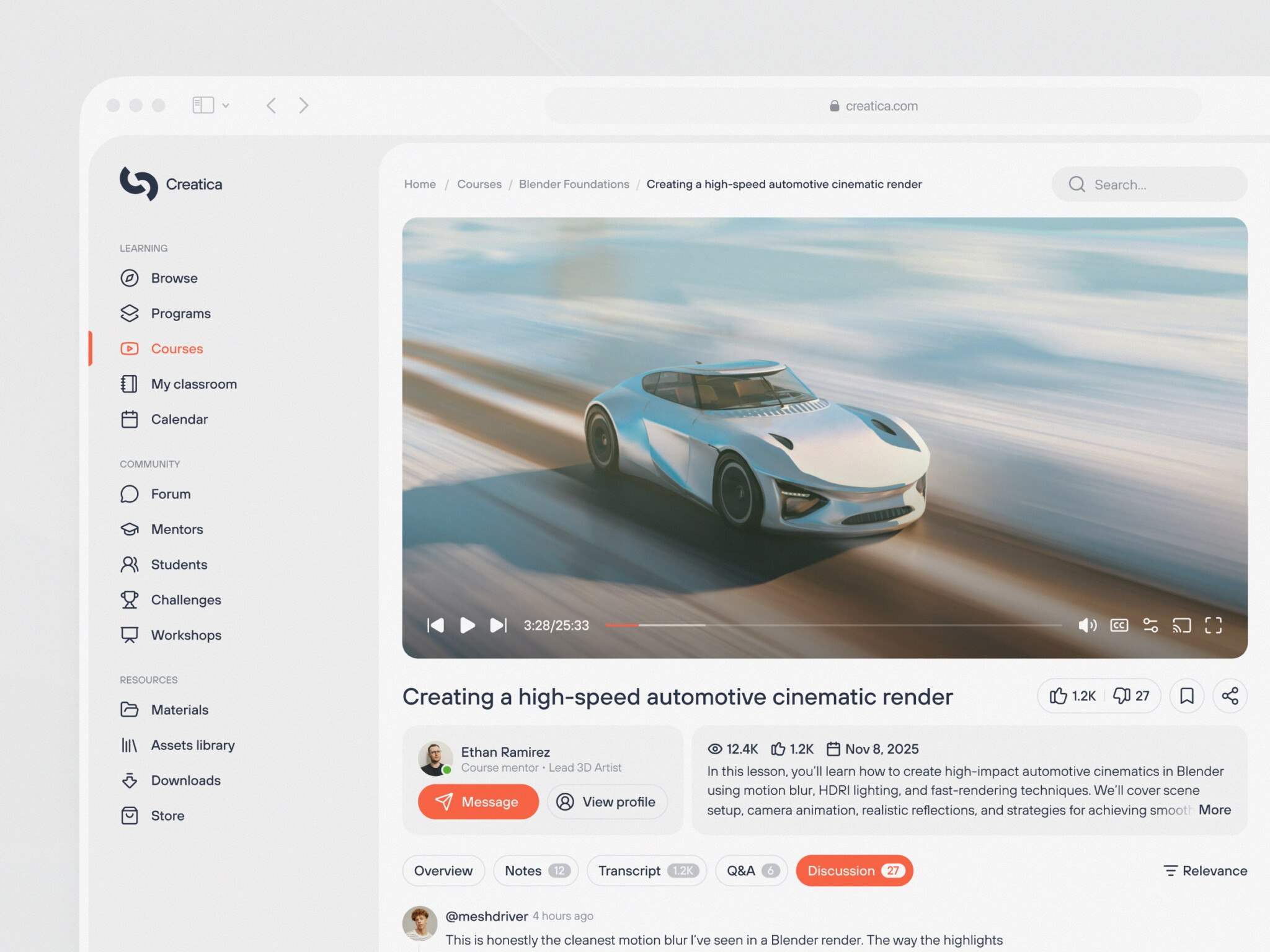
LMS development is building a learning management system: the platform where instructors publish courses, learners study and take tests, and admins track progress. A lean custom LMS takes a team of 2–3 developers about 3–4 months and costs $40,000–80,000. An enterprise platform with SSO, HRIS, and CRM integrations needs a dedicated team for 6–12 months and $250,000–500,000+.
Many teams start with Canvas or Moodle, and that works until the platform has to fit their process instead of the other way round. Custom development lets you own the data, control security, and build only the features you need, the same logic behind scalable edtech SaaS platforms.
Below, we cover the types of LMS, core features and architecture, the development process step by step, cost factors, and the scaling problems we have met in our own edtech software development projects.
For those who prefer to listen rather than read, this article is also available as a podcast on Spotify.
What is a Learning Management System (LMS)?
If you strip away the buzzwords, it’s basically the engine room for digital education. At its core, an LMS is a software platform designed to create, deliver, manage, and track learning content. Like the central hub where instructors upload materials, learners log in to consume them, and admins keep an eye on who’s actually doing the work. It’s an active ecosystem that handles the whole lifecycle of learning.
You see these platforms everywhere now, but they wear different hats depending on who’s using them. In corporate training, learning management system software is often the backbone of employee onboarding. It’s where new hires go to learn compliance rules, safety protocols, or sales techniques.
For higher education, it’s the virtual campus (Canvas or Blackboard) where professors post syllabi, students submit essays, and grades get calculated.
Then there’s the world of online learning businesses. Here, the LMS is the storefront and the classroom combined. Creators use it to host video courses, gate content behind paywalls, and issue certificates. Same basic tech, totally different vibes and requirements.
Types of LMS platforms
That’s why not all LMS setups are created equal. In fact, trying to force a corporate tool to work for a university or vice versa is usually a recipe for disaster.
Corporate LMS
Employee training systems are built for efficiency and compliance. The main goal here is getting employees up to speed quickly and proving they did it. In learning management system development, you’ll see heavy emphasis on onboarding paths, mandatory certification tracking, and integration with HR systems like Workday. It’s less about “exploration” and more about “check the box.” If a sales rep doesn’t finish the product training by Friday, the manager needs to know. Simple as that.
Academic LMS
Schools and universities have a different beast to tame. Their LMS needs to handle complex grading schemas, semester-based structures, and massive amounts of user traffic during exam weeks. It’s also way more collaborative. Students need discussion boards, peer review tools, and group project spaces. Plus, the privacy requirements are insane because you’re dealing with minors or sensitive student records. One glitch during finals, and the help desk gets flooded instantly. It’s high stakes.
Commercial LMS platforms
This is where the money changes hands. For creators and businesses selling courses, course monetization platforms are a revenue generator. It needs slick marketing features: landing pages, coupon codes, upsells, and seamless payment gateways like Stripe. If you want many independent instructors selling side by side, you are building an edtech marketplace rather than a single-creator platform. The focus is on the user experience, keeping the learner engaged so they don’t ask for a refund or give up classes. If the video buffers or the checkout process is clunky, you lose customers.
Core LMS components
Okay, so what should you pack under the hood during online learning platform development? Regardless of the type, every solid LMS shares a few DNA strands. If you’re building one from scratch, these are the pillars you can’t skip.
First up is the content management system. It contains the actual learning materials: videos, PDFs, quizzes, SCORM packages, etc. The challenge is, the system has to be flexible enough to deal with different file types without breaking a sweat. For example, CMS can choke on 4K video files. Don’t make that mistake.
Then there’s user management. You need to know who is who. Are they a student? An instructor? An admin? The system has to handle roles and permissions securely. Mess this up, and suddenly interns are deleting course catalogs. Not ideal.
The course delivery system is actually the way learners get their materials. It manages the whole flow. For instance, the system unlocks Module 2 only after the user completes Module 1. Or it drip-feeds content over weeks. Perhaps it even allows binge-watching. To put it short, this system is the logic that makes the learning path feel intentional.
No doubt, you need progress tracking. This is the heartbeat of education platform development. Otherwise, how can the person or the admin know this or that part of education is completed? The tracking records what a user has viewed, how long they spent on a page, and their results. Without accurate tracking, you’re flying blind. Did they actually watch the safety video, or did they just click through? The system needs to know.
Finally, there are the analytics dashboards. They turn endless walls of data into a glanceable insight. Admins need to see completion rates, spot bottlenecks where students drop off, and measure ROI. A good dashboard tells a story. Maybe 80% of users fail Quiz 3, and that’s a signal the content needs fixing. You agree, having that visibility changes everything, doesn’t it?
Getting these components right is the hard part. It sounds straightforward on a whiteboard, but making them talk to each other smoothly at scale is where the real engineering challenge begins.
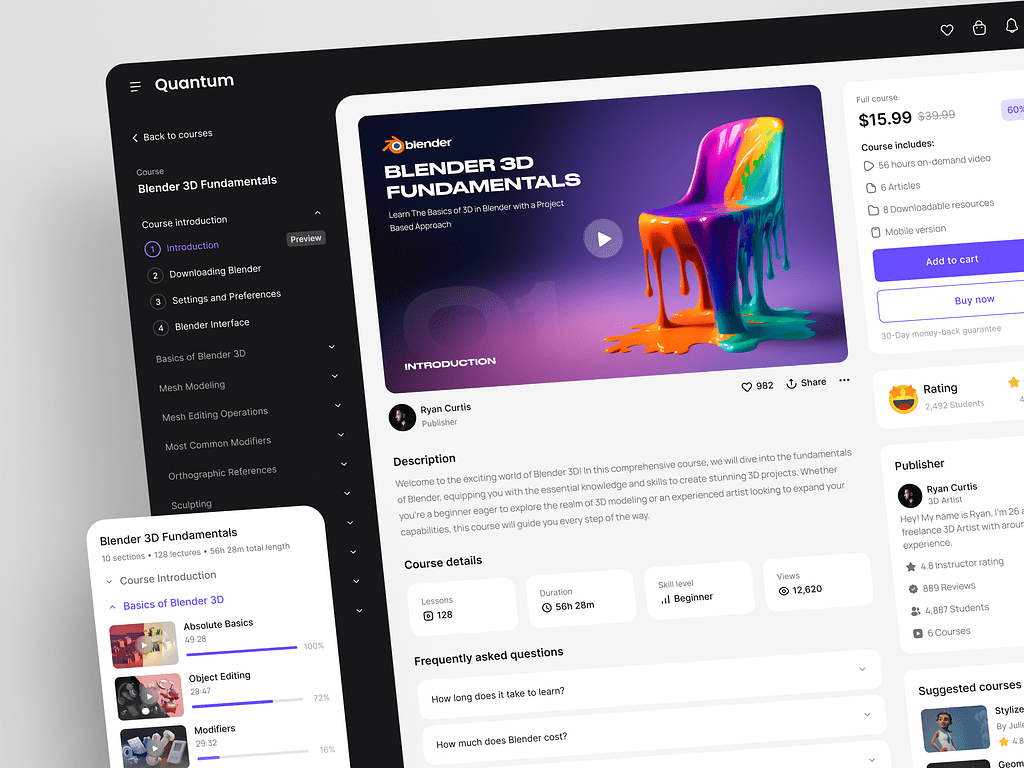
Online Education Web Platform by Conceptzilla
Key Features of a Modern LMS Platform
If your LMS feels like it was built in 2010, people aren’t going to use it. They’ll find a workaround or just disengage. You want users to feel like the system is helping them learn. So, what actually makes an LMS “modern” these days? It comes down to a few key features that separate the clunky legacy systems from the ones people actually enjoy using.
Course Management
At the heart of everything is how you handle the content. In the old days, uploading a course felt like filing taxes, tedious and prone to errors. Today, course management needs to be fluid. You should be able to create, upload, and organize learning modules without needing a manual. Drag-and-drop interfaces are pretty much non-negotiable now.
A robust system handles heavy lifting for video, documents, and quizzes seamlessly. Platforms crash because someone tried to upload a 2GB training video, or worse, the formatting broke on a simple PowerPoint deck. A good learning management system software transcodes video automatically, previews documents right in the browser, and lets you mix media types within a single lesson.
It sounds basic, but you’d be surprised how many tools still struggle with this. If your instructors spend more time fighting the uploader than teaching, you’ve got a problem.
User and Role Management
Who gets to see what? This seems obvious, but getting it wrong causes security headaches and confusion. User and role management is all about granular control. You aren’t just dealing with “users”; you have distinct personas with very different needs.
You’ve got your students, who just want a clean view of their next assignment. Then there are instructors, who need tools to grade, give feedback, and maybe tweak a syllabus on the fly. And don’t forget the admins, who need the god-view to manage everyone else, configure settings, and pull reports.
In my experience, the trickiest part in LMS development is handling the edge cases. What happens when a TA needs to grade but not delete courses? Or when a corporate manager needs to view their team’s progress but not edit the content? If your system can’t handle those nuanced permissions without a code rewrite, it’s going to limit your growth.
Progress Tracking and Analytics
Without data, you’re just guessing. Progress tracking and analytics turn raw activity into actionable insights. It’s not enough to know someone logged in. You need to see how they’re learning.
Are they breezing through the material or stuck on page three? Did they re-watch a specific video segment five times? Learning analytics systems track this stuff in real-time. For a CTO or product manager, this is gold. It tells you where your content is failing. Maybe everyone drops off at Module 4—that’s a signal to revisit the curriculum. I remember reviewing a dashboard once where the data showed 90% of users failing a specific quiz question. Turns out, the question was ambiguous, not the students. Some LMS products now add an AI tutoring assistant that answers learner questions inside each module, which also surfaces confusing content faster. Fixing that one thing boosted completion rates instantly. You agree, having that kind of visibility beats waiting for end-of-term complaints, doesn’t it?
Assessments and Certification
Learning needs validation. Whether it’s a compliance check for a bank teller or a final exam for a coding bootcamp, assessments and certification are critical. But let’s face it, grading manually is a nightmare. Nobody wants to spend their weekend marking hundreds of multiple-choice tests.
That’s why automated grading systems are a must-have. Instant feedback keeps learners engaged. They take a quiz, they get a score, they know where they messed up immediately. Once they pass, the system should auto-generate a certificate.
It sounds small, but that digital badge is often the only tangible reward a learner gets. If the process is clunky, like having to email an admin to request a PDF, you’re killing the momentum. Make it seamless.
Multi-Platform Access
Finally, let’s talk about where learning actually happens. It’s rarely at a desk anymore. People learn on the bus, in between meetings, or lying on the couch. That’s why multi-platform access is essential. Your LMS needs a responsive web interface that works on any screen size, sure. But you also need dedicated mobile learning capabilities. An app makes a huge difference in engagement.
When working on learning management system development, don’t forget offline access capabilities. People can be on a plane or in a basement with spotty Wi-Fi, trying to finish a mandatory training module. If the system just spins forever, frustration sets in fast. Let users download content, learn offline, and sync their progress once they’re back online. It’s a little extra engineering work, but the user gratitude is worth it.
Putting these features together creates a platform that feels alive. It adapts to the user, not the other way around. That’s the difference between a tool people tolerate and one they actually rely on.
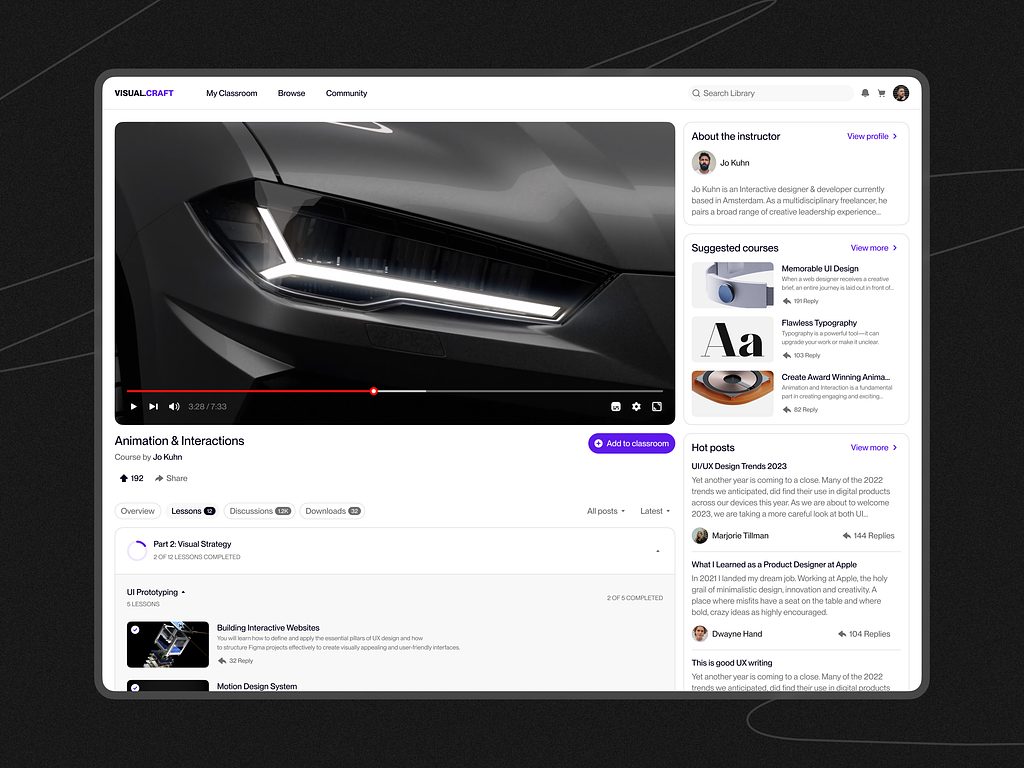
E-learning Education Web Platform by Conceptzilla
LMS Development Process
Building an LMS from scratch is a real journey. It can feel a bit like climbing a mountain while carrying a piano if you don’t have a map. Many teams rush into coding before they even know who they’re building for, and it never ends well.
The custom LMS development process needs to be deliberate, especially when you’re dealing with something as complex as a learning platform.
Step 1. Product Strategy and Requirements
Before you write a single line of code, you have to get really clear on what you’re building. Is this a corporate tool for internal compliance? An academic hub for a university? Or are you launching a SaaS platform to sell courses to the world? The distinction is huge. A corporate LMS cares about HR integrations and strict access controls. An academic one worries about semester cycles and grade books. A SaaS platform is all about monetization and marketing features.
You need to identify your target audience and use cases down to the smallest detail. Who is the primary user? Is it a busy executive squeezing in training during a commute or a student pulling an all-nighter? In my experience, skipping this step leads to feature bloat. You end up building things nobody asked for because you were trying to be everything to everyone. Don’t do that. Pick a lane first.
Step 2. UX/UI Design for Learning Platforms
Okay, so you know what you’re building. Now, how does it feel? If your interface is confusing, people will quit. Simple as that. UX/UI design for learning management system software is about reducing friction.
You need intuitive dashboards for both learners and instructors. The learner’s view should be clean: “What do I need to do next?” No hunting around. The instructor’s view needs to be powerful but not overwhelming. They need to see who’s struggling without clicking through ten menus. Focus heavily on engagement and retention. Use progress bars, gamification elements, or just clear visual cues to keep people moving forward.
Step 3. Choosing the Technology Stack
This is where the CTOs and tech leads start paying attention. Picking the right stack is critical because switching later is painful. There’s no single “best” option, but there are solid choices that work well for LMS platforms.
For the backend, there are several options worth checking out. For instance, Node.js is solid for real-time features like chat or live updates. In case you have to do data-heavy tasks and AI integrations, take a look at Python with FastAPI. If you need to move fast with a small team, Ruby on Rails is still an option too.
If we take the frontend, React and Vue are usually the go-to standards. With their help, you can build responsive and interactive interfaces that make the learning process more captivating. Really, no one wants to reload the page every time they click a quiz answer.
PostgreSQL and MongoDB are safe choices when it comes to databases. The first one is a great bet for structured data like user profiles and their grades. But when you deal with some unstructured content or flexible schemas, MongoDB might make more sense. Just know what you’re getting into.
Infrastructure is based on containers with Docker and orchestrating with Kubernetes. It’s pretty much the industry standard now for anything that needs to scale. It adds a bit of complexity upfront, but trust me, your future self will thank you when traffic spikes.
Step 4. Platform Architecture
How you structure the whole thing determines whether it scales or crashes. If you’re building a SaaS product, you almost certainly need a multi-tenant SaaS architecture. This means one instance of the software serves multiple customers (tenants), keeping their data strictly separated. It’s efficient, but tricky to get right. One leak, and you’ve got a major security incident.
You also need a scalable backend designed for thousands or millions of concurrent users in case you’re going for enterprise LMS development. This is about designing stateless services, using caching layers (like Redis), and breaking things into microservices if needed. Monolithic architectures hold up fine for a while, then crumble under load during a big launch. Plan for growth from day one, even if you don’t need it immediately.
Step 5. Content Delivery and Integrations
An LMS doesn’t live in a vacuum. It needs to play nice with the rest of the world. First off, video hosting and streaming. Do not try to host massive video files on your own web server unless you enjoy buffering screens. For video-based learning systems, use dedicated services like AWS CloudFront, Vimeo, or Mux. It saves bandwidth and ensures smooth playback.
Then come the third-party integrations. Your users live in other apps. They need Zoom for live classes, payment systems like Stripe or PayPal for selling courses, and analytics tools like Google Analytics or Mixpanel to track behavior.
Building these integrations cleanly is key. Use webhooks and APIs wisely. If your payment gateway fails silently, you lose money. If your Zoom link doesn’t generate automatically, support tickets skyrocket. Test these connections thoroughly.
Step 6. Testing and Quality Assurance
Here’s where patience pays off. You can’t skip testing. It’s tempting to rush to launch, but bugs in an LMS can ruin the learning experience instantly. You need to test platform performance under load. Simulate hundreds of users logging in at once. Does the database choke? Do videos lag?
In LMS development, equally important is validating user flows and the learning experience. Get real people to walk through the platform. Watch them struggle. You’ll spot issues you never imagined. I once watched a user try to submit an assignment for ten minutes because the “Submit” button was grayed out with no explanation. That’s a QA failure. Fixing these friction points before launch saves so much headache later.
Step 7. Deployment and Scaling
Finally, the big day. Launching the LMS platform is exciting, but it’s just the beginning. Deployment should be automated and reliable. Use CI/CD pipelines to push updates without downtime.
Once you’re live, you have to monitor performance and scale infrastructure. Keep an eye on metrics: response times, error rates, and server CPU usage. If traffic grows, can your system auto-scale? Kubernetes helps here, but you need to set the rules right. And be ready to iterate. Launching isn’t the finish line; it’s the starting block for continuous improvement. You’ll learn more from real user data in the first week than you did in months of planning.
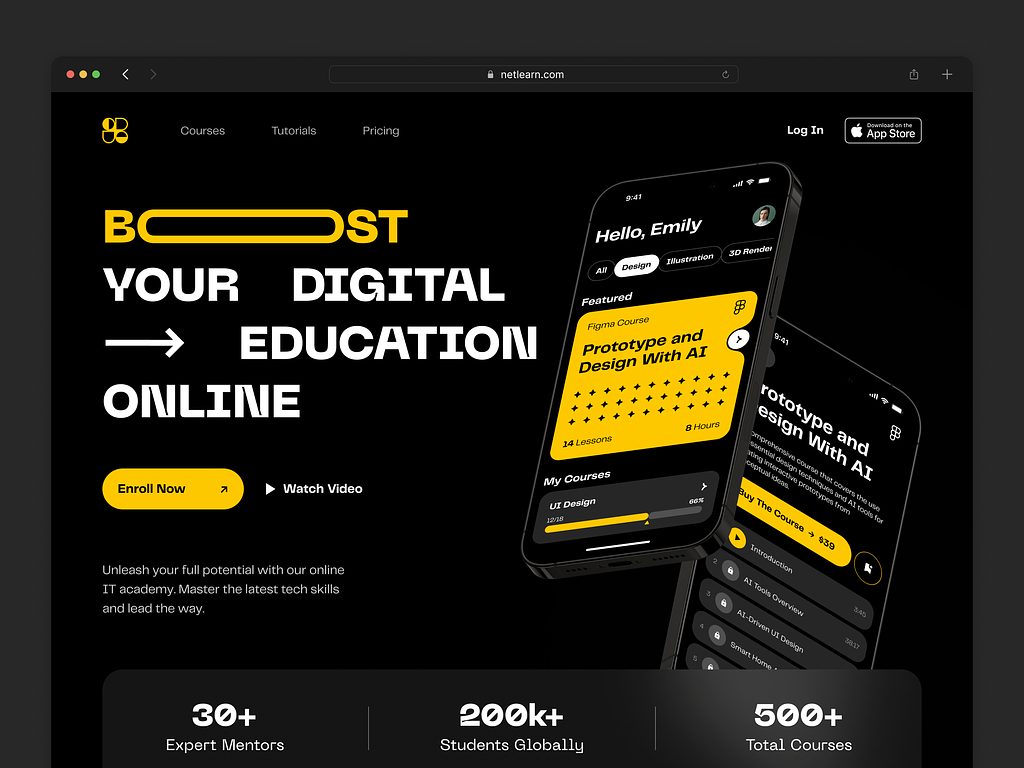
Online Education Website UI UX Design by Shakuro

Cost of LMS Development
Key cost factors
The truth is, the cost swings wildly based on a few key factors. If you ignore these, your budget will bleed out before you even launch.
First up is the feature set. This is the biggest driver. Are you building a simple portal where users watch videos and take a quiz? That’s one thing. But if you want gamification, AI-driven learning paths, social forums, and live virtual classrooms, the complexity and the price tag skyrocket. Every extra feature means more code, more testing, and more potential bugs. Founders often underestimate how much time “simple” features like a robust search engine or a drag-and-drop course builder actually take.
Then there’s the number of users. Supporting 100 employees is vastly different from supporting 100,000 students. The infrastructure needs change completely. You aren’t just paying for more server space; you’re paying for the engineering talent to architect a system that doesn’t crash when everyone logs in at 9 AM on a Monday. Scalability costs money upfront, even if you don’t have the users yet.
Don’t forget integrations. If your LMS needs to talk to Salesforce, Workday, Zoom, Stripe, and maybe a legacy HR system from the 90s, you’re looking at serious expenses on LMS platform developers. Each integration is its own little project with unique APIs, authentication methods, and error handling. Those delays add up on the invoice.
Finally, scalability requirements. Do you need the system to auto-scale globally? Do you need 99.99% uptime? High availability and disaster recovery setups aren’t free. They require redundant servers, load balancers, and often a more complex database architecture. It’s a little annoying to pay for capacity you aren’t using yet, but trying to retrofit scalability later is usually ten times more expensive.
Example scenarios
To make this concrete, let’s look at two very different paths. These aren’t exact quotes because every project is unique, but they give you a realistic sense of the range.
MVP LMS
Let’s say you’re a startup founder wanting to validate an idea. You need an MVP. Your goal is to get courses online, let users sign up, pay via Stripe, and track basic progress.
For features, you can just pick user auth, video hosting via Vimeo/Wistia, simple quizzes, and a basic admin dashboard. Not much, but enough to get your project going. As for bringing these options to life, you can opt for a simple stack like a monolithic setup with Rails or Node.js, a standard PostgreSQL database hosted on a single cloud provider.
As for integrations, no need to go ham on them, just add payment processing and maybe email notifications. To do that, you will likely need a team of 2-3 developers for 3-4 months. Depending on the location, the expenses on the team can vary from $40,000 to $80,000.
It’s lean, it’s a bit rough around the edges, but it works.
Enterprise LMS Platform
What about a large corporation or a university needing custom enterprise LMS development? Well, in this case, the requirements are different, because people have to handle thousands of concurrent users, strict compliance reporting, multi-language support, and integration with existing internal tools.
As I said before, the needs of large corporations are on a whole different level. Advanced analytics, role-based access control with granular permissions, mobile apps for iOS or Android, offline mode, automated certification, and AI recommendations.
Of course, the tech stack must be more advanced, with architecture for microservices, Kubernetes orchestration, multiple databases (SQL + NoSQL), and CDN for global content delivery. The same goes for integrations, as the systems need to deal with large data. SSO (Single Sign-On), HRIS systems, CRM, video conferencing, marketing automation tools, etc.
Consequently, you will need more people to build such a platform, perhaps a dedicated team (backend, frontend, DevOps, QA, UX designer) working for 6 to 12 months. The cost here easily climbs into the $250,000 to $500,000+ range. And that’s just for the initial build; maintenance and scaling are ongoing operational costs.
LMS development cost by scope, based on the two scenarios above:
| LMS type | MVP LMS | Enterprise LMS platform |
| Features | User auth, video hosting via Vimeo/Wistia, simple quizzes, basic admin dashboard | Advanced analytics, granular role-based access, iOS/Android apps, offline mode, automated certification, AI recommendations |
| Tech stack | Monolith on Rails or Node.js, PostgreSQL on a single cloud provider | Microservices, Kubernetes, SQL + NoSQL databases, CDN |
| Integrations | Payment processing, maybe email notifications | SSO, HRIS, CRM, video conferencing, marketing automation |
| Team and timeline | 2-3 developers for 3-4 months | Dedicated team (backend, frontend, DevOps, QA, UX designer) for 6 to 12 months |
| Cost | $40,000 to $80,000 | $250,000 to $500,000+ (initial build only) |
Here’s the thing: neither scenario is “better.” It depends entirely on your goals. If you try to build the enterprise version on an MVP budget, you’ll end up with a broken mess. Conversely, over-engineering an MVP is a quick way to burn through your runway before you find product-market fit.
Well, you know, the smartest move is usually to start small, validate, and then reinvest. I’ve seen too many projects fail because they tried to boil the ocean on day one. Start with what you absolutely need, get it working well, and scale from there.
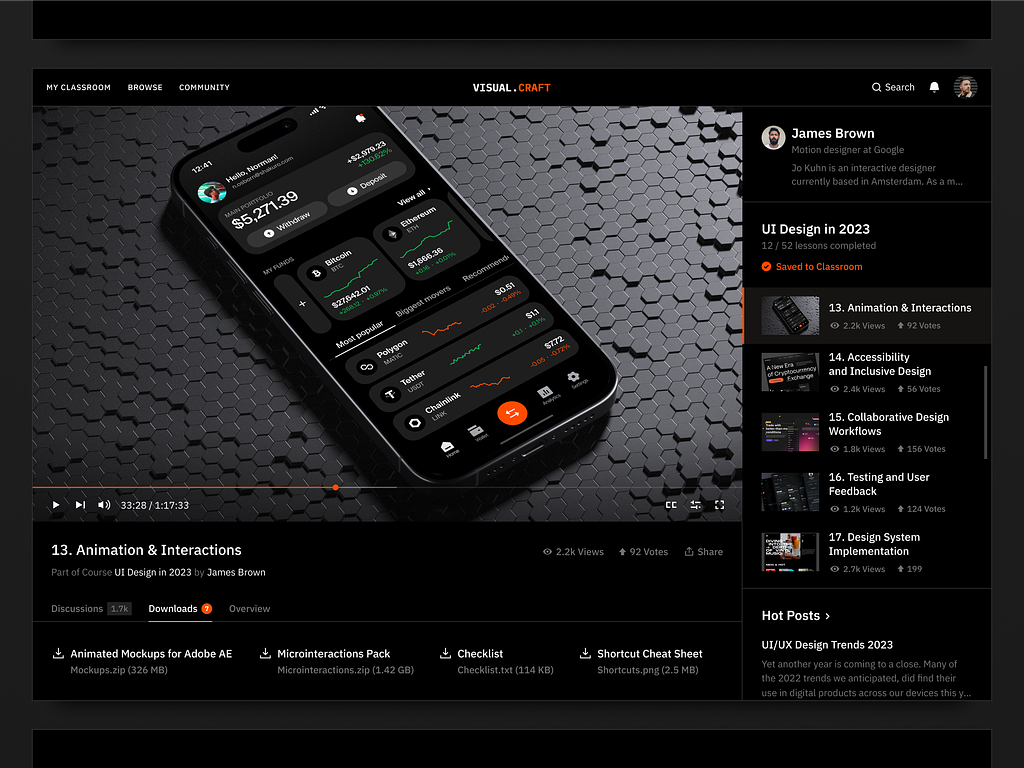
Online Education Website Design by Shakuro

Common Challenges in LMS Development
Scaling for large user bases
You launch, things are smooth, and you have a few hundred users. Then, suddenly, a corporate client signs up and dumps 5,000 employees into the system on day one. Or it’s finals week at a university, and everyone logs in at 8 AM sharp. If your architecture isn’t ready, the whole thing grinds to a halt.
Scaling isn’t just about adding more servers. Sure, horizontal scaling helps, but if your database queries are messy or you haven’t implemented proper caching (like Redis), throwing more hardware at the problem won’t fix it.
It’s a little annoying, but you learn fast: you need to design for concurrency from the start. Sharding databases, using message queues for heavy tasks, and optimizing read/write patterns are non-negotiable if you want to handle thousands of concurrent users without breaking a sweat.
Maintaining engagement and retention
Most people hate mandatory training. Even when it’s voluntary, life gets in the way. Keeping users engaged is arguably harder than building the platform itself. You can have the best tech stack in the world, but if the learning experience is a drag, then you can forget about retention.
The problem here is psychological as well as technological in nature. How do you make progress rewarding? Well, gamification is one way—badges, leaderboards, etc.—but it has to feel organic rather than contrived. If users feel like they are interacting with a faceless entity or can’t easily navigate content, then they are gone. During online learning platform development, you have to analyze drop-off rates constantly. It’s an ongoing battle, because keeping someone interested is way harder than just getting them to sign up.
Content delivery performance
Nothing kills a learning session faster than a buffering video. Seriously, it’s instant frustration. Whether you’re serving high-definition training videos to corporate employees or lecture recordings to students, performance is critical. And it’s not just about video: large PDFs, interactive simulations, and SCORM packages can also bog things down.
The mistake many make is trying to host everything on their own application servers. Bad idea. Your app server should handle logic instead of streaming gigabytes of media. You need a robust Content Delivery Network (CDN) to deliver static assets from locations close to the user. Also, for users with slow connections, think about adaptive bitrate streaming for video. This will help them not to give up on learning.
Customizing LMS for different industries
One size definitely does not fit all. An LMS built for a tech startup looks nothing like one for a hospital or a law firm. The challenge is building a core platform flexible enough to adapt to these wildly different needs without turning your codebase into spaghetti.
Corporate clients care about compliance tracking, HR integrations, and strict role hierarchies. Universities need complex grading logic, semester management, and academic integrity tools. Commercial sellers want marketing funnels, coupons, and affiliate tracking. Trying to cram all these requirements into one rigid system is a nightmare. You end up with a bloated product that does everything poorly.
The answer to education platform development lies in modular design. You build a core and then build a plugin or module for specific industry requirements. However, even then, the request for customization can get out of hand. “Why can’t we just add this one small field?” becomes a two-week refactor. It’s essential to set boundaries around what can be customized and what should be custom development.
Alternatively, you can try AI-driven personalization in learning. It helps you add a necessary level of customization like recommendations, chat bots, special courses, etc. This will ensure that your team spends more time enhancing the product rather than building custom features for one client.
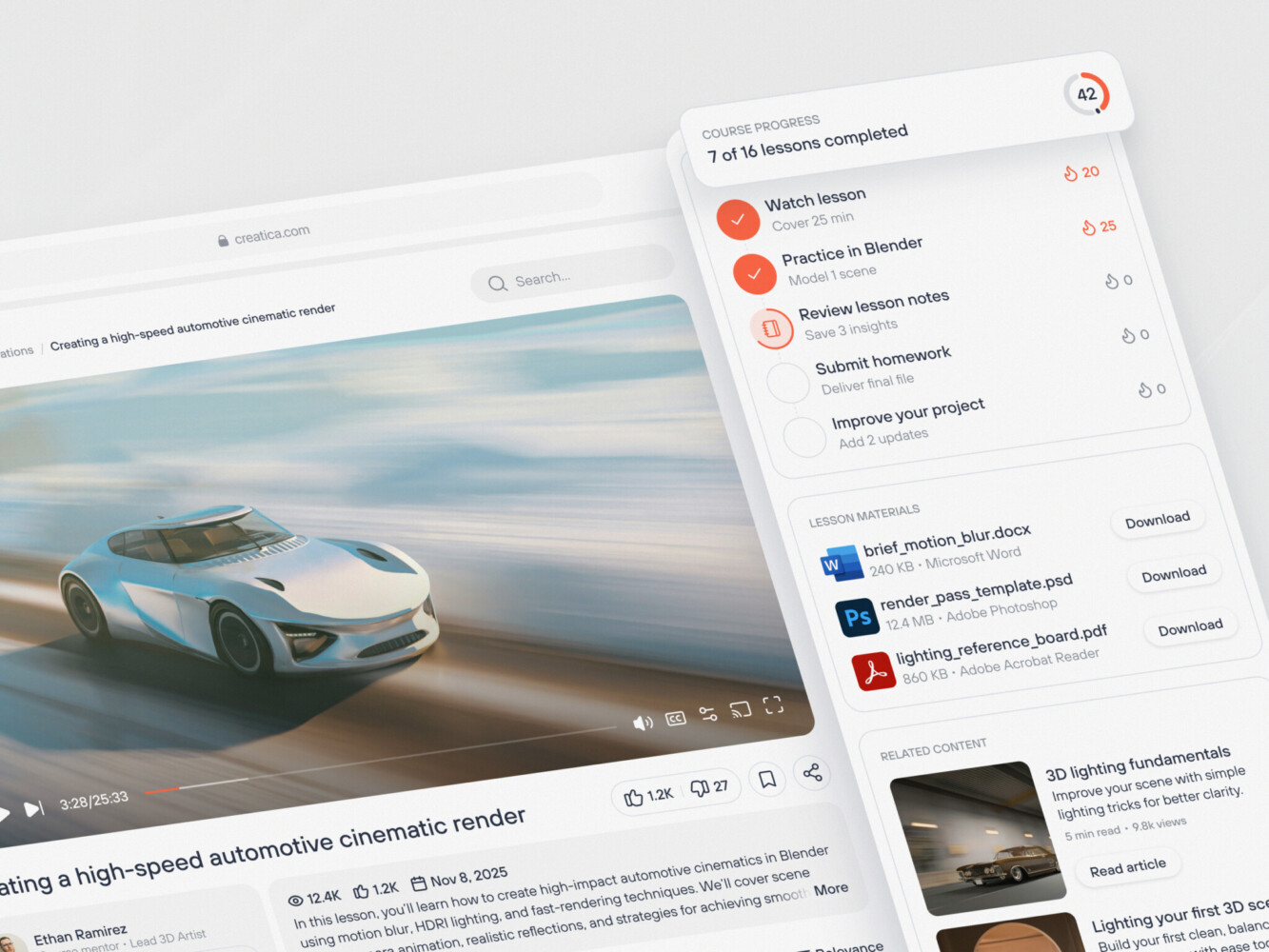
Online Education Web Platform Design by Conceptzilla
Our Experience in SaaS and EdTech Development
At Shakuro, we’ve spent more than 19 years in the trenches of SaaS and EdTech development, and we’ve learned that every platform has its own personality.
We’ve built our reputation on tackling complex web systems that need to grow without falling apart. Some agencies will hand you a pretty UI and call it a day. But we know the real magic happens under the hood. Our team specializes in scalable architectures—the kind that don’t panic when your user base suddenly doubles overnight.
And sure, tech matters, but so does the human side. We’re big on user-centered design. If your learners are confused or your instructors are frustrated, the best backend in the world won’t save you. We try to bridge that gap, making sure the interface feels intuitive while the engine runs like a Swiss watch.
Real-World Proof: Case Studies
It’s easy to say “we know what we’re doing,” but let’s look at some actual work we’ve done in learning management system development. Our team had the chance to partner with some heavy hitters in the education space, and those projects really show what we’re capable of.
Take Proko, for instance. If you’re into art education, you probably know them. They needed more than just a website; they needed a full-blown platform development partner. The challenge was handling massive amounts of high-definition video content while keeping the site snappy for artists all over the globe. We helped them build a robust SaaS product that manages subscriptions, delivers courses seamlessly, and scales effortlessly. It was about creating an ecosystem where creators could thrive and students could learn without technical hiccups.
CGMA was a different beast. They deal with serious professional training for the entertainment industry. They deal with serious professional training for the entertainment industry. Their needs were intense: complex enrollment flows, cohort-based learning, and rigorous data-driven systems to track student progress and mentor feedback. We’ve worked closely with them to architect a system that can handle the complexities of their particular teaching methodology. It was a custom solution, a tool designed specifically for their needs. What we have now is a platform that can help thousands of young artists hone their craft, from assignments to critiques, without dropping the ball.
Scenarios like these aren’t hypothetical for us. We’ve been through the pain of scalability, integration, and those beautiful moments when a new feature finally clicks with users. If you’re building the next big SaaS phenomenon, or a small educational platform with a specific focus, these are the scenarios we’ve already lived through, which helps us avoid common pitfalls that everyone else seems to fall prey to. We’ve already made those mistakes, so you don’t have to. Having a partner who has already seen the movie helps make the entire process a lot less painful.
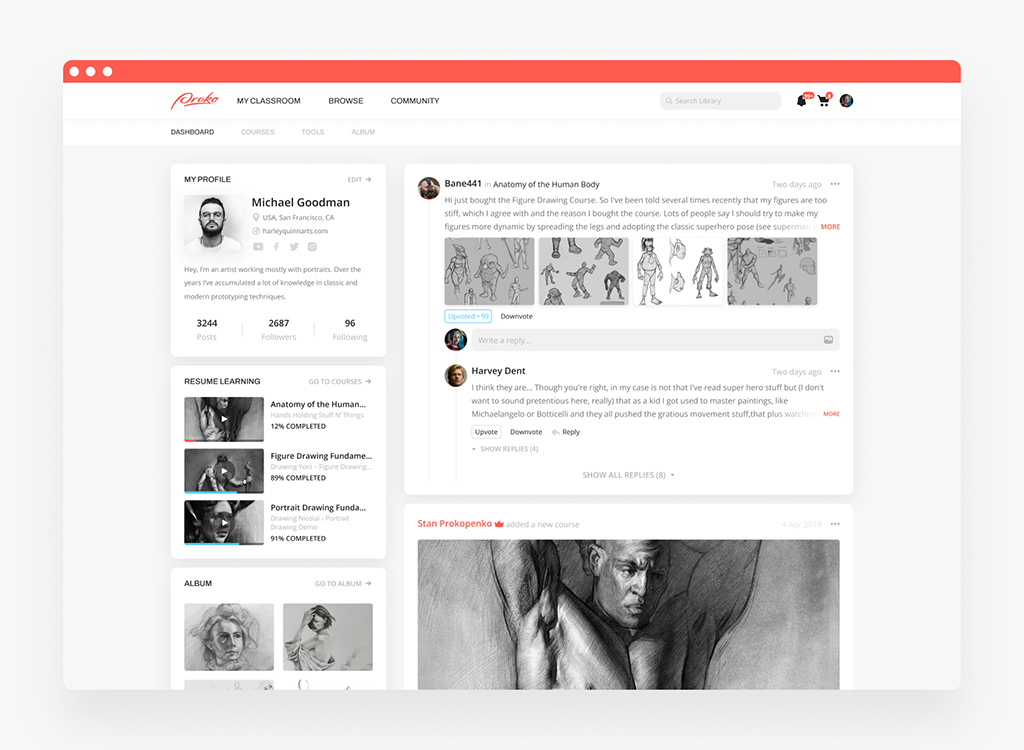
Proko platform by Shakuro
Why Work with an LMS Development Company
You’re weighing your options: build a team from scratch or work with a seasoned LMS platform development company? It’s a tough decision, I get it. Going with a completely in-house solution gives you a sense of control, right? But let’s get real for a second: building a team from scratch takes time, and by the time you get everyone on board and brought up to speed on the intricacies of building an LMS, your competition will already have their solution live.
Here are a few reasons why you should work with a seasoned development firm, especially if you want to get your solution to market quickly without sacrificing quality.
Faster Development
Time is money, and you already know this, right? When you work with a seasoned team of developers who’ve already built multiple LMS platforms, you’re not starting from scratch. You’re not spending weeks figuring out how to implement video streaming or user roles.
Scalable Architecture
Building something that works for 50 users is easy. Building something that handles 50,000 without crashing? That’s hard. A specialized LMS development company has likely dealt with scaling issues before. They know how to set up load balancers, database sharding, and caching layers properly from day one. They are applying patterns that have worked in the wild. In my experience, trying to retrofit scalability into a poorly architected system is a nightmare. It’s way cheaper and less stressful to get it right the first time with experts who’ve seen the traffic spikes coming.
Custom Feature Development
Off-the-shelf software is great until you need something specific. Maybe you need unique certification logic for a medical compliance course or a gamified reward system that ties into your company’s internal points. Generic tools say “no.” A custom dev partner says “how do we build it?” They don’t force you to change your business model to fit their software. Instead, they build the software to fit your vision. That kind of flexibility is a game-changer.
UX Expertise
Engineers are great at code, but they aren’t always great at design. An LMS needs to be intuitive. If a student can’t figure out how to submit an assignment in three clicks, they’ll get frustrated. Specialized agencies usually have dedicated UX/UI designers who understand learning psychology. They know how to layout a dashboard so it’s not overwhelming. They know where to put the “Continue” button to maximize completion rates. It’s those small details that make users stick around.
But at the end of the day, working with an LMS development company is about leveraging the experience of people who have already overcome the hard part so you can focus on the content and your students. It’s faster, safer, and often ends up costing less in the long run because you avoid the costly rewrites. Well, you know, sometimes the smartest thing to do is to let the pros handle the heavy lifting while you steer the ship.
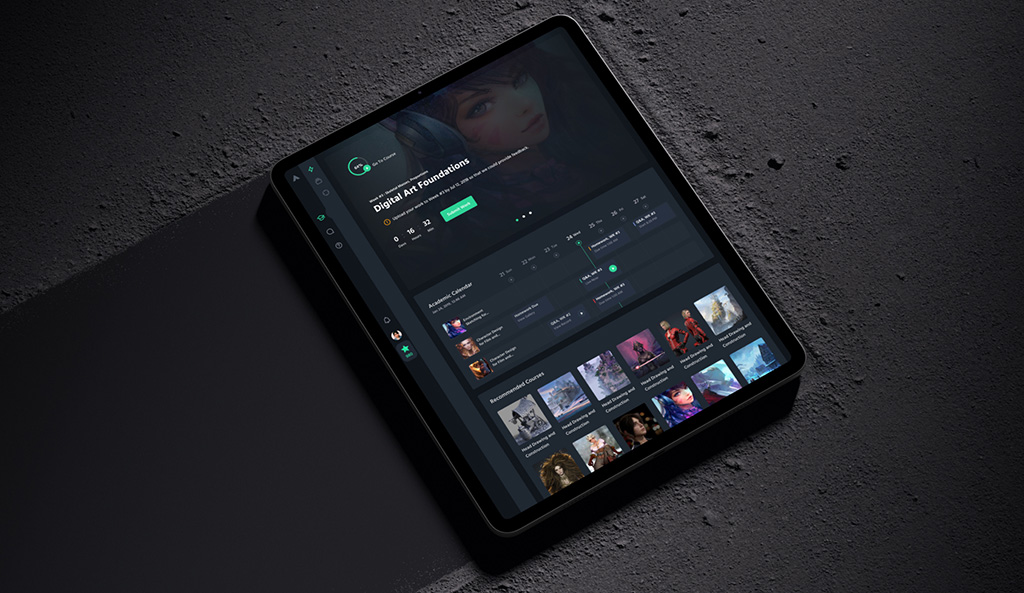
CGMA platform by Shakuro
FAQ
How much does LMS development cost?
An MVP LMS typically costs $40,000 to $80,000, depending on where the team is located, while an enterprise platform easily climbs into the $250,000 to $500,000+ range for the initial build alone. The biggest cost drivers are the feature set, the number of users, integrations with tools like Salesforce, Workday or Zoom, and uptime and disaster recovery requirements. Maintenance and scaling remain ongoing costs after launch.
How long does LMS development take, and what team is needed?
An MVP LMS usually takes a team of 2-3 developers about 3-4 months. An enterprise platform needs a dedicated team with backend, frontend, DevOps, QA and a UX designer working for 6 to 12 months. The gap comes from scope: thousands of concurrent users, compliance reporting, multi-language support, mobile apps, SSO and HRIS integrations all add build and testing time.
Should I build a custom LMS or use Moodle or Canvas?
Off-the-shelf systems like Moodle or Canvas are convenient and ready to go, so they suit teams whose process fits the tool. Custom LMS development pays off when those limitations start costing real money: you need to own the data, control security, or build specific features such as unique certification logic for a medical compliance course or a reward system tied to internal points.
What should an MVP for LMS development include?
Keep the MVP to what validates the idea: user sign-up and authentication, video hosting through Vimeo or Wistia, simple quizzes, basic progress tracking and an admin dashboard. Add Stripe payments and possibly email notifications, and skip the rest of the integrations. A monolithic setup with Rails or Node.js and a PostgreSQL database on a single cloud provider is enough at this stage.
Which technology stack is used for LMS platform development?
Common choices are Node.js for real-time features like chat, Python with FastAPI for data-heavy tasks and AI, or Ruby on Rails for a small team that needs speed. React or Vue cover the frontend. PostgreSQL fits structured data such as profiles and grades, and MongoDB suits flexible schemas. Docker and Kubernetes handle scaling, and video should go through services like AWS CloudFront, Vimeo or Mux.
How do you scale an LMS for large user bases?
Design for concurrency from the start rather than adding servers after problems appear. A corporate client can bring 5,000 employees on day one, and exam weeks create sharp login peaks. Stateless services, caching with Redis, database sharding, message queues for heavy tasks and a CDN for media keep the platform responsive. Retrofitting scalability later is usually much more expensive than planning it early.
Final Thoughts
So, where does that leave us? We’ve covered a lot of ground, haven’t we? Initial idea spark, depths of architecture, long haul of development, the big launch day. It’s quite a journey, where you create a system where people actually want to learn something.
Let’s do a quick recap, just to tie everything together. So, we have the idea, which means solving a real problem for your audience. And then we have the architecture, which means building a foundation that won’t crack under pressure. And then we have the development phase, which means bringing these features to life, but not overcomplicating things. And then we have the launch, which means it’s really just the starting line.
But here’s the secret sauce. The projects that truly succeed—the ones that people love using—usually nail three specific things.
First, usability. If your platform feels like a maze, users will leave. Second, scalability. You might not need to support a million users today, but you need the ability to do so tomorrow without rewriting everything. And third, engagement. This is the heart of it all. Technology is just the vehicle; the destination is learning.
Look, building a custom LMS is a big decision. It takes courage, resources, and vision. But the reward is enormous. You get a platform that suits your business-specific needs, grows steadily with your business, and actually brings value to your users because it solves their problems.
So, if you want to stop giving up your needs and build something that shows your unique approach, then let’s get started. Don’t let the looming shadow of custom LMS development hold you back. With the right strategy and the right help, you can create a platform that lasts.
Related reading