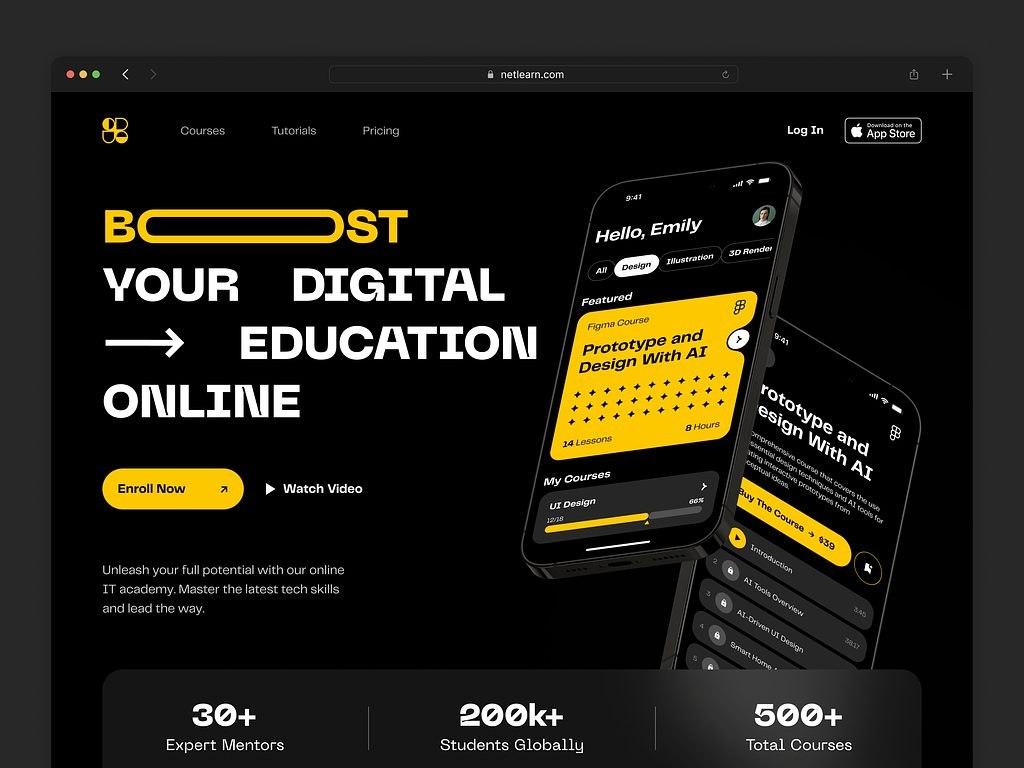
Mobile learning platform development is building an app, and the backend behind it, where people take courses in short sessions on their phones: lessons, quizzes, progress tracking, reminders, and offline access, plus admin tools for the teams that run the training.
Learners study between meetings, on commutes, and in short breaks, and they expect a training app to feel as smooth as any other mobile product. When completion rates stay low even for useful courses, the cause is often the product, not the content: a slow or fragmented app loses people after the first few lessons. That is why these projects need experience with both eLearning products and scalable SaaS platforms. As they grow, they start to overlap with learning management systems.
The sections below cover what a mobile learning platform is, key features, the development process, what drives cost, common challenges, and our own EdTech and mobile projects.
For those who prefer to listen rather than read, this article is also available as a podcast on Spotify.
What Is a Mobile Learning Platform?
A mobile learning platform is a product people use to study from a phone or tablet. It brings lessons, quizzes, videos, reading materials, and progress tracking into a format that works on mobile, without forcing users to wait until they are back at a computer.
This matters because mobile learning usually happens in fragments. A person opens the app for ten minutes, finishes one lesson, comes back later, and expects the platform to keep pace. That is why these products are often built around on-the-go learning, short lesson formats, and offline access when the connection is unstable or missing altogether.
There are two common types of mobile learning platforms.
Standalone learning apps
These are separate mobile products built specifically for learning. The whole experience sits inside the app itself: content, tests, progress, reminders, and user flow. This option makes sense when mobile is the main channel and the product is being shaped around that from the start.
Mobile LMS platforms
These are mobile versions of broader learning management systems. Here, the app is part of a larger product that may also include a web platform, admin panel, reporting, and content tools. Often that larger product is an online course platform, and the app is simply the most convenient way to take its lessons. This format is common in corporate training and in larger education products where mobile needs to stay connected to the rest of the system.
Corporate training apps
There is also a separate group of mobile learning products used inside companies. These are corporate training apps. They help businesses train employees, onboard new hires, roll out compliance programs, and support ongoing skill development. In practice, they often become part of broader enterprise training systems, where learning is tied to structure, reporting, and internal processes.
That changes the product itself. A public learning app can focus mostly on the learner. A corporate one usually has to work for managers, HR teams, and administrators too. It needs to assign courses, track completion, group employees by role or department, and show who passed what and where people are falling behind.
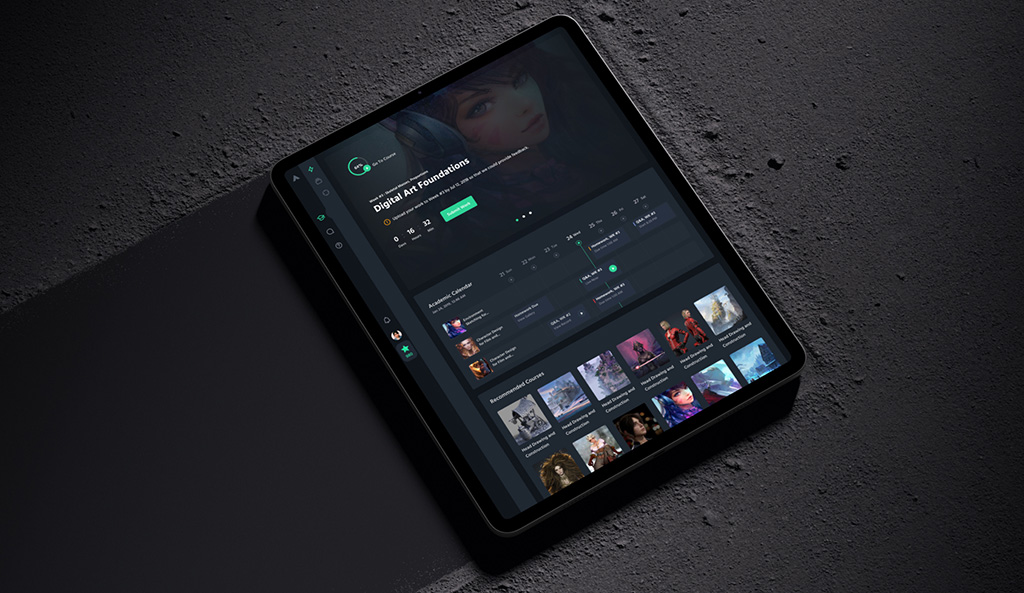
CGMA platform by Shakuro
Core components
Even when the app looks simple from the outside, there is usually a larger system behind it.
- The mobile application is the part the learner sees. It is where people open lessons, watch videos, take quizzes, get reminders, and continue from where they stopped. Depending on the product, this may mean iOS, Android, or both.
- Behind that sits the backend. It stores user data, tracks progress, manages permissions, and handles the logic the app depends on every day.
- Content delivery is another core part. The platform has to load lessons, videos, tests, and files without friction, and it has to do that reliably on different devices and connection speeds.
- Analytics matter too. Teams need to see what is happening inside the product: how often people return, where they stop, which modules get completed, and which parts of the training are being ignored.
- And then there are integrations. Many mobile learning platforms have to connect with other systems—HR software, CRMs, video tools, internal databases, or other platforms the company already uses.
That is why mobile learning app development is usually less about one app screen after another and more about how all of these parts work together.
Key Features of Mobile Learning Platforms
Mobile-First UX/UI
An elearning mobile platform lives or dies by how easy it is to use on a small screen. If the interface feels overloaded, if the buttons are awkward, or if it takes too many taps to get back into a lesson, people stop using it. That is why mobile-first UX usually comes down to very practical things: clear structure, simple navigation, readable layouts, and fast interactions that do not get in the learner’s way.
This is also where strong implementation matters. A polished interface depends not only on design, but also on solid React development and reliable frontend development, especially when the product needs to stay quick and consistent across different devices.
Offline Learning Capabilities
Offline access is one of the features that makes mobile learning genuinely useful. People do not always have a stable connection, and they should not lose access to a course because they are on a plane, in transit, or simply somewhere with weak internet.
In practice, this usually means the platform lets users download lessons in advance and continue learning without being online. Once the connection returns, the app syncs progress, completed modules, quiz results, and other activity back to the system. Without that, the mobile experience starts to break down very quickly.
Microlearning and Short Content
Mobile learning works better when the content respects the way people actually use their phones. Most users are not sitting down for a one-hour lesson. They open the app for a few minutes, finish one small piece, and move on.
That is why short lessons, compact quizzes, and quick learning sessions have become such a common format. They are easier to finish, easier to return to, and often easier to remember. This also creates more room for personalized learning experiences, because the platform can adjust content flow and recommendations in smaller, more manageable steps.
Push Notifications and Engagement
A lot of learning products struggle with the same problem: users start well, then gradually disappear. Push notifications help bring them back, but only when they are used carefully. A useful reminder can prompt someone to finish a lesson they already started. Too many reminders just become background noise.
Many platforms also use gamification to keep momentum going. That can include streaks, badges, points, progress markers, or simple milestone rewards. These features are not the product itself, but they can help maintain rhythm, especially in apps where learning happens in short sessions over a longer period.
Analytics and Progress Tracking
An elearning mobile platform needs to show more than whether a lesson was opened or not. Teams usually want to understand how people move through the product, where they stop, which modules get finished, and how performance changes over time.
That is where learning analytics systems become important. They help connect learner activity with actual product decisions. If users keep dropping at the same point, that tells the team something. If one format leads to better completion than another, that matters too. Without this layer, it becomes much harder to improve the platform in a deliberate way instead of guessing.
Mobile Learning Platform Development Process
1. Product Strategy and Mobile Use Cases
The work usually starts with a basic question: what exactly are we building?
That sounds obvious, but this is where a lot of confusion begins. A mobile learning app for employee training is one thing. A course app for individual users is another. A product for school education is different again. They may all look similar on the surface, but people use them differently, expect different things from them, and come back for different reasons.
So at the beginning, the team usually defines three things.
The first is the target user. Who is this app for? Employees, students, customers, partners, paid subscribers? That affects both the product logic and the content itself.
The second is the learning format. Some apps are built around short lessons and quick quizzes. Some need longer modules, assessments, certificates, or live elements. On mobile, this matters a lot, because the format has to match the way people actually use their phones.
The third is engagement. Why would someone come back after the first session? Maybe the product is built around reminders. Maybe it uses streaks or progress goals. Maybe the content is structured in a way that naturally pulls the user forward. If this part is weak, the app can launch in a perfectly decent state and still lose people almost immediately.
2. UX/UI Design for Mobile Learning
Once the product logic is clear, the next step is the interface.
This is where mobile learning apps often become either easy to use or quietly irritating. On a phone, people do not have much patience. They want to open the app, understand where they are, continue the lesson, go back, take a quiz, and leave. If any of that feels clumsy, the friction starts building very fast.
That is why mobile UX here is usually about keeping things simple. Clear screens. Normal navigation. Readable text. Obvious buttons. A structure that does not make the user stop and think about how the app works.
It is also important to remember that mobile learning rarely happens in ideal conditions. People open the app in short gaps during the day. They may be distracted, tired, or in a hurry. The interface has to respect that. Not by becoming empty, but by staying straightforward.
And if the product also includes web-based parts such as admin tools or dashboards, solid React development helps keep those parts aligned with the rest of the system.

E-learning Platform Website by Conceptzilla
3. Choosing the Technology Stack
There is no single right stack for this kind of product. The choice depends on what the platform needs now and how far it is expected to grow.
For mobile, teams usually go in one of two directions. They either build native apps, using Swift for iOS and Kotlin for Android, or they use a cross-platform framework and work from a shared codebase. Native education mobile app development gives more control. Cross-platform can speed things up. The better option depends on the feature set, budget, timeline, and how much the app needs to behave differently on each platform.
The backend is usually chosen in a pretty calm, practical way. Some teams use Node.js. Some use Python. Both are common. If the backend is built in Python, FastAPI is one of the standard choices for building APIs without making the setup heavier than it needs to be.
With databases, the logic is similar. PostgreSQL is often used when the data is structured, and in learning products it usually is: users, roles, courses, lesson progress, quiz results, permissions. MongoDB is more often considered when the data model is less fixed and may change more along the way.
Infrastructure depends on size. Docker is commonly used early, because it makes services easier to package and run in a predictable way. Kubernetes is a different story. It is useful when the elearning mobile platform grows and deployment becomes more demanding, but it is not something every product needs from day one.
And since a mobile learning platform is rarely just a mobile app, web development is usually part of the same job too. Most products still need admin panels, content management, reporting, and other browser-based parts around the app itself.
In other words, the stack should fit the product, not decorate it.
4. Backend and API Development
This is what keeps the product running behind the screens. It stores users, remembers progress, handles access, saves quiz results, sends notifications, and deals with all the routine things the app needs every day. If this layer is shaky, the mobile app starts feeling broken very fast, even if the design itself looks fine.
The API is what connects the app to that backend. When a user opens a lesson, resumes where they left off, sees updated progress, or gets new content, that usually happens through API calls. From the product side, it should feel simple. From the development side, this part needs to be thought through well, because the app depends on it constantly.
In practice, mobile learning products often end up needing the same kind of logic you see in SaaS backend systems. There are users, roles, content, permissions, tracking, and quite a lot of state to manage in the background.
5. Integrations and Sync
Most learning apps are not built as closed systems.
They often need to connect with LMS platforms, analytics tools, content delivery services, and sometimes internal company software too. In some projects that is a secondary task. In others it is part of the foundation, because the product has to fit into an existing setup rather than replace it.
Sync is just as important. A person may start a lesson on one device, continue later on another, lose connection somewhere in between, and still expect everything to stay in place. Progress, completed modules, quiz data, downloads, watched content—all of that should update properly instead of creating confusion.
This matters even more in products tied to video learning systems, where users expect video, playback progress, and lesson status to behave normally across devices and sessions.
6. Testing and Optimization
By this point, the product may already look finished, but that does not mean it is ready.
A mobile learning app has to be checked on different phones, different screen sizes, different operating systems, and under different connection conditions. Something that works well on one device may feel slow or awkward on another. Small issues pile up quickly on mobile.
Speed matters here more than it may seem at first. If the app opens slowly, if lessons load with delay, if progress does not update right away, people notice. And in learning products, even small annoyances can be enough to make users drop the app and not come back.
So this stage is mostly about making the product feel stable. Not perfect in some abstract sense, just stable, fast enough, and predictable.
7. Deployment and Scaling
Then comes release.
The app is published, the backend goes live, and the product starts dealing with real users instead of test cases. That usually reveals a different kind of pressure. More activity, more content, more support questions, more edge cases, more load on the system.
If the elearning mobile platform is expected to grow, the backend has to be ready for that. Not necessarily built for huge scale on day one, but at least set up in a way that will not create problems the moment the product gains traction.
And after launch, the work does not stop. Mobile products need updates, monitoring, fixes, and routine maintenance. That is why support services are usually part of the real picture too. With this kind of product, release is not the finish line. It is just the point where live operation begins.
Cost of Mobile Learning Platform Development
The cost of a mobile learning platform usually depends on one thing: how much system you are actually building behind the app.
At first glance, two products may sound similar. Both are mobile apps. Both deliver courses. Both track progress. But in practice, the gap between a simple MVP and a full platform can be very large. That is why mobile eLearning app development costs can vary so much.
One of the first things that affects the budget is the complexity of the app itself. A product with a few basic screens, standard onboarding, lessons, quizzes, and simple progress tracking is one kind of job. A product with different user roles, personalized paths, certificates, gamification, reminders, and more advanced logic is a different one. More features do not just mean more screens. They usually mean more edge cases, more product logic, and more work on the backend.
Backend infrastructure matters just as much. Some apps only need a fairly simple setup to manage users, courses, and completions. Others need admin panels, permissions, analytics, notifications, content management, and support for larger numbers of users. This is usually where the difference between a small learning app and more serious mobile LMS development becomes obvious.
Offline capabilities can also raise the cost quite a bit. Downloading content sounds simple from the outside, but in reality it adds another layer of work. The app has to store data locally, keep progress from getting lost, and sync everything correctly once the user is online again. That part takes time to do properly.
Integrations are another thing that can change the budget fast. If the product needs to connect with an existing LMS, analytics tools, internal company systems, or content delivery services, the work becomes more dependent on outside systems and their limitations. Even a well-scoped app can get noticeably heavier once integration work starts.
If we simplify it, an MVP learning app is usually the lightest version that still makes sense to launch. The goal here is often to test the product, launch faster, or validate demand before building a larger system around it.
An enterprise mobile learning platform is a much bigger build. It often includes more roles, more control on the admin side, deeper reporting, more integrations, offline access, and stricter expectations around stability. In that case, the budget grows not because the app “looks bigger,” but because there is much more happening under the surface.
So when people ask about cost, the better question is usually not “How much does it cost to build a mobile learning app?” but “What do we need in the first version, and what can wait?” That is usually the point where budgeting becomes more realistic.
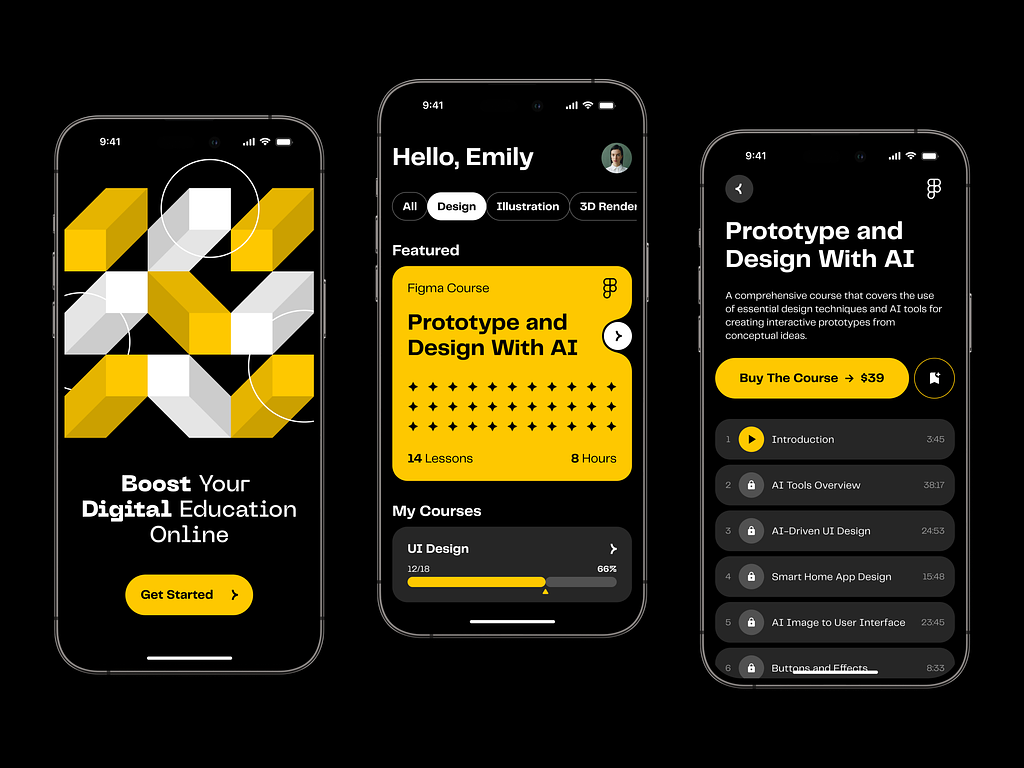
Online Course Educational Mobile App by Shakuro

Common Challenges in Mobile Learning Development
One of the hardest parts of mobile training app development is keeping people engaged after the first few sessions. Getting someone to install the app is one thing. Getting them to come back, continue the course, and finish what they started is much harder. On mobile, attention is limited, distractions are constant, and even a useful product can lose people if the experience feels too heavy or too easy to postpone.
Offline functionality is another common challenge. Users expect an edtech mobile app to work wherever they are, not only when the connection is stable. But offline access is never just a small extra feature. The app has to save content locally, keep track of progress without breaking anything, and sync that data correctly once the user is online again. If that part is handled badly, the product starts creating confusion instead of convenience.
Device compatibility also causes problems more often than teams expect. An edtech mobile app may look fine on one phone and feel awkward on another. Different screen sizes, OS versions, and performance limits can affect how lessons load, how video behaves, how interfaces look, and how smooth the app feels overall. That is why mobile products need much more real-device testing than they sometimes get.
Performance is tied to all of this. If the app loads slowly, freezes, drains the battery, or updates progress with delays, users notice immediately. In learning products, that kind of friction adds up fast. People rarely complain for long. More often, they just stop opening the app.
These same issues show up in other education products too, including learning marketplaces, where the platform has to balance content, user activity, and performance without making the experience feel cluttered or unstable. In mobile learning, the challenge is similar: keep the product simple for the user, even when the system behind it is doing quite a lot.
Our Experience in EdTech and Mobile Development
Mobile learning products usually look simple when you only see the front end. Open the app, continue the lesson, watch the video, answer a few questions. But that simplicity is usually doing a lot of work. The product has to handle content, progress, structure, performance, and growth without making the user feel any of that complexity.
This is the kind of product work Shakuro has done across elearning and SaaS. The overlap matters because mobile learning platforms rarely stay “just content apps” for long. As they grow, they start needing clearer flows, stronger frontend logic, better content handling, and more room for different types of users and features.
One example is Proko. It started as an educational platform for artists, but the original WordPress setup had become too limited for where the product was going. The task was not just to redesign it. The platform needed to become broader and more capable: better learning flows, stronger UX, community features, improved search, smoother checkout, more interactive elements, and a mobile version that still worked when all of that had to fit onto a smaller screen.
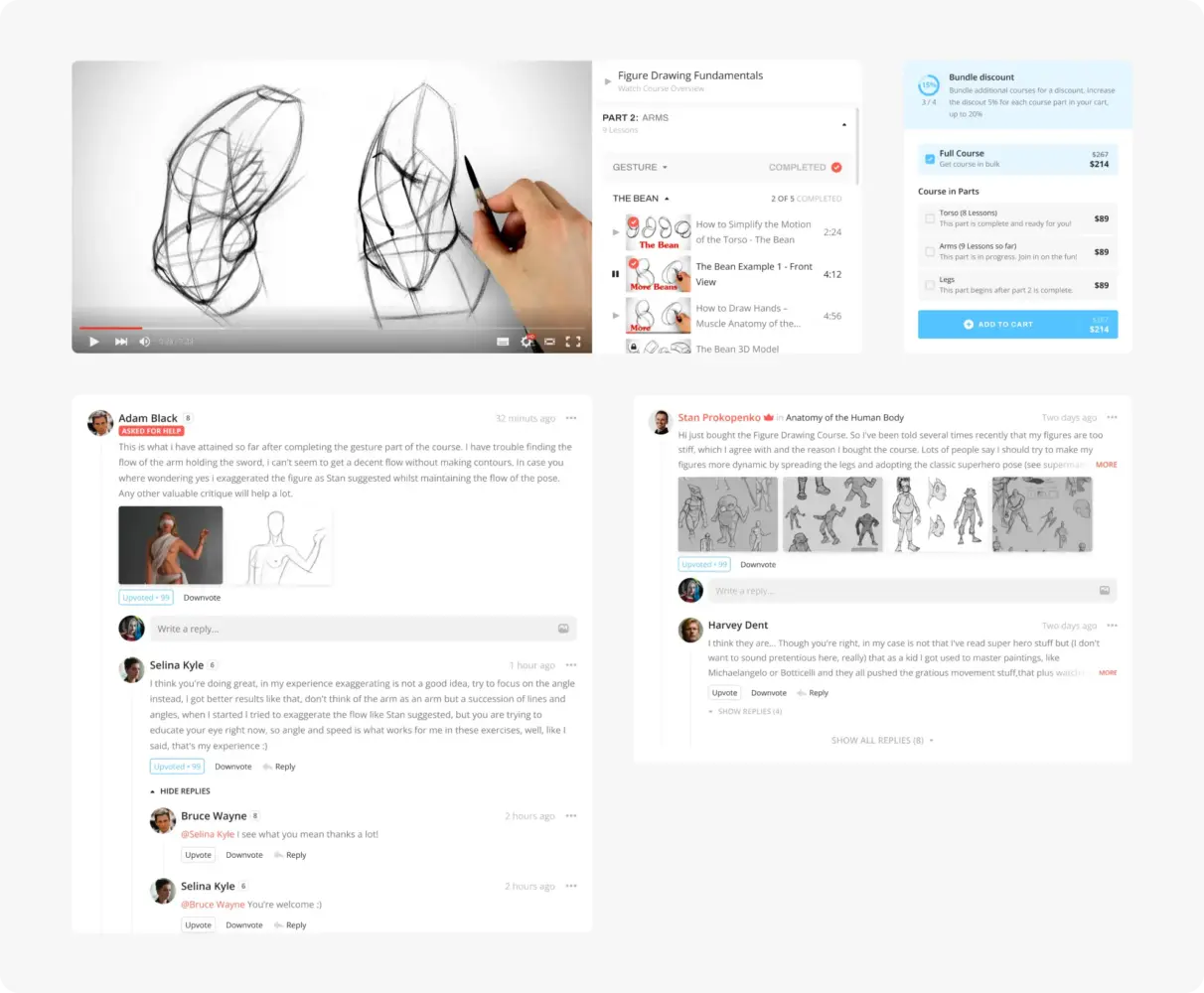
Website Design Concept for Proko by Shakuro
Shakuro worked on the product from several angles: research, wireframes, prototypes, UX decisions, responsive versions, and features tied to communication and engagement. The platform also had to support a larger audience and more ambitious functionality over time, which made the technical side just as important as the interface.
What makes Proko relevant here is not only that it is an education case. It is that the platform had already reached the point where content alone was no longer enough. The product needed stronger structure and a more serious system behind it.
Another useful example is Pillars. It is not an EdTech product, but it shows a different kind of experience that still matters in mobile learning work. The challenge there was to build a frontend-heavy product around a technical service and make it clear, readable, and engaging without overloading it.
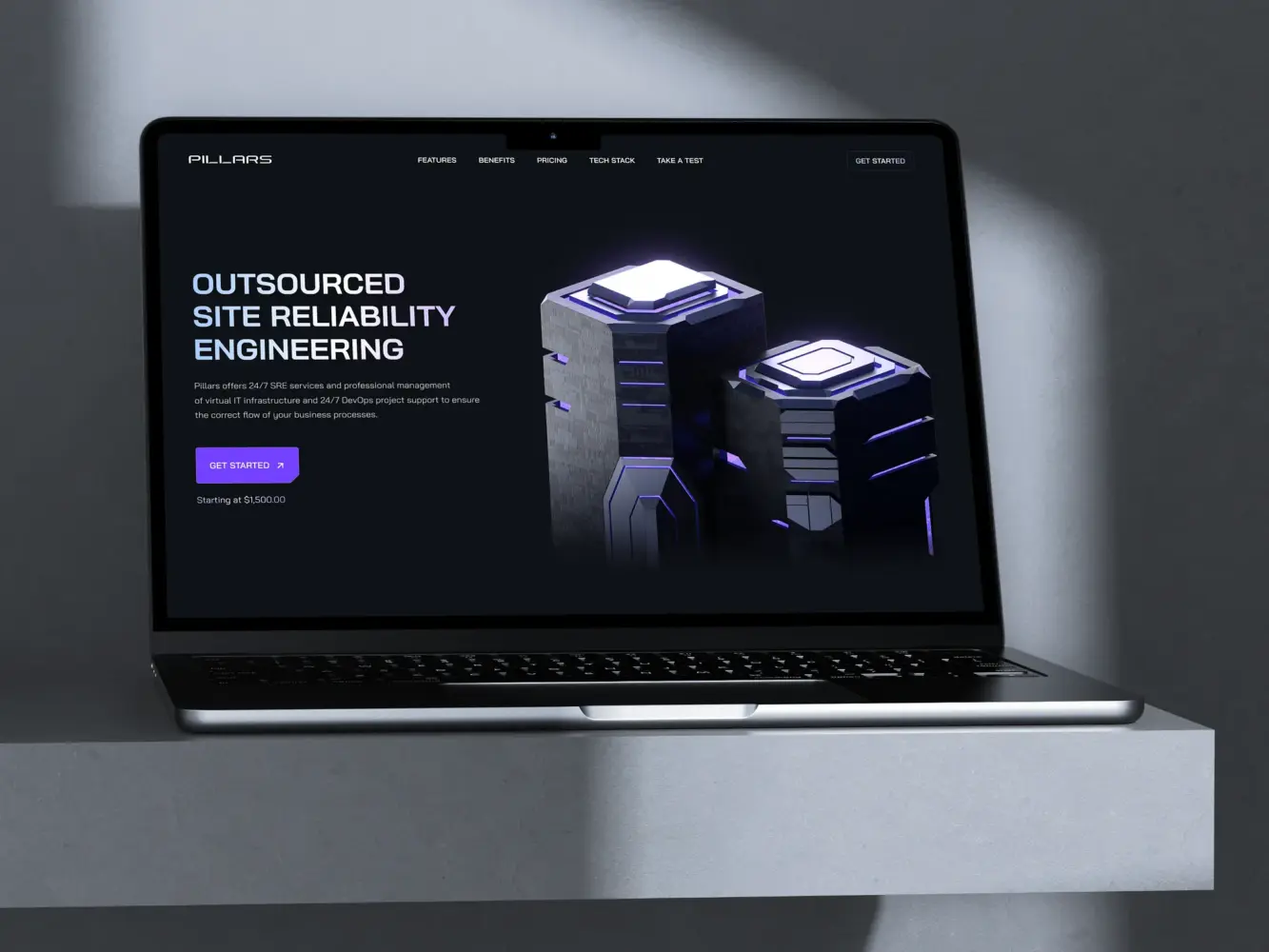
Website Design for Outsourcing SRE Platform by Shakuro
That project relied a lot on interface structure, visual hierarchy, mobile behavior, and performance. The team had to present fairly dense information in a way that still felt easy to move through, including on smaller screens. That is a familiar problem in learning products too. A platform may have good material and useful features, but if the interface asks too much from the user, the product starts feeling heavier than it should.
So the experience that matters here is not only “we built a mobile app” or “we worked on an education project.” It is experience with products that have a lot going on underneath but still need to feel clear on the surface.

Why This Matters for Mobile Learning Products
Mobile learning products usually get harder over time, not easier.
At the start, the app may only need lessons, quizzes, and basic progress tracking. Later, more things appear: notifications, different user roles, admin tools, reporting, community features, personalization, content growth, integrations. The product gets heavier, but the user still expects it to feel simple.
That is usually where weak products start showing strain. Navigation gets messy. Important actions take too many steps. Mobile screens become crowded. The system grows, but the experience does not stay under control.
This is why relevant experience matters in this kind of work. Not because every project is identical, but because the pattern is familiar. A team that has already worked with content-heavy platforms, frontend-heavy systems, and products that had to grow without becoming chaotic is usually in a better position to make those decisions early.
Proko is a good example of an education product that needed to become more structured and more capable without losing usability. Pillars is a good example of how to make a complex subject feel more approachable through interface and frontend decisions.
For mobile learning platform development, both sides matter: the system underneath and the way it feels in someone’s hand.
Why Work with a Mobile Learning Platform Development Company
On the surface, mobile learning product is just an app with lessons, quizzes, reminders, and progress tracking. In reality, the product has to work well on small screens, stay stable across devices, load quickly, handle content properly, and support growth without turning into a mess six months later.
That is why mobile expertise matters. Learning app developers can be strong in software development in general and still make weak decisions in a mobile learning product. This kind of platform has its own pressure points: short user sessions, limited screen space, uneven connection quality, offline expectations, and very little tolerance for friction. If the app is slow, cluttered, or awkward to use, learners simply stop opening it.
Scalable backend matters for the same reason. Even a fairly simple learning app starts collecting a lot of moving parts: users, roles, course structure, progress, notifications, content, analytics, integrations. At first, that may not seem like much. Later, it becomes the difference between a product that can grow normally and one that has to be constantly patched.
UX-focused development matters just as much. In mobile learning, users should not have to figure the interface out. They should be able to open the app, see where they are, continue from where they stopped, and move through the material without friction. That is usually where better products pull ahead of ones that technically work but feel tiring to use.
This kind of work is easier to get right when the learning app developers already understand how digital learning products behave once real users, content growth, and product complexity start piling up.
FAQ
What drives the cost of mobile learning platform development?
Cost depends mainly on how much system sits behind the app, so a simple MVP and a full platform can differ widely in price. User roles, personalized paths, certificates, gamification and reminders add product logic and backend work. Admin panels, permissions, analytics and content management raise it further. Offline access and integrations with an existing LMS, analytics tools or internal company systems also push the budget up quickly.
What should a mobile learning app MVP include?
A mobile learning MVP usually needs lessons, quizzes, standard onboarding and simple progress tracking on a backend that manages users, courses and completions. The aim is to launch faster and validate demand before building a larger system. Notifications, extra user roles, admin tools, deeper reporting, community features and personalization typically come later, so decide early what the first version needs and what can wait.
Should a mobile learning app be native or cross-platform?
Native apps built in Swift for iOS and Kotlin for Android give more control, while a cross-platform framework with a shared codebase can speed development up. The right choice for a mobile learning app depends on the feature set, budget, timeline and how differently the app must behave on each platform. Either way, admin panels, content management and reporting usually still need web development around the app.
How does offline access work in a mobile learning app?
Offline access in a mobile learning app lets users download lessons in advance and keep studying on a plane, in transit or anywhere with weak internet. The app stores content locally, records progress without losing it, and syncs completed modules and quiz results once the connection returns. It sounds simple, but done properly it adds noticeable work and raises the budget, so scope it early.
What does a corporate mobile learning app need that a consumer app doesn’t?
A corporate mobile learning app has to serve managers, HR teams and administrators as well as learners. It needs to assign courses, track completion, group employees by role or department, and show who passed what and who is falling behind. These apps also tend to connect with HR software, CRMs, existing LMS platforms and internal databases, which makes integrations part of the foundation rather than an add-on.
How do I choose a development partner for a mobile learning platform?
Pick a team with mobile learning experience, since general software skills don’t cover short sessions, small screens, uneven connections and offline expectations. Ask how they would design a backend that handles roles, progress, notifications and integrations as the product grows, and how they test on real devices across screen sizes and OS versions. Their past UX work should show learners resuming a lesson without friction.
Final Thoughts
Building a mobile learning platform is not only about putting lessons into an app. The real work is making the whole product hold together: mobile UX, backend logic, content delivery, integrations, and the ability to scale once more users, courses, and features start piling up.
What usually decides whether the product works is not the number of features, but how well the basics are handled. The platform has to be easy to use, because mobile leaves very little room for friction. It has to keep people engaged, because most learners will not return just because the content exists. And it has to perform well, because slow loading, unstable sync, or awkward navigation are enough to lose users very quickly.
So, strong mobile learning platform development usually comes down to a few things done properly: clear usability, steady engagement, reliable performance, and an architecture that can grow without becoming chaotic.
For teams planning to build a mobile learning product, the goal is usually not to launch the biggest possible platform at once. It is to build something solid, useful, and ready to expand in the right direction. Shakuro helps companies do that by designing and developing mobile learning platforms that are easier to use, easier to scale, and better suited to how people actually learn on mobile.
Related reading
- AI Analytics Platform Development: How to Build Intelligent Data Analytics Systems
- How to Create A Language Learning App For Kids And How Much Does It Cost?
- BI Dashboard Development: How to Build Business Intelligence Dashboards
- Frontend Architecture: Patterns, Diagrams, and Micro Frontend Choices for Modern Products