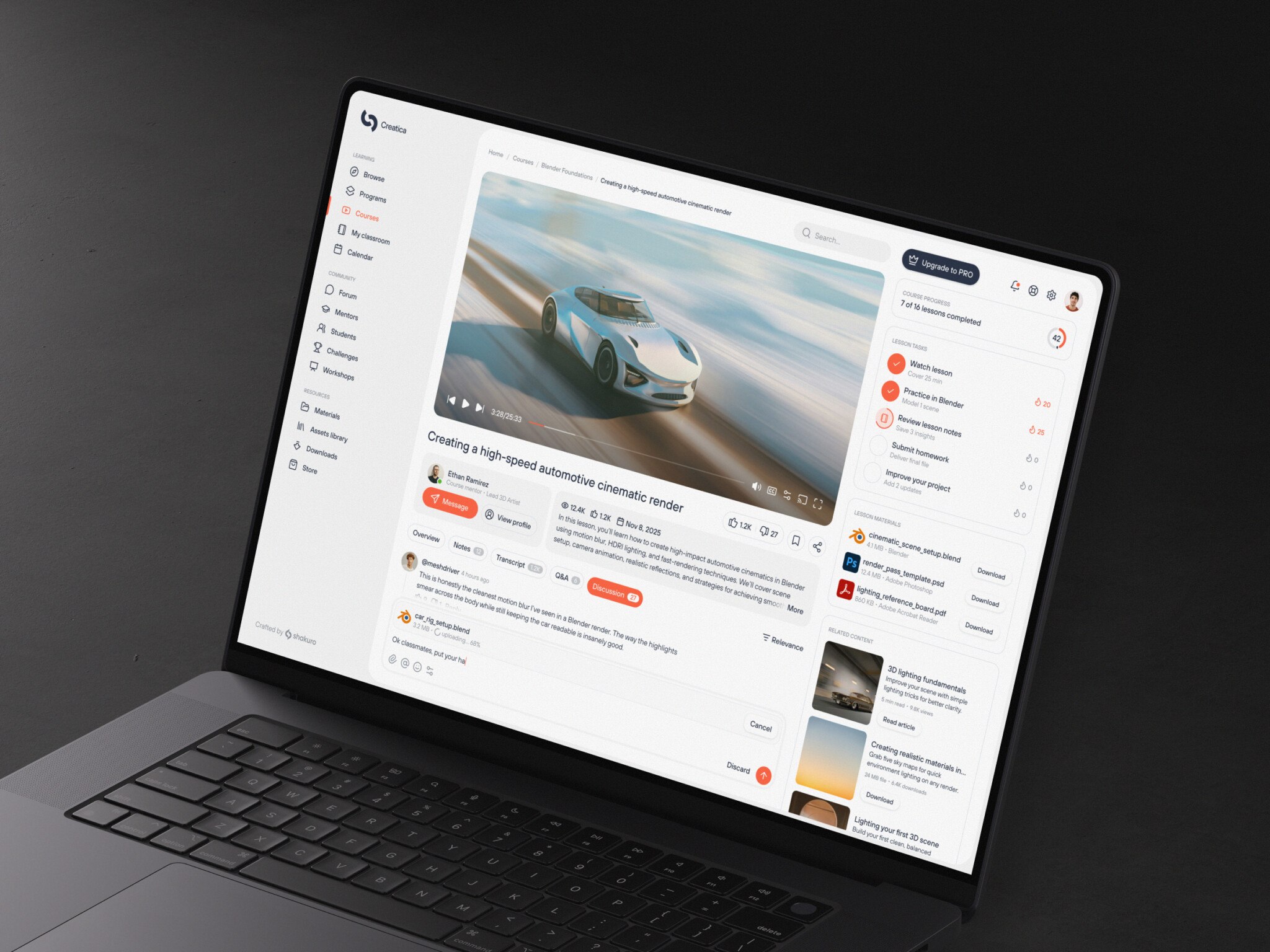
Video-based learning platform development is building a platform where learners watch recorded courses and join live classes, with streaming, a video CMS, lessons, progress tracking, and payments. A web-only MVP for on-demand courses costs about $40k–80k to build and around $500–1k a month to run for a few hundred users. An enterprise system with live streaming, DRM, SSO, and native mobile apps costs $250,000–500,000+, takes 9–12+ months, and runs $5,000–20,000+ a month.
A course recorded once can teach any number of students, which is why course platforms scale beyond an instructor’s calendar. The hard part is delivery: a live webinar for five thousand concurrent users must not crash, latency must stay low, and CDN bills grow with every play. Most parts can run on managed services such as AWS MediaConvert or Mux.
Here we look at key features and streaming architecture, the development process, cost, common challenges, and our experience in e-learning software development and SaaS products.
For those who prefer to listen rather than read, this article is also available as a podcast on Spotify.
What Is a Video-Based Learning Platform?
If we strip away the marketing jargon, it’s basically a specialized content delivery system. But instead of delivering movies or cat videos, it’s delivering structured knowledge. At its core, it’s a software ecosystem that lets teachers upload, process, and stream video content to students on a variety of devices. However, it’s different from YouTube or Netflix.
These platforms deliver educational content through streaming technology, usually HTTP Live Streaming (HLS) or Dynamic Adaptive Streaming over HTTP (DASH). This breaks the video into tiny chunks. So the player can adjust the quality on the fly based on the user’s internet speed. If your connection drops, the video just gets a bit pixelated for a second.
And this setup brings into video learning platform development three big things: course delivery, engagement, and scalable learning. The first one helps you organize chaos. Instead of sending zip files or huge MP4s via email, you get structured modules, lessons, and quizzes all in one place. Interactivity in clickable chapters, in-video quizzes, and discussion threads tied to specific timestamps keep the brain awake. As for scalability, it drives your business. You create the asset once. You sell it forever. Whether you have 50 students or 50,000, the core content doesn’t change. The infrastructure handles the load.
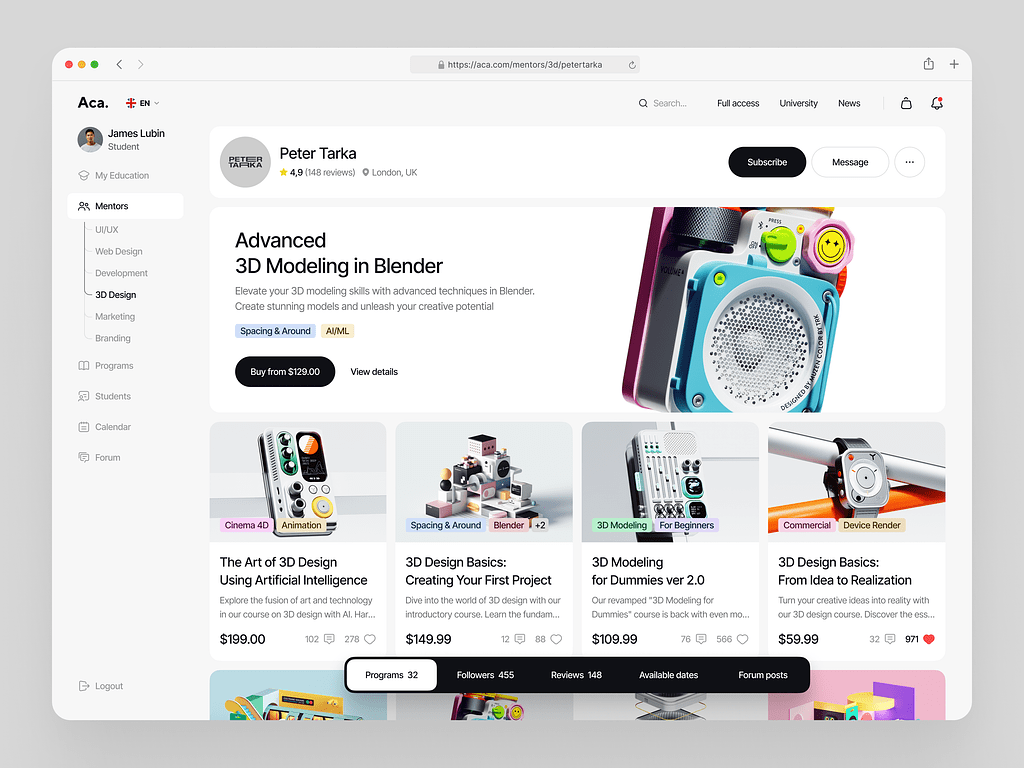
Online Courses Platform Website Dashboard by Shakuro
Types of Video Education Software
Depending on your goal, you’ll lean towards one of these models. Sometimes you mix them, but usually, there’s a primary focus.
Course-Based Video Platforms
These are structured learning programs like in a digital university. You have a start date, an end date, and a clear path from A to B.
In my experience, these are the hardest to build because the logic is complex. You need to track progress. “You can’t watch Lesson 3 until you finish Lesson 2.”, for instance. If we take a look at the market, the closest examples would be platforms similar to Teachable or Thinkific. They’re great for selling comprehensive skills, like coding bootcamps or professional certification courses.
Live Learning Platforms
Real-time stuff like webinars, virtual classrooms, live coaching, etc. The tech for this type of online video learning platform is different. We’re talking about low-latency streaming. If a student asks a question, the instructor needs to hear it within seconds, not minutes. It’s closer to a Zoom call but embedded in a learning environment with whiteboards, breakout rooms, and polls.
It’s engaging, sure. But it’s expensive to scale. You need instructors present. And technically, handling thousands of concurrent two-way video streams is a nightmare if you don’t know what you’re doing. But for community building, it’s unbeatable.
On-Demand Learning Platforms
This is the Netflix model for education with video libraries at a custom pace. Users browse, pick what they want, and watch. There’s no strict order. Maybe they watch five minutes of a Python tutorial, then jump to a marketing lesson. It’s chaotic but flexible.
The challenge here is discovery. How do you help users find what they need? You need robust search, tagging, and recommendation engines. LinkedIn Learning is a prime example of SaaS-based learning platforms. It’s vast, it’s searchable, and it’s always there when you need it.
Core Components
Okay, so you’ve picked your type. What do you actually need to build? If you’re sketching this out on a whiteboard, these are the boxes you need to draw.
Video Storage and Processing
Dumping raw MP4s on a server is not a good idea, obviously. You need a pipeline that takes the uploaded file, transcodes it into multiple resolutions (360p, 720p, 1080p, 4K), and stores it efficiently. This is where services like AWS MediaConvert or Azure Media Services come in. It’s heavy lifting.
Streaming Infrastructure
The delivery truck for your video streaming education platform. Once the video is processed, how does it get to the user? You need a Content Delivery Network (CDN). This caches your video chunks on servers around the world. So when a user in London plays a video, they’re pulling it from a server in London, not from your main database in Virginia. Speed matters. Latency kills engagement.
Content Management System (CMS)
This is the brain. It’s where your admins upload videos, write descriptions, attach quizzes, and organize courses. It needs to be user-friendly. If your instructors hate using the CMS, they won’t upload content. Simple as that.
User Management
Who is watching? Are they paid subscribers? Free trial users? Enterprise clients? You need robust authentication, role-based access control, and subscription management. You don’t want a free user accessing premium content because of a bug in your permission logic.
Analytics Dashboards
Data is king. You need to know who watched what, for how long, and where they dropped off. Did 50% of users quit at minute 3:00? Why? Was the audio bad? Was the concept too hard? Without granular analytics, you’re flying blind. And I mean granular—engagement heatmaps.
It sounds like a lot. And it is. But when you break it down component by component, it becomes manageable. You don’t have to build all of this from scratch, either. We’ll talk about that later.
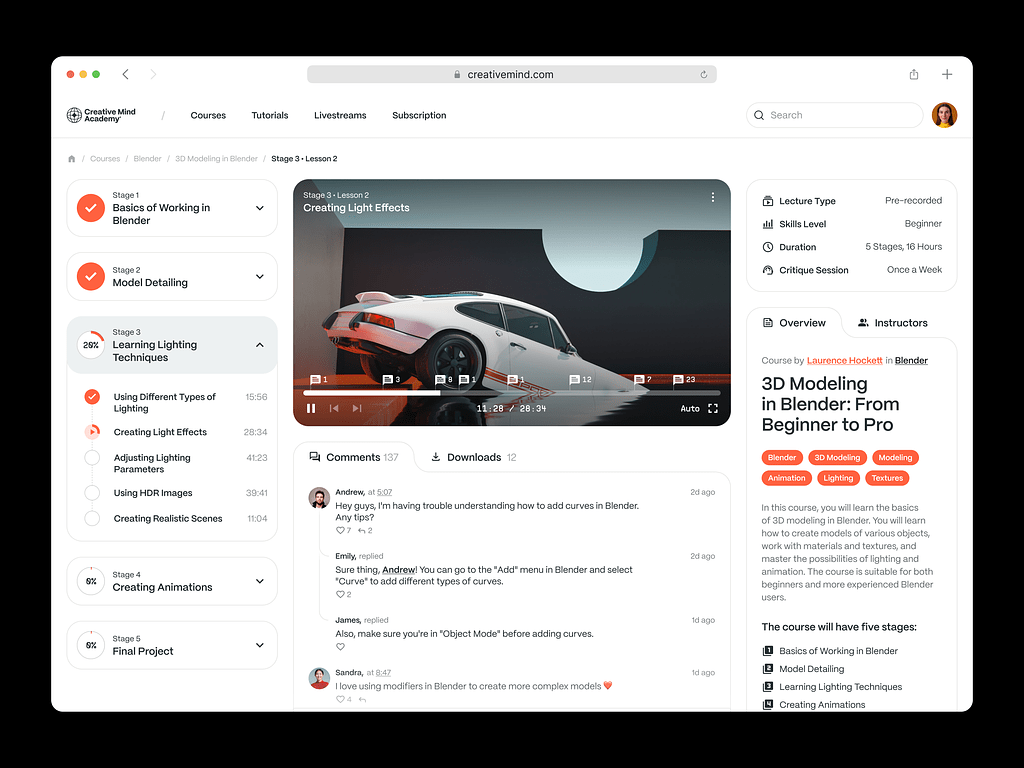
Online Courses Platform Website by Shakuro
Key Features of Video Learning Platforms
Video Streaming and Delivery
This is the backbone. If the video doesn’t play smoothly, nothing else matters. You could have the best teacher in the world, but if the screen freezes every ten seconds, the user is gone.
First off, you need adaptive streaming. We’re talking HLS (HTTP Live Streaming) or DASH. Instead of sending one huge video file, you chop it into tiny segments, like, 2 to 10 seconds each. You create multiple versions of each segment at different qualities because internet connections are messy. One minute a user is on fast WiFi, the next they’re on a spotty 4G connection on the subway.
Adaptive streaming in video-based learning platform development lets the player switch between these quality levels on the fly. If the connection dips, it drops to 480p instantly. No buffering. Just a slight drop in sharpness that the user barely notices.
When it comes to the CDN integration, you simply cannot serve video from a single server. It’s too slow, and it’s too expensive. You need a Content Delivery Network. This spreads your video chunks across servers globally. When a student in Tokyo hits play, they’re grabbing data from a server in Tokyo, not your origin server in New York. It cuts latency dramatically. For a global audience, this isn’t optional.
System for Managing Content
Okay, the video plays. Now, how do you manage thousands of them? You need a robust CMS.
It needs to handle upload, organization, and management seamlessly. Instructors should be able to drag and drop files, add thumbnails, write descriptions, and tag content without needing an IT degree. If the upload process is clunky, your content creators will hate you. And if they hate you, they won’t create content.
But more importantly, learning management systems need support for course structures. Videos don’t exist in a vacuum. They’re part of modules, which are part of courses. Your CMS needs to let admins nest videos logically. Lesson 1.1, Lesson 1.2, Quiz 1. Then Module 2. It needs to handle dependencies too. Like, “Unlock Module 2 only after completing Module 1.” This structure is what turns a random video library into an actual course.
User Engagement Tools
Passive watching is passive. People zone out. To keep them locked in, you need tools that force interaction.
For an edtech video platform, progress tracking is basic but essential. Users need to see a little green bar filling up. It’s psychological. We like completing things. But it’s also practical for admins. Who finished the course? Who’s stuck?
As for interactive elements, you can try implementing quizzes embedded right in the video. For example, a person is watching a lecture, and at minute 5:00, the video pauses and asks, “What was the main point?” They answer, and then it continues. It keeps the brain active.
Or clickable timestamps. Chapters. If I know I just need the section on “Advanced Python Decorators,” I don’t want to scrub through a 2-hour video. On a phone, short chapters matter even more, which is why mobile learning platforms split lessons into bite-sized pieces. I want to click “Chapter 4” and jump there. It respects the user’s time. Small touches like that build loyalty.
Alternatively, you can check out AI-driven engagement tools that provide smart recommendations and a quick search. They help you keep the users’ attention.
Analytics and Performance Tracking
You can’t improve what you don’t measure. In video LMS development, data is gold. You need to track user engagement with learning analytics systems. Did they skip ahead? Did they rewatch a specific 30-second clip three times? That rewatch data is huge. It tells you that part was confusing. Maybe the instructor mumbled. Maybe the concept was too dense. You can fix it.
And video performance tracking. Are users in Brazil experiencing high buffer rates? Is the 4K version causing crashes on older iPhones? Your analytics dashboard should flag these technical issues before your support inbox floods with complaints. It’s about proactive problem-solving.
Cross-Platform Access
People learn everywhere: on the bus, in bed, and at their desk. Your platform needs to meet them there.
In elearning video platform development, web and mobile video playback is non-negotiable. The experience should feel native on both devices. On mobile, touch controls matter. Swipe to seek, tap to pause, etc. It needs to feel intuitive. If the mobile player is just a shrunken web player, it’ll feel clunky. Don’t do that.
Offline viewing support is crucial, too. Data plans aren’t unlimited everywhere. Commuters want to download a lesson on WiFi and watch it on the train. If you don’t offer offline mode, you’re locking out a huge chunk of potential learners. It adds complexity to your app development (DRM, secure storage, sync logic), but it’s worth it. It shows you care about their reality, not just your ideal use case.
So, yeah. It’s a lot of moving parts. But when you stitch them together well, you get something that delivers an experience. That’s what keeps users coming back.
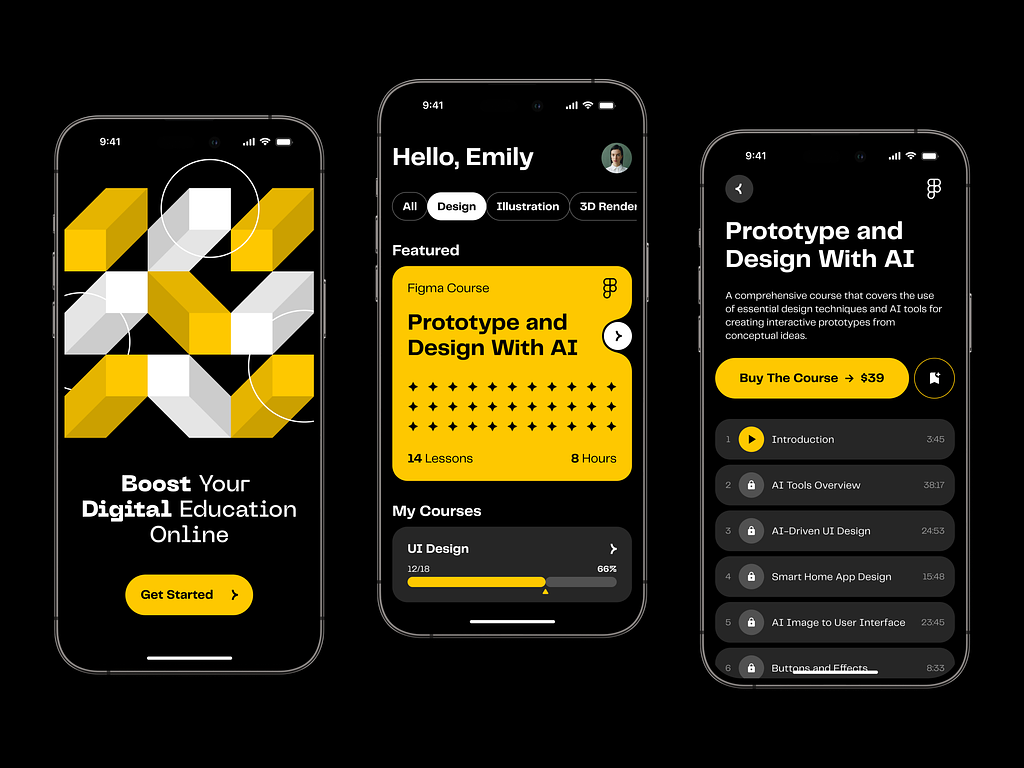
Online Course Educational Mobile App by Shakuro
Video Learning Platform Development Process
1. Product Strategy and Content Model
Decide what you’re building. I know, it sounds obvious, but you’d be surprised how many founders try to build Netflix, Zoom, and Coursera all at once.
Pick your lane. Are you going on-demand? That’s your library model: pre-recorded, polished, evergreen content. The tech focus here is on storage efficiency and searchability. Or is it live? Real-time interaction. Webinars, coaching. Your bottleneck here is latency and concurrency. Can your servers handle 5,000 people watching a stream with a sub-second delay?
Or maybe a hybrid that’s becoming the norm? Live sessions for community and recorded libraries for reference. It’s the best of both worlds, but technically, it’s the hardest. You’re maintaining two different streaming pipelines.
Be honest with yourself about your resources. If you’re a small team, start with one, master it, and then add the other.
2. UX/UI Design for Video Platforms
In video learning, design is function. Everything, especially the video player, should be intuitive and neat even on mobile devices, where workspace is limited. Don’t clutter the screen with unnecessary buttons.
Think about the “lean-back” experience versus the “lean-forward” experience. On mobile, people might be commuting. On desktop, they’re studying. The UI should adapt.
But more importantly, optimize your online video learning platform for engagement and retention with visual cues. For instance, you add progression to show how a person completes the course or clear CTAs after video ending (“Take the Quiz,” “Next Lesson”). With various UI elements, you can remove unwanted distractions on the users’ path. Every extra click is a chance for the user to get distracted and close the tab. Keep them in the flow. Every extra click is a chance for the user to get distracted and close the tab. Keep them in the flow.
3. Choosing the Technology Stack
Honestly, there’s no “perfect” stack. But there are safe bets.
If you deal with real-time applications like live alerts or messages, the ideal choice to build a backend would be Node.js. It has strong concurrency capabilities, which is great for backend and real-time. But in case you have large amounts of data and AI transcription services, it’s better to combine Python with FastAPI.
When it comes to video infrastructure, AWS Media Services is a go-to choice. MediaConvert for transcoding, MediaPackage for packaging. It’s robust but can get pricey if you’re not careful. Another one is FFmpeg, the open-source workhorse. You can run this on your own servers if you want more control and lower costs, but you’ll need DevOps expertise to manage it. There are reliable CDN services such as CloudFlare, Akamai, or AWS CloudFront which cache large files well and have decent geographical coverage where your app targets.
If we are talking about golden standards for the frontend, then React and Flutter have a lead. Their component architecture helps developers create reusable parts for a video player and courses. What’s more, these solutions have lots of packages for video libraries, including Video.js or Plyr.
When it comes to databases, you have two options. The first one, for storing structured information, is PostgreSQL. Structured information means user details, courses, payments, and so on—they require ACID compliance. To store the unstructured info, it’s better to use MongoDB. At Shakuro, we use them both depending on the case.
With Docker and Kubernetes, you can containerize everything. You’ll need to scale your processing nodes up and down based on upload volume. Kubernetes manages that orchestration. It’s complex to set up, but it saves your sanity later.
4. Video Processing and Streaming Architecture
When a user uploads a video on your video streaming education platform, what happens? First, video encoding and transcoding because the raw file is too big. You need to convert it into multiple formats and resolutions. This task is CPU-intensive. You usually offload this to a queue system (like RabbitMQ or SQS) so your main app doesn’t freeze while processing.
Then, adaptive bitrate streaming. As we discussed, you chop the video into segments (.ts files) and create a manifest file (.m3u8). This tells the player which chunks to request based on bandwidth.
Finally, content delivery optimization for a scalable SaaS architecture. You push these chunks to your CDN. You might also want to implement pre-fetching. If a user is watching Lesson 1, maybe start downloading Lesson 2 in the background if they’re on WiFi. Small tricks like this make the experience feel instant.
5. Integrations and APIs
Video education software has to talk to other systems. Like payment systems such as Stripe or PayPal. You need secure webhooks to handle subscriptions, refunds, and access grants. If a payment fails, the user’s access should revoke automatically. No manual work.
Regarding analytics tools, you can check out Mixpanel, Amplitude, or Google Analytics and send events from your frontend. “Video Started,” “Video Completed,” “Quiz Passed.” This data fuels your product decisions.
Finally, communication tools. Maybe you want to send email notifications via SendGrid or Slack alerts to instructors when a student posts a question. APIs make this glue work possible.
6. Testing and Performance Optimization
Don’t skip this. I mean it. Test video playback quality. Not just on your fast office WiFi. At least, test it on a 3G connection, on an old Android phone, and on Safari (which can be quirky with HLS). You need to simulate real-world conditions.
During elearning video platform development, optimize streaming performance. Look at your Time to First Byte (TTFB) and your rebuffering ratio. If users are buffering more than 1% of the time, you have a problem. Tweak your CDN settings and then adjust your chunk sizes. It’s a constant tuning process.
7. Deployment and Scaling
You’re ready to launch. Or are you? Deploy platform. Use CI/CD pipelines. Automate your deployments. You don’t want to be manually SSH-ing into servers at 2 AM.
Scale streaming infrastructure. This is the scary part. What if you go viral? Your auto-scaling groups need to kick in. Your database needs read replicas. Your CDN has to handle the surge. Load test your system before you launch. Simulate 10x your expected traffic. Break it now, so it doesn’t break when customers are paying.
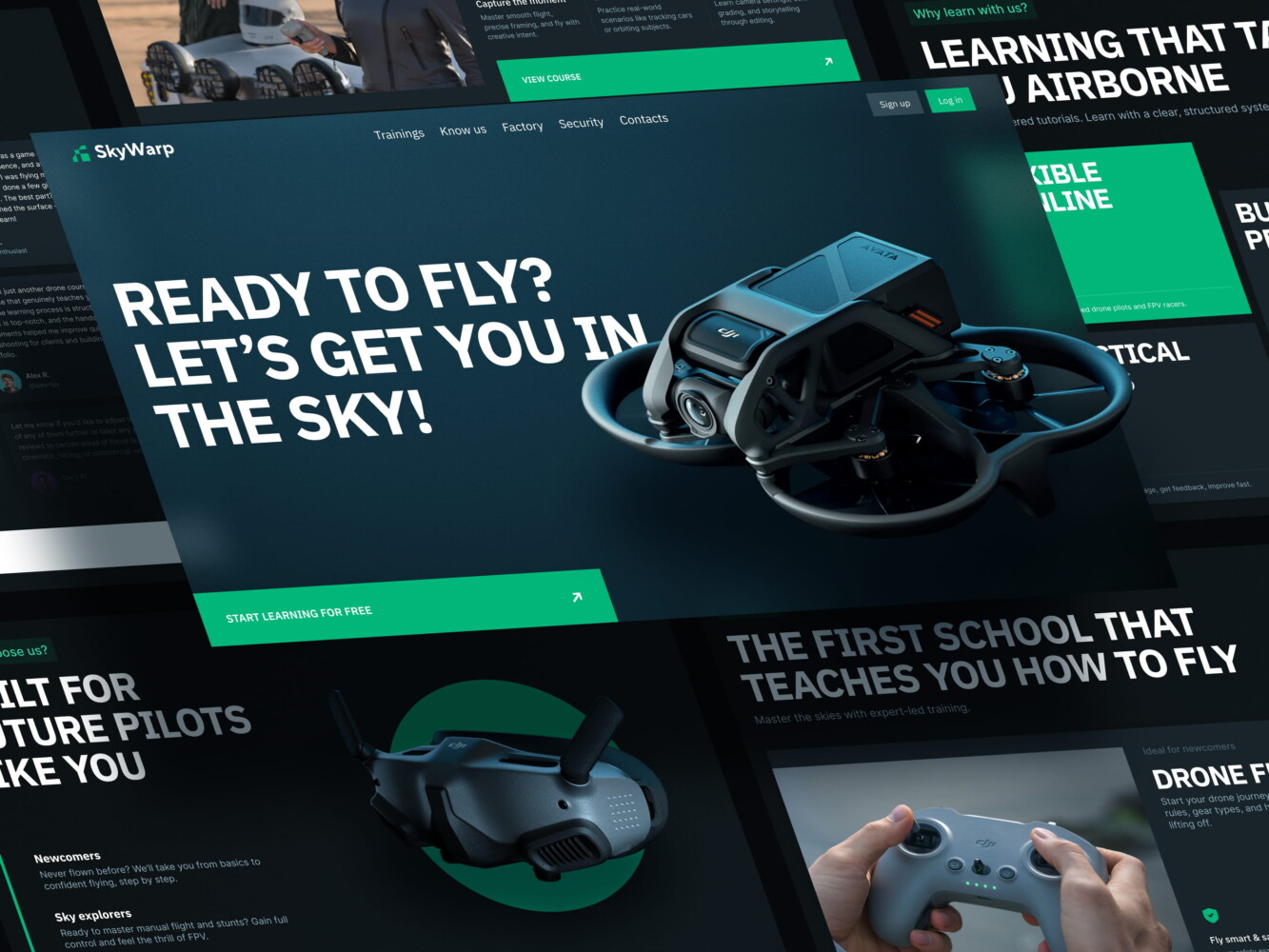
Drone academy website by Shakuro

Cost of Video-Based Learning Platform Development
The biggest mistake founders make is budgeting for the build but forgetting to budget for the run. Video is expensive. Not just to create, but to deliver. Every time someone hits play, it costs you fractions of a cent. Multiply that by thousands of users, and those fractions add up fast.
Here are the key factors that will drive your bill up or at least keep it manageable.
Key Factors
Video infrastructure
This is your biggest variable cost. You’re paying for storage (keeping the raw and processed files), processing (transcoding those files into different formats), and delivery (CDN bandwidth).
If you use a managed service like AWS MediaConvert or Mux, you pay per minute of video processed and per GB delivered. It’s easy to start, but if you scale to millions of minutes, the bill can sting. If you build your own FFmpeg pipeline on EC2 instances, you save on per-minute fees but pay more in DevOps salaries and server management. There’s no free lunch.
Streaming complexity
We’ve already touched upon adaptive bitrate streaming. That thing is complex. If you just want to stream a single MP4 file, it’s cheap and easy. But if you want HLS with multiple renditions (360p, 720p, 1080p), DRM protection, and low-latency live streaming, the engineering hours skyrocket.
Live streaming is particularly pricey. You need specialized servers that handle real-time ingestion and distribution. It’s technically harder and operationally more expensive than VOD (Video on Demand).
Number of users
More users mean more concurrent streams. More streams mean more CDN egress costs.
This means a bigger database load. If you have 100,000 users logging in, taking quizzes, and saving progress, your database needs to be robust. You might need read replicas, caching layers (Redis), and maybe even sharding. All of that adds to your infrastructure bill in video LMS development.
Integrations
Do you need a simple Stripe integration? That’s a few days of work. Do you need Single Sign-On (SSO) for enterprise clients, custom API endpoints for third-party LMS systems, and complex webhook logic for Salesforce? That’s weeks of work. Each integration adds development time, which equals higher upfront costs. And don’t forget maintenance because you need to budget for ongoing support.
Example Scenarios
To make this concrete, let’s look at two typical scenarios. These are rough estimates, based on current market rates for development teams (assuming a mix of senior and mid-level engineers).
MVP video learning platform
The goal on this stage is to launch just a basic on-demand course platform. Nothing more.
Regarding functionality, you will require email/password user authorization, a straightforward CMS for posting videos, a basic player, modules/lessons, Stripe payments, etc. There is no mobile app to develop; only a web application.
The requirements for video-based learning platform development include React at frontend, Node.js at backend, PostgreSQL for database, and AWS S3 and CloudFront for storage of videos. You may also choose to have a managed video transcoding solution. Your estimated budget requirement may be about $40k to $80k for setup and operational costs may come around $500 to $1k per month (with a few hundred users).
Enterprise video education system
The goal here is different: a scalable, secure, feature-rich platform for a large organization or university.
The toolkit should be richer as well. Advanced user roles, live streaming, DRM-protected content, SSO, custom APIs, complex analytics dashboards, etc. For an enterprise product, you will need a native app for iOS or Android.
To deliver such features, you will have to use a robust stack. Build a microservices architecture using Python or Go on the backend and React on the frontend. For creating live streaming infrastructure, opt for AWS IVS or Wowza. The cost of such an edtech video platform will be around $250,000 – $500,000+. Running costs are significant: $5,000–$20,000+/month depending on usage. As for the timeframe, it’ll be 9–12+ months.
Video infrastructure is flexible. You can start with a managed service and move to a custom setup later if the costs get too high. You can add live streaming later.
The two video learning platform scenarios above, side by side:
| Scenario | MVP video learning platform | Enterprise video education system |
| Scope | On-demand courses: user authorization, simple CMS, basic player, modules/lessons, Stripe payments; web only | Advanced user roles, live streaming, DRM-protected content, SSO, custom APIs, analytics dashboards; native iOS or Android app |
| Stack | React, Node.js, PostgreSQL, AWS S3 and CloudFront | Microservices on Python or Go, React, AWS IVS or Wowza |
| Build budget | $40k to $80k | $250,000 – $500,000+ |
| Running costs | $500 to $1k per month (a few hundred users) | $5,000–$20,000+/month depending on usage |
| Timeline | — | 9–12+ months |

Educational website by Shakuro

Common Challenges in Video Learning Platform Development
It’s one of those things that looks deceptively simple from the outside. “Oh, you just put a video on a website, right?” If only. Once you start digging into the trenches, you realize you’re fighting against physics, economics, and human psychology all at once.
Here are the four big headaches that keep CTOs and product managers up at night. And trust me, they’re real.
High Infrastructure Costs
This is the silent killer for learning marketplaces. You launch your MVP, you get some traction, and then the AWS bill arrives. And it’s huge.
Video is heavy. We’re talking gigabytes of data. Every time a user streams a lesson, you’re paying for egress (data leaving your servers). If you’re using a managed transcoding service, you’re paying per minute of video processed. If you’re storing 4K originals, you’re paying for storage.
If you don’t optimize the encoding ladder, you might burn through your seed funding just on CDN costs. Serving everyone, even people with small screens, 1080p is a waste of money.
You should also consider computing. Transcoding is CPU-intensive. If you’re doing it on your own servers, you need powerful instances. If you’re using a cloud service, you’re paying a premium for speed.
How do you fix it? You optimize, using efficient codecs like H.265 (HEVC) or AV1 if your audience’s devices support it. They compress better, meaning smaller files and lower bandwidth costs. Also, you can implement smart caching. You monitor your usage religiously.
Video Delivery Latency
Nothing kills a live learning session faster than lag.
For example, an instructor asks a question. “Type ‘yes’ in the chat if you agree.” Students type “yes.” But the instructor doesn’t see it for ten seconds. Then the instructor answers, but the students hear the answer ten seconds later. The conversation is disjointed.
In video-based learning platform development, this is the latency problem. Standard HLS streaming has a delay of 10–30 seconds. That’s fine for a pre-recorded lecture and terrible for a live webinar.
To get low latency (under 2-3 seconds), you need specialized tech. WebRTC is great for two-way communication, but it’s expensive and hard to scale to thousands of viewers. LL-HLS (Low-Latency HLS) is better for one-to-many, but it’s tricky to implement correctly across all devices. Some browsers handle it well; others don’t.
Moreover, reducing latency often means sacrificing quality or increasing cost. You might need to use smaller chunk sizes, which increases the number of HTTP requests. That puts more load on your servers. Overall, it’s a trade-off. You have to decide what’s more important: real-time interaction or broad compatibility.
Scalability Issues
So, your platform goes viral. Congratulations! Now, can it handle the load?
Scalability equals architecture. If your database isn’t designed to handle thousands of concurrent writes (like quiz submissions or progress updates), it will choke. When your video processing queue gets backed up because too many people are uploading at once, new content won’t be available for hours.
Scalability also means dealing with “thundering herd” problems. When a popular course drops, thousands of users hit your login page at the exact same second. Can your authentication service handle that? Can your CDN cache the static assets effectively so your origin server doesn’t melt?
When working on a video streaming education platform, you need to design for failure. Assume things will break. Use circuit breakers. Implement rate limiting. Test with chaos engineering tools.
User engagement and retention
People are lazy and get distracted easily.
You can build the most technically perfect platform in the world, but if the content is boring or the UX is confusing, no one will finish the courses. Completion rates for online courses are notoriously low. Sometimes as low as 12%. Why? Because watching a video is passive. It’s easy to zone out.
So, how do you keep them engaged? It’s a product problem. You need features that force interaction: quizzes, polls, gamification (badges, leaderboards), community features (discussion forums, peer reviews), etc.
But technically, this adds complexity. You have to track every interaction. You need to sync state between the video player and the backend. If a user answers a quiz, the video needs to pause, validate the answer, and then resume. If that flow is clunky, you lose them.
Retention is impacted by habit formation. You need notifications (but not spammy ones) and personalized recommendations. “Hey, you liked Python basics, try this intermediate course.” Video education software should feel alive, not like a dusty archive.
It’s a constant battle. You’re competing with Netflix, YouTube, TikTok, and actual life. To win, you need to make learning feel less like work and more like something they actually want to do.
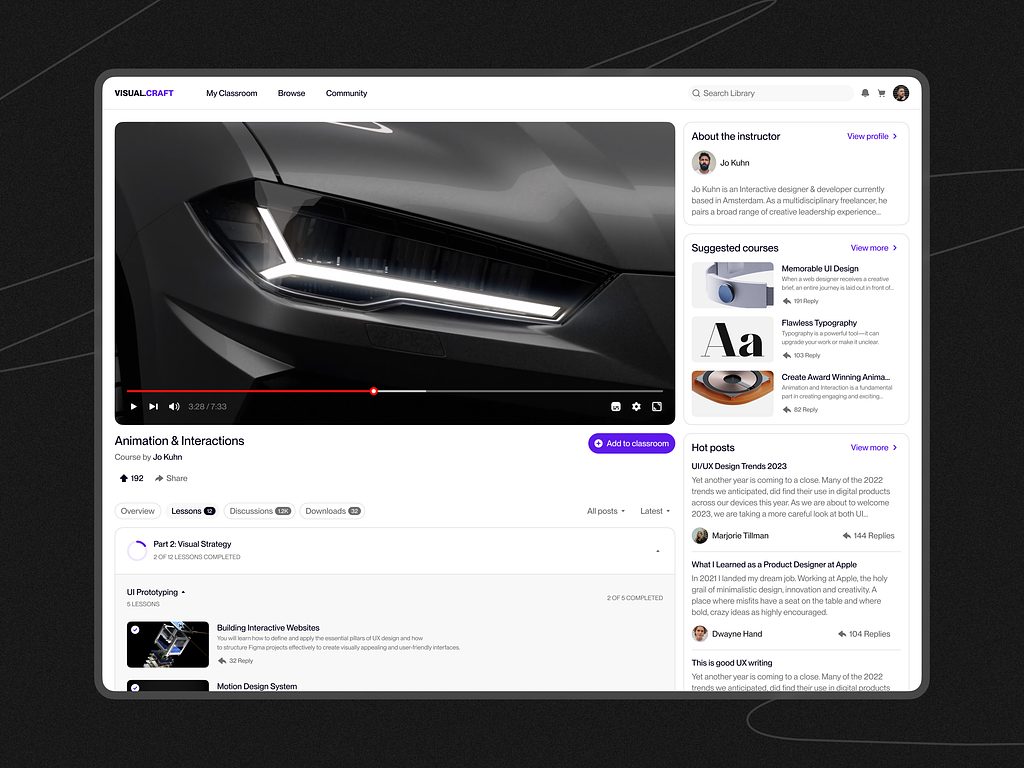
E-learning Education Web Platform by Conceptzilla
Our Experience in EdTech and SaaS Development
Look, I’ve been in this game long enough to know that theory is nice, but execution is everything. That’s where we come in.
The Shakuro team spent years deep in the trenches of EdTech and SaaS development. We’ve built platforms from scratch, we’ve rescued half-finished projects, and we’ve scaled systems that handle thousands of users.
Video Platforms
The video is the central part of the product, so we use UX strategies to highlight it and remove any distractions. That’s why people have an easier time learning new skills. No matter if it’s niche coaching startups or large-scale corporate training portals, our team knows how to optimize the workflow. We’re thinking about compression, format compatibility, and delivery speed.
And we know that video is about context. Our developers built complex CMS backends that let non-technical admins manage huge libraries without breaking a sweat. Drag-and-drop, auto-tagging, smart playlists. We make the backend boring so the frontend can shine.
SaaS systems
In terms of SaaS, video-based learning platform development is a different beast. It’s about multi-tenancy, security, and billing.
We’ve built subscription engines that handle thousands of transactions a day. We know how to structure your database so that Company A’s data never, ever leaks into Company B’s view. Our devs worked with complex role-based access controls: admins, editors, viewers, super-admins, etc. Who can see what? Who can edit what?
And we know how to build APIs that developers actually like using—clean, documented, versioned. Because if you’re building a platform, you’ll probably need to integrate with other tools eventually.
Frontend-heavy applications
Users judge your product by its interface. It takes two or three seconds.
We specialize in frontend-heavy apps. React, Vue, Angular—you name it. But we also pay attention to state management. How do you keep the UI in sync with the server when ten things are happening at once?
Accessibility is one of our top priorities because it expands your market. Keyboard navigation, voice assistants, proper contrast, WCAG standards, etc. We bake them in from day one.
Performance optimization
Every millisecond counts. We’ve spent countless hours profiling applications, finding bottlenecks, and shaving seconds off load times.
We optimize images. We lazy-load components. We use code splitting so users only download the JavaScript they need for the current page. We cache aggressively. We tune our database queries. So, yeah. That’s us. And we’re ready to help you build something that works well and wins users’ hearts and minds. Because in the end, that’s what keeps users coming back.
Now, I’ll prove my words with some cases from Shakuro’s portfolio.
Proko
The creator of Proko, Stan Prokopenko, reached out to us with an idea to build an online video learning platform for artists. The thing is, Stan wanted the product to be more socially-oriented, with convenient payment options, AI features like personalized recommendations, spam bots, etc.
We transformed a simple and severely limited WordPress platform into a versatile, technologically superior product. Our team revamped workflows, making navigation between hundreds of courses a breeze. What’s more, we set up role-based access for several roles. As for the AI features, our developers integrated voice and image recognition together with spam bots and recommendations.
As a result, Proko has become a go-to platform for learning digital and traditional art with users from all over the world.
CGMA
CGMA is a worldwide provider of art education for the gamedev, movie, and animation industries. For them, we converted their old-fashioned website into the cutting-edge online classroom system.
In video course platform development, our approach went beyond database migration. We created a user-friendly solution that lured creative individuals and appealed to professional teachers. They could easily access video tutorials, communicate on Discord with people of the same interests, and use convenient payment systems. As for teachers, they enjoyed automations (like subtitle generation or PDF receipts) and a simplified video management system supporting Zoom, Youtube, and Vimeo.
Now, CGMA is one of the top choices for online art courses among professionals and beginners.
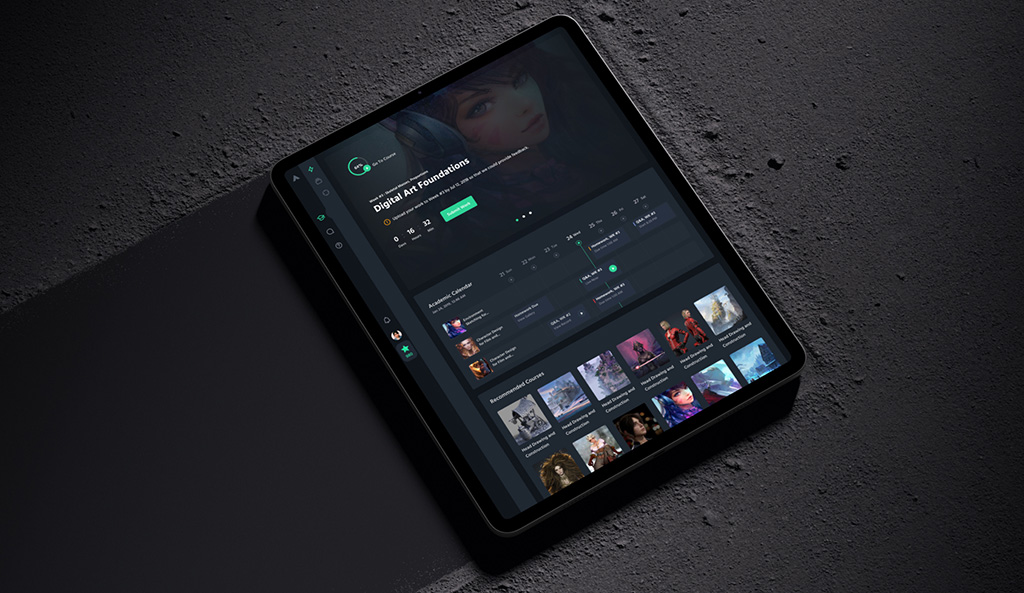
CGMA platform by Shakuro
Why Work with a Video Learning Platform Development Company
The temptation to build this in-house is huge. You’ve got a talented team. You want control. You want to own every line of code. For some companies, that’s the right call.
But building an online video learning platform means working with media and streaming. It’s heavy lifting. And if you haven’t done it before, the learning curve is steep. Like, “why is our AWS bill $10k this month?” steep.
That’s why partnering with a specialized development company, like us, for instance, can be a game-changer.
Expertise in Streaming Architecture
Streaming is black magic to most developers. They know how to serve a JSON response but don’t necessarily know how to handle HLS manifests, adaptive bitrate ladders, or DRM encryption keys.
If you try to figure this out from scratch, you’re going to spend months researching. You’ll try one approach, it’ll fail at scale, you’ll pivot and try another. It’s expensive trial and error. When you work with a team that specializes in video-based learning platform development, you skip the trial part.
So instead of spending six months figuring out how to stream video efficiently, you spend those six months building unique features that differentiate your platform. You stand on the shoulders of giants, basically.
Scalable Infrastructure
You might start small. But what happens when you hit ten thousand? Most in-house teams build for where they are now, not where they’re going.
A specialized dev company builds for scale from day one. They design architectures that can grow. They use containerization (Docker/Kubernetes) so you can spin up more instances automatically when traffic spikes. They configure databases with read replicas and caching layers so queries don’t time out.
It saves you money in the long run. Sure, hiring experts costs more upfront, but fixing a broken, unscalable architecture later costs way more. Plus, the downtime lost revenue.
UX-Focused Development
It often gets overlooked by technical teams. Engineers love functionality. They love clean code. But users love ease of use.
Video education software lives or dies by its user experience. If the player is clunky, if the progress tracking is confusing, if the course navigation feels like a maze, people will leave. No matter how good the content is.
Specialized agencies live and breathe UX. In Shakuro, for example, we don’t just slap a video tag on a page. We design the entire journey. How does the user discover content? How do they resume where they left off? We understand that in EdTech, friction is the enemy. Every extra click is a chance for distraction.
Outsourcing also brings a fresh perspective. When you’re deep in your own product, you get blind spots. You assume users know things they don’t. An external team brings objectivity.
So, yeah. Working with a specialist is about getting peace of mind. It’s about knowing that the foundation is solid, the architecture is scalable, and the user experience is polished. It lets you focus on what you do best while we handle the tech-heavy lifting.
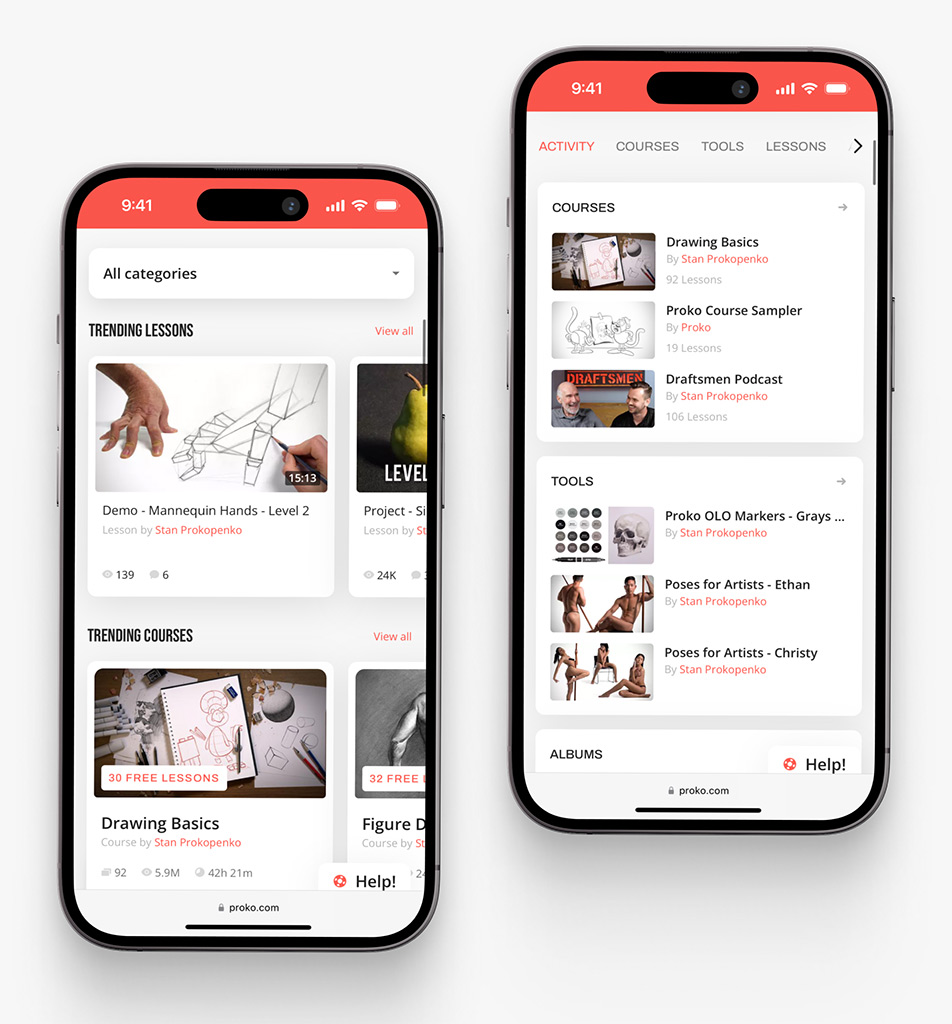
Proko app on mobile by Shakuro
FAQ
How much does video learning platform development cost?
A basic on-demand MVP costs roughly $40k to $80k to build, with operating costs around $500 to $1k per month while the audience is still small. An enterprise system with live streaming, DRM, SSO and native apps runs about $250,000 – $500,000+, and its running costs reach $5,000-$20,000+/month depending on usage. Delivery, transcoding and storage keep costing money after launch.
How long does video learning platform development take?
An enterprise video education system with live streaming, DRM-protected content, SSO and native mobile apps takes 9-12+ months. The article gives no fixed timeline for an MVP, but a web-only course platform with a simple CMS, a basic player and Stripe payments is far smaller. Timelines grow with each integration: a Stripe connection is a few days of work, while enterprise SSO and custom APIs take weeks.
What should an MVP video learning platform include?
An MVP video learning platform should be a basic on-demand course product and nothing more: email and password sign-in, a simple CMS for uploading videos, a basic player, modules and lessons, and Stripe payments. It ships as a web application without a mobile app. A typical setup is React, Node.js, PostgreSQL, and AWS S3 with CloudFront for video storage and delivery, plus managed transcoding.
Should a video learning platform use a managed video service or its own pipeline?
Start with a managed service such as AWS MediaConvert or Mux, which charges per minute processed and per GB delivered and is easy to launch with. At millions of minutes that bill can sting, so some teams move to their own FFmpeg pipeline on EC2, trading per-minute fees for DevOps salaries and server management. The video infrastructure can be switched later if costs get too high.
How do you keep latency low on a live video learning platform?
Standard HLS has a 10-30 second delay, which works for recorded lectures but breaks live webinars. Getting under 2-3 seconds requires specialized tech: WebRTC suits interactive back-and-forth communication but is expensive to scale to thousands of viewers, while LL-HLS fits one-to-many streams but is tricky to implement across devices. Lower latency usually costs quality or money, so decide whether real-time interaction or broad compatibility matters more.
How do I choose a development partner for a video learning platform?
Pick a team that has already shipped streaming products and can talk through HLS manifests, adaptive bitrate ladders and DRM encryption keys without guessing. Ask how they plan for scale from day one: containerization with Docker and Kubernetes, database read replicas, caching layers and load tests at 10x expected traffic. Review their UX work too, since confusing players and course navigation drive learners away.
Final Thoughts
We’ve covered a lot of ground. It’s easy to get lost in the technical weeds, so let’s zoom out for a second.
Video-based learning platform development is a long process that looks like a chain. If one link breaks, the whole thing fails. It all starts with content that turns into a neat structure with CMS and logic which transforms files into a course.
Then, the streaming. The magic that delivers that content smoothly, regardless of where the user is or what device they’re holding. And finally, scaling. The ability to handle growth without crumbling under pressure.
You can’t skip steps. Each phase depends on the one before it. If you’re looking to build this, keep three things front and center. These are your north stars. The video quality doesn’t have to be 4K cinema grade. But it has to be clear. Also, audio matters more than you think. If people can’t hear the instructor clearly, they’re gone.
Speed is a feature. If your platform loads slowly, users assume it’s broken. If the video takes ten seconds to start, they’ll click away. So optimize everything, cache aggressively, and monitor your metrics.
User engagement is the ultimate goal. You’re building a learning environment. Keep users active with quizzes, progress tracking, community features, etc. Make them feel like they’re part of something, not just passive viewers. Engagement drives completion. Completion drives results.
If you’re ready to take the leap, don’t go it alone if you don’t have to. Find partners who understand video course platform development. Who’ve seen the pitfalls and can help you build something that lasts.
Let’s build something great. Something that helps people learn, grow, and succeed.
Related reading