
Integrating AI and machine learning into a mobile app usually starts with one concrete problem where fixed rules stop working: personalized feeds, recommendations, search ranking, moderation, support chatbots, or routine automation. Teams rarely rebuild the product around AI. They pick one use case, rely on existing tools such as Core ML, TensorFlow, PyTorch, or Google ML Kit, and decide whether the model runs on the device for speed and offline use or on the server for easier updates.
Most of the effort goes into data rather than models: cleaning behavioral signals, labeling, and settling privacy questions about what is collected and where it is stored. Health, fitness, and fintech products add regulation and trust requirements on top. The payoff is usually quiet: fewer steps in common flows, more relevant content, and less manual rule maintenance as the user base grows.
Below, we cover personalization and innovation, key benefits, common applications from image recognition to chatbots and health tracking, a three-step integration process, AI in e-commerce and retail, and how we approach AI in our mobile projects.
For those who prefer to listen rather than read, this article is also available as a podcast on Spotify.
AI-Powered Apps Deliver Personalization at Scale
Personalization is usually the first practical use case. In education apps, it shows up as adaptive learning paths that change the next lesson based on how a student did on the last one. Manual segmentation works while the user base is small. As it grows, those rules become harder to maintain and less accurate.
Machine learning lets the app respond to real behavior instead of assumptions. What people interact with, what they ignore, how often they return — these patterns can shape what the app surfaces next. Over time, different users start seeing slightly different versions of the same product.
This tends to show up in simple metrics first: deeper sessions, more repeat usage, better activation. In subscription apps, it often affects early retention. In marketplaces, relevance typically affects conversion.
The operational benefit is just as important. When personalization relies on models rather than hardcoded rules, teams spend less time maintaining logic manually. The system adjusts as behavior shifts, which is easier to sustain at scale.
The Role of AI in Mobile App Innovation
Beyond personalization, machine learning quietly changes what mobile apps can do. A lot of features people now take for granted—voice input, visual search, smarter search results—depend on it. Most users don’t think of these as “AI features.” They just notice that things feel easier.
For product teams, this opens up different design choices. Some steps can disappear entirely. Flows that used to take several screens can shrink. In some cases, the interface relies less on forms and more on context—the app understands what the user is trying to do without asking too many questions.
Not every improvement comes from shipping new features. Sometimes the app gets better because the underlying logic improves. Ranking gets more accurate. Suggestions make more sense. Results feel less random. From the outside, the UI barely changes, but the experience does.
That’s one reason more teams think about this early, even if they start small. Not because they want to advertise AI, but because adaptive systems tend to age better. Products that can adjust as usage grows usually stay relevant longer than ones built entirely on fixed rules.
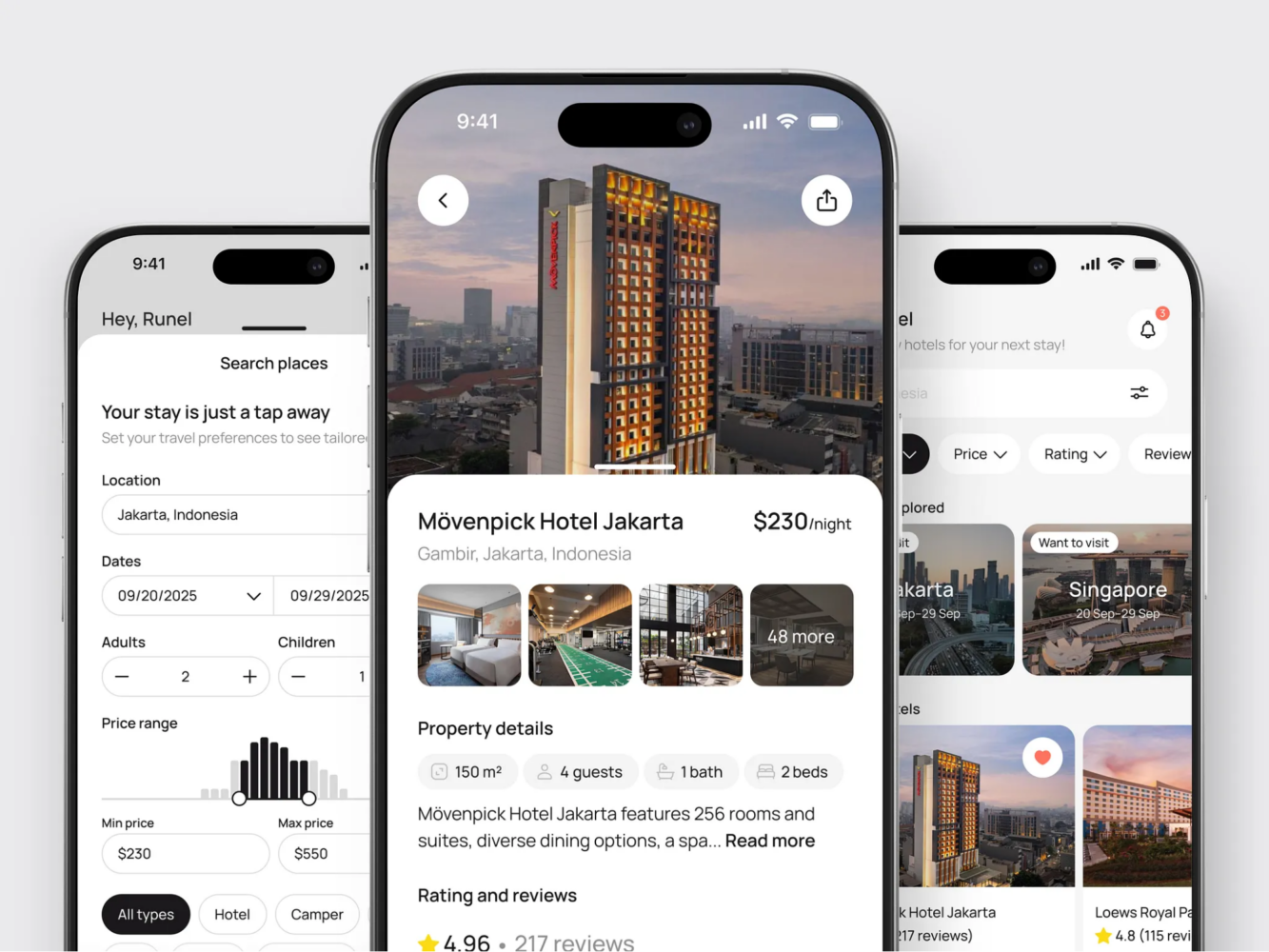
Hotel Booking Mobile App Concept by Shakuro
Key Benefits of Integrating AI into Mobile Apps
AI usually enters a mobile product for very practical reasons. Not to make it look advanced, but because some things stop working well with static logic. Personalization becomes messy, notifications lose relevance, and small repetitive actions start piling up.
Most teams don’t plan this from day one. It tends to happen when the product grows and manual fixes stop scaling. Rules multiply, edge cases appear, and maintaining all of it becomes tedious. That’s often the point where machine learning starts making sense.
The upside is rarely dramatic. It shows up in quieter ways—fewer steps in common flows, more relevant content, less routine work.
1. Improved Personalization and User Engagement
Personalization is usually where teams start. In the beginning, it’s manageable with simple rules. A few segments, some manual tweaks, maybe different content ordering. Over time, those rules stop reflecting real behavior.
Machine learning lets the app adjust based on what people actually do. Which items they open, what they ignore, when they come back. From there, the app can change ordering or surface different options.
The interface often stays the same. What changes is what appears inside it. That alone can improve engagement because users don’t have to search as much.
It also removes some of the ongoing maintenance. Instead of constantly adding new conditions, teams focus more on checking whether the outcomes make sense and adjusting from there.
2. Predictive Analytics for Better User Experience
Prediction is another common step. Rather than waiting for input, the app can make a reasonable guess about what comes next. Under the hood, this is a small predictive analytics system trained on user behavior.
This is easy to spot in media and commerce apps, but it appears elsewhere too. Recommendations, content ordering, small prompts that appear at the right moment. When it works, users take fewer steps without really noticing why.
It can also affect how the app feels technically. Some teams use behavior data to decide what loads first or what gets priority. That connects directly to mobile performance optimization, because perceived speed often depends on what appears first, not raw load time.
3. Automation of Routine Tasks
Then there’s automation. Many small in-app actions are repetitive and don’t require much decision-making. Sorting, tagging, simple replies—things that are predictable once you’ve seen enough examples.
Support chatbots are the obvious example, but not the only one. Background categorization, filling recurring fields, basic scheduling logic—these tend to sit behind the scenes.
For users, this just removes small annoyances. For teams, it cuts down on manual work that grows with the audience.
The main thing is not to overdo it. Automation works best when it handles the obvious cases and steps aside when it’s unsure. Subtle improvements usually age better than heavy-handed ones.

High-End Chauffeur Service App by Shakuro
Common AI and Machine Learning Applications in Mobile Apps
It helps to look at where AI actually shows up in real apps. Most teams aren’t building “AI features” as a category. They’re solving specific problems where pattern recognition or prediction works better than fixed rules.
Some use cases appear across many industries. Others are tied to particular domains. But in most cases, the logic is straightforward: the app reacts to inputs that would be too messy to handle manually.
AI for Image Recognition and Augmented Reality (AR)
Image recognition has been in mobile apps for years now. If the app can understand what the camera sees, a lot of features become possible.
E-commerce apps use it for visual search or virtual try-ons. Travel apps recognize landmarks. Social platforms use it for filters that follow faces or surroundings. From the user’s side, it often feels simple, even though there’s a lot happening under the hood.
Augmented reality builds on that same base. Once the app can map space and identify objects, it can place digital elements more convincingly. That’s what makes AR features feel usable rather than decorative.
The main challenge in AI and machine learning in mobile apps is consistency. If recognition feels unstable, the whole experience falls apart quickly. That’s why teams usually spend a lot of time refining edge cases here.
AI for Voice Assistants and Chatbots
Voice and chat interfaces are another area where AI is easy to spot. Speech recognition and language models make it possible to interact without relying only on touch.
Voice input works well in situations where typing is inconvenient—driving, walking, multitasking. Navigation and productivity apps use it heavily for that reason. It doesn’t replace the UI, but it shortens certain actions.
Chatbots show up mostly in support. They handle common questions, guide users through basic flows, and escalate when needed. When done carefully, they reduce wait times without drawing too much attention to themselves.
Problems usually come from overreach. Systems that try to sound too human or handle too many scenarios tend to frustrate people. Narrow, well-defined use cases tend to age better.
AI in Health and Fitness Apps
Health and fitness apps use AI in a quieter way. Instead of recognizing images or parsing speech, they deal with streams of personal data.
Phones and wearables generate a lot of signals: movement, sleep patterns, heart rate. On their own, those numbers don’t mean much. AI and machine learning in mobile apps helps turn them into patterns people can understand.
In fitness apps, that might translate into training adjustments or recovery suggestions. In wellness apps, it can mean sleep insights or habit tracking. Some medical tools go further and try to flag unusual trends.
This area comes with more constraints than most. Privacy and regulation matter a lot here. Mobile healthcare app development usually comes with data protection and compliance concerns.
How to Integrate AI and Machine Learning into Your Mobile App
In practice, integrating AI into mobile apps is usually a small, focused effort. Teams don’t rebuild the product around it. They start with one use case and see if it holds up.
That first use case is often simple: recommendations, ranking, moderation, or some repetitive task that doesn’t scale well manually. If it proves useful, it grows. If not, it stays contained.
The mechanics are fairly predictable.
Step 1: Choose the Right AI Tools and APIs
Most teams begin with existing tools. Training everything from scratch is rare early on.
On iOS, Core ML is the typical way to run models on-device. TensorFlow and PyTorch are still common on the training side. Google ML Kit covers basic features like text or image recognition without much setup.
The choice usually depends on constraints. If speed and offline use matter, on-device models make sense. If the logic changes frequently or needs heavier compute, server-side inference is easier to maintain.
At this point, reliability matters more than experimentation. Boring, well-supported tools tend to age better.
Step 2: Collect and Prepare Your Data
This is where most of the effort goes. Models depend on data quality more than anything else.
Many apps already have useful signals: taps, session timing, feature usage. Sometimes that’s enough to start. Other times, teams need to label data or collect new inputs.
The work here is mostly unglamorous. Cleaning data, removing noise, checking edge cases. Skipping this usually shows up later in unpredictable behavior.
Privacy questions also come up early. What data is necessary? Where is it stored? Is it anonymous? Sorting that out upfront avoids painful rewrites.
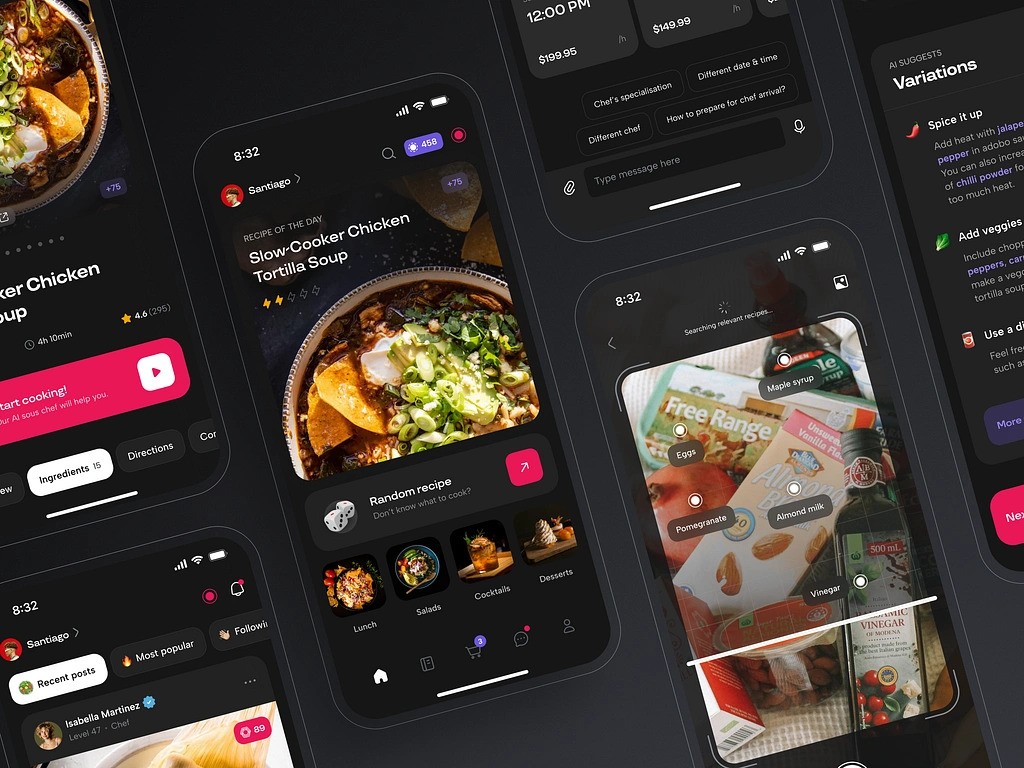
AI Chef Mobile App by Shakuro
Step 3: Implement and Test AI Models
Once a model is usable, it gets wired into the product. The main decision is where it runs and how visible its output is.
Some teams keep inference on the server so they can update quickly. Others ship smaller models inside the app for speed and offline support. A mix of both is common.
Testing feels different from normal feature work. Accuracy matters, but context matters just as much. A prediction can look fine in isolation and still feel wrong in the UI.
That’s why teams watch behavior after release. If something feels off, they tweak thresholds, retrain, or narrow the feature’s scope. These systems tend to evolve over time rather than staying fixed.
AI and Machine Learning in E-Commerce and Retail Apps
Retail is one of the areas where AI mobile app development found a practical role early. Once a store grows beyond a small catalog, manual logic starts to feel fragile. Sorting products, adjusting prices, planning stock—all of it gets harder to manage with static rules.
Most teams don’t roll out machine learning everywhere. They introduce it where the pressure is obvious. Discovery is usually first. Pricing and inventory follow once scale makes them harder to handle manually.
AI for Product Recommendations
Recommendations are the most visible example. A large catalog makes simple sorting useless. Even good filters only go so far.
Machine learning helps by looking at behavior over time. What people browse, what they buy, how quickly they move between categories. From there, the app can change ordering or suggest related items.
For users, the benefit is mostly about effort. They reach something interesting faster. For the business, it often shows up in conversion and basket size.
There’s always a risk of going too far. If recommendations feel too narrow or repetitive, they become easy to ignore. Systems that leave some room for exploration tend to hold up better.
Dynamic Pricing and Stock Predictions Using AI
Pricing and inventory are less visible but just as important. Retail demand is rarely stable. Trends shift, seasons change, and external factors can move things quickly.
Static pricing struggles in that environment. It either reacts too slowly or requires constant manual updates.
Machine learning can surface patterns in sales data and recent activity. It helps estimate demand, highlight products gaining momentum, or suggest adjustments.
In many teams, this stays semi-manual. The system points to signals, and people decide what to do with them. Full automation is less common than people assume.
Inventory planning works in a similar way. Better forecasts reduce stockouts and excess inventory. Most of this happens behind the scenes, but it affects how reliable the product feels overall.
Teams building retail apps usually run into the same challenges that come up in mobile commerce app development, especially once catalogs grow and traffic becomes less predictable.
How Shakuro Integrates AI into Mobile Apps for Business Growth
In most real projects, AI is just one piece of the puzzle. It sits next to UX decisions, product logic, and engineering trade-offs. The tricky part isn’t adding it. It’s making sure it actually helps and doesn’t complicate the product.
That’s usually how Shakuro approaches it. Start with a concrete problem. Figure out if adaptive logic makes sense there. If it does, build around that. If not, leave it out.
Tailored AI Solutions for Your Business
Different products have very different constraints. A fintech app lives or dies by clarity and trust. Healthcare products have to respect regulation and cultural context. Retail apps run into scale problems faster than most.
Because of that, there isn’t much value in copying patterns blindly. What transfers between projects is the way decisions are made, not the exact features. Most work starts with identifying where fixed logic is starting to break down—recommendations, automation, ranking, or anything that becomes messy once usage grows.
From there, it’s mostly careful product work. Aligning UX with engineering. Deciding where models run. Making sure the end result feels like a natural part of the app.
A lot of teams come in thinking they need “AI features.” In practice, the more useful question is smaller: where would adaptive behavior actually make the product easier to use? That shift in thinking sits at the core of effective AI mobile app development.
Real-World AI Mobile Apps Delivered by Shakuro
Examples usually explain this better than theory.
In fintech, ATX was built as a crypto wallet and savings app aimed at beginners. The challenge wasn’t adding more functionality—it was reducing friction. The product needed to feel capable without feeling intimidating. Much of the work went into simplifying structure and visual hierarchy so people could understand what was happening without prior crypto knowledge.
Healthcare projects tend to shift the focus. Bless You, a platform designed for users in Saudi Arabia, had to account for right-to-left interfaces, regional expectations, and stricter data considerations. A lot of the effort went into structure and accessibility—making sure the experience worked across languages and remained easy to navigate even for less technical users.
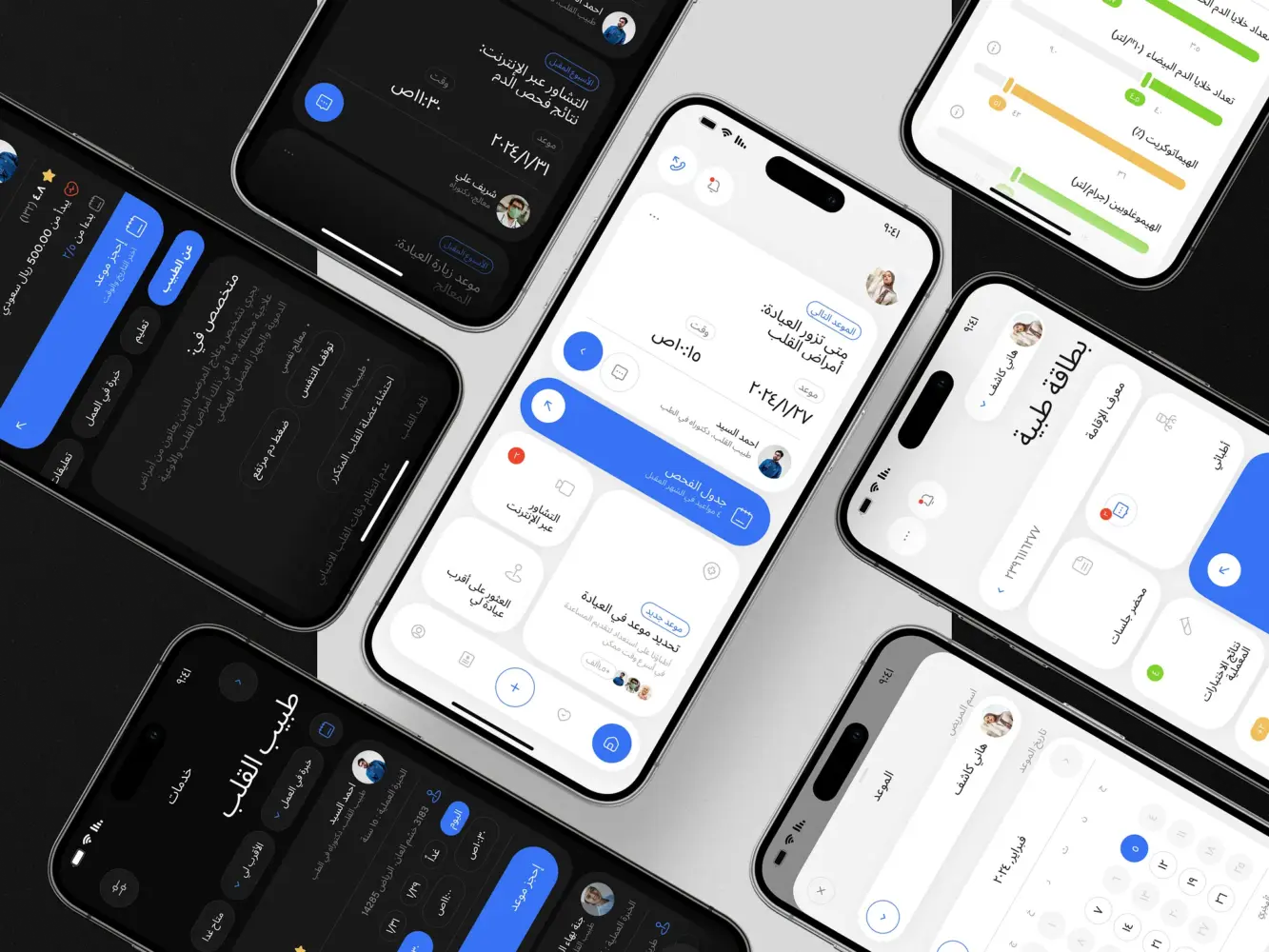
Bless You – Arabic Health App, Branding by Shakuro
In both cases, AI sits quietly in the background. It supports parts of the experience but doesn’t try to dominate it. That tends to age better than building products around the technology itself.
For teams exploring similar ideas, experience mostly shows up in judgment. Knowing when to develop AI-powered mobile apps — and when not to—often matters more than any specific stack. If you’re looking for AI mobile app developers who have navigated those decisions across real products, Shakuro is always open to collaboration.

FAQ
Does every mobile app need AI features?
No. AI makes sense where fixed logic starts breaking down: personalization rules multiply, notifications lose relevance, or repetitive actions pile up as the user base grows. If static rules still work, they are cheaper to maintain. Start with one concrete problem, check whether adaptive behavior helps there, and leave AI out where it would only complicate the product.
Which tools are used to add machine learning to a mobile app?
Most teams start with existing tools rather than training everything from scratch. On iOS, Core ML is the typical way to run models on the device. TensorFlow and PyTorch are common for training, and Google ML Kit covers basic features like text or image recognition with little setup. Well-supported, proven tools are the safer choice for production apps.
Should AI models run on the device or on the server?
It depends on your constraints. On-device models make sense when speed and offline use matter. Server-side inference is easier to maintain when the logic changes often or needs heavier compute, because you can update it without an app release. Many apps combine both: a small model inside the app and heavier processing on the server.
What data do you need to add machine learning to a mobile app?
Many apps already collect useful signals: taps, session timing, and feature usage, which can be enough for a first use case like recommendations. Others need labeled data or new inputs. Most of the effort goes into cleaning data, removing noise, and checking edge cases. Decide early what data is necessary, where it is stored, and whether it is anonymous.
What are the most common AI features in mobile apps?
The most common AI features are personalized content and recommendations, predictive prompts, search ranking, support chatbots, and voice input. Camera-based apps use image recognition for visual search, virtual try-ons, and AR. Health and fitness apps turn data from phones and wearables into training, recovery, or sleep insights. Retail apps also use machine learning for dynamic pricing and stock forecasts.
How do you test AI features in a mobile app?
Testing AI features differs from regular QA. Accuracy matters, but so does context: a prediction can look right in isolation and still feel wrong in the interface. Teams watch real user behavior after release and adjust thresholds, retrain models, or narrow the feature’s scope when something feels off. AI features keep evolving after launch rather than staying fixed.
Related reading
- AI Financial Analytics Software Development: How to Build AI-Powered Finance Platforms
- Data Analytics for eLearning Platforms: How to Build Data-Driven EdTech Systems
- AI Recommendation System Development: How to Build Smart, Scalable Recommendation Engines
- How to Build Scalable Mobile Apps: Tips for Growth