AI mobile app development company
As an AI app development company, we build AI-powered apps for iOS and Android, from new products to AI features in existing mobile apps. In-app assistants, voice input, and camera tools help users complete tasks with fewer steps.
- 5,063 reviewsWith a Clutch rating of 5 out of 5 based on 63 reviews, our goal is to make you our next satisfied client.
Built for mobile
We build AI features around how people use their phones: short sessions, touch controls, and tasks on the go. Each interaction fits your iOS or Android app.AI for daily use
We add AI where it helps mobile users complete everyday tasks, from asking a question to finding the right content or getting a useful suggestion.
AI mobile app development services
Build a new AI-powered mobile product or add useful features to an app your customers already use. We plan each feature around mobile interactions, device capabilities, and real usage conditions.

“Our members loved the new iOS app. Our ratings shot up in the App Store from a 3.8 rating to a 4.8 rating”

Our AI app development process
We take your mobile app from the first AI use case to release on iOS and Android. Each step accounts for how people use their phones, what their devices can handle, and where AI helps them complete a task.
Mobile use cases & feasibility
We define what users need to do in your app and where AI can reduce the effort. Early prototypes help us check response quality, speed, and feasibility on the devices you want to support.
Mobile UX/UI for AI features
We design how users interact with AI through touch, text, voice, or camera input. Each flow includes waiting states, ways to correct results, and a clear next step when AI cannot complete a request.
Mobile architecture & AI integration
We connect AI models to your iOS or Android app through the backend or on-device processing where appropriate. We plan data flows, device permissions, and how requests behave when connectivity changes.
iOS & Android development
We build AI features into the app’s navigation, screens, and device interactions. Camera access, audio recording, interruptions, and returning from the background all become part of the implementation.
Device & AI experience testing
We test AI features across supported phones, screen sizes, and operating system versions. Checks cover response quality, loading times, memory use, battery impact, and recovery from interrupted requests.
Store release & ongoing support
We prepare the app for App Store and Google Play submission, including permission descriptions and AI feature checks. After launch, we address crashes, compatibility issues, and friction in the AI experience.
Making AI work for mobile users
A useful AI feature fits the way people use their phones: short sessions, small screens, and frequent interruptions. We make each interaction easy to start, follow, and correct.
- Less typing, fewer steps
Give users a shorter path to the result. Voice input, photo capture, and contextual suggestions can replace long forms or repeated typing where they make the task easier.
- Clear feedback while AI works
People should know whether their request is processing, needs more input, or has failed. We design progress indicators, partial responses where supported, and retry options that preserve what users have entered.
- Control over AI results
AI can misunderstand a request. We let users edit captured text, retake a photo, refine a prompt, or review a suggested action before confirming it.
- An experience that handles interruptions
Calls, screen locks, and connection changes are part of mobile use. We plan how the app saves input, restores the session, and explains what users can do when an AI feature needs a connection.

Fast & premium AI assistant app design
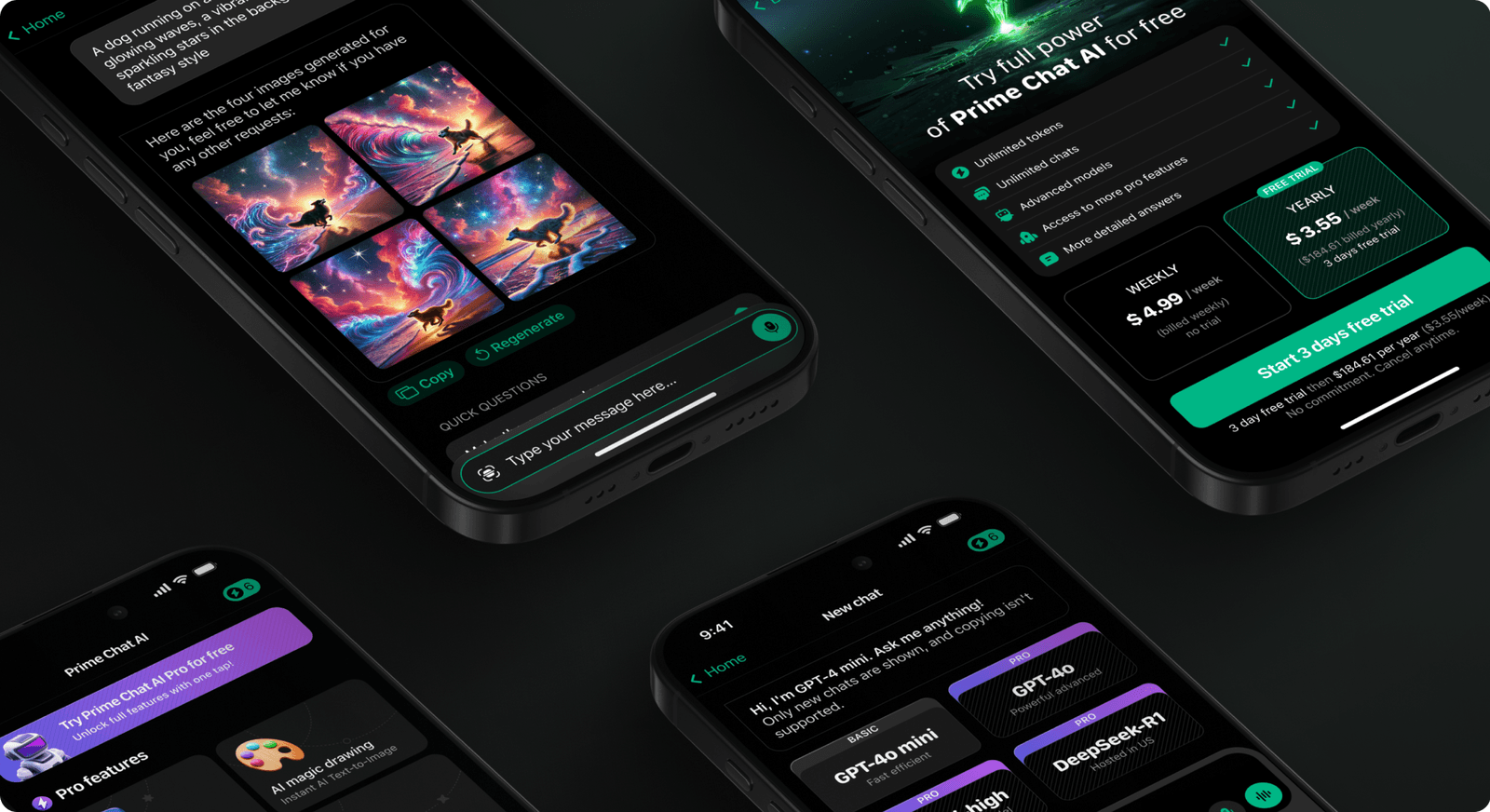
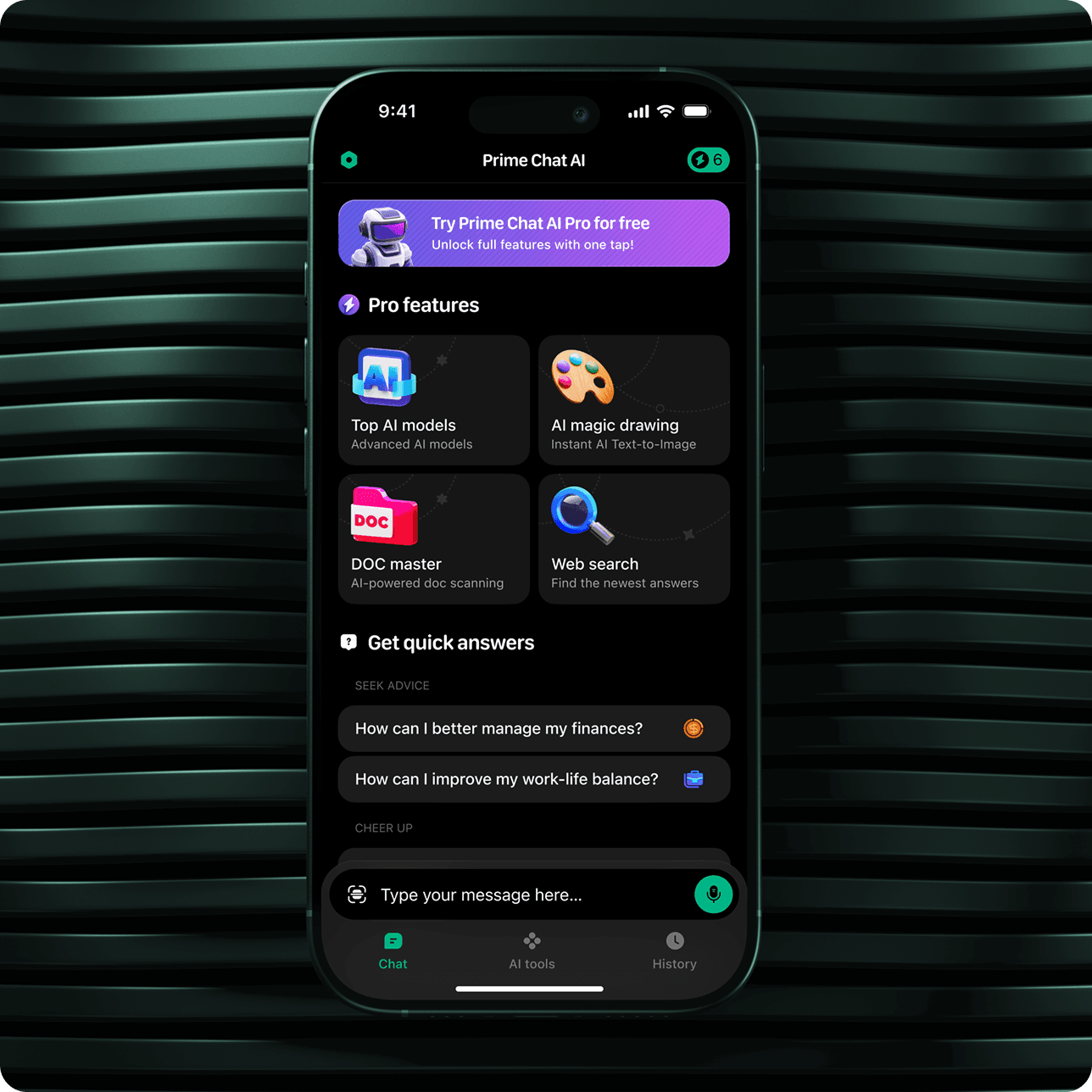
Prime Chat AI is a mobile AI assistant designed for speed, simplicity, and premium experience.
Shakuro delivered stunning designs on time, with exceptional responsiveness and clear communication, perfectly aligning with our vision. Their creative yet functional approach made the collaboration outstanding.山 望 DavidPM, Software Company
Industry awards & recognitions
Shakuro is recognized by platforms like Clutch, GoodFirms, and Dribbble for building mobile apps and digital products.


Advantages of our AI mobile apps
Give people useful support throughout their day. AI helps your mobile app respond to the situation, build on previous activity, and bring attention to what needs a follow-up.
Help where the task happens
Support users while they shop, study, exercise, or work away from a desk. AI can help them understand an unfamiliar item, review learning material, or choose their next workout while the task is still relevant.
Personalization that builds over time
Make each visit more relevant with suggestions based on saved goals, preferences, and past activity. A learning app can suggest what to practice next; a fitness app can adapt recommendations to recent sessions.
Timely reasons to return
Use optional push notifications to bring users back when there is something useful to act on. AI can help prioritize a follow-up, highlight a change, or suggest the next step toward a goal they chose.
Our technology stack for AI app development
We choose the right tools for your app so it runs smoothly today and can grow with your business.



iOS development
We use Swift, SwiftUI, and Xcode to build AI-powered iPhone and iPad apps. Native APIs connect AI features to camera capture, audio input, and the app lifecycle, while keeping processing tasks separate from interface updates.



Android development
Kotlin and Java apps work reliably on phones, tablets, and wearables. Careful testing ensures that all content looks the same on every screen.

Cross-platform development
Flutter lets us share application code across iOS and Android. Plugins and native integrations provide access to device features and platform-specific AI capabilities, with separate implementations where each operating system requires them.



Custom development tools
We use GraphQL for APIs, Firebase for real-time databases and analytics, and Node.js for backend tasks, enabling fast and reliable handling of messages, feeds, and notifications.


Testing & DevOps
Some of the tools our team implements includes TestFlight, Espresso, JUnit, and Appium. We use Jenkins and GitHub Actions to handle CI/CD and make sure that updates go off without a hitch.
Proven expertise in AI mobile app development
We’ve built apps people actually use and keep using. They hold up as businesses grow, and they deliver value day to day. A lot of our clients stick with us over the years because the work keeps paying off.
150+
500+
19 years
years
48+
Discover the products we’ve crafted
-1600x1450.png&w=1440&q=75)




Everything about our AI mobile app development
If you don’t see your question, just reach out—we’ll answer as soon as possible.
- Can you add AI features to our existing iOS or Android app?
Yes. We start by reviewing your app’s code, backend, and supported devices. Then we plan how the AI feature fits into existing screens and user flows. A prototype helps us check whether it requires changes to the mobile app, backend, or both.
- Do we need separate AI implementations for iOS and Android?
Often, both apps can share the same AI backend. The mobile implementation still needs to account for each platform’s interface, permissions, and device capabilities. We help choose between native and cross-platform development based on the features and devices your product needs to support.
- Can an AI mobile app work offline?
Some AI features can run on the device without an internet connection. Others need cloud processing. We assess this feature by feature, considering model size, response quality, memory, and battery use. For features that need a connection, we define what users can still do offline and how interrupted requests recover.
- Does user data stay on the phone or get sent to an AI provider?
That depends on the architecture. On-device features can process input locally, while cloud features send the data needed to complete a request. We map these flows before development, define what gets stored, and make camera, microphone, and photo access clear to users.
- What affects the cost of an AI mobile app?
The main factors include the number of platforms, AI features, device integrations, and changes needed to your backend. Supporting older phones or running models on-device can add work. We estimate development separately from ongoing costs such as AI API usage, hosting, and maintenance.
- How long does it take to launch an AI mobile app?
The timeline depends on whether we are adding one feature or building the whole app, which platforms it supports, and how much device testing it needs. We scope the first release around the essential user flow and include time for beta testing, store submission, and any changes requested during review.