
AI tutoring platform development is building a learning product where an AI tutor talks with each student, adapts explanations to their level, and remembers what happened earlier in the conversation. An MVP tutor for one subject, built on a hosted LLM API with a simple RAG pipeline, takes about three to four months and costs $50,000–100,000. An enterprise system with voice, custom fine-tuned models, and integrations with Canvas, Blackboard, and Moodle takes approximately 9–12 months and costs about $500,000–1.5 million+.
AI tutors are one reason more businesses choose AI-driven learning platforms: they personalize explanations, scale without hiring thousands of tutors, and keep students engaged through dialogue. Edtech marketplaces address the same tutor shortage from the other side, by connecting learners with freelance tutors.
Below, we cover what an AI tutoring platform is, key features, the development process, cost, and the challenges of building AI-driven education systems: latency, safe answers, and load from thousands of simultaneous users.
For those who prefer to listen rather than read, this article is also available as a podcast on Spotify.
What Is an AI Tutoring Platform?
If you strip away the marketing buzzwords, it’s basically software that tries to mimic the best parts of a one-on-one human tutoring session. You know that feeling when a teacher notices you’re confused before you even raise your hand? They pause, rephrase, and maybe draw a diagram on the board. That’s the goal here. But instead of a human, you’ve got a stack of AI technologies working in the background to observe, interpret, and respond to the learner.
Apart from being just a search engine with a chat window, a good AI-based learning platform mimics the pedagogy of a human. It guides. It asks leading questions. It checks for understanding. It tries to build a mental model of what the student knows and what they don’t.
Here is how it usually delivers on that promise.
Personalized Guidance
The system builds a profile for each user. For instance, it discovers that a girl named Sarah has trouble with calculus but loves geometry. Or that a boy, Mike, studies better with analogies rather than with raw formulas. It then uses this info to change the rigid path and suggest both students different strategies.
Real-Time Feedback
In a traditional classroom, you might wait days to get a test back. With an AI tutor, you get feedback instantly. You made a mistake? The AI catches it immediately, explains why it’s wrong, and suggests a correction. That immediate loop helps cement the learning.
Conversational Learning
Instead of clicking “Next” on a slide, you talk or type. You can ask your teacher different questions so it feels like you’re talking to a real teacher who has known you for a long time. No uncanny valley effect. The digital teacher then will adapt the course material based on how you feel and what you’re in the mood for, making it fun and easy to learn.
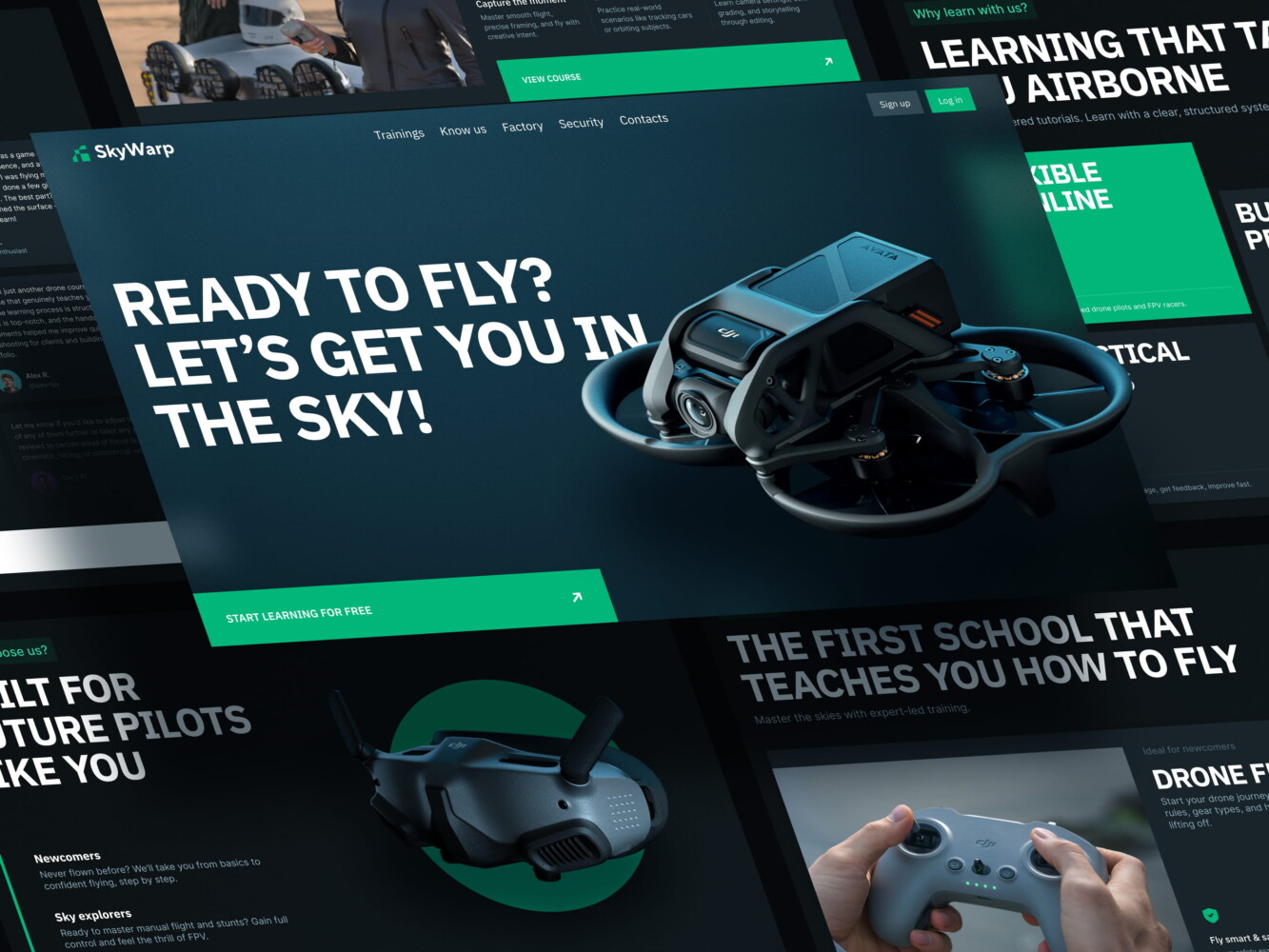
Drone academy website by Shakuro
Types of AI Tutoring Systems
Not all AI teaching software is built the same. Depending on the use case and the tech stack, they tend to fall into a few buckets.
Chat-Based Tutors
These are probably the most common right now. Conversational AI assistants that live in a text interface. You type a question, they reply. Simple, right? Well, mostly.
The beauty of chat-based tutors is their accessibility. Everyone knows how to text. There’s no learning curve for the interface. For developers, they’re also a bit easier to start with because you don’t have to deal with the messy world of audio processing. You’re just handling text in, text out.
But don’t let the simplicity fool you. The challenge here is keeping the conversation coherent. If the context window gets too long, the AI might forget what you were talking about ten messages ago. These systems depend on smart memory management to keep the conversation going smoothly.
Voice-Based Tutors
Voice-based tutors use speech recognition to let students speak their questions and hear the answers. It’s much closer to a real human interaction. You can hear tone, pace, and hesitation.
For language learning, this is non-negotiable. You can’t learn to speak French by typing it. You need to hear it and say it. Speech recognition technology has gotten incredibly good recently, but it’s still tricky. Accents, background noise, mumbled words—it all throws a wrench in the works.
In this case, AI tutor app development requires a robust pipeline for converting speech to text (STT), processing that text, generating a response, and then converting it back to speech (TTS) that sounds natural and not robotic. It’s a lot of moving parts.
Adaptive Tutoring Systems
These are the brains of the operation. While chat and voice are the interfaces, adaptive systems are the logic. They change the level of difficulty and the material based on how well the student is doing.
If you ace three questions in a row, the system ramps up the challenge. If you fail two, it backs off and reviews the basics. The AI is always looking at your performance data to figure out what you should do next. This is what makes learning management systems “personalized” in a meaningful way. It prevents boredom for advanced students and frustration for those who are struggling.

Educational website by Shakuro
Core Components
Okay, so what’s under the hood of a chatbot learning platform? If you’re building this, you need to understand the main blocks. You can’t just throw a LLM at the problem and call it a day.
NLP models. Natural Language Processing is the foundation. This is what lets the system figure out what you want, how you feel, and what the situation is. Modern large language models do the heavy lifting here by processing complicated questions and coming up with answers that sound like people. But you often need to fine-tune these models on educational data so they don’t sound like a generic customer service bot.
Machine learning algorithms. These drive the adaptive part. This includes recommendation engines, knowledge tracing models, and predictive analytics. These tools look at how students act to guess what they will have trouble with next or what topic they are ready to learn. It’s the engine that powers the personalization.
Knowledge base. The AI needs to know stuff. And it needs to know it accurately. This is where Retrieval-Augmented Generation (RAG) comes in. You connect the AI to a carefully hand-picked database of textbooks, lesson plans, and facts. This process proves that the digital tutor is using correct, latest information when they explain something to their students, instead of just making it up based on what they learned in training.
Conversation engine. This is the traffic cop in AI education platform development. It manages the state of the dialogue. It remembers what was said in the short term and decides when to ask a question, give a hint, or move on. Without a solid conversation engine, the AI will feel disjointed and forgetful.
Analytics system. Finally, you need to track everything for both the business side and learning science. How long did the student spend on this module? Where did they drop off? Which explanations helped the most? The analytics system sends this information back to the machine learning models, which creates a feedback loop that makes the tutor smarter over time.
Key Features of AI Tutoring Platforms
Conversational AI Interface
This is the front door. It’s where the user lives. If this feels clunky, nothing else matters. This interface consists of two equally important parts:
Chat-based interaction seems obvious, but the quality of the chat interface makes or breaks the experience. Apart from sending messages back and forth, it’s about latency and text rendering. Does it support rich media like code snippets or math equations? Can the user easily edit their previous question if they made a typo? These small UX details add up. If the chat feels like texting a friend, users stay engaged. If it feels like filling out a support ticket, they bounce.
You know how annoying it is when you’re talking to a bot and you have to repeat yourself every three sentences? “What was my name again?” “Wait, what subject were we discussing?” A good AI teaching software remembers and gives context-aware responses. It holds the context of the entire session, and ideally, across sessions. If a student mentioned they were struggling with algebra last week, the AI should keep that in mind today. It creates a sense of continuity. It makes the assistant feel intelligent.
Personalized Learning Experience
AI-driven personalization is the buzzword of the decade, but in edtech, it’s actually functional. It optimizes cognitive load.
The system shouldn’t serve the same material to everyone. When a student breezes through a concept, the AI should skip the remedial exercises and move them forward. If they’re stuck, it should break the concept down into smaller chunks. It’s dynamic. The content breathes with the learner. This strategy—adaptive content delivery—requires a robust tagging system for your content library, so the AI knows exactly which resource fits which knowledge gap.
Everyone has different goals. One student might be cramming for a specific exam next Tuesday. Another might be learning coding for fun, with no deadline. The platform needs to work for both. Users can choose their own pace and goals thanks to possibility to customize learning paths. The AI here acts as a guide for them, changing the route based on people’s needs. I’d compare it to having a personal coach instead of a rigid curriculum.
Real-Time Feedback and Assessment
In traditional education, feedback is slow. You submit an essay, wait a week, and then get a grade. By that time, you’ve forgotten why you wrote what you wrote. AI learning assistant development changes that timeline completely.
When a student solves a problem, they need to know right now if they’re right. If they’re wrong, they need to know the reason. When the platform replies immediately, it keeps the momentum going. There’s a psychological boost to getting that instant “Correct!” or a gentle nudge in the right direction. It turns learning into a game loop, which is highly addictive in a good way.
Learning analytics systems can evaluate open-ended answers, code snippets, and even short essays. It can check for logic, grammar, and style. Yes, it’s not perfect, that’s why you need to always have a human in the loop for high-stakes grading. But for monitoring, it’s incredibly powerful. You free up human teachers to focus on mentorship rather than grading piles of homework.
Multi-Modal Interaction
People don’t just learn by reading. Some people need to hear it, others need to see it. A text-only interface limits your audience.
In AI edtech development, the best way is to mix these seamlessly. Maybe the AI explains a concept in text but then offers a diagram if the user is still confused. Or maybe it plays a short audio clip for pronunciation practice. Being multi-modal means meeting the learner in their preferred style. It also helps with accessibility, which is often an afterthought but shouldn’t be.
As I mentioned earlier, voice is key for language learning and for younger kids who might not be strong typists yet. Good speech recognition allows students to speak their answers. High-quality synthesis makes the AI’s voice sound natural. It reduces the cognitive friction of interacting with the machine. If the voice sounds human, the brain treats the interaction more seriously.
Integration with Learning Platforms
Most schools and companies already have systems in place. They aren’t going to rip out their existing infrastructure just to use your cool new AI tutor. You have to play nice with others.
Your course delivery systems need to slot into existing systems like Canvas, Moodle, or Blackboard. It should be able to pull roster data, push grades back to the gradebook, and align its content with the course syllabus.
If it’s a standalone silo, adoption will be low. Teachers won’t use it if it means double-entry work. Seamless integration is often the deciding factor for B2B sales. It’s not the sexiest feature, but it’s the one that gets you signed contracts.
So, when you’re scoping out your build, keep these features in mind. They are the pillars that hold up the whole experience. Miss one, and the structure gets shaky. Get them right, and you’ve got something that actually helps people learn.
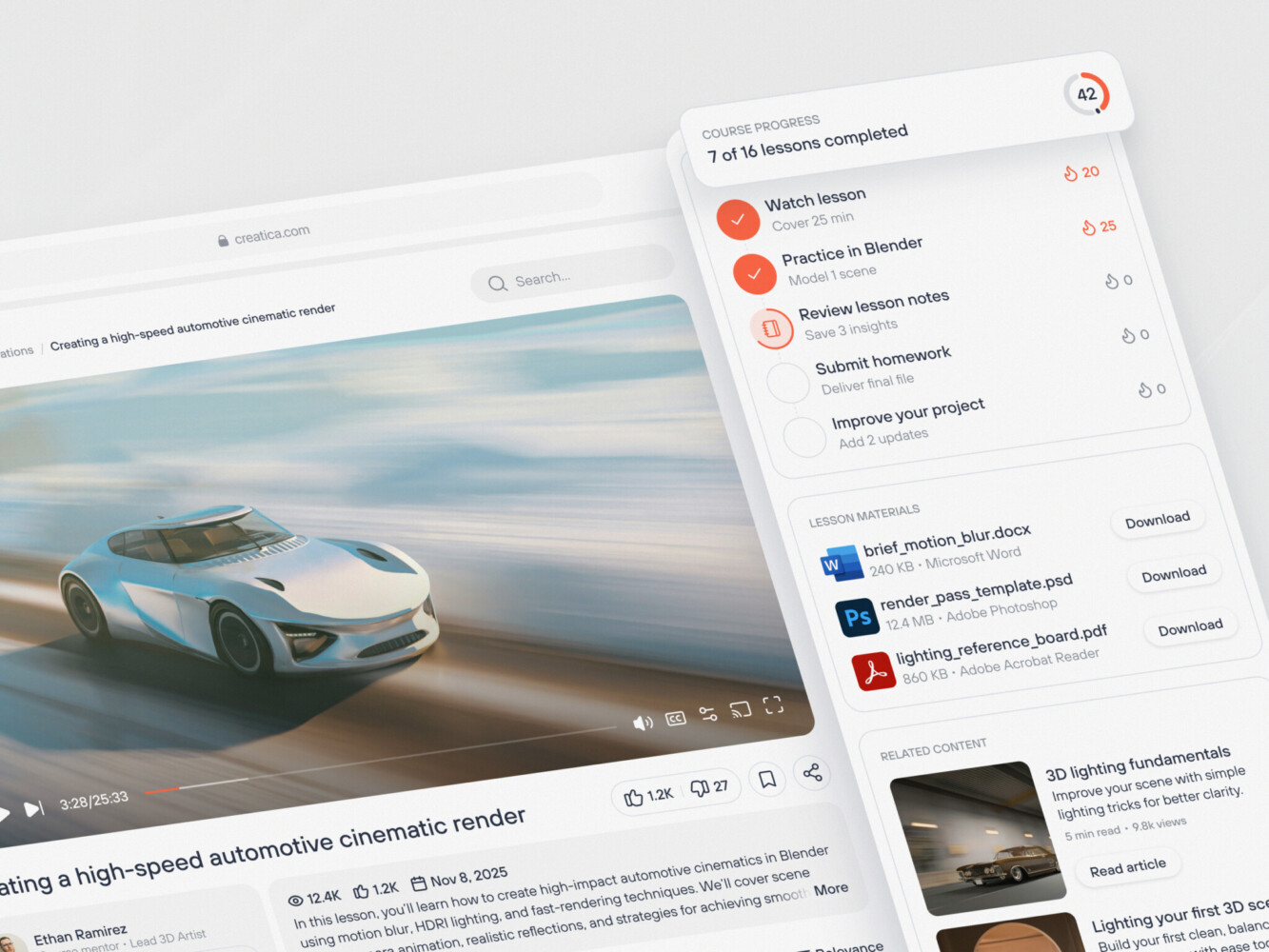
Online Education Web Platform Design by Conceptzilla
AI Tutoring Platform Development Process
1. Use Case Definition and Learning Model Design
First of all, you need to know what you’re teaching and who you’re teaching. Projects stall because this part is vague.
Start with writing tutoring scenarios. Are you helping high schoolers pass calculus? Training corporate employees on compliance? Or maybe helping adults learn Python for a career switch? Each scenario demands a different approach.
Academic learning requires strict adherence to curricula and accurate, verifiable facts. You can’t hallucinate here. Corporate training is often about retention and application. The chatbot learning platform needs to simulate real-world scenarios, for instance, role-play a sales call or a difficult HR conversation. Skill development is more practical. It’s about doing. The AI might need to review code, critique a design, or listen to pronunciation.
You also need to decide on the pedagogical model. Will the AI be Socratic (asking questions to guide discovery)? Or direct instruction (explaining concepts clearly)? Mixing these up without a plan leads to a confused user experience, so pick a lane.
2. UX/UI Design for AI Interaction
Designing for AI is weird because there’s no fixed path. In a traditional app, you design screens for specific flows. In an AI tutor, the user can say anything. So, how do you design for chaos?
The solution sounds simple: design conversational interfaces. During AI tutoring platform development, you need to think beyond the chat bubble. How does the artificial intelligence suggest next steps? How does it show a complicated math problem or a block of code? You need UI parts that can handle rich media on the fly.
For this kind of app, usability is very important. It’s also important to be open. Don’t make the user guess what the AI can do; show them examples and give them ideas right away. Prompt suggestions and examples are a must. If the AI is stuck, give the user an easy way to reset or rephrase. If the AI is “thinking,” show an indicator. If it’s unsure, let it say so. A clunky interface kills trust faster than a wrong answer.
3. Choosing the Technology Stack
This is where intelligent tutoring system development makes the CTOs sweat. The stack needs to be flexible, scalable, and fast. Here’s a typical setup that works well.
Backend, the lingua franca of AI, is usually based on Python. Django or FastAPI is a solid choice for building the API layer. If you’re heavy on real-time features (like live voice or collaborative whiteboards), Node.js can handle the concurrent connections well. Sometimes teams use both: Python for the AI services, Node.js for the real-time socket handling.
As for the NLP features, it’s better to go for a popular option like GPT-4 or Claude. It’s fast, powerful, and saves you from managing GPUs. By the way, we often take advantage of ChatGPT when working on AI features. If you’re building custom models for specific tasks (like grading essays or detecting sentiment), you’ll need PyTorch or TensorFlow. But honestly, only go this route if you have a dedicated ML team. It’s expensive and time-consuming.
For the frontend, React is the golden standard. Using the component-based structure is a wise decision, as it makes chat interface flexible. Libraries like React Query help you keep track of what people are saying in real time.
In AI edtech development, you will deal with heavy data. So you need reliable databases. For user data, subscriptions, and structured content, you can use PostgreSQL. When it comes to vector databases, you need something like Pinecone, Weaviate, or pgvector to store embeddings. This allows your AI to search through your knowledge base semantically. It’s how the AI “remembers” your content.
Docker and Kubernetes will help you containerize everything. It makes deployment consistent. If you’re scaling to thousands of users, K8s helps manage the load. But don’t start here. Start with a simple managed service and scale up when you have to.
4. AI Model Development
Training and fine-tuning models is the main challenge. If you’re using a base LLM, you’ll likely need to fine-tune it on your specific educational data. This helps the AI adopt the right tone and style. But more importantly, you need to build a Retrieval-Augmented Generation (RAG) pipeline. This links the LLM to your vector database, making sure it answers based on your verified content and not just what it learned in general.
The LLM makes text, but it doesn’t control the flow. You need to use tools like LangChain or LlamaIndex to make conversational logic. It chooses when to ask a question, give a hint, and move on to the next topic. This logic is where the “tutoring” actually happens.
5. Integration with Learning Ecosystem
SaaS learning platforms can’t properly function on their own. During AI tutor app development, you need to integrate LMS, analytics, and content systems. Also, you should pull user data from your LMS (via LTI or APIs) so the AI knows who the student is and what course they’re into. And push progress data back.
The same goes for the content system. Artificial Intelligence needs a steady stream of updated lessons, quizzes, and materials. With APIs, you can make this sync automatic. If your content team has to manually upload files for the AI to read, you’ve failed.
6. Testing and Validation
Remember the question from the introduction? “What if the AI says something terrible?” Yeah, to prevent that, you have to test the AI-based learning platform hard. The output is non-deterministic. You can’t just write a unit test that says “Output must equal X.”
Accuracy is also a subject for testing. Use evaluation frameworks like RAGAS or TruLens. These tools help you measure how relevant, faithful, and accurate the AI’s answers are. Run hundreds of test queries against your system and score them. Look for hallucinations. Look for tone issues.
What’s more, don’t forget to validate user interactions. Get real humans in the loop and watch them use the product. Do they get frustrated? Do they understand the feedback? Qualitative metrics should be as significant for the app as quantitative metrics.
7. Deployment and Continuous Improvement
First, launch the model in a limited scale as a beta version for some users. This will help you collect some valuable feedback about how it works. At the same time, observe latency and error rate. Inference can be very time-consuming, but optimization of your pipelines, caching of frequently occurring results, and streaming can make it faster.
Continuously improve with user data. This is the flywheel. Every interaction is data. Did the user accept the answer? Did they ask for clarification? Did they drop off? Use this data to retrain your models, tweak your prompts, and improve your retrieval logic. AI teaching software should get smarter every week.
It’s a lot, I know. But take it one step at a time. Start with a narrow use case, build a solid RAG pipeline, and iterate from there. You don’t need to build Skynet on day one. You just need to help one student understand one concept better than they did before.
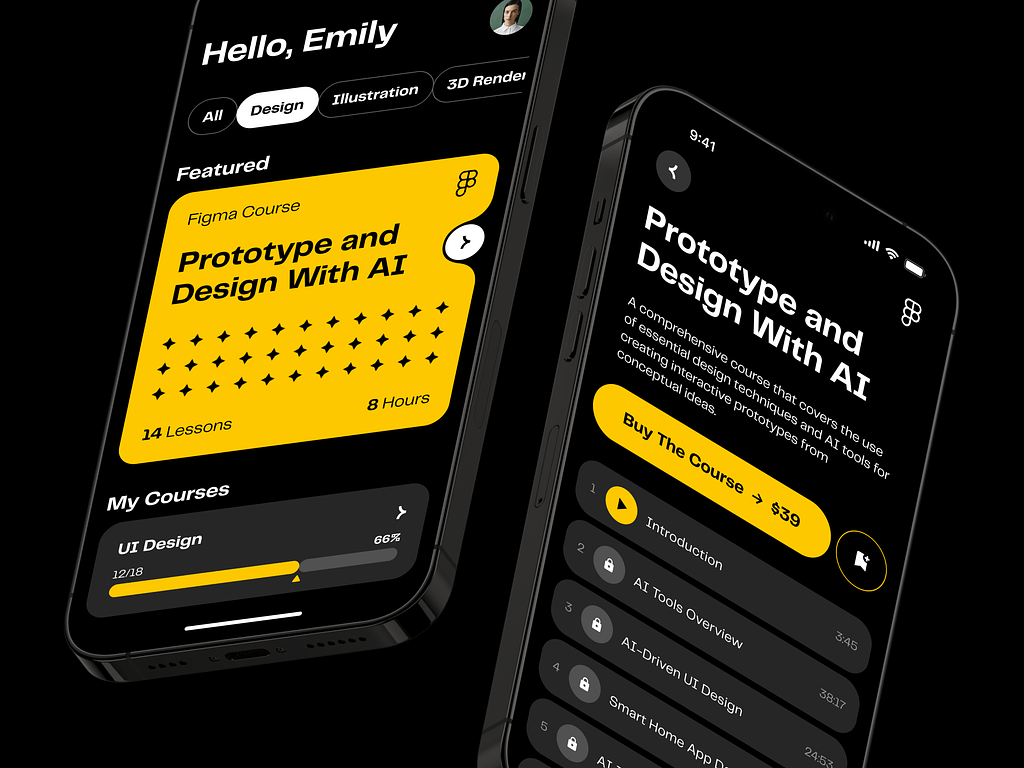
AI E-learning Mobile App by Shakuro

Cost of AI Tutoring Platform Development
Building such a product isn’t cheap. And I don’t just mean the initial development cost. The operational expenses can sneak up on you and bite hard if you aren’t careful. Many founders get so excited about the tech that they forget to model the unit economics. Then, three months after launch, they realize they’re losing five dollars on every active user because their token usage is through the roof. It’s a painful lesson.
So, what drives the cost? It’s a mix of several factors that add up quickly.
First and foremost, AI model complexity. This is the biggest variable. Using a hosted API like GPT-4 or Claude is easy to start with, but it’s expensive at scale. Every token costs money. If your tutor is chatty and verbose, your bills will skyrocket. On the other hand, building your own open-source model (like Llama 3) gives you control, but then you’re paying for GPUs, infrastructure, and engineering talent to maintain it. There’s a trade-off here. Simple models are cheaper but dumber. Complex models are smarter but pricey. You have to find the sweet spot.
AI is only as good as the data it feeds on. If you have a clean, structured library of educational content, great. But most companies don’t. In AI tutor app development, you’ll likely spend a significant chunk of your budget on data cleaning, labeling, and structuring. You need humans to verify the content, tag it, and create embeddings. This is labor-intensive. And if you’re fine-tuning models, you need high-quality datasets, which often means hiring subject matter experts to write them. That’s not cheap.
Remember when we talked about connecting to LMS systems? That sounds simple, but every LMS has its own quirks, APIs, and documentation gaps. Building robust integrations takes time. And time is money. If you’re integrating with ten different school systems, you’re looking at weeks of engineering work. Plus, you need to maintain those integrations as the external APIs change. It’s an ongoing cost that doesn’t go away.
Real-time processing. If you’re doing voice or live video, the stakes go up. Real-time inference needs low-latency infrastructure. You need specialized hardware or optimized cloud services. This increases your infrastructure bill significantly. And if you’re handling thousands of concurrent voice streams, the compute costs add up fast.
Example Scenarios
To give you a concrete idea, let’s look at two common scenarios in AI education platform development. These are rough estimates, obviously, but they help frame the conversation.
MVP AI Tutor
In the first one, you’re a startup building a niche tutor for high school biology. You want to test the market.
The scope includes an online chat platform with a hosted LLM API, such as GPT-4o-mini or comparable. Simple RAG pipeline with minimal database size. There are few integrations (for email logins only, for example) and no voice recognition option.
The team of four people is more than enough to create such a product. Get a product manager, a full-stack software engineer, an AI engineer, and a designer. The whole process will take for about three to four months to finish. Total costs can bite, but they are still lower than the expenses for the enterprise model: between $50,000 and $100,000.
Why this range? You’re saving money by using hosted APIs and keeping the feature set lean. You’re not building custom models. You’re not doing complex integrations. But you’re still paying for skilled engineers who know how to build reliable AI apps. The monthly running cost might be low initially, but it scales with users.
Enterprise AI Tutoring System
Here, you are doing AI learning assistant development for a large edtech company or a corporate training firm. It is important that they have a platform that would scale to support thousands of users.
It uses text and voice recognition using custom fine-tuned models for domain-specific tasks. This integrates with multiple Learning Management Systems such as Canvas, Blackboard, and Moodle; and AI provides analytics for both students and educators. All these aspects require compliance with accessibility and security regulations (SOC2, GDPR).
Of course, the team would be much larger. You would need a product manager, backend/frontend developers, AI/ML experts, DevOps engineers, QA engineers, and UX/UI designers. Plus, a team of content experts for data preparation. And, of course, this venture will require more time—approximately 9–12 months. Potential costs are ~$500,000 – $1.5 million+.
AI tutoring platform budget by scope, based on the two scenarios above:
| AI tutoring platform | MVP AI tutor | Enterprise AI tutoring system |
| Scope | Online chat on a hosted LLM API, simple RAG pipeline, few integrations, no voice | Text and voice, custom fine-tuned models, Canvas/Blackboard/Moodle integrations, analytics, SOC2 and GDPR compliance |
| Team | Four people: PM, full-stack engineer, AI engineer, designer | PM, backend/frontend, AI/ML, DevOps, QA, UX/UI, plus content experts |
| Timeline | About three to four months | Approximately 9–12 months |
| Cost | Between $50,000 and $100,000 | ~$500,000 – $1.5 million+ |
As you can see, the costs explode because of the AI teaching software’s complexity. You’re paying for a larger team for a longer period. You’re investing in custom model training, which requires expensive GPU clusters. You’re building enterprise-grade security and compliance features. The infrastructure costs are significant, too. You’re likely looking at tens of thousands of dollars per month in cloud and API fees once you’re at scale.
But the enterprise system can charge more. It solves bigger problems. The MVP is a gamble; the enterprise system is an investment.
My advice? Start with the MVP mindset, even if you’re aiming for enterprise. Build the core value proposition first. Prove that people will use it. Then, layer on the complexity. Don’t try to build the Ferrari when you haven’t even proven people want a car.
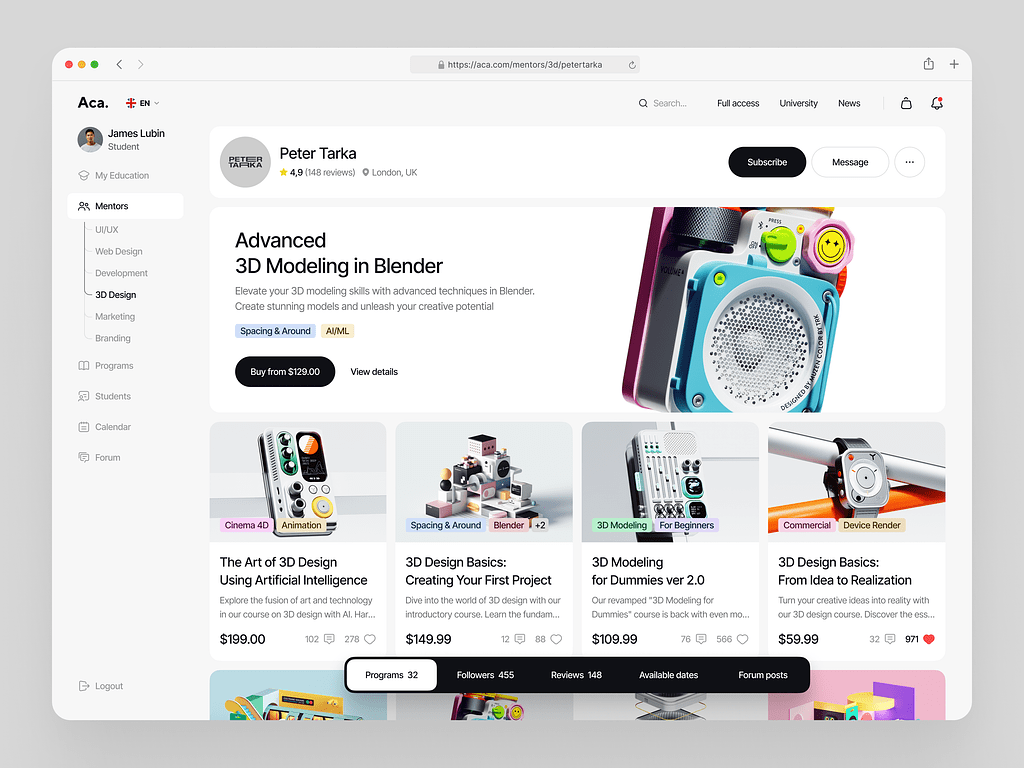
Online Courses Platform Website Dashboard by Shakuro

Common Challenges in AI Tutor App Development
On paper, it sounds straightforward: plug in an LLM, feed it some textbooks, and boom—you have a tutor. But anyone who has actually tried to ship one of these platforms knows that the gap between a cool demo and a reliable product is filled with landmines. It’s messy. And if you’re not careful, it can break your business.
Here are the four biggest headaches you’re going to run into.
Ensuring Response Accuracy
The “hallucination” problem. You know how LLMs work. They’re probabilistic. They predict the next word based on patterns. They don’t “know” facts in the way a human does. So, sometimes, they just make things up with total confidence.
In a creative writing app, that’s fine. Maybe even fun. In a chatbot learning platform? It’s a disaster. Imagine your AI tutor confidently inventing a historical date. If a student learns something incorrect, you’ve failed. If parents or teachers catch it once, they might never trust your platform again.
So, how do you fix it? You need strong guardrails. This means using Retrieval-Augmented Generation (RAG) to force the AI to stick to your verified content. You need citation features, so the AI shows where it got the info. And you need a human-in-the-loop system for reviewing tricky topics. It’s not glamorous work, but it’s necessary. You have to prioritize accuracy over creativity when working on educational and video learning systems.
Handling Complex User Queries
Students don’t ask simple questions. They’ll type things like, “Wait, I didn’t get the last part, can you explain it differently but without using big words?” or “Is this like that other thing we talked about yesterday?”
These queries are context-heavy. They’re ambiguous. They require the AI to understand intent apart from the keywords. If your system treats every message as a standalone query, it’s going to fail. It needs to remember the conversation history and understand references to previous turns.
Multi-step reasoning is another crucial thing for AI tutoring platform development. A student might paste a complex math problem or a chunk of code with a bug. The AI needs to break it down, step by step. It can’t just blurt out the answer. If it skips steps, the student doesn’t learn.
Building this logic is tough. You need sophisticated prompt engineering and, often, chain-of-thought processing. Moreover, you have to teach the AI to “think” before it speaks. And even then, it will mess up. Fallback mechanisms help a lot, too, especially if the AI is confused. It will ask clarifying questions instead of guessing.
Maintaining Engagement
AI can be boring. If the tutor sounds like a robot, students will tune out. If it’s too preachy, they’ll get annoyed. If it’s too repetitive, they’ll click away. Keeping a student engaged in a one-on-one digital session is incredibly difficult. Humans are good at reading emotional cues. AI is getting better, but it’s still clumsy.
You need to inject personality. But not too much. It’s a fine line. The AI should be encouraging, patient, and maybe a little witty. But it shouldn’t try to be a best friend. It’s a tutor.
Gamification is a great strategy to inject that spark. Badges, streaks, progress bars. But don’t overdo it. The core engagement has to come from the learning itself. The AI needs to adapt to the student’s energy. If the student is rushing, slow them down. If they’re frustrated, offer a hint. If they’re bored, challenge them.
This requires real-time sentiment analysis. You need to detect frustration or boredom in the text (or voice) and adjust the tone accordingly.
Scaling AI Infrastructure
Let’s talk about the technical nightmare of scale. When you have ten users, everything is fine. Your API calls are fast. Your database is light. But what happens when you have ten thousand users logging in at 8 AM on a Monday? Latency spikes.
In intelligent tutoring system development, AI inference is computationally expensive. It’s slow. If you’re using a hosted API, you’re at the mercy of their rate limits and pricing. If you’re hosting your own models, you’re managing GPU clusters, which is a whole other level of DevOps pain.
You need to optimize everything. For example, cache common responses, use smaller, faster models for simple tasks, and reserve the big models for complex reasoning. Implementing asynchronous processing is also a wise decision because the interface doesn’t freeze while the AI thinks.
Regarding the cost management, if you don’t monitor your token usage closely, you can burn through your budget in a week. You need strict quotas, efficient prompting, and smart architecture.
Scaling is about making every single interaction as efficient as possible. It’s about balancing speed, cost, and quality. A constant battle. You’re always tweaking, always optimizing.
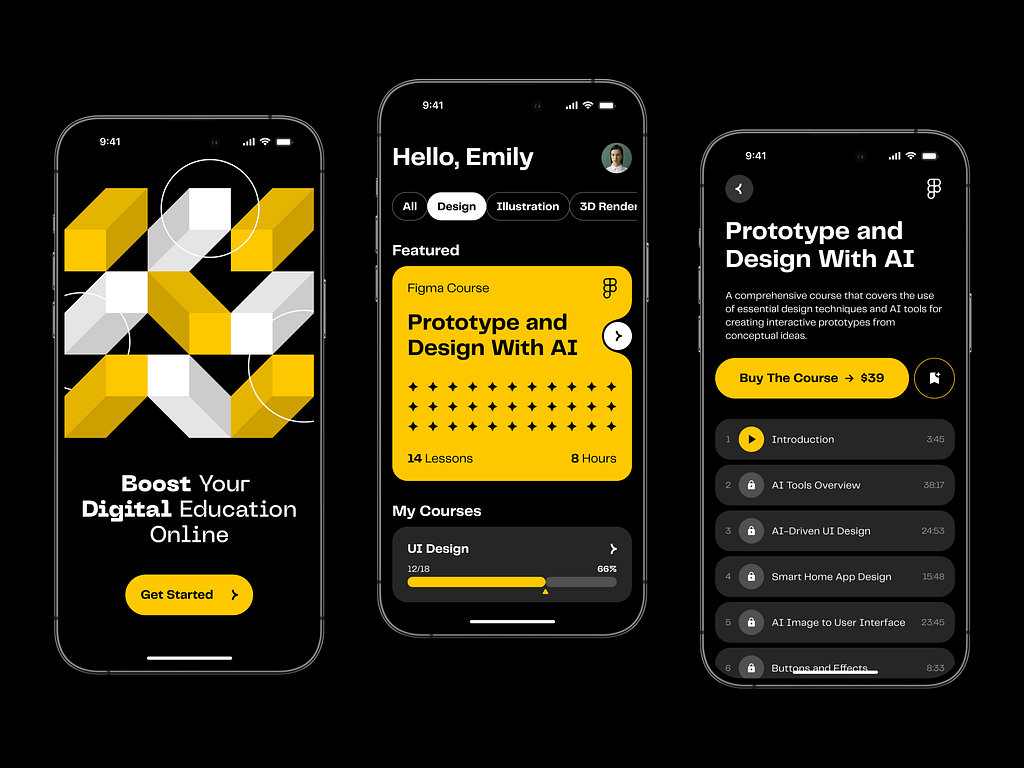
Online Educational Mobile App Featuring AI by Shakuro
Our Experience in AI and EdTech Development
At Shakuro, we’ve been in the trenches for a whole 19 years already. We’ve helped startups and established companies build functional, reliable products that enhance their businesses. Our team has created everything from simple chatbots to complex, multimodal learning ecosystems. And along the way, we’ve developed a pretty strong muscle memory for what works and what doesn’t.
AI Systems For E-Learning
We understand that it is a balanced mix of technology, pedagogy, and user experience. Our team builds robust AI pipelines with the reliable, time-proven tech stacks. Frontend and backend developers closely collaborate to deliver easy-to-use products that actually help people learn.
We know how to handle RAG, fine-tuning, and model orchestration. We understand the nuances of prompt engineering and how to keep hallucinations in check. Our specialists worked with LLMs, computer vision, and speech recognition for AI tutoring platform development.
SaaS Platforms
Most chatbot learning platforms are SaaS products. That means they need subscription management, user accounts, analytics dashboards, and admin panels.
We’ve built dozens of SaaS platforms for various needs. That’s why we know how to structure the backend for scalability and design interfaces that are intuitive for non-technical users. At the same time, we consider the business side of the venture: metrics, competitors, and future scaling.
One of our key advantages is analytics. Our experience in designing glanceable dashboards is huge; we transform heavy data and raw numbers into easy-to-grasp insights.
Conversational Interfaces
Designing for conversation is hard. It’s non-linear and unpredictable. We’ve spent countless hours refining chat UX. That expertise helps us with AI creation so it feels like a real human without being creepy.
We know how to keep the user engaged through smart UI patterns. It gives them a firm footing, so they have an easier time learning new skills (which is already daunting, to be honest).
Scalable Architectures
As I mentioned earlier, scale is where things break. So we integrate scalable systems in the very beginning, so it won’t be a surprise for you when you hit one thousand concurrent users. Cloud-native technologies, caching strategies, optimized database queries—we build with failure in mind. Accuracy matters as much as speed.
And we’re still learning. The field is moving fast. New models come out every week. Best practices change. But that’s part of the fun, right?
If you’re looking to build something in this space, you don’t have to figure it all out alone. We’ve made the mistakes so you don’t have to. We know how to build AI-based learning platform that actually works.
Proko: Create a SaaS Learning Platform With AI Features
Today, Proko is a popular elearning platform for teaching and studying art. But back then, it was a simple website with just a few courses and outdated databases. Stan Prokopenko, its creator, reached out to us with an idea to transform it into a socially oriented solution with AI features.
We used Whisper LLM for processing subtitles. For example, it extracts them from a video and uploads them into the knowledge base. Also, Whisper recognizes teachers in videos by voices, which allowed us to build an enhanced search. It is possible to find tutors across content using their voice.
For the support bot, we integrated a vector base. Apart from giving FAQ answers, it can suggest personalized courses. Since people use references for art, our team created a spam bot that sorts pictures into three categories, blocking the adult content.
These AI features enhanced the Proko platform, making the lives of people who study art much easier. We continue collaborating with Stan on new options, too!
CGMA: Build a Virtual Classroom With AI Tools
We’ve integrated similar features into CGMA, a well-known art platform with virtual classrooms. Whisper LLM search with voice recognition, spam bots, support bots, etc.
To create the chatbot learning platform, we wrote the code from scratch. They have various features like text generation and AI-based editing (GPT chat, Anthropic Claude). Together, we plan to integrate MCP agents for instructions so that AI can automatically press buttons, for example.
AI here makes the learning process engaging and interesting, while the tutors can focus on what they do best—teaching.
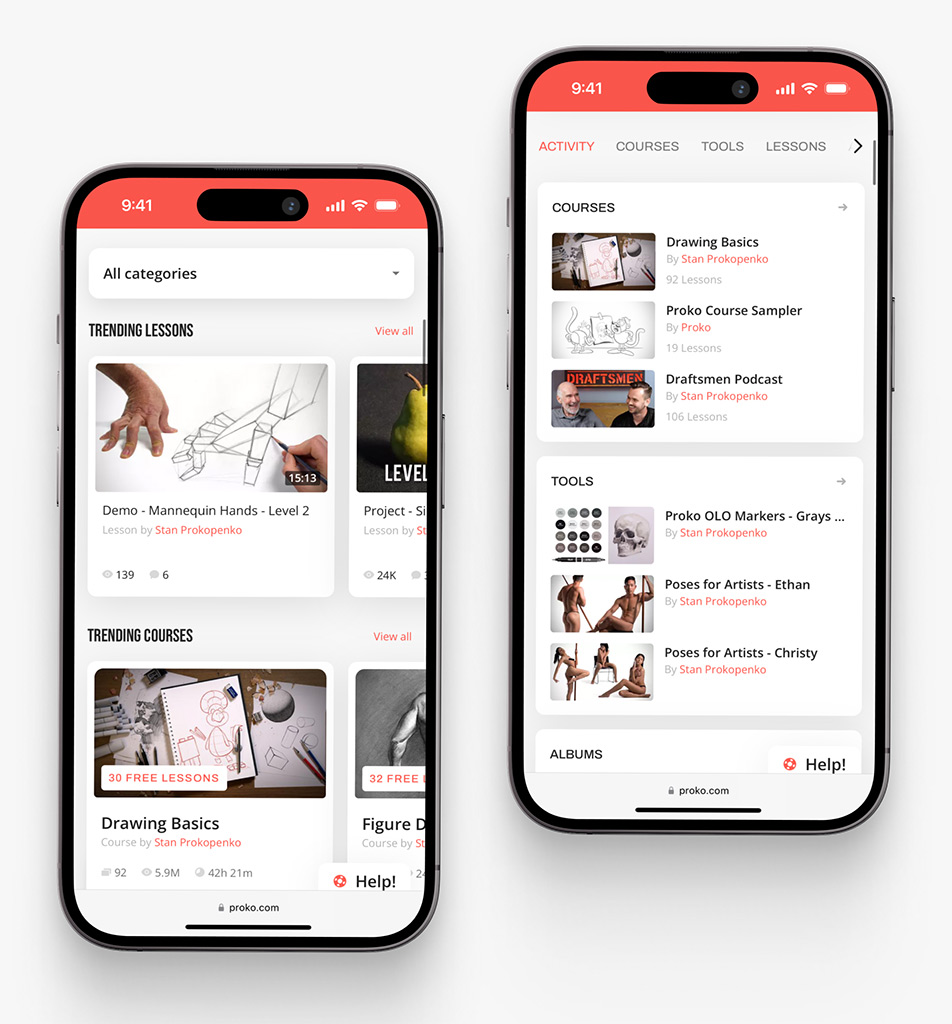
Proko app on mobile by Shakuro
Why Work with an AI Tutoring Platform Development Company
Look, I get it. The temptation to build this in-house is huge. You’ve got a talented engineering team with full control. There is little desire to share equity or pay agency fees. It’s a natural instinct.
But building an AI-based learning platform is a fundamentally different beast than building a standard web app. The learning curve is steep, and the cost of mistakes is high.
That’s why partnering with a specialized development company often makes more sense. Not because you can’t do it yourself, but because you probably shouldn’t have to figure it all out from scratch.
Expertise in AI and NLP
Finding engineers who truly understand Large Language Models is hard. Like, really hard.
There are plenty of developers who can call an API. But there are very few who understand the nuances of prompt engineering, vector search optimization, and model fine-tuning. There’s a big difference between making an AI chat and making an AI tutor.
A specialized partner brings that deep domain knowledge to the table. They have seen the edge cases and know how to handle context window limits. Such partners know which models are best for reasoning versus which are best for creative generation.
Scalable Infrastructure
I mentioned this before, but it’s worth repeating: scale kills AI projects. When you’re building in-house, your team is likely focused on getting the MVP out the door. Infrastructure often takes a backseat. But when you hit 10,000 concurrent users, that technical debt comes due. Hard.
A development company that specializes in AI education platform development builds for scale from day one. They design architectures that can handle spikes in traffic. Their devs implement caching strategies that reduce API costs.
If you try to bolt scalability onto a poorly designed system later, it’s expensive and painful. It’s often easier to just build it right the first time.
UX-Driven AI Products
Engineers love tech. They love models. But users love simplicity.
An AI tutor can be incredibly powerful under the hood, but if the interface is confusing, nobody will use it. Designing for AI is different. It is not linear, conversational, and needs an entirely new mindset than that of conventional user interface design.
There are agencies that specialize in this kind of design work. They have designers who are knowledgeable about how to design for uncertainty. They can design interfaces that will lead the user yet allow him to explore.
Like us, for example. We focus on the human side of the equation. How does the student feel when they interact with the bot? Is it frustrating? Is it encouraging? Is it clear? We iterate on the UX based on real user testing. That attention to detail is what turns a functional tool into a product people love.
Working with a partner is about accelerating your vision. You bring the domain expertise. You know your students. You know your curriculum. You know your market. An agency brings the technical heavy and design lifting.
Together, you get to market faster. You spend less on wasted experiments. And you end up with a product that’s robust, scalable, and actually useful.
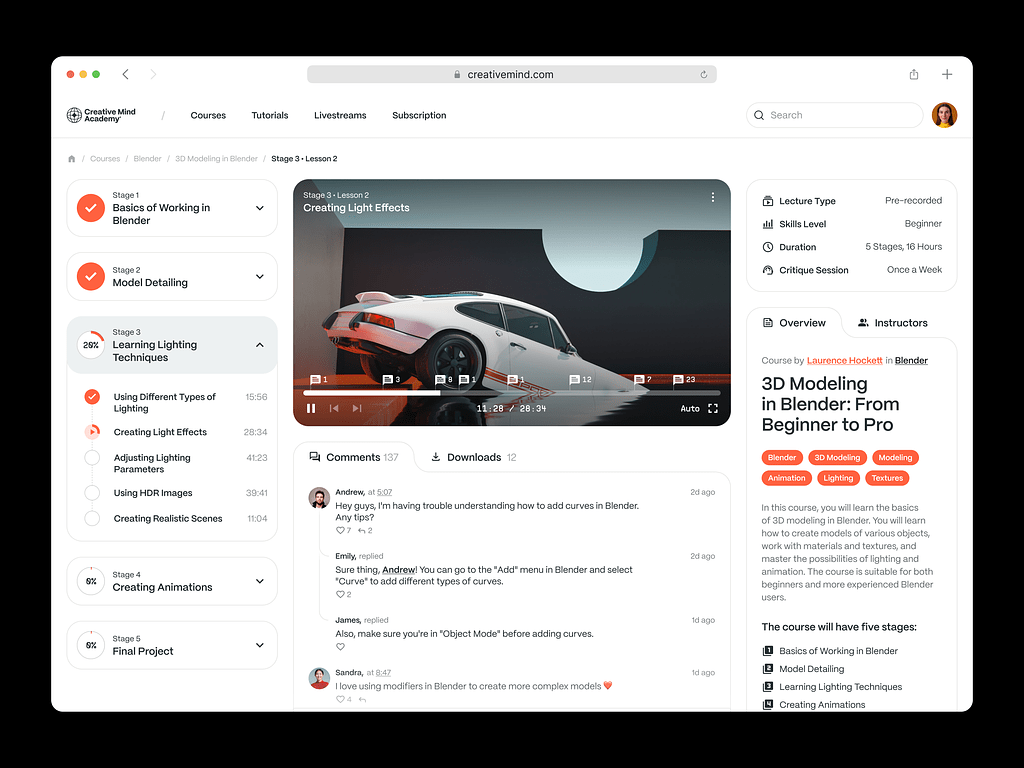
Online Courses Platform Website by Shakuro
FAQ
How much does AI tutor app development cost?
A lean MVP AI tutor built on a hosted LLM API usually lands between $50,000 and $100,000, while an enterprise AI tutoring system with custom fine-tuned models, voice, several LMS integrations and SOC2 and GDPR compliance can reach ~$500,000 – $1.5 million+. The main cost drivers are model complexity and token usage, data cleaning and labeling, LMS integrations, and real-time voice processing. Running costs grow with active users, so model the unit economics before launch.
How long does AI tutoring platform development take?
An MVP tutor for a single niche subject takes roughly 3 to 4 months when it uses a hosted LLM, a simple RAG pipeline and almost no integrations. An enterprise platform with voice, custom models, analytics for students and educators and multiple LMS connections needs approximately 9-12 months. Integrations alone can add weeks of engineering work, and every connected school system has its own API quirks to handle.
What team do you need for AI tutor app development?
For an MVP, a team of 4 people is enough: a product manager, a full-stack engineer, an AI engineer and a designer. Enterprise projects need a larger group with backend and frontend developers, AI/ML specialists, DevOps and QA engineers, and UX/UI designers. They also need content experts who clean, tag and verify the educational material, because data preparation takes a significant share of the budget.
What should an MVP include when building an AI tutoring platform?
An MVP should prove that learners actually use the tutor before you add complexity. A typical first version is a chat interface on a hosted LLM API, a simple RAG pipeline over a small curated knowledge base, basic email login and no voice recognition. Custom models, multi-LMS integrations and enterprise analytics come later. Pick one narrow use case and one pedagogical model, Socratic or direct instruction, and iterate from real usage data.
How do you keep answers accurate in AI tutor app development?
Accuracy comes from grounding the model in verified content through Retrieval-Augmented Generation instead of letting it answer from general training data. Add citation features so the tutor shows its sources, and keep a human in the loop for tricky topics and high-stakes grading. Before release, run hundreds of test queries through evaluation frameworks such as RAGAS or TruLens to score relevance and faithfulness and to catch hallucinations and tone problems.
Which integrations and compliance requirements matter in AI tutoring platform development?
Schools and companies expect the tutor to work inside the LMS they already use, such as Canvas, Moodle or Blackboard. Through LTI or APIs, the platform pulls roster and course data and pushes grades and progress back, so teachers avoid double entry. Content systems should sync lessons automatically. Enterprise deployments also need accessibility and security compliance, with SOC2 and GDPR named as typical requirements for corporate and large edtech clients.
Final Thoughts
If you’ve made it this far, you probably have a better sense of the landscape. AI learning assistant development is complex, sure. We’ve walked through the whole journey, from the initial spark of an idea to the heavy lifting of deployment.
Let’s recap the flow, because it’s simple when you strip away the noise.
It all starts with data. You need clean, structured, verified content. Without that, your AI is just guessing. Then, you layer on the AI models. This is the brain. You choose the right tools, you build the RAG pipeline, you fine-tune where necessary. Next comes the interaction. This is the face of your product. The chat interface, the voice, the feedback loop. It has to feel natural. Finally, you tackle scaling. You make sure the infrastructure can handle the load without breaking the bank or the latency.
Data → Models → Interaction → Scaling.
It’s a cycle, really. Each part feeds into the other. If one link is weak, the whole chain suffers.
But if you want to cut through the noise and remember just three things, let it be these:
Personalization. This is your killer feature. If your platform treats every student the same, you’re just another video library. The AI needs to adapt. It needs to know the user. That’s what makes it valuable.
Accuracy. Trust is everything in education. One major hallucination can destroy your reputation. Be obsessive about correctness. Use guardrails. Cite sources. Don’t let the AI improvise on facts.
Usability. Keep it simple. Don’t make the user work to understand how to use the tool. The technology should disappear into the background, leaving only the learning experience. If it feels like magic, you’ve done it right.
Building AI teaching software is a marathon. It takes patience, iteration, and a willingness to learn from mistakes. But the impact is real. You’re helping people learn faster, better, and more enjoyably. That’s worth the effort.
Don’t let the complexity paralyze you. Start small. Define your niche. Build a prototype. Test it. Learn. And if you need a hand navigating the technical maze, we’re here. At Shakuro, we love this stuff. We love building things that matter.
Let’s see if we can build something that actually changes the way people learn.
Related reading