Say your prototype recognizes a product from a photo. You try a few images, the results look promising, and suddenly you can picture the feature in your app. Then someone uploads a blurry shot taken under a kitchen light. Wrong result. Now what?
That’s where computer vision software development starts raising questions that are harder to answer in a pitch deck. Do you have enough useful images to train the system? Can it respond quickly on your customers’ phones? And how much of your budget will disappear before you know whether the idea works outside a demo?
If you’re building a startup or managing a product, that uncertainty is frustrating. You need enough confidence to commit people and money, but getting that confidence takes work too. Meanwhile, there’s a roadmap to defend and probably someone asking, “Can we launch this next quarter?”
I’d start with one less glamorous question: what happens when the software gets it wrong? A missed defect, an incorrect product match, and a document that needs another scan have very different consequences. Working that out early helps you decide what to build first, where people should stay involved, and what “good enough to launch” actually means.
This article walks through those decisions, from choosing a useful first use case and assessing your data to planning the architecture, development process, and costs. The aim is to give you a clearer sense of what your idea needs before you commit to building it.
Key Takeaways:
- It’s a product, not just a model. The AI is only one piece. Success depends on how well you handle image capture, user feedback, and integrations with your existing tools.
- Start small and specific. Don’t try to solve every visual problem at once. Validate one high-value workflow with a proof of concept before committing to a full build.
- Data quality beats quantity. A smaller set of clean, representative, and accurately labeled images will outperform a massive dataset of messy, irrelevant ones every time.
- Plan for the “after.” Models drift and environments change. Budget for ongoing monitoring, human-in-the-loop reviews, and regular retraining from day one.
- Choose your stack based on constraints. Decide between cloud and on-device processing early. It dictates your latency, privacy levels, and long-term infrastructure costs.
What Is Computer Vision Software Development?
At its core, it’s about building applications that can look at images or video streams and actually do something with what they see. The model might say “that’s a stop sign,” but the app needs to decide whether to alert the driver, log the location, or ignore it because it’s a poster on a bus. It’s turning visual data into useful actions. That’s the real value.
Common Computer Vision Tasks
You’ve probably heard the terms thrown around. Classification, object detection, segmentation, OCR, tracking. They sound technical, but they’re just different ways of asking questions about an image.
Classification is the basic “what is this?” Is it a cat or a dog? A defect or normal product? Object detection goes a step further—it finds where the thing is. Think bounding boxes around cars in a traffic cam feed. Segmentation is even more precise; it outlines the exact shape of an object, pixel by pixel. Useful for medical imaging or background removal.
Then there’s OCR (Optical Character Recognition). It reads text from images. Receipts, license plates, documents. Tracking is following an object as it moves through video frames. Essential for sports analytics or security systems.
Each task has its own quirks. You don’t use a sledgehammer to crack a nut, right? Picking the right task matters.
From Model Output to Product Workflow
You can have the most accurate model in the world, but if it lives in a vacuum, it’s useless. Computer vision development is as much about the surrounding ecosystem as it is about the AI.
Think about capture. How are you getting the images? Phone camera? Industrial sensor? Satellite feed? The quality and consistency here make or break your results. Then there’s the interface. How does the user interact with the results? Do they need a real-time overlay? A dashboard? An alert?
Integrations are huge too. Your vision system doesn’t exist alone. It needs to talk to your inventory management, your CRM, or your payment gateway. If it can’t plug into existing workflows, people won’t use it.
As for monitoring, models drift. Lighting changes. New types of objects appear. You need to know when performance dips before your customers do. It’s not set-and-forget. It’s a living system.
So yeah, the model is important. But the rest? That’s what makes it a product.
Prime Chat AI Mobile Assistant by Shakuro
Where Computer Vision Apps Deliver Business Value
The real value shows up when you tie visual tasks to hard numbers. Like, how much time are you saving? How many errors are you catching before they cost you money?
Manufacturing and Logistics
This is probably the most obvious one. Factories and warehouses are full of repetitive visual tasks that humans are terrible at doing for eight hours straight. We get tired. We miss things.
Defect detection is huge here. A camera scans products on a conveyor belt, spotting scratches or misalignments instantly. The outcome is a massive drop in missed defects. Instead of finding out a batch is bad after it ships, you catch it right there. That saves returns, sure, but it also protects your brand reputation.
Package inspection works similarly. Is the label straight? Is the box damaged? And inventory counting—wow, this used to be such a pain. Now, drones or fixed cameras can scan shelves and tell you exactly what’s low. No more manual counts that take days. It’s faster, and frankly, more accurate. You know what’s in stock because you saw it.
Retail and E-Commerce
Online shopping has a problem: you can’t touch the product. Computer vision app development helps bridge that gap.
Visual search is getting really good. A user uploads a photo of a shoe they saw on the street, and your app finds the exact match (or something close) in your catalog. It reduces friction. Instead of typing vague descriptions like “blue floral dress,” they just show you what they want. Conversion rates go up because you’re giving them exactly what they’re looking for.
If you have thousands of new items every week, manually adding tags like “red,” “striped,” or “v-neck” is a nightmare. AI can do catalog tagging automatically. It speeds up time-to-market. Products go live faster because you’re not waiting on a team to label them.
Product recognition also helps with returns. If someone sends back an item, you can verify it’s actually yours and check its condition automatically. Less fraud, less hassle.
Education and Community Platforms
Think about online learning platforms or social communities. Users upload tons of images—homework photos, project submissions, profile pictures. Manually reviewing all that is impossible. Image categorization helps organize content automatically. Is this a math worksheet? A history diagram? It gets sorted instantly.
But moderation is the big one. Detecting inappropriate or harmful content in images before it goes public. It’s not perfect, but it catches the obvious stuff fast. This reduces review time for human moderators significantly. They only deal with the tricky edge cases. It keeps communities safer without needing an army of staff.
For e-learning services, this means students get feedback faster. For community platforms, it means fewer nightmares for the support team. It’s about keeping the platform usable and safe as it grows.
Essential Features of a Computer Vision Application
So, what actually needs to be there?
First off, capture. Whether it’s pulling from a camera feed or letting users upload files, this has to be smooth. But here’s the thing people forget: input-quality checks. You need to catch blurry images, bad lighting, or wrong formats before they hit your model. Why waste processing power on garbage data? It’s better to tell the user, “Hey, try again in better light,” than to give them a wrong answer.
Visual results also matter in computer vision software development. Don’t just spit out text. Show the bounding box. Highlight the defect. Overlay the recognized text. People trust what they can see.
But models aren’t perfect. That’s why configurable thresholds are key. Maybe you want to be super strict for medical imaging but more lenient for sorting casual photos. Let the admin tweak that sensitivity. And when the model is unsure, you need a manual review queue. Humans step in, correct the mistake, and boom—that correction feeds back into the system. It’s how you get smarter over time.
Notifications are important too. If a critical defect is found, someone needs to know immediately. Not next week. As for integrations, your app needs to talk to the rest of the business. For example, send the data to Slack, update the database, trigger an email, etc.
Now, let’s talk about the messy parts. Empty states (no image yet), failed states (upload error), and uncertain-result states (model confidence is low). These aren’t bugs; they’re part of the workflow. Handle them gracefully. Don’t just crash. Tell the user what’s happening.
For an MVP, keep it tight. During computer vision development, focus on that core loop: capture, check, process, show result, allow correction. Live video? Multiple cameras syncing up? Advanced analytics dashboards? Those are nice-to-haves. They add complexity and cost. Get the basic workflow solid first. Once people are using it and seeing value, then you can start adding the fancy stuff.
AI Creative Ops Studio Design Concept by Shakuro
Computer Vision App Architecture: From Capture to Action
When you start digging into custom computer vision software development, the architecture can feel a bit overwhelming. It’s not just a black box that takes pictures and spits out answers. There’s a whole journey each image takes.
The Processing Pipeline
Think of it like an assembly line. First, you have capture. This is where the data enters—maybe from a phone camera or a security feed. Then comes preprocessing. You resize the image, adjust the brightness, or crop it. Why? Because models are picky. They want things in a specific format.
Next is inference. This is the heavy lifting where the model actually looks at the image and makes its prediction. But the raw output isn’t always useful on its own. That’s where business rules come in. If the model says “90% confidence this is a defect,” your rule might say “only flag it if it’s over 95%.” Finally, you get to user action. The result is displayed, stored, or sent to another system.
Behind the scenes, you’ve got storage for all those images (because you’ll want to look back at them), APIs to let other apps talk to your system, and queues to handle traffic spikes. When it comes to model versioning, you don’t just swap out a model and hope for the best. You need to track which version made which decision.
Cloud, On-Device, or Hybrid Processing
Where does the thinking happen? That’s the big question in computer vision app development.
Cloud processing is flexible. You don’t need expensive hardware on-site, and you can update models easily. But it relies on internet connectivity. If the connection drops, your app stops working. Plus, sending high-res video to the cloud can get pricey and slow.
On-device processing runs right on the phone or camera. It’s super fast (low latency) and works offline. Great for privacy too, since data doesn’t leave the device. But you’re limited by the device’s battery and processing power. You can’t run a massive model on a cheap sensor.
Hybrid is the middle ground. Maybe you do quick checks on the device and send only the tricky stuff to the cloud. It balances speed and power but adds complexity to your architecture.
Scaling Image and Video Workloads
Video is basically a bunch of images moving really fast. Processing every single frame is usually overkill and expensive. That’s where frame sampling helps. You might only look at one frame every second instead of thirty. It saves a ton of compute power.
For heavy loads, asynchronous processing is your friend. Don’t make the user wait while the model thinks. Let them upload the file, give them a “processing” status, and notify them when it’s done. It keeps the app feeling snappy.
For capacity planning, you need to know how many images per second you can handle before things start crashing. It’s better to scale up proactively than to react when your servers melt down.
How to Choose a Computer Vision Tech Stack
Picking a tech stack for computer vision software development can feel like walking into a hardware store with no idea what you’re building. There are just so many tools. But if you break it down by what each part actually does, it gets a lot less scary.
Think of it in layers.
The first one is image processing. Before your AI sees anything, you need to clean up the data. This is where OpenCV lives. It’s the old reliable workhorse. Need to resize an image, convert colors, or find edges? OpenCV does it fast, and it’s free. It’s not “AI” itself, but almost every CV app uses it somewhere in the pipeline.
The next one is model training. This is where you teach the system. You’ve got frameworks like PyTorch or TensorFlow. They’re the heavy lifters. If you’re going custom, this is your home base.
For inference—actually running the model—you have choices. If you’re in the cloud, you might use TensorFlow Serving or TorchServe. But if you want to run things on a phone or a small edge device, you need something lighter. For example, LiteRT (formerly TensorFlow Lite). It’s optimized to run on hardware with limited power and memory. It’s a lifesaver if you don’t want to rely on a constant internet connection.
On the backend, you need something to handle the requests and store the results. Python with FastAPI or Flask is super common because it plays nice with all the AI libraries. Node.js works too if your team is more web-focused.
Finally, the app interface. Whether it’s a React web dashboard or a Swift iOS app, this is what the user touches. It needs to display those visual results we talked about earlier clearly.
Pretrained Models vs. Hosted APIs vs. Custom Training
So, how do you actually get the “brains” for your app when using computer vision software development services? You basically have three paths.
Hosted APIs (like AWS Rekognition or Google Cloud Vision) are the easiest. You send an image, they send back labels. No training required. It’s great if you have zero data and just need standard stuff like “is there a face here?” But you’re locked into their pricing, their latency, and their specific set of features. If they don’t support your niche task, you’re stuck.
Pretrained models are a middle ground. You take a model that’s already learned from millions of images (like YOLO or ResNet) and tweak it for your specific needs. This is called transfer learning. It’s faster than starting from scratch and usually cheaper than APIs in the long run. You own the deployment, which is nice.
Custom training is the full DIY route. You gather your own data, label it, and train a model from the ground up. This is the best option if your task is super specific—like spotting a very rare type of manufacturing defect. But it requires a lot of data and serious expertise.
When choosing, ask yourself: Do I have enough data? Is my task something generic or unique? Do I need to run this offline? And honestly, check the licensing. Some models are free for research but cost a fortune for commercial use. Don’t get caught off guard by that later.
AI Agent Design for WLS by Shakuro
How to Develop a Computer Vision App Step by Step
1. Define the Workflow and Success Criteria
Before you write a single line of code, get clear on what “success” looks like. Is it okay if the model misses 1% of defects? What about 5%? How fast does it need to respond? If it takes ten seconds to process an image, will your users still be there?
Define the business value early. Are you saving hours of manual review? Reducing returns? If you can’t measure it, you can’t improve it.
2. Assess and Prepare the Data
Data is the fuel. Without good fuel, the engine doesn’t run. You need to source images that look like what your computer vision app will see in the real world. Not just perfect studio shots, but real-life conditions.
Check usage rights. You don’t want to start computer vision development only to find out you can’t legally use the training data. Then, label it. This is tedious, I know, but accurate labels are everything. And keep a separate set of data for evaluation. Never test on the same data you trained on. It’s like studying the exact questions that will be on the exam—it doesn’t prove you actually learned anything.
3. Validate Feasibility with a Proof of Concept
Don’t bet the farm yet. Build a small, rough version to see if it’s even possible. Benchmark a baseline. Maybe use a simple pretrained model first. If it can’t get anywhere near your success criteria, you might need to rethink the task or get better data. It’s better to fail cheap and fast here than after six months of computer vision app development.
4. Design the User Experience and Architecture
Now think about the human side. How will users capture images? Do they need guidance, like a frame overlay? What happens when the model is wrong? Design a flow for manual review and corrections.
Decide on your architecture. Cloud or edge? How will it integrate with your existing tools? These choices shape everything that comes next.
5. Build the App and Connect the Model
Time to code. Build the frontend so it’s easy to use. Set up the backend to handle requests and store results. Don’t forget permissions—who can see what? And build operational tools. You’ll need ways to monitor performance and manage models without digging into raw code every time.
6. Test in Realistic Conditions
Lab tests are nice, but the real world is messy. Test in different lighting. Use different cameras. Shake the phone. See what happens when the internet drops. Try to break it. Load test it to see how it handles a surge in users. Failure recovery is key—does it crash gracefully or just die?
7. Launch, Monitor, and Improve
You’re live! But don’t just walk away. Do a staged rollout. Start with a small group of users. Watch how they use it. Collect those corrections we talked about. Use them to retrain and update the model. And always have a rollback plan. If a new model version acts weird, you need to be able to switch back to the old one instantly.
How Much Does Computer Vision App Development Cost?
With custom computer vision development services, the cost can swing wildly depending on how deep you want to go.
Proof of Concept, MVP, and Production Scope
The biggest mistake founders make is trying to build a “production-ready” system from day one. You don’t need that. You need to learn. Here’s how the scopes usually break down:
| Feature / Deliverable | Proof of Concept (PoC) | Minimum Viable Product (MVP) | Production-Ready |
| Goal | Prove technical feasibility | Solve core user problem | Scale, reliability, security |
| Data | Small, often public or synthetic | Curated, labeled real-world data | Large-scale, continuously updated |
| Model | Pretrained or simple custom model | Fine-tuned custom model | Optimized, versioned, monitored |
| UI/UX | Basic, functional only | Polished core workflow | Full feature set, accessibility |
| Integrations | None or manual export | 1-2 key integrations | Full ecosystem integration |
| Infrastructure | Local or basic cloud setup | Scalable cloud architecture | High-availability, multi-region |
| Support | None | Basic documentation | 24/7 monitoring, SLAs |
A PoC is about answering “Can we do this?” An MVP is about “Will people use this?” Production is about “Can we handle 10,000 users without crashing?”
Main Cost Drivers
Where does the money actually go?
- Data collection and labeling is often the hidden iceberg. If you don’t have clean, labeled data, you’re paying humans to look at thousands of images. It’s slow and it adds up.
- Custom training requires specialized talent. AI engineers aren’t cheap, and if your task is unique, you can’t just copy-paste code.
- Platforms and infrastructure. Running GPUs in the cloud isn’t free. Video processing is even more expensive because you’re dealing with way more data points than static images.
- Integrations. Connecting your vision app to an old legacy ERP system? That’s going to take time and effort. Every new connection is a potential headache.
Ongoing Ownership Costs
Computer vision software development is one thing. Keeping the app alive is another.
You’ve got inference costs—every time someone uses the app, you’re paying for compute. Storage grows every day as you save more images. Human review might be needed for edge cases. And models drift. Lighting changes, new products appear. You’ll need monitoring to catch performance dips and retraining to keep the model sharp. It’s not a one-and-done project.
Budget and Timeline Ranges
A simple PoC might take a few weeks and cost a fraction of what a full-scale production system would. But until a delivery team validates your specific scope, assumptions, and local rates, any number I throw out is just a guess. Get a proper assessment first. It saves pain later.
AI Wealth Copilot Mobile App Design by Shakuro
Common Challenges and How to Address Them
Here are the hurdles you’re almost guaranteed to hit during computer vision app development and how to actually deal with them without losing your mind.
Poor Image Quality and Changing Environments
Your users aren’t professional photographers. They’ll take pictures in the dark, with shaky hands, or with a lens covered in fingerprints. And environments change—seasons shift, new machinery is installed, or someone moves a light fixture.
- Mitigation: Don’t just rely on the model. Build “guardrails” into the capture process. Use input-quality checks to reject blurry or too-dark images immediately. For changing environments, implement continuous monitoring and schedule regular retraining cycles using fresh data from the field.
- Acceptance Criterion: The system rejects or flags low-quality inputs with 95% reliability, and model performance remains within 5% of baseline despite seasonal lighting changes.
Rare Events and The False Positive/Negative Trap
If you’re building a system to spot safety violations or rare defects, you might only have a handful of examples. Models hate rare events. They’d rather just say “nothing to see here” all day. This leads to false negatives (missing the bad thing) or false positives (flagging everything as bad).
- Mitigation: Use techniques like data augmentation or synthetic data to bulk up your rare examples. More importantly, don’t treat all errors equally. Adjust your confidence thresholds based on the cost of the mistake. If missing a defect is dangerous, lean toward more false positives and use human review to filter them.
- Acceptance Criterion: The system achieves a recall rate of at least 90% for rare events, with a false positive rate that keeps manual review workload under 10 hours per week.
Performance Degradation After Launch
Your model works great on Day 1. By Month 3, it’s struggling because the world has changed. Maybe users started holding their phones differently, or a new product line was introduced.
- Mitigation: You need a feedback loop. Track “uncertain” predictions and send them to a human review queue. Use those corrections to retrain the model. Monitor drift metrics so you know when performance is slipping before your customers complain.
- Acceptance Criterion: Model accuracy does not drop more than 2% month-over-month without triggering an automatic alert and retraining workflow.
Task-Appropriate Evaluation
Stop obsessing over a single “accuracy” score. It’s misleading. If 99% of your images are “normal,” a model that always guesses “normal” is 99% accurate but completely useless.
- Mitigation: Use metrics that matter for your specific task. For defect detection, look at Precision and Recall. For segmentation, use Intersection over Union (IoU). Understand what a “miss” actually costs your business.
- Acceptance Criterion: Evaluation reports include task-specific metrics (e.g., F1-score, IoU) alongside a business-impact analysis of remaining errors.
Security and Sensitive Data
If your computer vision software is looking at people’s faces, private documents, or secure facilities, you can’t be casual about data.
- Mitigation: Implement strict access controls. Ensure uploads are encrypted in transit and at rest. Have a clear data retention policy—don’t keep images forever if you don’t need to. Make sure you have a way to permanently delete user data if requested. For sensitive images, consider on-device processing so the data never leaves the user’s phone.
- Acceptance Criterion: The system passes a third-party security audit, and all user data can be fully deleted within 72 hours of a request, with verification logs provided.
Our Experience: Image Moderation Within Proko
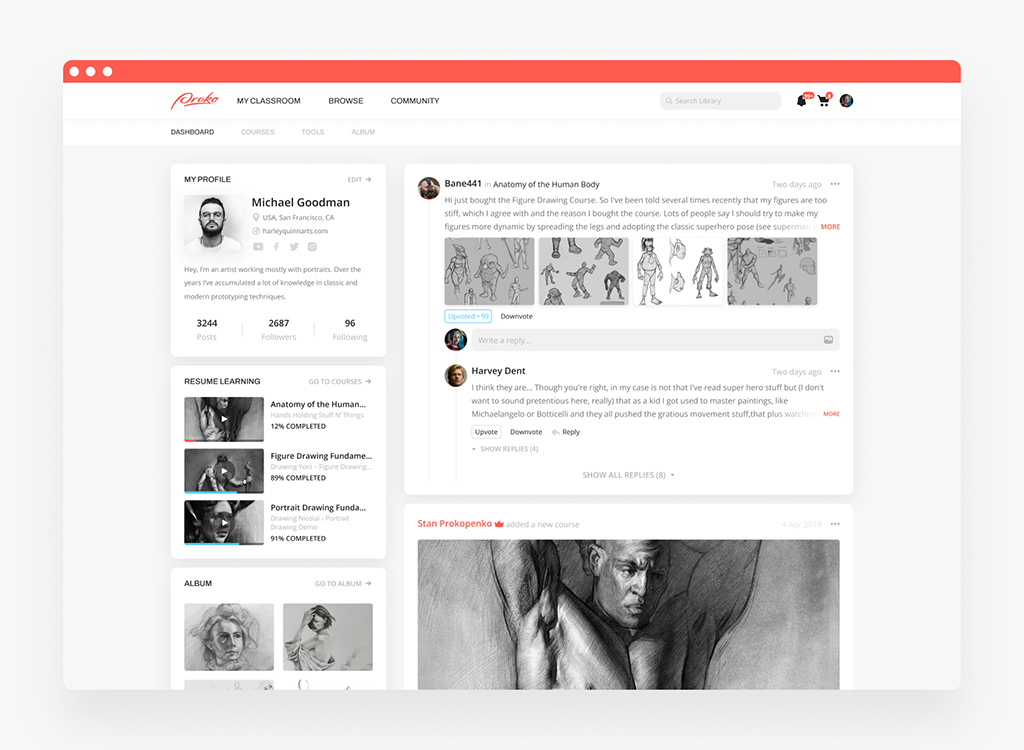
Proko is this massive platform for art education. Tons of students uploading sketches, anatomy studies, and critiques every day. The problem wasn’t that they needed AI for the sake of it. It was that human moderators were getting buried under a mountain of images just to sort them into the right categories or flag inappropriate content. It was slowing down the whole learning experience.
We built a picture-sorting moderation bot based on Python specifically for this. It was to support the existing workflow. The visual processing handles the initial triage—recognizing if an upload is a portrait, a landscape, or something that violates community guidelines. Then it routes the image accordingly. Clean stuff goes straight to the gallery; questionable stuff gets queued for human review.
As a result, specialists spent 70% less time on content moderation.
Proko platform by Shakuro

How to Choose a Computer Vision Development Company
Choosing a partner for this isn’t like hiring a web dev shop. It’s a different beast entirely. You’re not just building features; you’re building a system that has to “see” and “understand.” If the vendor doesn’t get that, you’re in for a rough ride.
First off, look at how they handle data. A good team won’t just say “send us your images.” They’ll want to assess your dataset first. Is it balanced? Is it labeled correctly? Do you even have enough of the right kind of images? If they skip this step, run. They’re setting you up for failure.
Then there’s feasibility testing. Before they promise you the moon, they should be willing to run a quick proof of concept. Can their baseline models actually spot what you need them to spot? If they refuse to test early, they’re probably more interested in selling you hours than solving your problem.
Model evaluation is another big one. Don’t let them hide behind a single “accuracy” number. Ask them how they measure success for your specific task. Do they care about false positives? What about speed? They should be talking about precision, recall, and real-world impact, not just textbook metrics.
App engineering matters too. The model is useless if it’s stuck in a Jupyter notebook. They need to know how to build the actual app around it—the APIs, the frontend, the integrations. And deployment? Where does it live? Cloud? Edge? How do they handle scaling when you suddenly get a thousand users?
Ownership is a legal minefield, so clear it up early. Who owns the final model? Who owns the labels your team spent weeks creating? You want to make sure you’re not locked into their proprietary black box forever.
Documentation and maintenance are where projects go to die if you’re not careful. Models drift. You need a plan for updates. How will they test new versions? Will they break your existing workflow? You need a partner who thinks about the next year, not just the launch day.
Here are a few questions you should definitely ask when looking for a computer vision development company:
- How will you evaluate our data? (If they don’t have a process for this, that’s a red flag.)
- What happens when confidence is low? (Do they have a human-in-the-loop plan, or do they just guess?)
- Who owns the model and the labels? (Get this in writing.)
- How will updates be tested? (You don’t want surprises in production.)
It’s about finding a team that treats computer vision as a product challenge, not just a coding task.
Final Thoughts
Look, we’ve covered a lot. It’s easy to get lost in the tech details, but if you take anything away from this, let it be these three things.
First, validate one valuable workflow. Don’t try to build a system that does everything. Pick the one task that saves you the most time or makes you the most money. Nail that. If you can’t prove value on a small scale, you won’t prove it on a large one.
Second, test with representative data. Your demo will look great with perfect photos. But your users live in the real world. Test with blurry images, bad lighting, and weird angles. If your model can’t handle the mess, it’s not ready.
Third, plan for operation after launch. The launch isn’t the finish line. It’s the starting gun. You need a plan for monitoring, retraining, and handling the inevitable edge cases. If you don’t budget for maintenance, your app will become obsolete faster than you think.
Ready to see if your idea holds up? Discuss your computer vision app with Shakuro and let’s figure out the best way forward.
Automotive AI Insurance Website Design by Shakuro
Frequently Asked Questions
How much data do you need to build a computer vision app?
It depends. For simple tasks using pretrained models, you might get away with a few hundred images. For custom, niche tasks? You’re looking at thousands, sometimes tens of thousands. Quality beats quantity, though. A thousand perfectly labeled, diverse images are worth more than ten thousand messy ones.
Can computer vision work offline on a mobile device?
Yep. Tools like LiteRT make it possible to run models right on the phone. It’s great for privacy and speed since you don’t need an internet connection. The trade-off is that the models have to be smaller and less complex to fit on the device without draining the battery in five minutes.
Should you use a pretrained model or train a custom one?
Start with pretrained if your task is common, like recognizing general objects or faces. It’s faster and cheaper. Go custom if you’re spotting something specific, like a unique manufacturing defect or a rare medical condition. If the off-the-shelf stuff doesn’t cut it, you’ll need to train your own.
Can computer vision be added to an existing app?
Absolutely. You don’t need to rebuild your whole platform. Most teams add vision features via APIs or microservices. Your existing app sends an image to the vision service, gets back the results, and displays them. It’s like plugging in a new module. Just make sure your backend can handle the extra load.
How long does computer vision app development take?
A basic proof of concept? Maybe 4–6 weeks. A solid MVP with a custom model and a real UI? Think 3–6 months. Full-scale production systems with high reliability and integrations can take 6 months or more. It’s not a sprint; it’s a marathon with a lot of data prep along the way.