Mobile apps are created in six stages: research and planning, UX/UI design, coding, testing, launch, and ongoing maintenance. A company does not need a custom team for every phone-shaped idea. Hire one when the product has to pass the App Store and Google Play, use the phone itself, or keep working after the first release.
For a startup, the hardest decision is often what not to build in the first version. A simple first release may need a product designer, one mobile or cross-platform developer, a backend developer if the app stores data, and QA before anyone ships. Native, cross-platform, or low-code changes what that team can finish. It does not remove the stages.
This guide covers the team, the platforms and languages, the process step by step, what moves the cost, publishing on the app stores and as a Progressive Web App, and the problems to plan for before launch.
Summary
A mobile app is software built for a phone or tablet and, usually, submitted to a store. Native, hybrid, cross-platform, progressive web, low-code, and no-code solutions are different limits, not different names for the same job.
The work is still research and planning, UX/UI design, coding, testing, launch, and maintenance. The people are a lead, a designer, developers, and QA. Skip a stage and the missing work shows up in store review or in the first week of real use.
This is a step-by-step guide to those types, the languages, the roles, publishing, and Progressive Web App deployment. It also says when a company should hire a mobile team, and when it should not.
Key Takeaways
- Building an app is a step-by-step process, from idea and design to development, launch, and updates.
- Native, cross-platform, and low-code change which phone features you can rely on, and who has to maintain the result.
- Hire a mobile team when the product must live in the stores and survive the next OS release. A no-code form or a responsive site is a different job.
- In 2026, AI can be a layer in how an app is built and how it behaves after launch. It does not replace scope, design, or testing.
Mobile Apps and Mobile App Development
Mobile Apps
These apps are created specially for gadgets like phones, tablets, or smartwatches. The purpose of an application can be very diverse: shopping, entertainment, assistance, and more.
A responsive website is a must for any business, but it has one particular drawback: a comparatively low level of user engagement and interaction. Even with good traffic, it may only convert a few leads.
Whereas a mobile application’s functionality and design are “tailored” to the capabilities of mobile platforms. A responsive site is not that product: it does not go through store review, and it does not get the phone’s APIs unless the browser already exposes them.
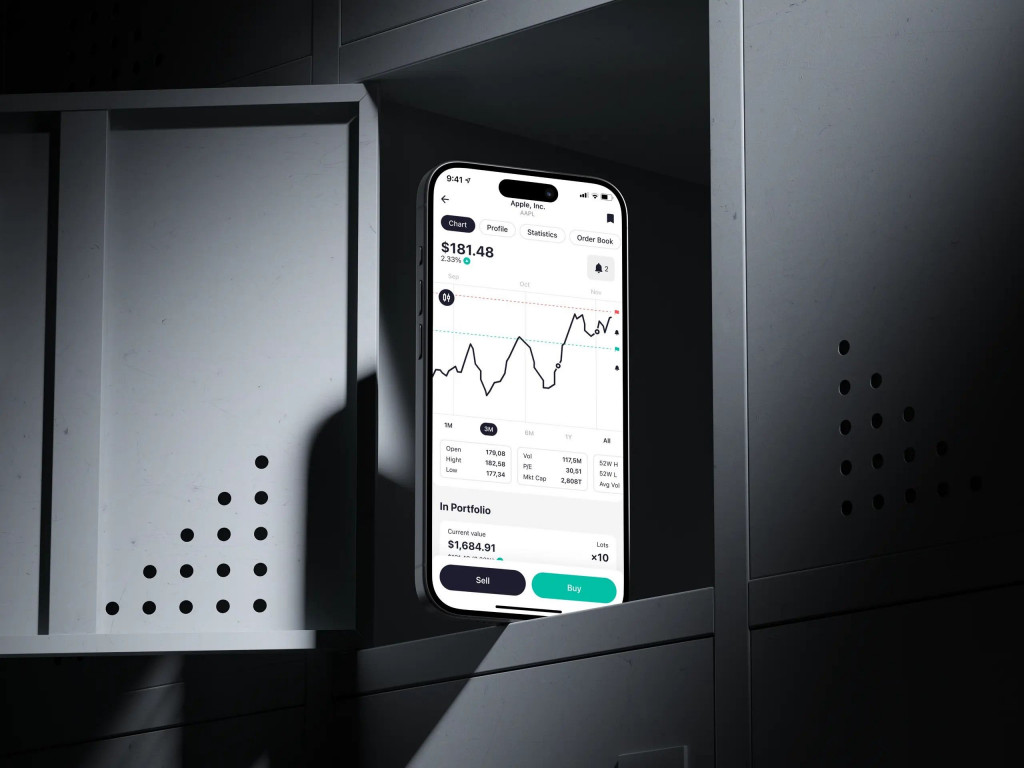
ZAD interface by Shakuro
These screens are published interface work for ZAD, a Kuwaiti investment app. The case is UX/UI design, not the brokerage and not a shipped trading system. A company that needs the product, not only the screens, starts from fintech app development.
Mobile App Development
Mobile app development is any kind of software creation for any mobile device. There are three main types of mobile development:
Native App Development
With this approach, you create projects for a particular mobile OS: iOS or Android, using original programming languages and tools. It typically involves writing code in languages like Swift or Objective-C for iOS apps and Java or Kotlin for Android apps. One of the key advantages is the ability to access native APIs and third-party frameworks, which can help streamline the process and increase functionality.
Hybrid App Development
It involves creating applications that are compatible with multiple mobile operating systems using a single code base. This approach allows you to write code once and deploy it across different platforms, such as iOS, Android, and even web browsers, using technologies like HTML, CSS, and JavaScript. As a result, you reach a larger audience with a single application, saving both time and money to get to market compared to creating separate native projects.
Cross Platform App Development
It is a broader term encompassing various approaches for building applications that can work on multiple platforms. This includes both native and non-native (hybrid) methods, so you also can write code once and deploy it across various platforms, such as iOS, Android, Windows, and web browsers, without the need to develop separate versions for each platform.
Just like the hybrid approach, cross platform development reaches a wider audience with a single app, as the tech can be easily deployed on different platforms using frameworks like Xamarin, Flutter, or React Native. Another advantage is the ease of maintenance and updates because changes made to the codebase can be deployed across all platforms simultaneously.
Progressive Web App Development
The sector combines the best of web and mobile apps to create fast, reliable, and engaging user experiences. PWAs offer the convenience of a website with the functionality of a native app, allowing users to access your content offline and receive push notifications. By leveraging service workers and a responsive design, you deliver a seamless experience across all devices.
Low Code App Development
This one is a game-changer for rapidly building and deploying applications with minimal coding required. By using visual interfaces and pre-built components, you can create powerful apps with drag-and-drop functionality and easy customization. This approach streamlines the process and reduces time-to-market, so even non-technical users can build their applications.
No Code App Development
In comparison with low code, this one eliminates the need for traditional coding. With intuitive drag-and-drop interfaces and visual builders, anyone can design and build fully functional applications regardless of technical expertise. So business users, entrepreneurs, and organizations can quickly prototype, test, and launch apps without writing a single line of code.
Keep in mind that each approach requires certain sets of tools for coding, UI/UX design, and debugging procedures. Also, they have their advantages and disadvantages for users and your team.
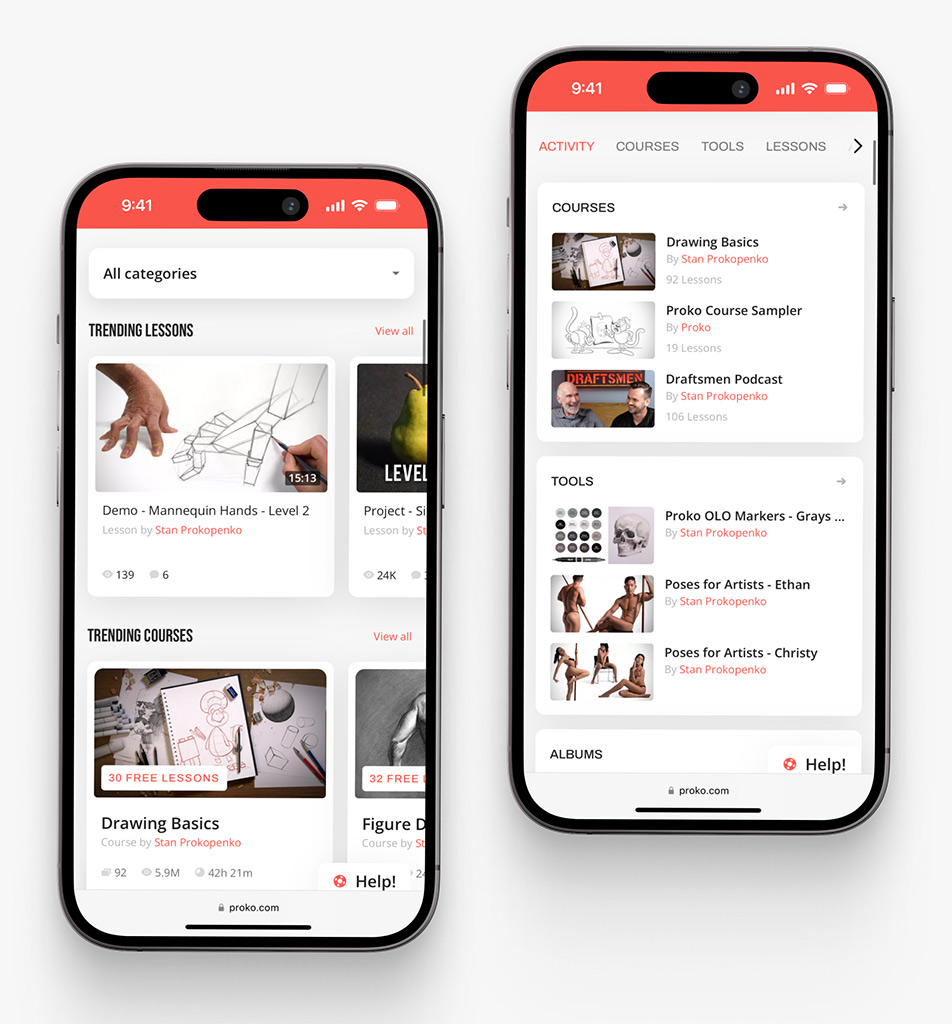
Proko on a phone, by Shakuro
Proko is a published e-learning platform Shakuro designed and developed, including the phone layouts of that site. It is not a native store app, and it is not a template for every mobile product. Companies in that field start from e-learning app development when the product is the learning system, not a single screen.
What Team Do You Need to Build a Mobile App?
A mobile app team depends on the product stage. A simple MVP may need a product designer, one mobile or cross-platform developer, a backend developer if the app stores data, and QA before launch. A larger product may also need a project manager, UX researcher, DevOps engineer, analytics specialist, or AI/API developer.
Principles of Mobile Application Development
- Firm management. To bridge the possible gaps between the departments and the client, to make sure the next two principles are strongly abided by.
- Fixed deadlines. Timeframes are super important for apps. Such a thing as seasonal demand for an app is real. That’s why a fixed deadline attached to a fixed product specification is important and unshiftable unless something dramatic happens.
- Flexible process. This one may contradict the second principle but bear with us. Flexibility does not mean digression it allows us to streamline the high-level development process by interchanging tasks and priorities.
A small first release can be a designer, one mobile or cross-platform developer, a backend developer if the app stores data, and QA before anyone ships. That is not a calendar. A product for both stores, with accounts and a system behind it, needs those roles for longer, plus someone who owns scope. If that team is not in the company, the hire is mobile app development services, not a pass that nobody maintains after launch. A no-code tool can cover a narrow internal flow. It does not cover store review, offline conflicts, or a custom backend.
The roles below are the ordinary set. Not every release needs every role on day one.
1. Mobile App Development Guru (Project Lead / Strategist)
Leads the mobile app development process and aligns the team with the project goals.
- Oversees project direction and scope
- Balances business goals, design, and technology
- Manages the mobile app team and deadlines
- Understands how mobile apps are created from all perspectives
Guru is a project manager, design director, business strategist, and sometimes the client themselves. This is the focal point of all project team responsibilities. Because everybody on the team contributes to one goal – the perfect app, the guru is the one to control that motion. To make that happen, a person in charge has to possess deep and diverse experience and knowledge in the business the mobile project is targeting, design, development methodologies, and specifics. Constantly updated UX knowledge is also important. In other words, here’s the outline of a mobile project guru:
- Technical knowledge
- Business knowledge
- Design knowledge
- Team management skills
- Multitasking
2. Mobile App UX/UI Designer
Designs the app’s user experience and interface.
- Conducts UX research and competitor analysis
- Plans user flows, screen architecture, and navigation
- Designs the visual style, layout, and interactions
- A key role in mobile app design and development
A designer is not a decorator. The UI/UX designer lays out how the app will work, feel, and look. It all starts with maps and information architecture. Before the first screen is even made, there’s a ton of research on similar apps, experiences, needs, and wants people to have in the product. Visual design, colors, fonts, graphics, and illustrations are the final pieces. So first of all, a designer is:
- Usability expert
- UX researcher
- Navigation strategist
- Artwork designer
- Sometimes copywriter
The entire project after the design has been confirmed aims at the implementation of that design. All the changes must be made as to the result of users’ feedback, not technical limitations.
3. Mobile App Developer
Builds and implements the core functionality of the apps.
- Writes code using native or cross-platform frameworks
- Ensures performance across multiple devices
- Integrates backend systems if required
- Focuses on how mobile apps are developed technically
A developer is another key figure. As opposed to web dev where you typically have a back-end and a front-end team, a mobile project is done by a single team. Sometimes the app may require a back-end CMS or something and this is where some cross-functioning may happen.
Cross-platform tools let one developer ship to both stores. That is a different job from native mobile app development, which you need when the product depends on the phone’s own APIs and a separate build for each store. Mobile application development is different from the web in a lot of ways but the main difference is in the attachment to the hardware part, specifically screen sizes and capabilities of the phone.
Their primary concerns during mobile phone application development are:
- Device compatibility (screen sizes, hardware functions)
- Efficient code that adapts across platforms
- Integration of back-end services if needed
4. Mobile App QA Engineer (Test Engineer)
Ensures the mobile application meets quality standards and is free of bugs.
- Tests app functionality on various devices
- Identifies and reports bugs or issues
- Validates that user expectations are met
- Critical for delivering a well-developed mobile application
A QA engineer or test engineer is a specialist in software quality assurance. The tester acts like an investigator. They search for bugs, using various deductive methods and hidden tricks. Without testing, it’s impossible to get a high-quality product. This is why QA specialists are in great demand in the IT business.
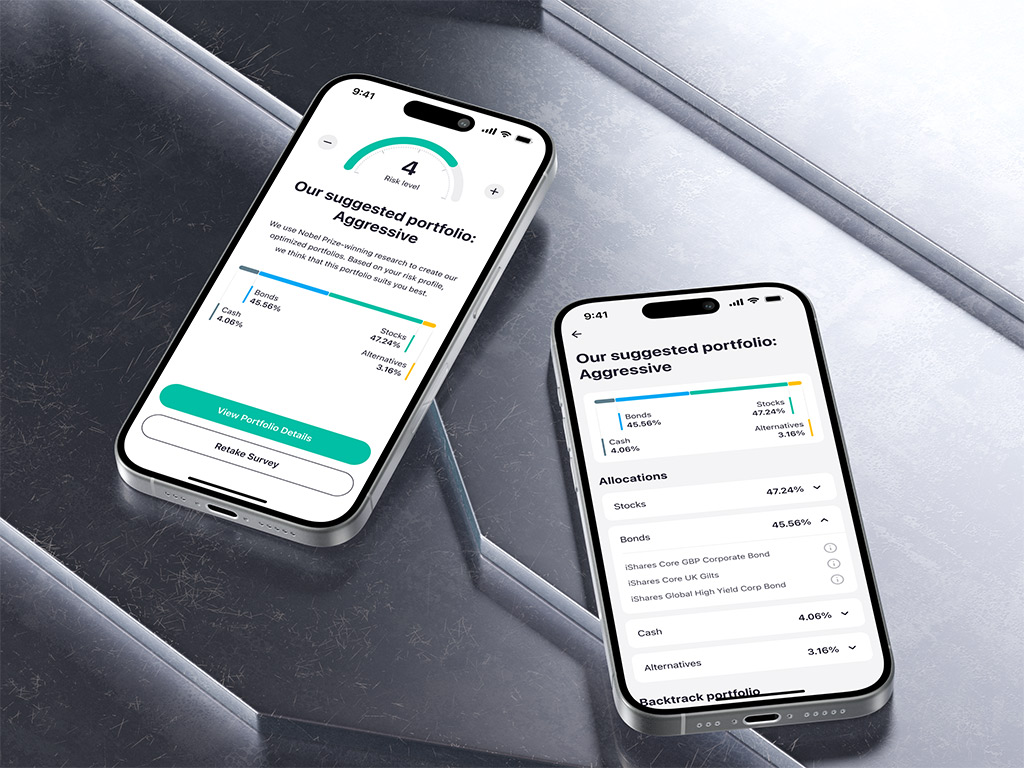
Risk profiling in the ZAD interface
Mobile Platforms
A mobile device OS is not a mini-me of a desktop OS. It requires a paradigm shift in both the way information is structured and presented. With desktop OS, what you see is what you get. A mobile OS is when you see what’s important at the moment.
Mobile platforms exposed the core of UX – ease of use and pleasure, not the necessity.
With the rise of different mobile operating systems, cross platform app development is in high demand. Let’s dwell on two popular options that you can consider for your project:
iOS
Since it was invented in 2007, iOS hasn’t lost any of its significance. The reason why it came to fruition is that Apple believed the product was so good, that they could not afford to mess it up with third-party software. Apple transformed the idea of the mobile user experience and is partly responsible for making it the primary way of accessing digital information. iOS is an exclusive system that is only viable in the context of a restricted array of products: iPhone, iPad, and iPod Touch with slight deviations into Apple Watch and Apple TV.
Android
Android is not one phone. Device makers ship their own screens, OS versions, and preinstalled software, so a layout that works on the test device is not a layout that works on the phones customers use. Plan the device pass for those phones, not only the one on the desk.
Which store and which codebase to use is a platform decision. The comparison is in how to choose a mobile app development platform. This section is the map of iOS and Android, not that comparison.
Mobile App Development Languages
To create a mobile application, you need to use a suitable programming language. Many options can affect the choice of a language and framework while developing an application, mainly the platform and features.
In general, an Android developer is proficient in:
- Java
- Kotlin
- Xamarin
- React Native
iOS developer:
- Objective-C
- C
- Swift
Cross-platform developer:
- JavaScript
- HTML, CSS
- Flutter
- Cordova
- C#
- React Native
How to Make an App – App Development Process
To make a mobile application that would really shine among the thousands of others on the App Store and Google Play, it’s important to understand the main steps, affecting the mobile app development cost.
Research and Planning
During this stage, you study every detail that might make a difference: from the market and competitors analysis to the more closely related details like monetization methods. All these aspects should be considered in advance to avoid as many mistakes as you can and make the process smooth. You need to decide whether you go for low code or custom mobile app development since the costs will vary greatly.
Try answering the following questions:
- What is your target audience?
- What pain points are you addressing with your app and what problems will it solve?
- Who are your competitors? Why do people love their apps?
- What features are essential for your app? What makes it unique?
- What platform(s) will you use?
- What languages and frameworks will you use?
- How will you monetize and promote your app? How much will it cost?
- What’s the timeline going to be?
UX and UI Design
After you formed the main idea and objectives, next comes the stage of user experience and interface design. This is when you decide how your app will look and exactly how it will work, depending on the features you’ve picked during the previous step.
Your is aim to create an interactive prototype that you can use during the development stage. If you struggle with the design, opt for no code app development. It offers pre-made templates and designs, so you can quickly assemble first concepts.
You need to create:
- Information architecture. This is where you specify and detail the data, interface, and functionality of the app.
- Wireframes. They provide a visual representation of how your app looks, and its layout: the sizes of the elements, how they are arranged following each other, etc.
- Style guides. A style guide provides the details of various app functions, ensuring that the design is consistent.
- Mockups. They show the flow and are a sort of combination of wireframes and style guides. It’s a high-fidelity version of a design.
- Prototype. While mockups can provide a static view of how an app looks and functions, a prototype can show how it really works. With this demo version, you can check the visual interface, animations, user paths, and flow of the end product.
At this stage, it might be a good idea to engage somebody outside of your team or even a studio to review the prototype before passing the design to developers. It helps you reduce the number of possible mistakes before the coding stage begins.
Mobile App Development
This stage involves the actual coding of an application, as well as several additional activities like checking on the stores’ guidelines, for example, so that the project does not get rejected.
Developers start with the coding process after defining every point and getting a high-resolution version of every single screen.
Creating an app is a stage that consists of several large parts:
- Back-end/server side. This is primarily about databases and other server-side elements like storage solutions.
- API. It is a way for an app to connect with its back-end server as well as with tools and systems that you already use in your business.
- Front-end. Front-end is the face of your project, with which the user interacts. It connects with the back-end via API.
The development of mobile apps is a process involving a lot of iterations and fine-tuning to reach the expected result. A custom approach will be more complicated, while low code app development will be less time-consuming and costly.
Testing and Launch
When you have a fully functional app, the QA specialists meticulously examine and check the project in a variety of scenarios to minimize the chance of bugs. They go back to the initial documentation and ensure that every planned feature exists in the final version of the product and works exactly as it should. QA engineers make an app stable, usable, and secure.
When every specification is met, and the product is approved by project managers, designers, developers, and testers, comes the long-awaited stage of launch.
Support and Maintenance
The story doesn’t end with launching an app. If there are bugs detected during real-world usage, they get fixed. If the first few months show that an application has further opportunities for development, you can choose to make an arrangement for maintenance or start a new cycle.
App maintenance services are very effective, they help keep a project healthy, up-to-date, and in the best condition. Projects based on low code app development require less maintenance effort since they are built with pre-made assets – not much to tweak.
Store review and the release after launch are part of the mobile app development lifecycle, not an appendix to the build. If the company has nobody for the next OS release, that is the moment to talk to a mobile team.
How Much Does It Cost to Develop an App
There is no single price in this guide. A range copied from a blog is not a quote. What moves a mobile app development cost is the first release: how many stores, whether people have accounts and payments, whether the app must work offline, and which systems already run the company. The project calculator starts that conversation. It is not a contract, and it does not replace a scope.
| What you are buying | What changes the estimate |
| One core flow, one platform, no accounts | A smaller build. It still needs design, a developer, and a pass on real devices before anyone calls it done. |
| Accounts, payments, and both stores | A backend, store rules, and a second set of device checks. |
| Offline use, sensors, or a company system behind the app | Integration and a written rule for conflicts. This is where a packaged tool usually stops. |
| The months after launch | OS updates, store policy changes, and the bugs the first real week finds. Budget the people who will do that work. Do not copy a percent from another project. |
Store fees are not the build. Apple’s membership and Google’s registration fee are on their own pages, in the publishing section below. Do not budget a regional discount from an article that does not show its method.
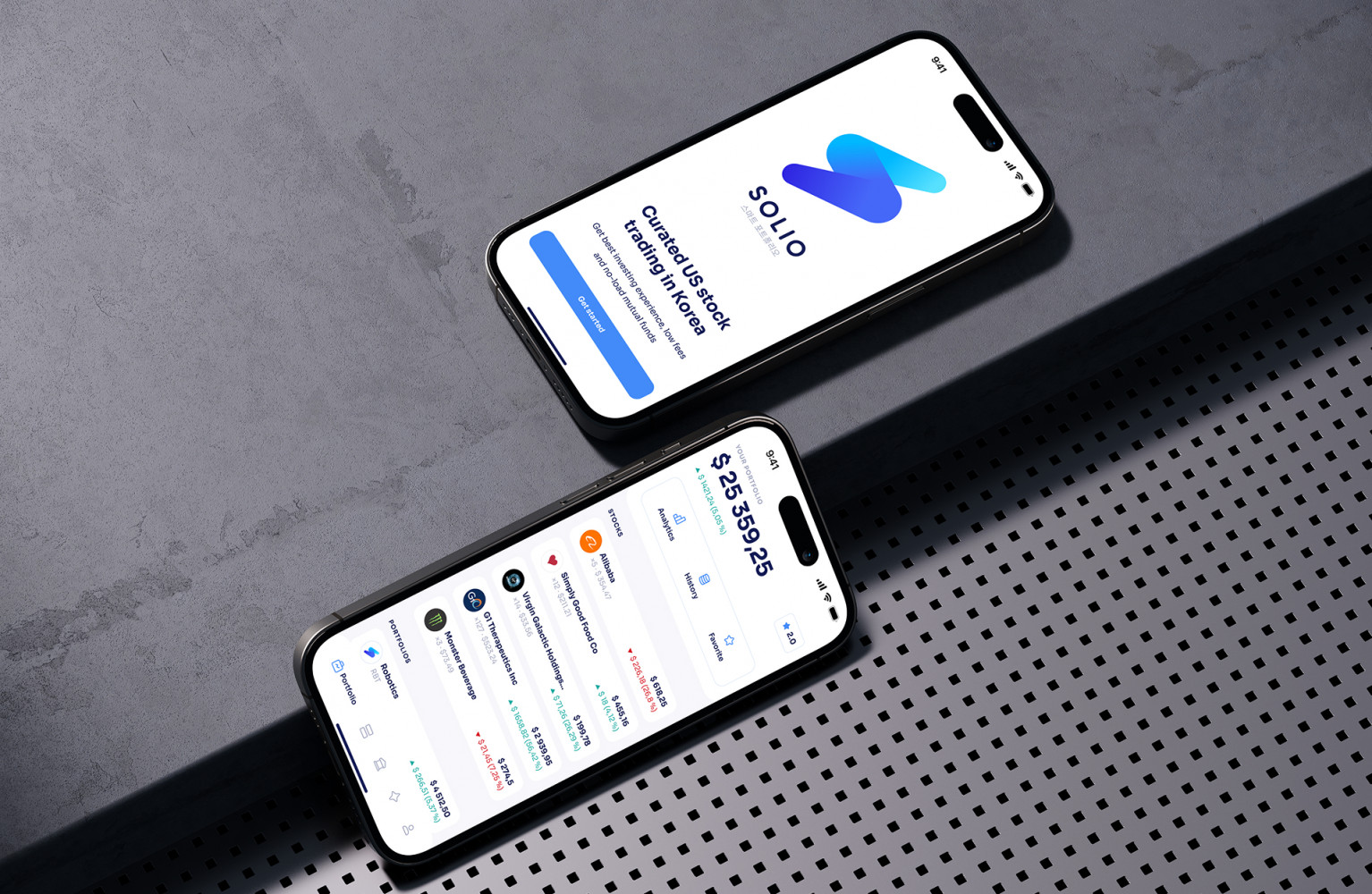
Solio interface by Shakuro
The Solio image is a published interface for a Korean trading app. On that case page, design and localization were done and the development phase was still going. A cover is not a shipped product and not a price.
How to Publish an App on Stores
Publishing is the store account, the build, the listing, and review. The steps below are the ordinary path for the App Store and Google Play.
Developer’s Account Creation
Before you can publish your app, you’ll need to create a developer account. For the App Store, the Apple Developer Program is 99 USD per membership year, or the local-currency amount shown at enrollment. It is an annual fee, not a one-time fee. For Google Play, Play Console registration has a US$25 one-time registration fee.
How to Publish an App to the App Store
- Create and log in to your Apple Developer account, then navigate to the App Store Connect dashboard.
- Click on the “+” sign to add a new app and fill in the required details, including the app name, description, keywords, screenshots, and app icon.
- Upload the build from Xcode.
- Fill in the app Store Listing details, including pricing, availability, and content ratings.
- Submit your app for review, where Apple will check that your app meets their guidelines and standards.
- Once approved, you can set your app to go live on the App Store.
How to Publish an App on the Google Play Store
- Log in to your Google Play Developer Console and click on “Create Application.”
- Fill in the necessary details such as the app name, description, screenshots, app icon, and content rating.
- Upload the release build Play Console requires, and set the audience, distribution, and pricing.
- Submit your app for review, where Google will assess your product for policy compliance.
- Once approved, you can set it to go live on the Google Play Store for users to download and enjoy.
Publishing Progressive Web App
Publishing PWA is different from publishing a traditional mobile app on app stores. They are web-based applications that can be accessed through a browser on any device without the need to download from the store.
- Develop Your PWA: First, you need to develop your Progressive Web App using web technologies such as HTML, CSS, and JavaScript. Make sure your PWA is responsive, fast, and provides a seamless user experience, both online and offline.
- Secure Your PWA with HTTPS: One of the requirements for PWAs is to have a secure connection via HTTPS to ensure data privacy and security. Obtain an SSL certificate for your website to encrypt data transmitted between the user’s device and your server.
- Add a Web App Manifest: A web app manifest is a JSON file that defines metadata for your PWA, such as the app’s name, icons, colors, and display mode. This file helps browsers recognize your website as a Progressive Web App and allows users to add it to their home screen.
- Register a Service Worker: Service workers are scripts that run in the background of your PWA and enable features like push notifications, offline functionality, and caching. Register a service worker in your PWA to enhance the user experience and performance.
- Promote Your PWA: Unlike traditional apps, PWAs are distributed via web URLs. You can promote your PWA through your website, social media channels, email newsletters, and other marketing channels to drive traffic and encourage users to add your PWA to their home screen.
App Development Challenges
The problems that delay a mobile release are usually visible before the first line of code. They are why the process has a research stage and a pass on real devices.
Fragmentation is the ordinary one. Android phones differ in screen, OS version, and manufacturer software. A layout that is fine on the test device can break on a phone the customer already owns. iOS is tighter, and each major release still moves the rules.
Offline use is the one teams under-specify. Caching a screen is not the same as two people editing the same record, one offline and one online. The conflict rule has to be written in planning. Switching between Wi-Fi and cellular in the middle of an action is normal use.
Security is a product decision, not a final checklist. Tokens, permissions, and what a third-party SDK is allowed to collect have to be named before the build. An SDK that shortens the calendar can also add weight, a vulnerability, or a behavior store review will reject. Read what it collects before you add it.
Mobile app performance testing on emulators is not enough. Emulators miss touch, sensors, and some manufacturer bugs. A device lab or a cloud device pass covers more of that, and it still will not include every phone. Test the models your users actually open.
The last failure is a promise. A finished app on someone else’s phone is not an estimate for “just add notifications.” Notifications need a server, a permission flow, and a fallback when the user says no. Say that before the date is fixed.
What Changed in Mobile Apps by 2026
The six stages did not change. What changed is how little patience a first screen gets, and how often AI is sold as a feature when it is an API call with a prompt behind it.
An account wall before the product is visible still loses people. If the first screen can show the job, do not hide it behind signup. Identity checks that used to be a long upload can run in the background. Plan the failure path. If the check fails, the user deletes the app.
AI in 2026 is a layer, not a switch that makes the app smart. A prototype that looks finished can still have no backend anyone can maintain. You do not have to commission AI development services for every release. If the product’s job is to answer or sort, ignoring that layer makes the app feel unfinished. An AI-built product audit is for a product that already has the layer and needs a clear account of what it does. It does not replace scope.
A super-app that chats, pays, and shops in one icon is a poor default. Most companies need one workflow done clearly. Name what the app collects. Do not add an SDK that collects more than that screen tells the user.
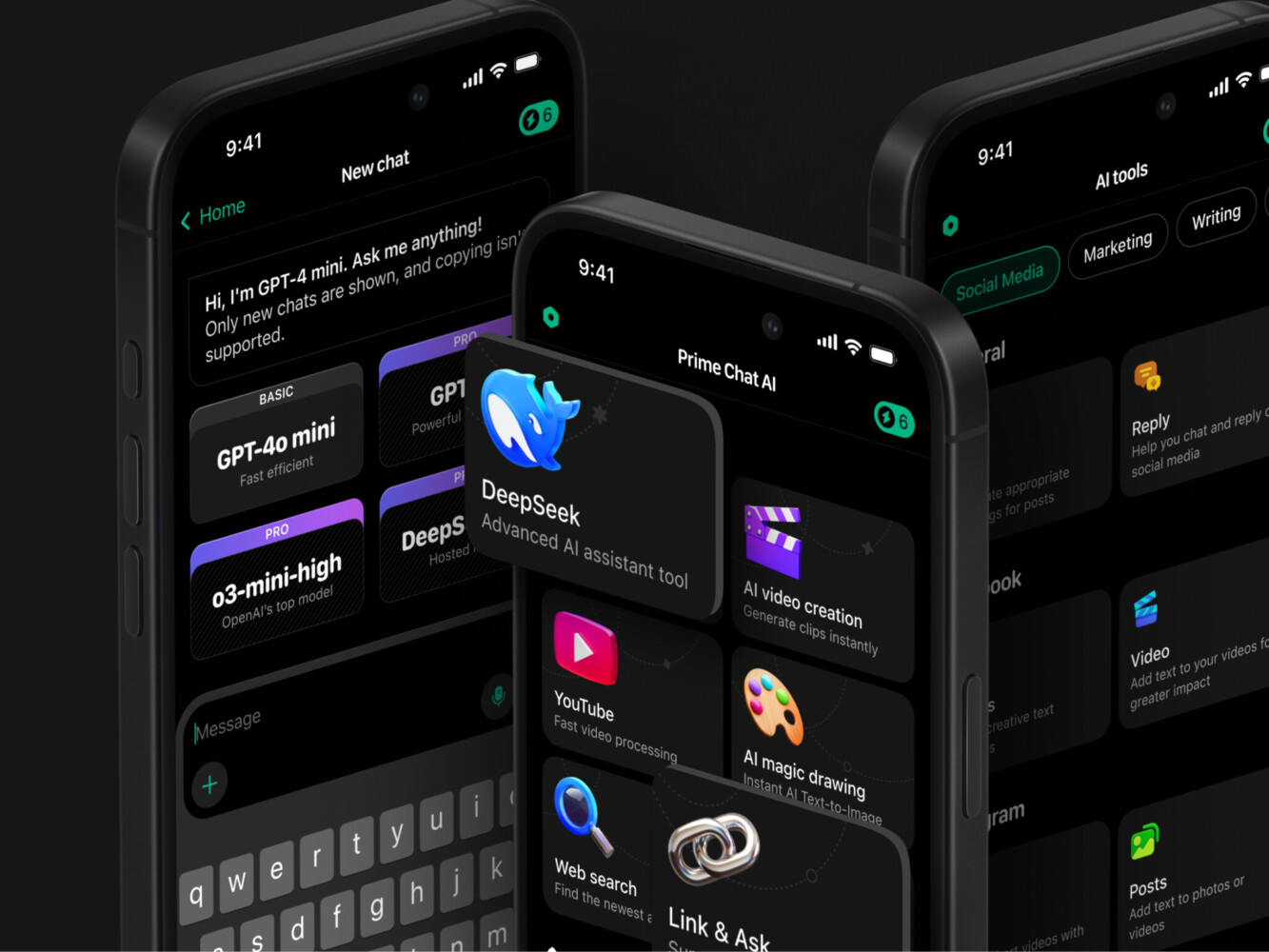
Prime Chat AI interface by Shakuro
When Does a Company Need a Mobile Team?
A company does not need a mobile team for every phone-shaped idea. A no-code form, a responsive site, or a tool one person can maintain should stay small. Hire when the product has to do at least one of these:
- Ship in the App Store and Google Play, and still run after the next OS release.
- Use the camera, offline storage, push, or a sensor the browser does not expose reliably.
- Connect to accounts, payments, a catalog, or another system the company already runs.
- Keep a designer, developers, and QA on the product after the first release.
That work is mobile app development services. If the phone itself is the product, with native APIs and behavior that differs by store, that is native mobile app development. If the workflow belongs to the company and a packaged app does not cover it, that is custom mobile app development. Who sits in the room is a separate question from which company to hire: who to hire to make an app.
Shakuro designs and builds mobile products for companies that need the product after launch. The images on this page are narrower than that. ZAD and Prime Chat are published interface work. Solio’s published page had design done while development was still going. Proko is a learning platform, including phone layouts, not a native store app. Do not read a cover as a shipped brokerage or an AI product.
If the job is a landing page or an internal form, this is the wrong team. If the job has to live on phones after launch, tell us what the first release must do, and what can wait.
Conclusion
Building a mobile app is the six stages above, not a slogan about code. Most failures start earlier: unclear scope, the wrong first release, or a feature the phone cannot support the way the brief assumed.
If the company can staff the stages, use the list as a check before anyone submits to a store. If it cannot, the section above is the hire. Tell us what the first release must do.
Frequently Asked Questions
How much does it cost to make a mobile app?
There is no single price. The estimate follows the first release: stores, accounts, payments, offline use, and the systems behind the app. A mobile app development cost breakdown is on that page. The project calculator is a starting point, not a quote, and an hourly rate from a blog is not one either.
How long does it take to build a mobile app?
The calendar follows the same list: platforms, integrations, and how much is in the first release. Research, UX/UI design, and a pass on real devices are their own blocks. A small first release is shorter than a product with accounts, payments, offline sync, and two native codebases. Rushing the device pass shows up as bug reports after launch.
What team do you need to build a mobile app?
A simple first release may need a product designer, one mobile or cross-platform developer, a backend developer if the app stores data, and QA before launch. A larger product may also need a project manager, a UX researcher, a DevOps engineer, or someone who owns analytics and integrations. If that team is not in the company, that is a hire, not one person stretched across every role.
Should you build a native or a cross-platform mobile app?
Choose native mobile app development in Swift or Kotlin when the product needs direct access to each platform’s APIs. Cross-platform frameworks such as Flutter or React Native share UI code across iOS and Android, and they still need native modules when the phone requires them. Low-code fits a narrow flow you can live inside the tool’s limits. It is the wrong tool when store review, offline conflicts, or a custom backend are the job.
How much does it cost to publish a mobile app on the App Store and Google Play?
The Apple Developer Program is 99 USD per membership year, or the local-currency amount shown at enrollment. Apple’s commission on digital goods and services is 30%, and 15% if you are enrolled in the App Store Small Business Program, Video Partner Program, Mini Apps Partner Program, or News Partner Program, plus 15% for qualifying subscriptions. Google Play charges a US$25 one-time registration fee. The Play service fee on paid downloads and in-app digital goods is not a flat 30%: Google says that of developers who pay a service fee, 99% qualify for 15% or less through its programs, and the rate also depends on the buyer’s country. Read the current Play service fees before you put a percent in a budget.
What kinds of mobile apps are most popular?
Category charts are not a brief. A company should build the workflow its customers already have, not a copy of a social, music, or dating app. Popularity of a category does not mean the store will feature a clone, and it does not mean the company should hire a mobile team.
Related reading
- How to Choose the Right Mobile App Development Platform
- Choosing the Best: Top 7 Cross-Platform Frameworks
- Your Checklist for Small Business Mobile App Development
- Understanding Mobile App Development Costs: Complete Breakdown
- The Hidden Side Of Mobile App Development Lifecycle
- Who Do You Hire To Make An App?
The article was originally published in April 2020 and was updated in October 2026.