
Personal finance app development means building a mobile app that syncs a user’s cards, bank, and investment accounts, tracks expenses, and visualizes them in clear graphs and charts. An app on the level of Mint or YNAB takes at least around 2000-2500 hours to create, which at Eastern European outsourcing rates comes to about $87,700.
From 2022 to 2030, the worldwide personal finance app market is estimated to develop at a CAGR of 16.5%, and the Android app development category leads it with a market share of more than 60%. The challenge is to serve both spenders and savers while keeping financial data secure and the interface simple enough to use in a supermarket queue.
This guide covers the psychology behind personal finance apps, the top apps for iPhone and Android, the features users expect, budgeting app design, the technology stack, how to build a personal finance app step by step, development cost and time, monetization, and trends.
Key takeaways
- Meet the requirements of both spenders and savers.
- People expect to have a convenient finance management in the app
- Go for a clear UI/UX with glanceable dashboards
- Follow the latest trends like Voice UI or AI
Psychology Behind Personal Finance Apps
One of the most important steps in creating an app for budget management is understanding the problems of the future user. All people, regardless of social status, subconsciously manage their money flow according to the same psychological model. There are two types of people: spenders and savers. Users from these groups will use the app in completely different ways, and they are looking for particular features of money management.
So, a budget app must meet the requirements of both groups. For spenders, you must offer schemes for reducing costs and budget-conscious spending. And for people who want to save money, an app should offer simple ways to accumulate wealth. A long, difficult pandemic time has affected how people distribute their budgets. Grueling lockdowns deprived us of any possibility to shop outside. In a situation when people had no opportunity to travel, to go to restaurants, or to any other public places to spend money for relaxation.
And this is another psychological moment you should consider while creating your budget app. It’s the rush of compulsive spending after a long inability to do this during the pandemic. Therefore, now the creation of an app for accounting and cost management is very important in helping users spend money wisely and not be left with an empty wallet. During the last two years of the epidemic, Americans spent $1.7 trillion online. So now we can say that people need a good, faithful assistant for budget management to get back on track with their spending.
Moreover, almost 98% of Millennials and 89% of consumers use mobile banking apps daily and plan their budgets with gadgets. Such apps are present on people’s phones, the market growth is promising, and you can have your share now while it’s still easier.
What are Financial Apps and Why People Use Them
Personal finance apps (also called budgeting or money management apps) are mobile applications that sync your credit cards, bank, and investment accounts under one roof, keep track of all your expenses and visualize them in convenient graphs and charts.
The very first financial apps and services replaced the good old notebooks allowing people to keep records not on paper, but on a computer. The history of personal finance management started in 1983 with the founding of the Intuit company and its flagship product. You guessed it, Quicken, was originally written for MS-DOS and the Apple II.
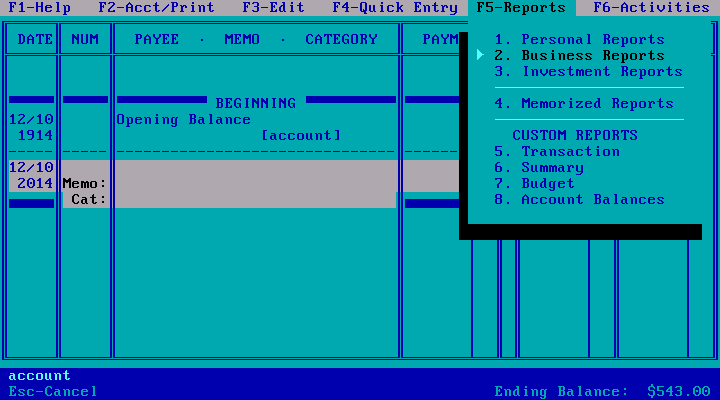
One of the first versions of Quicken
But as electronic accounting services had more opportunities, they soon began to expand their functionality. Categories of expenses and incomes emerged, along with payment reminders, analytical tools, budget planning, and the ability to have joint accounts with other users.
There are two main types of personal finance apps. Manual, where you have to input all the records personally and indicate the figures and category of each purchase or income, and linked, where an app draws all the information about your expenses automatically.
There are several reasons why millions of people have a budgeting app on their phones:
- They simplify finance management
- It’s a great way to take control and see exactly what you spend your money on
- They help to save and plan for the future
- They help to prepare for financial emergencies and get out of the credit holes
- They make tax duties less complicated.
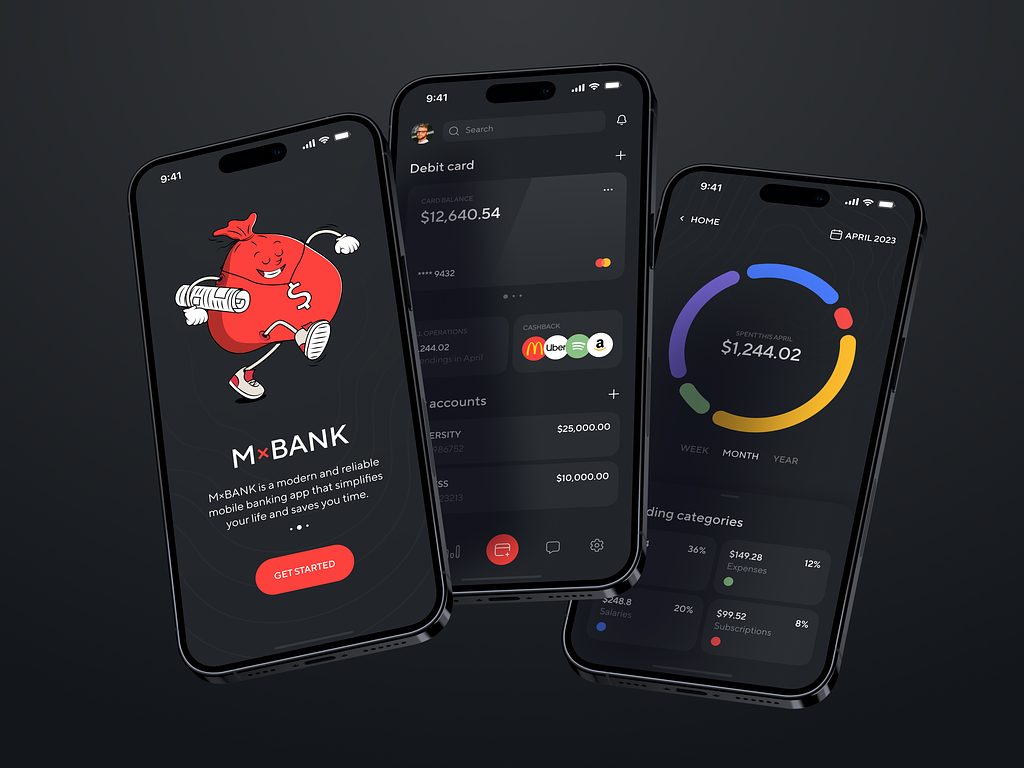
Mobile Banking Application Design by Shakuro
Personal Finance Apps: Different Product Models
Before building your own app, you might want to test several popular personal budget apps to find out why people like them and how you can make something different to gain your competitive advantage. Of course, since every person has a different style of money management and different financial goals, there’s no single opinion on which budgeting app is the “best”. But there are a few apps that are the most popular among users.
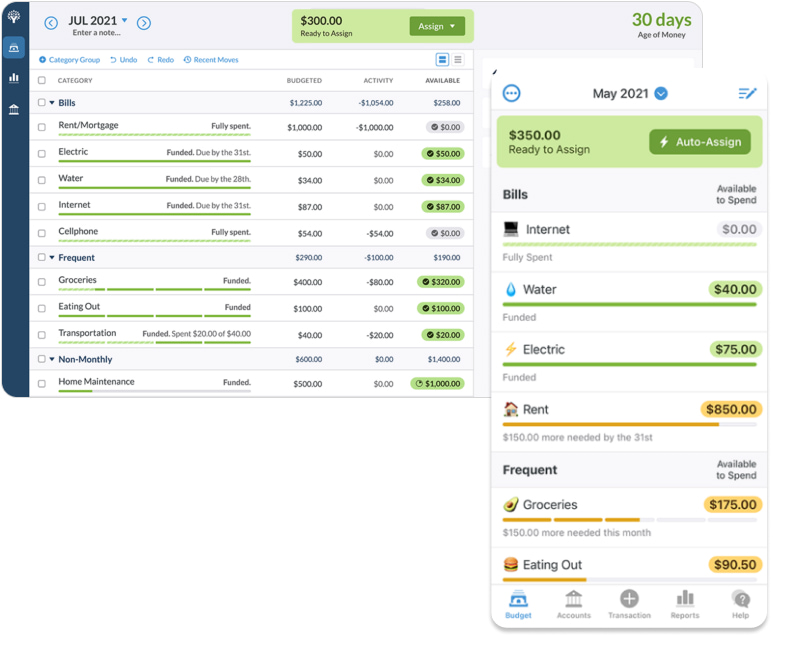
You Need a Budget (YNAB)
Pricing: free for 34 days. Then $14.99 per month or $109 per year.
This app is somewhat sophisticated, taking longer to set up, and having an elaborate interface. What’s good about YNAB is that apart from the usually expected budgeting tools and spending monitoring, it also serves as an educational tool, providing instructional videos on how to avoid debt or cut costs:
Empower (formerly Personal Capital)
Pricing: free.
Empower uses interactive cash flow tools to help you control spending habits, ensuring that you always stay within limits. But unlike the majority of its counterparts, it’s more of an investment tool. Investment functions consist of interactive advisors giving directions on where better entrust your money and how to review and track your investments:
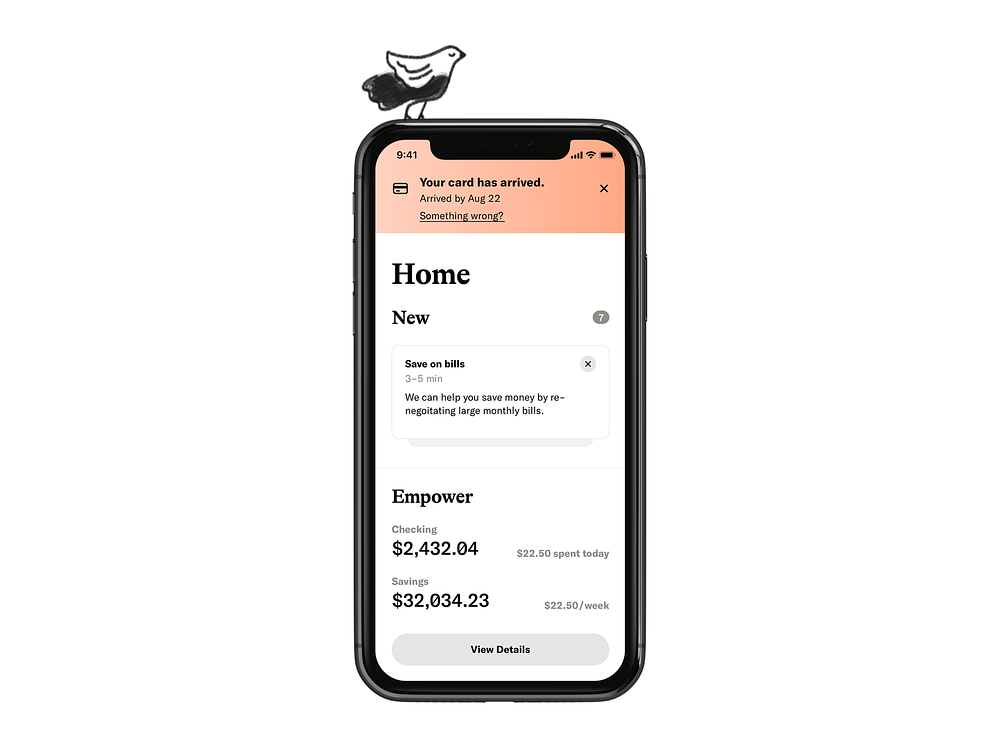
Empower Home Feed by Sam Elliott
Goodbudget
Pricing: Free. Possible upgrade to $50 a year.
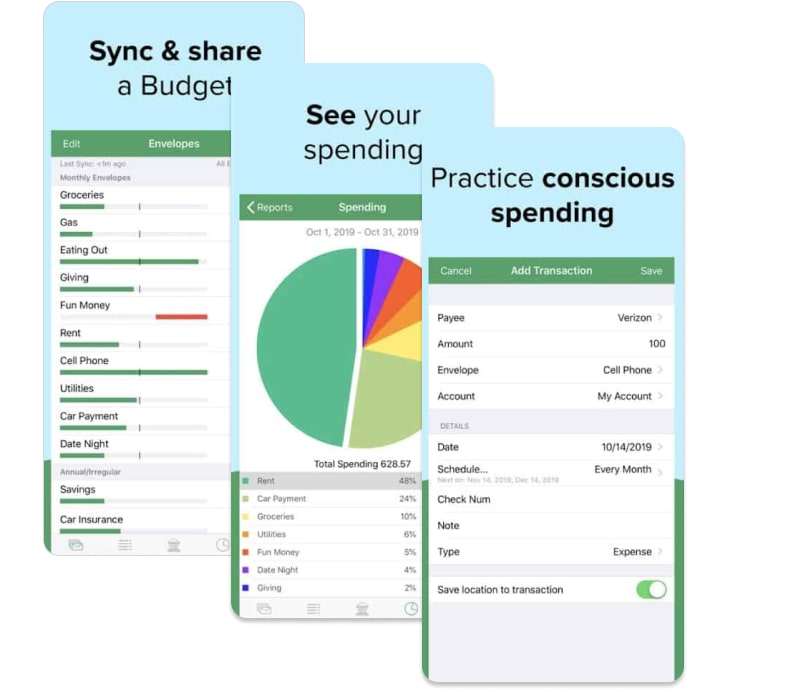
Goodbudget is different from the above apps in a way that it isn’t linked, so all the information has to be input manually. It works on the tested “envelope” principle, taking your income, dividing it into parts, and allocating it into different envelopes for different categories:
What People Expect From Personal Finance Apps
Features are what primarily affect the cost of an app. The majority of people expect the following features from a personal finance app:
- Versatile hierarchy of categories, regular payments
- The ability to easily view balances in different bank accounts, and overall financial status
- Integration with banks, receipt scanning
- Standard reports by categories and expenses dynamics
- Regular payment reminders and notifications
- Backup: Google Drive or Dropbox
- Expense tracking with real-time updates
- Goal-setting and progress-tracking
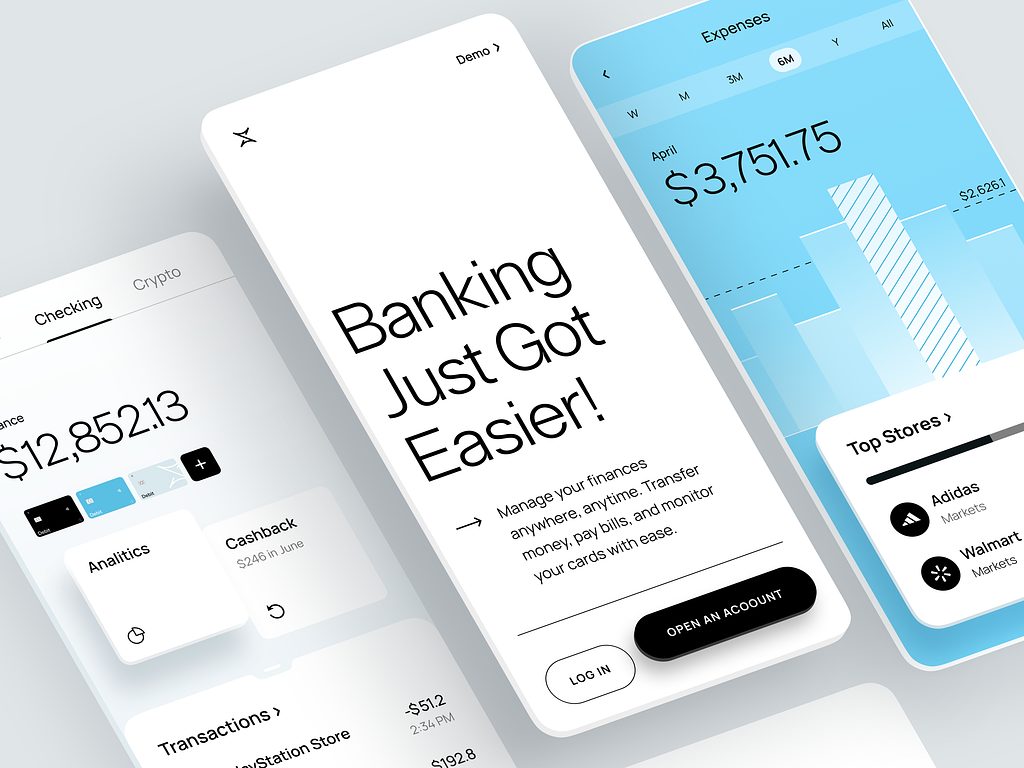
Finance Management Mobile App by Conceptzilla
The main function of budgeting apps is to provide users with transparency over their income and payments and help them have control over their savings goals. Some aspects need special attention:
- Security — the critical aspect of financial apps. “Is my app safe?” is perhaps the biggest concern for potential users. Especially now in the era of personal information leaks and Facebook and Google business models that many people regard as an infringement of human rights. When building a personal finance app, it’s important to pay attention to PCI DSS (Payment Card Industry Data Security Standard) and GDPR (General Data Protection Regulation).
- Personalization — personal money management apps are simpler and more user-friendly compared to business accounting software, but they still need to have some level of flexibility. For example, many users might want a joint finance app for couples or an app to teach their children financial literacy.
- Analytics — for the majority of users, it’s the key feature of personal finance apps. The most important thing for them is to always have a clear picture of how much money they have, where it is, and what it is spent on.
But to be competitive, the aim of every application is to offer something unique. These features are less frequent and may serve as an example of how to differ from the rival apps:
- Investment insights and guidance.
- Money management tips like in YNAB.
- Analytics of forecasted future expenses.
- Payments.
- Product/service comparisons.
Budgeting App Design
How will your budget management app look? The main difficulty in personal finance app development is finding the golden mean between information content, simplicity, and clarity. Remove unnecessary elements from the screen, leaving only the most useful. Let’s outline some popular trends.
Intuitive and minimalistic approach
Based on hundreds of reviews, it’s clear that what users value most in personal finance apps in terms of design is their simplicity and intuitiveness with a minimalistic approach. Perhaps this can be explained by the complexity of the subject. When people see the previews of simple interfaces, they are more likely to put their trust in those developers who made something clear out of something complex. The task of UX designers is to figure out who their users are and their habits.
Simplicity and clarity of every action
People use personal finance apps on the go, right in a supermarket or a coffee shop, and that’s why they must work fast and be as simple as possible. Add intuitive registration with onboarding to get users acquainted with the product. Tell them how your solution differs from similar apps. Think of ways to minimize the complexities of the financial verification process.
Animations to explain and energize
Many designers place value on the use of smooth micro-animations in such apps. Micro-animations are small functional animations that help users by giving visual responses to actions and showing changes. They are used for various clickable elements like buttons, sliders, or icons. Micro animations help clarify what your current status is and what to expect next.
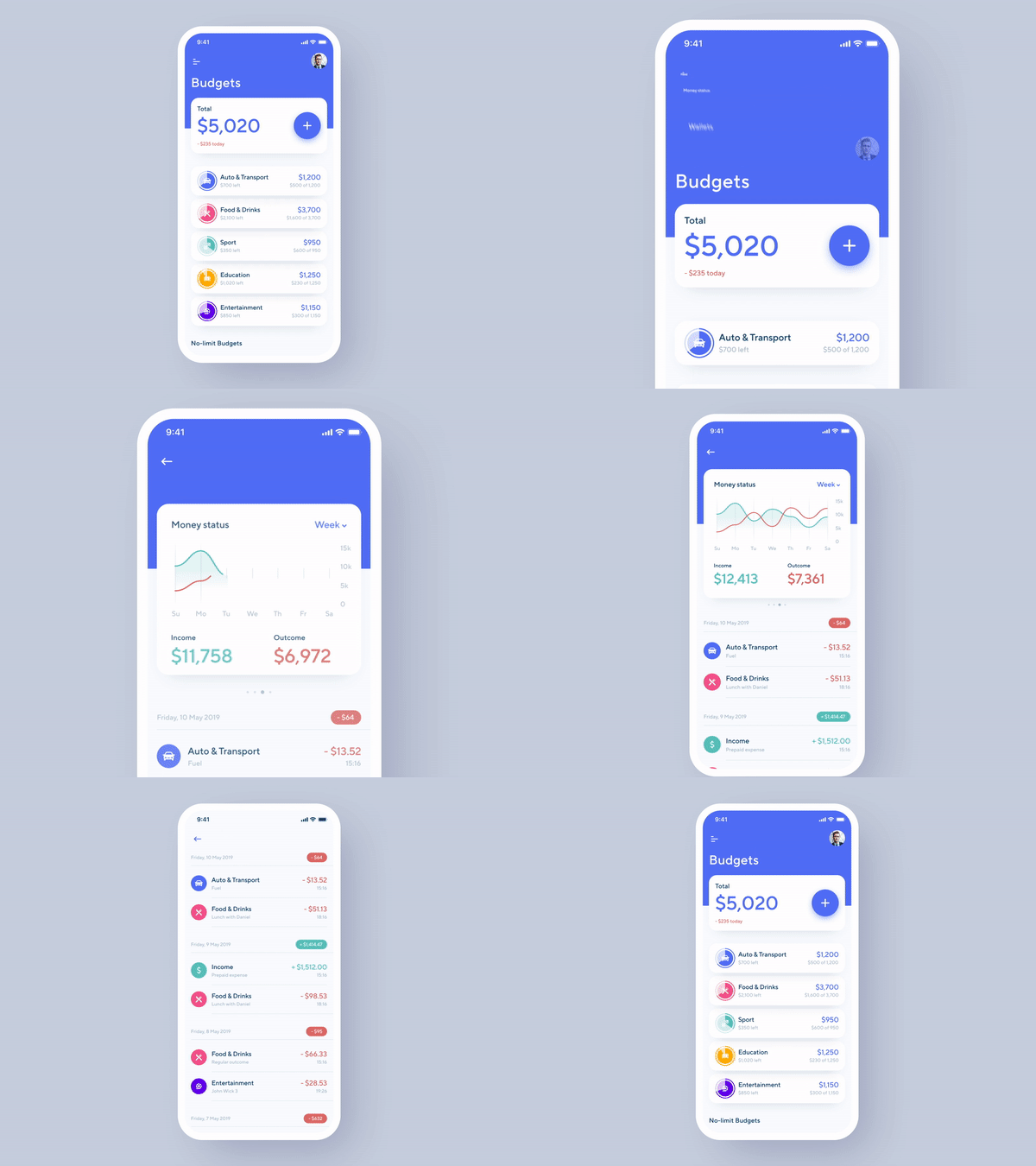
Financial Assistant App Animation by Shakuro
Technology Stack
There are two approaches in mobile app development: native development and cross-platform technologies.
Native development is about using the original programming languages, in particular, Swift (before, it was Objective-C for iOS) and Java or Kotlin (for Android). There are a lot of cross-platform technologies, like React Native, that evolve and become more versatile. However, complex applications are predominantly written using native technologies. Cross-platform problems can include some functions simply not being feasible, the device’s RAM is heavily loaded, the battery quickly running out, etc.
These are the technologies that we use for making mobile apps:
- iOS mobile app: Swift, Objective-C
- Backend/API: Ruby, .NET, Postgre DB
- Admin panel: React, Angular, jQuery
In the case of financial apps, they also cannot manage without APIs (advanced programming interfaces), that is, financial data APIs, that make it possible for separate programs to interact with each other. With their help, fintech software can connect to bank systems and access the data they need to function. So that users of personal budgeting apps could view their accounts directly on the app, rather than switching between an app and a bank’s website.
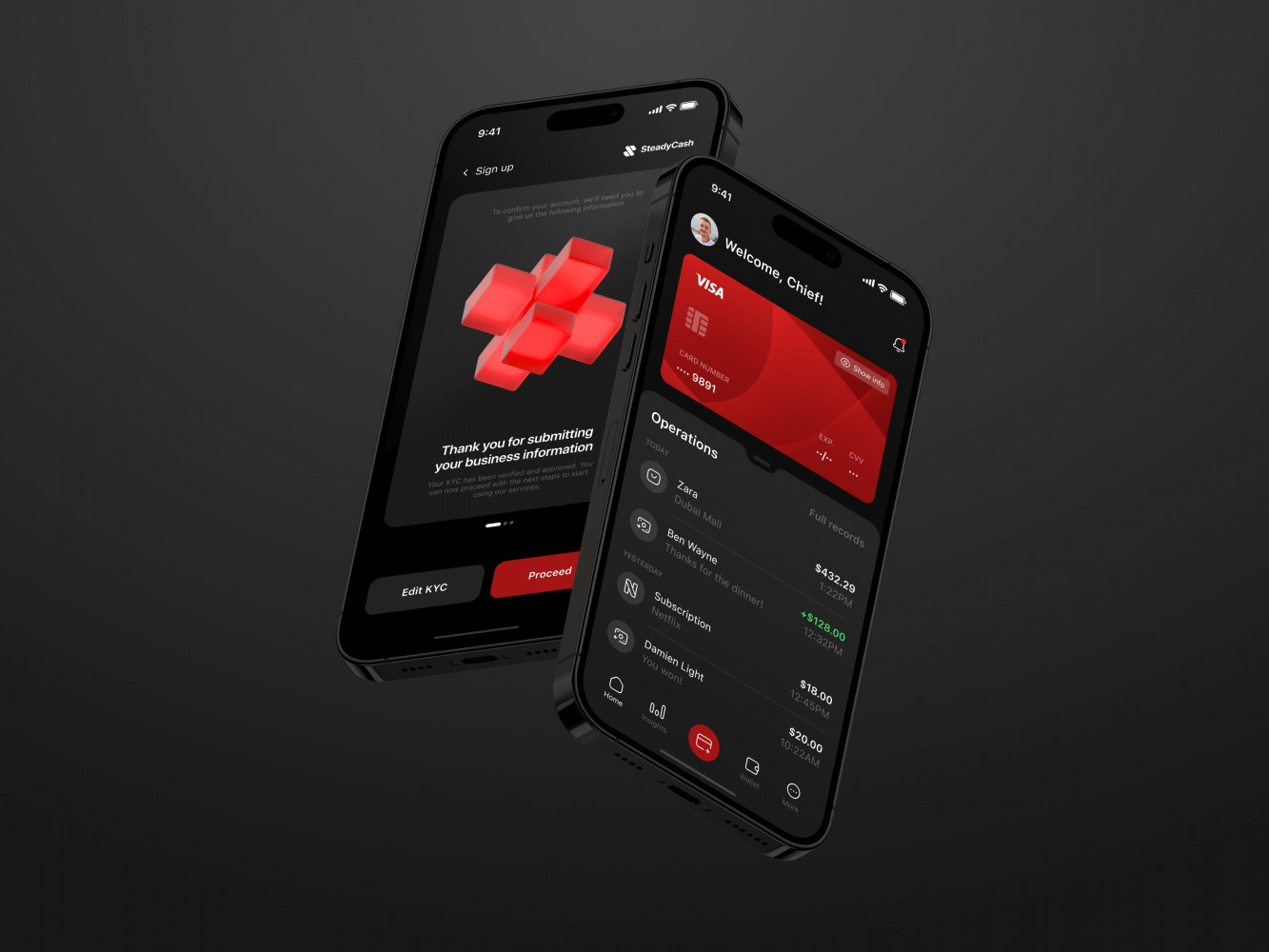
Mobile Banking App by Coneptzilla
How to Build a Personal Finance App
Laying the Groundwork
Navigate the Legal Jungle Early
Choose the Right Data Aggregation Partner
Design a Secure, Scalable Architecture
Crafting the User Experience
Launching and Iterating
Plan for Continuous Feedback Loops
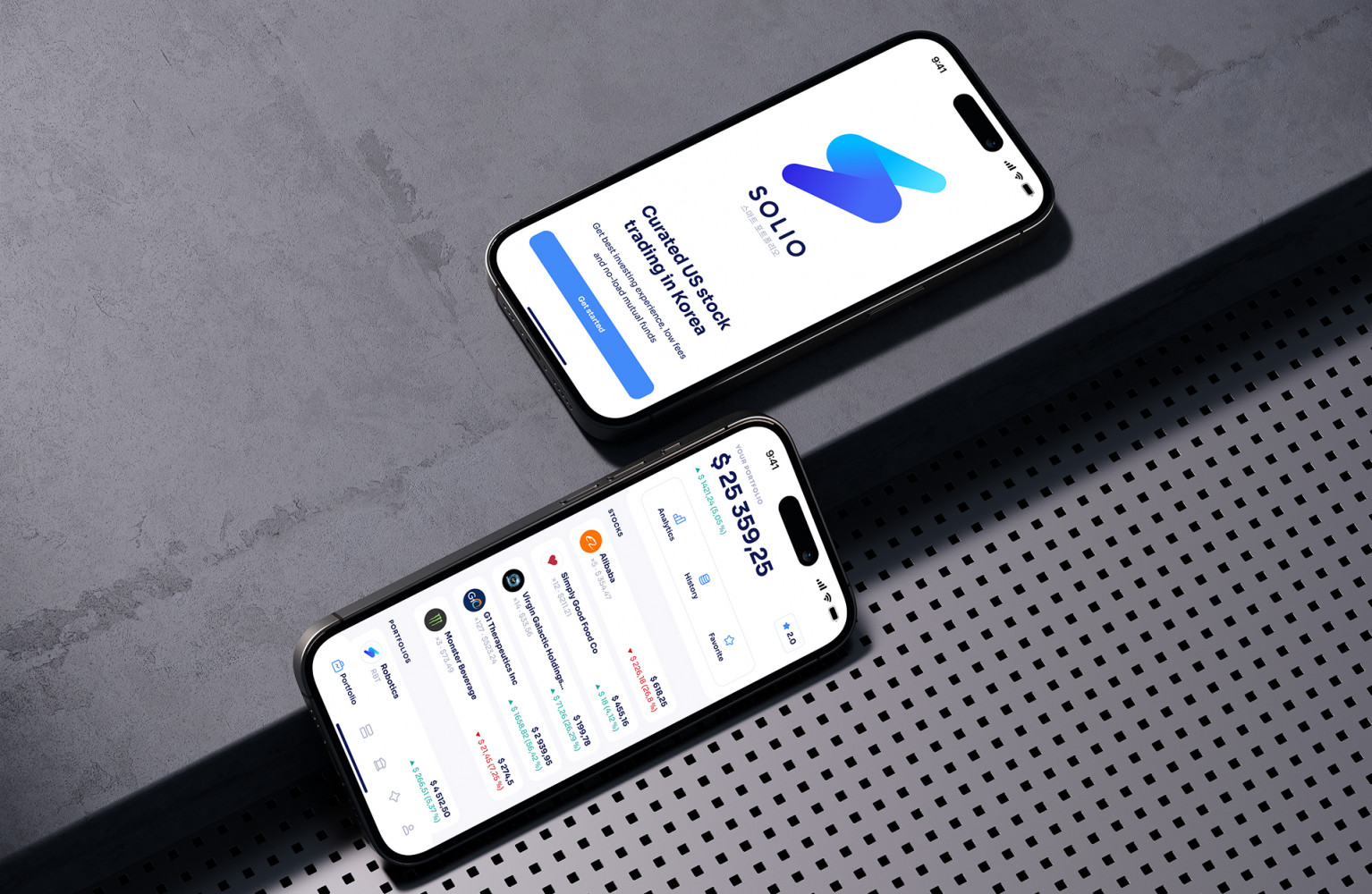
Solio App by Shakuro
Personal Finance App Development Cost and Time
A budget of a personal finance app depends on what it helps users do and how it obtains their financial data. A manual expense tracker, a bank-connected budgeting app, and a service that moves money require different scopes and estimates.
For the bank-connected MVP described below, an illustrative delivery budget is $100,000–$150,000, or $120,000–$180,000 including a 20% planning reserve. This is a worked planning example, not a fixed quote or a market-wide average.
What This Estimate Covers
The estimate assumes:
- Cross-platform iOS and Android apps sharing a mobile codebase.
- Backend services and a basic web-based support/admin interface.
- One launch country, one language, and one base currency.
- One banking-data provider covering an agreed set of institutions and account types.
- Read-only account connections, transaction import, category correction, monthly budgets, and basic spending reports.
- Synchronization status, reconnection, transaction reconciliation, account disconnection, and a data-deletion workflow.
It does not represent feature parity with an established personal finance platform.
Personal Finance App MVP Budget Breakdown
The calculation uses 2,000–3,000 combined team hours at an assumed blended rate of $50/hour. Both the effort and rate must be validated against the agreed scope and delivery team.
| Workstream | Included Work | Estimated Hours | Budget at $50/Hour |
| Discovery and integration validation | Requirements, MVP boundaries, bank-coverage checks, provider evaluation, and technical risk assessment | 160–240 | 8,000–12,000 |
| UX/UI design | Onboarding, account connections, budgets, reports, and loading, error, and outdated-data states | 180–260 | 9,000–13,000 |
| Cross-platform mobile development | Shared application UI, navigation, budgeting workflows, reports, and platform-specific configuration | 500–740 | 25,000–37,000 |
| Backend and banking integration | Authentication, data storage, provider connection flow, synchronization, transaction reconciliation, and reconnection handling | 500–780 | 25,000–39,000 |
| Support/admin interface | Restricted support access, connection diagnostics, synchronization status, and operational actions | 100–160 | 5,000–8,000 |
| QA and security verification | Functional, integration, regression, permission, synchronization, and baseline security checks | 280–420 | 14,000–21,000 |
| Infrastructure and release preparation | Environments, deployment pipeline, monitoring, backups, and initial store-submission support | 100–160 | 5,000–8,000 |
| Project management and coordination | Planning, delivery reviews, dependency tracking, and stakeholder coordination | 180–240 | 9,000–12,000 |
| Base delivery estimate | Combined effort across all roles | 2,000–3,000 | 100,000–150,000 |
| Planning reserve: 20% | Allowance for uncertainty within the agreed scope | — | 20,000–30,000 |
| Total planning budget | Base estimate plus reserve | — | 120,000–180,000 |
Costs to Budget Separately
The figures for personal finance app development exclude banking-provider fees, cloud and third-party service charges, developer-account fees, taxes, marketing, customer support, and ongoing maintenance.
They also exclude:
- Payment initiation, transfers, trading, or personalized investment advice.
- Subscription billing and in-app purchases.
- Investment-account aggregation and additional banking providers.
- Multi-currency conversion, household permissions, and children’s accounts.
- Receipt scanning, custom AI features, and a separate consumer web application.
- Legal advice, specialist compliance assessments, and independent penetration testing.
Assess these needs during discovery. Excluding specialist work from this table does not mean it can be skipped when required before launch.
Banking-data expenses need particular attention. Model them using the provider’s actual contract, including connection charges, subscribed products, refresh requests, minimum commitments, and support arrangements.
How Long Does Development Take?
Team hours are not calendar hours. At an illustrative combined delivery capacity of 100 hours per week, 2,000–3,000 hours corresponds to 20–30 working weeks. This is a capacity calculation, not a promised schedule: different roles have different availability, and some activities cannot run in parallel.
Provider approval, production access, institution-specific issues, security reviews, and store submissions can add elapsed time. Validate the critical banking workflow early, then establish the delivery schedule around demonstrated capabilities and known dependencies.
A manual-first MVP may cost less, but it tests a different proposition. If reliable banking aggregation is the product’s main value, integration quality and recovery behavior belong in the first-release scope.
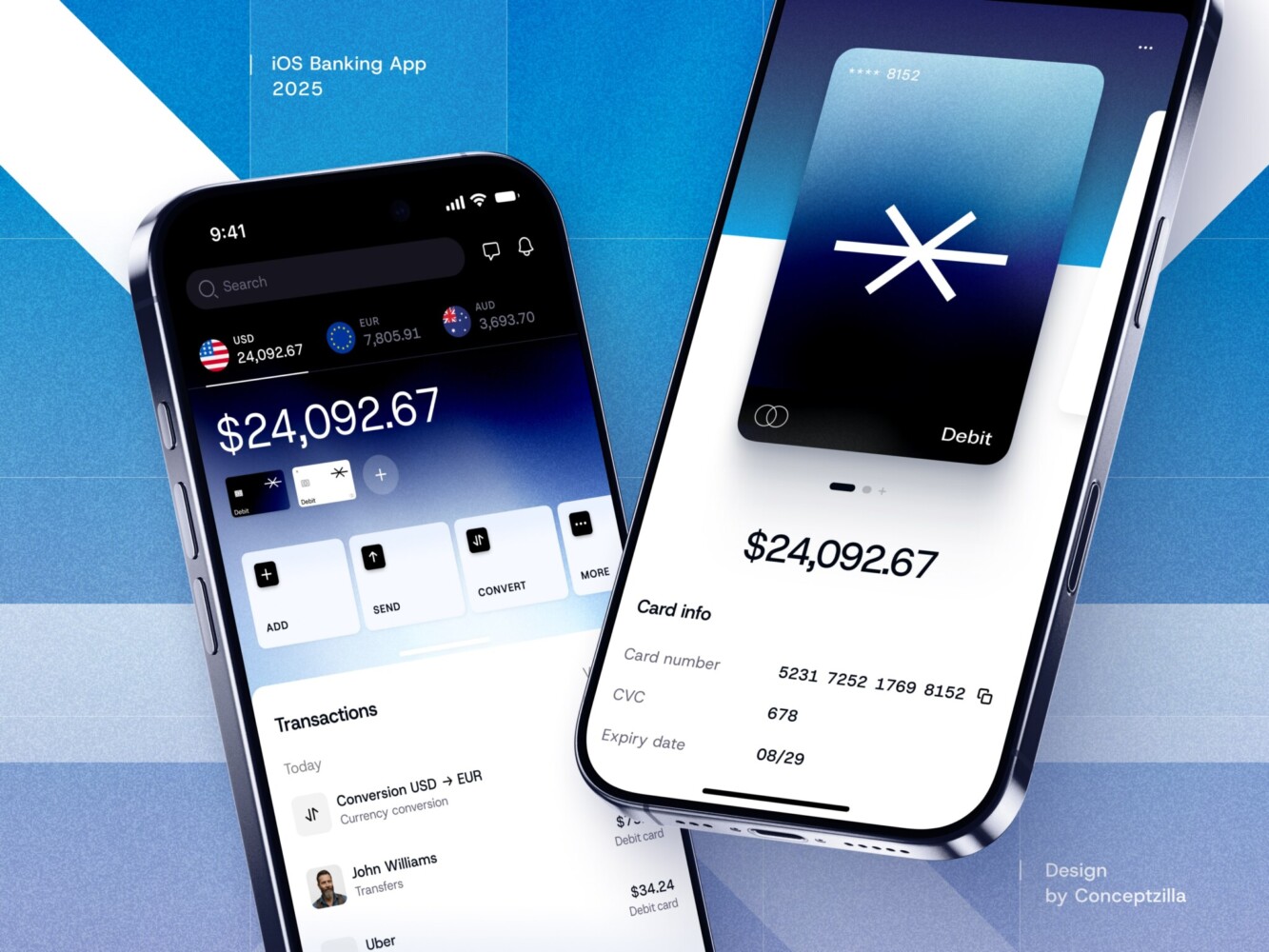
Fintech Mobile Banking App by Conceptzilla

How Finance Apps Make Money
There are several possible ways to monetize a money management app. You can either make it a paid one and ask your users to pay a monthly or a yearly subscription, or you can choose one of the options used in monetizing free apps.
The best bet for a budgeting app is the freemium model. It allows trying out a product before making a purchase. So a user can download your app with the basic features available, decide whether they like it or not, and pay for additional opportunities. For example, the Money Lover app offers some basic benefits like entering expenses, viewing, and spending habits for free. With a premium subscription, you get extra features, like receipt scanning and automated expense tracking.
Trends in Personal Finance App Development
There are more than 8.93 million apps worldwide in Google Play and App Store today, so it’s vitally important to gain an extra competitive advantage. What you can capitalize on:
- It’s a good idea to provide voice commands in your personal accounting app, as most people find it more convenient and fast to voice their expenses instead of typing them.
- Artificial intelligence algorithms are not just a nice marketing gimmick, they can help you use the benefits of technological progress to your advantage. AI analyzes spending habits and offers tips on how to improve them.
- Adding some gamification features to your app is a nice idea that can help users better relate to your app by making it less intricate and more engaging, giving them some sense of achievement.
- A great idea that can increase the popularity of your app would be to add expenses directly to the first screen. You need to simplify the user’s path in the application as much as possible and give them the opportunity to do their intended action immediately upon opening an app. Look at how the Monefy app does it with micro illustrations for every type of expense:
- Also, one of the strongest motivations to use a money management application is the desire for a specific and understandable concept for budgeting. Your task is to come up with a new concept or find the existing one that will help your users to really achieve the accumulation of funds or reduce expenses. If you hope to attract users and keep them, you will definitely need to give them a scheme for all users to clearly understand what they must do, and how to do it, in order to become successful savers.
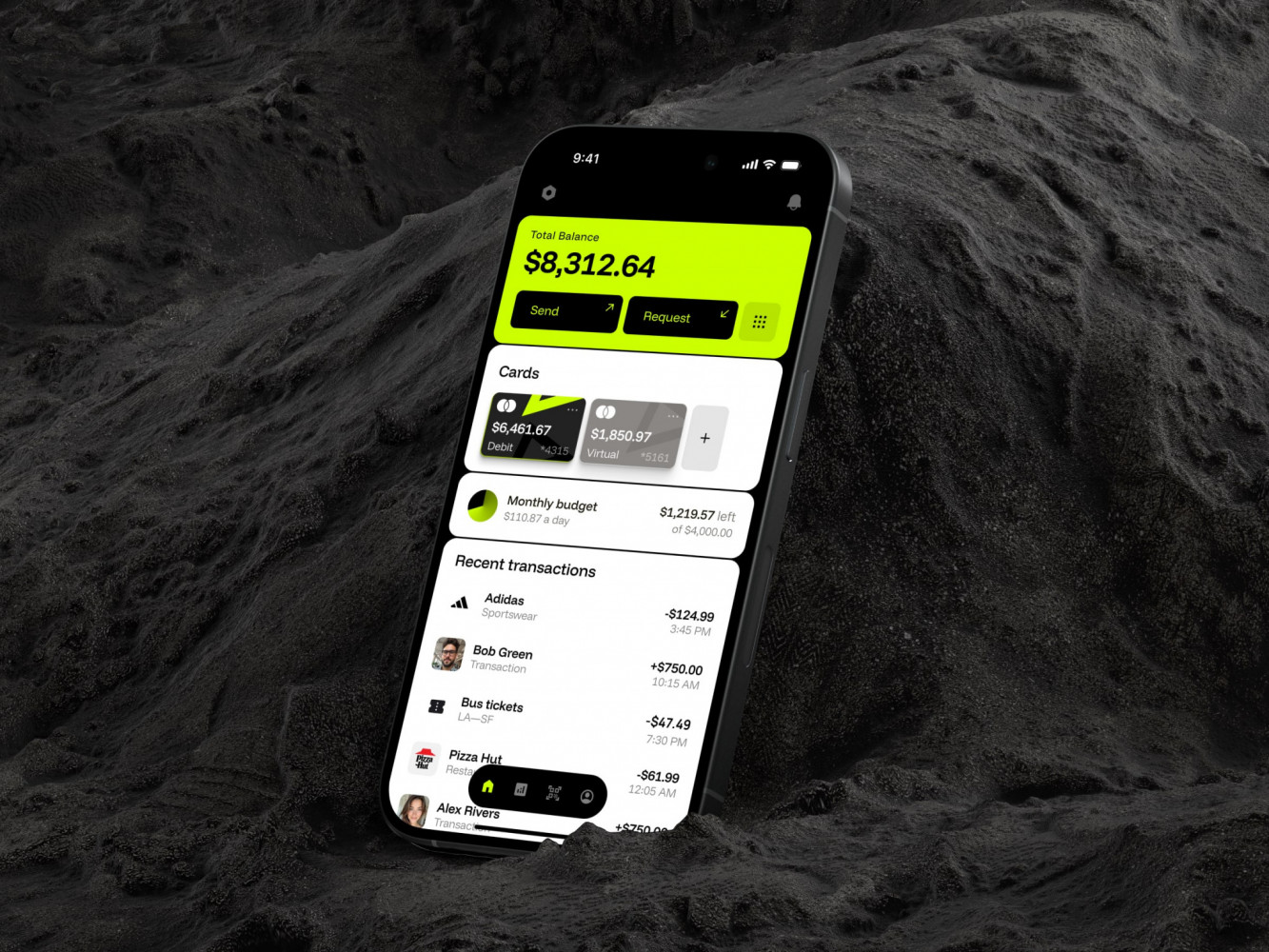
Mobile Banking App by Conceptzilla
FAQ
How much does personal finance app development cost?
A budgeting app comparable to Mint or YNAB costs about $87,700 with an Eastern European outsourced team: 375 hours of UI/UX design at $50, plus 780 hours of iOS development, 920 hours of server-side and 270 hours of client-side work at $35 per hour. Freelancers start from $10/hour but give no quality guarantee, while an in-house team costs $80 to $150/hour.
How long does it take to build a personal finance app?
Creating an app like Mint or YNAB takes at least around 2000-2500 hours. The typical team includes a project manager, a designer, two mobile app developers, two back-end developers, and a QA engineer, and the number of developers depends on the required speed. Before a public launch, test the app with a small group, for example 50 people, and fix the friction points you see.
What features should a personal finance app have?
Users expect a flexible hierarchy of categories and regular payments, balances across bank accounts, bank integration and receipt scanning, reports by category, payment reminders, backup to Google Drive or Dropbox, real-time expense tracking, and goal-setting with progress tracking. To stand out, add investment insights, money management tips, forecasts of future expenses, payments, or product comparisons.
How does a budgeting app connect to bank accounts?
Through a data aggregation partner rather than direct connections to every bank. Plaid is the best-known aggregator, and MX, Finicity, and Teller are alternatives. Compare their documentation, uptime, and pricing, since some charge per connection and some per user. Never store raw credentials: let the aggregator handle sensitive data, keep only tokens, and encrypt data at rest and in transit.
Which regulations apply to personal finance apps?
A personal finance app handles financial data, so it falls under data protection rules such as GDPR in Europe and CCPA in California, and card data requires attention to PCI DSS. If the app accesses bank accounts, open banking standards like PSD2 apply. Talk to a lawyer early and collect only the data you actually need: the less sensitive data you hold, the less liability you have.
How do personal finance apps make money?
The best option for a budgeting app is usually the freemium model: users download the app with basic features and pay for additional ones if they like it. Money Lover, for example, offers expense entry and spending habits for free, while a premium subscription adds receipt scanning and automated expense tracking. Paid monthly or yearly subscriptions are the main alternative.
How About Making Your Own App?
Creating a personal finance app might be a very smart move today, thanks to the booming popularity of the fintech industry. According to UBS, revenues from fintech are expected to increase from $150 billion in 2018 to $500 billion by 2030. It’s going to become one of the world’s fastest-growing sectors, internationally.
People who use budgeting mobile apps often complain about their inconvenience, even the paid ones. Strange statistics, incomprehensible interface, a small number of categories, etc. make you switch from one application to another. When the market is far from being over-saturated it means that there are plenty of chances to contribute with something new. Study your competitors, find out what they lack, and try to imagine what could make your app unique. Maybe adding some cultural aspects? Making it about pets? To compete you need to introduce an app that is custom-made. We can make it for you.
We at Shakuro have experience in developing for the financial industry and know how to deal with the most frequent issues. So, if you are thinking of creating a personal finance app that would turn people’s lives for the better, drop us a line, and we’ll help you make your project complete.
Related reading
- How to Build a P2P Payment App in 2026
- AI Meets Investing: Creating a Robo Advisor App
- Wealth Management Platform Development: Features, Architecture, Process, and Cost
- Remittance Software Development: How to Build a Secure Money Transfer Platform
* * *
This article about finance app development was originally published in June 2020 and was updated in October 2026 to make it more relevant and comprehensive.