For those who prefer to listen rather than read, this article is also available as a podcast on Spotify.
Most mobile apps don’t run into scalability issues on day one. Early on, everything usually feels fine. There aren’t many users, traffic is low, and even simple backend setups cope without much trouble. Because of that, scalability often feels like something that can be postponed.
That changes once the app gets real usage. Not thousands of test users, but real people using it at the same time, in different locations, on different devices, often in ways the team didn’t fully anticipate. At that point, load increases unevenly. Some features are used constantly, others spike only at certain hours, and background processes start overlapping in ways that didn’t matter before.
In mobile apps, this shows up quickly. The app doesn’t become unusable overnight, but it starts feeling less reliable. Requests take longer than they used to. Sync behaves inconsistently. Actions that were instant now lag during busy periods. None of this looks dramatic on its own, but together it changes how the app feels to users.
When scalability is taken into account early, growth doesn’t automatically create these problems. The system still needs maintenance, but it doesn’t need to be reworked every time usage increases.
The Cost of Not Building Scalable Apps
When scalability is ignored, the impact is usually gradual. One part of the system becomes slow under load. Then another. Some issues only appear when many users are active at the same time, which makes them hard to reproduce and easy to underestimate.
From the user’s point of view, the reasons don’t matter. The app feels unstable. Sometimes it responds quickly, sometimes it doesn’t. On mobile, that kind of inconsistency is enough for users to lose patience. They close the app, uninstall it, or leave a negative review, often without giving it another chance.
Inside the team, this turns into a steady drain on time and focus. Mobile app developers spend more effort tracking down performance issues than moving the product forward. Releases feel riskier than they should. Infrastructure costs rise without a clear link to new features or growth. Many of these issues connect directly to mobile app performance optimization, where scalability determines whether increased load results in minor slowdowns or visible failures.
Over time, the app still works, but growth becomes uncomfortable. Each new user adds pressure, and the system reacts a little worse than before.
Key Principles for Building Scalable Mobile Apps
Most mobile apps don’t run into scaling problems right away. At first, everything works. The app is small, the load is low, and even questionable decisions don’t hurt much. That’s usually why scalability isn’t discussed seriously at the start. There’s no pressure yet.
The problems appear later, when the app is already in use and changing things suddenly takes longer than expected. Not because something is “wrong”, but because too many things are connected in ways no one planned for.
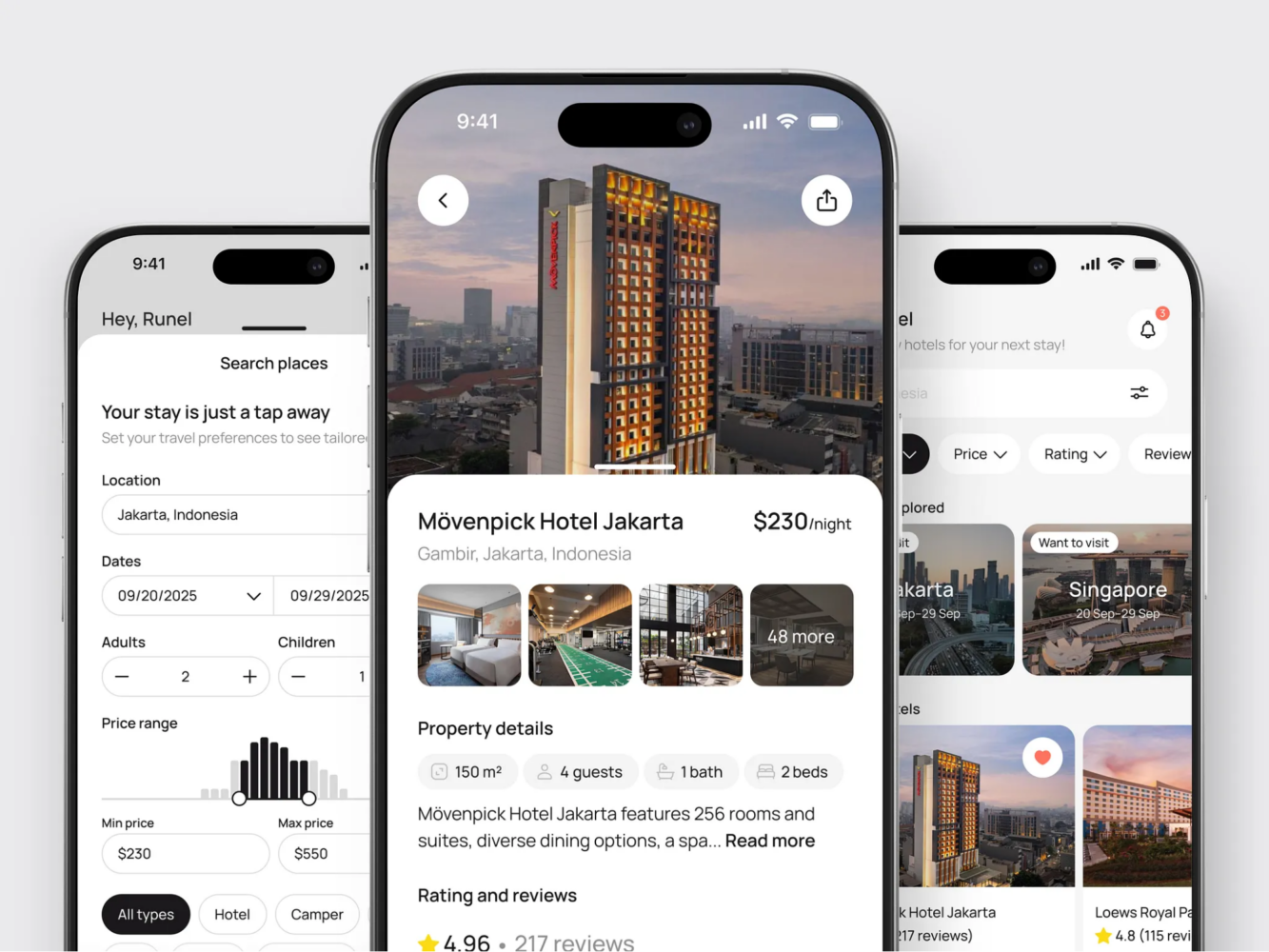
Hotel Booking Mobile App Concept by Shakuro
1. Modular Architecture
Apps become hard to scale when logic slowly spreads everywhere. It doesn’t happen in one step. A feature pulls in some shared code. Another feature reuses it slightly differently. A quick workaround stays in place. After a while, it’s no longer clear where one thing ends and another begins.
At that point, even small changes feel risky. You fix one thing and something unrelated breaks. Performance issues are especially annoying, because it’s hard to isolate what actually causes them.
A modular structure doesn’t make the app perfect, but it limits how much damage a change can do. When parts are reasonably separated, problems stay closer to where they start. If one area starts struggling under load, you don’t have to dig through the entire codebase to deal with it.
This becomes more noticeable as the app grows and more people work on it. Without some structure, scaling turns into guesswork and caution instead of actual progress.
2. Cloud-Based Infrastructure for Flexibility
Fixed infrastructure assumes you know how the app will be used. In practice, that’s rarely true. Mobile usage is uneven. Traffic jumps after releases, drops later, spikes at strange hours, and sometimes changes without an obvious reason.
That’s why teams often move to cloud platforms like Amazon Web Services or Google Cloud. Not because they solve scaling automatically, but because they allow adjustment without stopping everything to rethink capacity.
When usage increases, you add resources. When it drops, you scale back. It’s not elegant, but it works better than trying to predict the future too early.
For mobile apps, this flexibility matters more than people expect, especially when growth doesn’t follow a clean curve.
3. Efficient Code and Resource Management
Inefficient code usually hides well at the beginning. A few extra requests here, a heavier query there—nothing breaks, so nobody worries. Over time, those small things start stacking up.
Performance issues rarely come from one obvious mistake. They come from accumulation. Several small inefficiencies, all in places that are used often, eventually slow everything down. When load increases, the app starts feeling unstable even though nothing “new” was added.
Code that is readable and not overly clever is easier to deal with when this happens. You can actually see what’s going on and where time or memory is being wasted. When the codebase is messy, performance work turns into archaeology.
This is usually where teams end up dealing with mobile app performance optimization not because they planned to, but because the app no longer feels reliable under real usage.
Mobile App Performance and Scalability: How They Are Linked
In practice, performance and scalability tend to surface together. The app starts feeling slower, something times out, users complain about delays, and only then does it become clear that the system isn’t coping well with the amount of traffic it’s getting. Nobody experiences this as two separate problems.
Most of the time, the first sign of a scalability issue is not a crash or a clear failure. It’s uneven behavior. The app works fine in the morning, feels sluggish in the evening, then goes back to normal. From the outside, it looks random. Inside the system, it usually isn’t.
Optimizing Performance to Support Scalability
When an app has very few users, performance issues are easy to miss. Extra requests don’t hurt much, slower responses still feel acceptable, and there’s usually enough headroom to absorb inefficiencies. As traffic grows, that headroom disappears.
Making the app faster often has a direct effect on how much load it can handle. Faster responses mean requests spend less time in the system. Less unnecessary work means fewer resources are tied up at the same time. The app doesn’t magically scale, but it reaches its limits later than it otherwise would.
This is usually when teams start paying closer attention to mobile app performance optimization. Not because someone decided it was time to tune things, but because the app no longer behaves consistently under load. Fixing obvious slowdowns often buys time and stability, even before any larger scaling changes are made.
Performance work also has a side effect: it makes problems easier to see. Once the most visible delays are gone, it becomes clearer which parts of the system are actually under strain.
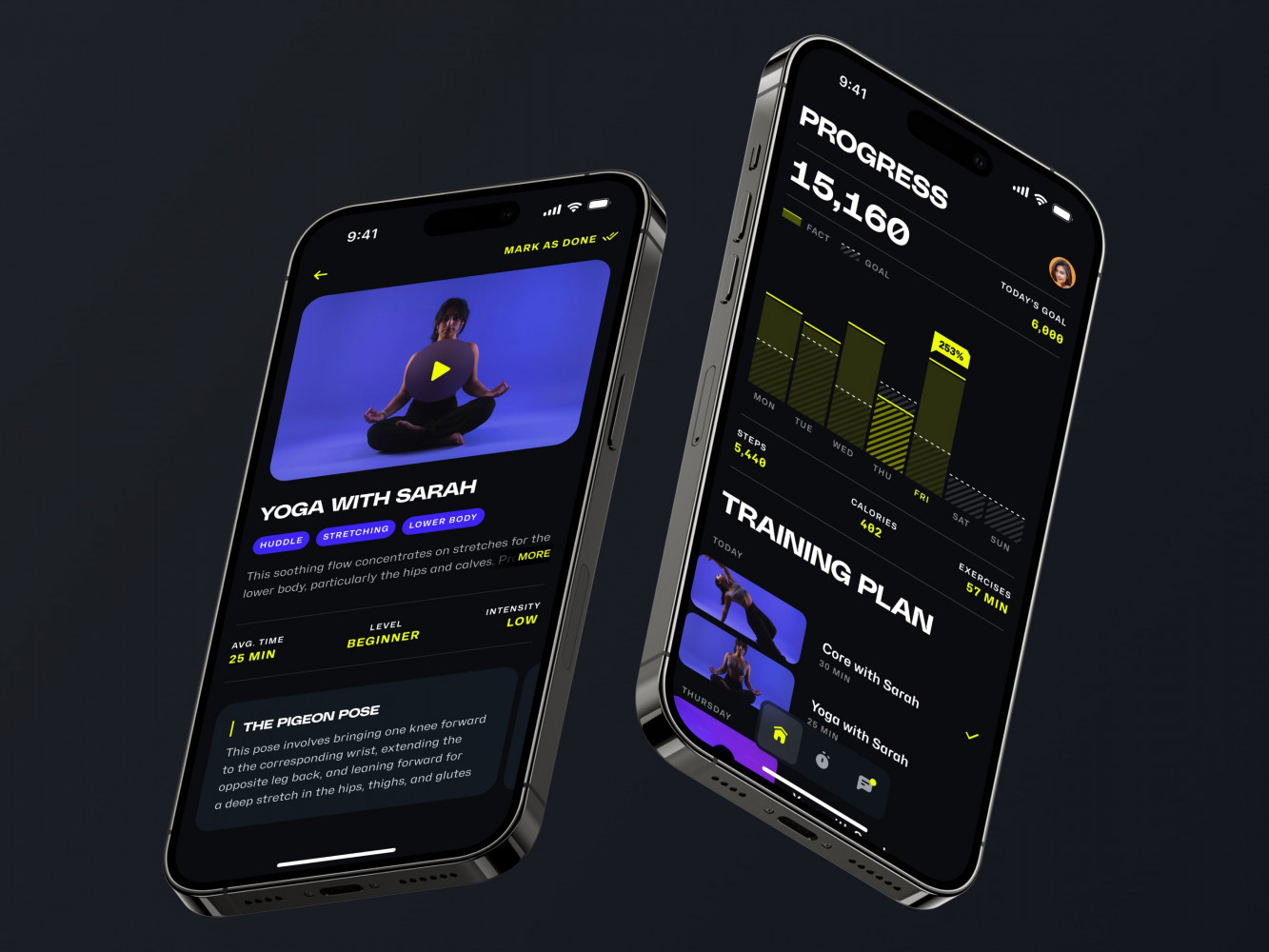
Mobile App for an Adaptive Fitness Guide by Shakuro
Managing Increasing Traffic Without Performance Loss
Traffic almost never grows evenly. There are spikes. Releases, promotions, or simple changes in how people use the app can push load higher for a few hours or days. These periods are short, but they’re usually when performance problems become obvious.
Dealing with this without slowing everything down mostly depends on earlier decisions. Caching data that doesn’t change often, keeping frequently used paths simple, and avoiding repeated heavy operations all help during spikes. On the backend, spreading work out instead of routing everything through one place reduces the risk that a single busy component drags the rest down.
Knowing where things start to break also matters. Watching how response times and errors behave during busy periods gives much better signals than waiting for complaints. When the team understands how the system reacts under pressure, changes tend to be more focused and less reactive.
Scalability becomes visible when traffic changes and the app still feels the same. When performance holds, growth is mostly uneventful. When it doesn’t, even temporary spikes turn into recurring headaches.
Building a Scalable Backend for Your Mobile App
Backend issues usually don’t announce themselves clearly. At first, everything works. Requests go through, data is saved, background jobs finish eventually. As usage grows, the backend starts reacting in small, uneven ways. Some requests slow down. Others fail only during busy hours. Nothing looks catastrophic, but things stop feeling stable.
Most scalability problems in mobile apps end up here. The app itself might still be responsive, but the backend can’t keep up with what it’s being asked to do.
Cloud-Based Databases and Load Balancing
A single server or database can carry an app for a while. That’s often enough in the early stages, when traffic is low and predictable. The trouble starts when more users show up at the same time and everything is routed through the same place.
Load balancing exists for this exact reason. Instead of sending all requests to one instance, traffic is spread across several. This doesn’t solve bad logic or slow queries, but it prevents one overloaded process from blocking everything else. When one instance struggles, others can still respond.
Databases hit similar limits. A single database handling all reads and writes becomes a bottleneck as concurrency grows. Cloud-based and distributed databases reduce this pressure by spreading load and allowing parts of the system to work in parallel. This matters more once the app starts writing data frequently or handling many simultaneous users.
These setups don’t remove complexity. They just move the point where things start breaking further down the line.
Scaling APIs to Handle Increased User Demand
APIs usually age badly if nobody pays attention to them. At the beginning, there are only a few endpoints and low traffic, so almost any implementation feels acceptable. Later, more features depend on those same APIs, and request volume grows in uneven ways.
Certain endpoints get hit constantly. Others are rarely used. If the heavy ones aren’t designed carefully, they become a drag on the whole system. Large responses, repeated database work, and unnecessary processing start showing up as delays once traffic increases.
This is where API management starts to matter. Rate limits, caching, and keeping endpoints focused make a noticeable difference under load. Without that, scaling the backend often just scales inefficiencies along with it.
This shows up clearly in products with sharp traffic spikes, like stores or marketplaces. Many of the problems discussed in mobile app development for e-commerce come down to APIs not coping well when demand suddenly increases.
A backend that scales well doesn’t feel impressive when everything is calm. It matters when usage changes and the system keeps behaving the same way instead of slowing down or failing unpredictably.
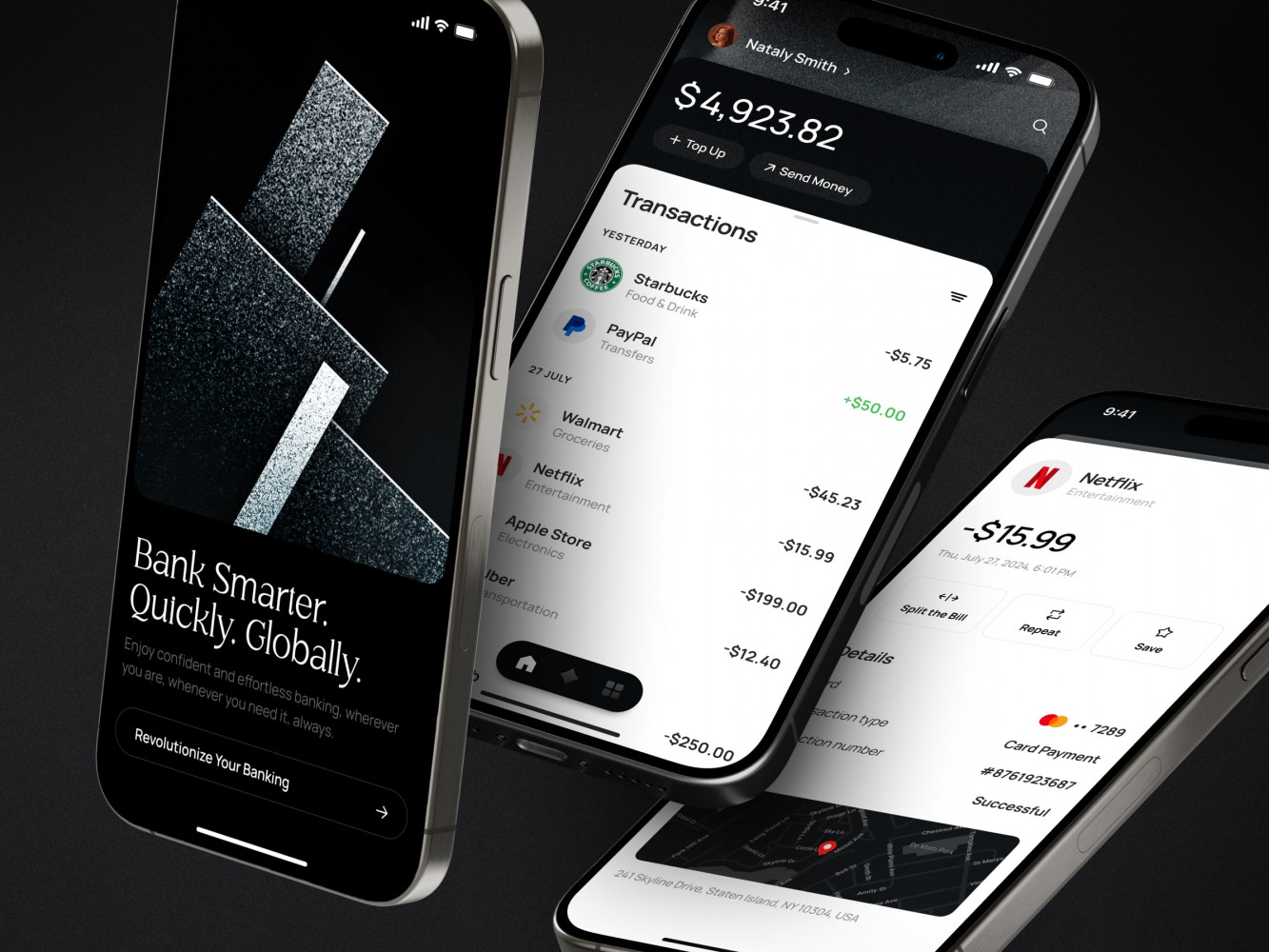
Finance Management Mobile App Design by Shakuro
Designing for Scalability in Mobile App UI/UX
When an app is small, design problems are easy to miss. People who use it early are usually more patient and more involved. They click around, try things twice, and forgive awkward moments. Because of that, a lot of UX decisions never get questioned.
Later, when the audience grows, the same interface gets used very differently. People open the app to do one thing and move on. They don’t explore. They don’t read. They don’t try to understand why something works the way it does. That’s when design issues start showing up, not as feedback, but as drop-offs and complaints.
Consistent User Interfaces and Smooth Navigation
Inconsistency slows people down. Not in a dramatic way, just enough to be annoying. A button looks familiar but does something else. A screen behaves slightly differently from the previous one. Navigation changes without a clear reason. Users pause, tap twice, or go back.
At low scale, this mostly goes unnoticed. At higher scale, it becomes visible very quickly. People make more mistakes. They assume the app didn’t respond. Some of them leave.
Interfaces that stay consistent age better. When actions behave the same way everywhere, users stop thinking about the interface itself. They build habits and rely on them. Navigation that doesn’t change its logic from screen to screen makes the app easier to use without any explanation.
This also helps later, when new features are added. If there’s already a clear pattern, new screens don’t need to invent their own rules, and the app doesn’t slowly turn into a mix of different ideas.
Optimizing the User Flow for Larger User Bases
Flows that work early often depend on user goodwill. Extra steps, optional paths, small delays—none of this feels critical when only a few people are using the app. Someone gets confused, tries again, and moves on.
With a larger audience, that stops working. Most users won’t retry. If they don’t immediately see what to do next, they leave. If a flow takes longer than expected, they abandon it halfway through.
Improving the flow usually means cutting things out. Fewer steps. Fewer decisions. Clearer next actions. At scale, users don’t follow instructions. They follow whatever feels obvious in the moment.
When the UX holds up, growth doesn’t change how the app feels. People get in, do what they need, and leave. When it doesn’t, small design choices start causing the same problems over and over again, just with more people running into them.
How to Test and Monitor App Scalability
Scalability problems rarely show up during normal development. The app works, features ship, everything looks fine in staging. Then traffic increases, something slows down, and suddenly it’s not clear where the problem is coming from.
Testing and monitoring don’t prevent all issues, but they reduce the number of surprises. Instead of guessing, you get at least some idea of what happens when the system is under pressure.
Load Testing and Stress Testing Tools
Load testing is mostly about pressure. You simulate more users and more requests than usual and watch how the system reacts. Some parts slow down earlier than expected. Others behave fine until they suddenly don’t.
Tools like JMeter or LoadRunner are often used for this. They don’t make the app scalable on their own. What they do is remove guesswork. You see which endpoints start lagging, which services don’t keep up, and where response times become unstable as load increases.
Stress testing pushes things further. Instead of staying within what you think are safe limits, you go past them. The goal isn’t to keep everything working, but to see how it fails. Does one service crash and recover? Does everything grind to a halt? Does the system come back on its own or need manual intervention?
These tests are never a perfect match for real traffic. User behavior is messier, and production always finds new ways to surprise you. Still, it’s better to see problems in a test run than during a real spike.

High-End Chauffeur Service App by Shakuro
Real-Time Monitoring of App Performance
Testing shows you what might happen. Monitoring shows you what is actually happening.
Once the app is live, performance changes constantly. Traffic patterns shift. New features introduce new load. Background jobs grow quietly. Without monitoring, all of this stays invisible until users start noticing.
Real-time monitoring usually tracks response times, errors, and resource usage while the app is running. When something starts slowing down, it shows up there first. Over time, this data gives a clearer picture of which parts of the system are under stress and when problems tend to appear.
Monitoring also overlaps with other concerns. As traffic grows, so does exposure. Many performance issues show up alongside the risks covered in mobile app security, where protecting users and their data depends on understanding how the system behaves under load.
Testing helps you find weak spots early. Monitoring helps you notice when they’re being hit. Without both, scalability issues tend to arrive without warning.
Common Scalability Mistakes to Avoid
Most scalability issues don’t come from obviously bad decisions. They come from choices that made sense at the time. The app needed to ship, the scope was limited, and nobody wanted to slow things down for problems that didn’t exist yet. Everything worked, so the decisions stayed.
Later, when usage grows, those same decisions start getting in the way.
Ignoring Future Growth in the Initial Development Phase
Early mobile app development is usually focused on getting something usable out the door. There aren’t many users, traffic is low, and performance feels fine. It’s easy to assume that scaling can be dealt with later, when it actually becomes a problem.
The difficulty is that some things are hard to change once they’re in use. Data models get filled with real data. APIs get consumed by the app and sometimes by third parties. Assumptions about how users behave get baked into the logic. At that point, changing direction is no longer a small task.
Thinking about growth early doesn’t mean building for massive scale right away. It usually means avoiding choices that lock the system into one way of working. Leaving room to change how data is stored, how requests are handled, or how features are split up makes a big difference later, even if nothing fancy is built upfront.
Overcomplicating the Architecture
Trying to be “ready for scale” can go too far in the other direction. Some systems become complex before they need to be. Multiple services, extra layers, and abstract setups appear early, even though the app itself is still simple.
This kind of complexity has a cost. Development slows down. Debugging starts taking longer than it should. When something breaks, you’re not even sure where to begin looking. And performance problems get messy, because a single request now goes through so many layers that it’s hard to see what’s actually slowing things down.
More complexity doesn’t guarantee better scalability. Often it just creates more places for things to go wrong. Simple systems are easier to reason about, easier to change, and easier to fix when usage patterns shift.
Many apps run into trouble by swinging too far in one direction or the other. Either nothing is planned beyond the current version, or too much is planned for a future that never quite arrives. Most of the time, scalability problems start there.
How We Build Scalable Mobile Apps at Shakuro
We don’t treat scalability as a separate task that starts after launch. In most projects, it shows up on its own, usually earlier than expected. Traffic grows unevenly, features pile up, and small technical decisions start affecting how fast we can move.
At Shakuro, a custom software development company, we look at scalability as something that needs to be handled along the way. Not overplanned, not ignored, just accounted for as the product grows.
Proven Experience in Scalable Mobile App Development
We’ve worked on mobile apps where scalability becomes an issue very quickly. Fintech products don’t tolerate slowdowns or instability. E-commerce apps get hit by traffic spikes that are hard to predict. Healthcare products add their own constraints around reliability and data handling.
In these projects, the same things tend to break first. Backend performance becomes a bottleneck. APIs need changes that weren’t planned for. Early architecture decisions start limiting what can be added safely. Having dealt with this before makes a difference, mostly because we know where shortcuts usually come back to cause problems.
We don’t assume a standard setup will work for every product. We start from how the app is supposed to be used and how that usage is likely to change, then build around that reality.
Customized Solutions for Scalable Growth
Scalability doesn’t mean the same thing for every product. Sometimes it’s about traffic. Sometimes it’s about features piling up. Sometimes it’s about entering a new market without breaking what already works.
When we built Abyss, a crypto investing app for iOS, the pressure wasn’t theoretical. Real-time market data, trading, wallet management—all of that runs continuously. If the backend lags or behaves unpredictably, users notice immediately. At the same time, the interface can’t feel heavy or cluttered. Crypto apps get complex fast, and if the structure isn’t clear early on, every new feature makes it worse. A lot of the work there was about keeping the system flexible enough to grow without turning into a patchwork.
With Bless You, the healthcare platform for Saudi Arabia, the constraints were different. Growth wasn’t only about more users. It was about localization, RTL navigation, regulatory requirements, and accessibility. Arabic interfaces change layout logic. Data privacy rules affect how information is stored and accessed. Expanding functionality meant respecting those constraints without slowing everything down. Scaling that kind of product is less about traffic spikes and more about keeping things stable as complexity increases.

Bless You – Arabic Health App, Branding by Shakuro
In both cases, the goal wasn’t to build something oversized from day one. It was to avoid choices that would block change later. APIs that can evolve. Backend logic that doesn’t fall apart when usage increases. Mobile apps that still feel responsive even when more is happening behind the scenes.
That’s usually what scalability looks like in real work. Not a big architectural statement, but a series of decisions that make future changes less painful.
Related reading