
The main iOS programming languages are Swift and Objective-C, both fully supported by Apple, and Swift is the default choice for a new native app. For cross-platform iOS apps, developers also use C# with Xamarin, Dart with Flutter, JavaScript with React Native, and Java through tools like Codename One or J2ObjC.
For developers just starting in iOS app development, the myriad of programming languages, frameworks, and tools can be confusing. The choice matters: it affects the app’s performance, how much access you get to native iOS features and APIs, and how much code you can share with an Android version.
Below, we cover why to choose iOS for app development, popular iOS coding languages with their advantages, and why choosing the right programming language for iOS development is so important.
Why Choose iOS for App Development?
Choosing the right platform can set the trajectory for your career, and iOS development offers an array of compelling reasons for newcomers.
There are over 2 million iOS applications accessible in the Apple Store for more than 1.5 billion Apple devices globally. Companies need lots of developers to maintain these apps. Statistics support this fact and forecast a 25% growth in demand for software developers, including iOS developers, between 2022 and 2032. This projection amounts to 451,200 new job possibilities throughout that period. Also, the average annual base salary of an iOS engineer in the US is $108,990.
Here are a few more reasons why you should consider studying an iOS development programming language:
- User-Friendly Development Environment:
Apple provides a robust and user-friendly development environment through Xcode, its official IDE. With rich documentation, tutorials, and resources, you as a beginner can quickly learn the ropes and start building applications without feeling overwhelmed.
- Strong Community Support:
The iOS developer community is vast and welcoming. You can easily find support, mentorship, and collaboration opportunities through forums, online courses, and local meetups. Moreover, engaging with the community can lead to valuable connections, insights, and career growth.
- Innovation and Quality:
Apple strongly emphasizes user experience and quality, encouraging developers to produce polished applications. By developing for iOS, you learn best practices in app design and functionality that can serve you well in any development endeavor.
- Portfolio Building Potential:
Creating apps for iOS allows you to build a substantial portfolio that showcases your skills to potential employers. Unique and innovative projects can demonstrate your creativity and technical know-how, making you a more attractive candidate in the job market.
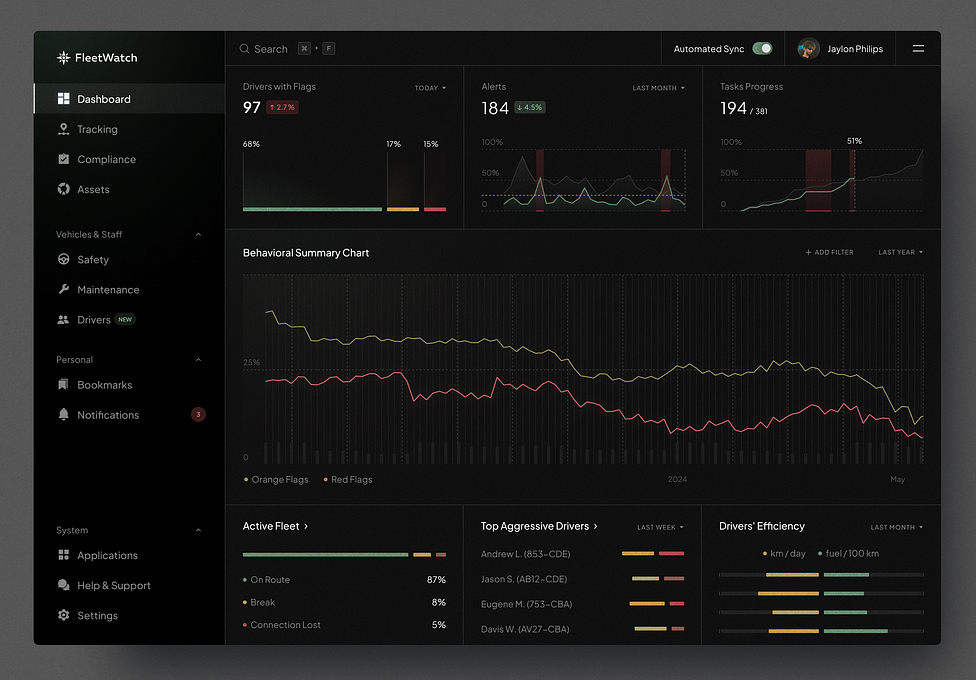
Telematics Company SaaS Dashboard by Shakuro
Best iOS Coding Languages for App Development
What programming language are iOS apps written in? There are several options but here are six popular languages you can leverage to your advantage:
Swift
Swift is the primary language to consider for a new iOS-first application. It works directly with Apple’s SDKs and supports both SwiftUI and UIKit, making it suitable for products that depend on platform-specific interfaces, device capabilities, and system integrations.
However, choosing Swift does not determine the entire architecture. The language, UI framework, deployment target, and concurrency model are separate decisions.
SwiftUI and UIKit
Swift is the programming language; SwiftUI and UIKit are interface frameworks, not competing languages.
| Framework | How It Works | When to Consider It |
| SwiftUI | Uses declarative code to describe an interface and its relationship to application state | New screens and applications where its available APIs meet the product’s requirements |
| UIKit | Provides views, view controllers, and event-handling infrastructure | Existing UIKit applications, detailed interface customization, or features that benefit from its APIs |
These frameworks can coexist. Teams can introduce SwiftUI into an existing UIKit application or embed UIKit components inside SwiftUI rather than rewriting every screen.
What Swift 6 Adds
Swift’s concurrency tools include async/await, structured tasks, actors, and Sendable checking. Although several of these capabilities predate Swift 6, the Swift 6 language mode makes data-race safety checking a central compile-time requirement.
This helps identify unsafe access to shared mutable state before the application runs. It does not automatically prevent logical errors, memory leaks, or expensive work from blocking the interface.
The compiler version and language mode are also different. Installing a newer toolchain does not automatically migrate an existing target to Swift 6 mode. Teams can plan adoption incrementally and address concurrency issues across module boundaries.
Advantages
- Direct platform integration: Work with Apple frameworks without depending on a cross-platform wrapper for each feature.
- UI flexibility: Choose SwiftUI, UIKit, or a combination according to the application’s needs.
- Language-level safety: Static typing, optionals, and concurrency checks help catch important categories of mistakes during development.
Limitations and Maintenance
Safety features do not replace engineering work. Developers still need sound ownership rules, cancellation handling, testing, and performance profiling.
API availability matters. A recent compiler does not make every new Apple framework feature available on older iOS versions. Check deployment requirements separately from language support.
Cross-platform requirements need a separate strategy. SwiftUI and UIKit do not provide a shared Android interface. If Android is part of the roadmap, evaluate which code can realistically be reused and which platform implementations the team must maintain.
Swift is a strong starting point for iOS-focused development, but it does not guarantee the fastest application or the lowest maintenance cost without appropriate design and implementation.

Objective-C
Objective-C remains relevant when maintaining and extending existing iOS applications, libraries, and SDK integrations. Its strongest role is preserving useful, tested code while allowing a product to evolve.
For a new iOS-first application, Swift is generally the starting point to evaluate. For an established Objective-C application, however, rewriting everything is not automatically the best investment. Apple supports incremental migration, allowing teams to introduce Swift without replacing the entire codebase at once.
Working with Swift
Objective-C and Swift files can coexist in the same project. Within an application target, a bridging header exposes selected Objective-C headers to Swift. Framework targets use module and public-header configuration instead.
The reverse direction requires an Objective-C-compatible interface. Xcode generates a header for eligible Swift declarations, and attributes such as @objc help expose supported APIs. Interoperability does not mean that every Swift type or language feature is directly available to Objective-C callers.
Keep these boundaries deliberate. Clear interfaces let a team add new Swift functionality while limiting changes to stable Objective-C modules.
Advantages
- Preserve existing investment: Continue using tested application code and integrations where they still meet product requirements.
- Modernize incrementally: Introduce Swift in selected features or modules rather than making a full rewrite a prerequisite for progress.
- Maintain established integrations: Objective-C knowledge helps teams investigate behavior in existing libraries and runtime-based APIs.
Limitations and Maintenance
Swift interoperability has boundaries. Shared interfaces need compatible types, appropriate annotations, and testing. A mixed-language project still requires build configuration and dependency management.
SwiftUI requires Swift implementation. An Objective-C application can adopt SwiftUI through a Swift integration layer, but SwiftUI interfaces are not written directly in Objective-C. SwiftUI can coexist with UIKit, supporting gradual UI modernization.

Rental App Design Concept by Shakuro
C#: .NET MAUI and .NET for iOS
C# is an option for iOS development when a team already works with .NET or wants to reuse existing application logic. There are two approaches to distinguish: .NET MAUI for shared cross-platform interfaces and .NET for iOS for platform-specific development.
Xamarin should no longer be recommended for new projects. Microsoft ended support for all Xamarin SDKs, including Xamarin.Forms, on May 1, 2024. Existing projects need an upgrade plan rather than continued reliance on the unsupported toolchain.
Two Approaches to iOS Development
| Approach | How It Works | When to Consider It |
| .NET MAUI | Uses C# and optionally XAML to share application logic and UI across iOS, Android, Windows, and macOS through Mac Catalyst | Your .NET team needs a cross-platform product and shared UI is a meaningful requirement |
| .NET for iOS | Provides C# access to Apple’s iOS APIs without requiring MAUI’s shared UI layer | You want an iOS-specific application while retaining C# and compatible .NET libraries |
.NET MAUI builds on the platform-specific .NET frameworks, including .NET for iOS. They are related technologies, not competing programming languages. Source: Microsoft’s .NET MAUI overview.
Advantages
- Reuse existing expertise: A C# team can apply its language skills and compatible libraries to mobile development.
- Share selected code: Business rules, data models, and tests can be reused where platform requirements allow.
- Choose the UI strategy: Use MAUI for shared layouts or build a platform-specific interface with .NET for iOS.
Limitations and Maintenance
Shared code does not remove platform-specific work. Validate required SDKs, UI behavior, accessibility, and device features before committing to the approach. iOS builds still require access to a Mac and a compatible Apple toolchain.
Plan framework upgrades as ongoing work. .NET MAUI has its own support lifecycle; a .NET runtime’s long-term support designation does not automatically give MAUI the same support period.
Dart + Flutter
Dart is the programming language; Flutter is the UI toolkit used to build the application. Together, they let teams share interface code and application logic across iOS and Android, with additional support for web and desktop platforms.
For iOS release builds, Dart code is compiled ahead of time into native machine code. However, native compilation does not mean that Flutter widgets become UIKit controls. Flutter generally renders its own interface, including Cupertino widgets designed to follow iOS visual and interaction conventions.
Rendering on iOS
Flutter uses Impeller, its rendering engine, with Metal on iOS. Impeller is now the only supported Flutter rendering engine on iOS; switching back to Skia is no longer supported.
Impeller precompiles shaders to reduce runtime shader-compilation work and improve rendering predictability. This does not guarantee smooth performance in every application: expensive processing, excessive rebuilding, large images, and other implementation choices still require profiling.
Advantages
- Shared application code: Teams can reuse UI components, business logic, and tests across platforms while keeping platform-specific implementations where needed.
- Custom interface design: Flutter’s widget and rendering systems provide control over layouts, transitions, and animations without requiring separate implementations for every screen.
- Fast development feedback: Stateful hot reload lets developers inspect many Dart changes without restarting the application. Some changes require a hot restart, and changes to native Swift or Objective-C code require a full restart.
Limitations and Maintenance
Platform integration still matters. Device capabilities and third-party SDKs may require plugins or custom Swift and Objective-C code connected through platform channels. Check plugin maintenance and required API coverage before choosing the stack.
A shared UI still needs platform-specific validation. Test navigation, text input, accessibility, gestures, and embedded native views on iOS rather than assuming identical code produces the desired experience everywhere.
Performance needs measurement. Use profile mode on physical devices to investigate demanding workflows; debug-mode behavior is not a reliable production-performance baseline.
Flutter is worth considering when a shared, customizable interface is a central product requirement. Evaluate its benefits against the native integration and maintenance work your particular application needs.
TypeScript and JavaScript with React Native
TypeScript and JavaScript are programming languages; React Native is the framework that connects React-based application code with native mobile capabilities. New React Native projects use TypeScript by default, while JavaScript remains supported. TypeScript adds static type checking, but it does not replace runtime validation or testing.
React Native’s core UI components are backed by platform-native views rather than browser elements inside a WebView. However, application logic generally executes in a JavaScript runtime: React Native does not simply translate the entire application into Swift.
Advantages
- Shared mobile code: Teams can reuse business logic and UI components across iOS and Android while keeping platform-specific implementations where necessary.
- Transferable React skills: Developers familiar with components, hooks, and React’s data flow can apply that knowledge to mobile development. Existing browser-based interfaces still need adaptation.
- Static checking with TypeScript: Typed component properties and application models help teams catch incompatible values and interface changes during development.
- Fast development feedback: Fast Refresh updates many component changes quickly and attempts to preserve local state when safe. Some edits reset state or trigger a full reload.
Limitations and Maintenance
Native expertise still matters. Features unavailable through core APIs or maintained libraries may require custom native modules or components. Plan for iOS development skills when integrating specialized SDKs or platform-specific functionality. Check that dependencies support the project’s React Native version and architecture.
Shared code does not mean identical behavior. Navigation, permissions, text input, accessibility, and visual details need validation on each platform. React Native supports separate platform-specific files and conditional implementations for these differences.
Performance is workload-dependent. Expensive JavaScript processing, unnecessary rendering, and large lists can affect responsiveness. Test critical workflows in release builds rather than judging performance from development mode alone.
React Native is worth considering when an iOS-and-Android product can benefit from shared code and the team has React experience. Assess native integrations, dependency maintenance, and platform-specific work before treating it as a shortcut to a lower budget or faster release.

Crypto App Design Concept by Conceptzilla
Kotlin with Kotlin Multiplatform
Kotlin is not limited to Android development. Kotlin Multiplatform (KMP) lets teams share selected code across iOS, Android, and other targets. On iOS, Kotlin/Native compiles Kotlin code into native binaries rather than running it on the Java Virtual Machine. KMP does not require a shared interface. Teams can reuse application logic while building separate platform-specific screens, or share UI through Compose Multiplatform.
Option 1: Shared Logic with a Separate iOS Interface
Use Kotlin for shared business rules, data models, networking, and other suitable modules, while implementing the iOS interface in Swift with SwiftUI or UIKit. Android can maintain its own interface.
This approach reduces duplication below the UI layer without requiring both applications to use the same screen implementation. It also supports gradual adoption: an existing product can introduce a shared module without replacing its entire architecture.
Option 2: Shared UI with Compose Multiplatform
Compose Multiplatform adds a declarative UI framework written in Kotlin, allowing teams to share interface code alongside application logic. Both KMP and Compose Multiplatform have stable iOS support.
Shared Compose screens are not automatically converted into SwiftUI views. However, Compose can coexist with native interfaces: teams can embed Compose content in SwiftUI applications or integrate SwiftUI components into Compose screens
Advantages
- Flexible sharing boundaries: Reuse a small module, a larger application layer, or selected UI components according to the product’s needs.
- Consistent business behavior: Shared rules and tests help reduce differences between platform implementations.
- Transferable Kotlin experience: Android developers can contribute to shared code while iOS specialists retain responsibility for platform-specific requirements.
Limitations and Maintenance
Dependency compatibility needs verification. An Android or JVM library is not automatically usable on iOS. Check support for every target and provide platform-specific implementations where required.
iOS expertise remains necessary. Native integrations, accessibility, navigation, lifecycle behavior, and release preparation still need platform-specific attention.
Shared UI requires product-level testing. Stable framework support does not guarantee that every interaction or third-party component meets the application’s requirements.
Consider KMP when duplicated application logic is a meaningful maintenance problem. Choose separate iOS screens or Compose Multiplatform based on interface requirements and team capabilities, not on a target percentage of shared code.
How to Choose an iOS Development Stack
Choosing an iOS stack means selecting more than a programming language. The decision includes the UI framework, shared-code strategy, native integrations, dependencies, and tools your team will maintain.
Start with the product’s requirements, then compare the approaches that can meet them.
1. Define the Platform Roadmap
Clarify whether the product is iOS-only, launches on iOS first, or needs iOS and Android together. Separate confirmed requirements from possible future expansion.
For an iOS-focused product, evaluate Swift with SwiftUI or UIKit first. For a two-platform product, decide whether sharing business logic is sufficient or whether shared UI would also provide a meaningful benefit. Kotlin Multiplatform, for example, supports both separate native interfaces and shared UI through Compose Multiplatform.
2. Specify the Interface Requirements
Identify which screens need platform-specific navigation, gestures, accessibility behavior, or detailed customization.
A consistent branded interface and an interface that closely follows each platform’s conventions are different goals. Neither automatically requires one particular framework. Test the interactions that matter instead of judging compatibility from screenshots alone.
SwiftUI and UIKit can also coexist, so selecting Swift does not require committing every screen to the same UI framework.
3. Verify Critical Integrations
List required SDKs, device features, background operations, and app extensions. For each candidate stack, check whether maintained integrations exist and what custom native work remains.
Do not confuse theoretical API access with an implementation that is ready for production. React Native, for example, supports custom native modules and components, but the team still needs to build or maintain those integrations when suitable libraries are unavailable.
4. Assess the Team and Existing Code
Consider who will build, debug, release, and support the application. React experience, Kotlin expertise, or an established .NET codebase can influence the shortlist, but none removes the need for iOS knowledge.
For an existing application, compare incremental adoption with a rewrite. Preserve reliable modules unless replacing them has a clear product or maintenance benefit.
5. Estimate Ongoing Maintenance
Include framework upgrades, dependency compatibility, platform-specific testing, build infrastructure, and operating-system changes in the estimate.
Shared code can reduce duplication, but it does not guarantee lower total cost. Support policies also differ: .NET MAUI has its own lifecycle rather than automatically inheriting the underlying .NET runtime’s support period.
6. Validate the Riskiest Workflow
Before committing, build a small technical prototype around the hardest requirement: a specialized SDK, demanding interaction, offline synchronization, or background operation.
Agree on acceptance criteria in advance. Measure responsiveness, memory use, accessibility, integration reliability, and the amount of platform-specific work required.
The best stack is the one that meets those requirements with a maintenance burden the team can support, not the one with the longest feature list or highest promised percentage of shared code.

FAQ
What programming language are iOS apps written in?
Most modern iOS apps are written in Swift, the language Apple introduced in 2014 for iOS, macOS, watchOS, and tvOS. Many older apps and Apple frameworks use Objective-C, and the two work together in one project. Cross-platform apps may be written in C# with Xamarin, Dart with Flutter, JavaScript with React Native, or Java translated with tools like J2ObjC.
What coding language does iOS development use by default?
Apple’s own languages are Swift and Objective-C, and both are fully supported in Xcode, Apple’s official IDE. They give direct access to the latest APIs and frameworks such as UIKit, Core Data, and SwiftUI. Apple keeps updating Swift with new features, so for a project focused solely on iOS, Swift ensures full optimization for Apple devices.
Should I learn Swift or Objective-C?
Start with Swift. Its clean, expressive syntax, safety features, and performance make it the choice for most new projects and a good fit for beginners, with plenty of learning resources. Objective-C, used for Apple development since the early 1980s, is still worth knowing if you maintain legacy code, since many existing apps and libraries rely on it and it interoperates with Swift.
Can you build iOS apps without Swift?
Yes. C# with Xamarin lets you write one codebase for iOS, Android, and Windows with access to native APIs. Flutter uses Dart and compiles to native ARM code. React Native builds natively rendering apps with JavaScript and React. Java can reach iOS through Codename One or J2ObjC. These options trade some native optimization for code reuse across platforms.
Which language is best for a cross-platform iOS and Android app?
It depends on your team’s background. Dart with Flutter offers Hot Reload, native-looking widgets for both platforms, and high performance from a single codebase. React Native suits teams that already know JavaScript and React and lets them share most code between iOS and Android. C# with Xamarin fits developers familiar with the .NET ecosystem. If you target only iOS, choose Swift.
Importance of Choosing the Right Programming Language for iOS Development
The right programming language significantly impacts the performance of an iOS application.
Different tools provide varying levels of access to iOS native features. Swift and Objective-C are fully supported by Apple, enabling you to access the latest APIs and frameworks like UIKit, Core Data, and SwiftUI seamlessly. Choosing a language that integrates well with the iOS ecosystem ensures that you can utilize all features effectively.
If your product targets both iOS and Android, compare the benefits of shared code with the cost of platform-specific implementation and maintenance. For a C# team, .NET MAUI supports shared UI, while .NET for iOS supports platform-specific development. Base the decision on required integrations, interface behavior, existing code, and team experience rather than assuming that one approach always costs less or performs better.
As technology advances, being strategic in language selection ensures a more efficient development process and results in high-quality applications that meet user needs.
Do you need to build a robust iOS application for your next project? Reach out to us and let’s work together to create a functional app.
***
The article was originally published in June 2023 and was updated in October 2026 to make it more relevant and comprehensive.
Related reading