
Gone are the days of merely having an online presence, today, it’s about being where your customers are – right at their fingertips.
For more than ten years now, developing Apple apps for businesses has been a game-changer. No matter what industry you’re in, having a mobile app has become essential. It’s all about making things easier for your customers – whether that’s by offering better services or products, or just being more accessible.
If you don’t have a team to make your app in-house, you can hire top companies such as Shakuro to do it for you. We specialize in developing iOS apps for iPhones, called native iOS apps, which are perfect for reaching Apple users.
In this blog, we’ll walk through everything you need to know about iPhone app development, from covering the fundamentals to highlighting key mistakes in development. Let’s get started!
Fundamentals of iOS Mobile App Development
The fundamentals of developing iOS apps form the building blocks upon which successful apps are created for Apple’s iOS ecosystem.
Here’s a breakdown of these fundamentals:
- Understanding the iOS ecosystem: iOS is Apple’s system that runs on iPhones, iPads, and other Apple devices. To make apps for these devices, developers need to understand how iOS works, how apps are distributed through the App Store, and how they work on different Apple gadgets.
- Programming languages: iOS developers use languages like Swift or Objective-C to write code for iOS apps. Think of these languages like the building blocks of an app – they’re what iOS developers use to make everything work.
- Development tools: Apple provides a tool called Xcode to create iOS apps. It’s like a workshop where developers write code, design how the app looks, and test how it works.
- User Interface (UI) design guidelines: Apple has rules on how apps should look and feel, called Human Interface Guidelines (HIG). These guidelines help developers design apps that are easy to use and look great on iPhones and iPads.
- iOS frameworks: iOS offers tools called frameworks that help developers add features to their apps, like buttons, networking, saving data, and more.
- Testing and debugging: Developers need to test their apps to make sure they work correctly. They use tools in Xcode to find and fix any problems, like bugs or glitches, before releasing the app to the App Store.
- App Store guidelines and submission: Before putting an app on the App Store, developers need to follow Apple’s rules. These rules cover things like what the app does, its content, and how it respects user privacy.
Choosing iOS App Development Services Wisely
When you’re picking a team to help build your iOS app, there are a few important things to consider. First, make sure they have experience in making iOS apps and can customize the app to fit your needs. Good communication and clear pricing are also key, as well as ongoing support after the app is launched. It’s also important that they test the app thoroughly to make sure it works well on different devices. Lastly, check their past projects and see if they’ve done similar work before. By looking at these factors, you can choose the right team to create a successful iOS app for your business.
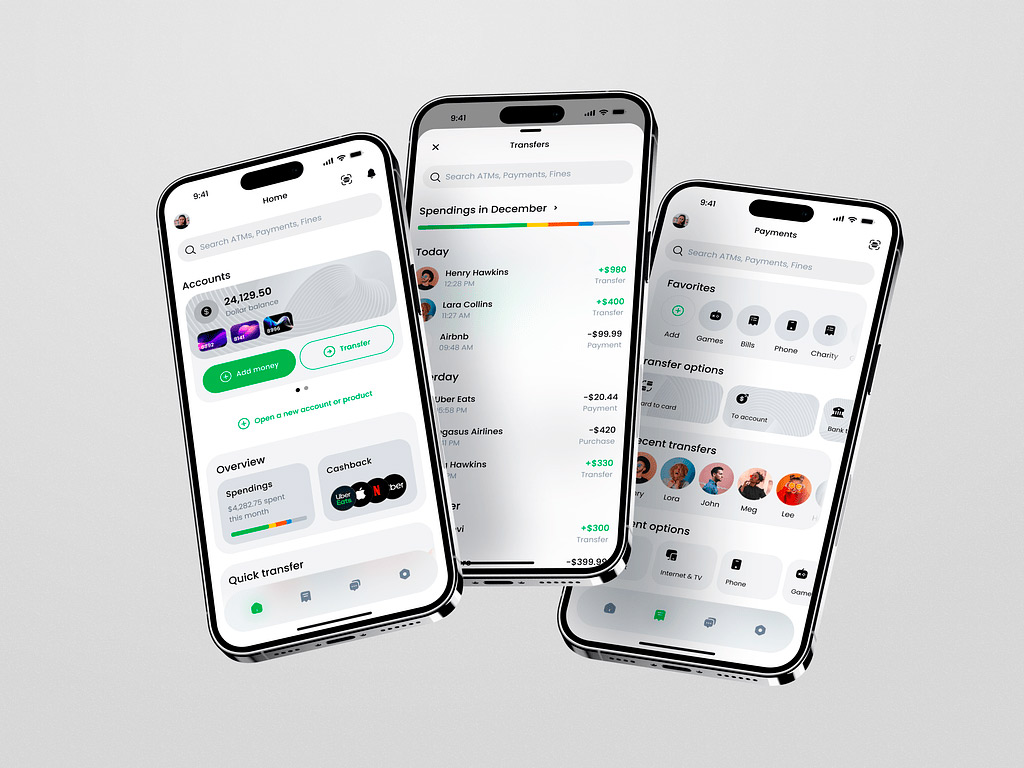
Finance Management Mobile App by Shakuro
Key Mistakes in Developing iOS Apps
In iPhone app development, problems often begin before the first screen is built. Unclear priorities, untested assumptions, and missing operational requirements can become expensive development work later.
1. Building Without Validating the User’s Problem
An app idea is not yet evidence of demand. Before planning features, identify who needs the product, what task they struggle with, and how they handle it today. Test the main workflow with potential users before committing to a large implementation.
2. Turning the MVP into a Full Product
Adding messaging, subscriptions, recommendations, and social features at once makes the first release harder to build and evaluate. Define the smallest complete experience that tests the product’s core value. Reduce feature breadth, not essential security, accessibility, or reliability.
3. Choosing a Team Based Only on Its Hourly Rate
A low rate does not reveal how a team handles requirements, testing, releases, or maintenance. Ask who owns technical decisions, how changes affect estimates, and how project access is managed. Agree on repository access, developer-account responsibilities, documentation, and handover before work begins.
4. Selecting a Stack Before Understanding the Requirements
A familiar or fashionable framework may not fit the product’s integrations, interface, or release roadmap. Validate demanding requirements early, especially specialized SDKs, background operations, and app extensions. A small technical prototype can expose problems before they affect the entire application.
5. Copying a Website into a Mobile Interface
A desktop workflow rarely works unchanged on a phone. Dense forms, unfamiliar navigation, and controls hidden behind the keyboard can obstruct basic tasks. Adapt the experience to touch interaction, available space, and familiar iOS conventions while preserving the product’s identity.
6. Treating Accessibility as Final Polish
An interface can look finished while remaining difficult to navigate with VoiceOver or enlarged text. Plan meaningful labels, logical reading order, sufficient contrast, and flexible layouts from the start. Check complete workflows, not just individual screens.
7. Leaving Privacy and Security Until Submission
Collecting unnecessary data or adding SDKs without reviewing their behavior creates avoidable risk. Map what the app collects, why it needs it, and which services receive it. Apple holds developers responsible for the third-party SDK code included in their applications.
8. Assuming Asynchronous Code Guarantees Responsiveness
Adding async or creating a task does not automatically move expensive processing away from the main actor. Heavy computation can still interrupt interaction. Profile actual execution, and investigate memory growth, unnecessary refreshes, and ongoing work that continues after it is needed.
9. Designing Only for a Reliable Connection
Users encounter timeouts, expired sessions, interrupted uploads, and unavailable services. Without recovery behavior, these conditions can cause lost input or duplicate actions. Define loading, cached, offline, and error states, including when retries are safe and how users resume unfinished work.
10. Testing Only Successful Workflows
A successful simulator demonstration does not establish release readiness. Test supported devices and OS versions, denied permissions, interrupted sessions, upgrades, and failed integrations. Use TestFlight to collect feedback from people outside the development team before release.
11. Preparing the App Store Submission at the Last Minute
Missing review access, unavailable backend services, incomplete metadata, or misleading screenshots can disrupt launch plans. Prepare the submission alongside development, and make sure the store listing accurately represents the product. Completing a checklist reduces avoidable issues but does not guarantee approval.
12. Treating Launch as the Finish Line
An application still needs operational ownership after publication. Without monitoring, support, and maintenance capacity, teams may miss recurring failures or compatibility problems. Assign responsibility for incident response, dependency updates, user feedback, and improvements to the product’s most important workflows.
A Guide on How to Develop an iOS App
Now we know, that developing an iOS app may seem daunting at first, but believe us, with the right guidance, it can be a really fun process.
Here’s a brief guide to help you get started:
- Define your idea: Start by clearly understanding what your app will do and who will use it.
- Plan your features: Make a list of the main things your app needs to do, and decide which ones are most important.
- Choose your approach: Decide if you want to build your app specifically for iPhones and iPads (native iOS), or if you want it to work on both iOS and Android devices (cross-platform).
- Design your app: Create a design that’s easy to use and looks good. Follow Apple’s guidelines for how apps should look and work on iOS devices.
- Build your app: Write the code for your app, making sure it does everything you want it to do. Test it regularly to make sure it works correctly.
- Test your app: Try out your app on different devices to make sure it works for everyone. Ask other people to try it too, and listen to their feedback.
- Get your app ready: Prepare your app to be submitted to the App Store. This includes making sure it meets Apple’s requirements and creating promotional materials like screenshots and descriptions.
- Submit your app: Send your app to Apple for review. They’ll check to make sure it meets their standards. Once it’s approved, your app will be available for people to download and use.
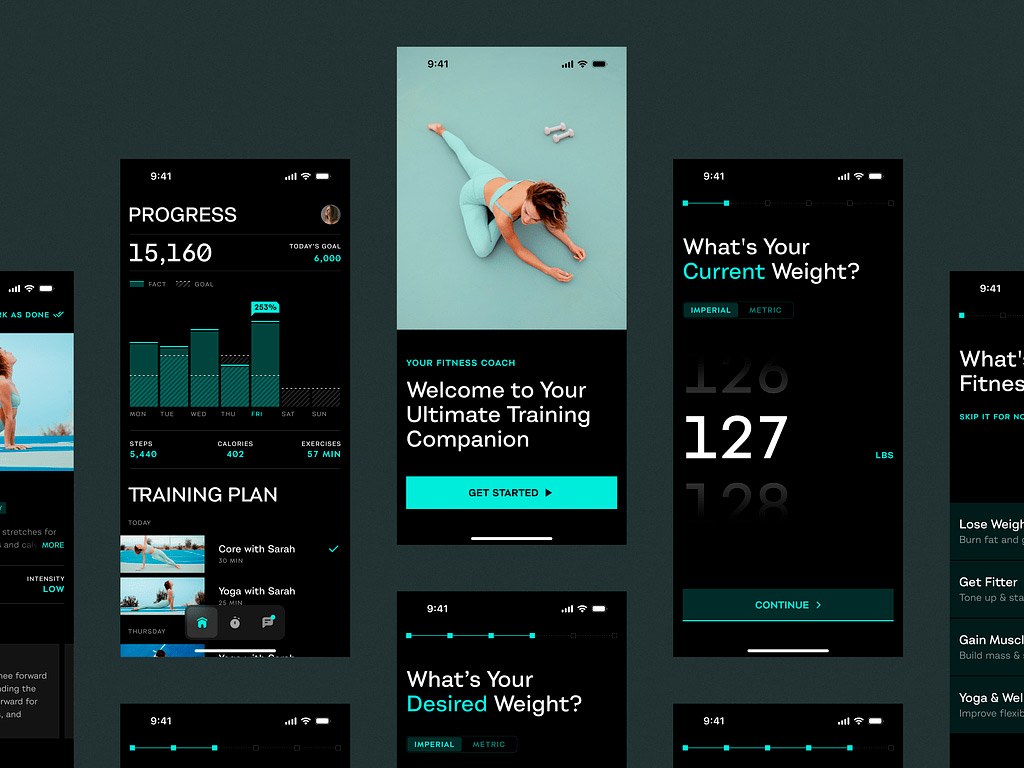
Mobile Sport App by Shakuro
Best Practices for iOS App Development: Learning from Mistakes
When it comes to iOS app development, it’s important to follow certain best practices to make sure your apps are successful and high-quality. The iOS world is rapidly evolving, so staying updated with the latest trends and techniques is key.
Turn these lessons into delivery checks with clear owners and evidence of completion:
- Write a focused product brief. Document the target audience, primary task, MVP boundaries, and success measures. Give each essential workflow testable acceptance criteria.
- Validate technical risks early. Prototype uncertain integrations and document architecture decisions, supported platforms, dependency choices, and known constraints.
- Design every important state. Include empty results, loading, errors, denied permissions, interrupted actions, and recovery. Review accessibility alongside normal interaction.
- Automate repeatable checks. Use continuous integration for builds and relevant tests. Maintain a device and OS test matrix, with manual coverage for critical journeys.
- Set performance budgets. Agree on measurable expectations for launch, responsiveness, and memory. Investigate unnecessary networking, location updates, and background activity that waste energy.
- Maintain a privacy and security inventory. Record SDK data practices, required declarations, permissions, and sensitive storage. Use appropriate protections, including Keychain for suitable small secrets.
- Define release readiness. Require reviewed test results, working review access, accurate screenshots and metadata, operational monitoring, and an agreed response plan for launch issues.
- Plan ownership after release. Allocate maintenance capacity and review crashes, failed operations, support requests, and privacy-appropriate product metrics to prioritize subsequent work.
Partner with Shakuro
Teaming up with Shakuro for your app development is a great choice. We have lots of experience and can make a custom app that fits your needs perfectly. Plus, we’ll keep you updated throughout the process and make sure your app works well and stays secure. And the best part? Even after your app is launched, we’ll be there to help if you need anything.
With Shakuro, you’ll get a top-quality app that’s up-to-date with the latest technology. So contact us today to start your project!
FAQ
What should you do before starting iOS app development?
Define the target audience, the problem the app solves, and the main task users need to complete. Test that workflow with potential users, then establish the MVP scope and acceptance criteria. Validate uncertain integrations before committing to a detailed budget or release schedule.
What mistakes should you avoid when developing an iOS app?
Avoid building around untested assumptions, adding too many features, choosing technology without checking requirements, and postponing testing. Accessibility, privacy, recovery from failures, and post-launch support also belong in the initial plan rather than being treated as optional improvements.
How do you choose an iOS development team?
Look beyond hourly rates and portfolio screenshots. Ask how the team handles technical decisions, scope changes, testing, releases, and maintenance. Confirm repository access, developer-account responsibilities, documentation, and handover arrangements. Request examples of work relevant to your product’s most demanding requirements.
Should you choose native or cross-platform development?
Evaluate Swift with SwiftUI or UIKit for an iOS-focused product. If the roadmap includes Android, compare shared-code approaches against the required interfaces, integrations, and team skills. Neither native nor cross-platform development automatically guarantees lower costs or better performance. Prototype the riskiest requirement before deciding.
Does asynchronous programming automatically make an app faster?
No. Asynchronous code can allow operations to suspend without blocking, but it does not automatically move expensive processing away from the main actor. Responsiveness depends on where work executes and how much it does. Profile demanding workflows instead of assuming that adding async or creating a task solves performance problems.
How should you test an iOS app before launch?
Combine automated tests with manual testing on supported devices and OS versions. Cover failed requests, denied permissions, interrupted sessions, data recovery, and accessibility alongside successful workflows. Use TestFlight to gather feedback from external testers, then address important findings before submission.
What makes an iOS app ready for App Store submission?
The submitted build should be stable, complete, and accurately represented by its screenshots and metadata. Provide working review access where needed, keep backend services available, and verify applicable privacy disclosures, permissions, and SDK requirements. Review readiness reduces avoidable problems but does not guarantee approval or replace broader security testing.
What should happen after the app launches?
Assign owners for monitoring, support, incident response, and updates. Review crashes, failed operations, user feedback, and privacy-appropriate product metrics to identify recurring problems. Plan capacity for OS compatibility, dependency updates, security fixes, and improvements to essential workflows rather than allocating the entire budget to the first release.
***
The article was originally published in March 2024 and was updated in October 2026 to make it more relevant and comprehensive.
Related reading