Key Takeaways
- Start with your club’s format and audience. A private club needs a path to membership, a public course to tee-time booking, and an indoor venue to reserving a bay or session.
- Give each channel a clear job. Social media introduces the people and place. Your website explains the offer, a form captures interest, and email keeps the conversation going.
- Make the next step honest and obvious. Joining an updates list isn’t applying for membership, and requesting a visit isn’t a confirmed booking.
- Follow through after the form. Confirm receipt, assign someone to answer inquiries, and explain what happens next.
- Help newcomers find their people. Welcome events, recurring sessions, and guest invitations give members and visitors reasons to return.
- Build around actual needs. Start with a mobile-friendly website and suitable booking tools. Add a portal or app when regular tasks justify it.
You haven’t opened yet, and the questions are already coming in. When can we play? Do we need a membership? Can we bring a group on a Friday night?
Maybe someone spotted a photo of the course taking shape on Instagram. Or they walked past your new indoor space while the simulators were being installed. It’s good to know people are interested. Keeping track of their questions across emails, comments, and DMs? A little less exciting when you’ve also got an opening to organize.
The next step depends on the kind of club you’re launching. A private club might invite people to ask about membership. A public course needs to explain when tee times will become available. An indoor golf club may need to show how bay bookings work and whether beginners are welcome. Your website should help people find the answer without having to message you first.
You don’t need every digital tool ready on day one. A clear website, a simple way to register interest, and someone following up can be a sensible start.
This guide on public and private golf club membership marketing covers the digital side of launching a golf club, not building a course or setting up the business. We’ll look at what to put online before opening, how to turn interest into visits and bookings, and when a member portal or app starts to make sense.
Before You Build Anything, Define Who the Club Is For
“A place for people who love golf” sounds reasonable. It also describes just about every golf business out there. Before choosing a logo or planning the homepage, get a little more specific: who do you want to walk through the door, and what would make them come back?
For a private club, the answer might be regular players who want a dependable place to play and people they’ll get to know over time. Your golf club branding should reflect the kind of membership you’re offering. That could mean a restrained, traditional look, but it doesn’t have to. A relaxed club for young families should feel different from one built around competitive golf. On the website, visitors need to understand the atmosphere, what membership includes, and how to ask about joining. Photos of actual club life can do more here than another sweeping shot of an empty fairway.
In Greensward, a website design concept for a private golf club, we used large photographs to give visitors a feel for the course. Short sections on membership, club facilities, and tournaments help them picture what it would be like to spend time there.
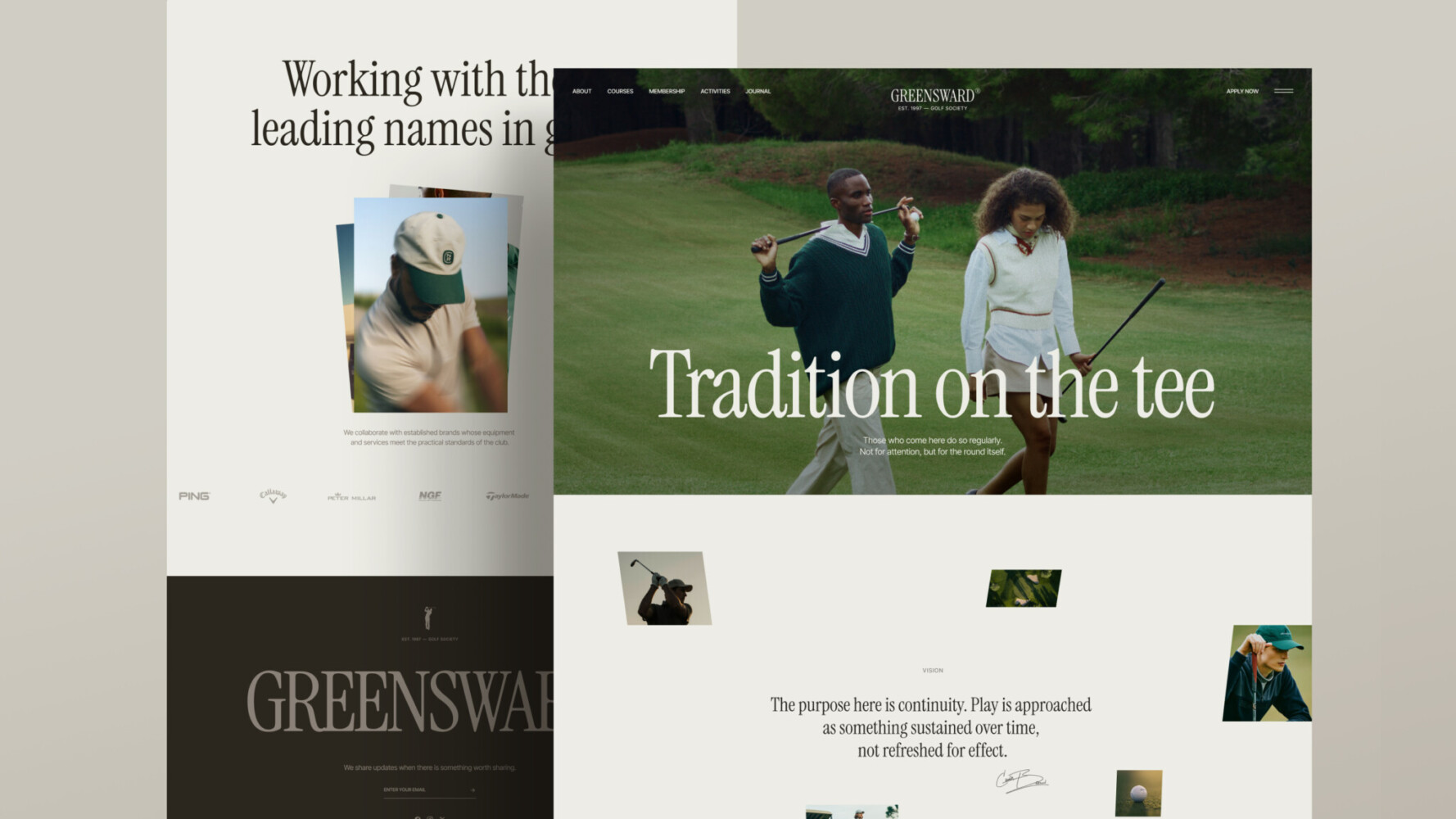
Greensward website by Shakuro
A public course has a different first conversation. Someone might be choosing where to play this weekend, not where to spend the next ten years. Show them the course, the rates, who’s welcome, and how booking works. Make that information easy to find on a phone. The site can still have plenty of character; practical doesn’t have to mean plain.
With an indoor golf club, you may need to explain the experience before asking anyone to book. Is it a serious practice space, somewhere to play a round with friends, or both? Show the bays with people using them. Explain what a session includes, whether equipment is available, and whether pricing is per person or per bay. Those details help someone picture their visit.
Indoor clubs can run on memberships too, of course. The format doesn’t decide the audience for you. Start with the people and the experience you’re offering, then use the photography, language, and visual identity to make that promise believable.
A useful test to try when working on golf club marketing: ask someone on your team to finish the sentence “People will join this club because…” without using “premium,” “exclusive,” or “community.” The answer is usually more useful than the adjectives. It tells you what your site should show first, what your social posts can make tangible before opening day, and what a prospective member needs to know before they get in touch.
Before Opening, Give Interested Golfers a Place to Go
A short video of the course superintendent walking the first hole can tell people something a brochure can’t: who’s behind the club and what it might feel like to spend time there. That’s a good job for social media. Let people get to know the place and the team while there’s still work going on.
Once someone wants to know more, the website should take over. It doesn’t need to be big. A single page can explain where the club is, who it’s for, what membership will look like, and what you know about the opening date. Still working out the details? Say so. You can give people a reason to stay in touch without pretending everything is settled.
For golf club online marketing, pick one clear next step. If you’re not ready to take membership applications or book tours, “Register your interest” is enough. A short form gives your team one place to keep track of who’s interested instead of piecing it together from comments and DMs.
Email is how you keep that connection going. Start with a quick confirmation that tells people what they’ll hear from you and when. After that, write when you have something useful to share: an opening update, a first look at the clubhouse, or a date for preview visits. You don’t need a weekly newsletter. You do need to follow through.
If you need a website design for a golf club, our web design team can help you bring your ideas to life.
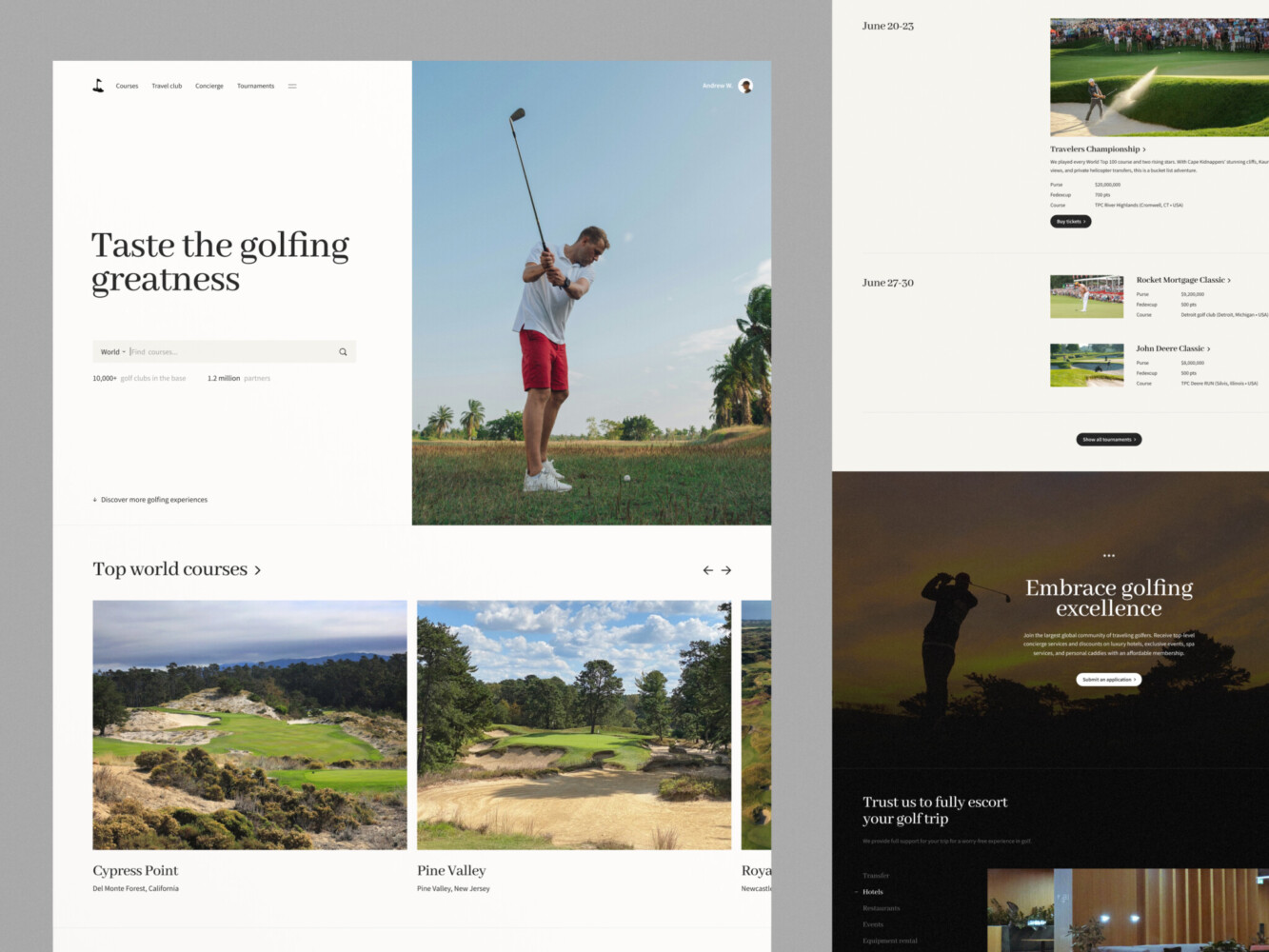
Golf Website Design Concept by Shakuro
How to Attract Founding Members Before Your Golf Club Opens
Some people will want to join as soon as they hear about the club. Others just want to see how it’s shaping up. Give them a way to raise a hand without asking them to make up their minds.
An interest list is for people who want to hear more. A membership application is for people who are ready to be considered. Say what signing up gets them: updates as the club takes shape, an invitation to a preview visit if you’re planning one, or an early chance to apply.
For example, the Caddie Room makes that distinction clear: joining its founding list costs nothing and doesn’t make you a member. You get updates and the chance to request membership before enrollment opens more widely.
From Instagram to Membership Inquiry
Say someone sees your opening announcement while scrolling over breakfast. They’re interested enough to tap through. Where do they land?
Send them to the page that continues the conversation. A post about private club membership should lead to membership details and a way to ask questions or request a tour. A public course announcing available tee times should link directly to booking. An indoor club promoting preview sessions needs a page explaining the session, who can attend, and how to reserve a place.
The wording matters here. “Request a Tour” means someone will follow up. “Book a Session” should lead to a confirmed reservation. If neither is available yet, offer opening updates instead.
Before publishing the post, try the whole route on your phone. Can you find the details, complete the form, and understand what happens next? That’s the journey your visitor is about to take, probably with their coffee going cold beside them.
When working on a gold club website or mobile app, we pay close attention to visual hierarchy and layout optimization, so it’s easy to find important information on any device.
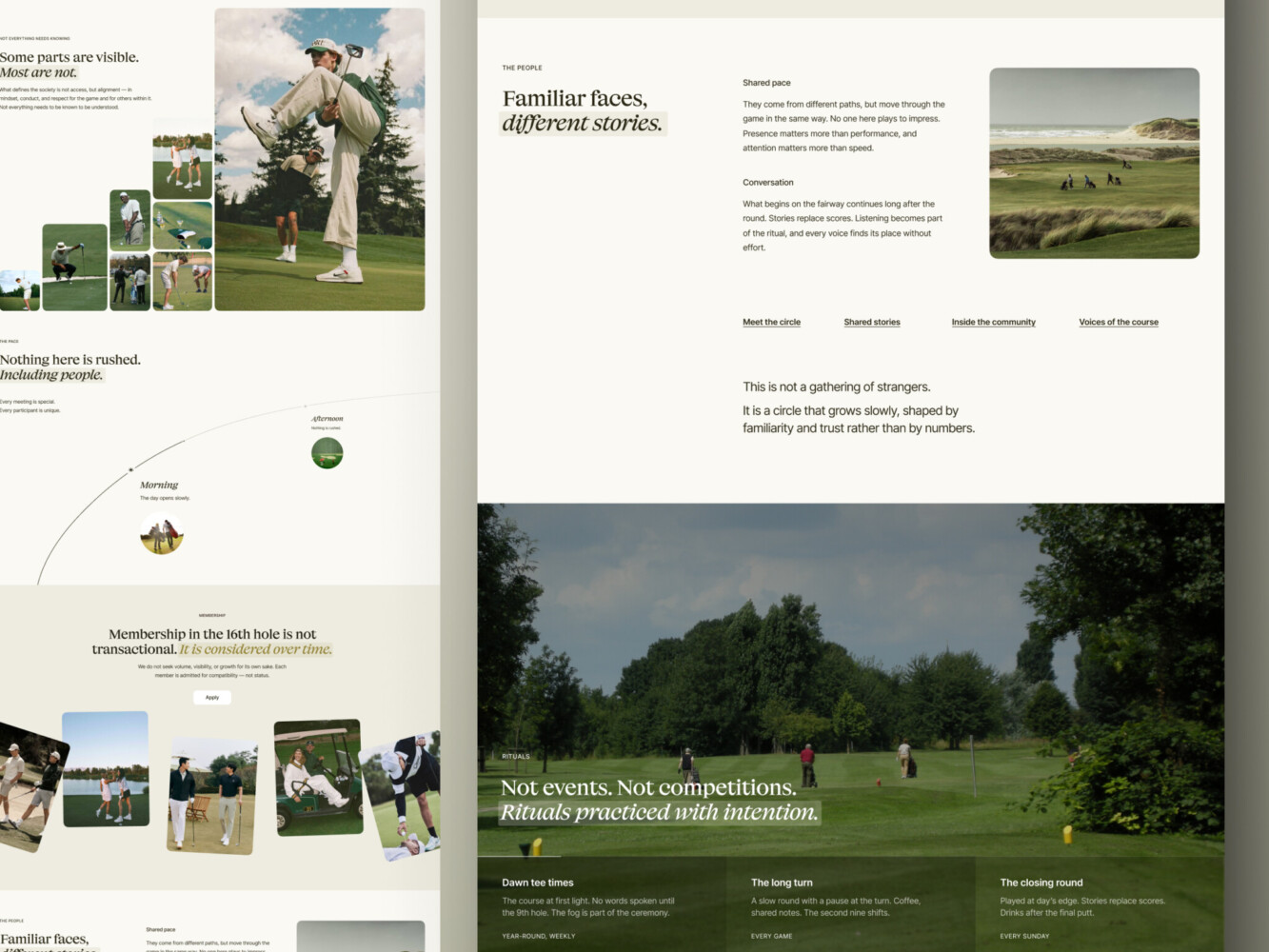
Golf website by Shakuro
At Launch, Turn Interest Into Tours and Membership Conversations
Someone has filled out your form. Now they’re checking their inbox, trying to work out whether they should keep Saturday free.
The confirmation should tell them what happens next. Have you received an inquiry, reserved a visit, or confirmed a booking? Don’t make them guess. If someone needs to reply personally, give a response window your team can actually meet.
For a private club, the next step is usually a conversation. Give one person ownership of membership inquiries so requests don’t sit in a shared inbox while everyone assumes someone else is answering. Reply to the person’s questions first, then offer a couple of tour times or a link to arrange a visit. Tell them where to meet and what they’ll get to see. If parts of the club are still unfinished, mention that before they arrive.
At a public course, someone who registered for opening updates may now be ready to book a round. Send them directly to available tee times, not back to the homepage. Before they confirm, they should be able to check the date, number of players, total price, and cancellation terms. The booking email then gives them something useful to refer to: their tee time, arrival instructions, and a way to make changes.
For an indoor golf club, help visitors book the right session. Make it clear whether they’re reserving a whole bay or a place in a group, how long they’ll have, and what’s included. A first-time visitor may also want to know whether they need their own clubs. Answer that in the booking flow or confirmation rather than leaving them to call.
In public or private golf club membership marketing, you don’t need a complicated system to start. You do need to know which requests are waiting for a reply, which bookings are confirmed, and who’s responsible when someone asks to change their plans.
After Opening, Give Members a Reason to Come Back
A good first visit helps. So does recognizing someone the next time you arrive. You can’t create friendships through a booking system, but you can make it easier for people to meet and find another reason to play.
At a private club, a new member may know how to book a tee time and still have no idea who to play with. A regular nine-hole group or a relaxed welcome event gives them a way in, especially if someone from the club makes introductions. Guest invitations let members bring familiar faces along too. Make the rules easy to find so nobody has an awkward conversation at the pro shop.
For a public course, things are a bit different. Returning doesn’t have to mean joining anything. It might be a weekday social round, a beginner clinic, or a recurring event that fits someone’s schedule. Keep those opportunities visible after the first booking. An email about the next session, sent to people who asked to hear from you, is more useful than asking them to check the website every week.
An indoor golf club can give people a regular slot in their week: a league night, a small-group lesson, or a friendly competition. If someone came alone the first time, knowing there’s a group they can join makes the next visit easier. Keep the format clear, particularly for people who aren’t sure whether they’re good enough to take part.
Start with a calendar, booking links, and simple reminders. A golf club member portal becomes useful when people regularly need to manage reservations, check membership benefits, invite guests, or track event entries, and staff are handling too much of it manually.
A mobile application needs a stronger reason to exist. Consider one when frequent visitors would benefit from quick rebooking, timely booking updates, or a digital access pass. If people only need to reserve a round or a bay now and then, a mobile-friendly website may do the job perfectly well.
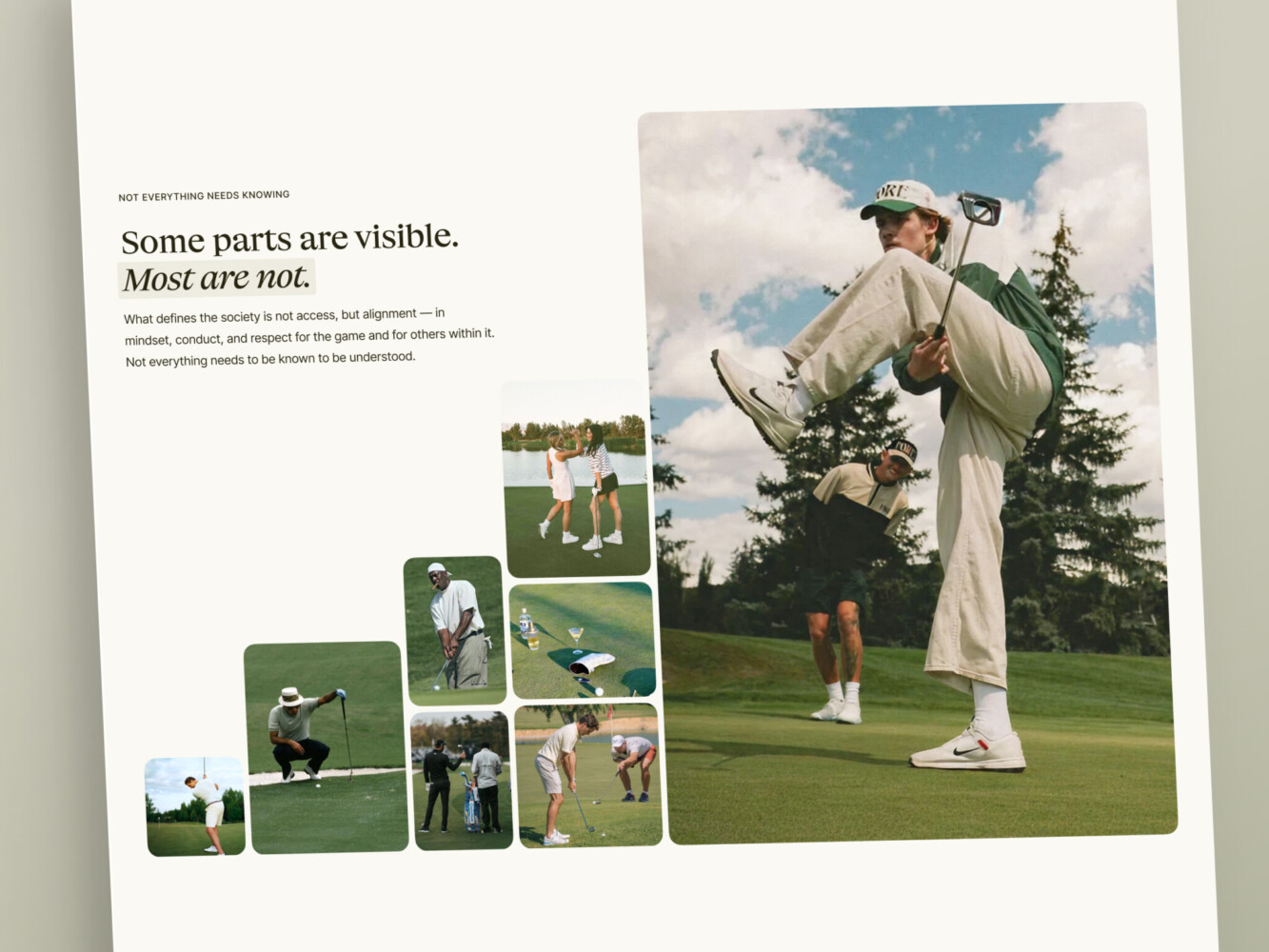
A website for a golf club by Conceptzilla
What to Launch Now and What Can Wait
Opening day already comes with a long list. Your digital setup for private golf club membership marketing should help you get through it, not become another project that holds everything up. Start with what people need to decide whether to visit and how to arrange it.
- Before opening: Publish a simple website and choose one next step. If you run a private club, that might be registering interest in membership. A public course can offer tee-time alerts; an indoor club can share opening updates or preview invitations. Use social posts to bring people to that page, then confirm their request by email.
- At launch: Make the next action work from start to finish. Assign someone to answer membership inquiries and arrange tours. Let players book a round or simulator session with clear prices and arrival instructions. Test the whole process on a phone, including the confirmation email.
- After opening: Keep events and booking information current. Give newcomers a way to join a group, attend a session, or bring a guest. Add a portal or app when repeat visits create tasks your current tools can’t handle comfortably.
Custom software can wait if a well-set-up booking tool does the job. So can a member app that nobody has a reason to open yet. You’ll make better decisions once you see what visitors ask for and where your team spends time helping them.
At Shakuro, we help sports businesses turn those needs into websites, interfaces, and applications. Tell us what you’re planning, and we can help you work out what needs to be ready for launch and what can come later.
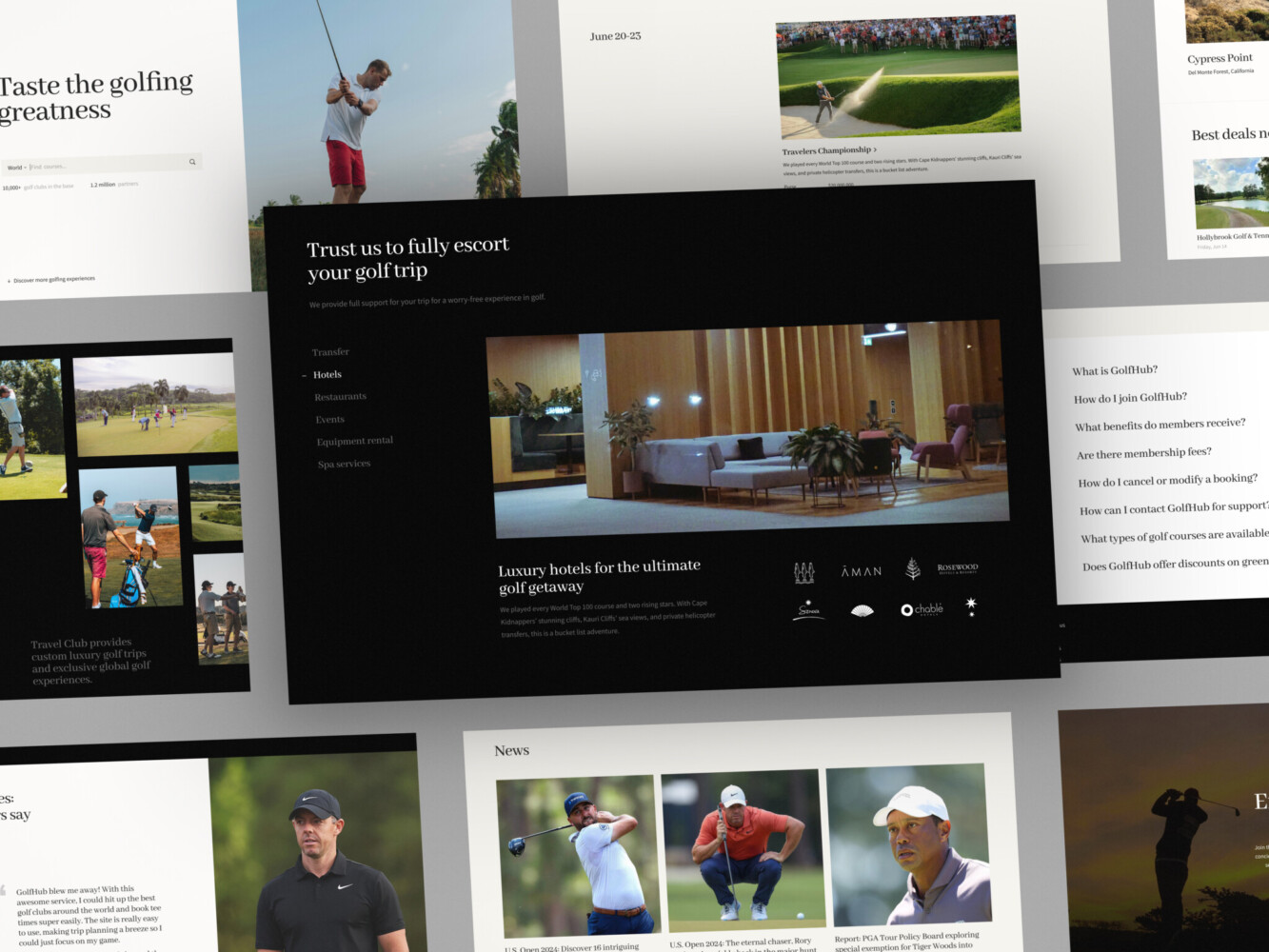
Golf Website Design Concept by Shakuro
FAQ
What should a golf club launch online before opening?
Start with a simple website that explains who the club is for, what members can expect, and when you plan to open. Give visitors one clear next step. If tours and applications aren’t open yet, “Register your interest” is enough.
How do you collect inquiries from prospective founding members?
Put a short form on your Membership page. A name and email are enough for an interest list. Tell people whether they’re signing up for updates or applying for membership, then send a quick confirmation so they know what happens next.
When does a golf club need a member portal or an app?
A golf club member portal starts to make sense when members regularly book tee times, RSVP to events, or invite guests, and staff are juggling those requests by hand. A mobile-friendly portal may be all you need. Consider an app when members have a reason to reach for it often, like checking a tee-time change or pulling up a guest pass on arrival.
Can we launch the club website before we have an opening date?
Yes. Share what’s confirmed and be clear about what’s still up in the air. If there’s no date yet, say so and offer to email people once preview visits are available. That’s more useful than a countdown you’ll have to reset.
Should we publish membership fees before opening?
If the fees are set, publish them with a short note on what’s included and whether there’s a separate joining fee. If you’re still working out the numbers, explain what you can and tell people when they’ll get the full details. Nobody should have to book a tour just to find out that the club is outside their budget.
Can Instagram replace a website before the club opens?
Instagram is a good place to show the course taking shape and introduce the people behind the club. But someone who wants to visit shouldn’t have to scroll back through six weeks of posts to find out how. Give them a page they can bookmark or send to a friend, with the latest membership information and a clear next step.
What can we show online if the course or clubhouse isn’t finished?
Show the work in progress. A short walk around the site or a photo of the first green taking shape gives people a real sense of what’s coming. If you use renderings, label them so visitors know what’s there now and what’s still on the drawing board.
How do we know if our digital launch is working?
Look beyond followers and page views. When working on golf club marketing, check how many inquiries got a reply, how many led to a tour, and how many visits turned into membership conversations. If people keep asking the same question before they’ll book a visit, that’s a good clue about what your site needs to explain better.