
Choosing between Gemini and ChatGPT starts with the work you need to do. Writing an article, checking sources, analyzing a spreadsheet, and fixing a software bug each require different capabilities. The useful question is which product helps you complete your tasks with acceptable results, manageable costs, and a reasonable amount of checking.
ChatGPT is OpenAI’s AI assistant product, while Gemini Apps is Google’s assistant powered by Gemini models. Both provide access to different models and tools. Availability depends on your subscription, region, account type, and organizational settings, so a comparison needs to specify what is being evaluated.
This guide compares the apps across writing, research, coding, file analysis, multimodal features, integrations, and pricing. It also separates features available through the apps from access through developer APIs. Use the comparison to narrow your options, then test the workflows that matter to you with the same inputs and clear criteria for success.
Let’s compare Gemini vs ChatGPT.
Understanding Generative AI
Generative AI (GenAI) refers to AI systems that can create new content, such as text, code, or images. LLMs like ChatGPT and Gemini are prime examples of GenAI. These are trained on enormous datasets to learn language patterns and generate text. This capability makes them invaluable for tasks ranging from drafting emails to writing or generating code. However, the newer editions of Generative AI have reached a different dimension by producing visual content.
What Is ChatGPT and How Does It Work?
ChatGPT is OpenAI’s AI assistant product. It provides an interface for working with AI models and tools across tasks such as writing, research, coding, and analyzing files. Available capabilities can include web search, image generation, and connections to other applications, depending on the product surface, account, and configuration.
The application and its underlying models serve different roles. A model processes the input and generates a response, while ChatGPT organizes the conversation and provides access to supported tools. Model selection, reasoning settings, usage limits, and tool availability affect the experience. A single parameter count or training cutoff therefore cannot describe ChatGPT as a whole.
When you submit a prompt, the response depends on the model, your instructions, and the context available to it. That context may include conversation history, uploaded material, or information retrieved through tools. Web search can supply current information when used, but it does not make every response automatically current or correct. Important claims and citations still need verification.
Developers can also access OpenAI models through APIs to build their own applications. API integrations have their own model choices, implementation requirements, and pricing arrangements. Evaluate those separately from the features available inside ChatGPT.
What Is Gemini and How Does It Work?
Gemini refers both to Google’s family of AI models and to its user-facing AI assistant experience. In this comparison, Gemini Apps means the application people use, while Gemini models means the underlying systems that process inputs and generate outputs.
Gemini Apps can support tasks such as drafting text, researching topics, working with files, and interacting through supported image or voice features. The available models and capabilities depend on the account, Google AI plan, region, and other eligibility requirements. Access through a work or school account also depends on the organization’s Workspace license and settings.
When responding, a Gemini model uses patterns learned during training together with the prompt and available context. The application may supplement that context with uploaded files, Google Search results, or connected services where supported. These additional sources can help ground an answer, but errors can still occur when information is retrieved, interpreted, or incorporated into the response.
As a developer, you can use Gemini models through the Gemini API to create their own products and workflows. API capabilities, model identifiers, limits, and billing should be assessed through the developer documentation rather than inferred from a Gemini Apps subscription. A feature demonstrated in the application does not necessarily correspond to the same implementation through the API.

Neural network design concept by Shakuro
Comparing Google Gemini vs ChatGPT
Is Gemini better than ChatGPT? Gemini has its clearest practical advantage when your work already revolves around Google services. ChatGPT is a strong choice when you want to turn source material into finished deliverables or move from planning into a development workflow through ChatGPT Work and Codex.
For writing quality, reasoning, and factual accuracy, the choice is less straightforward. These depend on the selected model and task, so broad claims that one assistant is consistently smarter would overstate the evidence.
| Your main task | Our recommendation | Why |
| Working with Gmail, Google Drive, and Calendar | Gemini | Its Connected Apps support retrieving information and completing supported actions within those services. |
| Moving responses into Google Docs and Sheets | Gemini | Built-in export options fit teams that already collaborate in Google Workspace. |
| Creating and repeatedly revising documents, spreadsheets, presentations, or PDFs | ChatGPT Work | Its file-production, preview, and revision workflows are designed around reviewable deliverables. |
| Connecting planning and research with repository-based development | ChatGPT with Codex | The broader product environment provides a path from knowledge work into code editing, testing, and review. |
| Performing supported actions across Android apps and device services | Gemini | Its connected mobile workflows include communication, media, and device assistance. |
| Researching current information | Both are viable | Both support web-connected research; source quality matters more than access to search alone. |
Availability depends on the account, plan, device, region, and organizational settings.
Gemini Is the More Natural Fit for Google Workspace
Gemini is our first recommendation for users whose source material and daily actions are concentrated in Gmail, Drive, and Calendar. Its advantage is workflow continuity: finding information, summarizing it, and acting on it can happen through connections to services the team already uses.
The handoff is also straightforward. Supported responses can become Google Docs documents, Gmail drafts, or tables in Google Sheets. For a team that collaborates primarily in those applications, this can reduce copying and reformatting.
That makes Gemini particularly attractive for email-heavy administrative work, document-based collaboration, and everyday Google Workspace productivity. This is an integration advantage; it does not establish that every Gemini answer is more accurate.
ChatGPT Work Fits Deliverable-Oriented Tasks
ChatGPT Work is our recommendation when the expected outcome is a finished file that needs several rounds of review: a research report, planning spreadsheet, presentation, or PDF.
Its documented workflows support creating files, previewing them, and requesting focused revisions. For a product team turning mixed notes and documents into material for a meeting or client, that review process can be more useful than receiving a polished answer in the conversation alone.
Gemini also analyzes files and exports content. The difference between Gemini and ChatGPT is the destination: Gemini fits Google Workspace handoffs well, while ChatGPT Work is worth prioritizing when the task centers on producing and refining standalone deliverables.
Coding Requires a Product-Level Distinction
For repository-based development, ChatGPT’s connection with Codex makes the OpenAI environment a practical option. Codex supports developer workflows such as debugging, running tests, reviewing changes, and implementing features.
Google also offers dedicated developer tooling through Gemini Code Assist. Consequently, comparing a Codex workflow with an ordinary Gemini conversation would give a misleading result.
When we compare Gemini vs ChatGPT for coding, our recommendation is to favor ChatGPT with Codex. Especially when you want a connected planning-and-development workflow in that environment. Teams already using Google’s development infrastructure have a reason to consider Gemini Code Assist. The old conclusion that Gemini generally fails at basic programming is no longer a defensible basis for choosing.
Search Does Not Give Gemini an Automatic Accuracy Advantage
Gemini’s connection with Google services is useful, but ChatGPT also supports web search and source-linked answers. Current-information access therefore no longer provides a sufficient reason to declare Gemini the research winner.
For research based mainly on your Google Workspace information, Gemini has the clearer integration case. For research that must become a formatted report, spreadsheet, or presentation, ChatGPT Work offers a relevant production workflow.
For standalone writing, brainstorming, and explanations, neither product has a demonstrated overall advantage in this comparison. The strongest practical recommendation comes from where the information lives and what you need to produce with it.
Plans, Limits, and API Access
Gemini and ChatGPT offer several subscription levels, so the comparison extends beyond two similarly priced plans. The right option depends on how frequently you use the assistant, which features you need, and whether you are buying access for yourself, a team, or an application.
Google currently offers the cheaper entry-level paid option. At approximately $20 per month, ChatGPT Plus and Google AI Pro are effectively in the same price category. Their practical value comes from the included workflows and benefits rather than the one-cent difference.
Google’s plans bundle AI access with other services, including cloud storage and selected Google app features. Those benefits can make Google AI Pro attractive if they replace subscriptions you would otherwise purchase.
Usage Limits Matter as Much as Price
A paid subscription does not provide identical or unlimited access to every model and feature.
Google currently describes AI Plus as offering twice the standard Gemini usage allowance, AI Pro as four times the standard allowance, and Ultra options as five or twenty times the Pro allowance. Gemini uses compute-based limits influenced by prompt complexity, model choice, features, and conversation length, with five-hour and weekly limits.
For ChatGPT Work and Codex, usage also depends on the selected model, context, tools, and task complexity. Their allowances are shared, and additional credits can extend eligible usage. Published estimates should not be treated as guaranteed message counts.
The practical distinction is how much useful work your allowance supports. A higher tier is most relevant when the lower plan repeatedly interrupts an established workflow or excludes a required capability.
Business Plans Are a Separate Comparison
Let’s compare Gemini vs ChatGPT pricing. ChatGPT Business is listed at $20 per user per month with annual billing, or $25 with monthly billing, with a minimum of two users. Enterprise arrangements require a sales discussion.
Google separately lists Gemini Enterprise Business starting at $21 per seat per month, alongside other enterprise editions. Gemini access through Google Workspace depends on the relevant license and organizational configuration.
Personal Google AI plans and organizational licenses serve different purchasing needs. Teams should compare the applicable workspace controls, contractual protections, connectors, and usage terms.
API Access Uses Its Own Metering and Billing
Subscriptions primarily provide access to the assistant products. If you are a developer building AI into your own software, you need to evaluate API access separately.
API costs depend on the selected model, input and output volume, caching, media processing, and tools used. There is no single “ChatGPT API price” or “Gemini API price” that represents every model.
A simplified estimate is:
API cost = Input usage × Input rate + Output usage × Output rate + Additional tool, media, and storage charges
Use matching units when calculating costs, since token prices are commonly quoted per million tokens. Consult the OpenAI API pricing and Gemini API pricing for the specific implementation.
Subscription Credits Can Offset Some Developer Costs
Subscription and API billing are distinct, but some plans include developer benefits.
Eligible ChatGPT Pro and Business subscriptions can claim API credits. For example, the $100 Pro tier currently provides a $100 monthly API credit allowance. Activation, eligibility, expiration, and supported-use conditions apply; these credits do not increase signed-in ChatGPT or Codex usage limits.
Google AI plans can also include developer benefits, such as Google Cloud credits. These benefits have their own eligibility and service restrictions. Google Flow credits, Cloud credits, and Gemini API usage allowances should be evaluated separately.
For an individual, compare the subscription’s complete bundle. For a software product, budget around expected API consumption and treat any eligible credits as a limited offset to that cost.

Privacy, Data Controls, and Business Use
The biggest privacy difference between Gemini and ChatGPT is often the account you use. A personal subscription, a managed business workspace, and an API integration have different data-handling rules. Paying for more features should not be treated as a guarantee of enterprise data protection.
Personal Accounts and Activity Controls
Personal accounts need a separate privacy assessment from business workspaces. Before uploading client documents or internal financial information, check which controls apply to your account, what they change, and what information the service still retains.
In the consumer Gemini app, Google’s Keep Activity setting affects how conversations are saved and used. When it is on, activity can be used to improve Google services, including training generative AI models, with human review. Turning it off prevents future chats from being used for model training unless you submit feedback. However, those chats are still retained for 72 hours for service and safety purposes. Gemini’s temporary chats are also retained for 72 hours and are not used to train its AI models.
For ChatGPT, distinguish a personal account from the Business, Enterprise, and Edu workspaces discussed below. Their documented business protections should not be assumed to apply to a personal subscription.
The practical difference between Gemini and ChatGPT between limiting model training and eliminating data retention. These are separate controls, and neither should be inferred from a subscription’s price.
Business Workspaces Offer Different Protections
OpenAI states that data in ChatGPT Business, Enterprise, and Edu workspaces is encrypted in transit and at rest and is not used to train its models by default. Available administrative controls and retention behavior depend on the workspace plan and configuration.
Google provides enterprise data protections when the Gemini app is included as a core service in an eligible Google Workspace subscription. Under these conditions, chats and uploaded files are not reviewed by human reviewers or used to improve generative AI models. However, some organizational accounts access Gemini as an additional service, which has different terms. A work email address alone does not establish which protections apply.
For an organization already using an eligible Google Workspace subscription, Gemini can be the more straightforward operational choice. ChatGPT Business or Enterprise provides an alternative managed workspace for teams choosing ChatGPT’s workflows. Neither brand is automatically the more private option across every account and feature.
API Data Policies Are Separate
OpenAI does not use API inputs and outputs to train its models unless the customer explicitly opts in. Retention still varies by endpoint and feature: abuse-monitoring logs may be retained, and stored application data has separate rules. Zero Data Retention is subject to eligibility and feature limitations.
The Gemini API distinguishes between paid and unpaid services. Under the paid-service terms, Google does not use prompts or responses to improve its products. Unpaid-service terms generally permit this use and human review. Regional exceptions apply: in the EEA, Switzerland, and the UK, the paid-service data-use provisions also apply to unpaid services. Billing configuration can also affect which terms apply.
For a product handling confidential customer information, this makes the deployment configuration more consequential than the model’s name.
Connected Apps and Compliance
Connecting email, cloud storage, or business software creates additional data flows. Permissions determine what the assistant can access, while the connected service may have its own retention rules. Chat history, uploaded files, saved memories, and third-party records should not be treated as one dataset with a single deletion policy.
For business use, choose an approved workspace or API configuration with suitable access controls and contractual terms. Neither Gemini nor ChatGPT automatically makes a workflow compliant with privacy legislation or industry requirements. That assessment depends on the information processed, the applicable jurisdiction, and how the organization configures and uses the service.
FAQ
What is the difference between Gemini and ChatGPT?
ChatGPT is OpenAI’s AI assistant, while Gemini is Google’s assistant and the name of its model family. Both products combine models with tools, connected services, and account features. Their capabilities depend on the selected model, subscription, and available tools, so comparing the apps is different from comparing individual models through an API.
Is Gemini better than ChatGPT?
Gemini can be the more convenient choice if your daily work revolves around Gmail, Google Drive, Docs, and Calendar. ChatGPT Work is a practical option for tasks that need to end in a reviewable report, presentation, analysis, or other finished file. These are workflow advantages, rather than proof that either assistant produces better answers in every situation.
Which is better for coding: ChatGPT or Gemini?
ChatGPT with Codex is a practical choice for working on an existing codebase, implementing changes, running tests, and reviewing code. For Google’s ecosystem, compare the relevant development tools, such as Gemini Code Assist or Gemini in Android Studio, rather than judging everything through the Gemini chat app. Neither assistant’s generated code should be accepted without review and testing.
Which is more accurate for research?
Neither assistant is consistently more accurate across every subject. Both can retrieve and summarize information, but web access does not guarantee a correct answer. Gemini can also retrieve an older email when a newer one exists. For research, prefer responses that link to relevant primary sources, and check whether those sources support the conclusion and reflect the required date.
Can I use Gemini and ChatGPT for free?
Yes. Both offer access without a paid subscription, with restrictions on usage, models, or features. Paid plans expand access, but they do not necessarily remove every limit. Availability can also vary by region and account type. Start with free access if your needs are occasional, and upgrade when a specific restriction interrupts work you regularly need to complete.
Does a paid subscription include API access?
An app subscription should not be treated as an unlimited API allowance. API integrations have separate usage accounting and limits. Eligible ChatGPT Pro and Business subscriptions can currently claim API credits, subject to activation and eligibility requirements. Google AI plan benefits, including any Cloud credits, also need to be checked separately from Gemini API billing.
Which is better for confidential business information?
The account and deployment matter more than the brand. ChatGPT Business, Enterprise, and Edu workspace data is not used for model training by default. Google provides enterprise data protections when Gemini is a core service under an eligible Workspace subscription. These protections should not be assumed to apply to personal accounts or every work account. Neither service’s no-training commitment means that no data is retained.
Can I integrate ChatGPT or Gemini into my own application?
Yes, through the appropriate developer APIs. Your application integrates with OpenAI or Gemini models and services rather than embedding the consumer chat interface. The better choice depends on your product’s required capabilities, response time, usage costs, and data-handling requirements. Evaluate those requirements separately from the features included in a personal assistant subscription.
Final Winner: Which One Should You Use in 2026?
Gemini vs ChatGPT, the competition is fierce and fascinating. Both models have unique strengths and areas of excellence, making them valuable tools for various tasks. However, they also have their own flaws.
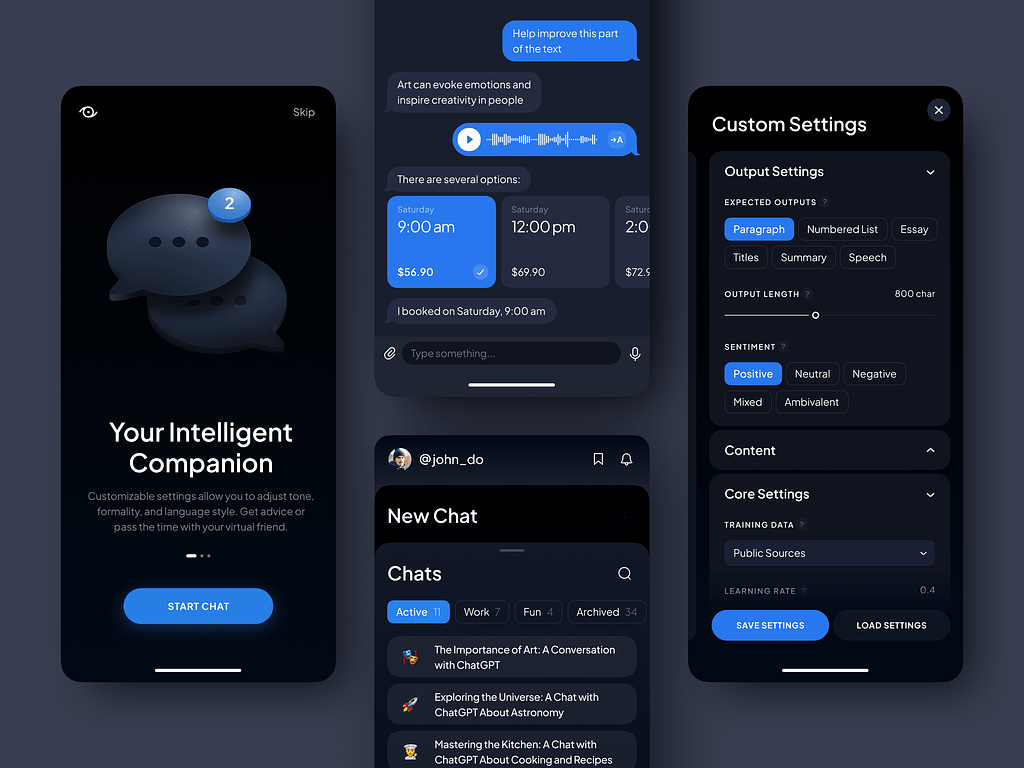
The AI Prompt Assistant by Conceptzilla
Choose ChatGPT if:
- You need reliable AI for coding tasks and complex problem-solving.
- You want a user-friendly interface with seamless integration.
- You prefer robust voice interaction and advanced multimodal functions.
- You require high accuracy and quality outputs for various tasks.
- Your team prefers ChatGPT’s workflows and can deploy them through a business workspace with appropriate data controls.
- Creativity in content generation is essential for your projects.
Choose Gemini if:
- You prioritize real-time internet searches for current information.
- You need efficient handling of research tasks and dynamic data.
- You value integration with Google’s suite of tools and services.
- Security and compliance, leveraging Google’s robust frameworks, are critical.
Final Notes
In the showdown between ChatGPT and Gemini, each model has unique advantages for different user needs. Ultimately, the best AI model for you depends on your specific requirements and the environment in which you’ll be using it. Whether you opt for ChatGPT’s comprehensive capabilities or Gemini’s efficiency, exploring AI will enhance your productivity.
***
The article was originally published in June 2024 and was updated in October 2026 to make it more relevant and comprehensive.
Related reading