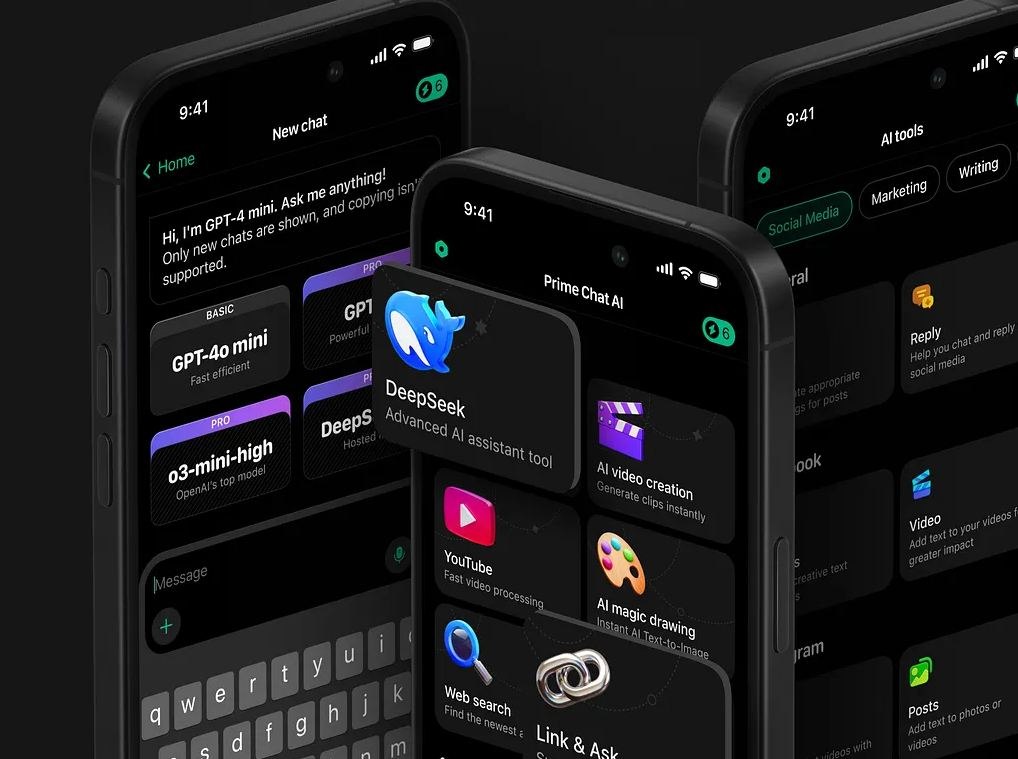
To use AI in UI/UX design, treat it as an assistant across the design process: it can summarize user research, generate early layouts and flows, draft UX copy, check accessibility, and analyze test feedback. The other side is designing AI-based interfaces, such as chatbots, smart search, recommendations, and AI dashboards, where the product itself lets people use machines to perform tasks that usually require a human mind.
Business adoption of both is growing fast, as these AI adoption statistics show, and both come with risks: privacy leaks, bias, wrong answers, and over-automation. Designers and product owners get the most from AI when they know where it helps and where human judgment still has to decide.
Below, we cover the benefits of AI in UX design, where it helps in the design process, the challenges of automated UI design, practical AI UX examples, AI for the design workflow vs AI-powered user experience, tips for creating AI-based interfaces, and when AI makes sense for your product.
AI in UI/UX design: short answer
AI can help UI/UX teams analyze user behavior, summarize research, generate interface ideas, personalize experiences, improve accessibility, test content, and speed up repetitive design tasks. It works best when designers use it as an assistant, not a replacement for product thinking, user research, and human judgment.
Benefits of using AI UX design
Chatbots and expert systems can help you create more efficient, personalized experiences for your clients. Machine learning algorithms analyze vast amounts of data and user behavior, allowing you to make informed decisions about the design and content of digital products.
Here are some benefits of using neural networks in UI/UX design:
Personalization
AI-based User Interfaces can learn from people’s behavior and adapt to their preferences, providing a necessary level of personalization that improve user satisfaction and retention. The digital brain can collect data on tastes and contexts to create customized content and interactions. For example, Netflix uses AI to recommend movies and series to users based on their viewing history.
Efficiency
With Artificial Intelligence in UI/UX design, you can streamline the workflow by automating repetitive tasks. The computer will analyze data and generate solutions that align with the brand‘s style guide and user preferences. This saves time and resources and allows your team to focus on more creative tasks.
Accessibility
With smart algorithms, you can improve the app’s accessibility for people with various disabilities. Machine Learning UX can adapt to their special needs, giving a more inclusive experience. For instance, add voice recognition technology to help visually impaired users navigate digital interfaces.
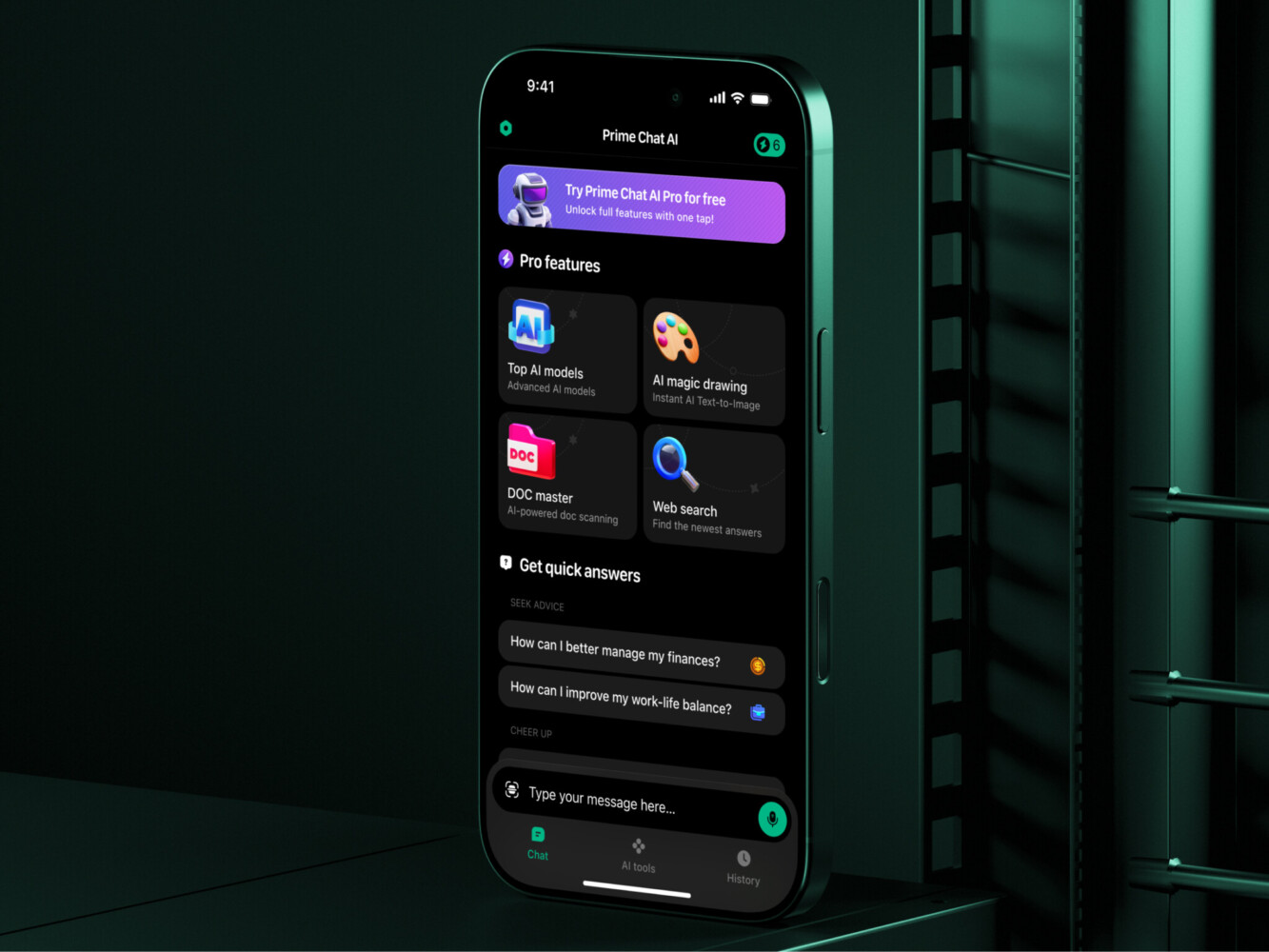
Prime Chat AI Mobile Assistant by Shakuro
Where AI helps in the UI/UX design process
AI can support different parts of the design workflow:
– User research: summarize interviews, cluster feedback, find repeated pain points.
– Ideation: generate early layout directions, user flows, or feature ideas.
– UX writing: draft button labels, onboarding text, empty states, and error messages.
– Prototyping: speed up low-fidelity concepts and interaction ideas.
– Accessibility: check contrast, readability, alt text, and inclusive language.
– Testing: analyze feedback, detect friction points, and compare design variants.
– Design systems: help document components, usage rules, and content patterns.
AI saves time on repetitive work, but the team still needs to decide what is useful, usable, and right for the product.

Challenges of implementing automated UI design
While there are many benefits, these tools also pose some challenges. Below, we point out some potential risks to consider:
Privacy concerns
Artificial Intelligence in UI/UX Design automatically collects and analyzes vast amounts of user data, raising concerns about privacy and potential leaks. Designers and product owners must ensure that all the info is collected and treated ethically and transparently, following best practices and regulations.
Bias
These tools are trained on hand-picked data so they can inherit and amplify biases and stereotypes present in the info they analyze. This can lead to unfair or discriminatory outcomes. You should be aware of this potential bias and ensure that AI-driven UX is designed to be inclusive and fair.
Lack of human touch
Artificial Intelligence relies on automation and mechanical actions, so it cannot replace human creativity and empathy. You should strive to enhance the user experience, not replace it entirely with tedious actions.
Hallucinations and wrong answers
AI systems can generate answers that sound confident but are not correct. In a user interface, this can be risky if people rely on the output to make decisions, complete forms, choose products, or understand important information.
To reduce this risk, show sources when possible, add confidence cues, let users review or edit AI-generated output, and avoid using AI as the only decision-maker in sensitive flows.
Unclear user expectations
Users need to understand what the AI feature can and cannot do. If the interface promises too much, people may expect perfect answers, instant results, or human-level judgment.
Good AI UX should set clear expectations. Explain what the feature is for, what data it uses, and when a user should double-check the result.
Over-automation
Not every task should be automated. If AI takes too much control, users may feel confused, ignored, or unable to correct the system.
AI should help users move faster, not remove their ability to choose. Keep important actions reviewable, reversible, and easy to adjust.
Accessibility risks
AI can improve accessibility, but it can also create new barriers. For example, generated text may be unclear, voice interfaces may fail in noisy environments, and visual AI outputs may not work well with assistive technologies.
AI-powered interfaces should still follow accessibility basics: readable text, keyboard navigation, clear labels, error messages, alt text, and enough contrast.
Cost and performance issues
AI features can slow down the user experience if responses take too long. They can also become expensive when model API usage grows.
The UX should account for loading states, streaming responses, caching, usage limits, and fallback flows. A useful AI feature should feel reliable, not fragile or unpredictable.
Lack of explainability
Users may hesitate to trust AI output if they do not understand where it came from. This is especially important in dashboards, recommendations, search, healthcare, fintech, education, or enterprise tools.
When needed, show why the AI made a suggestion, which sources it used, and what the user can do next. A little context can make the interface feel much safer.
AI risks are easier to manage when product design and development work together from the start. The team should define the user flow, data access, fallback states, privacy rules, and success metrics before building the feature.
Planning an AI-powered product? Our UI/UX and AI development teams can help design the interface, test the risks, and build a first version users can trust.
Practical AI UX Examples for Digital Products
For product teams, AI is more useful when it helps users complete real tasks: find information, make decisions, understand data, automate routine work, or get support faster.
Here are a few practical examples of how AI can improve user experience in digital products.
AI chatbot interface
An AI chatbot can help users ask questions, find product information, troubleshoot issues, or complete simple tasks without searching through menus or help docs.
A good chatbot interface should make the scope clear. Users need to know what the bot can answer, what data it uses, and when they should contact a human. The interface should also include loading states, source links when needed, suggested follow-up questions, and a fallback when the answer is not useful.
This is especially helpful for SaaS platforms, e-commerce websites, education products, healthcare apps, and internal support tools.
AI-powered search
AI-powered search helps users find information even when they do not know the exact keyword. Instead of matching only text, the system can understand meaning, context, and intent.
For example, users can search a knowledge base, product catalog, documentation hub, or internal database with natural language. This works well for products with a lot of content, such as marketplaces, enterprise portals, e-learning platforms, and B2B SaaS tools.
The UX challenge is to make results easy to trust. The interface should show relevant sources, filters, result previews, and clear next steps.
RAG-based knowledge assistant
A RAG-based assistant uses company or product data as context before generating an answer. This makes AI more useful for business tools because the model can work with trusted documents, policies, manuals, reports, or support content.
For users, this can feel like asking a smart assistant instead of browsing a large knowledge base. For teams, it can reduce repetitive support questions and make internal information easier to access.
The interface should show where the answer came from, let users open the source, and make it easy to refine the question.
AI dashboard insights
AI can help dashboards move beyond raw charts and tables. Instead of only showing data, the product can highlight patterns, explain changes, summarize performance, or suggest what to check next.
This is useful for analytics platforms, fintech products, healthcare tools, marketing dashboards, and enterprise systems. A user may not have time to inspect every metric, so AI can help surface what matters.
The UX should still keep users in control. AI-generated insights should be easy to verify, dismiss, save, or explore in more detail.
Personalized onboarding
AI can make onboarding more useful by adapting the experience to the user’s role, goals, company size, behavior, or previous answers.
For example, a SaaS product can recommend the next setup step, suggest relevant features, or adjust educational content based on what the user wants to achieve. This can reduce friction and help users reach value faster.
The key is not to overdo it. Personalization should feel helpful, not invasive. Users should understand why they see a recommendation and how to change their preferences.
AI recommendations
Recommendation systems can help users discover products, content, actions, or next steps. They are common in e-commerce, media, education, fintech, and productivity tools.
Good recommendation UX should explain enough without overwhelming the user. Simple labels like “Recommended because you viewed…” or “Based on your recent activity” can make suggestions feel more transparent.
Recommendations should also support user choice. Let users ignore, adjust, or give feedback on what they see.
AI-assisted content creation
AI can help users draft, summarize, rewrite, translate, or organize content inside a product. This is useful for CMS platforms, social tools, CRM systems, marketing software, education products, and internal business tools.
The interface should make editing easy. Users should be able to review the output, change tone, regenerate parts, save versions, and understand that the result may need human review.
AI-generated content should never feel like a black box. The product should make it clear what was generated and what the user can control.
AI accessibility assistant
AI can support accessibility by suggesting alt text, checking readability, simplifying content, detecting contrast issues, or helping users interact with the product through voice or natural language.
This can make digital products easier to use for more people, but it should not replace accessibility basics. The product still needs readable typography, keyboard navigation, clear labels, visible focus states, strong contrast, and proper error messages.
AI can help teams find issues faster, but human review and accessibility testing still matter.
AI workflow automation
AI can reduce repetitive work by helping users classify requests, fill forms, summarize conversations, route tasks, or generate reports.
This is useful in CRM, HR, healthcare, fintech, legaltech, customer support, and enterprise products. The best workflows usually keep humans in control: AI suggests, prepares, or summarizes, while users review and approve important actions.
The UX should make automation visible. Users need to know what happened, what changed, and how to undo or correct it.
AI for UI/UX workflow vs AI-powered user experience
AI for UI/UX workflow means using AI tools to support research, ideation, wireframes, copy, prototyping, testing, and documentation.
AI-powered user experience means adding AI features into the product itself: chatbots, recommendations, personalization, smart search, voice input, image recognition, AI dashboards, or automated support.
Both can be useful, but they solve different problems. One helps the design team work faster. The other changes how users interact with the product.
Tips for creating AI-based User Interfaces
Made up your mind to give these technologies a try? Here are some best practices to integrate them seamlessly into your project:
- Start small
Don’t rush and begin with small neural network experiments and gradually scale up as you gain more experience and confidence.
- Focus on the user
Prioritize the user experience and ensure that AI is used to enhance, not replace human interaction. You should focus on creating inclusive, accessible, and fair interfaces.
- Ensure ethical data use
Since you will be dealing with massive user data, ensure that it is collected and used ethically and transparently. Follow best practices and regulations for information privacy and protection.
- Collaborate with developers
Creating a cool-looking concept is not enough. You will need experienced programmers and data scientists to ensure that Artificial Intelligence is integrated seamlessly into the design process. Collaboration can help ensure that the solutions are efficient, effective, and scalable.
- Test and iterate
No doubt that the freshly integrated technologies need to be properly tested before the release. Check your solutions together with real users and iterate builds based on feedback. This approach will help you ensure that AI-driven UX is user-centered and effective.
When AI makes sense for your product UX
AI is worth adding when it helps users complete a real task faster or with less effort. It should not be added only because it sounds modern.
AI may make sense if users need to:
– search large amounts of information
– summarize documents or data
– get personalized recommendations
– complete repetitive tasks
– ask questions in natural language
– process images, audio, or video
– make decisions from complex dashboards
Before adding AI, define the user problem, data sources, privacy limits, success metrics, and fallback experience when AI is wrong.
Planning an AI-powered interface? Our UI/UX and AI development teams can help shape the user flow, data logic, and first testable version.
Conclusion
Neural networks have the potential to revolutionize UI/UX design, providing specialists with new tools and capabilities to create more personalized, efficient, and accessible experiences. However, you must also consider the potential risks of using AI, such as privacy concerns and bias. By following best practices and collaborating with developers and data scientists, you can harness the power of smart algorithms to create innovative and inclusive digital products.
Do you want to create an application powered by smart algorithms? Contact us to get a versatile product that will utilize new technologies and solve people’s pains.
FAQ
How is AI used in UI/UX design?
AI is used in two ways. In the design workflow, it helps with user research, feedback analysis, ideation, wireframes, UX writing, prototyping, accessibility checks, testing, and design system documentation. Inside the product, it powers features such as chatbots, smart search, recommendations, personalized onboarding, and AI dashboard insights. The first helps the design team work faster; the second changes how users interact with the product.
Can AI replace UI/UX designers?
No. AI can speed up parts of the design process, but it cannot replace product thinking, user empathy, strategy, or judgment. It relies on automation and the data it was trained on, so it cannot supply human creativity. Designers still need to understand user needs, business goals, context, and edge cases, and decide whether an AI-generated idea actually works.
What are the benefits of AI in UX design?
The main benefits are personalization, efficiency, and accessibility. AI-based interfaces learn from user behavior and adapt to preferences, the way Netflix recommends movies based on viewing history. AI automates repetitive design tasks, freeing the team for creative work. It also improves accessibility, for example with voice recognition that helps visually impaired users navigate an interface.
What are the risks of AI-powered interfaces?
AI-powered interfaces can give confident but wrong answers, set unclear expectations, leak private data, and repeat biases from their training data. Other risks are over-automation, new accessibility barriers, high API costs, slow responses, and a lack of explainability. Good AI UX keeps users informed and in control: it shows sources, and it lets people review, edit, or undo AI output.
How do you design a good AI chatbot interface?
Make the scope clear first: users should know what the bot can answer, what data it uses, and when to contact a human. Then add loading states, suggested follow-up questions, and source links when needed. Handle errors gracefully, protect sensitive data, and let users refine, edit, or escalate answers, with a fallback to human support for complex cases.
When should a product use AI personalization?
Use AI personalization when it helps users find relevant content, complete tasks faster, or make better decisions, for example in onboarding that adapts to the user’s role and goals. It works best when you have enough quality data, clear privacy rules, and a real user need. Avoid it if it feels intrusive, and show users why they see a recommendation.
Related reading
- ChatGPT: Put the Power of Automation to Work for Web Designers
- Why AI Image Generators Won’t Replace UI/UX Designers & Illustrators
- AI Content Generation: Revolutionizing Startup Products
- Designing User-Centric AI and ML-Powered Websites
* * *
This article was originally published in March 2023 and was updated in July 2026 to make it more relevant and comprehensive.