
The main iOS app development trends are artificial intelligence and machine learning, augmented and virtual reality built with ARKit, Apple Pay, the Swift Package Manager, and blockchain. On the tools side, the future of iOS app development is shaped by Swift 6, IoT and HomeKit, cloud-based apps built with CloudKit, and SwiftUI, while design moves toward motion design, touchless UI, and chatbots.
Apps that place virtual furniture in your room or learn and adapt to the user once sounded futuristic; now they are regular features on iPhones and iPads, often built with AI development services. We explain each trend in plain English, so the article works both for app developers and for business owners planning an iOS product.
Below, we cover the evolution of iOS app development, the key trends, tools and technologies, what SwiftUI is, design trends, and the reported UI design changes for iOS 18.
The Evolution of iOS App Development
The story of iOS application development is like watching technology grow up before our eyes. It all began in 2008 when Apple launched the App Store, giving developers a place to share their apps. Back then, they mainly focused on making apps specifically for iPhones and iPads using tools like Objective-C for iOS native app development. But things changed in 2014 when Apple introduced Swift, a new, easier-to-use iOS programming language. This sparked a focus on making apps that are not just functional but also easy and enjoyable to use, with commendable designs and smooth interactions.
As more people wanted apps, developers started looking for ways to make them work on both iPhones and Android phones. That’s when cross-platform development tools like React Native and Flutter came into play, making it easier to create apps for different devices.
Plus, new technologies like augmented reality and machine learning (like when your phone suggests words as you type) added exciting features to apps.
Looking ahead, things are only going to get more exciting, get ready to enter the future of iOS app development and uncover the key mobile app trends in 2026.
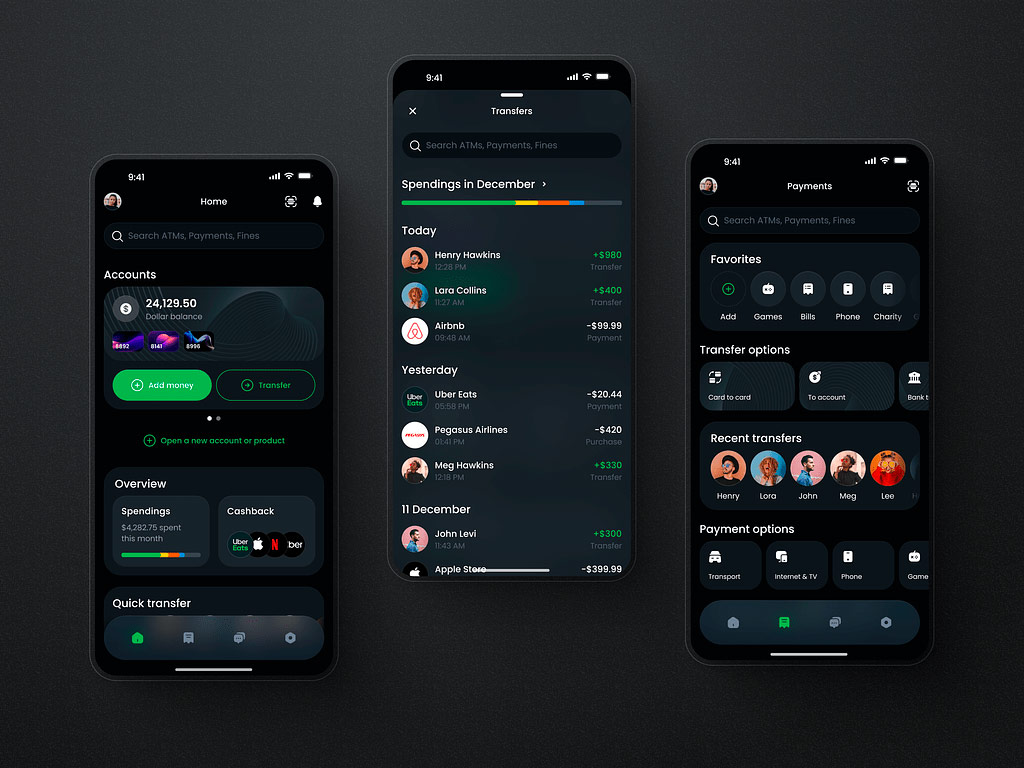
Mobile Banking App by Shakuro
Key iOS App Development Trends
The useful question behind an iOS development trend is simple: does it help your product solve a real problem? Some platform capabilities open up new possibilities; others make familiar workflows more dependable. Evaluate them against your audience, business model, and operating costs rather than treating every trend as a roadmap requirement.
AI With a Measurable Product Role
AI can help people process information, find relevant content, or complete repetitive work. The opportunity is to improve a specific task, not simply add an AI feature.
Define the expected benefit before development. A document-processing feature might aim to reduce manual review time while keeping errors within an acceptable range. Compare on-device and server-based approaches against quality, availability, privacy, latency, and cost. Apple now supports both local and server-model integration paths, so the choice is not limited to one deployment model.
App Capabilities Available Through the System
An app can provide value without requiring people to navigate through its screens every time. System integrations can make selected actions and content available through Siri, Spotlight, and Shortcuts.
Prioritize frequent, well-defined tasks, such as finding a saved document or recording an activity. Decide what information each action needs, which account it operates on, and whether confirmation is required. Success means completing the intended task reliably, not exposing every feature outside the app.
Privacy as a Product Architecture Decision
Privacy affects which data a product collects, where processing happens, and which external services it can use. These decisions belong in product planning, before analytics, advertising, or AI integrations become difficult to replace.
Collect only what the feature needs, define retention and deletion rules, and review third-party data flows. Apple holds developers responsible for integrated SDKs and requires clear disclosure and explicit permission before sharing personal data with third-party AI. On-device processing can reduce some data transfers, but it does not make the entire product private or secure automatically.
Reliable Work Across Connections and Devices
Cross-device access is useful only when people can trust the state of their work. Cloud storage alone does not guarantee immediate synchronization or prevent conflicting changes. Apple’s document-sync guidance explicitly accounts for conflicts caused by edits on different devices.
Define what people can do offline, which changes remain pending, and how the product handles competing edits. For a field-service app, preserving an inspection draft during a connection loss may matter more than adding another online-only feature.
Connected Products Where Hardware Adds Value
Device integration makes sense when software needs to interact with a physical product. Smart-home apps, for example, can use Matter interoperability to work with supported accessories across ecosystems. This does not replace the need to verify device capabilities, pairing, permissions, and failure handling.
Start with the hardware your customers actually use. Validate setup and reconnection before expanding the supported-device list. Connected functionality should support the product’s core purpose, not become an integration burden without a clear benefit.
Commerce Matched to the Business Model
Payment planning should follow what the app sells. Apple Pay supports physical goods and eligible services, while Apple In-App Purchase supports digital content, features, and subscriptions. Applicable requirements and exceptions depend on the product and storefront.
Assess the complete purchase lifecycle: successful payment, interrupted transactions, refunds, subscription changes, and access restoration. Use current rules for each target market rather than building the business case around a universal commission assumption.
A focused roadmap may adopt only one or two of these directions. When looking for iOS app development trends, choose the opportunities that improve a meaningful customer outcome and that your team can support after launch.
Tools and Technologies in iOS Development
An iOS development toolkit should cover the work behind a reliable product: writing code, managing dependencies, testing behavior, investigating performance, and shipping updates. Feature-specific frameworks belong in the stack when the product needs them, not simply because they appear on a trends list.
Development: Xcode, Swift, SwiftUI, and UIKit
Xcode brings together editing, building, debugging, previews, and simulators. Use a supported stable release that meets App Store submission requirements, and test on physical devices as well as simulators.
Swift is the primary language for modern native iOS development. Swift 6 language mode adds stricter concurrency checks to identify potential data races. Updating the compiler and enabling that language mode are separate decisions; existing projects can migrate incrementally. These checks do not eliminate every concurrency bug or guarantee a responsive interface.
SwiftUI and UIKit provide the interface layer. They can coexist, so teams can introduce SwiftUI without rebuilding an established UIKit application. Choose based on interface requirements, supported OS versions, and existing code.
Dependencies: Swift Package Manager
Swift Package Manager, integrated into Xcode, manages package dependencies and supports reusable internal modules. It is a dependency manager, not a central library marketplace.
Choose explicit version requirements, review a package’s maintenance and licensing, and commit the app’s Package.resolved file so developers and CI use the expected versions. Dependency updates should pass the same review and testing process as application changes.
AI Features: Foundation Models, Core ML, and Vision
Choose the framework around the task. Foundation Models supports generative features such as summarization, structured output, and tool calling, with on-device and supported server-model options. Check API and model availability, language support, and deployment requirements, and provide a fallback when the selected model is unavailable.
Core ML integrates machine learning models for on-device inference. Vision provides image-analysis capabilities such as text recognition, barcode detection, and image classification. A receipt scanner may need Vision rather than a generative chatbot. Evaluate accuracy, latency, memory use, and data handling before choosing an approach.
Testing: Swift Testing and XCTest
Use Swift Testing for new Swift unit tests and integration tests that exercise code directly. XCTest remains relevant for existing test suites, UI automation with XCUIAutomation, and performance tests.
The frameworks can coexist, allowing gradual adoption. Prioritize business rules, integration failures, and critical user journeys rather than treating a coverage percentage as proof of quality. Automated checks should complement accessibility reviews and device testing.
Profiling: Instruments, Memory Graph, and Organizer
Use Instruments to investigate measured problems: Time Profiler for CPU-intensive work, Allocations for memory growth, and Leaks for detectable memory leaks. Xcode’s Memory Graph Debugger helps explain why objects remain alive; a clean leak report does not prove that memory use is efficient.
After release, Xcode Organizer provides performance and diagnostic information from distributed apps. Use those signals to prioritize investigations, then reproduce and profile the affected workflows.
Delivery: CI, TestFlight, and App Store Connect
Xcode Cloud, or another CI system using xcodebuild, can automate builds, tests, and archives. Keep signing configuration, dependency versions, and release artifacts under a repeatable process.
Use TestFlight to distribute beta builds and collect feedback. App Store Connect manages submissions, product information, availability, and release settings. Neither replaces release checks for privacy disclosures, subscriptions, backend compatibility, and account access. A successful build is only one part of a release-ready product.
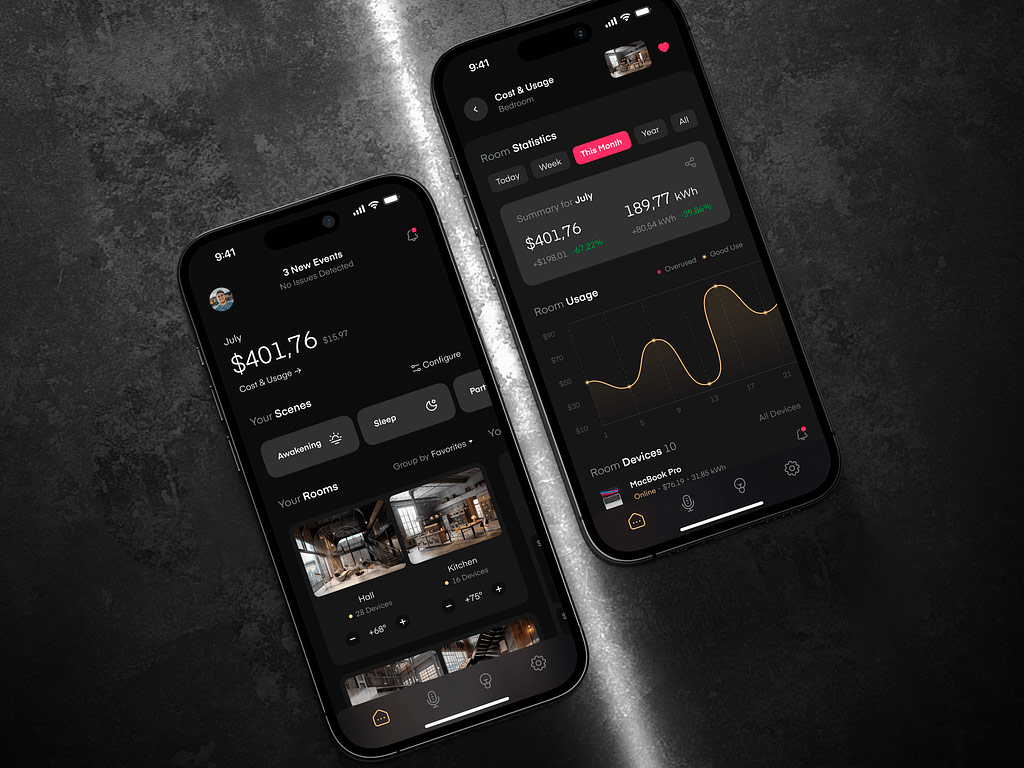
Smart Home Mobile App by Shakuro
What is Swift UI in IOS Development
When it comes to IOS development, how can we not talk about SwiftUI?
SwiftUI is a tool created by Apple for designing how apps appear and function on iPhones, iPads, and other Apple devices. What makes it stand out is its user-friendly approach to writing code, which speeds up app development.
One of the coolest features of SwiftUI is its ability to show you what your app will look like on different devices as you work on it. This ensures that your app will look good and work well no matter which Apple device your users have.
With SwiftUI, you have access to a variety of ready-to-use components like buttons and text boxes. Plus, you can customize these components or create your own to perfectly fit your app’s needs.
In short, SwiftUI is a valuable tool that allows developers to create visually appealing and functional apps for Apple devices with ease.
Design Trends in iOS App Development
The most useful direction in iOS design is not a particular visual style. It is making interfaces easier to understand, adaptable to different contexts, and clear about what happens next. New platform capabilities create opportunities, but familiar interactions and readable content still do much of the work.
Clear Hierarchy and Familiar Navigation
As a part of iOS app development trends, give each screen a clear purpose. Make important information easy to scan, group related actions, and reveal secondary options when people need them. A dashboard should communicate what needs attention before presenting every available metric.
Use familiar navigation patterns where they fit the product. Distinct destinations belong in navigation; actions belong in controls. Hiding essential features behind unfamiliar gestures or ambiguous icons makes discovery harder. Brand identity can come through typography, imagery, and considered details without changing how basic interactions work.
Adaptive and Accessible Interfaces
Design layouts that respond to available space, larger text, and different languages rather than treating a single screen mockup as the finished specification. On iPad, account for window resizing instead of simply stretching the iPhone layout.
Accessibility belongs in the component library and interaction design from the start. Support Dynamic Type, maintain readable contrast, and communicate errors or status through more than color alone. For VoiceOver, provide meaningful labels, logical reading order, and useful descriptions of charts and images. A visually minimal interface still needs enough information to be understandable.
Purposeful Motion and Feedback
Motion should explain an interaction: where an item moved, whether an action succeeded, or how a new view relates to the previous one. Keep feedback brief and avoid making people wait through repeated decorative animations.
Respect Reduce Motion and provide alternatives when movement could cause discomfort. Essential information should remain understandable without animation. For example, a saved item can receive a clear status label rather than relying on a bouncing icon alone. Evaluate motion by whether it supports the task, not by how much movement it adds.
AI Features Within Existing Workflows
AI does not always need a chat interface. A contextual action such as summarizing a document, improving a draft, or suggesting categories may fit the task better than a separate conversation screen.
Make AI-generated content identifiable and give people ways to edit, retry, reject, or undo results. During longer operations, show honest progress feedback without inventing completion estimates. Explain failures in plain language and preserve the person’s input. Where AI is optional, keep the core workflow usable when the feature is unavailable.
Focused Experiences Beyond the App
Widgets and Live Activities extend product design beyond full-screen interfaces. Widgets suit glanceable information and simple actions; Live Activities suit ongoing tasks or events, such as a delivery or workout. Widgets should not be treated as continuously updating dashboards.
Design these surfaces around one immediate need. Show essential information, avoid exposing sensitive details, and open the relevant screen when someone needs more context. A delivery status should lead to that delivery, not make the person find it again from the home screen.
Across these directions, the practical test stays the same: can people find the right action, understand the current state, and complete their task with less effort?
Adapting iOS Apps to Liquid Glass
Liquid Glass brings a dynamic material to controls and navigation across Apple platforms. Its appearance responds to the content behind it and changes during interaction. For an existing iOS app, adoption means reviewing hierarchy, readability, and behavior, not covering every screen with transparent surfaces. Apple positions Liquid Glass as a functional layer above the app’s content.
Start With Standard Components
Build your iOS app with the latest stable Xcode and SDKs, then run it on the current iOS release. Standard SwiftUI and UIKit components adopt much of the updated appearance, so inspect what changes before planning a full redesign.
Review navigation bars, tab bars, toolbars, sheets, and controls first. Custom backgrounds, fixed dimensions, and older appearance overrides may interfere with system materials or create crowded layouts. Remove unnecessary overrides and check spacing, safe areas, and content visibility. Rebuilding is the starting point, not proof that every screen is ready to ship.
Keep Navigation Separate From Content
Use glass selectively for navigation and important controls. Avoid turning lists, forms, dashboard cards, and reading surfaces into competing translucent layers. Stacking glass elements can make the interface harder to understand.
For example, a finance app might use system materials for its tab bar and transaction toolbar while keeping balances, charts, and transaction details on clear, stable content surfaces. The design should make actions easy to find without making the information beneath them harder to read.
Check Accessibility and Real Workflows
Test light and dark appearances, Increase Contrast, Reduce Transparency, and Reduce Motion. Standard components adapt to relevant system settings, but custom colors, materials, and animations still need verification. Check scrolling content behind controls and make sure primary actions remain visible.
Include larger Dynamic Type sizes and VoiceOver in the review. Labels should remain readable without clipping, and icon-only actions need meaningful accessibility labels.
Run complete workflows, such as onboarding, search, checkout, or editing a record, on physical devices. Check keyboard presentation, sheets, and scrolling rather than judging static screenshots alone. Test older supported iOS versions too, and provide fallbacks where newer APIs are unavailable.
The release criterion is practical: people should still be able to find, understand, and complete the same tasks after the visual update.
When Spatial Computing Makes Sense
A visionOS version deserves its own product case. Updating an iPhone app for Liquid Glass does not make it a spatial experience, and moving the same screens into a headset does not automatically make them more useful.
When working with this iOS app development trend, start with a specific question: what can people understand, experience, or accomplish better when content extends beyond a flat screen?
Look for a Task That Benefits From Space
Potential use cases include inspecting a product’s scale and internal structure, reviewing architectural models, exploring educational simulations, or watching immersive media. A professional workspace may also benefit from placing related information in separate windows.
These are opportunities to validate, not guaranteed advantages. A 3D product viewer should help customers evaluate the product. A training simulation should improve understanding or practice. If the main workflow is checking a balance, submitting a form, or receiving a notification, an iPhone or web app may already serve it well.
Consider access too. Do your intended users have compatible hardware, or will your organization provide and manage it?
Choose the Smallest Useful Experience
Apple distinguishes between compatible iPhone or iPad apps running in a window and apps built specifically for visionOS. Compatibility can provide access to existing functionality, but platform differences and unavailable features still require testing. A dedicated version provides opportunities for spatial interfaces and immersive content.
A dedicated app does not need to be fully immersive. Use windows for familiar tasks, volumes for bounded 3D content, and immersive spaces where the surrounding experience contributes to the task. SwiftUI supports the interface, while RealityKit and Reality Composer Pro support 3D content and scene creation. Use ARKit when the experience requires supported spatial tracking capabilities, accounting for applicable permissions.
Budget for More Than Shared Code
Existing business logic and backend services may be reusable, but spatial interaction, 3D assets, accessibility, performance testing, and ongoing platform support need their own estimates.
Design for comfortable interaction rather than copying small touchscreen controls. Avoid prolonged reaching, excessive head movement, and distracting motion. Provide accessible alternatives to custom gestures and use familiar system interactions wherever possible.
Validate One Workflow Before Expanding
Prototype one meaningful task and test it with representative users on physical hardware. Compare it with the existing experience using task completion, errors, understanding, and comfort. Set success criteria before testing.
For example, an architectural review prototype could test whether participants identify layout problems more accurately than with the current desktop viewer. If the spatial version provides no meaningful improvement, keep the existing workflow. Expand only when the benefit justifies the additional development, content, and support costs.
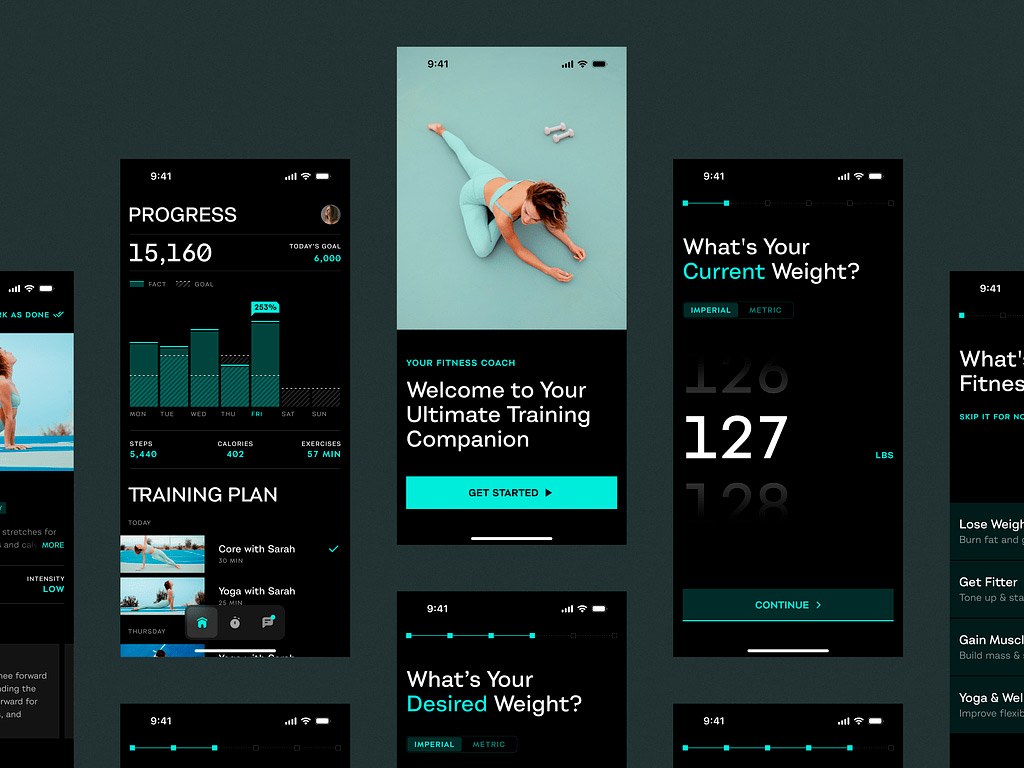
Mobile Sport App by Shakuro

FAQ
What are the latest trends in iOS app development?
The key trends are artificial intelligence and machine learning for features like personal assistants and image recognition, augmented and virtual reality with ARKit, Apple Pay for in-app and in-store payments, the Swift Package Manager for sharing code libraries, and blockchain for more secure apps. Swift 6, IoT and HomeKit, cloud-based apps with CloudKit, and SwiftUI shape the tools developers use.
What is SwiftUI?
SwiftUI is a tool created by Apple for designing how apps look and work on iPhones, iPads, and other Apple devices. Its user-friendly approach to writing code speeds up development, and it shows a live preview of the app on different devices while you work. It offers ready-to-use components like buttons and text boxes, which you can customize or replace with your own.
What is ARKit used for in iOS apps?
ARKit is Apple’s framework for building augmented reality apps for iPhones and iPads. It adds virtual objects to the real world through the phone’s camera, so users can try out furniture in their room before buying it or see virtual information overlaid on historical sites. Apple keeps improving it, and it works on many iPhone and iPad models, so AR apps reach a wide audience.
What design trends are popular in iOS apps?
Three design trends stand out: motion design, touchless UI, and chatbots. Motion design adds animated icons and scrolling effects that make apps more engaging; when Domino’s added motion design to its app, sales increased by 23%. Touchless interfaces let users control apps with gestures or head movements, and chatbots powered by natural language processing give personalized, real-time help.
What is the Swift Package Manager?
The Swift Package Manager is a central hub where iOS developers find, add, and update code libraries for their projects. They can also create their own packages and share them with others, which keeps code consistent, avoids writing the same code again, and helps teams add features or fix issues faster. It is built right into Xcode, so it is simple to use in any Swift project.
Conclusion
Wrapping up our tour of the latest iOS app trends for 2026, it’s clear that big changes are on the way. From smarter apps to interactive features, the future of iPhone apps is looking brighter than ever.
At Shakuro, we’re not just watching from the sidelines. We’re right in the middle of it, helping businesses like yours stay ahead of the curve. Whether it’s crafting stunning designs or building powerful apps, we’re here to make sure you’re ready for whatever comes next.
So if you’re ready to take your app to the next level, get in touch with Shakuro today! Let’s make something amazing together!
Related reading