For those who prefer to listen rather than read, this article is also available as a podcast on Spotify.
In most companies, a CMS is still treated as a background tool—something that quietly stores content and rarely influences strategic decisions. But in 2026, that assumption is hard to defend. The CMS now shapes how quickly teams launch features, how much maintenance costs accumulate over time, and how far a product can scale before the architecture starts holding it back. When you consider Payload CMS comparison with other platforms, these differences don’t stay theoretical for long; they show up in day-to-day development work.
Teams often underestimate these risks. A CMS may look convenient in the first sprint and then gradually begin to dictate architectural choices, plugin behavior, deployment routines, and how tightly the backend and frontend are coupled. Marketing wants flexibility, developers want clean APIs, and the business wants predictable costs—but the wrong CMS often forces these interests into conflict.
This article is based on input from Andrew Bazhanov, our Tech Lead of Frontend, who has worked with both traditional and modern CMS setups on production systems. Andrew has over twelve years of experience leading frontend development. Over the years he has worked with a wide range of frameworks and technologies, focusing on best practices for building responsive, high-performing web applications. At Shakuro, he drives the direction of frontend engineering with a clear goal: enabling fast delivery of applications that are SEO-optimized, performant, aligned with design, provide strong UX, and remain easy to maintain.
His perspective helps clarify where the real trade-offs are—and why many teams end up rethinking their CMS choice much earlier than they expected.
Payload CMS vs Other CMS Platforms: Short Answer
Payload CMS is a strong choice for teams building custom web products, SaaS platforms, marketplaces, fintech tools, and content-heavy applications on a modern JavaScript stack. Compared with WordPress, Drupal, Strapi, Sanity, and Contentful, Payload gives developers more control over data models, access rules, backend logic, and hosting.
It is not the best fit for every project. If you need a simple blog, a small marketing website, or a hands-off editorial system, WordPress, Sanity, or Contentful may be easier to manage. Payload makes more sense when the CMS needs to support product logic, custom workflows, strong ownership, and long-term scalability.
Where Traditional CMS Platforms Fall Short for Modern Products
WordPress, Drupal, Joomla, and Typo3 were all built in an era when websites were simpler and the architecture behind them didn’t have to support multi-channel products or fast release cycles. For traditional content sites, they still work. For modern products, their limitations appear early—usually as soon as a team tries to build features that don’t fit the original assumptions of these systems. This is why Payload CMS comparison with other platforms have become common in technical planning.
WordPress
When you compare Payload CMS vs WordPress, the first thing you notice is that WordPress depends heavily on plugins. That helps teams start fast, but long term it creates a system where many parts of the application behave unpredictably. Plugins modify data, override logic, or conflict with each other during updates. Many eventually become abandoned, but remain installed because removing them breaks something else.
“Over time, most WordPress sites turn into a mess of plugins. During redesigns you can’t always tell what depends on what.” © Andrew Bazhanov
Security issues repeat for the same reason: a huge ecosystem, uneven code quality, and well-documented vulnerabilities that attackers automate at scale.
Drupal
Drupal offers more structure than WordPress, but the maintenance load is similar. Large Drupal projects rely on chains of modules that must stay compatible with each other. Major version upgrades frequently require redesigning large parts of the system because the internals change. This slows down iteration and forces teams to plan upgrade windows instead of focusing on product work. These challenges often appear in Payload CMS vs Drupal evaluations.
Joomla
Joomla mixes components, templates, and plugins in a way that works for smaller sites but grows unpredictable in larger ones. Many extensions are old, partially supported, or follow different architectural patterns. Custom features must fit into Joomla’s routing and theming system, which can be restrictive. Teams often postpone changes because the risk of breaking existing functionality is high.
Typo3
Typo3 is solid for traditional editorial workflows, but its architecture is tightly coupled and not easy to extend cleanly. Custom development requires deep familiarity with Typo3 internals. The platform is stable, but the cost of modifying it or adapting it to new product requirements is high. Extension quality varies, and updates may require manual adjustments to maintain compatibility.
Plugins everywhere → maintenance costs everywhere

Website Design for Innovative Development Agency by Shakuro
All four platforms rely on third-party extensions to fill gaps. Over time, this creates a system made of dependencies that are not coordinated with each other. Updates take longer. Debugging becomes harder. Teams often spend more time stabilizing the site than shipping new features.
Security vulnerabilities that keep coming back
Attackers target these platforms precisely because they are so widespread. A flaw in a popular plugin can expose thousands of sites. Even when patches exist, applying them risks breaking other extensions. Many sites run with known vulnerabilities simply because the update path is not safe.
Custom features become slow & expensive to build
Each of these systems was built for a narrow use case: blogging, publishing, or structured content. When a team tries to implement product-level features—complex workflows, custom data models, integrations—the CMS architecture becomes a limiting factor.
“If you extend WordPress the wrong way, you eventually run into performance problems.” © Andrew Bazhanov
Doing it correctly is possible but time-consuming, because developers must work within architectural decisions made long before modern application patterns existed.
Monolithic limitations hurt scale and performance
Backend, frontend, templates, and logic live inside one system. Scaling means scaling the entire monolith, not just the part that needs capacity. Plugins and modules introduce overhead that complicates caching and performance tuning. Multi-channel delivery and API-driven workflows don’t fit naturally into these platforms, and engineering teams eventually feel the constraints.
Headless CMS Platforms: A Step Forward, but Still Not Perfect
Headless CMS tools—Strapi, Sanity, Contentful, Prismic, Directus, Craft CMS, Ghost, and KeystoneJS—solve a number of problems that older monolithic systems struggle with. They split content from the frontend. They give clean APIs. They work well for multi-channel delivery.
But as soon as a project grows, the gaps become clearer and teams start doing a deeper headless CMS comparison.
Strapi
Self-hosted, flexible, open-source. Teams like the control, but they also inherit all the maintenance. Works well for custom data structures, but anything beyond basic logic still needs backend code. This matters in Payload CMS vs Strapi comparisons.
Sanity
Strong UI and fast onboarding. Good editor experience. Costs go up once datasets or API usage scale, and the pricing tiers shape architectural decisions more than teams expect. These trade-offs are common in Payload CMS vs Sanity discussions.
Contentful
Predictable APIs and stable infrastructure. Well-suited for distributed content. Less convenient when the project needs complex relationships or permissions. Higher costs at scale.
Prismic
Structured content is its strong side. Good for marketing sites. Anything more complex often requires a separate backend to handle product logic.
Directus
Positions itself as a headless layer on top of a database. Gives control of the schema. Still requires backend logic for real features, not just content.
Craft CMS
Flexible and developer-friendly. Works in both monolithic and headless modes. Pushes teams into custom plugin or module development when product logic grows.
Ghost
Fast and simple. It’s built for publishing, and it does that well. Not suitable when the project requires more than editorial workflows.
KeystoneJS
KeystoneJS is schema-focused and code-first. Anything beyond simple CRUD requires backend work. It fits teams that are comfortable defining schemas, access rules, and logic directly in code. The bigger problem is project health, not architecture. KeystoneJS has weak ongoing support and low development activity, which makes it risky for long-term production use.
Subscription pricing grows fast
Cloud platforms are easy to start with. The problem appears later, when traffic grows and API calls multiply. Pricing tiers kick in, and a tool that looked affordable at launch becomes a noticeable monthly line item. Limits on roles, locales, or environments push teams upward faster than planned.
Automotive AI Insurance Website Design by Shakuro
Vendor lock-in limits freedom
Headless CMS tools give flexibility inside their own model, not outside it. Data is stored the way the vendor expects. Permissions, relationships, and integrations follow that same pattern. Exporting or migrating is rarely straightforward.
One remark Andrew made illustrates this point well:
“The UI is convenient, but it doesn’t give you space to define complex relationships or advanced access rules.” © Andrew Bazhanov
When a project needs more than content modeling, the boundaries become obvious.
Great for content, harder for actual products
Most cloud headless CMS platforms were designed to manage content, not product logic. They handle posts, pages, structured fields, translations, scheduling. They are less suited for domain-level features, multi-step workflows, or anything that mixes content with external data sources. Building a SaaS analytics platform is a typical example: dashboards, metrics, and editorial content all come from different places.
At that point, teams start adding custom backend services because the CMS stops being the right place for that logic.
Many require separate backend development
Backend development doesn’t disappear with a headless approach; it becomes more focused. Teams build the parts the CMS can’t handle. Data shaping. Integrations. Business workflows. This separation pays off because the frontend no longer depends on how the CMS renders anything.
Andrew described the benefit simply:
“Splitting rendering from CMS logic lets you combine CMS content with other data and use any stack you want on the frontend.” © Andrew Bazhanov
It’s extra development, but it’s predictable and cleaner than fighting plugin chains or rigid UI constraints.
CMS Choice by Project Type
| Project type | CMS options to consider | Best fit |
| Simple blog or small website | WordPress, Ghost | Fast setup and familiar editing |
| Marketing website on Next.js | Payload, Sanity, Contentful | Depends on control, hosting, and editorial needs |
| SaaS platform | Payload, Strapi, Directus | Payload works well when product logic and content are close |
| Marketplace | Payload, Directus, custom backend + CMS | Strong data models and permissions matter |
| Fintech or regulated product | Payload, Drupal, custom CMS | Ownership, access control, and security are important |
| Large editorial team | Sanity, Contentful, Drupal | Editorial workflows may matter more than code-level control |
| AI-powered product | Payload, custom backend, Sanity | Depends on files, permissions, data flow, and model integrations |
What Makes Payload CMS Different (Business Perspective)
Payload CMS looks like another headless CMS on the surface, but it works closer to an application framework than a content tool. It fits into modern stacks without forcing teams to adopt a specific workflow. For businesses, this usually shows up in faster launches, fewer hidden costs, and more control over how the system grows.
Faster development = lower cost
Payload works directly inside the codebase, not as a separate service. Teams using Next.js or React can plug it in without changing their architecture. Features are written in code instead of stitched together through plugins or UI builders. This removes a lot of overhead—no guessing how an extension works, no digging through legacy patterns, no extra layers to debug. This is especially valuable when building a CMS for SaaS applications, a CMS for fintech platforms, or a CMS for social platforms.
One line Andrew made during the interview captured it clearly:
“Integration with Next.js is first-class, and the Local API lets you add content to an existing app at any moment.” © Andrew Bazhanov
The result is less time spent fighting the CMS and more time spent building the actual product.
Built for real products, not just content pages
Most CMS tools excel at publishing content but fall short when a product needs workflows, data mixing, or logic that doesn’t belong in a UI. Payload’s structure is closer to backend development: the content model, access rules, hooks, and business logic all live in the same place. No detours. No separate systems to sync.
For teams building something more than static marketing pages, this reduces friction noticeably.
Dashboard for Satellite Monitoring and Management by Shakuro
Total ownership: your data, your hosting, your stack
Payload is self-hosted. The team owns the data, the deployments, and the stack. Nothing is tied to a vendor’s infrastructure or pricing scheme. For businesses with security requirements or long project timelines, this matters—there’s no dependency on a provider’s roadmap or limitations.
It also allows teams to deploy Payload the same way they deploy the rest of their application, which keeps operations simpler.
No subscriptions, no lock-in
There are no usage-based tiers or API call limits. Costs depend on the hosting environment, not on traffic spikes or content volume. This keeps budgets stable and removes the “unexpected bill” problem common in cloud CMS platforms.
If a team ever decides to move off Payload, the data is already in their database and in their codebase. There’s no migration out of a proprietary UI or storage model.
Scales smoothly with business growth
Scaling Payload is the same as scaling any backend service. Add caching, use edge rendering, distribute the infrastructure—whatever fits the product. The CMS doesn’t impose a scaling pattern or performance ceiling. As the system grows, the architecture remains under the team’s control.
For businesses that evolve over time, this avoids the common trap of having to rebuild the CMS layer mid-project.
Secure by design (fewer plugins, less risk)
Payload keeps the plugin surface small. Most things come from the core or from first-party extensions. This avoids the problems seen in older CMS ecosystems, where abandoned plugins create long-term vulnerabilities.
TypeScript plays a role here as well. The system is configured in code, typed, and versioned. Fewer runtime surprises, fewer places for things to break.
Andrew mentioned this when talking about reliability:
“Built-in functionality and first-party plugins cover most tasks. Full typing adds maintainability and reliability.” © Andrew Bazhanov
For teams that want predictable behavior and a smaller attack surface, this approach pays off.
When Payload Is the Right CMS For Your Product
Payload is worth considering when your CMS needs to do more than publish pages. It fits projects where content, product logic, user roles, integrations, and frontend performance all need to work together.
Payload can be a good fit for:
– SaaS platforms with dashboards, pricing pages, documentation, and user-specific content
– fintech products that need permissions, structured data, and secure workflows
– marketplaces with listings, profiles, content, moderation, and admin tools
– AI products that need content management, file handling, and custom backend logic
– marketing websites built on Next.js or React
– companies moving away from plugin-heavy WordPress setups
In these cases, the CMS is not just a publishing tool. It becomes part of the product architecture.
When to Migrate From WordPress or Another CMS to Payload
A CMS migration makes sense when the current setup slows the team down. Common signs include plugin conflicts, slow page updates, unstable deployments, security concerns, high subscription costs, or custom features that no longer fit the platform.
Before moving to Payload, the team should audit the current content structure, URLs, metadata, redirects, user roles, integrations, and publishing workflows. The goal is not just to rebuild the same CMS in a new tool. The goal is to remove the limits that made the old setup hard to maintain.
Technical Advantages That Turn Into Business Advantages
These points come directly from a conversation with Andrew Bazhanov, who has used Payload on projects that needed both speed and long-term maintainability. The benefits start as technical decisions, but they turn into very practical business outcomes.
“One codebase, full control”
Payload keeps everything in one place. The content model, access rules, hooks, and backend logic all live in the same codebase. No plugin hunting. No hidden logic. No separate systems to sync. This cuts down on debugging time and reduces the number of unpredictable failures.
Andrew described the effect of this clearly:
“One codebase cuts a lot of noise. You know where everything is, and nothing surprises you at runtime.” © Andrew Bazhanov
For the business, this means fewer delays and less time spent stabilizing the system instead of building features.
“TypeScript-first = predictable, stable, future-proof”
Payload is TypeScript-first. Everything is typed: fields, endpoints, hooks, schemas. This prevents entire classes of issues early and lowers the barrier for new developers joining the project. The codebase explains itself, and the typing system keeps it consistent as it grows.
Onboarding is faster. Refactoring is safer. Long-term maintenance becomes manageable instead of risky.

Website Design for an AI-Driven Fashion Platform by Shakuro
Built-in backend capabilities save weeks of work
Payload ships with most of the functionality projects usually have to assemble manually elsewhere: authentication, access control, file handling, relational data, and lifecycle hooks. These pieces work together without extra plumbing.
It’s not one feature but the combination that saves time. The auto-generated admin panel is often the biggest time saver—teams get a working interface immediately, with customization available when needed. This pushes development efforts toward product logic rather than scaffolding.
Perfect match for React / Next.js teams
Payload sits naturally inside a React or Next.js workflow. There’s no translation layer or special integration pattern to adopt. Data fetching, components, server logic, and CMS operations follow the same mental model.
This is why teams building SaaS or fintech products tend to choose it: they need performance, custom logic, and flexibility without moving between different systems.
“Payload fits our React/Next.js stack perfectly. We can build high-performance products of any complexity without jumping between systems.” © Andrew Bazhanov
For businesses, this leads to cleaner architecture and more predictable delivery schedules.
CMS Extended Comparison Table (Business & Technical Hybrid)
| CMS | License Model | Operational Cost Over Time | Scalability | Flexibility | Security | Ownership | Best For |
| Payload | Free (self-hosted), Paid (Cloud / Enterprise) | Low–Medium | High | Very High | High | Full | SaaS, fintech, marketplaces |
| WordPress | Free (self-hosted) | Medium | Low–Medium | Medium | Variable | Full | Blogs, simple sites |
| Drupal | Free (self-hosted) | Medium–High | Medium | Medium | Medium | Full | Government, legacy enterprise |
| Strapi | Free (self-hosted OSS), Paid (Cloud / Enterprise) | Medium | Medium | High | Medium | Full | Web apps |
| Sanity | Paid (Subscription) | Very High | Medium | Medium | High | Limited | Editorial teams |
| Contentful | Paid (Subscription) | Very High | High | Medium | High | Limited | Corporate content hubs |
| Prismic | Paid (Subscription) | High | Medium | Medium | Medium | Limited | Marketing sites |
| Directus | Free (self-hosted OSS), Paid (Cloud / Enterprise) | Low–Medium | High | Medium | High | Full | Data platforms |
| Craft CMS | Paid (Per-project license) | Medium | Medium | Medium | Medium | Full | Content-heavy sites |
| Ghost | Free (self-hosted), Paid (Ghost(Pro)) | Low–Medium | Low | Low | Medium | Partial | Media, newsletters |
| KeystoneJS | Free (self-hosted OSS) | Medium | Medium | High | Medium | Full | Prototypes, internal tools |
Where Payload Helps Real Businesses—Case Studies from Shakuro
Below are two projects where Payload solved specific technical and business problems. Both examples come from our work at Shakuro and reflect real project constraints, not theoretical comparisons.
Symbolik Marketing Website
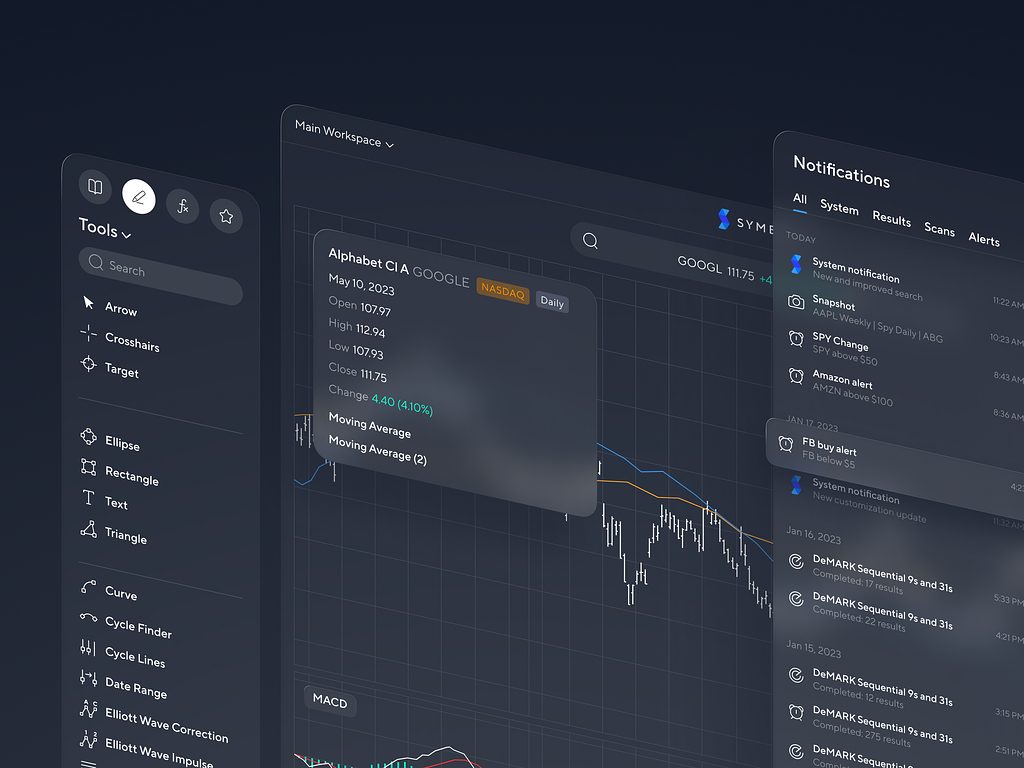
Stock Market Analytics Application by Shakuro
Symbolik is a stock market analytics application based on the body of work of the legendary technical trading analyst Tom DeMark.
Business problem
The old WordPress setup for Symbolik website was slow and difficult to maintain. The main React application and the marketing site lived in separate worlds, so any redesign meant repeating work in two codebases. That added about 50% more effort than the project should have required. The site also depended on PHP support long-term, which the client wanted to avoid.
Why standard CMS didn’t fit
A traditional CMS couldn’t share logic with the React application, which made the architecture messy. A headless CMS wasn’t ideal either: the client already had infrastructure and a user area with accounts and subscriptions, so adding another external system would complicate the stack. Recurring SaaS fees and potential lock-in were also concerns.
How Payload solved it
Payload made it possible to shape the data model exactly for the project. The team could integrate plans and add-ons with an external system and keep everything inside the existing React environment. No CMS-specific workarounds. No separate backend.
Quantitative results
Development moved quickly because the frontend team handled the entire implementation without needing backend engineers. Performance improved through Next.js optimizations, and the site became far more responsive than the old WordPress build.
Shakuro.com
Business problem
The previous version of the Shakuro site relied on many manually built pages. Creating new cases or landing pages took too long and required developer involvement for even small updates. The team needed a way to publish new content, change meta tags, and update layouts without touching the code for every change.
Why standard CMS didn’t fit
Switching to a traditional CMS would require changing the tech stack or introducing layers of integration that didn’t fit the existing application. The goal was to keep the stack intact and avoid extra complexity.
How Payload solved it
Payload allowed the team to assemble pages from reusable blocks—layouts, sections, components—that designers and content specialists could mix and reorder on their own. Updates no longer required a developer. New pages appeared quickly, and the site stayed aligned with the main application.
When You Shouldn’t Use Payload (Honest Section)
Payload solves a lot of problems, but it’s not universal. Some projects are simpler, some teams have different priorities, and in those cases another tool is a better fit.
Simple websites where WordPress is enough
If the site is small, rarely updated, and doesn’t need custom logic, WordPress is fine. It’s fast to set up, cheap to host, and familiar to most editors. There’s no reason to introduce a full TypeScript backend for a five-page brochure website.
Heavy editorial teams already settled on Sanity or Contentful
Some companies have deep editorial workflows built around these platforms: review chains, translation flows, scheduled releases, or large content teams trained on a specific UI. If the whole organization is built around that system, moving to Payload will slow them down instead of helping.
Small teams who don’t want to manage hosting
Payload is self-hosted. Someone has to run it, update it, and keep an eye on security. If the team wants a hands-off setup with no servers to think about, a cloud CMS is easier. Log in, write content, publish—done. No infrastructure work.
There are options to offload part of this: you can deploy Payload to services like Vercel or Cloudflare, or use an enterprise-style managed setup where most of the deployment is handled for you with a couple of clicks. But these options usually come with a higher price tag, which not every small team is ready for.
Conclusion—A CMS Choice That Supports Long-Term Product Growth
Choosing a CMS is no longer a simple infrastructure decision. It shapes how fast a product ships, how often things break, and how much the team can change without fighting the platform. Payload fits well for projects that expect to grow and don’t want their CMS to become a constraint later.
- Faster launch comes from having everything in one codebase and avoiding plugin dependency chains.
- Predictable costs come from self-hosting and the absence of usage-based pricing.
- Less technical debt follows from typed schemas, explicit logic, and a small surface area.
- Freedom from platform limits comes from not being tied to a vendor’s UI or storage model.
- And the alignment between developers and the business shows up over time: fewer surprises, clearer ownership, and a system that grows the way the product needs.
Payload won’t solve every problem, but for products that need flexibility and long-term stability, it gives teams the control that older or more restrictive CMS platforms often can’t provide.
If your product already uses React or Next.js, Payload can keep the CMS close to the application instead of adding another disconnected system. Our web development team can help you decide whether Payload fits your architecture before you commit to a migration.
FAQ
Is Payload CMS better than WordPress?
Payload CMS is better than WordPress for custom web products, SaaS platforms, marketplaces, and projects that need strong data models, access control, and a modern JavaScript stack. WordPress is still a good choice for simple blogs, small marketing websites, and teams that need a familiar editing experience with minimal custom development.
Is Payload CMS good for Next.js?
Yes. Payload works well with Next.js because both fit naturally into a modern React-based stack. Teams can manage content, data models, access rules, and backend logic close to the application instead of relying on a separate CMS layer.
Payload vs Strapi: which one should I choose?
Choose Payload if you want a TypeScript-first CMS that fits closely with React, Next.js, custom backend logic, and self-hosted product architecture. Choose Strapi if you need a flexible headless CMS with a larger existing ecosystem and a more traditional admin-first setup. The better choice depends on your stack, hosting preferences, and how much custom logic the product needs.
Is Payload CMS good for SaaS products?
Yes. Payload can be a good fit for SaaS products because it supports custom data models, user roles, permissions, file handling, admin panels, and backend logic. It works especially well when the SaaS product already uses React or Next.js and needs a CMS that can grow with the product. If you work with a SaaS web development agency, ask whether it has shipped Payload in production.
When should you not use Payload CMS?
Payload may be too much for a small static website, a simple blog, or a team that wants a fully hands-off CMS with no hosting or development work. It may also be a poor fit if your editorial team already depends heavily on tools like Sanity, Contentful, or WordPress and does not need custom product logic.
Can Payload replace a traditional backend?
Payload can replace parts of a traditional backend, especially for content management, admin panels, authentication, access control, file handling, and structured data. For complex business logic, payments, real-time systems, or heavy integrations, you may still need custom backend development alongside Payload.
Related reading
- Headless Architecture: What It Is, How It Works, and When to Use It
- E-commerce Website Development Guide
- Best Front-End Frameworks for Web Development in 2026
- What Is Web Development: A Guide to Web Development Basics
***
Written by Valerie Shu and Andrew Bazhanov