For those who prefer to listen rather than read, this article is also available as a podcast on Spotify
Trying to decide whether to go native or cross-platform for your next mobile app is no joke. The pressure’s real: your investors want speed, your users demand buttery-smooth performance, and your dev team is quietly side-eyeing anything that’ll add tech debt before lunch.
If you go in without really questioning it, the result might look great at first, but later the cost and time hit you like a truck. So, to avoid that, what you do need is a clear-eyed look at what native app development services actually cost you and what they genuinely give back in today’s world.
We’ll walk through the real pros and cons that actually matter when you’re building an app people will use every day.
What Is Native Mobile Development and Why Does It Matter?
Native Apps: Built for Specific Platforms (iOS/Android)
To put simply, it’s an application built specifically for one platform, either iOS or Android, using the tools, languages, and frameworks that Apple or Google officially support. For iOS, that usually means Swift (or sometimes Objective-C) with Xcode. For Android, an Android app development team typically works in Kotlin (or Java) inside Android Studio.
Since these apps are written in the “native tongue” of each operating system, they get full access to device features, like camera, GPS, push notifications, sensors, you name it, without jumping through hoops or relying on middlemen.
They also follow the platform’s design guidelines by default, which means they feel right to users. An iOS user swipes and taps, expecting certain animations and behaviors; the same goes for Android folks. Native apps just fit.
Now, when we compare native mobile apps vs hybrid ones, for example, ones made with React Native, Flutter, or older Cordova-style setups, the latter use a single codebase to run on both platforms, often wrapped in a web-like layer. There are also progressive web apps (PWAs), which live in the browser but try to mimic native behavior. Those approaches can save time and money upfront, but they come with trade-offs in performance, access to new OS features, and that subtle “polish” users don’t notice until it’s missing. But we will dwell on these approaches a bit later.
As a result, when you need to integrate a new ARKit feature on iOS or handle background location tracking reliably on Android, you have to write custom native modules anyway. Or worse, tell users, “Sorry, that only works on iPhone.” Not ideal.
Native development allows you to choose the path that gives you the most control, consistency, and compatibility when it really counts. And for a lot of products, especially those where speed, reliability, or deep hardware integration matters, that still makes native the baseline worth considering.
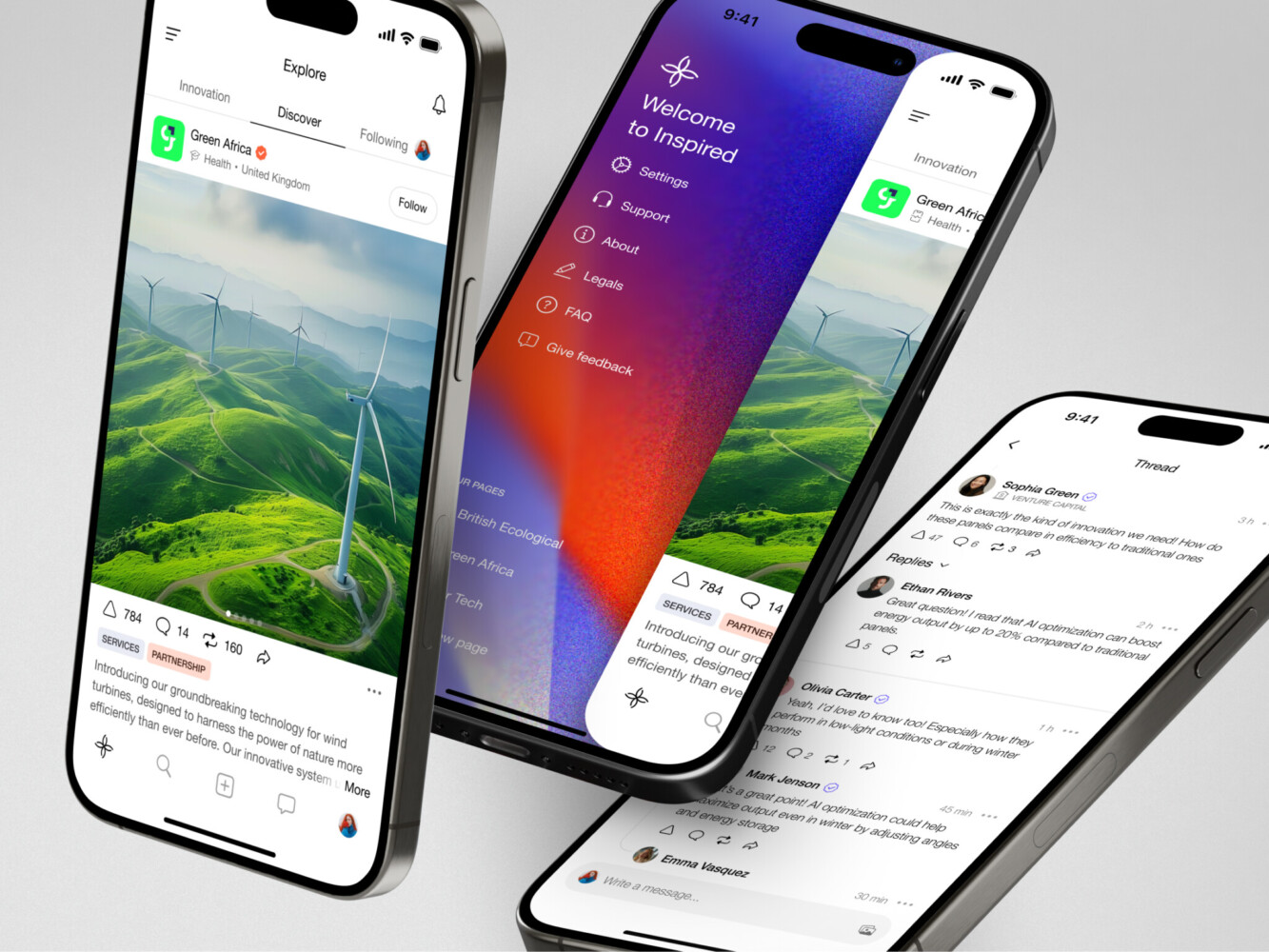
Mobile app for Inspired by Shakuro
The Key Pros of Native App Development
Optimal Performance and Speed
Users don’t wait. If your app stutters when loading a screen or lags during a swipe, they’re gone.
Native applications run directly on the device’s operating system without any translation layer, which means they’re just plain faster. Animations are smoother, transitions feel instant, and heavy tasks, like image processing, real-time video, or complex animations, are handled way better because they’re talking straight to the hardware.
For anything that pushes the phone’s limits, for instance, gaming, AR, or even just a snappy e-commerce feed, native gives you that extra headroom you didn’t know you needed until you ran out of it.
Access to Device-Specific Features and APIs
Apple and Google roll out new hardware and software features all the time: Face ID, LiDAR scanning, background audio processing, or Android’s new privacy-preserving location modes.
Native apps get first dibs on these. You can tap into them immediately using official SDKs, without waiting for a third-party plugin to catch up (or worse, realizing one doesn’t exist). Hybrid frameworks often play catch-up.
For example, a Bluetooth LE feature works on iOS but fails silently on Android in a cross-platform build. And the reason can be the wrapper library that hasn’t been updated for the latest Android security changes. With native mobile development, you’re working with the source—no black boxes, no delays. If the OS supports it, you can use it.
Better User Experience
A native app follows platform conventions: iOS uses back swipes and bottom sheets; Android leans on the system back button and material design cues. When you respect those patterns, users don’t have to think. Everything just “makes sense.”
That’s why hybrid apps often look off. Same UI on both platforms, weird navigation flows, buttons that don’t animate like they should. It’s subtle, but it adds friction. And in a world where retention hinges on first impressions, that friction costs you. You can even notice that during user testing sessions where people tap a non-native-looking button three times, confused why it doesn’t respond “right.” Native avoids that cognitive tax entirely.
Easier to Maintain and Update
This one surprises folks, but hear me out. Yes, you’re managing two codebases, but each is clean, well-documented, and aligned with its platform’s evolution. When Apple drops a new iOS version, you update your Swift code, test it, and ship it. No wrestling with a framework that’s still figuring out how to support the new notification permissions model.
Plus, debugging is straightforward. Crash logs point directly to your code, not through layers of abstraction. Over time, that saves hours of “is this a bug in our logic or the framework?” guesswork. And let’s not forget: both mobile app development platforms actively optimize their dev tools for native workflows. Xcode previews and Android Studio profilers—they’re built for this. Leveraging them makes updates less painful.
So while the upfront effort might seem higher, the long-term maintenance is often smoother than you’d expect, especially if your app sticks around for years.
The Key Cons of Native Mobile Development
Higher Development Costs
Going native usually means spending more money, sometimes significantly more. Why? Because you’re essentially building two separate apps. You need iOS developers who know Swift and Apple’s ecosystem inside out, and Android devs fluent in Kotlin and Google’s ever-evolving guidelines.
That’s two hiring tracks, two sets of code reviews, and two testing cycles. And it’s not just salaries—tooling, QA devices, app store fees, even design assets often need platform-specific tweaks. If you’re bootstrapping or racing to prove product-market fit, that cost can sting.
Hybrid approaches let you stretch your budget further upfront; native asks you to pay full price for quality right from the start.
Longer Time to Market
When comparing the pros and cons of native mobile apps, one disadvantage really stands out—speed. Speed matters, especially when you’re chasing a trend, testing a hypothesis, or competing in a crowded space.
With native, you can’t just “ship once.” Even if you stagger launches, say, iOS first, you’re still looking at weeks or months before you have a comparable experience on Android. During that gap, you’re either ignoring half your potential users or juggling feature debt.
By the time it drops, a competitor with a decent hybrid app might already grab market share and mindshare. In fast-moving categories like food delivery or social, that window can be make-or-break. Native gives you polish, sure, but polish doesn’t always win if you’re late to the party.
Maintenance Complexity Across Platforms
Maintaining two codebases long-term is the quiet headache nobody talks about enough. Every bug fix, every new feature, every tiny copy change needs to be implemented twice—once for each platform.
While the logic might be similar, the implementation rarely is. A simple date picker behaves differently on iOS and Android; push notification permissions changed on Android 13 but stayed the same on iOS 16. You get the idea.
Over time, this creates what is called “feature drift”: one platform gets a cool new thing, the other lags behind because resources are stretched. Your team starts playing catch-up instead of innovating. And if you lose a key developer on one side, good luck onboarding someone into a codebase that’s been evolving independently for years.
In custom mobile app development, it’s manageable with strong engineering discipline and solid CI/CD pipelines, but it’s still extra weight. For small teams or solo founders, that complexity can slow everything down. So yeah, native apps run beautifully, but keeping them running beautifully takes ongoing effort, coordination, and yes, more money.
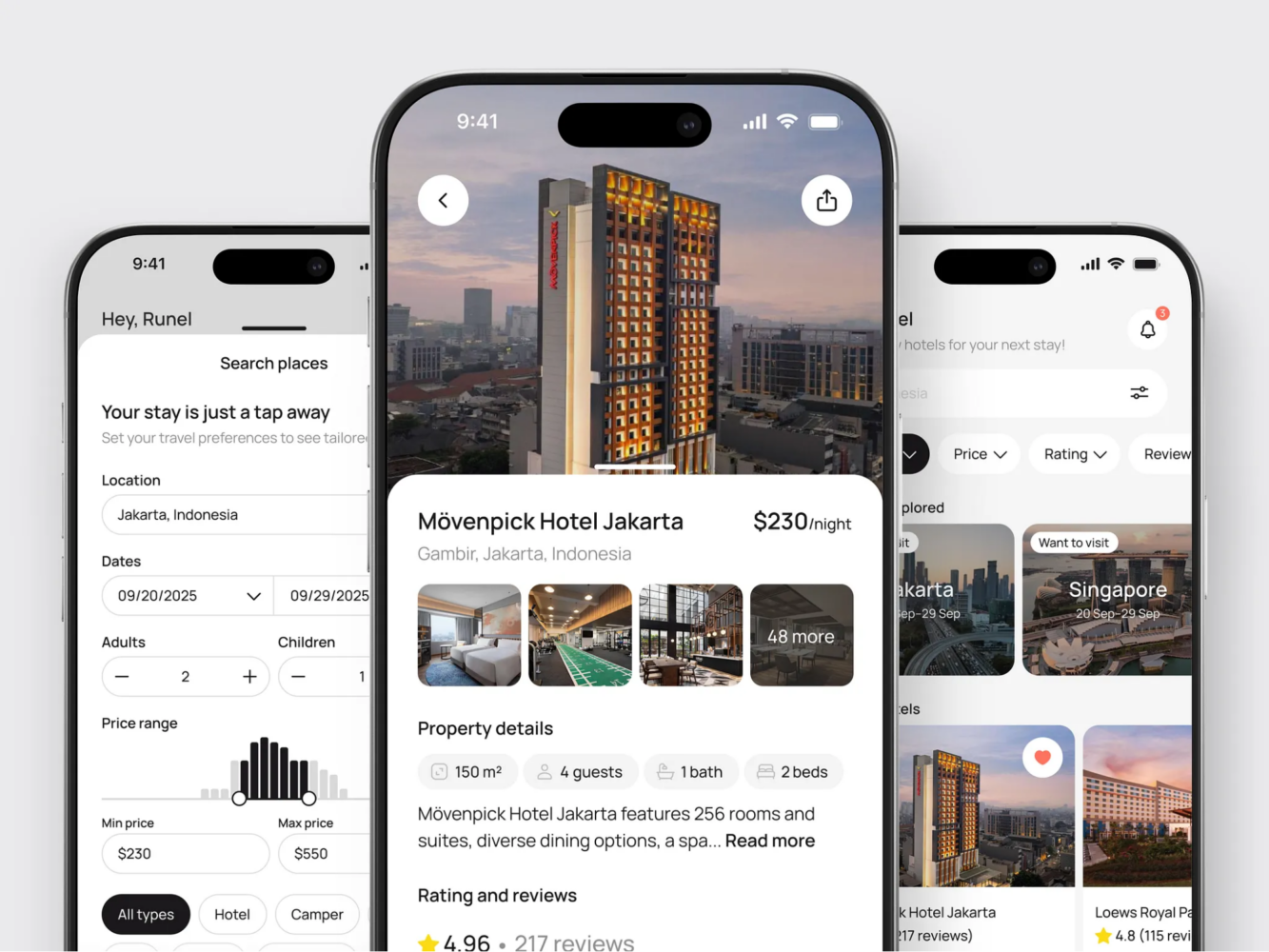
Hotel Booking Mobile App Concept by Shakuro
Native Mobile Development vs Hybrid and Cross-Platform Development
What Is Hybrid App Development?
Hybrid apps are kind of like a middle ground. They’re built using web technologies (HTML, CSS, JavaScript) but wrapped in a native “container” that lets them run inside a mobile app shell. Like a website living inside a native app frame. Popular tools such as Apache Cordova or Ionic fall into this category.
Cross-platform development is often lumped in with hybrid, though it’s a bit different. Frameworks like React Native or Flutter let you write most of your code once (usually in JavaScript or Dart) and compile it into something that looks and sort of acts native on both iOS and Android. They’re not running in a browser, though; they render actual native UI components, but the logic layer is shared.
The big draw is you write one codebase and ideally ship to both platforms faster and cheaper. Sounds great on paper. And for many apps, it absolutely works. But it’s not magic. That shared layer always comes with trade-offs: performance overhead, delayed access to new OS features, and occasional “close but not quite” UX quirks that make power users raise an eyebrow.
Native vs Hybrid: Which Is Right for Your Business?
Before deciding between iOS vs Android native development, you need to make up your mind whether you need native at all. Maybe it’s better to go hybrid? Well, the result really depends on what you’re building and what you can afford to compromise on.
If your app is content-heavy but not super interactive, say, a news reader, a simple e-commerce catalog, or an internal tool for employees, a hybrid or cross-platform approach might be totally fine. You’ll save time and money, and most users won’t notice the difference.
But if you’re building something that needs to feel fast, responsive, and deeply integrated, like a fitness tracker that uses real-time sensor data, native usually wins. It gives you control, consistency, and that “just works” feeling users expect from top-tier apps. The approach helps you grow, as it’s easier to attract and retain users with polished UX.
Also, consider your team and timeline. Got a small crew and need to validate an idea fast? Cross-platform might be your best friend. Already have solid iOS and Android squads and planning a long-term product? Native could pay off in maintainability and user retention down the road.
Honestly, any approach can succeed and fail because the choice didn’t match the product’s real needs. So ask yourself: Is speed-to-market your biggest bottleneck right now? Or is delivering a premium, reliable experience non-negotiable? Your answer to that will tell you more than any benchmark ever could.
Here is a short comparison table for native mobile apps vs hybrid:
| Criteria | Native Development | Hybrid/Cross-Platform |
| Performance | Best-in-class. Direct access to OS and hardware. Smooth animations, low latency. Ideal for graphics-heavy or real-time apps. | Good for most use cases, but can lag under heavy load. UI may stutter on lower-end devices. |
| UX | Feels “at home” on each platform. Follows iOS/Android design guidelines by default. | Often uses a unified UI that doesn’t fully match either platform—can feel “off” to power users. |
| Access to Device Features | Full, immediate access to all sensors, APIs, and new OS features as soon as they launch. | Limited or delayed access. Depends on third-party plugins or framework updates. May require custom native code anyway. |
| Development Cost | Higher upfront. Requires separate teams/codebases for iOS and Android. | Lower initial cost. One team can often handle both platforms. |
| Time to Market | Slower, especially if launching on both platforms simultaneously. | Faster MVP. Ship to both stores from a single codebase (in theory). |
| Maintenance | Two codebases to maintain, but each is clean, predictable, and aligned with platform evolution. | One codebase—but debugging can be tricky when issues are platform-specific. Framework updates may break things. |
| Long-Term Scalability | Excellent for complex, evolving products. Easier to optimize, refactor, and integrate with native ecosystems. | Can become unwieldy as app grows. Heavy reliance on framework limits flexibility over time. |
| Best For | Apps where performance, reliability, or deep hardware integration is critical: gaming, AR/VR, finance, health, media, enterprise tools. | Content-driven apps, internal tools, MVPs, or products with simple interactions and modest UX demands. |
How to Decide Between Native and Hybrid App Development
Key Questions to Ask Before Deciding
Choosing between native and hybrid means matching your approach to your actual business reality. Here are four questions you should answer before you write a single line of code:
Who’s your target audience, and where do they live?
If you’re building for enterprise users on company-issued iPhones, maybe you only need iOS, and native makes total sense.
But if you’re targeting emerging markets where Android dominates, and devices range from brand-new Pixels to five-year-old budget phones, you’ll need broader compatibility fast. In that case, a well-built cross-platform app might get you farther, faster. Don’t assume a 50/50 split, just check your analytics or market research first.
What kind of performance do you really need?
Not every app needs 60 fps animations or real-time sensor fusion. If your app is mostly forms, lists, and static content, hybrid will likely feel just fine. But if you’re doing anything intensive: live video, gaming, AR, voice processing, or even complex offline sync—you’ll hit walls with hybrid sooner than you think. Be honest: is “good enough” actually good enough for your use case?
What’s your real budget? Not just today, but over the next 18 months?
Yes, native app development costs more upfront. But don’t forget long-term costs. A cheap hybrid launch might look great on paper, but if you’re constantly patching platform-specific bugs or rebuilding core features later because the framework couldn’t scale, you’ll pay anyway, just in tech debt and team frustration.
That’s why map out QA, maintenance, and potential rewrites first. Sometimes spending more early saves you from a costly pivot later. If you already have a codebase, a code quality audit shows how much of it is worth keeping.
Which features are non-negotiable, and how platform-specific are they?
Make a shortlist of must-have features. Then ask: Do they rely on cutting-edge APIs? For instance, Face ID, background location accuracy, Bluetooth LE peripherals, or Apple Watch integration.
If yes, native gives you direct access without waiting for third-party libraries to catch up, or worse, discovering a critical feature simply isn’t supported. Some teams delay launches by months because their chosen cross-platform tool didn’t play nice with Android’s new permission model. Don’t let your roadmap hinge on someone else’s update schedule.
At the end of the day, there’s no universal answer. But if you ground your decision in these four questions, you’ll avoid the most common trap: choosing a tech stack based on hype, not your actual product needs. That alone puts you ahead of half the apps out there.
When to Choose Native Mobile Development for Your App
Apps with High Performance Requirements
If your app lives or dies by how fast it responds, how smoothly it animates, or how reliably it handles real-time data, then native is often the only realistic choice. Gaming, augmented reality (AR), virtual reality (VR), e-commerce, or even high-frequency trading dashboards. These are experiences where milliseconds matter.
Take mobile games, for example. Even mid-tier titles today push GPUs hard, manage complex physics engines, and sync with online servers in real time. Try running that through a JavaScript bridge or a rendering abstraction layer, and you’ll feel the lag instantly. Same goes for AR apps like interior design tools or navigation overlays: they need to track motion, map surfaces, and render 3D objects in real time without dropping frames. Apple’s ARKit and Google’s ARCore are built for native integration; anything else adds latency or limits functionality.
Let me give you a real-life example of custom mobile app development from Shakuro’s portfolio. For Zad, a mobile investment platform on iOS, we’ve built trading dashboards and analytics that required significant performance in real-time. Therefore, the team opted for the iOS native approach: to get the platform’s power and its native features without workarounds. It allowed us to deliver a fast, easy-to-navigate mobile app, saving resources for more pressing issues.
When performance is part of your product’s core value, cutting corners on the stack just doesn’t pay off.
Apps that Require Full Access to Device Hardware
Some apps simply can’t function well unless they talk directly to the hardware and not through a middleman. This includes anything that leans heavily on the camera, like advanced photo editors, barcode scanners, or medical imaging tools, sensors, Bluetooth peripherals, or background processing.
Native app development gives you unfettered access to these APIs the moment they’re released. Apple and Google optimize their SDKs for their own platforms, so features like Night Mode photography, LiDAR depth sensing, or Android’s new privacy-preserving location modes are available immediately if you’re coding natively.
Hybrid solutions often trail behind. Businesses wait months for a plugin to support a new camera mode or give up entirely when trying to handle background audio on Android while the screen is off. With native, you’re not dependent on someone else’s wrapper. You can fine-tune permissions, manage battery usage intelligently, and respond to hardware events exactly as the OS intends.
If your app’s magic relies on what the phone does, native is almost always the safer, more future-proof path. The approach makes sure your core functionality actually works reliably across real-world devices.
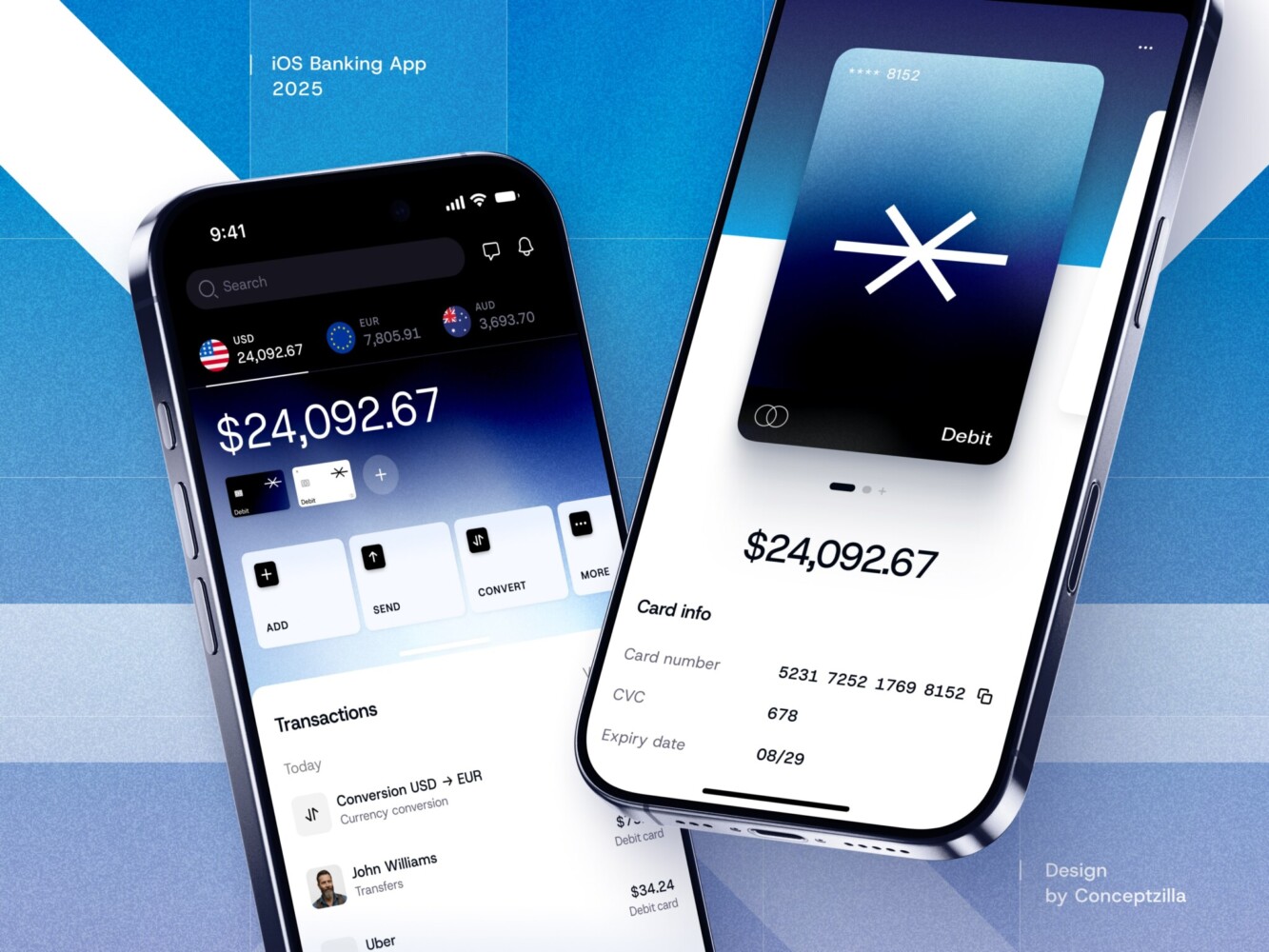
Fintech Mobile Banking App by Conceptzilla
Final Takeaway: Is Native Development Right for Your Business?
Choosing the Right Path for Your App’s Success
Going native isn’t always the answer, however, when it is, it can be a true differentiator. If we want an app that has a quick, solid, and integrated sense, native can be a better bet from the standpoint of retention, engagement, or overall scalability within key areas.
Okay, okay, let’s do this in a practical way. It only makes sense, of course, if your business environment can sustain it. Can we afford, or will we outsource, two dev squads? Is our schedule pliable enough to accommodate parallel iOS and Android tracks? But perhaps most important, will performance and platforms really matter to our overall value proposition?
Too many startups waste months over-engineering a native application for a simple MVP that should have been done faster with Flutter. Others create a poor user experience by attempting to force a complex application into a hybrid shell to save development cost, only to end up developing natively a year from now at triple the development cost.
So here’s the real takeaway: don’t choose native app development because it sounds “premium.” Choose it because your users, your product, and your business strategy demand it. If you’re building something meant to last, scale, and stand out in a crowded app store, where every swipe and tap shapes perception, native gives you the control to get it right. But if you’re testing an idea, serving internal users, or working with tight constraints, there’s no shame in starting elsewhere.
To get started, reach out to us. Together, we will analyze the current situation and select a suitable approach for your project.
Related reading