mHealth app development is building health apps for phones, tablets, and wearables, from wellness tools to regulated medical apps that may need FDA clearance in the U.S. or CE marking in Europe. An MVP with symptom tracking, reminders, and a basic dashboard costs about $70K–$120K, a mid-range app with EHR integration, wearables, and a clinician portal $150K–$250K, and a high-end product with AI diagnostics and a regulatory pathway $300K–$600K+. A simple wellness app takes about 3–5 months, a complex medical app 10–15+ months.
Compliance shapes the budget: plan 15–25% of total development cost for legal review, HIPAA/GDPR setup, FDA documentation, and penetration testing, plus 15–20% of the initial cost per year to keep the app running. The team matters as much as the stack: developers who know health data standards like FHIR, designers who work for stressed or elderly users, and a clinical advisor from the start.
Below, we cover the key types of mHealth apps, why custom development matters, how to create a medical app step by step, benefits and challenges, and cost and team considerations.
What is mHealth App Development?
It’s basically any health-related app or service that runs on your phone, tablet, or wearable. However, not all such apps are the same. People often mix up categories early on and later wonder why regulators came knocking or users didn’t take it seriously.
So it’s worth drawing a line in the sand.
On one side, you’ve got wellness apps: meditation tools, step counters, sleep trackers, or nutrition planners. They support well-being, but they don’t diagnose, treat, or manage diseases. These apps can be compared to a friendly gym buddy who is encouraging and helpful, but they don’t give medical advice.
On the other side we have clinical or medical-grade mHealth apps. They cross into regulated territory. They might monitor blood glucose levels in real time, help patients with COPD stick to their treatment plan, or let a cardiologist review ECG data from a patient’s smartwatch. These apps often need FDA clearance (in the U.S.) or CE marking (in Europe), because they’re making actual clinical decisions or feeding data into them.
What cases require mobile healthcare software development? Well, a few keep popping up:
- Patient education: Helps reduce that “what now?” panic. For example, a new diabetic getting bite-sized videos on insulin management right after diagnosis. Just clear, timely info that helps them learn more about their illness in an easy way.
- Disease management: Tracks symptoms, meds, and vitals for conditions like asthma, hypertension, or multiple sclerosis. Some even nudge users when their data trends look off.
- Telemedicine: Yeah, we all got familiar with this during the pandemic. Video calls, scheduling, e-prescriptions, and follow-ups—all wrapped into a smooth flow. The key is making it feel seamless, not like you’re wrestling with tech while feeling sick.
- Remote monitoring: For instance, post-op patients sending vitals from home or elderly users with heart failure being monitored by their care team. It reduces hospital readmissions, which hospitals really care about (and insurers even more).
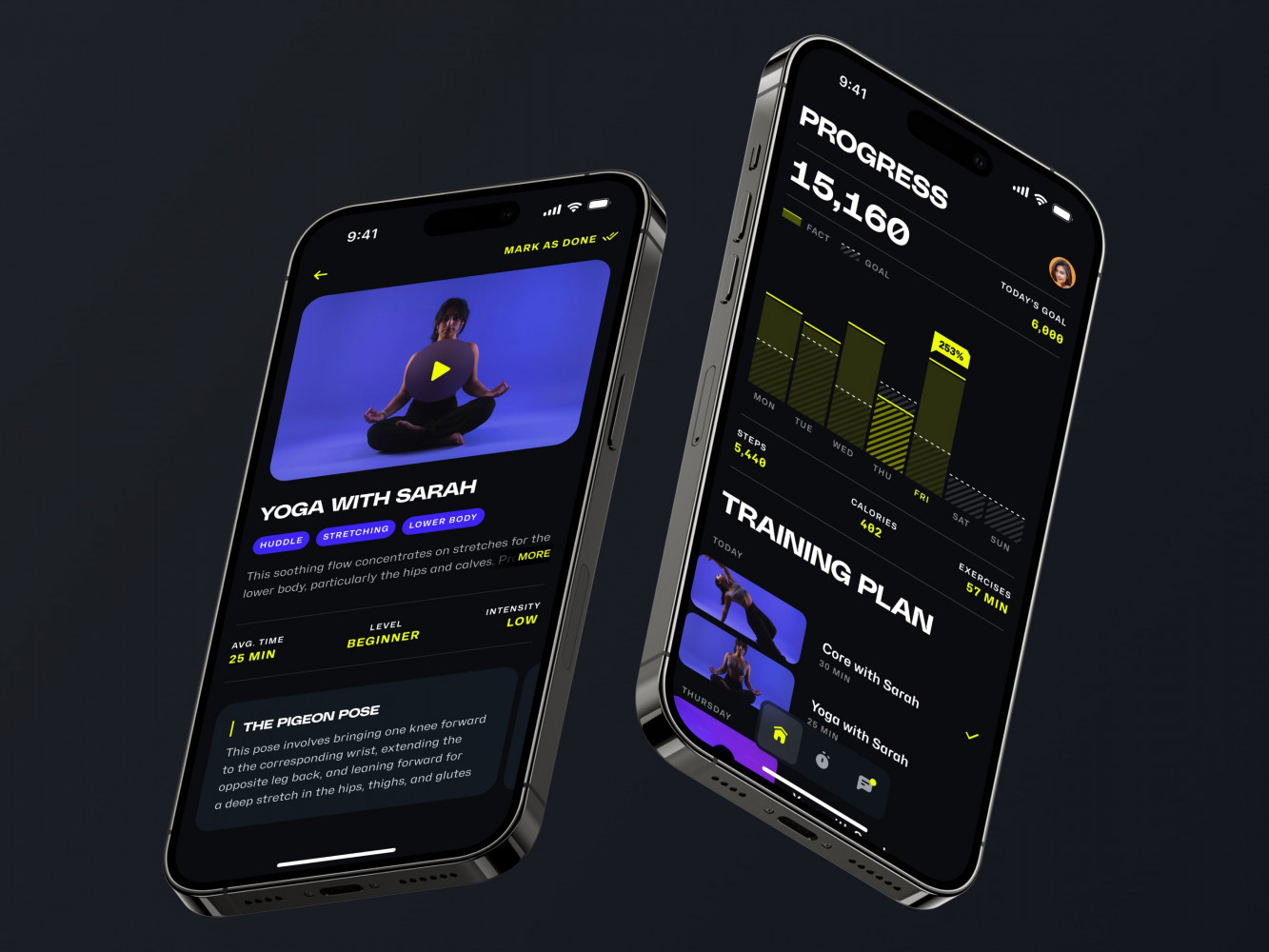
Mobile App for an Adaptive Fitness Guide by Shakuro
Key Types of mHealth Apps
Those two types I described above are just a couple of grains in the sand pile. There are many more of them related to different spheres, functions, and business goals. However, for the sake of your time, I’ll dwell only on the key ones. So, what are mHealth apps?
Informational & Educational Apps
These apps don’t treat or diagnose officially, but they help users understand what might be going on. Symptom checkers, medical reference tools, condition explainers, or even apps built for patients just diagnosed with something.
The key is to keep them clear, science-backed, and designed with actual clinicians. For example, an app called Ada walks you through symptoms step by step, doesn’t jump to worst-case scenarios, and gently suggests “maybe see a doctor” instead of “you’ll definitely die tomorrow; write a will.”
Otherwise, informational apps basically turn into fortune-tellers. Vague, scary, and sometimes flat-out wrong. And that’s dangerous because people act on this stuff. For instance, they can skip seeing a doctor for weeks because some app told them chest pain was “likely stress.”
How to create a medical app that doesn’t scare people? A few things:
- Source credibility. If real guidelines like NICE, UpToDate, or peer-reviewed journals don’t support your content, it’s just opinion. And opinion has no place in healthcare.
- Tone matters. You don’t want robotic textbook language. But you also don’t want TikTok-style oversimplification. It’s a balance, like explaining something to a smart friend who’s stressed but wants the facts.
- Know your limits. A symptom checker should never say “you have pneumonia.” At best, it says, “These symptoms could indicate a respiratory infection. Consider consulting a healthcare provider.” Cross that line, and suddenly you’re in regulatory territory—the FDA might come knocking, especially if the app uses algorithms that feel “diagnostic.”
Diagnostic & Assessment Apps
Unlike the informational applications, these products actually help therapists make diagnoses. An AI can analyze a skin lesion from a photo and speed up the process. Thus, patients get treatment faster.
However, when you step into mHealth app development related to diagnostics, you’re building something that could directly impact someone’s health outcome. So the stakes are way higher. You need clinical validation and regulatory clearance, and you need to be ready when someone says, “But the app told me I was fine.”
So what are the popular features of such apps?
- AI and machine learning. Models trained on huge, diverse, clinically validated datasets with ongoing monitoring.
- Integration with medical devices. The application connects to bluetooth-enabled blood pressure cuffs, smart inhalers, or glucose meters that auto-sync data. The app becomes the brain that collects, analyzes, and flags risks.
- Clinical workflows. It should fit into how doctors actually work. If it can’t export a report to an EHR or doesn’t align with standard assessment tools, it’ll collect dust. Clinicians are busy, and they won’t adopt something that adds steps.
- Regulations. In the U.S., if your app analyzes medical images or makes diagnostic suggestions, it might be a Class II medical device. That means FDA clearance, clinical trials, quality system regulations (QSR), the whole nine yards. In the EU, it’s under the new MDR—stricter, slower, and more expensive.
Patient Engagement & Monitoring Tools
They live in your pocket, nudge you at the right time, and actually help you stick with the treatment.
Knowing what’s wrong doesn’t mean you’ll do anything about it. When patients leave the doctor’s office with a perfect plan, there is a high chance they forget to take the pills by day three. Life gets in the way. Motivation fades. Chronic conditions don’t care how busy you are, though.
Mobile medical application development for patient engagement focuses on:
- Take medication reminders. They learn your rhythm. When you’ve missed a dose, they ask why. “Did you forget? Feel sick? Out of pills?” And they adapt, send a text to a caregiver, or auto-refill the prescription.
- Lifestyle tracking. These products track your sleep, diet, activity, and stress. They connect the dots and give tips for improvements. If you’ve slept poorly, skipped your morning walk, and logged higher stress, it says, “Hey, blood pressure’s been creeping up. Want to check it today?”
- Chronic disease monitoring. Conditions like diabetes, heart failure, COPD, and hypertension don’t get fixed in a week. Patients are doing daily maintenance, often alone, and these medical apps are of great help.
- Strict privacy standard. When you’re tracking meds, symptoms, and even location (to see if someone’s moving less), you’re in sensitive territory. One slip, one data breach, and trust is gone. So encryption, compliance (HIPAA, GDPR, etc.), and clear consent are non-negotiables.
Telemedicine & Remote Care Apps
With these products, you deliver the possibility to video call or chat with a doctor without leaving home. Here, the distance doesn’t matter. For example, a user lives in a different part of the country but needs an experienced doctor from the capital city. The easiest way to chat with the doctor will be through a video call.
Therapists and patients also need a way to communicate between the visits, even if the distance is not that large. And that’s not WhatsApp, where the security is too thin for sensitive information. Remote care apps need secure messaging, follow-up questionnaires, prescription renewals, and even automated check-ins. Still, you’ve got to balance access with boundaries. Doctors don’t want to be on call 24/7. So smart apps usually include auto-routing messages to the right staff, setting response windows, or using chatbots for basic FAQs (“When can I shower?”).
With mHealth app development for telemedicine, you should pay attention to:
- Video part: Like clear audio, low latency, even on older phones, and preferably with noise reduction. Queue systems, waiting rooms, and the ability to reschedule in one tap keep the whole thing from falling apart.
- Level of security: It is the same here, and it’s high. You can’t be having a mental health session over an unencrypted stream. HIPAA compliance is the price of entry.
- EHR integration: A great thing to have because then your app will be able to talk to the clinic’s electronic health record system. This lifts a heavy weight off doctors’ shoulders, because they don’t have to sign into three different systems to handle one appointment. So the apps that win are the ones that push visit notes, prescriptions, and vitals directly into Epic, Cerner, or whatever the clinic uses.
- Accessibility: Non-negotiable. Grandma hardly knows how to download an app, let alone join a video call. The best telemedicine tools account for that with SMS links, voice instructions, one-tap join, and even phone-in options.
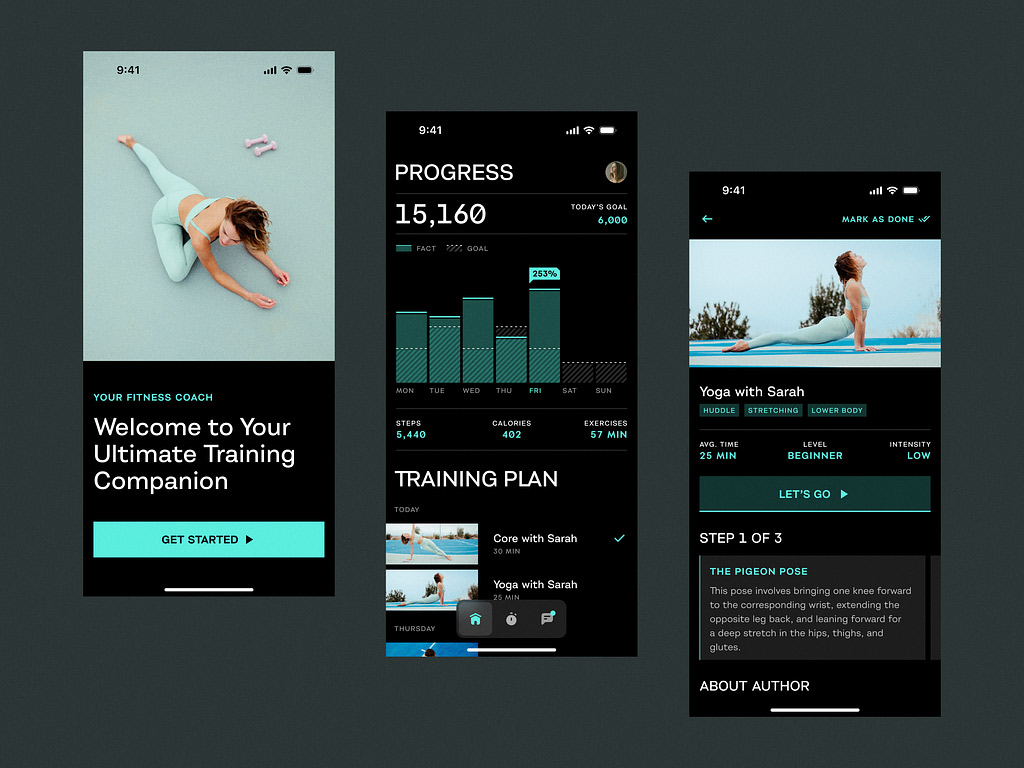
Sport App by Shakuro
Why Custom mHealth App Development Matters
- Your users aren’t generic. A 70-year-old managing heart failure has different needs than a 25-year-old with anxiety. Templates treat them the same, but custom apps don’t.
- You can’t scale trust. If your app feels clunky, slow, or out of sync with real-life care, people stop using it almost immediately. Custom builds let you design for actual behavior.
- Clinical workflows are messy. Doctors often don’t have time for extra clicks or pop-ups. A custom app can fit their rhythm.
- Templates lock you in. Third-party platforms often control your data, APIs, and feature roadmap. Want to add a new integration? Too bad; wait six months for their update.
- Regulatory needs aren’t optional. Your app should fully comply with HIPAA, GDPR, FDA, and MDR requirements. With custom dev, you control compliance. With off-the-shelf? You’re trusting someone else’s interpretation.
- Rock-solid security. You don’t want to find out your vendor stores data in an unencrypted bucket after a breach. “Custom” means you choose the safeguards, audit the code, and own the risk.
- You’ll want to iterate. When you get user feedback, you need to tweak logic, UI, or data flow. Custom apps let you move quickly. However, with template-based ones? Good luck getting dev access.
- Integrations make or break adoption. If your app doesn’t talk to EHRs, wearables, or pharmacy systems, clinicians won’t use it. Custom means you build the right hooks from day one.
- Ownership matters. In custom mhealth app development, you own the IP, the architecture, and the future. No surprise price hikes, no shutdowns because the vendor pivoted to crypto or something.
- It actually saves money long-term. Yeah, it’s pricier upfront. But scrapping a failed template app after 8 months? That’s way more expensive in time, cash, and lost trust.
- You can start small and grow smart. “Custom” doesn’t mean building everything at once. It means building a foundation that scales. So adding AI, new conditions, or provider portals later doesn’t mean starting over.
How to Create a Medical App: Steps & Considerations
Building a healthcare app is far away from launching a food delivery app or a dating platform. There’s more at stake, more moving parts, more “wait, I didn’t think about that” moments. So, you need to have a refined strategy at hand. Below are the key stages; for a deeper dive, see our guide to the medical app development process.
Start With the Problem
Quite often founders write a long, highly detailed pitch only to stumble when investors ask, “Who’s it for, and what pain are you solving?”
To find out the answer, you need to do thorough research. Understand the real friction, like how a diabetic mom juggles insulin, school runs, and burnout. Or how a rural doctor gets zero follow-up data from patients between visits. Or even visit some clinics yourself to find the reasons why your experience leaves much to be desired.
If you don’t feel the problem in your gut, you’ll build something nice-looking but useless.
Define Your App’s Purpose
Is it wellness? Education? Diagnosis? Treatment support? Remote monitoring? This step determines everything: regulations, tech stack, team skills, and even your business model. Based on the definition, you can build the whole strategy and roadmap brick by brick.
However, be honest about where you land. If you’re somewhere in the gray zone, talk to a regulatory consultant early. Better to hear “you’ll need a 510(k)” now than after launch.
Assemble the Right Team
You need people who get healthcare. Apart from having experience with industry-standard frameworks and trendy languages, the team should have knowledge of healthcare compliance.
Mobile health app developers who’ve worked with FHIR APIs, a UX designer who’s prototyped for older adults with low vision, and a PM who’s navigated HIPAA audits.
What’s more, you need clinical input, a person who knows those problems firsthand. Bring in a doctor, nurse, or therapist early. Someone who’ll say, “No, patients won’t do that,” or “That alert will cause panic.”
Design for Real Life
People use health apps when they’re tired, stressed, in pain, or overwhelmed.
So:
- Make it simple. One task per screen.
- Use plain language. No “utilize”; add “use.”
- Think about connectivity. What happens if the user has a bad signal?
- Test on older phones. Not everyone has the latest iPhone or Android.
Also, don’t make them log in every time. For starters, that’s irritating, and even I, a young person, don’t always remember my passwords. Next, that’s bad for security. What if someone spies on the account password? That’s why biometrics, SSO, and smart defaults are your best friends.
Develop the App
Together with mobile medical app developers, transfer the designs to code.
Key things to nail:
- Security: End-to-end encryption, secure auth, audit logs.
- Interoperability: Can it communicate with EHRs, wearables, and APIs? Like Apple Health or Google Fit?
- Scalability: What if 10,000 users sign up next month? Is your backend ready?
Don’t chase big prey. For instance, you don’t need comprehensive AI just to remind someone to take pills. But if you’re doing image analysis or predictive monitoring, you’ll need more firepower.
To do that, building from scratch is not an option. So use battle-tested frameworks and customize where it matters.
Test Like Your Reputation Depends on It
No surprise that healthcare apps require rigorous testing—people’s lives literally depend on them. So combine different types of testing: usability, A/B, performance, security, load, etc. And most importantly, implement those practices early to catch bugs before they slip into development.
During usability testing, watch real users, especially non-techies, try to navigate your app. You will definitely discover one hundred and one more ways to find features. The same happened to me when I conducted such tests.
And of course, mobile medical application development can exist without clinical validation. Ask what doctors and legal consultants think about your app. Is it confusing, or are the descriptions for diagnoses misleading? Run small pilots and then iterate.
Launch Small But Learn Fast
Don’t try to boil the ocean. Start with a focused MVP: one condition, one user group, and one core feature. This will save your budget and help avoid spreading the effort thin. So you’ll focus on what truly matters.
Keep listening and monitoring usage post-launch. Health apps have high abandonment rates, and you need to figure out why, then adapt. The industry moves slowly, but regulations and trends change almost daily. That’s why you need to stay with the flow and implement the latest changes on time.
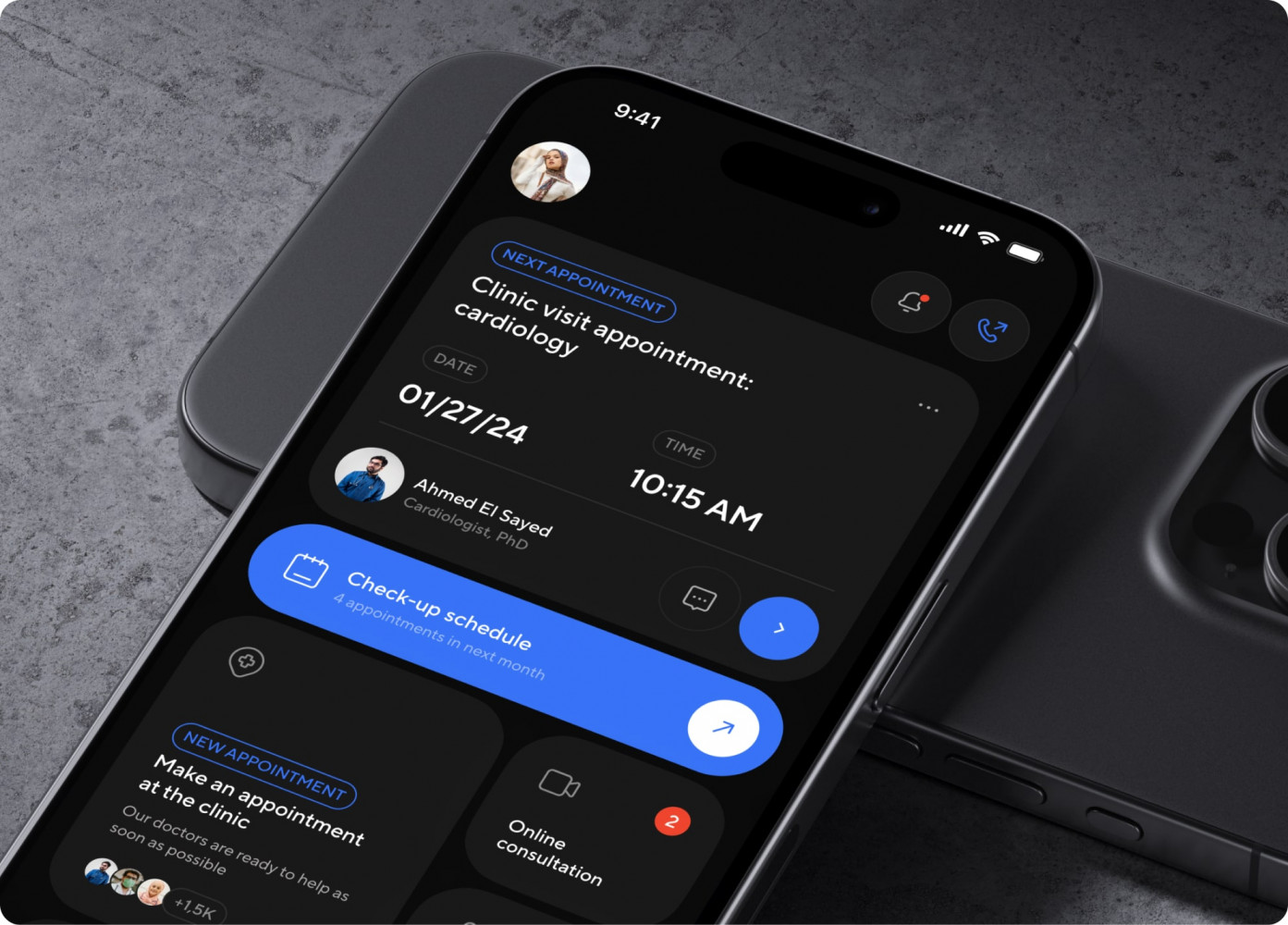
Bless You app by Shakuro

Benefits & Challenges of mHealth App Development
✅ Advantages of mHealth App Development
- Real effects on health outcomes: Things that help people with diabetes manage their condition, stay on their medications, or notice early warning signs? They might save lives and keep people from going to the hospital.
- Patients feel more in control because they can check their numbers every day and see patterns instead of waiting weeks for a check-up.
- Lessens the load on healthcare systems: Doctors have more time to see patients and fewer people have to go to the ER because of remote monitoring, automated reminders, or virtual visits.
- Can grow with a low extra cost: You can reach thousands of people without adding clinics or staff once it’s built.
- Real-world data that is rich: Apps gather data all the time, unlike one-time visits to the clinic. That means that patients, doctors, and even researchers will have better information.
- Helps with preventive care: Most medical care is reactive. Early interventions, lifestyle nudges, and risk predictions before things get bad can change that with mobile medical app development.
- Makes it easier to get to: Telemedicine and monitoring apps make it possible for people in rural areas, elderly people who can’t leave their homes, and people who have trouble moving to get care.
- Quicker feedback loops: You can test, learn, and make changes much faster than with regular medical devices or drugs. Update the app, send out a fix, see how usage changes, and keep doing it.
- A lot of business potential: B2C, B2B (selling to clinics), or B2G (government health programs) are all real ways to make money, especially now that insurers are starting to cover digital therapeutics.
⚠️ Challenges of mHealth App Development
- Regulatory maze: FDA, HIPAA, GDPR, MDR… Rules vary by country, by app type, even by how you describe your app in the store. One wrong claim and suddenly you’re a Class II device.
- Clinical validation takes time: Want to say your app “improves outcomes”? You’ll need studies, data, peer review, and whatnot. A testimonial won’t cut.
- User engagement is fragile: People download, use for three days, then abandon. If it’s not dead simple or truly helpful, they’ll ditch it.
- Integration with healthcare systems is a nightmare: EHRs like Epic or Cerner weren’t built for simple plug-ins. To get data in and out, you often need custom APIs. Not to mention long sales cycles and IT departments that move at glacial speed.
- Data privacy & security are a must: You’re handling sensitive info. One breach, one misstep, and trust evaporates. Plus, compliance is legal, operational, and cultural.
- Reimbursement is still a mess: Just because your app works doesn’t mean insurers will pay for it. Many digital health companies struggle to get covered, so business models get shaky.
- Bias in AI & data: If your algorithm was trained only on young, healthy, white males, it might fail for older women or people of color. Happens more than you’d think. For example, AI trained exclusively on men often doesn’t make a diagnosis for women but says they are just “stressed.”
- Clinician buy-in isn’t guaranteed: Doctors are busy. If your app adds steps, doesn’t fit their workflow, or feels like “just another screen,” they’ll ignore it.
- Updates can be restricted: Unlike consumer apps, you can’t just push a new feature every week if you’re regulated. Every change might need revalidation or regulatory approval.
Cost & Team Considerations in mHealth App Development
What You’re Really Paying For
First, there’s no single price tag. A simple medication reminder app is way cheaper than an enterprise-level AI-powered diagnostic tool with EHR integration. But here’s a rough picture of what drives cost:
- App complexity: Basic wellness app with tracking and reminders? Maybe around $50K–$80K. When you add real-time monitoring, wearables sync, and clinical dashboards, those numbers jump to $120K–$250K+. And, if you’re doing AI/ML or FDA clearance, we’re talking $300K and up.
- Platform choice: iOS and Android? Double the dev time if you’re not using a cross-platform framework (like Flutter or React Native). But even then, each OS has quirks, especially around health data permissions.
- Backend & infrastructure: You need secure servers, data encryption, APIs, HIPAA-compliant cloud hosting (like AWS with a BAA), and many other tech to keep the databases running.
- Regulatory & compliance work: Legal review, HIPAA/GDPR setup, FDA documentation (if needed), and penetration testing are essential. Budget 15–25% of your total dev cost for this stuff.
- Design & usability testing: Don’t skimp here. A confusing interface kills adoption. You need UX research, wireframes, accessibility testing, and even clinical workflow mapping.
- Ongoing costs: After launch, you’ve got maintenance, updates, server fees, customer support, and bug fixes. Also plan for 15–20% of the initial expenses on mobile health app developers per year just to keep it running.
Quick reality check with approximate numbers:
- MVP with core features (e.g., symptom tracking + reminders + basic dashboard): $70K–$120K
- Mid-range (with EHR integration, wearables, clinician portal): $150K–$250K
- High-end (AI diagnostics, multi-platform, regulatory pathway): $300K–$600K+
And that’s before clinical trials or marketing. That’s why I talk so much about resource allocation and preparation.
Who You Actually Need
You need a team that speaks both tech and healthcare. Here’s who typically makes the difference:
- Product manager: Balances user needs, clinical input, tech limits, and business goals. Bonus if they’ve shipped a health product before.
- UX/UI designer: Makes your application usable for stressed, tired, or elderly users. Understands accessibility (WCAG), health literacy, and behavioral nudges.
- Frontend & backend developers: Look for mobile medical app developers with experience in health data standards (like FHIR), secure APIs, and offline-first design People often lose signal in hospitals, basements, rural areas, and they need an app that work even if there is no Internet.
- DevOps/Security engineer: Handles encryption, server setup, compliance audits, and CI/CD pipelines. Such specialist is often overlooked, but a single misconfigured server leads to a data breach, so it’s not worth the risk.
- QA & tester: Conducts both manual and automated testing with real users, especially non-tech-savvy ones.
- Clinical advisor (or embedded clinician): Catches things like, “Patients won’t log this daily,” or “That alert will cause panic.”
- Regulatory consultant (part-time, but early): Especially if you’re near diagnostic territory. They’ll help you avoid building something that needs FDA clearance after launch.
Now, how to staff it?
- In-house: Best for long-term control and culture, but expensive because of salaries, benefits, and office space. That’s why it’s a rather hard-to-pull-off model for early-stage startups.
- Outsourced dev team: Common choice with a faster setup and flexible scaling. But choose carefully and look for mobile health app developers with several real case studies to demonstrate their expertise.
- Hybrid model: This combines both models, where you have a clinical lead in-house and a dev team outsourced. Many startups go this route because it gives you control where it matters, flexibility on execution.
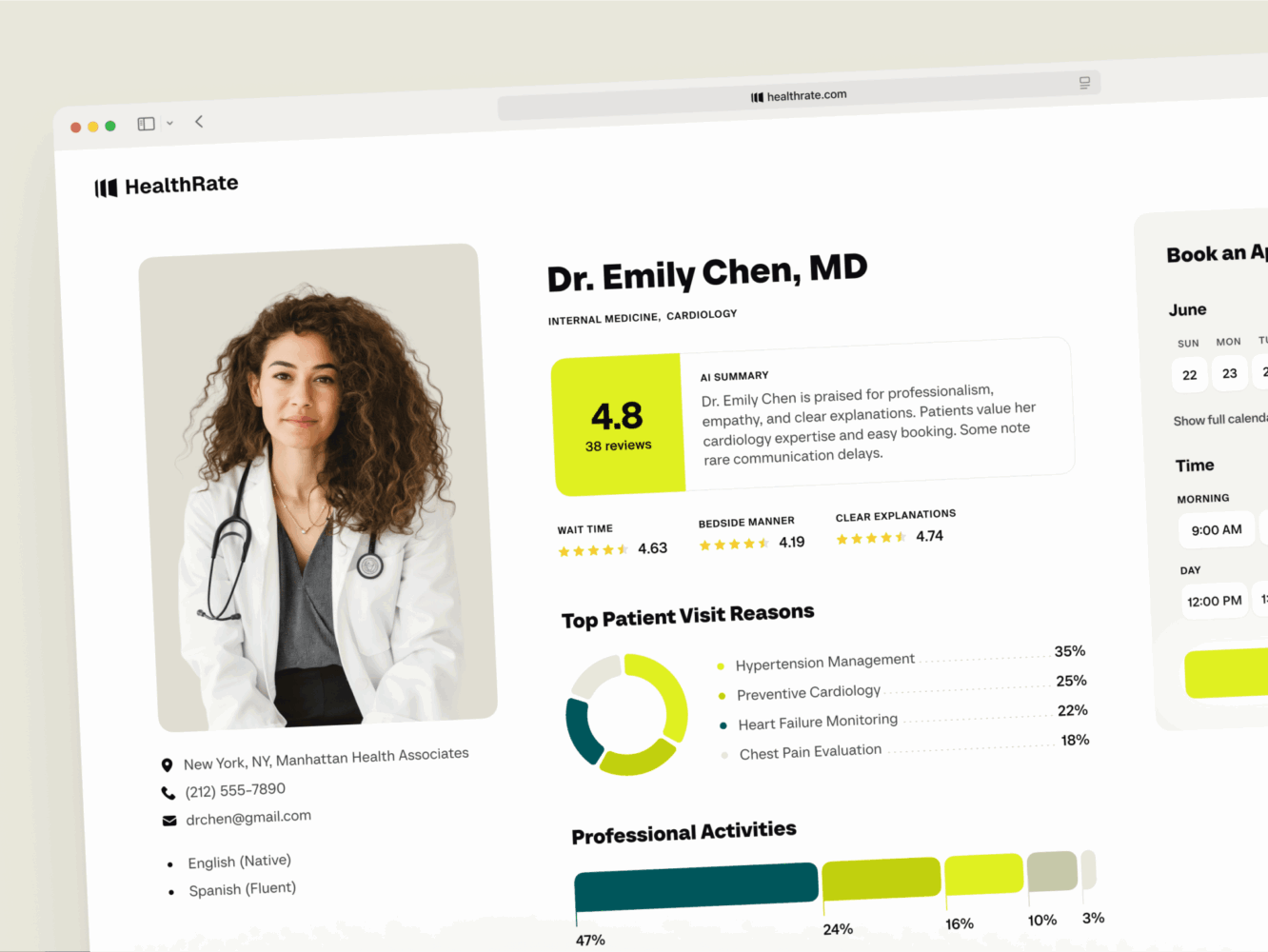
Design for Healthcare Platform by Conceptzilla
Summary & Next Steps
mHealth apps can make a real difference. They help patients manage conditions, connecting them with care, even catching problems early. At the same time, you face serious challenges: regulations, user engagement, clinical validation, and tech complexity. The projects that succeed aren’t always the flashiest but the ones built with purpose, care, and the right team.
To avoid most of these problems in mobile healthcare software development, involve clinical pros early. A nurse, a doctor, or a therapist—someone who sees real patients every day and knows what things will work in medicine and what will become obsolete.
The easiest way is to start with an MVP where you pick one core problem. Launch fast, test with real users, learn, then expand. This way, you’ll save time, money, and avoid overbuilding.
In case you are searching for a team experienced in launching MVPs, consider partnering with Shakuro. We’ve launched more than 500 successful projects from various industries, and healthcare is one of them.
Frequently Asked Questions
What’s the difference between a wellness app and a medical mHealth app?
Wellness apps support general well-being: fitness, meditation, sleep, or nutrition. They don’t diagnose, treat, or manage diseases. Medical apps do, for example by tracking blood glucose for diabetics, helping COPD patients follow a treatment plan, or letting a cardiologist review ECG data from a smartwatch. Medical apps often need FDA clearance in the U.S. or CE marking in Europe, which changes the scope and budget.
Can an mHealth app integrate with EHRs?
Yes. EHR integration is typical for mid-range mHealth apps together with wearables and a clinician portal, and it moves the budget to about $150K–$250K. It requires developers with experience in health data standards such as FHIR and secure APIs, plus HIPAA-compliant hosting. Integration lets clinicians see patient data in the systems they already use.
Can I start an mHealth app with an MVP and scale later?
Yes, and it is usually the smartest route. Pick one core problem, build an MVP with features such as symptom tracking, reminders, and a basic dashboard for about $70K–$120K, launch fast, and test with real users. Then add EHR integration, wearables, or clinician tools based on what you learn. This saves time and money and avoids overbuilding.
How much does it cost to build an mHealth app?
An MVP with core features such as symptom tracking, reminders, and a basic dashboard costs about $70K–$120K. A mid-range app with EHR integration, wearables, and a clinician portal costs $150K–$250K. A high-end product with AI diagnostics, multiple platforms, and a regulatory pathway costs $300K–$600K+. Clinical trials and marketing come on top, and support takes 15–20% of the initial cost per year.
How long does it take to develop an mHealth app?
A simple wellness app takes about 3–5 months, a mid-level app 6–9 months, and a complex medical app 10–15+ months. The timeline grows because health apps need UX testing with real patients, compliance setup such as HIPAA, clinical input, security checks, and often integrations with devices or healthcare systems. Starting with an MVP shortens the path to the first release.
How much of an mHealth budget goes to compliance?
Budget 15–25% of your total development cost for regulatory and compliance work: legal review, HIPAA/GDPR setup, FDA documentation if needed, and penetration testing. Infrastructure adds its own requirements, such as encryption and HIPAA-compliant cloud hosting like AWS with a BAA. A part-time regulatory consultant involved early helps you avoid building something that needs FDA clearance after launch.
What team do you need to build an mHealth app?
An mHealth team usually includes a product manager, ideally with health product experience, a UX/UI designer who understands accessibility and health literacy, frontend and backend developers familiar with FHIR and offline-first design, a DevOps/security engineer, QA, a clinical advisor, and a part-time regulatory consultant. Many startups keep a clinical lead in-house and outsource development.
Related reading