The most popular web development frameworks are React, Vue.js, Angular, Svelte, Nuxt.js, and Astro on the frontend and Django, Express.js, FastAPI, Laravel, Ruby on Rails, Spring Boot, and ASP.NET Core on the backend. Choosing a web development framework is more than a technical preference: it affects how fast you can launch, how easy it is to hire developers, and how well your product performs as it grows.
For a startup, the right framework makes an MVP easier to build and change. For a SaaS product, it shapes the dashboard, billing flow, user roles, and long-term architecture. For an AI web app, it decides how smoothly the frontend works with model APIs and backend services.
This guide compares popular web development frameworks for real project needs: MVPs, SaaS platforms, marketplaces, eCommerce, AI products, enterprise portals, and content-heavy sites. We look at what each framework is best for, where it may slow you down, and how to choose a stack your team can actually maintain.
Best web development frameworks in 2026, short version:
- Best for SaaS/MVP: Next.js, React, Django, Ruby on Rails
- Best for enterprise apps: Angular, Spring Boot, Nest.js
- Best for fast backend/API development: Django, FastAPI, Express, Nest.js
- Best for content-heavy websites: Next.js, Astro
- Best for real-time apps: Node.js/Express, Nest.js, Meteor
- Best for AI-enabled web products: Next.js + Python/FastAPI or Node/Nest.js backend
What is a Web Development Framework?
To put it short, a web development framework is a toolbox for building websites or web applications. You get a royal flush to create, manage, and deploy web projects: pre-written code, libraries, and other tools. So, instead of building everything from ground zero, you use the framework to handle common tasks.
The main purpose is to simplify and speed up the development process. It helps you by providing a structure to organize your code and offering ready-to-use components and functions (like forms, databases, routing, etc.). Moreover, repetitive tasks delegation helps you focus on the standout features of your project. In general, web development frameworks force you to construct better, faster, and secure web apps with less effort.
Types of Web Development Frameworks
Depending on what part of the web application you want to build, there are three types of frameworks you can use.
Frontend (Client-Side) Frameworks
These frameworks focus on building the user interface (UI) and user experience (UX) that runs in the browser. They manage how content is displayed to users and handle interactions like clicks, form submissions, etc.
Why use them? It’s easier to create responsive and interactive websites, which are a must now. Also, you can handle complex state management and data binding.
Backend (Server-Side) Frameworks
These are aimed at the server-side logic —the application part that handles data processing, business logic, and communication with databases. These tools interact with databases to store and retrieve data. They are also responsible for means for authentication, routing, and security.
Developers use web application development frameworks to simplify server setup and database integration. They are necessary for building RESTful APIs and handling backend tasks efficiently.
Full-Stack Frameworks
These frameworks combine both frontend and backend capabilities, allowing developers to work on the entire application stack. This streamlines the process of building complete web applications from start to finish.
The time-saving feature is what makes the category popular. The full-stack frameworks are essential for seamless integration between client and server.
Key Differences Between Frontend and Backend Frameworks
There is no single best web development framework for every project. The right choice depends on your product type, team, budget, SEO needs, and how fast you need to ship. This table gives a quick way to compare popular frameworks before going into the details.
| Framework | Best for | Avoid if | Startup fit | SEO fit | Scalability | Hiring ease |
| React | Interactive web apps, SaaS dashboards, marketplaces, complex user interfaces | You need a simple static website or want many built-in decisions out of the box | High: flexible and widely used for MVPs and scaling products | Medium: needs SSR/SSG with tools like Next.js for stronger SEO | High with the right architecture | High |
| Vue.js | Fast-moving products, admin panels, interactive interfaces, teams that want a gentle learning curve | Your team already has deep React or Angular experience and no reason to switch | High: quick to start and easy to maintain | Medium: stronger with Nuxt | Medium to high | Medium |
| Angular | Enterprise web apps, large teams, complex systems with strict structure | You need a lightweight MVP or want maximum flexibility | Medium: powerful, but often heavy for early MVPs | Medium: possible, but not its main strength | High | Medium |
| Svelte | Lightweight apps, fast interfaces, smaller products, performance-focused frontends | You need a large hiring pool or mature enterprise ecosystem | Medium: fast and pleasant, but hiring can be harder | Medium: stronger with SvelteKit | Medium | Low to medium |
| Ember.js | Long-lived enterprise apps where convention and stability matter | You need a modern, flexible stack or easy hiring | Low to medium: stable, but rarely a first choice for new startups | Medium | High for the right team | Low |
| Django | Secure backend systems, admin-heavy apps, marketplaces, SaaS backends, data-driven products | You need a tiny API or want a very lightweight backend | High: great for building reliable products quickly | Medium: backend framework, SEO depends on frontend setup | High | Medium to high |
| Express.js | APIs, lightweight Node.js backends, custom server logic, real-time apps | You need strong structure and built-in conventions | High: simple and flexible for MVPs | Low by itself: SEO depends on frontend | Medium to high with good architecture | High |
| Laravel | Business web apps, admin panels, eCommerce, content platforms, PHP-based products | Your team does not use PHP or wants a JavaScript/Python stack | Medium: productive if PHP fits the team | Medium to high for server-rendered sites | High | Medium |
| Ruby on Rails | MVPs, marketplaces, SaaS products, admin-heavy platforms, fast product validation | You expect very high concurrency from day one or lack Ruby talent | High: very strong for early product development | Medium to high for server-rendered apps | Medium to high | Medium |
| Spring Boot | Enterprise backends, banking, healthcare, large-scale systems, Java teams | You need a lightweight MVP or fast experimentation | Low to medium: often too heavy for early startups | Low by itself: backend only | Very high | High |
| ASP.NET Core | Enterprise apps, Microsoft ecosystems, scalable APIs, B2B software | Your team is not familiar with .NET or wants a lighter stack | Medium: strong, but not always the fastest for early MVPs | Low by itself: backend only | Very high | Medium to high |
| Next.js | SEO-friendly React apps, SaaS websites, marketplaces, content + product platforms | You only need a simple static page or do not want React | Very high: strong default choice for startups | High: SSR, SSG, routing, and performance features help SEO | High | High |
| Nuxt | SEO-friendly Vue apps, content-heavy platforms, SaaS products, dashboards | Your team does not use Vue or wants the largest hiring pool | High: good for Vue-based MVPs and growing products | High: SSR and static generation make it SEO-friendly | High | Medium |
| Astro | Marketing sites, blogs, documentation, startup websites, content-heavy pages | You are building a complex app with many logged-in interactions | High for websites, medium for apps | Very high: lightweight pages and strong performance | Medium: best for content, not complex app logic | Medium |
| FastAPI | APIs, Python backends, AI products, data-heavy apps, internal tools | You need a full admin system out of the box or a traditional CMS-like backend | High: great for AI/web MVPs and API-first products | Low by itself: backend only | High | Medium |
| Meteor.js | Real-time apps, prototypes, chat, collaboration tools | You need a mainstream stack with easy hiring and long-term flexibility | Medium: fast for prototypes, less common for new products | Low to medium | Medium | Low |
| Phoenix | Real-time apps, high-concurrency systems, messaging, dashboards | Your team lacks Elixir experience or needs easy hiring | Medium: excellent tech, but hiring can slow you down | Medium | Very high | Low |
| Flask | Lightweight APIs, prototypes, small Python services, simple backends | You need structure, admin, auth, and many built-in features | Medium: good for small products, less ideal as complexity grows | Low by itself: backend only | Medium | Medium |
| NestJS | Structured Node.js backends, APIs, enterprise JavaScript/TypeScript apps | You need a very small backend or want minimal setup | High: good when a startup wants Node.js with structure | Low by itself: backend only | High | Medium to high |
The table points out the key differences. Just like in any sphere, each type has its strengths, so your choice primarily depends on the project requirements and your current skillset.
Framework Recommendations by Project Type
The best framework is not always the most popular one. It depends on what you are building, how fast you need to launch, how much content you need to rank in search, and what your team can maintain after release. Here is a practical way to narrow down the choice by project type.
SaaS Dashboard
For a SaaS dashboard, you usually need fast navigation, clean data views, charts, filters, user roles, billing, notifications, and a reliable backend. React with Next.js is often a strong choice for the frontend because it works well for complex interfaces and has a large hiring pool. Vue with Nuxt can also work well if your team prefers Vue.
For the backend, Django, NestJS, Ruby on Rails, or ASP.NET Core can be good options depending on the product complexity and team background. If the dashboard includes AI features or heavy data processing, FastAPI can be useful for the API layer.
Recommended stack examples: Next.js + NestJS, Next.js + Django, Nuxt + Laravel, React + FastAPI.
Marketplace
Marketplaces need more than a good-looking interface. They usually include user accounts, listings, search, payments, reviews, messaging, admin tools, moderation, and strong security. For this type of product, the framework should help the team move fast without making the system hard to maintain.
Ruby on Rails and Django are good choices for marketplace MVPs because they support fast development and come with many useful patterns. Next.js or Nuxt can work well on the frontend when SEO matters for listings, categories, or landing pages.
Recommended stack examples: Next.js + Django, Next.js + Ruby on Rails, Nuxt + Laravel.
AI Web App
AI web apps need a frontend that feels fast and a backend that can safely handle model APIs, user data, files, prompts, and background processing. React, Next.js, Nuxt, or Vue can all work well for the user interface. The better choice depends on the product, team, and SEO needs.
For the backend, FastAPI is often a practical option because many AI and machine learning tools are built around Python. Node.js with NestJS or Express can also work well for simpler AI integrations, especially when the product mostly calls external model APIs.
Recommended stack examples: Next.js + FastAPI, React + FastAPI, Nuxt + FastAPI, Next.js + NestJS.
eCommerce Platform
An eCommerce platform needs speed, SEO, product pages, checkout, payments, inventory, analytics, and a stable admin experience. If organic traffic is important, the frontend should support server-side rendering or static generation.
Next.js and Nuxt are strong choices for custom eCommerce frontends because they help with SEO and performance. Laravel, Django, Ruby on Rails, or ASP.NET Core can support the backend depending on the business logic and integrations.
Recommended stack examples: Next.js + Laravel, Next.js + Django, Nuxt + Laravel, Next.js + ASP.NET Core.
MVP
For an MVP, the best framework is the one that helps you launch, test the idea, and change direction without wasting months on infrastructure. Speed matters, but maintainability still matters too. A rushed MVP that cannot grow can become expensive later.
Ruby on Rails, Django, Laravel, and Next.js are often good choices for MVPs because they help teams build useful product features quickly. If the MVP is content-heavy or needs SEO from day one, Next.js, Nuxt, or Astro can be a better fit. If it includes AI features, FastAPI can be added for the backend or API layer.
Recommended stack examples: Next.js + Django, Next.js + Ruby on Rails, Nuxt + Laravel, Astro + lightweight backend, Next.js + FastAPI.
Enterprise Portal
Enterprise portals often need permissions, audit logs, integrations, security, reporting, admin workflows, and long-term maintainability. The framework should support structure and predictable development across a larger team.
Angular, Spring Boot, ASP.NET Core, Django, and NestJS are strong options for enterprise products. Angular works well for structured frontend applications, while Spring Boot and ASP.NET Core are common choices for large backend systems. NestJS can be a good option when the team wants a structured TypeScript backend.
Recommended stack examples: Angular + Spring Boot, Angular + ASP.NET Core, React + NestJS, Next.js + Django.
Content-Heavy Marketing Site
A content-heavy marketing site needs fast pages, strong SEO, clean content structure, and easy publishing. It may include blog posts, landing pages, case studies, documentation, and lead-generation forms.
Astro is a strong choice for this type of project because it ships less JavaScript by default and works well for content-focused websites. Next.js and Nuxt are also good options if the site needs more dynamic features, personalization, or product-like sections.
Recommended stack examples: Astro + headless CMS, Next.js + headless CMS, Nuxt + headless CMS.
Real-Time Chat or Collaboration App
Real-time apps need instant updates, stable connections, notifications, user presence, shared states, and careful backend architecture. The framework choice should support WebSockets, event-driven logic, and scalable infrastructure.
React, Next.js, Vue, or Nuxt can work well for the frontend. For the backend, NestJS, Express.js, Phoenix, or ASP.NET Core can be strong choices. Phoenix is especially good for real-time systems, though hiring Elixir developers can be harder. Node.js frameworks are often easier to staff.
Recommended stack examples: React + NestJS, Next.js + NestJS, Vue + Express.js, React + Phoenix.
Planning a web product and not sure which stack to choose? Our web development team can help you map the architecture before development starts.
Top 15 Most Popular Web Development Frameworks
Frontend Frameworks
React.js
React.js is actually not a full framework but a JavaScript library. Facebook built it to create user interfaces. Its primary focus is on reusable UI components—the building blocks of web applications. With the library, you can break down the interface into small, independent pieces. Just like a mechanic takes apart a clock, you work with components. This approach is much easier to manage and maintain.
Why use React?
- Component-based architecture: You can construct user interfaces with components as if you’re assembling a jigsaw. For example, reimplementing a Button component multiple times with different styles or behaviors.
- Virtual DOM: It is a lightweight copy of the real DOM that the library applies to optimize performance. When something changes in your app, React updates the Virtual DOM first, then compares it with the previous version. The library modifies only the parts that changed in the real DOM. This makes React fast and efficient.
- One-way data flow: Data flows in one direction, from parent components to child ones. As a result, you have an easier time debugging and understanding how data moves through your application.
- Large community & ecosystem: You will have plenty of tutorials, third-party libraries, and tools to help you build almost anything. And when the tutorial is scarce, you can ask questions on a plethora of forums.
- Versatility: Web development is not the sole purpose of React. You can also use it for mobile development with React Native, or even for building desktop apps with Electron.
What’s on the other tip of the scale? Well, you will have to deal with:
- Steep learning curve: While React itself is relatively easy to learn, mastering it requires understanding concepts like state management, routing, and hooks.
- Not opinionated: The library has little to provide out of the box (like routing or state management), so you will have to integrate additional libraries.
React is an excellent choice if:
- You want to build interactive and dynamic user interfaces.
- You’re working on large-scale applications where performance matters.
- You enjoy the flexibility of choosing your tools and libraries.
However, if you’re building a very small or static website, React might be a river to pour in a cup—something simpler like HTML/CSS/JavaScript or a static site generator will suffice.
Planning a React or Next.js product? See how our React development team helps startups build fast, maintainable web apps.
Vue.js
This is a JavaScript framework aimed at building user interfaces. Evan You created it in pursuit of making something simpler and more flexible than other web development frameworks like React or Angular. Vue is “progressive,” that’s why you can start small and scale up as your project grows.
Easy-to-build interactive web applications are its key idea, and the framework reaches it by combining HTML, CSS, and JavaScript straightforwardly. Another edge it has over the competitors: a keen balance of power for complex applications and ease of use for newcomers to pick up quickly. And just like React, Vue creates reusable components to quickly construct UIs.
Why should you try out Vue.js? Apart from a few reasons we mentioned a couple of words above, here are some more:
- Simplicity: Vue is designed to be easy as a pie, even for beginners. And if your skillset already includes HTML, CSS, or JavaScript, you have all the basics in the brain.
- Flexibility: The framework can be a silver bullet: it fits small projects (like adding interactivity to a single page) or large-scale applications (like a full-fledged web app).
- Two-way data binding: It is easy to keep the UI in sync with your data. When you change the data, the UI updates automatically, and vice versa.
- Component-based architecture: Like React, Vue utilizes components to organize your code.
- High performance: Virtual DOM gives stability and efficiency. This ensures smooth updates when the data changes.
- Strong community & ecosystem: Even being smaller than the React community, this one grows steadily, so there are plenty of plugins, tools, and resources.
Being one of the best frameworks for web development, why Vue might not be your cup of tea?
- Smaller community: Yes, this can be a drawback when looking for resources on certain advanced topics.
- Less corporate backing: Vue is maintained by a smaller team, and it gives less confidence in the instrument’s future.
Still, it’s an optimal choice when:
- You want a framework that’s easy to learn and use.
- You’re working on projects of any size, from small widgets to large-scale applications.
- You prefer two-way data binding and a simpler syntax compared to React.
But there is one thing. If you’re already familiar with React or Angular, perhaps it’s better to stick with them. Unless Vue offers super advantages in your situation, of course.
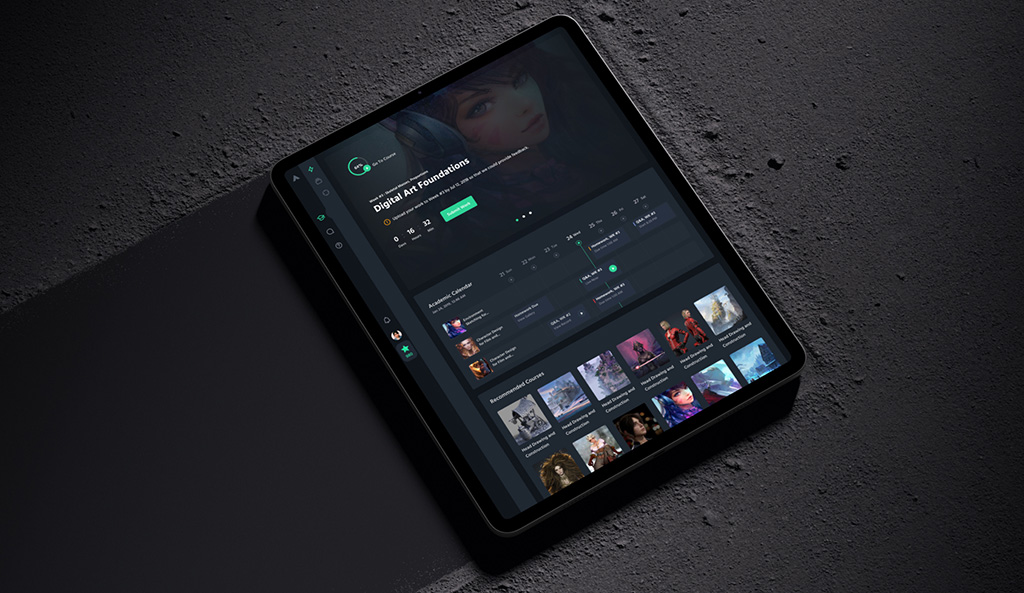
CGMA platform by Shakuro
Angular
It is a full JavaScript framework for building web applications. It is developed by Google and is intended to help developers build robust, scalable, and maintainable applications. Unlike React or Vue, which are libraries or progressive frameworks, Angular is complete and provides everything you need to build an application right out of the box.
Being one of the top web development frameworks, Angular is all about giving you a highly structured and opinionated approach to constructing web applications. TypeScript, a superset of JavaScript, is its solid base and includes additional features such as static typing and improved tooling.
Why use Angular?
- Full-featured framework: Angular has built-in routing, state management, forms, testing, and more. You don’t have to search for third-party libraries for most things.
- Strong typing with TypeScript: Angular is written in TypeScript, which detects errors during build time and ensures your code is more predictable and less prone to errors.
- Two-way data binding: Like Vue, Angular also offers two-way data binding, so when there is UI change, the data automatically updates and vice versa.
- Dependency injection: Angular has a strong system of dependency management, and it is easy to share services and resources across your app.
- Community & corporate support: Supported by Google, Angular enjoys good corporate support and a huge community, which guarantees long-term stability and regular updates.
Disadvantages of Angular
- Steep learning curve: Angular contains many concepts (such as decorators, observables, and dependency injection) that may overwhelm newbies.
- Verbose code: Angular needs more boilerplate code than frameworks such as React or Vue.
- Larger size: Angular applications are bigger in size as they have numerous in-built features that might not be required for small-sized projects.
Angular is a great choice if:
- You are developing large-sized enterprise applications where maintainability and structure are paramount.
- You like a framework that includes everything you need straight out of the box.
- You are OK with learning TypeScript and utilizing a more opinionated framework.
If you are building smaller applications or desire more flexibility, web development frameworks like React or Vue might be a better fit for your use case.
We used Angular to develop Proko, a web platform for studying art. With the help of this framework, we created a reliable, responsive and easy-to-scale solution convenient for both teachers and students.
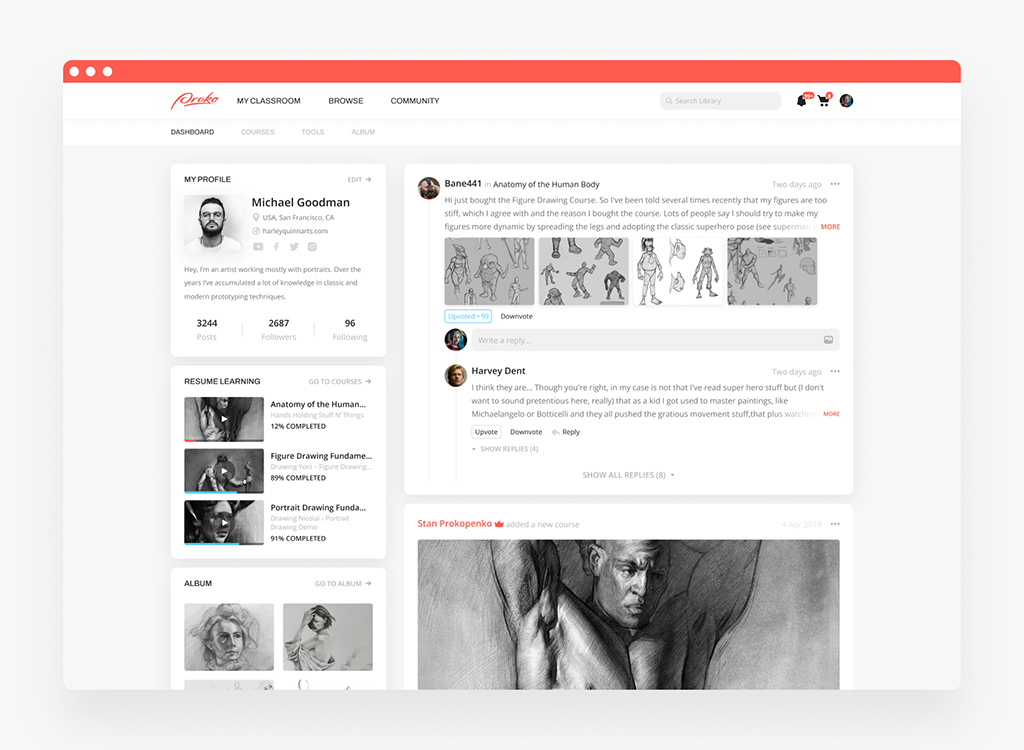
Proko platform by Shakuro
Svelte
This one is, technically, a “compiler” created by Rich Harris. Unlike React or Vue, which run in the browser at runtime, Svelte compiles your code into highly efficient vanilla JavaScript during the build process. This means that when your app runs in the browser, there’s no need for a large framework library—just pure, optimized code.
Simpler, faster, and more efficient web development is Svelte’s main aim, and it reaches it with handling complexity during the build process instead of at runtime.
What are the reasons to check this compiler out?
- Smaller bundle size: Since Svelte compiles your code into regular JavaScript, you get a much smaller size in comparison to top web development frameworks like React or Vue. This leads to faster load times.
- Blazing fast performance: By removing the need for a virtual DOM, Svelte directly updates the DOM when data changes, resulting in faster rendering.
- Simpler syntax: Svelte’s syntax is intuitive and easy to learn, even for beginners. It combines HTML, CSS, and JavaScript in a single file, making it straightforward to manage.
- Reactive by design: Svelte automatically tracks changes in your data and updates the UI accordingly, so you don’t have to manually manage state or reactivity.
- No runtime overhead: Because Svelte compiles your code during the build process, there’s no framework running in the browser, reducing memory usage and improving performance.
Disadvantages of Svelte
- Smaller ecosystem: Compared to React or Vue, Svelte has a smaller community and fewer third-party libraries.
- Less mature: While Svelte is growing rapidly, it’s still newer than other frameworks, so some advanced tools and features might not be as polished.
- Different approach: Svelte’s compile-time approach is different from traditional frameworks, which might take some time to get used to.
Svelte is a great choice if:
- You want a lightweight, high-performance framework.
- You prefer a simpler and more intuitive syntax.
- You’re building small to medium-sized applications where simplicity and speed matter.
For building very large-scale enterprise applications or extensive third-party libraries, consider frameworks like Angular or React.

Logistic Company Dashboard by Conceptzilla
Ember.js
It is a mature JavaScript web application development framework. Created by Yehuda Katz and Tom Dale, Ember was first released back in 2011. Strong conventions, built-in tools, and focus on developer productivity are renowned features of this framework.
Ember follows the “convention over configuration” approach, so it provides a best-practice set of conventions and structures that inform how you write your app. This encourages teams to work more smoothly and implement consistency between projects.
Why to use Ember.js?
- Opinionated framework: Ember comes with numerous features and conventions pre-integrated, so you don’t need to make lots of architecture or tooling decisions. This reduces complexity and speeds up development.
- Pre-installed features: The framework gives you out-of-the-box essentials: routing, templating, data management, testing, and more. It takes an extra weight off your chest—no endless searching for suitable third-party libraries for any task at hand.
- No stagnation, only stability: With backward compatibility between versions, you can upgrade without glitching your code. At the same time, it doesn’t stand still: new features are added constantly.
- Strong community: Ember has a dedicated and supportive community, which means plenty of resources, plugins, and support are available.
- Enterprise-ready: It is widely used in large-scale applications where stability, scalability, and maintainability are critical.
What trials await you on the road with Ember.js?
- Overwhelming: Ember is packed with conventions and built-in systems, and they can easily drag beginners to bottom.
- Less widespread: Compared to React or Vue, the community is smaller, and gives you fewer resources and third-party libraries.
- Verbose code: Ember’s conventions can sometimes lead to more boilerplate code compared to other frameworks.
- Not ideal for small projects: For simple applications, Ember might feel like overkill because of its complexity and size.
Ember is a great choice if:
- You’re building large-scale, complex applications where structure and maintainability are important.
- You want a framework that provides everything you need out of the box.
- You prefer a highly opinionated framework that enforces best practices.
Nuxt.js
Nuxt is a Vue-based framework for building modern web applications. It adds structure and production-ready features on top of Vue, including routing, server-side rendering, static site generation, API routes, and performance optimizations.
Why use Nuxt?
- SEO-friendly rendering: Nuxt supports server-side rendering and static generation, which helps pages load faster and makes them easier for search engines to crawl.
- Vue ecosystem: If your team already works with Vue, Nuxt gives you a clear way to build larger applications without setting up every part from scratch.
- Flexible deployment: You can use Nuxt for static websites, SaaS products, dashboards, eCommerce projects, and content-heavy platforms.
- Good developer experience: File-based routing, auto imports, modules, and built-in conventions help teams move faster.
Nuxt is a good choice if you want to build a Vue application that needs SEO, performance, and a cleaner project structure. For very small websites, plain Vue or a simpler static site generator may be enough.
Astro
Astro is a frontend framework built for fast, content-focused websites. It is often used for marketing websites, blogs, documentation, landing pages, and other projects where performance and SEO matter.
Why use Astro?
- Fast page loading: Astro ships less JavaScript by default, which helps pages stay light and quick.
- Great for content: It works well for blogs, landing pages, documentation, and websites with many static or semi-static pages.
- Framework flexibility: You can use React, Vue, Svelte, or other UI components inside an Astro project when you need interactivity.
- SEO-friendly structure: Astro is a strong fit for websites where organic traffic, Core Web Vitals, and clean page structure are important.
Astro is a good choice if you are building a content-heavy website, startup landing page, company website, or documentation hub. If your product is a complex web app with heavy user interactions, frameworks like Next.js, Nuxt, or React may be a better fit.
Backend Frameworks
Django
It is a Python web framework of high level that allows developers to build secure, scalable, and maintainable web applications quickly. It was created by Adrian Holovaty and Simon Willison in 2005 and has since become one of the best frameworks for web development.
“Batteries-included” philosophy is what Django strictly follows. It is jam-packed with everything you need to build a web application out of the box. Consequently, you don’t have to waste additional time searching for third-party libraries aimed at routine tasks like authentication, admin panels, or database management.
Apart from that, here is a bunch of other advantages:
- Rapid development: The main design principle is to help you build apps in a balanced way: as quickly as possible but without losing quality on the way.
- Scalability: Django powers some of the largest sites in the world (e.g., Instagram and Pinterest), showing its ability to handle high traffic and complex data.
- Security: The web development framework shields you from widespread security threats like SQL injection, cross-site scripting (XSS), and cross-site request forgery (CSRF).
- Community & documentation: Django has an active community and extensive, well-written documentation, making it easier to learn and solve problems.
- Adaptability: Whatever app you are working on, Django can deal with most of the tasks.
Just like any tool, we should take it with a grain of salt. Here are some grains:
- Steep learning curve: Django has many features and conventions, which can be overwhelming for beginners.
- Monolithic nature: Django is an all-in-one framework, which might feel restrictive if you prefer more flexibility.
- Overkill for small projects: For very small projects, Django might feel like overkill because of its size and complexity.
Django is a good choice if:
- You’re creating medium to large-sized apps where scalability and security are an issue.
- You want a framework that provides all you need ready to go.
- You want to develop with Python at the back end.
However, if you’re working on small projects or need more flexibility, lighter web development languages and frameworks like Flask might be better suited for your application.
Express.js
It is a web application framework for Node.js, designed to help developers build robust and scalable server-side applications quickly. It provides a simple yet powerful set of features for building web servers, handling HTTP requests, routing, and more.
The tool is minimalistic—it doesn’t force you into a specific structure or architecture. On the contrary, it gives you the necessary tools to construct your app while leaving room for customization. That’s why the framework adapts to various project needs.
Why use Express.js?
- Lightweight & flexible: Express is small and unopinionated, meaning you can use it with other libraries or tools as needed.
- Fast development: With its built-in features like routing, middleware, and templating, Express speeds up the development process.
- Scalability: Express is great for building both small projects and large-scale applications, thanks to its modular design.
- Community & ecosystem: Express has a massive community and ecosystem, so you’ll find plenty of tutorials, plugins, and middleware to extend its functionality.
- Node.js heritage: Express runs on Node.js, so it absorbed all its benefits, such as non-blocking I/O and event-driven architecture.
Express.js has some downsides that can make your work as hard as climbing up a steep mountain.
- Not set in stone: While flexibility is its strong side, it is also a weakness when you’re looking for more guidance.
- Requires additional tools: For features like authentication, session management, or ORM, you’ll need to integrate third-party libraries.
- Not suitable for complex applications alone: For very large or complex applications, you might prefer a more structured framework like NestJS or LoopBack.
Express is a great choice if:
- You’re building RESTful APIs or simple web applications.
- You prefer a lightweight and flexible framework.
- You want to leverage the power of Node.js for backend development.

Dashboard for Satellite Monitoring and Management by Shakuro
FastAPI
FastAPI is a modern Python framework for building APIs and backend services. It is known for clear syntax, strong performance, automatic API documentation, and good support for typed Python.
Why use FastAPI?
-
- Fast API development: FastAPI helps teams build REST APIs quickly with less boilerplate.
- Strong typing: It uses Python type hints, which makes the code easier to read, test, and maintain.
- Automatic documentation: FastAPI can generate interactive API docs out of the box, which helps frontend and backend teams work together.
- Good fit for AI products: Since many AI and machine learning tools use Python, FastAPI is often a practical choice for AI-powered web apps, internal tools, and data-heavy products.
FastAPI is a good choice if your project needs a Python backend, AI features, data processing, or a clean API layer for a frontend app. For large enterprise systems with complex built-in admin tools, Django may be a better option.
Laravel
It is a PHP web development framework that adheres to the Model-View-Controller (MVC) pattern. In 2011, Taylor Otwell built Laravel, and since then it has become the go-to choice for many experts. Not surprising, actually: the framework is simple, somewhat elegant, and powerful.
Laravel provides a robust set of tools and conventions for building modern web applications, from simple websites to complex enterprise systems. Its goal is to make development fun and productive while maintaining high performance and scalability.
Why use Laravel?
- Elegant syntax: The code in Laravel is expressive, clean, and readable, so it is pure pleasure to work with.
- Rich feature set: Laravel comes with built-in support for authentication, routing, database migrations, caching, and more, so you don’t need to rely on third-party libraries.
- Strong community: Laravel has a large and active community, which means plenty of tutorials, packages, and support are available.
- Scalability: It is easy to scale, so you can implement it in enterprise applications.
- Security: Common security attacks like SQL injection, cross-site scripting (XSS), and cross-site request forgery (CSRF) won’t be a nuisance.
There are a few flies in the ointment:
- Learning curve: Despite being user-friendly, the framework can be a hard nut to crack for newcomers because of its extensive features.
- PHP dependency: Laravel has a PHP dependency, which is nowhere near as popular as JavaScript-based frameworks.
- A waste for small projects: Cost-benefit ratio will be unfavorable due to excessive size and complexity. Like putting frosting on a cake that is already sweet.
Laravel is best when:
- You’re building medium to large-scale web applications where maintainability and scalability are important.
- You want a framework that provides everything you need out of the box.
- You prefer PHP for backend development.
Ruby on Rails
RoR is an open-source web application framework based on the Ruby programming language. It was built by David Heinemeier Hansson in 2004 and has been a developer’s favorite ever since, given its simplicity, elegance, and convention-over-configuration.
Rails is a follower of the MVC (Model-View-Controller) architectural pattern and adheres to the “convention over configuration” philosophy. It gives you a ready-made set of conventions and practices, and you can build applications without having to make a lot of decisions upfront.
Why is Ruby on Rails one of the most popular web development frameworks?
- Rapid development: Rails allows developers to build applications more quickly by providing sensible default settings and reducing tedious tasks.
- Convention over configuration: The framework is packed with predefined conventions in naming files, organizing code, and doing common tasks. This lifts the weight off your shoulders.
- United community: It has many fans who create plenty of gems (libraries), tutorials, and support.
- Mature framework with huge support: There are plenty of gems (or so-called libraries), tutorials, and fellow programmers inspired by RoR.
- Developer happiness: Rails emphasizes readability, simplicity, and productivity, making it a joy to work with.
Despite the “developer happiness” approach, Ruby on Rails has some drawbacks:
- Performance: For highly concurrent applications, it can lack performance in comparison to other tools like Node.js.
- Learning curve: Rails has numerous features and conventions, which can be overwhelming to learn for beginners.
- Unsuitable for Small Projects: The Rails toolkit is too large and complex for small jobs.
Ruby on Rails is a great choice if:
- You’re building medium to large-scale web applications where maintainability and scalability are important.
- You want web application development frameworks that provide everything you need out of the box.
- You prefer Ruby for backend development.
ROR was also a part of the tech stack for building Proko. We chose Ruby on Rails because it offered maintainability and scalability as well as lots of useful libraries.
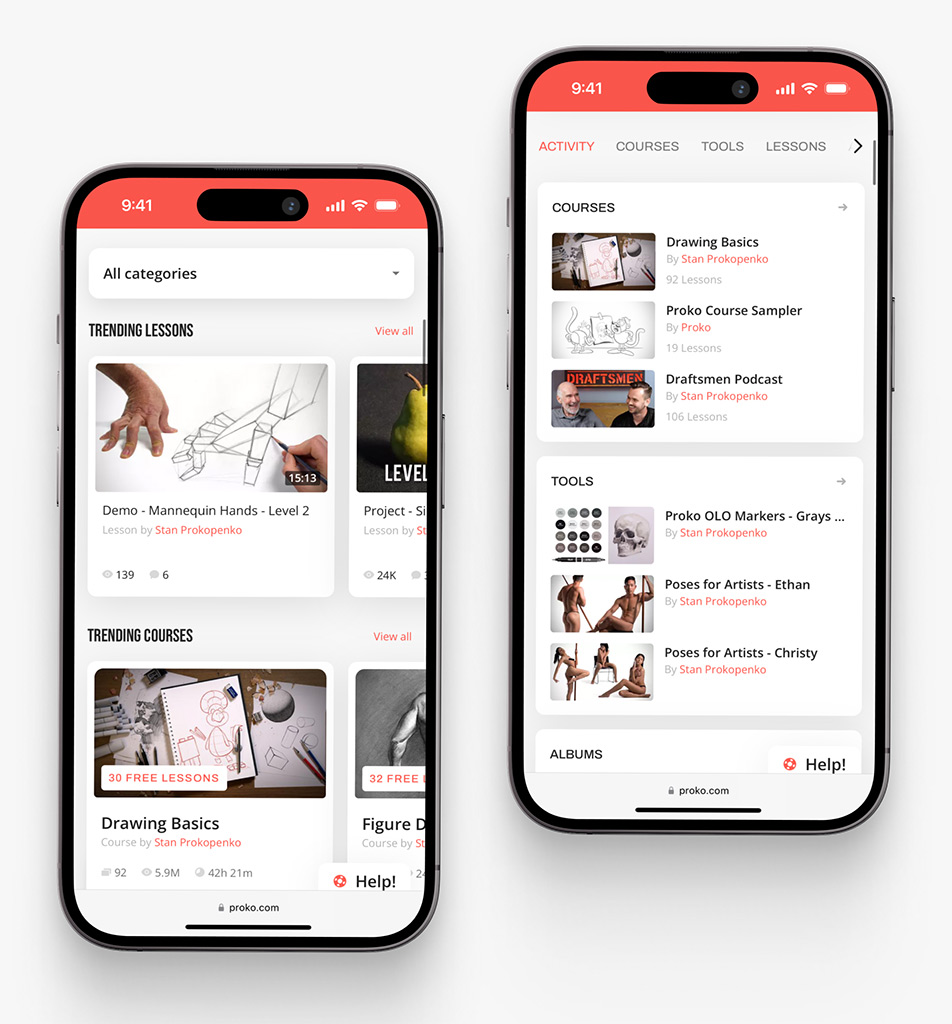
Proko app on mobile by Shakuro
Flask
Flask is a microframework Python framework by Armin Ronacher in the Pocoo project. While top web development frameworks like Django are large, Flask is lightweight and modular, where programmers can pick the tools and libraries they prefer to use on their project.
The framework avoids overwhelming you with functionalities, and gives you only the essential features. This “micro” philosophy turns it into a flexible and easy-to-grasp asset.
Why Flask?
- Simplicity: Flask is easy to learn and work with, and therefore it is best suited for beginner developers and professional developers alike.
- Resilience: The framework does not have strict rules and structures, and therefore you can shape it as per your own needs.
- Lightweight: Flask is easy and does not include things like an ORM (Object-Relational Mapping) or authentication as part of it, so you can include only what you need.
- Extensibility: A rich extensions ecosystem helps you add functionality like database integration, authentication, etc.
- Community & documentation: Flask has a strong community and excellent documentation, so getting help and resources is not hard.
Flask’s disadvantages
- Less opinionated: If you need more structure guidance, the flexibility of the framework will be a weakness for you.
- Requires additional tools: For features like authentication, session management, or ORM, you’ll need to integrate third-party extensions.
- Not appropriate for big apps: Unlike other frameworks we discussed before, this one can’t be implemented in large projects. You need a more organized framework like Django.
You should use Flask when:
- You’re building small and medium web applications, APIs, or proofs of concept.
- You need a lightweight and extensible framework.
- You want to learn Python web development without the complexity.

Security Web App by Conceptzilla
Spring Boot
It belongs to a Spring Framework system. Its creation goal was to simplify building standalone, production-grade Spring-based applications with minimal configuration. Spring Boot chooses convention over configuration; you get lots of default sets and feature automation. As a consequence, you spend precious time on unnecessary manual configuration.
Spring Boot strives to assist you in “just running” your Java apps leaving complex configurations or boilerplate code behind. The approach is convenient for building web applications, RESTful APIs, microservices, and more.
What are the advantages of Spring Boot?
- Convenient workflow: It eliminates long XML configurations and boilerplate code, and shifts your focus toward writing business logic.
- Embedded servers: Spring Boot comes with embedded servers like Tomcat, Jetty, or Undertow, so there’s no necessity to deploy the application to an external server.
- Production-ready features: Spring Boot comes with production-ready features like monitoring, health checks, metrics, and logging out of the box, which makes it very easy to deploy applications to production.
- Microservices: Compatibility with tools like Spring Cloud makes it extremely suitable for building microservice architectures.
- United community: Spring Boot has an enormous number of followers, so you get huge support and assistance learning it.
- Enterprise-grade: Different industries pick this framework to build large-scale, mission-critical applications.
Using web application development frameworks like Spring Boot sometimes brings along some complexities:
- Hard for beginners: Even though Spring Boot simplifies things, the underlying Spring Framework can still be daunting for beginners.
- Large footprint: Spring Boot applications tend to have a higher memory footprint than lighter-weight frameworks such as Micronaut or Quarkus.
- Steep learning curve: Learning Spring Boot also means learning the wider Spring ecosystem, which takes time.
Spring Boot is an excellent option if:
- You are developing medium to large-sized backend applications where scalability and performance matter.
- You need a framework that provides you with everything you need out of the box.
- You utilize Java for back-end development.
ASP.NET Core
ASP.NET Core is a free and open-source cross-platform framework targeted on building RESTful APIs, real-time apps, and more. Microsoft announced it as a follow-up to the classic ASP.NET framework built on top of the .NET Core runtime. This modular and lightweight tool runs on Windows, macOS, and Linux.
As one of the best frameworks for web development, it assists you in creating cloud-enabled, high-performance, and scalable apps with minimal overhead. The framework has multi-language support and integrates nicely with existing development tools.
What perks do you get when opting for ASP.NET Core?
- Cross-platform: The framework runs on Windows, macOS, and Linux, helping you build apps that have to run across environments.
- High performance: Optimized design and the .NET Core runtime cast a great buff on the ASP.NET Core speed.
- Modular design: This architecture keeps the size and complexity at bay because you only include necessary things.
- All-inclusive: Heaves a load off your mind by taking away the need for third-party libraries. No more quests for searching tools for dependency injection, authentication, authorization, caching, etc.
- Cloud-friendly: Being optimized for cloud deployment, ASP.NET Core runs smoothly like butter on platforms like Azure.
- Solid ecosystem: You will easily find a plethora of tools, libraries, and resources.
Disadvantages of ASP.NET Core
- Learning curve: While ASP.NET Core is beginner-friendly, mastering its features and ecosystem can take time.
- Complexity for small projects: For very small projects, ASP.NET Core might feel like overkill because of its size and complexity.
- Windows bias: Although cross-platform, some features (like Windows Authentication) are Windows-specific.
ASP.NET Core is a great choice if:
- You’re building medium to large-scale web applications, APIs, or microservices where performance and scalability are important.
- You prefer C# for backend development.
- You want web development languages and frameworks that are cross-platform and cloud-friendly.
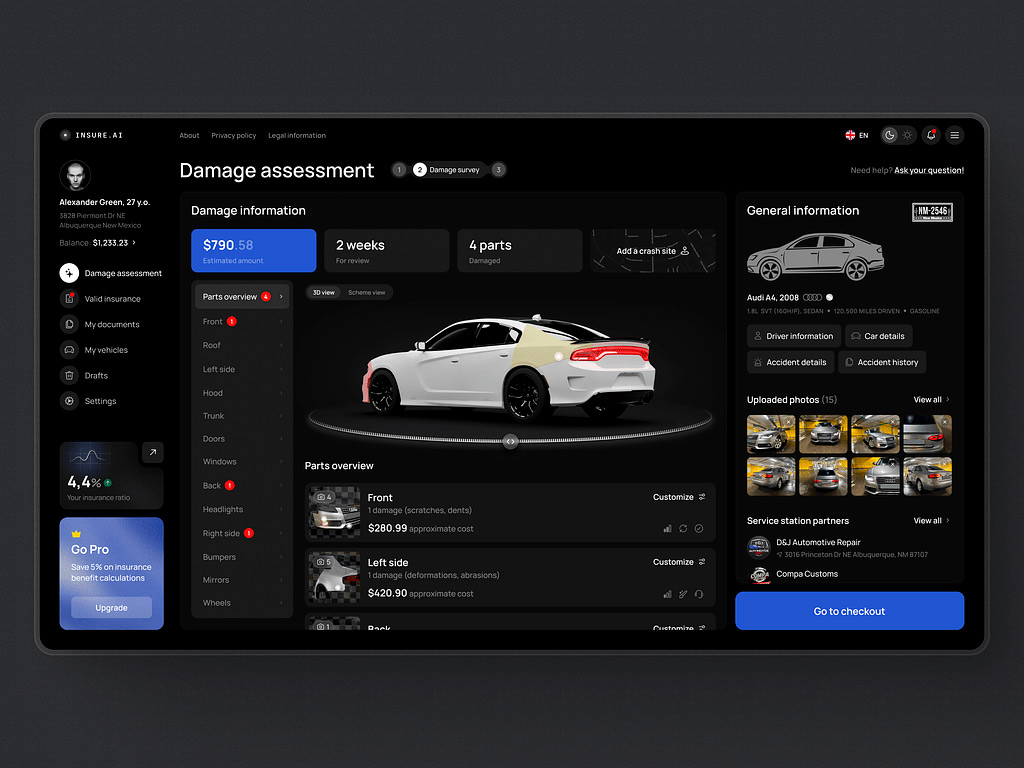
AI Insurance Web Design Concept by Shakuro
Node.js
This cross-platform JavaScript RTE simplifies your life and runs JavaScript code outside of the browser. It was created by Ryan Dahl in 2009 and is powered by Google’s V8 JavaScript engine, which powers the Chrome browser.
Node.js enables developers to build fast, scalable, and event-driven server-side apps using JavaScript. Real-time applications like chat apps, streaming services, and APIs that are hungry for data, are its true area of dominance.
Any bonus points you can grab to empower your development process?
- Sworn to a single language: Bound to JavaScript, it works on the front and backend, making it convenient to code.
- Asynchronous & non-blocking I/O: Event-driven mode under its hood gears the framework to deal with apps with many concurrent connections, hungry for performance.
- Fast & scalable: Speedy and lightweight, it’s a perfect fit for applications requiring real-time communication or handling much data.
- Node Package Manager: Node.js taps into npm which is a chest of wonders full with tools for nearly every task.
- Adaptable: The framework runs on Windows, macOS, and Linux, so it adapts quickly to changing conditions.
- Community & support: You will find loads of tutorials, plugins, and support on the most captious questions. And even if you fail, there will be fellow devs to give you a hand.
Anything where the web development framework falls short?
- Unsuitable for CPU-Driven Workloads: Node.js is not ideal for CPU-driven tasks because it’s a single-threaded event loop.
- Callback hell: Callbacks lead to “callback hell” if not well controlled, although existing practices like Promises and async/await minimize this phenomenon.
- Instability of libraries: Some npm packages are not kept up to date or stable nicely, so you must choose well.
Node.js is a great choice if:
- You’re building web applications, APIs, or real-time applications where performance and scalability are important.
- You prefer JavaScript for backend development.
- You want a platform that supports asynchronous, non-blocking I/O for handling many concurrent connections.
Meteor
Created at Meteor Development Group and first launched in 2012, Meteor is an open-source JavaScript framework. It marries frontend and backend development on a single platform, thus you do minimal configuration.
The framework emphasizes real-time updates, data synchronization, and simplicity. It provides everything you need to construct an entire application—database, server, and client—in one package.
What reasons can drift you to use Meteor?
- Full-stack framework: Meteor is responsible for handling frontend and backend and eliminates the need to switch between web development languages and frameworks.
- Real-time updates: Meteor makes it easy to build applications with real-time updates. The database changes are automatically updated on the client side without requiring manual refreshes.
- Single language (JavaScript): You can use JavaScript throughout the entire stack, from the database to the UI, which makes it easy to learn and simplify development.
- Simple configurations: You get a great speed boost when you don’t have to rack your brain over configs.
- Cross-platform: Meteor supports building web, mobile (iOS and Android), and desktop applications using the same codebase.
- Strong community & ecosystem: Meteor has a lively community and a decent ecosystem of packages (called Atmosphere) to extend its capabilities.
There are stumbling blocks on your way of wielding Meteor.
- Performance overhead: While Meteor is perfect for rapid development, it can introduce performance overhead into large applications due to its real-time data synchronization.
- Less popular today: Meteor has fallen in popularity over the past couple of years compared to frameworks like React, Vue, or Angular, and this might affect the resources and community support available.
- Limited flexibility: Opinionated nature keeps a firm hand on you especially if you want more control over specific parts.
- Steep learning curve: Meteor has a different architecture and some new concepts (such as DDP and reactivity) that may take time to grasp, particularly for newbies.
Meteor is an excellent option if:
- You are developing real-time, data-driven applications where rapid development and simplicity matter.
- You want a full-stack framework that manages both frontend and backend development.
- You want to build cross-platform applications (web, mobile, and desktop) from a common codebase.
Need help choosing a backend for your SaaS, marketplace, or AI product? Our web development team can map the stack before you start building.
Nest.js
Nest.js is an opinionated, full-featured framework for building enterprise-level applications using JavaScript or TypeScript. It was created by Kamil Myśliwiec and published in 2017. Nest follows the Model-View-Controller (MVC) and Hexagonal Architecture principles, therefore being extremely modular, testable, and scalable.
The top web development framework paves a structured and disciplined way of creating backend applications without giving up on JavaScript features like async/await, Promises, and TypeScript.
What features give you the upper hand?
- Strict approach: Nest.js enforces a tidy and uniform structure, making large projects manageable and predictable.
- Strong typing: Through TypeScript it gives you static typing, better tooling, and a superior experience compared to plain JavaScript.
- Modular design: Reusable and independent modules keep your code organized and neatly looking.
- High scaling nature: Nest.js grows easily with its modular structure and support for microservices.
- Vast ecosystem: Features like authentication, database connectivity, and real-time communication are easily obtained with community libraries and utilities.
- Community & corporate support: While not backed by a big corporation, Nest.js enjoys a rich and responsive community with ongoing updates and improvement.
Disadvantages of Nest.js
- Learning curve: While Nest.js is beginner-friendly, its modular design and conventions can take time to master.
- Less popular than Express: While gaining popularity, Nest.js is still less widely used than frameworks like Express or Fastify, which might affect the availability of certain plugins or libraries.
Nest.js is a great choice if:
- You’re building medium to large-scale backend applications where scalability and maintainability are important.
- You prefer TypeScript for backend development.
- You want a framework that provides everything you need out of the box.
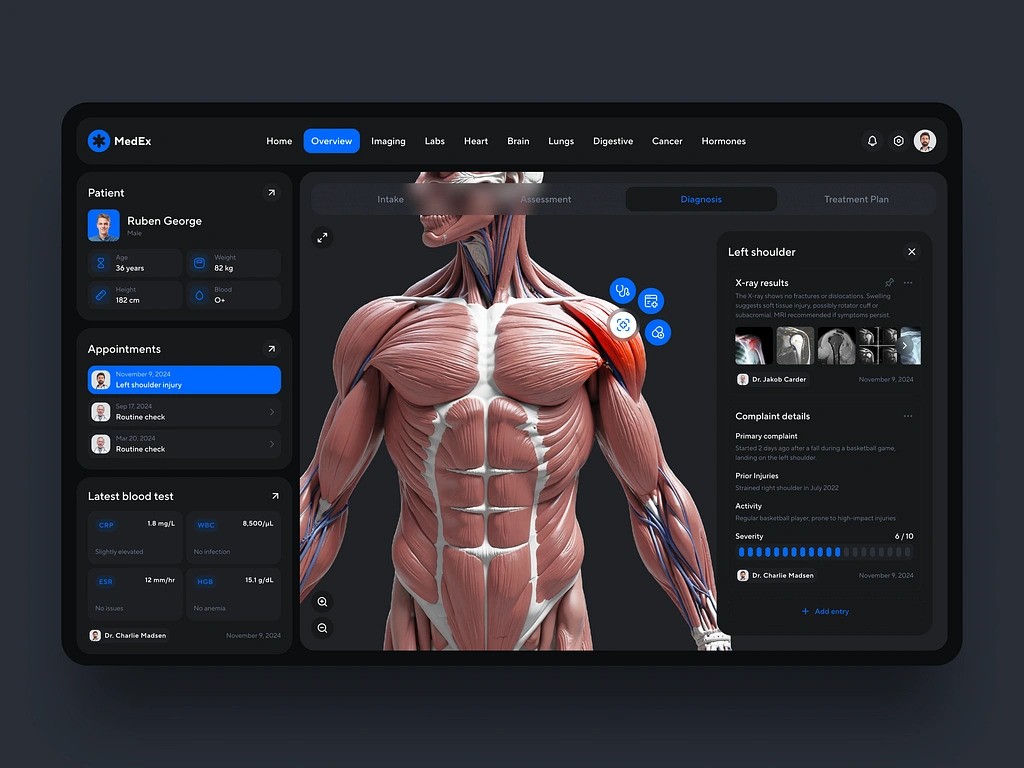
Medical Management Software Dashboard by Shakuro
Benefits of Using Web Development Frameworks
Regardless of different targets and operations, all of them offer a broad range of benefits to the table, making the process of web application development faster, easier, and more efficient.
Faster development
All of them have existing components, libraries, and tools that save you from having to develop everything from scratch. They follow a conventions-over-configuration approach, that saves time on configurations. Additionally, you can reuse the code somewhere else in your application or even in future projects.
Enhanced productivity
You must establish a pattern of code structure, which is simpler to read and maintain. There are features like routing, authentication, templating, and database integration available out of the box, so you don’t need to implement them yourself. Most popular web development frameworks also tend to favor modular architectures, where you can focus on specific areas of the application without disturbing others.
Improved code quality
You need to follow industry best practices, making code better and easier to maintain. Some frameworks like Angular and Nest.js have static typing, which catches bugs early in the development cycle.
Better scalability
Frameworks give you performance optimization for large applications. Modular design allows you to scale components of your application independently. Best frameworks for web development support microservice architectures, which enable scalable and distributed systems.
Security
Frameworks come with built-in security features against common vulnerabilities like SQL injection, cross-site scripting (XSS), and cross-site request forgery (CSRF). Properly utilized frameworks receive regular updates, which patch security issues and add functionality.
Cross-platform compatibility
Some frameworks (e.g., React Native, Flutter, Meteor) allow you to develop applications for various platforms (web, mobile, desktop) from a single codebase. They provide cross-browser compatibility.
Cost-effective
The majority of the tools are open-source, so you keep your budget intact. Development is faster, meaning less cost, especially for companies.
How to Choose the Right Web Development Framework
Choosing the right tool is a critical decision that can significantly impact the success of your project. With so many frameworks available, each tailored to specific needs and use cases, it’s important to evaluate your requirements carefully.
Understand your project requirements
First, think about the type of application you want to build. Is it a simple website, a complex web application, an API, or a real-time application like a chat app? Second, you need to plan ahead and take care of scalability beforehand: your app will have to handle high traffic or grow over time.
Evaluate your team’s skills
The experience of your team also matters. They should work with web development languages and frameworks they know, otherwise learning new stuff will slow you down. Especially if a framework has a steep learning curve like the mountain Everest. If you’re new to web development, choose beginner-friendly frameworks like Flask, Express.js, or Svelte.
Consider the framework’s complexity
Choose between opinionated and unopinionated frameworks. The first category has rules set in stone but speeds up the process. The latter is more flexible, however, you will pay with time, configuring and setting up these tools.
Check the community and ecosystem
A strong community means better support, more tutorials, and frequent updates. If it’s immature, you will have trouble finding plugins, libraries, and tools. The difference is similar to navigating through an unknown land alone or with a team. It’s possible to do it on your own but harder.
Seek cross-platform support
If you want to build applications for multiple platforms using a single codebase (and most apps today are cross-platform), pick corresponding frameworks. For instance, React Native or Meteor.
Consider deployment options
If your app will be hosted on the cloud, pick cloud-deployment optimized frameworks like ASP.NET Core, Spring Boot, or Node.js. For containerizing deployments, you have to opt for Docker-supported well: Flask, Express.js, Spring Boot, or else.
Double-check security
Most tools like Django, Ruby on Rails, Spring Boot shield you from common vulnerabilities such as SQL injection, XSS, and CSRF.
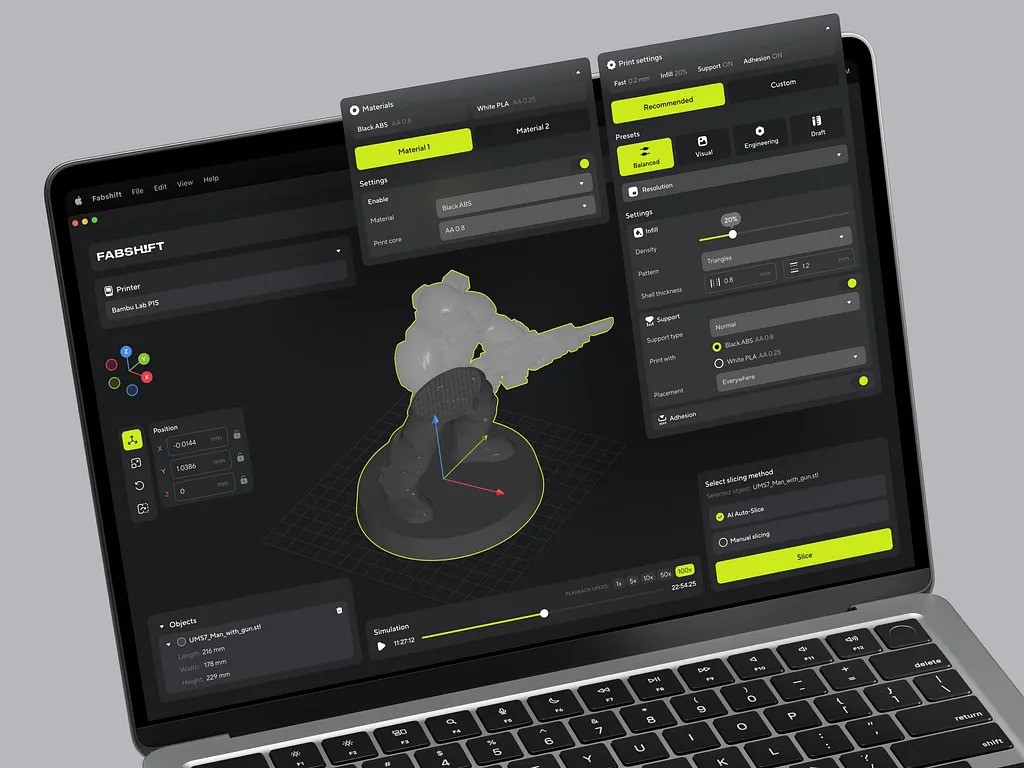
3D Printing Service App by Shakuro
Future Trends in Web Development Frameworks
Web development frameworks change ever more frequently with increasing technology, changes in user behavior, and changing trends. In the future, a few significant aspects will propel the trend of web development frameworks forward, including the impact of AI, innovation of new technology, and the trend of 2026 and beyond.
AI Impact on Web Development Frameworks
Artificial Intelligence is already significantly transforming a number of industries, and its influence on web development frameworks will only grow stronger in the years to come.
GitHub Copilot, Tabnine, and Amazon CodeWhisperer now generate code blocks, suggest changes, and make repetitive tasks easier. In the future, frameworks can potentially integrate AI-powered helpers that provide real-time support, optimize the code, and recommend best practices according to the project requirements.
AI can be used to scan codebases for probable bugs, performance problems, and security vulnerabilities. AI-based web development languages and frameworks could consist of AI-driven test libraries that generate automated test cases and simulate user interactions.
The frameworks may enable developers to create customized user interfaces that adapt to the distinct preferences, behaviors, and devices of individual users. This can lead to more engaging and intuitive web experiences.
How AI Changes Framework Choice for Web Apps
AI features add a few extra questions to the usual framework choice. It is no longer only about routing, UI components, and page speed. You also need to think about model APIs, data flow, latency, privacy, and how much each user action can cost.
For a simple AI feature, such as text generation, content suggestions, or form autofill, a React, Next.js, or Nuxt frontend can work well with a Node.js backend. The frontend handles the user experience, while the backend sends requests to model APIs, manages prompts, stores results, and protects API keys.
For more complex AI products, the backend often needs a stronger data layer. This includes retrieval-augmented generation (RAG), vector search, document processing, file uploads, user permissions, logging, and background jobs. In this case, Python frameworks like FastAPI can be a practical choice because many AI and machine learning tools already live in the Python ecosystem.
AI dashboards are another common use case. A team may need to monitor model outputs, user activity, content quality, costs, or internal workflows. Here, the frontend framework should make it easy to build clear interfaces, charts, filters, and real-time states. React, Next.js, Vue, and Nuxt are all good options, depending on the team and product requirements.
Security also matters more in AI-enabled web apps. User prompts, uploaded files, customer data, and generated outputs may contain sensitive information. A good architecture keeps API keys on the backend, limits access to private data, validates inputs, logs important actions, and makes it clear what data is sent to third-party AI providers.
Cost is another part of the technical decision. Some model API calls are cheap, while others can become expensive at scale. Caching, request limits, streaming responses, background processing, and choosing the right model for each task can help keep the product fast and financially predictable.
In short, AI does not replace the need for a solid web framework. It makes the choice more important. For many AI web apps, a strong setup is a modern frontend framework like Next.js or Nuxt, paired with a backend that can safely handle model APIs, data processing, and user permissions. For Python-heavy AI features, FastAPI is often a good fit.
If you are planning an AI-powered web app, the framework choice should happen together with product architecture. Our web development team can help you choose the right frontend, backend, and AI integration setup before you start building.
Advancing Technologies
- WebAssembly: Wasm is a low-level, binary format for running performance-hungry applications in the browser. Frameworks are already making use of Wasm to deliver faster, more performant experiences.
- Edge computing: The data is processed close to the source (e.g., user devices) rather than in centralized servers. Frameworks will need to shift toward this paradigm by enabling the building of decentralized, low-latency applications.
- Progressive Web Apps (PWAs): They combine the best of web and mobile apps, offering offline functionality, push notifications, and app-like experiences. By 2026, most major frameworks will have robust built-in support for PWAs, making them the default choice for cross-platform development.
- Blockchain integration: Frameworks may start incorporating blockchain APIs and tools to simplify integration with decentralized systems.
- AR/VR: It is becoming mainstream, and web frameworks will need to support immersive experiences. Tools like A-Frame (for VR) and AR.js (for AR) are already paving the way, but more robust web development languages and frameworks will emerge to handle complex 3D interactions.
2026 and Beyond: What to Expect
- More focus on developer experience (DX): The tool will pay more attention to our experience in the form of easier setup, less boilerplate code, and better tooling. More “zero-config” frameworks that require minimal setup will exist.
- Multi-paradigm frameworks: Future frameworks can operate a wide range of paradigms (reactive programming, functional programming, and object-oriented programming) to fit into different use cases.
- Decentralized web (Web3): Decentralized applications (dApps) will be one of the major drivers of Web3 development frameworks. The Web3 frameworks will focus on blockchain adoption, smart contracts, and decentralized storage.
- AI-native frameworks: They specifically function in harmony with machine learning models. After surfacing, these will simplify the Artificial Intelligence integration into web applications.
- Low-code/No-code platforms: They’re gaining traction as they allow for applications to be built with minimal coding by people who aren’t developers. These platforms will be around alongside classic frameworks but with different audiences.
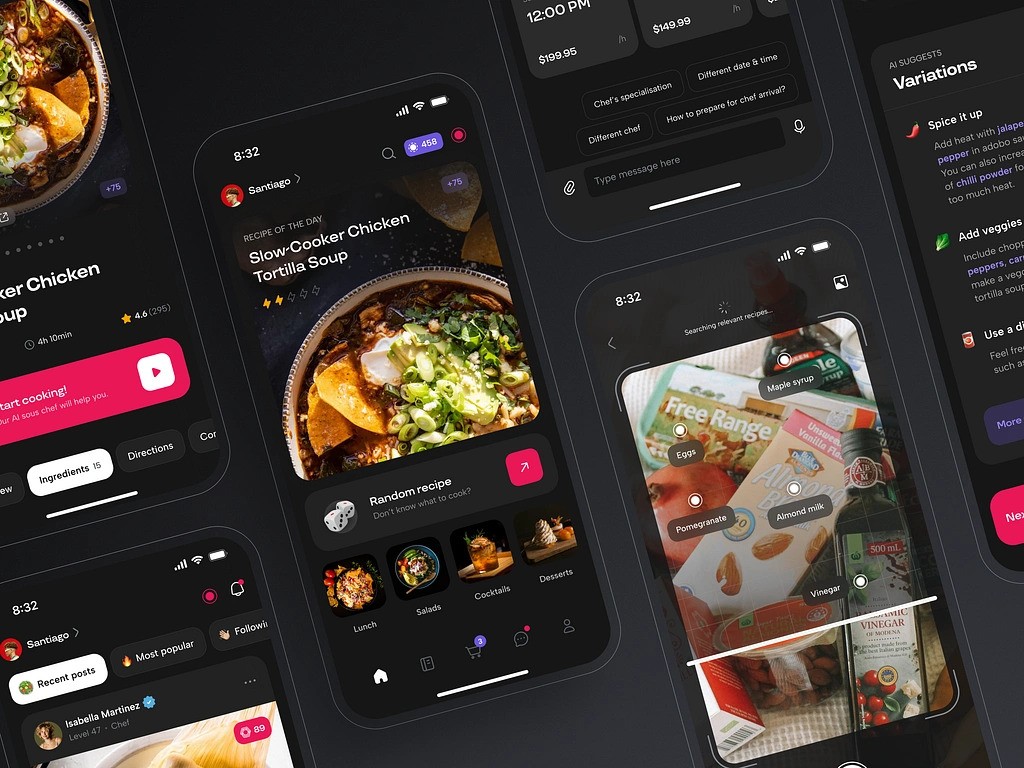
AI Chef Mobile App by Shakuro

Conclusion
The most popular web development frameworks not only streamline productivity and performance but also prioritize user experience and accessibility above all else. Picking up the newer technologies and learning to deal with evolving demands of developers as well as users, the frameworks are set to mark the future.
Being an old hand or a newcomer, you need to pay attention to these trends from the height of your experience to make insightful choices. The right framework makes mindblowing difference by simplifying your tasks and creating responsive, resilient web apps.
Still not sure what framework to pick for you project? Reach out to us and let’s build your future product together.
FAQs
What are the most popular web frameworks?
On the frontend, the most popular web frameworks are React, Vue.js, and Angular, followed by Svelte, Ember.js, Nuxt.js, and Astro. On the backend, Django, Express.js, FastAPI, Laravel, Ruby on Rails, Flask, Spring Boot, ASP.NET Core, Node.js, Meteor, and Nest.js lead the list. Next.js is a common choice for SaaS products, MVPs, and SEO-focused websites built with React.
What is the best web development framework for a beginner?
Vue.js is a good choice for beginners. It is easy to learn, flexible, thoroughly documented, and can be adopted gradually, so you can start small without overloading yourself. On the backend, Flask and Express.js are beginner-friendly too, and Svelte is another frontend option with a gentle learning curve. Frameworks with a steep learning curve will slow a new team down.
Which web framework is best for enterprise applications?
For enterprise portals that need permissions, audit logs, integrations, reporting, and long-term maintainability, Angular is a strong frontend choice thanks to its structured approach. On the backend, Spring Boot and ASP.NET Core are common for large systems, Django offers a batteries-included toolset, and NestJS suits teams that want a structured TypeScript backend. Typical stacks are Angular + Spring Boot or Angular + ASP.NET Core.
How do I choose between frontend and backend frameworks?
It depends on which part of the product you are building. If user interfaces and interactions come first, choose frontend frameworks like React, Angular, or Vue.js. If server-side logic, data processing, and APIs are the core, use backend frameworks like Django, Spring Boot, or Express.js. Most products need both, or a full-stack framework that covers the entire application.
Why are web development frameworks important?
Frameworks give developers pre-written code, libraries, and a structure for common tasks like routing, authentication, forms, and database access, so teams don’t build everything from scratch. This speeds up development, improves code quality through industry best practices, adds built-in protection against SQL injection, XSS, and CSRF, and makes applications easier to scale and maintain. Most are open-source, which keeps costs down.
What are the most promising new web frameworks?
Astro, Qwik, and Web Components stand out among the newer options. Astro ships less JavaScript by default, which makes it a strong fit for content-heavy websites that need fast pages and good SEO. Each of these tools addresses different demands, so compare them with established frameworks against your project type, team skills, and long-term maintenance needs before adopting one.
Related reading